 Rigworthy
The Best Under-Desk Drawers and Mounts in 2026
By Rigworthy Editorial Team · Updated September 18, 2026
Rigworthy is reader-supported: we may earn a commission if you buy through our links, at no cost to you. How we make money
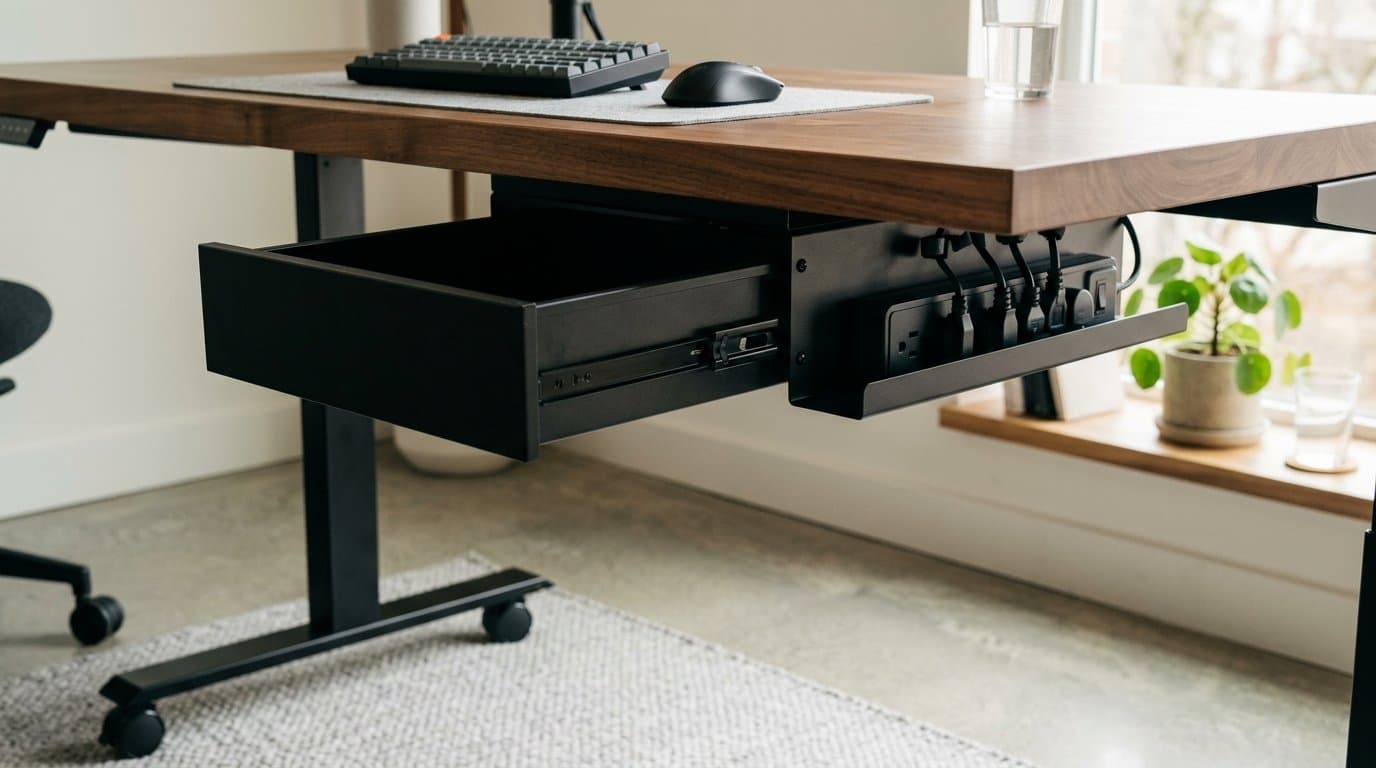
Your desktop is organized. The rest of your desk is not. Under-desk space is where organization either lives or dies: a power strip sitting on the floor, a tangle of cables looped over the crossbar, a laptop you've relocated below the surface to clear room above. Under-desk drawers, keyboard trays with storage, and PC mounts are purpose-built for this — they reclaim the underside instead of ignoring it.
The category covers more ground than it looks. Clamp-on drawers are the simplest lift: no tools, no damage to the desk, pull-out access to daily small items. Screw-mount drawers are the permanent, lockable version for owned desks. Keyboard trays with drawers serve a dual role — they clear the desktop and add a small compartment. Corner-mount organizers use desk-edge space for multi-level storage without touching the underside at all. And PC mounts solve the most dramatic version of the problem by lifting the tower off the floor entirely. Five different answers to the same question: what goes underneath.
Two specs decide more of this than the price does, and both are easy to skip. The first is how it attaches — a clamp and a screw mount look identical in a product photo and are not interchangeable if your desk is glass or rented. The second is how far it hangs below the desktop, which almost nobody publishes as a drop figure and which is the difference between a drawer you forget about and one your knees find every morning. Every figure in this guide has been checked against the maker's own specification page; where a maker publishes nothing, we say so rather than fill the gap.
Our top picks at a glance
- 1
- 2
- 3
Best Keyboard Combo
HUANUO Large Under Desk Keyboard Tray with Storage DrawerTypically Amazon-only; no published MSRP
- 4
- 5
How we chose
- Install method — clamp-on vs. screw-mount, verified against the maker's own hardware list rather than the category it looks like it belongs to
- Real interior dimensions — will a notebook, charger, or A4 paper actually fit
- Drop below the desktop — how much of your knee room the thing costs you
- Weight capacity relative to what you're likely to store
- Standing-desk compatibility — drawer must travel cleanly with the desktop
- Finish quality — steel, powder-coat, and hardware that don't look cheap close up
Our picks come from spec research, long-term owner feedback, and category expertise — not sponsorships. Read the full methodology.
Compared side by side
| Product | Award | Mount type | Interior (W × D × H) | Drop below top | Typical price |
|---|---|---|---|---|---|
| VIVO Clamp-on Desk Drawer (DESK-AC03C) | Best Overall | Clamp-on | 14.3" × 8.7" × 3.8" | 5.5" or 6.3" | ~$40 |
| FlexiSpot S01 Under Desk Drawer | Best Secure Storage | Screw-mount | 12.6" × 9.4" × 2.4" | 3.9" | ~$80 |
| HUANUO Large Under Desk Keyboard Tray with Storage Drawer | Best Keyboard Combo | Clamp-on | Tray 25.6" × 11.8"; drawer not published | Not published | Amazon-only |
| VIVO Corner Clamp-on Desk Drawer (DESK-DR3C) | Best Multi-Level | Corner clamp | 11.7" × 8.4" × 3.5" (lower drawer) | 12.6" — at the side, not the knee zone | ~$80 |
| HumanCentric Adjustable Computer Case / CPU Mount | Best for Desktop Users | Screw-mount | — | Takes 12–21" cases | ~$40 |
1. Best Overall
VIVO Clamp-on Desk Drawer (DESK-AC03C)
Typically around $40
- No-drill installs
- Rental desks
- Quick daily-access storage
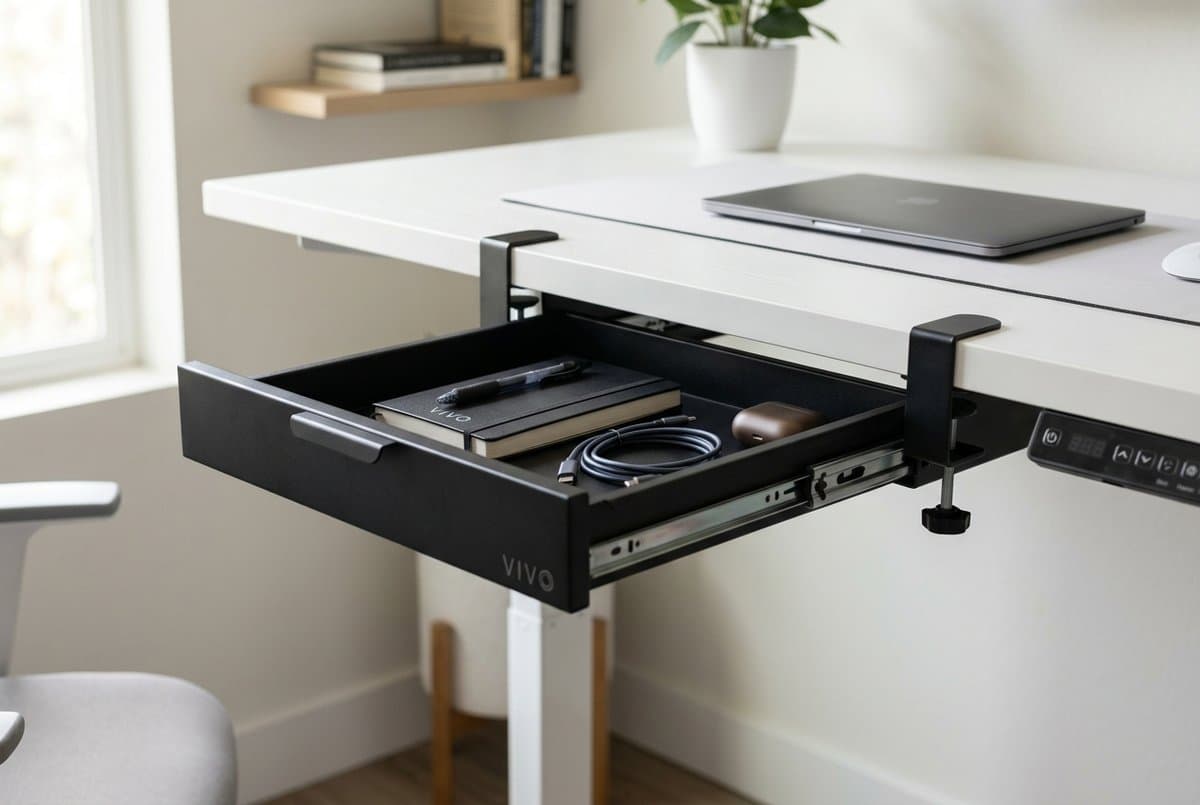
The VIVO clamp-on drawer solves the core problem: you get a pull-out drawer under your desk without drilling a single hole. Two C-clamps tighten by hand and leave no marks on the underside — important for rental apartments and desks you'll eventually sell or move. VIVO rates the clamp for desktops up to 2 inches thick, with two height settings, and the whole unit weighs 5.8 pounds empty, so one person can hold it up and tighten the clamps without help. The drawer slides on a steel rail, extends 7.9 inches, and stays put when closed rather than rattling open when you nudge the desk.
The interior is 14.3 by 8.7 inches and 3.8 deep. That last number is the one to notice: it is a full inch deeper than the lockable steel drawer below it at twice the price, which is what makes this the more useful drawer for the things you actually reach for during the day — cables, a portable charger, earbuds, a notebook, Post-its, pens. Letter paper lies flat with the long edge across the drawer, and A4 does too, but only just: A4 is 8.27 inches on its short side against 8.7 inches of depth, so there is under half an inch of margin. Treat it as a drawer for daily kit that happens to take paper, not as a paper drawer.
The real cost is vertical, and it is the one spec this category is worst at disclosing. VIVO publishes the overall height at 5.5 or 6.3 inches depending on which clamp setting you use — noticeably more than the 3.9-inch lockable drawer, and more than double the one-to-three inches of spendable clearance under a correctly set desk. Mount it off to one side rather than centred under the front edge and the problem mostly disappears, because the protected zone for your legs is only about 20 inches wide. We work through that arithmetic in what actually fits under your desk.
What we like
- Clamp-on: no drilling, no marks, works on rental desks and glass tops
- Deepest interior of the two plain drawers here at 3.8" — takes a charger brick standing up
- Steel rail with a 7.9" extension — doesn't rattle or drop open unexpectedly
- At 5.8 lbs empty it is a genuine one-person install, unlike the heavier options here
Worth knowing
- 5.5–6.3" of overall height is the largest bite out of knee room in this guide — mount it off-centre
- 11 lb rating and 3.8" of height — no binders, no stacks
- A4 clears the 8.7" depth by under half an inch; letter is the comfortable fit
- No lock. VIVO's own lockable drawer (DESK-AC03L, around $70) is the fix, but it screw-mounts
- Overall dimensions
- 15.7" L (21.4" including clamps) × 9.1" D × 5.5"/6.3" H
- Interior dimensions
- 14.3" L × 8.7" D × 3.8" H
- Drawer extension
- 7.9"
- Weight capacity
- 11 lbs (unit weighs 5.8 lbs empty)
- Mount type
- Two C-clamps, desktops up to 2" thick, two height settings
2. Best Secure Storage
FlexiSpot S01 Under Desk Drawer
Typically around $80
- Sensitive documents or items
- Permanent desk installs
- Heavy-duty capacity needs
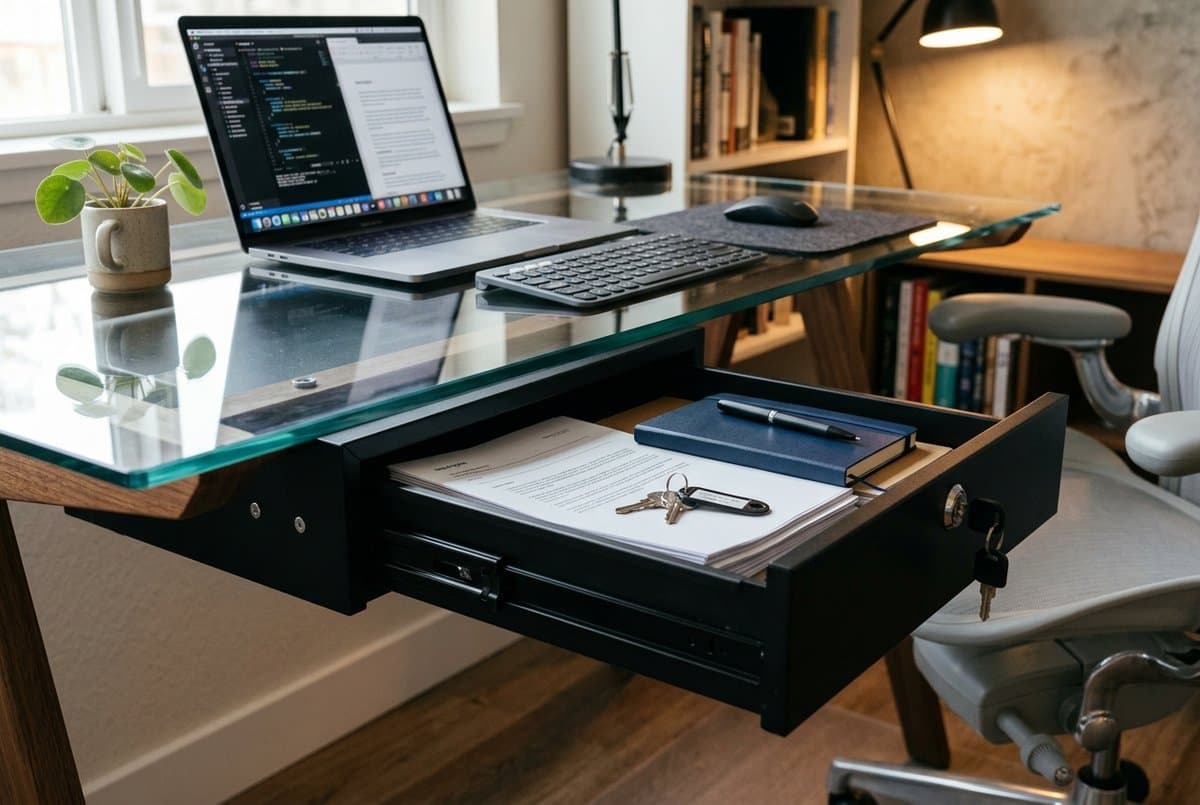
The FlexiSpot S01 is the drawer to buy when you need to lock something away or load it up — not when you need more room. Be clear about that trade before you spend the extra. FlexiSpot publishes the drawer at 14.6 × 11.3 × 3.9 inches overall and rates it at 22 pounds, double anything else here, with a two-key lock built by Steelto Security. The interior, which FlexiSpot publishes only on its European listing, is 32 × 24 × 6 centimetres — 12.6 × 9.4 × 2.4 inches. Letter and A4 lie flat with about an inch to spare in each direction, which is more paper margin than the clamp-on VIVO gives you; what you give up is an inch and a half of height.
The 22-pound rating is the genuine reason to buy it, and it is worth being precise about where that number comes from, because the obvious explanation is wrong. It is not a property of screw-mounting: VIVO's screw-mounted 18-inch drawer and its screw-mounted lockable drawer are both rated 11 pounds, the same as its clamp-on. Load rating is a property of the drawer, not the fixing method, and the S01 is simply built heavier — a steel body on dual rolling tracks that pull level whatever is inside.
The trade-off is installation: you are driving screws into the underside of your desk with the included hardware, which rules it out for glass tops, laminate desks you want to preserve, and any rental-situation desk. On a solid-wood, steel, or bamboo standing desk that you own it is the right permanent upgrade. Note the warranty before you commit — FlexiSpot covers accessories like this for one year, against the five-to-fifteen years its desk frames carry.
What we like
- 22 lb rating — genuinely double everything else here, and the best reason to buy it
- Lockable with two keys — real security for personal or sensitive items
- Roomiest in plan: letter and A4 lie flat with about an inch of margin each way
- Dual rolling tracks give a level, controlled slide at any fill weight
Worth knowing
- Requires drilling — not compatible with glass tops or rental desks
- Only 2.4" of interior height, an inch and a half less than the cheaper VIVO clamp-on
- One-year warranty on accessories, well short of FlexiSpot's own frame coverage
- Heavier than the clamp-on options; installation is easier with a second pair of hands
- Overall dimensions
- 14.6" L × 11.3" W × 3.9" H
- Interior dimensions
- 12.6" × 9.4" × 2.4" (32 × 24 × 6 cm, FlexiSpot EU listing)
- Weight capacity
- 22 lbs
- Mount type
- Screw-mount, hardware included
- Security
- Lock + 2 keys
- Warranty
- 1 year
3. Best Keyboard Combo
HUANUO Large Under Desk Keyboard Tray with Storage Drawer
Typically Amazon-only; no published MSRP
- Clearing the desktop for typing
- Dual-function tray and small-item storage
- Desks between 0.39" and 1.57" thick
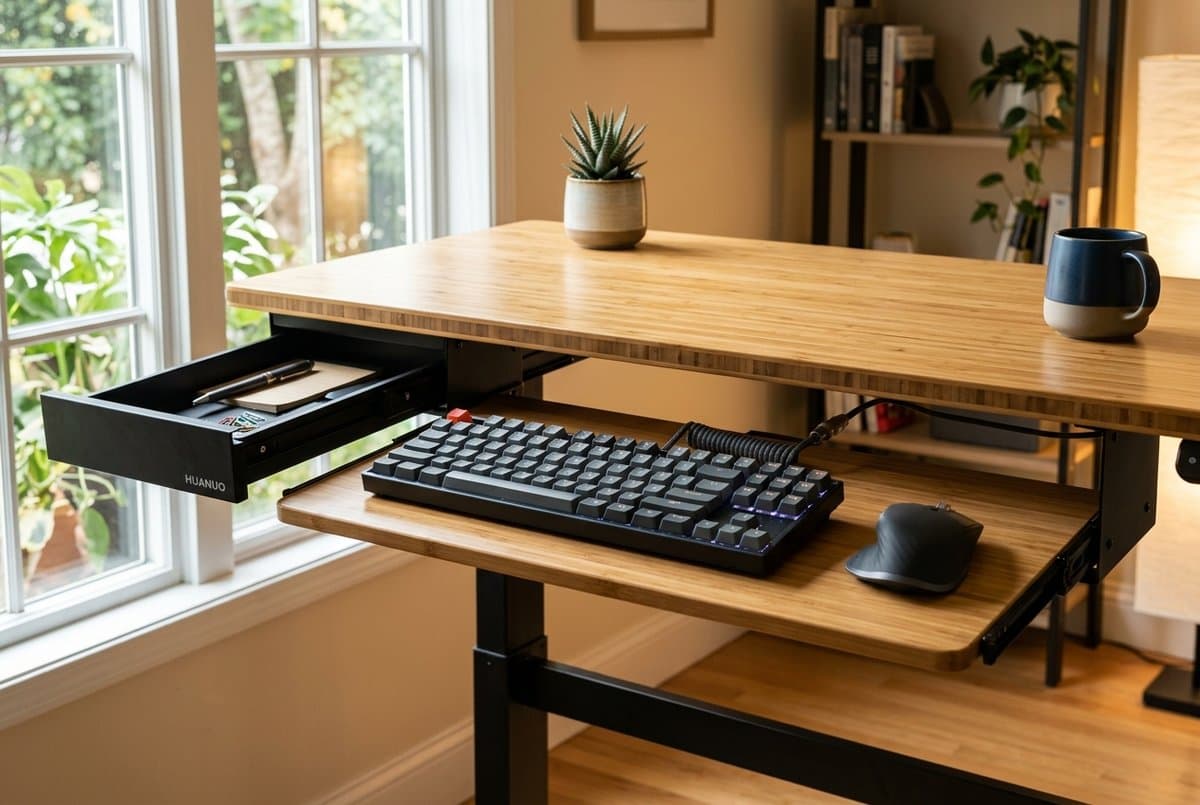
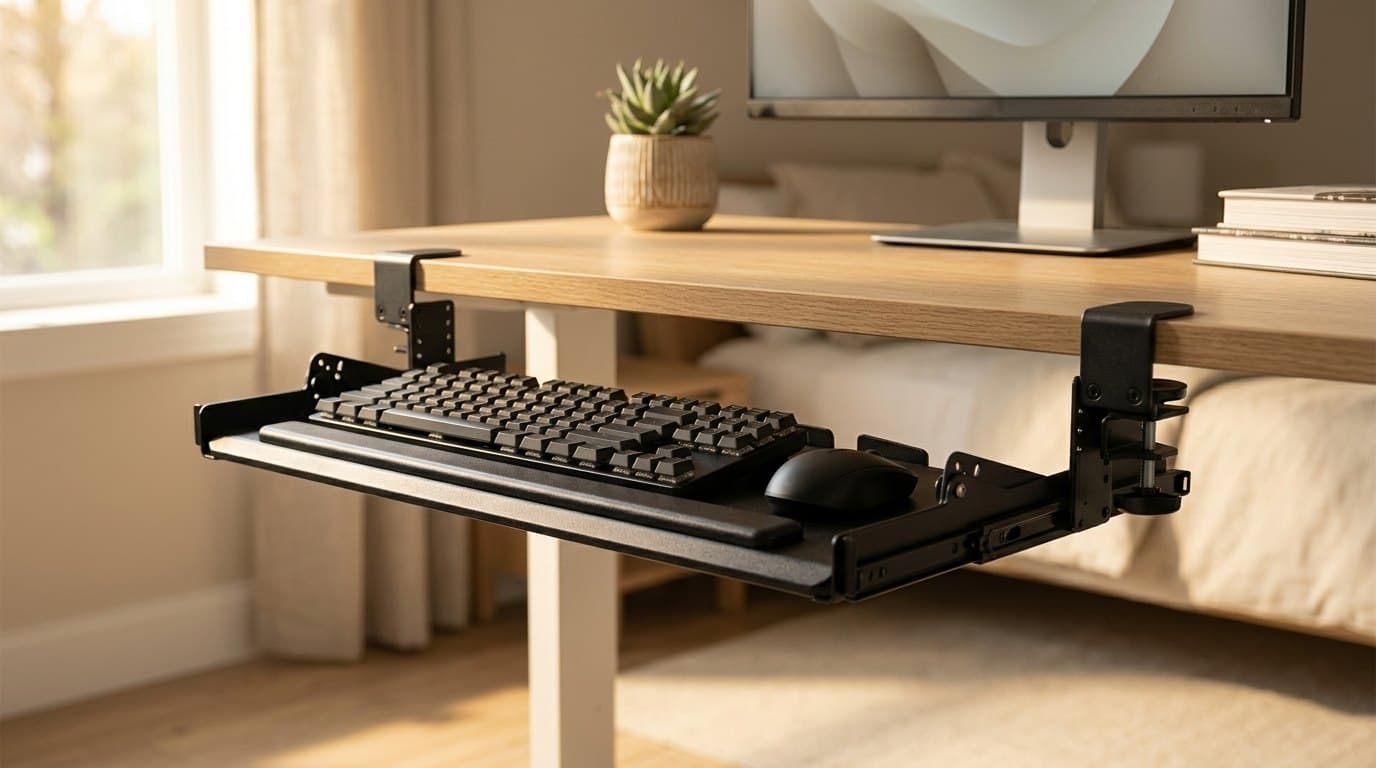
This is the one pick here that buys you desk surface rather than storage volume: a 25.6 × 11.8-inch platform (30.16 inches including the clamps) that slides out when you want to type and tucks back under when you want the desktop clear, with a compact drawer built into the assembly for earbuds, a stylus, a phone. Dual C-clamps take desktops from 0.39 to 1.57 inches, so it is a no-drill install, and the tray is rated for 11 pounds. Two fit notes HUANUO puts in writing and most buyers miss: it needs at least 11.3 inches of clear depth under the desk to retract into, and it is not compatible with beveled-edge desks.
Be clear about what it does not do. HUANUO describes an "ergonomic typing angle" and positions the platform at a better typing height, but there is no tilt adjustment — the platform is fixed and flat. That matters because negative tilt, where the far edge drops below the near edge to keep your wrists in line with your forearms, is the actual ergonomic argument for a keyboard tray, and it is the axis our under-desk keyboard tray guide ranks on. Trays there run to −10° and −15°. If wrist angle is your problem, buy from that guide; if a clear desktop and a small cubby are your problem, this does that job for a fraction of the money.
One honest caveat on the badge. HUANUO publishes no spec page and no list price for this model — it is sold through Amazon, where the price moves, and near-identical trays ship under several other brand names at similar sizes. Every figure above comes from HUANUO's own product listing, which is the only place it publishes them. Shop this one on the clamp range and the 11.3-inch retract depth, which are the two things that decide whether it fits your desk at all, rather than on the brand on the box.
What we like
- Frees the full desktop surface when slid back under the desk
- Large 25.6 × 11.8" platform takes a full-size keyboard and a mouse together
- Integrated drawer keeps earbuds and small items off the desktop
- C-clamp mount, no drilling, 0.39–1.57" desk thickness
Worth knowing
- No tilt adjustment at all — the platform is flat and stays flat
- Needs 11.3" of clear depth under the desk to retract into; won't fit a shallow underside
- Not compatible with beveled-edge desks
- No maker spec page or list price; the drawer's own dimensions are not published
- Platform dimensions
- 25.59" × 11.81" (30.16" including clamps)
- Slide travel
- Extends up to 7.76"; sits 11.3" back when retracted
- Weight capacity
- 11 lbs
- Mount type
- Dual C-clamps, desktops 0.39"–1.57" thick
- Tilt
- None — fixed flat platform
4. Best Multi-Level
VIVO Corner Clamp-on Desk Drawer (DESK-DR3C)
Typically around $80
- Corner and L-shaped desks
- Multiple compartment needs
- Keeping storage out of the knee zone
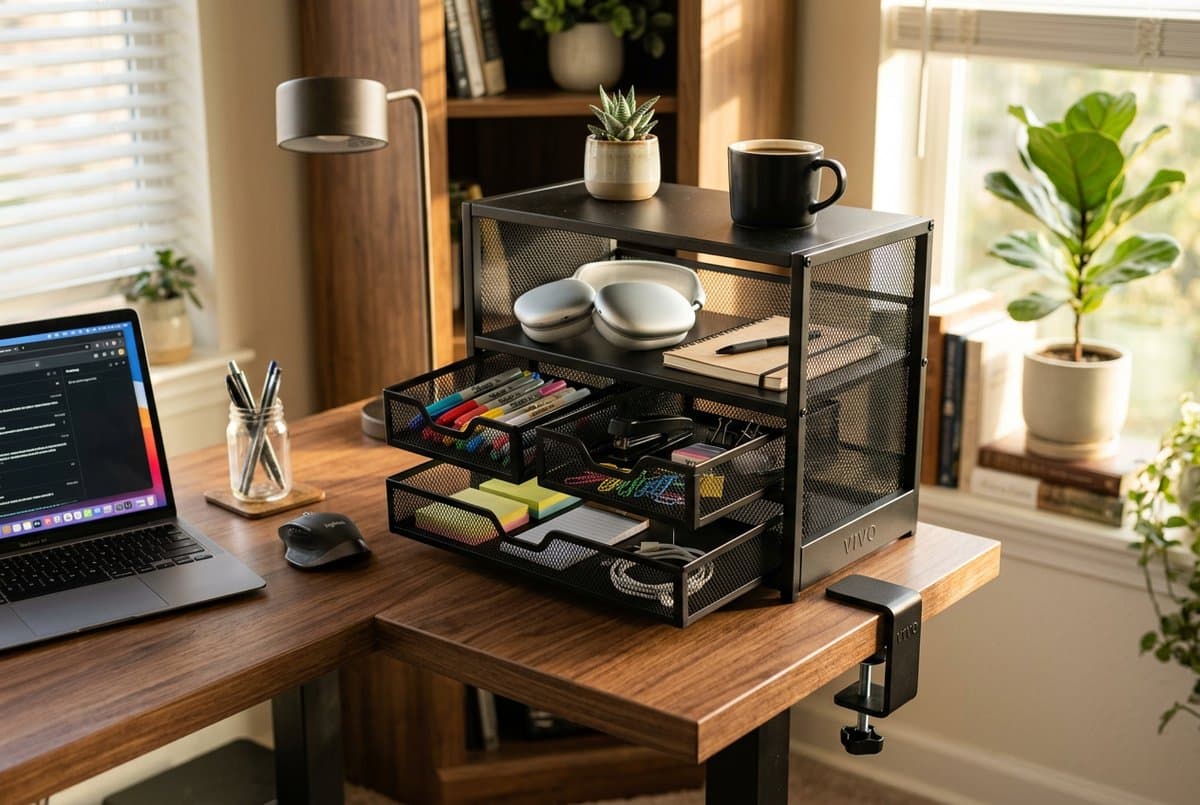
The VIVO corner unit takes a different approach: instead of mounting flat against the desk underside, it clamps to a corner or edge and hangs down the side, giving you two drawers and an open shelf in one 18.3 × 9.7 × 12.6-inch body. That 12.6-inch height is the largest figure in this guide by a distance, and it is also the reason this is the pick with the *least* clearance problem — it hangs outside the roughly 20-inch corridor your legs actually need, so on any desk wide enough to have a clear strip its geometry was never in conflict with your knees.
VIVO publishes each drawer's interior depth as two numbers, because the drawers are raked: the top drawer is 11.7 × 8.4 inches and 1.5 inches deep at the side, 2.2 at the front; the bottom is 11.7 × 8.4 and 3.5 at the side, 5 at the front. Both extend 7.5 inches. The open shelf above measures 13.6 × 9.8 × 3 inches. Shallow drawer for papers and flat items, deep drawer for chargers, controllers or a small notebook, shelf for whatever you want to grab without opening anything.
Two practical constraints. The total rating is 11 pounds across all three compartments, which is fine for office supplies and accessories and rules out anything heavy. And the unit weighs 14.6 pounds empty — VIVO recommends a two-person installation, which is unusual for a clamp-on accessory and worth knowing before you are standing under a desk holding a steel cabinet in one hand. The clamps are reversible for left- or right-side mounting, padded, and take desktops up to 1.75 inches, on straight or rounded corners as long as the two sides meet at 90°.
What we like
- Two drawers plus an open shelf in one side-mount unit
- Hangs outside the knee corridor — the one pick here that costs you no leg clearance
- Clamp-on and reversible for left or right side; padded clamps protect the finish
- Works on straight and rounded desk corners alike
Worth knowing
- 12.6" tall overall — needs a genuinely clear stretch of desk side or corner
- 11 lbs total across all three compartments, not per drawer
- 14.6 lbs empty; VIVO recommends installing it with a second person
- Desk thickness limit of 1.75" — thicker tops need a different option
- Total product dimensions
- 18.3" × 9.7" × 12.6"
- Top drawer interior
- 11.7" × 8.4" × 1.5" (side), 2.2" (front)
- Bottom drawer interior
- 11.7" × 8.4" × 3.5" (side), 5" (front)
- Open shelf
- 13.6" × 9.8" × 3"
- Weight capacity (total)
- 11 lbs (unit weighs 14.6 lbs empty)
- Mount type
- Reversible corner C-clamps, desktops up to 1.75"
5. Best for Desktop Users
HumanCentric Adjustable Computer Case / CPU Mount
Typically around $40
- Mid-tower desktop PC cases
- Floor-clear, minimal desk setups
- Desks you own and can drill into
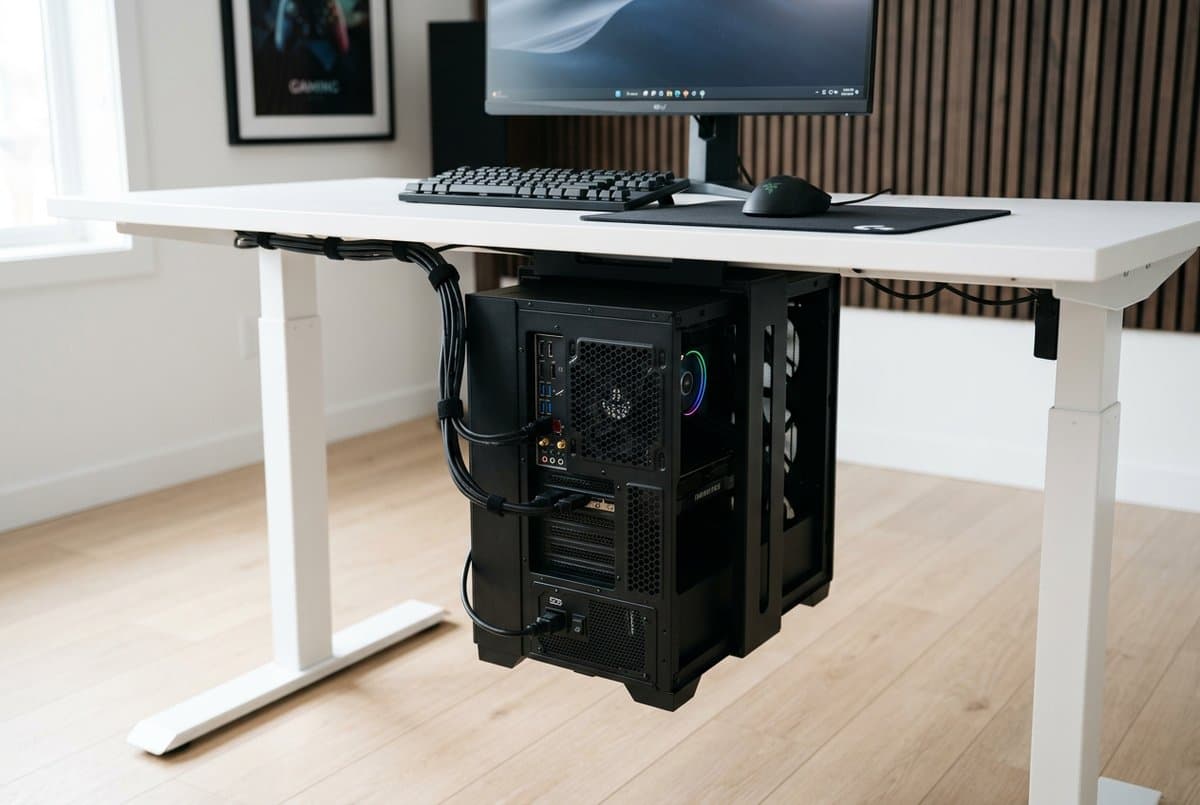
Under-desk storage for a desktop PC is categorically different from drawer storage — you are not organising accessories, you are eliminating the largest object from your floor. The HumanCentric cradle holds towers up to 22 pounds, takes cases 12 to 21 inches tall and 3.5 to 8 inches wide, and rotates a full 360 degrees so you can spin the tower to reach rear ports and cable runs without taking it down. It weighs 6.7 pounds itself and ships with felt pads to keep the case unmarked.
Read the install method before you buy, because it is the exception in this guide: this is a screw mount, not a clamp. HumanCentric's own hardware list is four 16 mm and four 38 mm self-tapping screws for the under-desk install, plus wall anchors and a drill if you mount it to a wall instead. There is no clamp option. If your desk is glass, if it is a rental, or if you were counting on getting the tower off the floor without making holes, this is not the product — and among under-desk PC mounts generally, clamp-on and leg-strap designs are the alternative worth searching for.
One more thing to check, and it is about airflow rather than hardware. Cases with bottom intake fans draw air from underneath, and a case slung under a desktop has less room below it than one standing on the floor. Check your case's fan layout first: front-and-rear cooling is more forgiving here than a bottom-heavy configuration. Note too that HumanCentric's own store has the mount on backorder at the time of writing, though it remains available through the usual retailers.
What we like
- Lifts the PC tower off the floor — clears the largest object in the setup
- 360-degree rotation for port access without taking the tower down
- Holds 22 lbs; fits a wide range of mid-tower and mATX cases
- Doubles as a wall mount if under-desk clearance is tight
Worth knowing
- Screw-mount only — no clamp option, so no glass tops and no rental desks
- Check bottom-intake fan clearance; downward-facing fans need airflow room
- 12–21" height and 3.5–8" width excludes very large full-tower cases
- Adds weight to one side of the desk; asymmetric on single-leg frames
- Weight capacity
- 22 lbs
- Case height range
- 12"–21"
- Case width range
- 3.5"–8"
- Rotation
- 360 degrees
- Mount type
- Screw-mount — (4) 16 mm + (4) 38 mm self-tapping screws included
The verdict
For most setups, the VIVO Clamp-on Desk Drawer is the right starting point — no-drill, steel, the deepest of the plain drawers here, and cheap enough that a second one for the other side of the desk is an easy call. Mount it off-centre: at 5.5 to 6.3 inches tall it is the biggest intrusion into your knee room in this guide. If you own your desk and need real load capacity with a lock, the FlexiSpot S01 is the permanent upgrade, and its 22-pound rating is genuinely double everything else — just don't buy it expecting more room, because it is an inch and a half shallower inside than the VIVO at twice the price. The HUANUO tray is for clearing your desktop, not for fixing your wrists: it has no tilt at all, so if keyboard angle is the actual problem, buy from our keyboard tray guide instead. Corner and L-desk users get the best return from the VIVO corner unit, which is the only pick here that adds storage without spending any of your leg clearance. And if a desktop tower is eating your floor space, the HumanCentric mount is the cleanest fix — provided you can put eight screws into the underside of your desk, because it does not clamp.
Frequently asked questions
Properly installed clamp-on drawers leave no permanent marks. The clamp hardware tightens against the underside of the desk lip, and most models include soft padding between the clamp and the desk surface. If you're worried about a fragile finish, slip a thin piece of felt or rubber between the clamp pad and the desk edge before tightening — extra protection at zero cost. Check the thickness range first, though: the VIVO clamp-on takes desktops up to 2 inches, the VIVO corner unit up to 1.75, and the HUANUO tray only up to 1.57.
Yes, with one consideration: the drawer travels with the desktop when the desk raises and lowers, so any cables connecting the drawer's contents (chargers, for example) need enough slack to accommodate the full height range. Plan the cable run before you install. Screw-mount models are generally more stable on standing desks because they don't rely on clamp friction to stay level through the movement.
Clamp-on drawers require no tools, leave no marks, and work on rental desks and glass tops — the trade-off is a thickness ceiling (2 inches on the VIVO here, 1.57 on the HUANUO tray) and, on these models, no lock. Screw-mount drawers bolt into the desk underside for a permanent installation that can be locked, at the cost of making holes, which rules out glass, some laminates, and any desk you don't own outright. What screw-mounting does *not* buy you is load capacity. VIVO rates its clamp-on drawer, its screw-mounted 18-inch drawer and its screw-mounted lockable drawer at 11 pounds each — the same number three times. The FlexiSpot S01's 22 pounds comes from the way that particular drawer is built, not from the screws holding it up.
Less than you'd guess, and the figure clusters tightly: the VIVO clamp-on, the VIVO corner unit and the HUANUO tray are all rated 11 lbs, as are VIVO's two screw-mounted drawers. That's enough for stationery, cables and small electronics but not a stack of heavy binders. The FlexiSpot S01 at 22 lbs is the outlier here and the one to buy if you genuinely need to load a drawer up. Note that the corner unit's 11 lbs is a total across two drawers and a shelf, not a per-compartment rating.
It might, and it's the spec this category is worst at publishing — so check it before you check anything else. The vertical clearance you can actually spare under a correctly set desk is only about one to three inches. The FlexiSpot S01 is 3.9 inches tall; the VIVO clamp-on is 5.5 or 6.3 depending on the clamp setting. Both exceed the budget, and most people get away with it only because their desk is too tall to begin with, which hands them a few extra inches underneath. Watch the measuring convention too: VIVO publishes overall height for its clamp-on and its 18-inch drawer, but a true drop figure — "3.3 inches below desk surface" — for its lockable model, so the numbers in a single product line are not directly comparable. Two free fixes: measure floor-to-desktop-underside against floor-to-top-of-thigh before ordering, and mount the drawer to one side rather than centred, since the leg clearance zone is only about 20 inches wide and a normal desk is 48 to 60. We work through the numbers in what actually fits under your desk.
It's possible but requires planning. Bottom-intake fans draw air from below the case, and mounting the PC under a desk limits how much clearance you have below the case for that airflow. If your case has bottom-intake fans, check that the mount leaves at least 2–3 inches of clearance under the case. Cases with front and rear fans only are more forgiving. If you're not sure, check your case's fan diagram in the manual or manufacturer's site.
Not the HumanCentric one, which is the point worth making plainly: it is a screw mount, with self-tapping screws in the box and no clamp option. Clamp-on and leg-strap PC mounts do exist and are what to search for if your desk is glass or rented — but they generally trade away the 360-degree rotation and the adjustable width range that make the HumanCentric worth owning. If you can drill and you want the tower off the floor, it's the better product; if you can't, don't let this guide talk you into a hole in a desk you don't own.
Keep building your setup
Storage
What Actually Fits Under Your Desk
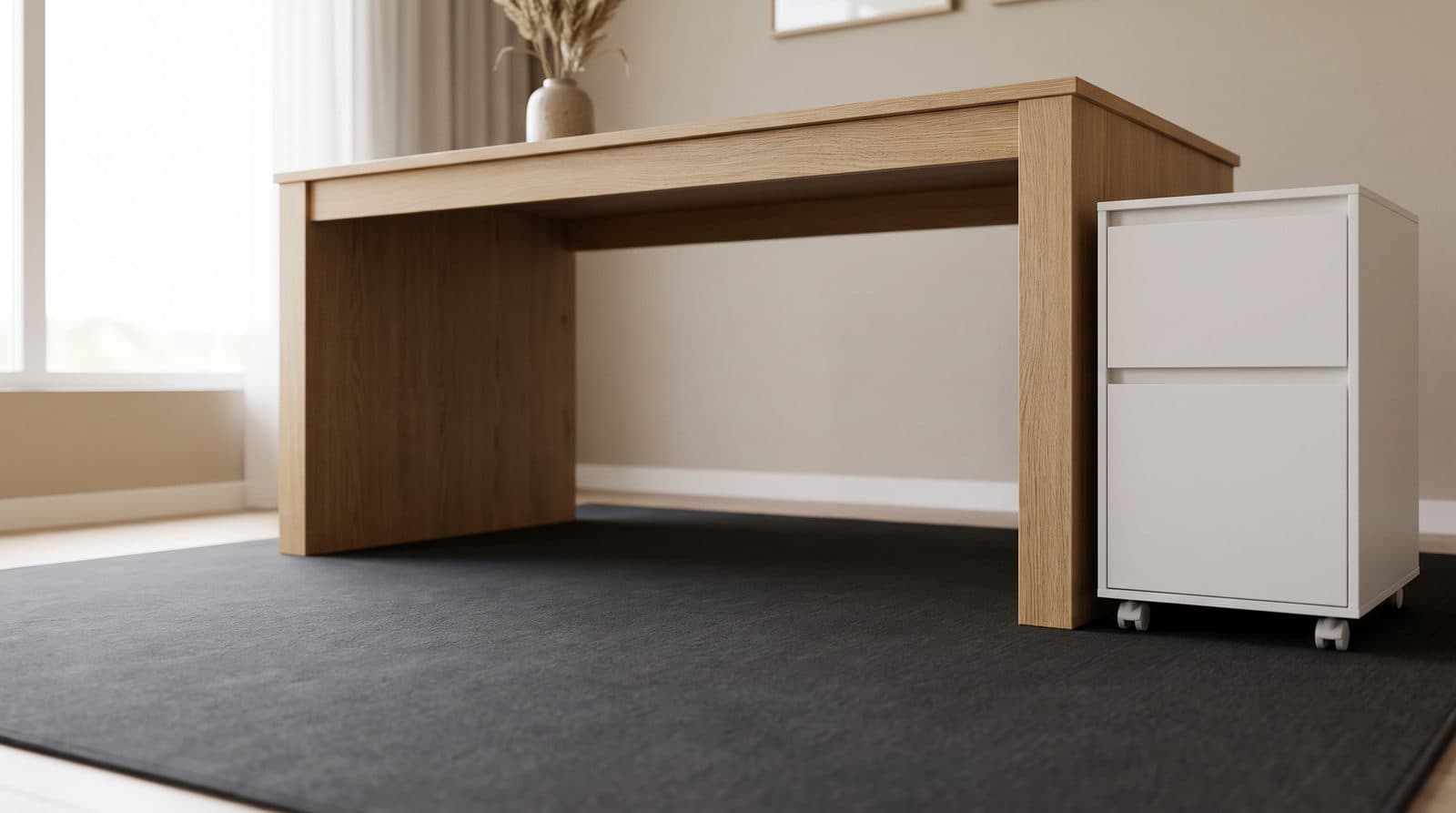
Every under-desk drawer, PC mount and rolling cabinet is sold as though the space beneath your desktop were free. It is not: two standards bodies publish minimum leg clearances that agree to within half an inch, and once you subtract them, the vertical budget left over is about two inches. Every drawer we recommend is four or more, and our top pick is six.
Updated September 18, 2026
Storage
The Best Mobile File Cabinets and Rolling Storage Carts in 2026
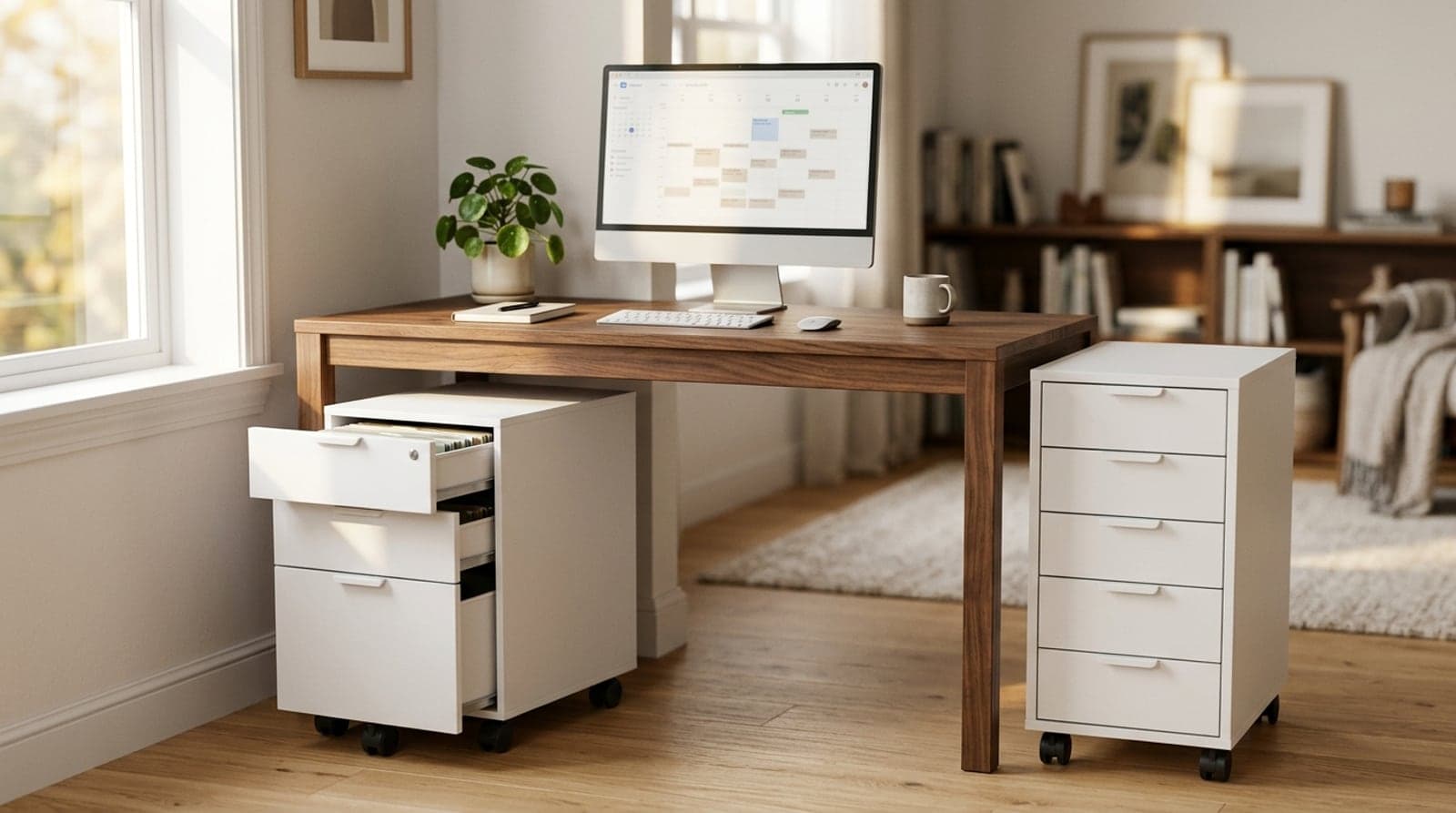
The storage that rolls, not the storage that bolts on. Six mobile file cabinets and drawer carts — locking steel pedestals, laminate drawers, and budget metal — sorted by whether they lock, hold files, and fit under your desk.
Updated August 4, 2026
Desks
The Best Under-Desk Keyboard Trays in 2026
A keyboard tray is a desk-height correction, not an accessory. Six picks compared on the two specs that decide whether one works: how far it drops your hands, and how much clear depth its track needs.
Updated September 13, 2026
Get the next guide in your inbox
One short email when we publish or meaningfully update a buying guide. No spam, no daily deals firehose.