 Rigworthy
The Best Under-Desk Keyboard Trays in 2026
By Rigworthy Editorial Team · Updated September 13, 2026
Rigworthy is reader-supported: we may earn a commission if you buy through our links, at no cost to you. How we make money
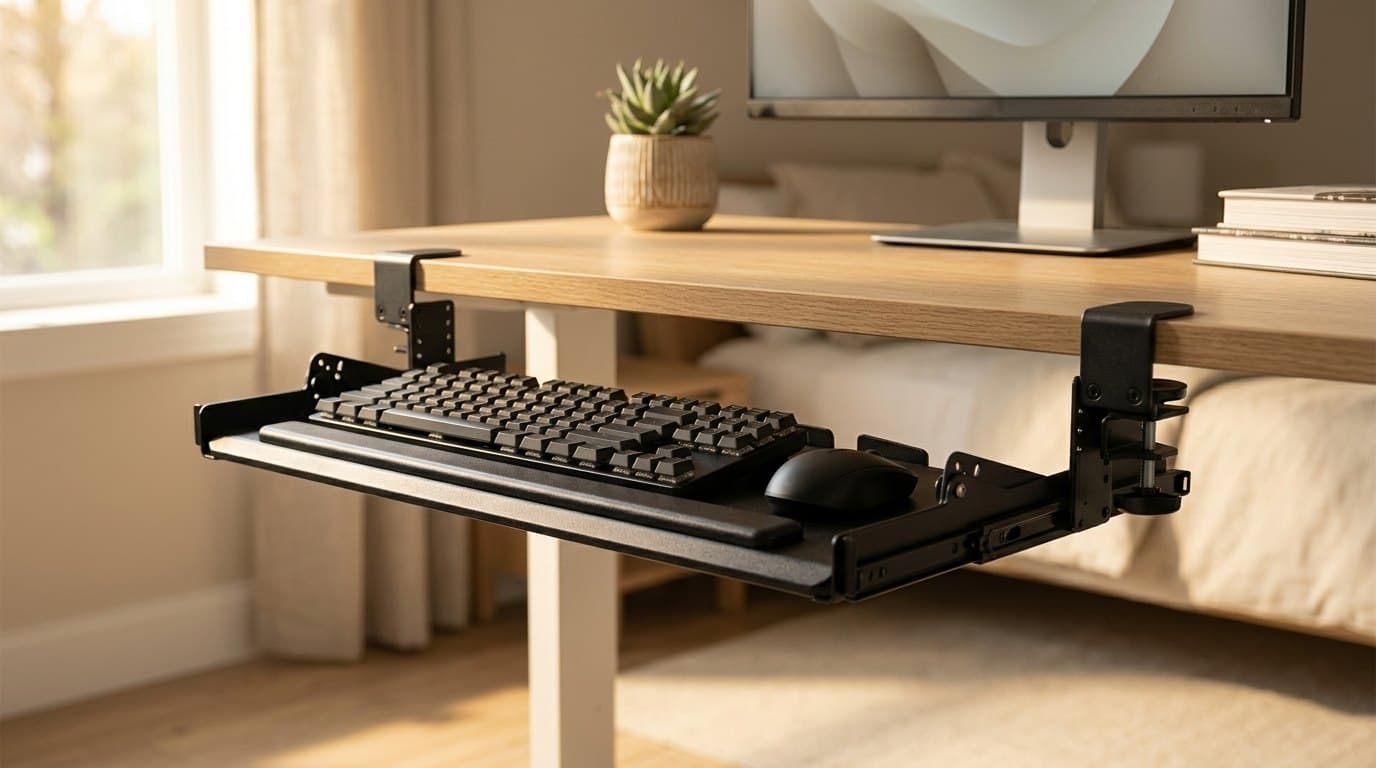
A keyboard tray is not a desk accessory. It is a correction, and it exists because most desks are the wrong height. The fixed 29 to 30 inches that the furniture industry settled on is inherited from writing desks, and it suits a fairly tall adult — which is why the office-furniture business spent decades bolting trays underneath them. If your desk sits one to three inches above your seated elbow height, a tray is the cheapest way to fix that. If it doesn't, you do not need one, and we would rather say so on the way in.
The category is sold on tilt and platform size. Those matter, and negative tilt in particular is the whole ergonomic mechanism — but neither is what sends trays back. The two specs that decide whether a tray works are the ones the marketing buries: how far it drops below the desktop, measured against the leg clearance you can actually spare, and the track length, which is the run of clear, flat desk underside the rail needs before it will mount at all. The trays below range from 12.3 inches of track to 17. On a sit-stand desk, where a crossbar and a control box already occupy the underside, that difference is the whole decision.
Our top picks at a glance
- 1
- 2
- 3
Best for Standing Desks & Crossbars
Eureka Ergonomic Adjustable Keyboard Tray (ERK-AKB-02-V3)Typically around $100
- 4
- 5
- 6
How we chose
- Negative tilt — whether the platform can angle away from you, and by how many degrees
- Track length, which is the clear under-desk depth the tray needs before it will fit at all
- Drop below the desktop, measured against the leg clearance you can actually spare
- Platform width — enough for the keyboard and the mouse, so you never reach back up to the desk
- Mount method: clamp-on for rental and glass-adjacent desks, screw-mount for rigidity
- Published specs traced to the manufacturer or an authorised dealer's spec sheet, not a retailer's copy-paste
Our picks come from spec research, long-term owner feedback, and category expertise — not sponsorships. Read the full methodology.
Compared side by side
| Product | Award | Mount | Negative tilt | Track length | Typical price |
|---|---|---|---|---|---|
| VIVO Premium Clamp-On Tilting Keyboard Tray (MOUNT-KB05HT) | Best Overall | Clamp-on | To −10° | 12.3" | ~$70 |
| 3M Knob Adjust Keyboard Tray (AKT60LE) | Best Ergonomic Adjustment | Screw-mount | To −15° | 17" | ~$100 |
| Eureka Ergonomic Adjustable Keyboard Tray (ERK-AKB-02-V3) | Best for Standing Desks & Crossbars | Screw + drop-down brackets | To −15° | Not published — bracket mount | ~$100 |
| Humanscale 6FB Float Board Keyboard System | Premium Pick | Screw-mount | To −15° | 12.5" | ~$200–$330 |
| VIVO Compact 20" Clamp-On Keyboard Tray (MOUNT-KB05ES) | Best for Small Desks | Clamp-on | None | 12.3" | ~$46 |
| Fellowes Office Suites Underdesk Keyboard Drawer | Best Budget | Screw-mount | None | 16" | ~$30–$60 |
1. Best Overall
VIVO Premium Clamp-On Tilting Keyboard Tray (MOUNT-KB05HT)
Typically around $70
- No-drill installs
- Standing desks with crossbars
- Getting real negative tilt cheaply
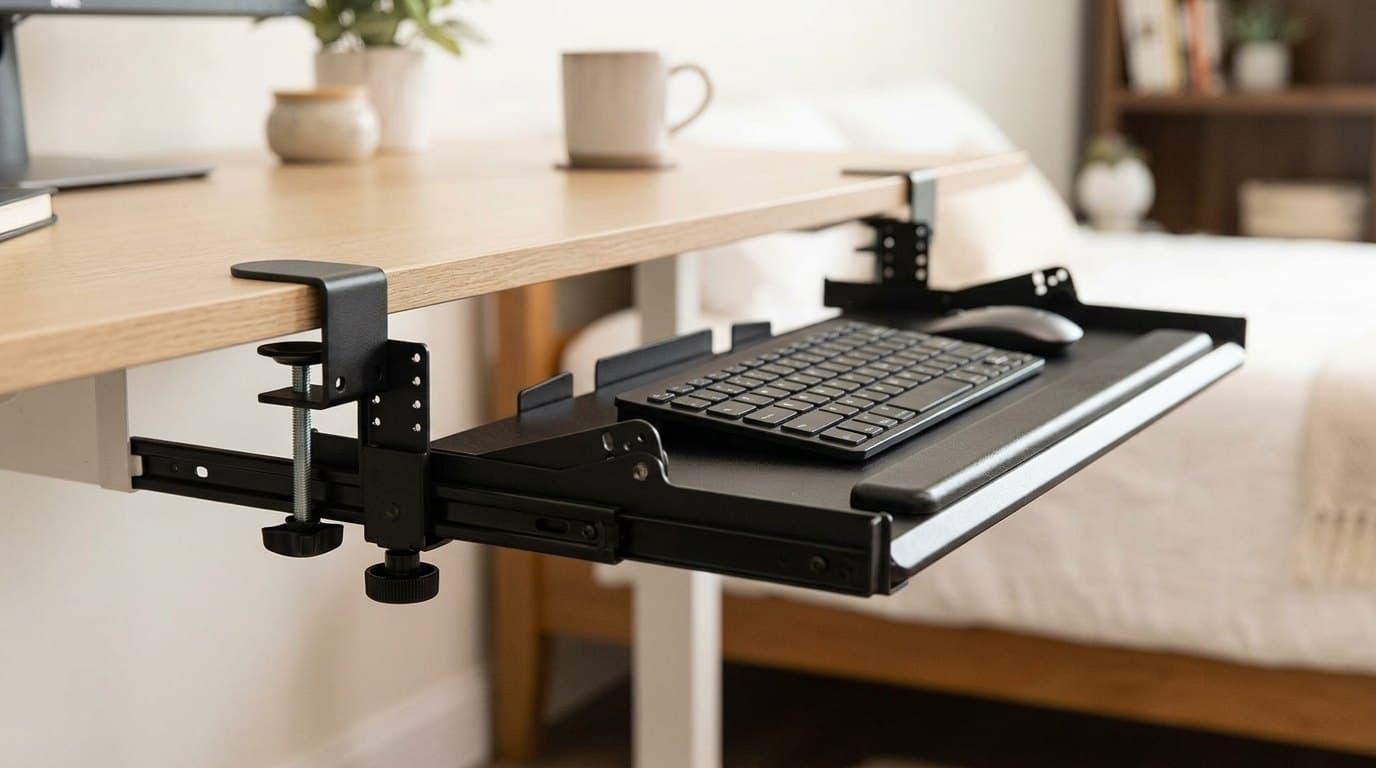
This is the tray that clears the most hurdles at once, and the reason is its track. VIVO publishes a 12.3-inch track length — the shortest figure published by any maker in this guide, fractionally under the Humanscale's 12.5 — which is what decides whether a tray physically fits under a sit-stand desk. The trays that reviewers keep flagging as incompatible with adjustable desks are the 16- and 17-inch ones: that much clear depth under the desktop is more than most standing frames leave you once the crossbar, the control box and the cable tray are accounted for. VIVO gets the same 26.8 × 11-inch platform onto a track a third shorter.
The tilt is the other reason. Nine detented settings run from +10° through zero to −10°, and negative tilt is the entire ergonomic argument for a tray — dropping the far edge below the near edge so your wrists stay in line with your forearms instead of cocking upward. Be clear that −10° is short of the −15° that ergonomics specialists generally call the target, and that is a real limitation rather than a rounding error. But the field splits much more starkly than that: most trays in this price band offer no tilt at all, and this one clamps on with two swiveling C-clamps, fits desktops from 0.5 to 3.4 inches thick, and needs no drill. Height runs across five settings spanning 2.4 inches, and the platform can sit anywhere from 0.25 to 7 inches below the desk surface depending on how you set the brackets and how thick your desktop is.
The 11-pound capacity is ample for any keyboard and mouse — a heavy full-size aluminium board is around 3 pounds. Watch the total footprint rather than the platform: the assembly measures 34 inches including the clamps, so you need that much clear desk edge, and the clamps land where a monitor arm clamp often wants to be. Check clamp and grommet clearance before you order both.
What we like
- 12.3" track — the shortest here, short enough to clear a typical standing-desk crossbar
- Nine tilt settings including four negative positions, rare at this price
- Clamp-on: no drilling, works on rental desks and thick 3.4" desktops
- 26.8 × 11" platform holds a full-size keyboard and the mouse beside it
- Five height settings across 2.4", so you can tune the drop to your own clearance
Worth knowing
- −10° maximum tilt falls short of the −15° ergonomists generally recommend
- 34" wide including clamps — needs a lot of clear desk edge, and the clamps compete with a monitor arm
- Particle-board platform under the powder coat, not solid wood or steel
- At 0.6" thick the platform itself eats knee clearance before you add the keyboard
- Platform dimensions
- 26.8" W × 11" D (34" including clamps)
- Tilt adjustment
- 9 settings: +10° to −10° in 2.5° steps
- Track length
- 12.3" of clear under-desk depth required
- Height adjustment
- 5 settings across 2.4" (0.6" apart)
- Drop below desktop
- 0.25"–7", depending on desktop thickness and setting
- Slide-out travel
- 8.5" from the desk edge
- Weight capacity
- 11 lbs
- Mount type
- Swiveling C-clamps, desktops 0.5"–3.4" thick
2. Best Ergonomic Adjustment
3M Knob Adjust Keyboard Tray (AKT60LE)
Typically around $100
- Deep fixed desks
- All-day typists
- Anyone who needs a true −15°
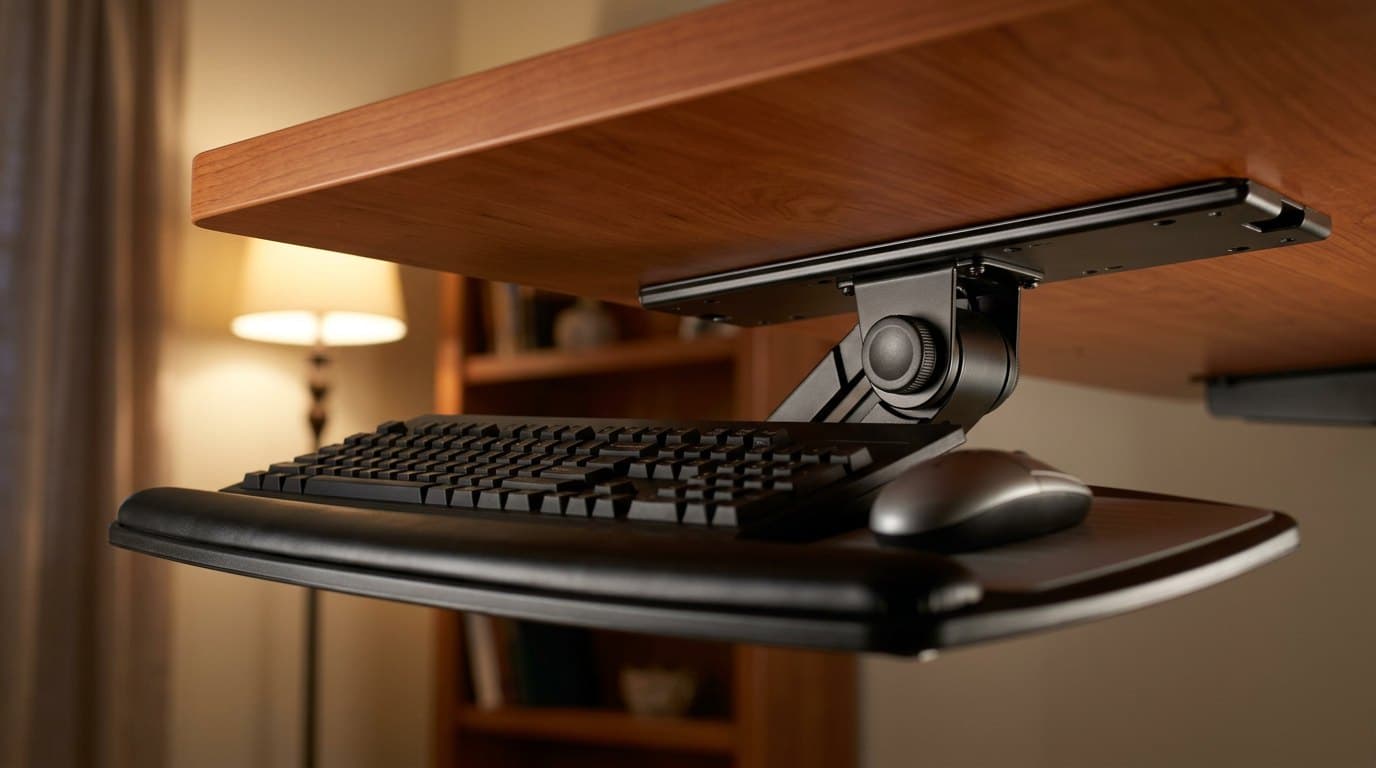
If your desk is a deep fixed one and you want the ergonomics done properly, this is the pick. The AKT60LE hits a genuine −15° (and +15° the other way), which is the figure the ergonomics literature actually asks for rather than the one most trays get close to. It swivels a full 360°, drops to 4.5 inches below the mounting surface and rises slightly above it, and the platform is wood rather than moulded plastic — 3M's own copy credits that construction with minimising bounce, which is the unglamorous kind of claim a maker only bothers to print when the cheap version of the product flexes. A knob sets height and tilt together: loosen, position, retighten.
The keyboard platform is one piece with a leatherette gel wrist rest bonded along the front, and the Precise Mouse Pad mounts to either end of it, so the mouse lives on the tray rather than up on the desk. That matters more than it sounds. Reaching back and up to a mouse on the desktop while your hands are on a lowered tray is the shoulder-loading posture the whole exercise was meant to remove — and because the pad goes on either side, left-handed mousing is covered too.
The catch is the 17-inch track, and it is a hard one. 3M asks for more than 17.5 inches of mounting depth and around 26 inches of clear width beneath the surface, which rules out most sit-stand frames and a fair number of desks with aprons or drawers. It also has to be screwed in — there is no clamp option — so glass tops and rental desks are out. Worth noting for the long run: 3M splits the warranty by part, at lifetime on the keyboard arm, five years on the platform and one year on the gel wrist rests. The wrist rest is the part that wears first and it carries the shortest term.
What we like
- True ±15° tilt — the full negative angle ergonomists ask for
- Precise Mouse Pad mounts to either end, so the mouse stays at tray height and left-handers are covered
- Wooden platform rather than moulded plastic; 3M credits it with minimising bounce
- 360° swivel and 4.5" of drop below the mounting surface
- Lifetime warranty on the keyboard arm; five years on the platform
Worth knowing
- 17" track, and 3M asks for 17.5"+ of mounting depth — incompatible with most standing desks
- Screw-mount only: no glass tops, no rental desks, no clamp option
- 3M's own spec lists it as unsuitable for corner workstations
- The gel wrist rest carries just a one-year warranty, and it is the part that ages first
- Keyboard platform
- 17" W × 12" D, with bonded gel wrist rest
- Tilt adjustment
- +15° / −15°
- Track length
- 17"; 3M asks for 17.5"+ mounting depth
- Install width needed
- Approx. 26" of clear width under the surface
- Height adjustment
- To 4.5" below the mounting surface, and slightly above it
- Swivel
- 360°
- Warranty
- Lifetime arm / 5 years platform / 1 year gel wrist rest
- Mount type
- Screw-mount track (drilling required)
- Included
- Gel wrist rest; Precise Mouse Pad, mountable left or right
3. Best for Standing Desks & Crossbars
Eureka Ergonomic Adjustable Keyboard Tray (ERK-AKB-02-V3)
Typically around $100
- Desks with a frame crossbar
- Full-size keyboard plus a big mouse swing
- Gaming setups
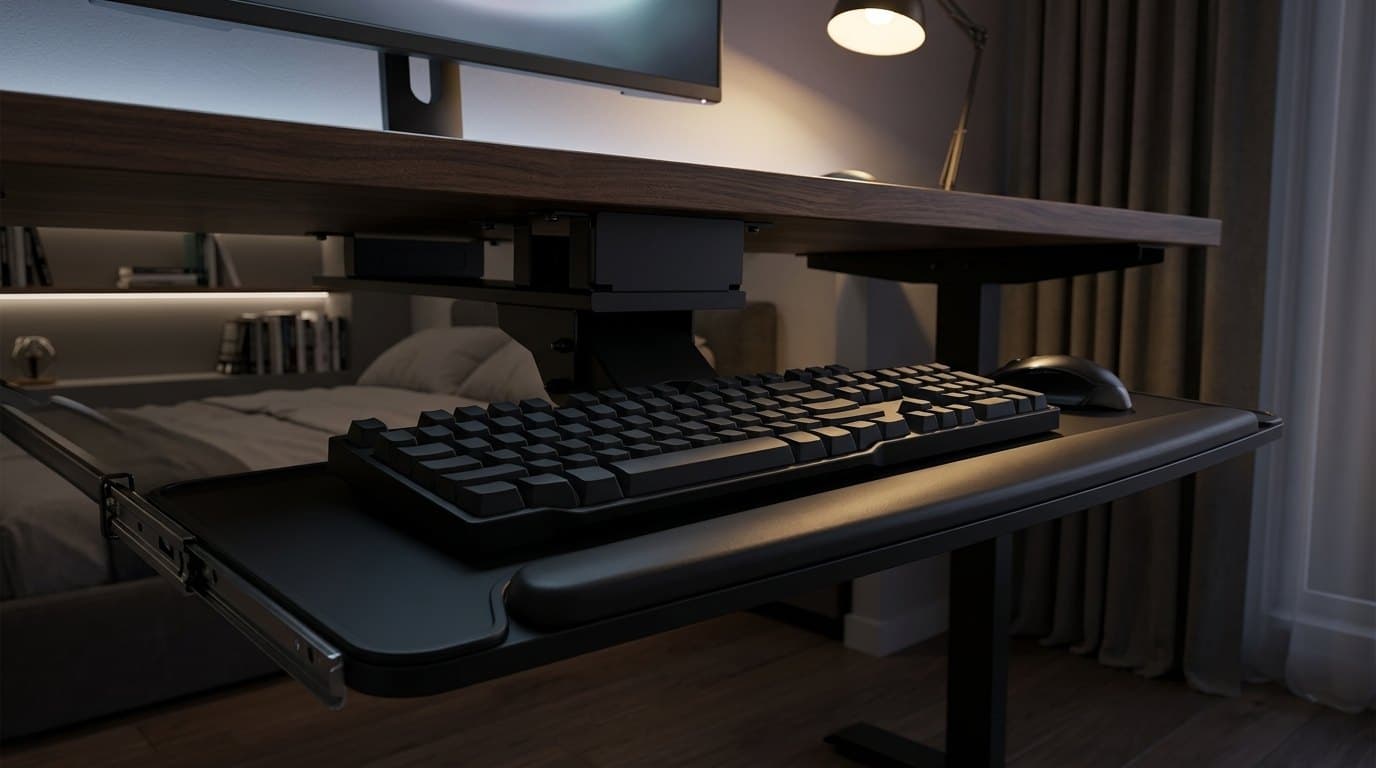
Every other screw-mount tray here assumes a flat, uninterrupted desk underside. Sit-stand frames do not have one — there is a crossbar, and usually a control box, exactly where a track wants to go. The Eureka is the one product in this guide designed around that: it ships with drop-down brackets that carry the mount below the obstruction, which is why it is the answer for anyone whose desk moves. The same brackets double as a way to set the tray lower than a flush mount allows.
It is also the widest platform here by a distance, at 28.35 × 10.24 inches of board with a full-width contoured wrist rest along the front. That is enough for a full-size mechanical keyboard and a genuinely useful mouse area beside it, which is why this one keeps turning up in gaming setups. It rotates a full 360° and tilts ±15°, matching the 3M on angle, and the height adjusts 2.25 inches either side of the mount — with the drop-down brackets available underneath that if you need to go lower still.
Two limits to weigh honestly. The 6.6-pound capacity is the lowest figure any maker publishes here — comfortable for any keyboard and mouse, but barely half the VIVO trays' 11 pounds, and worth knowing if you rest your forearms heavily. And the mount is self-tapping screws into wood or MDF only: Eureka explicitly excludes plastic, stone and glass desktops, and asks for at least 18 mm (0.71 in) of thickness. Check the current revision when you buy, too — the line has moved through ERK-AKB-02 and a V1 to the V3, and plenty of retailer listings still carry the older SKU's photos and copy.
What we like
- Drop-down brackets clear a standing-desk crossbar — the only tray here designed for it
- Widest platform in the guide at 28.35 × 10.24", fits a full-size board plus mouse
- ±15° tilt and full 360° rotation
- ±2.25" of height adjustment around the mount, and the brackets go lower again
Worth knowing
- 6.6 lb capacity — the lowest published figure here, against 11 lbs for both VIVO trays
- Wood and MDF desktops only — no glass, stone or plastic, and 18 mm minimum thickness
- Screw-mount with self-tapping screws; permanent, and not for a rental desk
- Retailer listings frequently still show the superseded ERK-AKB-02 rather than the V3
- Platform dimensions
- 28.35" W × 10.24" D board
- Overall dimensions
- 28.35" × 28.98" × 9.13"
- Tilt adjustment
- ±15°
- Rotation
- 360°
- Height adjustment
- +2.25" above to −2.25" below the mount (4.5" range)
- Weight capacity
- 6.6 lbs
- Mount type
- Self-tapping screws; drop-down brackets for crossbars
- Desktop requirement
- Wood or MDF, 18 mm (0.71") minimum thickness
4. Premium Pick
Humanscale 6FB Float Board Keyboard System
Typically around $200–$330
- Maximum knee clearance
- Buy-it-once setups
- Shallow or crowded desk undersides
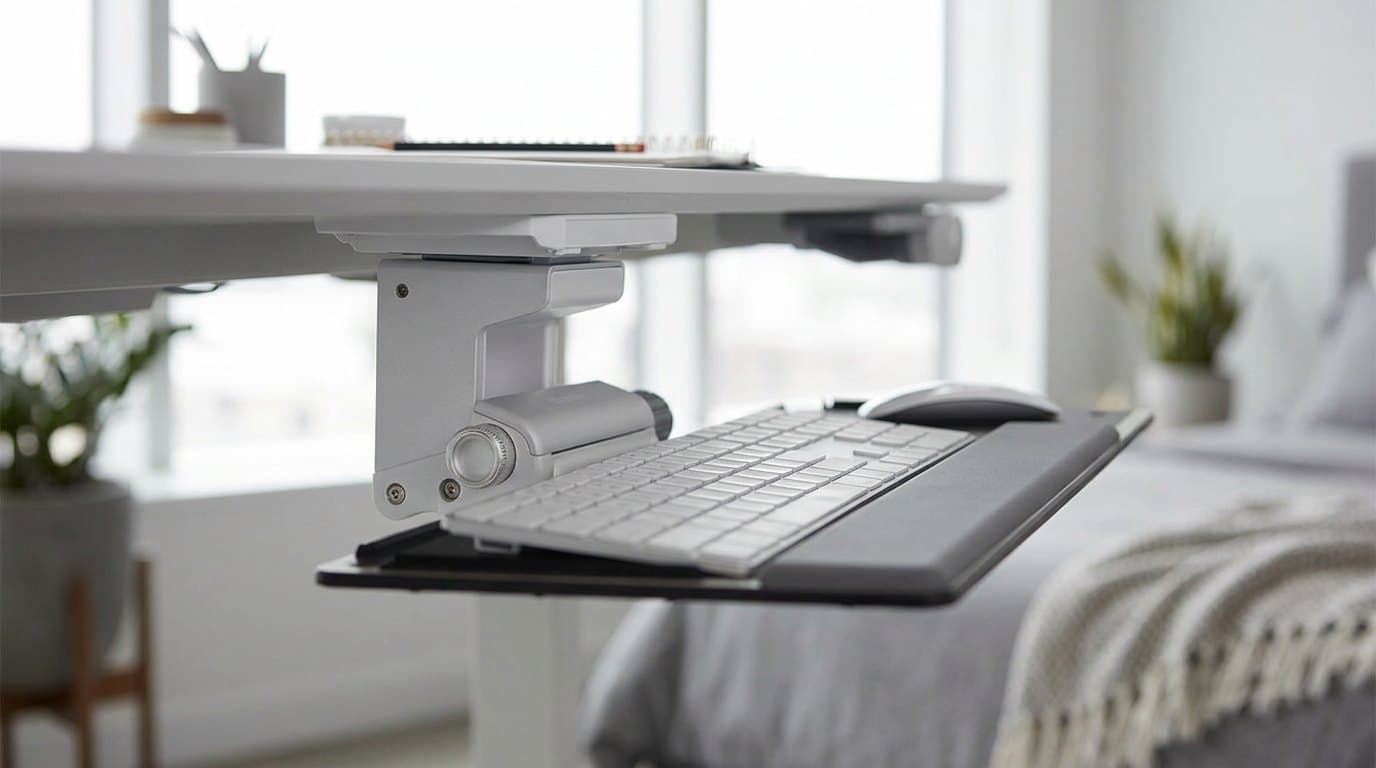
The Float wins on a spec almost nobody in the category publishes: platform thickness. Humanscale quotes a quarter of an inch of phenolic resin. The only other maker here that states the figure at all is VIVO, at 0.6 inches, and the rest simply do not say — which is itself telling, because thickness comes straight out of the gap between your thighs and the desk before you have put a keyboard on it. On a correctly set desk, where the whole spendable budget is only an inch or two, a quarter inch against six tenths is not a detail. It is a meaningful share of everything you have.
The mechanism is the other half of the argument. A dial on the side of a compact aluminium housing sets tilt anywhere from level to −15°, continuously rather than in detents, and the raised pivot keeps the keyboard from fouling the desk edge as it tilts. The 25 × 9-inch platform is sized to take the keyboard and the mouse together, so no side platform is needed. The track is 12.5 inches, which puts it alongside the VIVO as the other option that suits a shallower or busier desk underside.
The price is the obvious objection and it is a fair one — this is three to five times the VIVO for a tray with the same broad job. What you are buying is a 15-year warranty on the keyboard mechanism (palm rests and mouse pads carry five), a phenolic-resin platform on a powder-coated steel mechanism instead of coated particle board, and continuous rather than stepped tilt. If you expect to keep the desk for a decade, the arithmetic is less silly than the sticker suggests. If you are not sure a tray suits you at all, buy the VIVO first and find out.
What we like
- 0.25" platform against VIVO's 0.6" — and platform thickness is knee clearance
- Continuous dial-a-tilt from 0° to −15°, not fixed detents
- 12.5" track suits shallow or crowded desk undersides
- 15-year warranty on the keyboard mechanism
- Phenolic-resin platform on a powder-coated steel mechanism; mouse sits on the main board
Worth knowing
- Three to five times the price of a competent clamp-on tray
- Screw-mount only, and generally sold through ergonomics dealers rather than retail
- No positive tilt at all — deliberate, but it removes a setup option
- Palm rest and mouse pad carry 5 years, not the headline 15
- Platform dimensions
- 25" W × 9" D × 0.25" H
- Tilt adjustment
- 0° to −15°, continuous dial
- Track length
- 12.5"
- Material
- 0.25" phenolic resin platform; mechanism primarily powder-coated steel
- Warranty
- 15 years keyboard mechanism / 5 years palm rests & mouse pads
- Mount type
- Screw-mount track
- Mouse platform
- Not required — the 25 × 9" board takes keyboard and mouse
5. Best for Small Desks
VIVO Compact 20" Clamp-On Keyboard Tray (MOUNT-KB05ES)
Typically around $46
- Narrow desks
- Tenkeyless keyboards
- Cheap, reversible installs
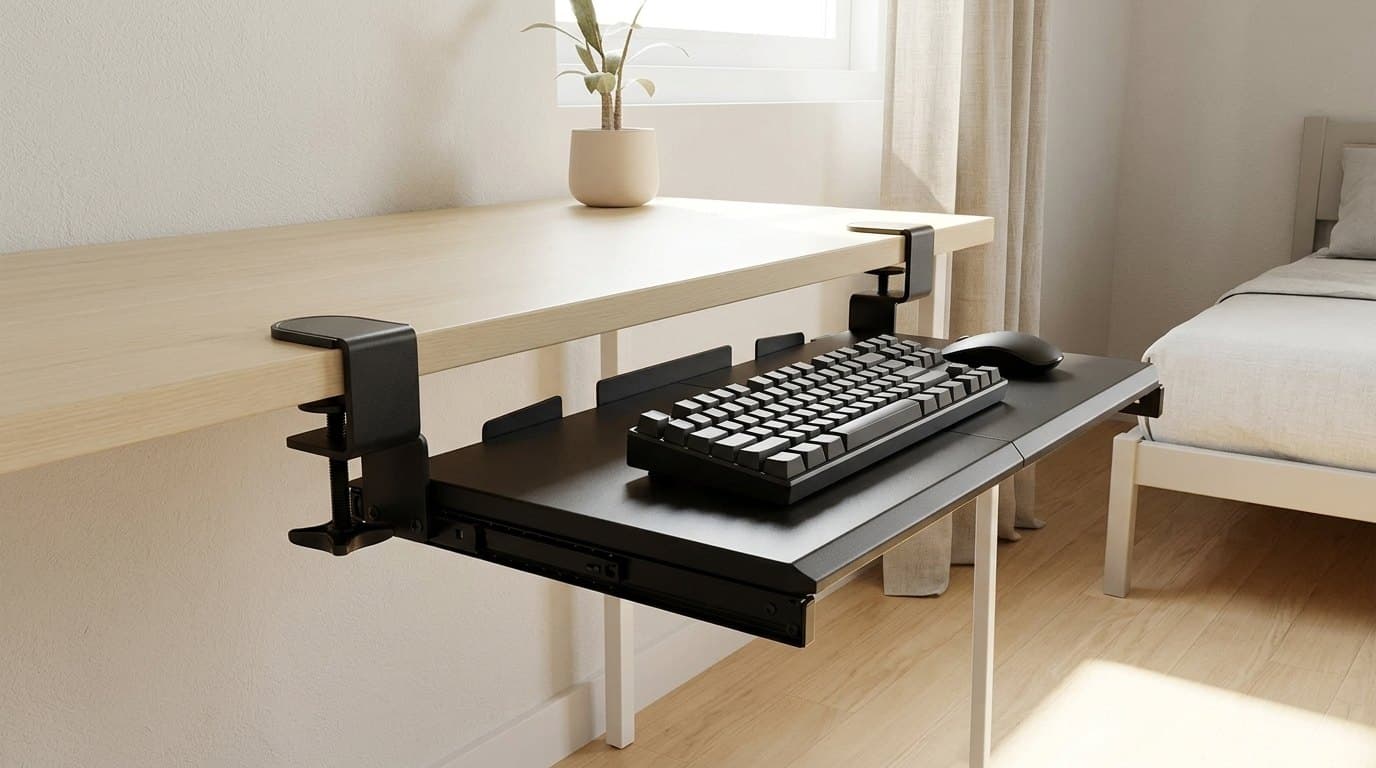
The full-size trays in this guide want 33 to 34 inches of clear desk edge for their clamps. Plenty of desks do not have that, and this is the answer: the same VIVO clamp-on mechanism and the same 12.3-inch track, on a 20 × 11-inch platform that spans 26 inches between the clamps. If you run a tenkeyless or 75% board, that is the right size rather than a compromise — you lose the width you were not using.
It is also the most predictable tray here on the spec that matters most, because its range is short. The platform sits 1.5 to 2.75 inches below the desk surface, full stop, where the bigger VIVO spans 0.25 to 7. A narrow published range is easy to check against your own clearance before you order, and this one lands squarely in the band a correctly set desk can spare.
What you give up is tilt — there is none, so the platform is flat and level. On a tray that is already dropping your hands two-odd inches below the desktop, flat is a real improvement over a keyboard on a too-tall desk, but it is not the full ergonomic fix and we should not pretend otherwise. It also takes thinner desktops than its bigger sibling, at 0.5 to 1.25 inches, so measure before you buy.
What we like
- 20 × 11" platform and 26" between clamps — fits desks the full-size trays don't
- Same 12.3" track, so it clears a standing-desk crossbar
- Narrow, honest 1.5–2.75" drop that is easy to check against your clearance
- Clamp-on and reversible; the cheapest way to find out if a tray suits you
- 11 lb capacity, same as the full-size VIVO
Worth knowing
- No tilt adjustment at all — the platform is flat and stays flat
- Too narrow for a full-size keyboard plus a comfortable mouse area
- Desktop thickness limited to 0.5–1.25", half the range of the KB05HT
- No height adjustment to speak of; the drop is what it is
- Platform dimensions
- 20" W × 11" D (26" between clamps)
- Tilt adjustment
- None
- Track length
- 12.3" of clear under-desk depth required
- Drop below desktop
- 1.5"–2.75"
- Slide-out travel
- 8.5" from the desk edge
- Weight capacity
- 11 lbs
- Mount type
- C-clamps, desktops 0.5"–1.25" thick
6. Best Budget
Fellowes Office Suites Underdesk Keyboard Drawer
Typically around $30–$60
- Clearing the desktop cheaply
- Left-handed mousing
- Deep fixed desks
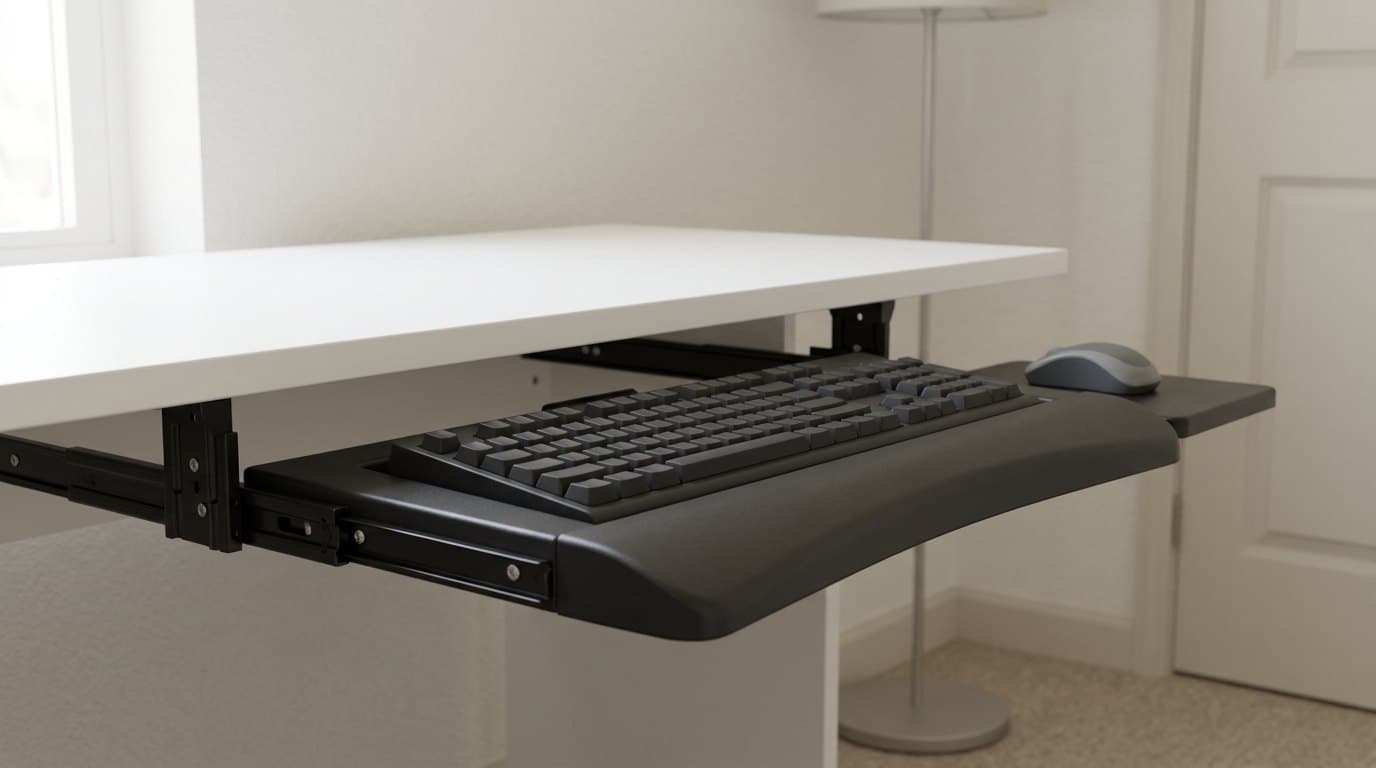
Buy this one for what it is: a way to get the keyboard off the desk and out of sight for very little money. It is a moulded drawer on ball-bearing glides with a 22 × 11.6-inch footprint, a separate 7.5-inch mouse platform, and three height settings that place the keyboard 1.75, 2.125 or 2.5 inches below the track. The mouse platform mounts on either side, so left-handed mousing is covered, and it stows underneath when you want it out of the way — the 3M's pad does the same, and nothing else in this guide does.
What it does not have is tilt, and that is the honest reason it sits last here rather than first. Negative tilt is the mechanism by which a tray improves your wrists; a flat platform two inches lower is a smaller, blunter version of the same benefit. If your desk is a fixed 29-inch one and your hands are currently too high, this still helps. If you were buying a tray specifically to fix wrist extension, this is not the product — save up for the 3M.
Two more caveats before you order. The keyboard platform is only 7.75 inches deep, which is shallow enough that a keyboard with a built-in wrist rest will overhang. And the 16-inch track puts it in the same bracket as the 3M for standing-desk compatibility, which is to say: it does not fit. Fellowes also asks for roughly 23.5 inches of clear width for installation, which is more than the 22-inch drawer implies.
What we like
- Routinely the lowest-priced tray here, and it does move the keyboard below desk height
- Mouse platform mounts on the left or the right, and stows underneath
- Three height settings from 1.75" to 2.5" below the track
- Ball-bearing glides rather than plain plastic rails
Worth knowing
- No tilt adjustment — the main ergonomic mechanism is simply absent
- 16" track will not clear a typical standing-desk crossbar
- Keyboard platform is only 7.75" deep; boards with built-in wrist rests overhang
- Moulded plastic rather than the wood or phenolic used further up this guide
- Height is set by the bracket at install, not adjusted on the fly
- Overall dimensions
- 22" W × 11.6" D × 2.3" H
- Keyboard platform
- 20.125" W × 7.75" D
- Mouse platform
- Approx. 7.5" × 7.5", mounts left or right
- Tilt adjustment
- None
- Track length
- 16" of clear under-desk depth required
- Height settings
- 3: 1.75", 2.125" or 2.5" below the track
- Mount type
- Screw-mount, ball-bearing glides
- Install width needed
- Approx. 23.5"
The verdict
For most people the VIVO MOUNT-KB05HT is the right buy: nine tilt settings including real negative angles, a 12.3-inch track that fits under a standing desk, and clamps instead of a drill. It stops at −10° rather than −15°, and if that matters to you — or if you type all day on a deep fixed desk — the 3M AKT60LE is the properly adjustable one, with the caveat that its 17-inch track rules out most adjustable frames. If your desk has a crossbar in the way, the Eureka ERK-AKB-02-V3 is the only tray here built around that problem, and it is the widest platform in the guide. The Humanscale Float earns its price on a spec nobody else competes on — a quarter-inch platform, when platform thickness comes straight out of your knee clearance — plus a 15-year warranty on the mechanism. Narrow desks should take the compact VIVO MOUNT-KB05ES, and if the goal is simply to get the keyboard off the desk for as little as possible, the Fellowes Office Suites drawer does that honestly, as long as you accept that a tray without tilt is doing half the job.
Before any of them: measure your seated elbow height against your desk. It is free, it takes a minute, and it is the only thing that tells you whether you are buying the right product at all.
Frequently asked questions
Two measurements, and the second one catches most people out. First, the vertical gap: measure from the floor to the underside of your desktop, then from the floor to the top of your thigh while seated in your normal position. The difference is what you can spend on a tray hanging below the desk. Second, and the one nobody checks, is the track length — the horizontal run of clear, flat underside the tray's rail needs. The trays here range from 12.3 inches to 17, and a 17-inch track needs 17 inches of unobstructed desk underside. On a sit-stand desk that is usually not available, because the frame crossbar, the motor control box and any cable tray are all in that space.
Only if your desk is too tall for you, which — to be fair — most desks are. The right desk height puts your forearms roughly parallel with the floor and your elbows at about 90 degrees, and the fixed 29 to 30 inches that most desks are built to suits a fairly tall adult. If you measure your own seated elbow height and your desk is one to three inches above it, a tray is the correct fix and a cheap one. If your desk is already at the right height, a tray will push your hands below where they should be and you do not want one. Measure first — our standing desk height guide works through how.
Negative tilt means the far edge of the platform sits lower than the near edge, so the keyboard slopes away from you. It keeps your wrists in line with your forearms rather than cocked upward, which is the posture that loads the carpal tunnel. It is the opposite of what the flip-out feet on the back of most keyboards do, and it is the single mechanism by which a tray improves on a desk. Ergonomics specialists generally target around −15 degrees seated. Worth knowing before you shop: many trays offer no tilt at all, and several that advertise tilt only reach −10.
Clamp-on if your desk is rented, glass-topped, or something you would rather not drill; screw-mount if you own the desk and want maximum rigidity and the widest tilt range. The trade is real but smaller than it used to be: the clamp-on VIVO here manages nine tilt settings and a 34-inch span, which no clamp-on tray offered a few years ago. Screw-mount still wins on rigidity, because a track bolted flat to the underside cannot flex the way two clamps at the desk edge can. One practical point in the clamps' favour: they are reversible, so a clamp-on tray is the cheap way to find out whether you like typing on a tray at all.
It can, and the budget is tighter than most people assume. The usable vertical drop under a correctly set desk is roughly one to three inches once thigh clearance is accounted for — we work through where that number comes from in what actually fits under your desk. The trays here drop anywhere from a fraction of an inch to seven, depending on the model and the setting. The important difference from a drawer is that a tray is spending that clearance on the thing the clearance is for: it is moving your hands to the right height rather than storing stationery. But the arithmetic still applies, so check the published drop against your own measurement, and favour a thin platform where you can. Only two makers here publish the figure at all — Humanscale at a quarter inch and VIVO at six tenths — and that difference alone is a real share of a two-inch budget.
Yes, but the field narrows sharply and for a reason that has nothing to do with the tray's quality. Sit-stand frames have a crossbar, a motor control box and usually a cable tray bolted to the underside, and a long mounting track has nowhere to go. Short-track trays are the workaround — the 12.3-inch VIVO and the 12.5-inch Humanscale both fit where a 16- or 17-inch track will not. The other approach is the Eureka's drop-down brackets, which carry the mount below the obstruction instead of trying to route around it. One extra consideration: a tray travels with the desktop, so it is correct at every height, which is genuinely useful — but it also means anything plugged in on the tray needs cable slack for the desk's full range.
On the tray, if the tray is wide enough. Leaving the mouse up on the desktop while your keyboard hand is two inches lower means reaching up and forward all day, which loads the shoulder — and shoulder reach, not wrist angle, is the complaint that tends to end in physio. It is why platform width is a real buying spec rather than a nice-to-have. The 3M and the Fellowes solve it with a dedicated side platform; the VIVO KB05HT, the Eureka and the Humanscale are simply wide enough that the mouse fits beside the keyboard. The compact VIVO is the one that is not, which is the price of fitting a narrow desk.
Keep building your setup
Desks
Standing Desk Height: How to Set Yours, and What the Charts Get Wrong
Every standing desk chart asks how tall you are. That is the wrong question — the number that governs desk height is your elbow, not your stature, and people of identical height need desks two inches apart. Here is the two-measurement method, and the frame specs that decide whether your correct height is reachable at all.
Updated September 22, 2026
Storage
What Actually Fits Under Your Desk
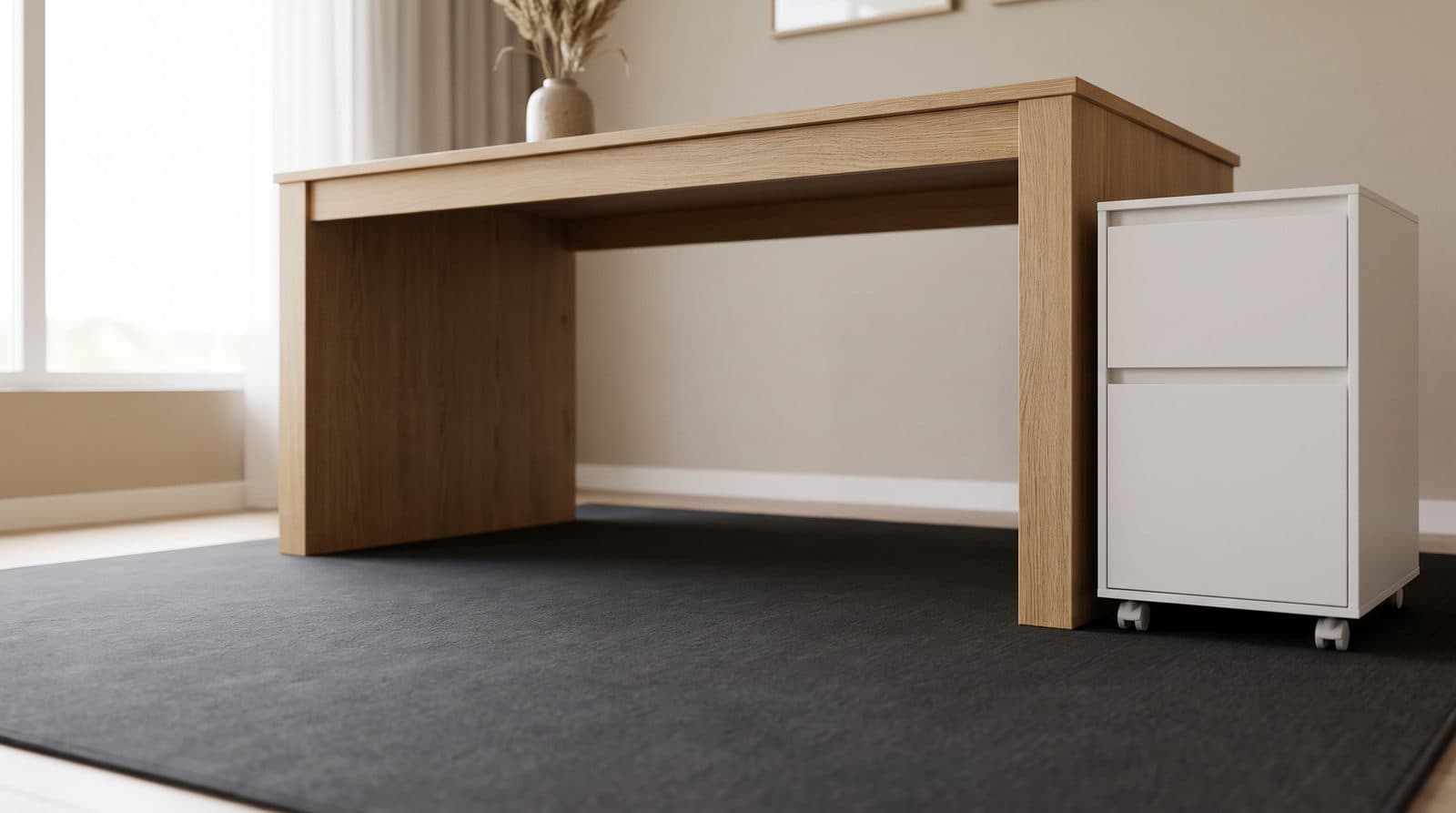
Every under-desk drawer, PC mount and rolling cabinet is sold as though the space beneath your desktop were free. It is not: two standards bodies publish minimum leg clearances that agree to within half an inch, and once you subtract them, the vertical budget left over is about two inches. Every drawer we recommend is four or more, and our top pick is six.
Updated September 18, 2026
Accessories
Keyboard Height and Wrist Rests: Matching the Two Numbers Nobody Publishes
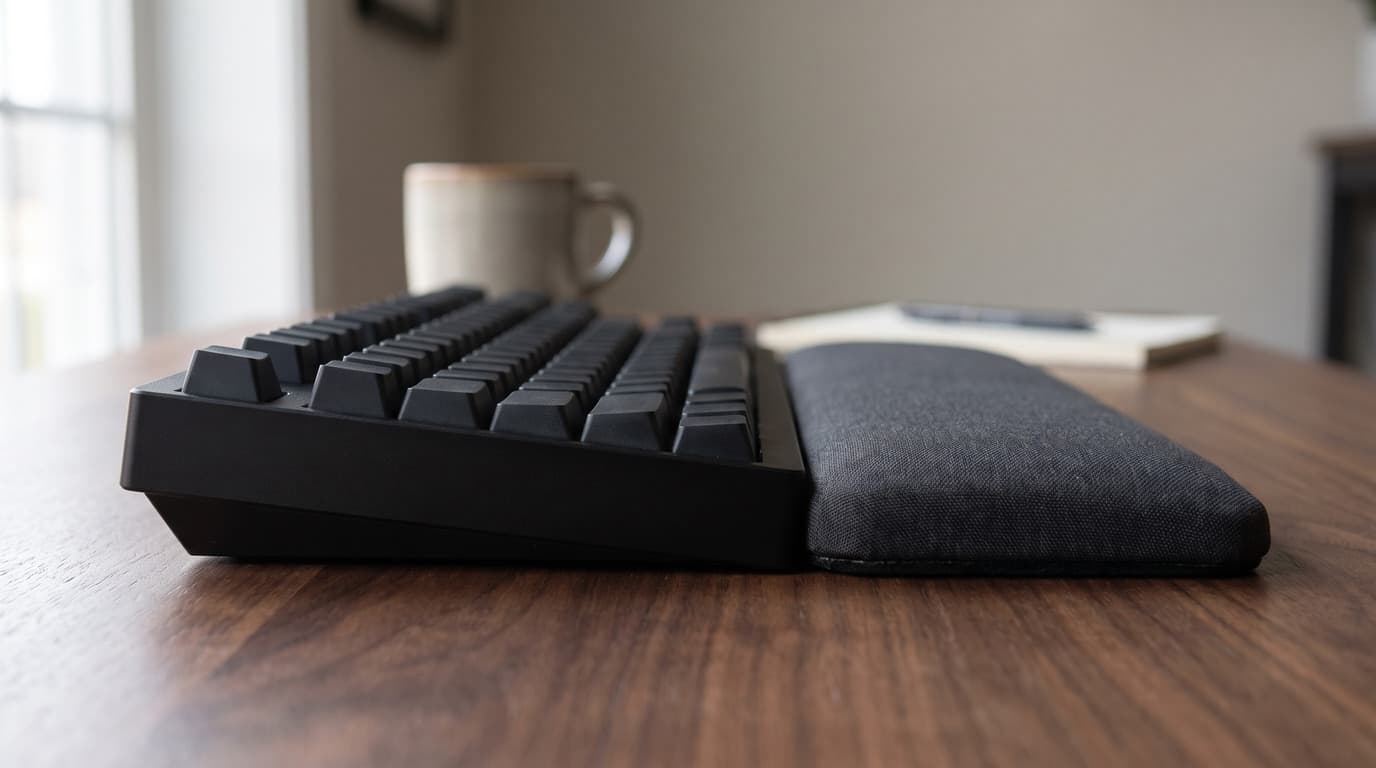
The angle your wrists sit at is a height step you can measure with a ruler. The trouble is that keyboard makers publish that height on at least four different conventions, wrist rest makers publish a single unloaded thickness, and the two numbers are almost never comparable — which is how a rest sold as height-matched ends up half the height of the keyboard in front of it.
Updated September 5, 2026
Get the next guide in your inbox
One short email when we publish or meaningfully update a buying guide. No spam, no daily deals firehose.