 Rigworthy
The Best Computer Speakers for Small Desks in 2026
By Rigworthy Editorial Team · Updated September 19, 2026
Rigworthy is reader-supported: we may earn a commission if you buy through our links, at no cost to you. How we make money
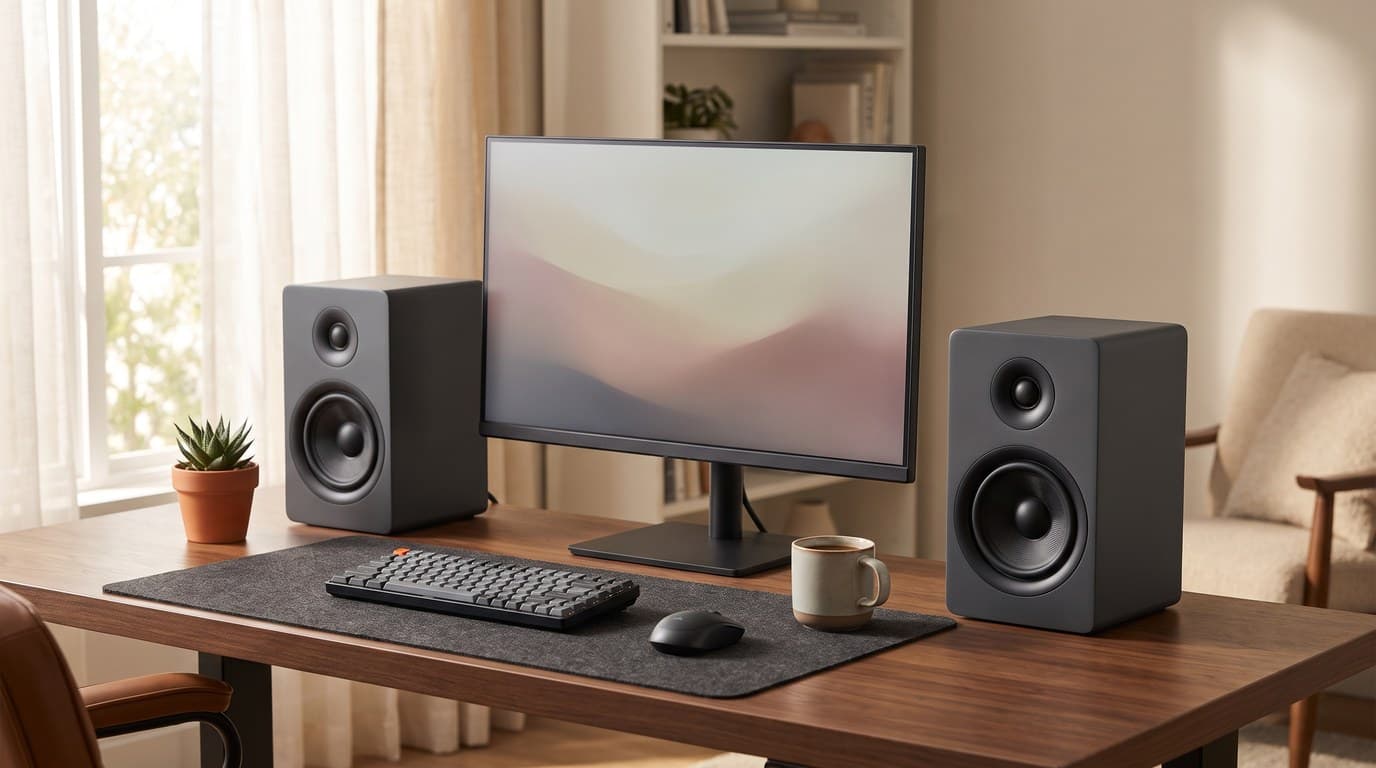
Laptop speakers are the one component manufacturers almost universally underinvest in. A $1,500 laptop often ships with speakers that produce muddier audio than a $40 Bluetooth bar from five years ago. At a fixed desk, you don't have to tolerate that — a pair of compact speakers positioned at ear height is the highest-leverage audio upgrade for any desk setup, and the market has excellent options at every price tier from $40 to $350.
The challenge for small desks is real, and it is the thing this category is worst at telling you. Desktop speakers are sold on drivers, watts and inputs; almost nobody puts the cabinet dimensions in the comparison. So we did. Every size in the table below comes from the manufacturer's own spec page, and once they sit side by side the guide reads differently than it used to: three of these five occupy about 21 square inches of desk per cabinet, and the other two need 36 and 44 — half again to twice as much. The $40 pick and the $350 pick are both in the small group. The two in the middle of the price range are the big ones. If your desk is 24 to 30 inches deep and shares its surface with a monitor, keyboard and microphone, that split matters more than any spec on the box — so read the size column first, then the rest.
Our top picks at a glance
- 1
- 2
- 3
- 4
- 5
How we chose
- Footprint — published cabinet dimensions, compared against each other rather than asserted. Two picks here need half again to twice the desk area of the other three, and we say which
- Near-field tuning — optimized for 2–4 feet of listening distance
- Connectivity — at minimum USB or analog. Bluetooth is strongly preferred on a desk, with one deliberate exception: the studio-monitor pick has none, and that is the trade it makes
- Frequency balance — the honesty of the midrange matters more than peak volume, and the published low-frequency limit matters more than either
- Price-to-value across the $40–$350 range, checked against the maker's own store rather than a remembered street price
- Build quality and finish that works next to aluminum and dark-wood desk setups
Our picks come from spec research, long-term owner feedback, and category expertise — not sponsorships. Read the full methodology.
Compared side by side
| Product | Award | Drivers | Power (total) | Size (H × W × D) | Bluetooth | Typical price |
|---|---|---|---|---|---|---|
| Audioengine A2+ Next Gen | Best Overall | 2.75" woofer + 0.75" tweeter | 30 W RMS (60 W peak) | 6.0 × 4.0 × 5.25 in | Yes (5.3, aptX HD) | ~$279 |
| Creative Pebble V3 | Best Budget | 2.25" full-range | 8 W RMS (2 × 4 W) | 4.8 × 4.7 × 4.6 in | Yes (5.0) | ~$40 |
| PreSonus Eris 3.5 2nd Gen | Best Studio Reference | 3.5" woofer + 1" tweeter | 50 W (2 × 25 W) | 8.3 × 5.6 × 6.5 in | No | ~$100 (pair) |
| Edifier R1280DB | Best for Mixed Sources | 4" woofer + 0.5" tweeter | 42 W RMS (2 × 21 W) | 9.2 × 5.75 × 7.7 in | Yes (5.1) | ~$190 |
| Kanto ORA | Premium Pick | 3" woofer + 0.75" tweeter | 50 W RMS (100 W peak) | 6.9 × 3.9 × 5.6 in | Yes (5.0) | ~$350 |
1. Best Overall
Audioengine A2+ Next Gen
Typically around $279
- Music listeners who want audiophile quality in compact form
- Small desks — the smallest footprint in this guide
- Bluetooth aptX HD wireless streaming
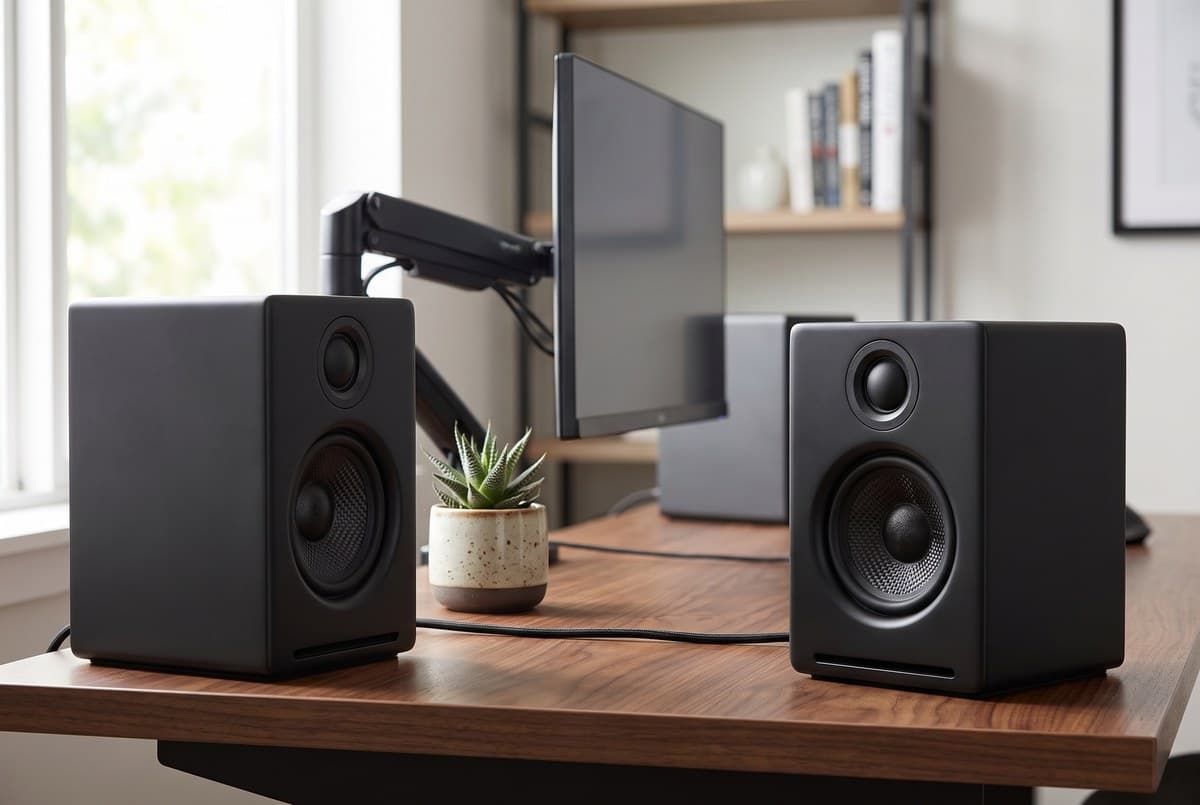
At 6 inches tall and 4 inches wide, the A2+ Next Gen occupies about 21 square inches of desk per cabinet — the smallest footprint in this guide, though the Creative and the Kanto are within a square inch of it, and roughly half what the Edifier below it needs. Inside each enclosure is a 2.75-inch aramid fiber woofer and a 0.75-inch silk dome tweeter, driven by dual Class A/B amplification rated by Audioengine at 60 W peak power total — 30 W RMS across the pair, or 15 W RMS per channel. Class A/B in a desktop speaker this size is a deliberate choice — it runs warmer and draws more power than Class D, but it is the tonal character Audioengine has built the A2 line on for fifteen years, and it shows most on vocals and acoustic instruments.
This is the Next Gen revision, which Audioengine launched in January 2025, and the upgrade is worth understanding because it fixes something the previous A2+ Wireless got backwards. The old model's USB input was a micro-USB port running a 16-bit/48 kHz DAC — lower resolution than its own aptX HD Bluetooth, which carries 24-bit/48 kHz. The Next Gen replaces it with USB-C and a 24-bit/96 kHz converter, and moves Bluetooth to 5.3. The rest carries over: RCA inputs, a variable RCA line-out for a subwoofer, painted MDF cabinets in a long list of finishes, a published 65 Hz–22 kHz ±2.0 dB response, and a 3-year warranty. If you spend money on the rest of your setup and want the speakers to belong there without taking the desk space of a bookshelf pair, this is the one to buy.
What we like
- Smallest footprint here: 4 in wide, 5.25 in deep, 6 in tall
- Class A/B analog amplification, 15 W RMS per channel
- Bluetooth 5.3 with aptX HD, plus USB-C at 24-bit/96 kHz
- RCA in and variable RCA line-out for a subwoofer later
- 65 Hz–22 kHz ±2.0 dB, the lowest published bass limit here after the Edifier
- 3-year warranty
Worth knowing
- $279 — roughly seven times the Creative and nearly triple the PreSonus
- 30 W RMS total is modest; it is more than a desk needs, not enough to fill a room
- No optical or coaxial digital input
- Woofer
- 2.75" aramid fiber
- Tweeter
- 0.75" silk dome
- Power
- 60 W peak total (15 W RMS / 30 W peak per channel), dual Class A/B
- Frequency response
- 65 Hz – 22 kHz ±2.0 dB
- Connectivity
- Bluetooth 5.3 (aptX HD), USB-C 24-bit/96 kHz, RCA in, RCA variable line-out
- Dimensions (each)
- 6" H × 4" W × 5.25" D
- Warranty
- 3 years
2. Best Budget
Creative Pebble V3
Typically around $40
- Ultra-tight desk setups
- USB-C laptop users
- Budget-first buyers
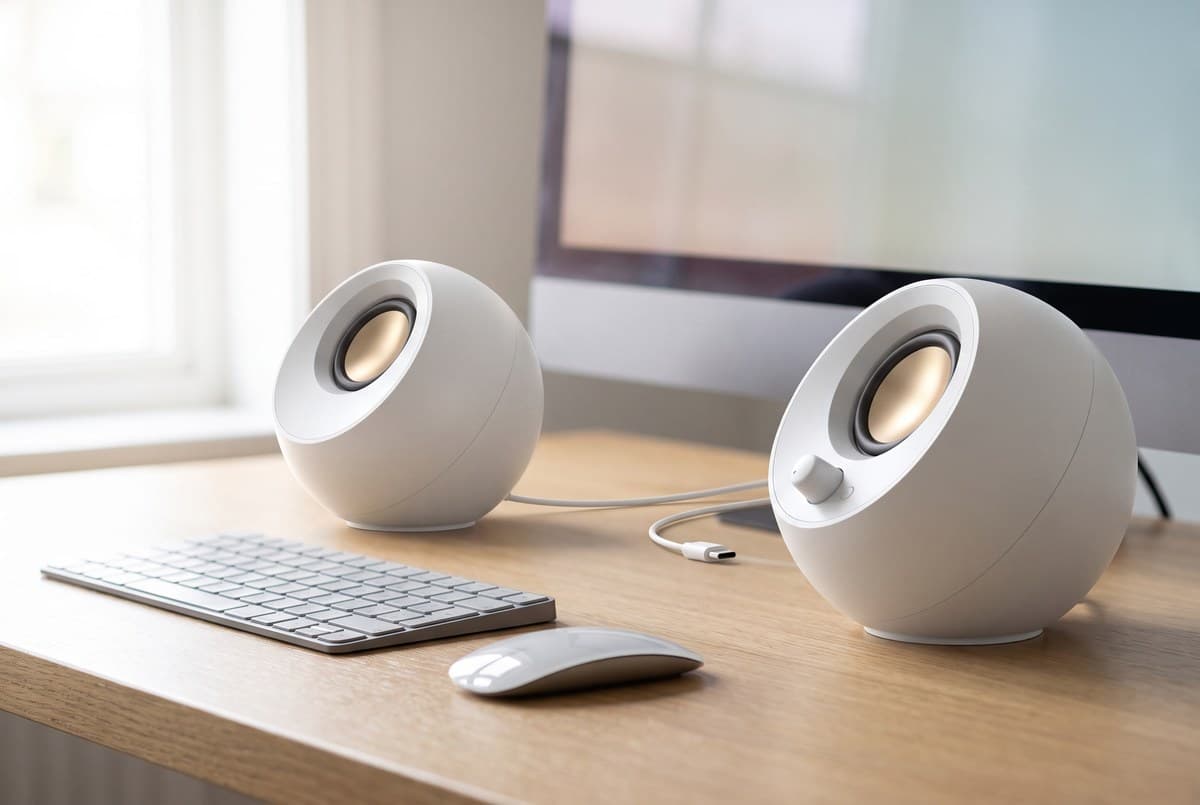
The Pebble V3 is the obvious entry point: USB-C powered and USB-C audio in a single cable, with Bluetooth 5.0 as a wireless fallback and a 3.5 mm aux input for consoles or older devices. Plug it into a laptop, and you have music playing in under ten seconds with no drivers, no wall outlet, and no dedicated audio cable. Creative sells it at $39.99, and for anyone who has been tolerating laptop speakers and wants to fix it without spending much, nothing at this price does it cleaner.
Each cabinet houses a 2.25-inch full-range driver with a passive radiator, elevated at 45 degrees so the sound projects toward a seated listener rather than into the desk surface. Two numbers are worth knowing before you buy. The first is power: Creative rates the satellites at 4 W RMS each for 8 W of total system power, peaking at 16 W — and even that depends on the source, because the 8 W figure applies only when the speakers are fed from a 10 W USB-C port or a PD adapter with the gain switch set to High. Off a weaker port you get less. The second is bass: the published response is 100 Hz–17 kHz, so the low end stops higher than every other speaker in this guide, and the top end stops short of the 20 kHz the others reach. What you get for $40 is a clear, honest midrange at close listening distance from a cabinet that is 4.8 inches tall. That is the right trade at this price, and the V3 makes it without pretending otherwise.
What we like
- Single USB-C cable handles power and audio — zero desk clutter
- Bluetooth 5.0 for wireless use without a separate adapter
- Drivers elevated 45° toward seated ear height
- Compact cabinets: 4.8 in tall, 4.7 wide, 4.6 deep
- $39.99 from Creative
Worth knowing
- Full-range driver with no tweeter — limited high-frequency detail, and response stops at 17 kHz
- 100 Hz low-frequency limit — the highest bass roll-off in this guide
- The 8 W total rating needs a 10 W USB-C source and the gain switch on High
- Bluetooth and USB-C cannot be used simultaneously
- Driver
- 2.25" full-range with passive radiator, elevated 45°
- Power
- 2 × 4 W RMS (up to 8 W total system power on a 10 W USB-C source, gain High); 16 W peak
- Frequency response
- 100 Hz – 17 kHz
- Connectivity
- USB-C audio, Bluetooth 5.0, 3.5 mm aux
- Power source
- USB-C (bus-powered) or PD adapter
- Dimensions (each)
- 4.8" H × 4.7" W × 4.6" D
3. Best Studio Reference
PreSonus Eris 3.5 2nd Gen
Typically around $100 (pair)
- Music production and mixing on a desk
- Buyers who want tuning controls for room acoustics
- Wired-first setups
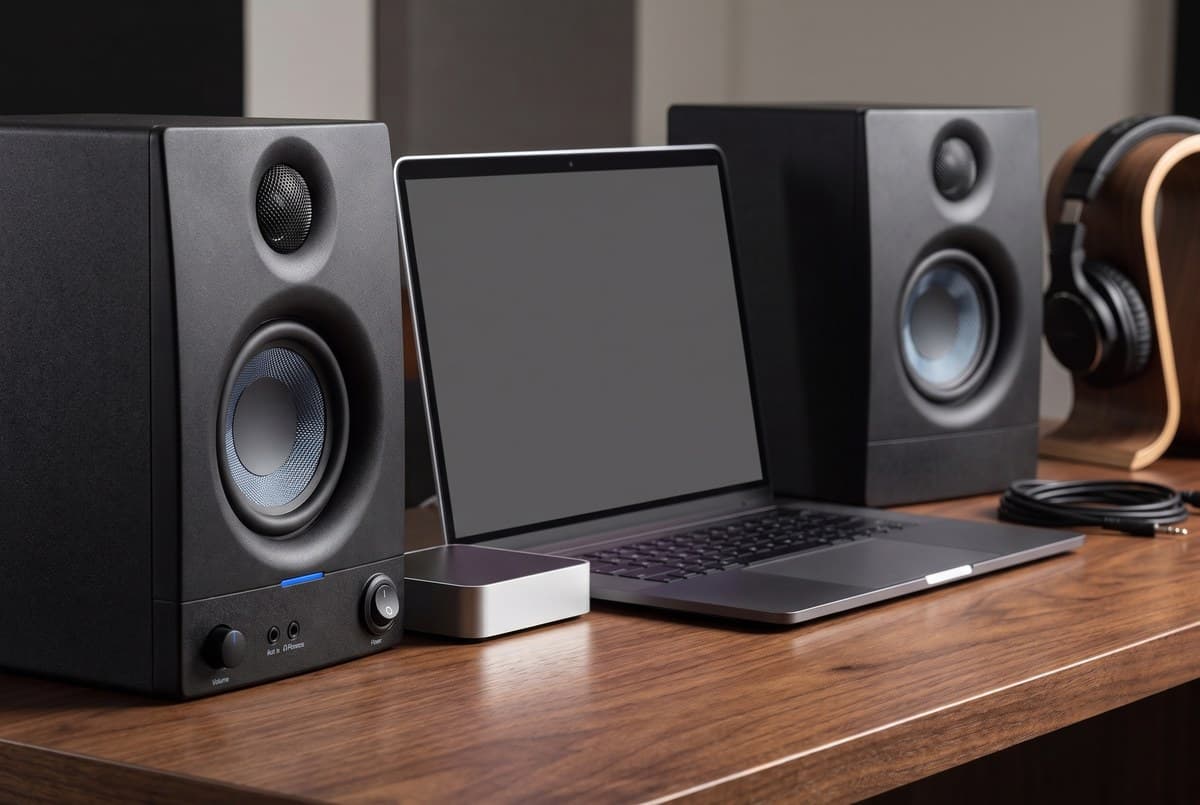
The Eris 3.5 is a studio monitor, not a multimedia speaker, and the distinction is the entire point. Where the Edifier is tuned for a pleasing listen, the Eris is tuned to be accurate: the goal is to show you what is actually in the recording, not flatter it. The 3.5-inch woven glass fiber composite woofer and 1-inch silk dome tweeter run on 50 W of Class AB dual amplification — 25 W a side — across a published 80 Hz–20 kHz, and the back panel carries two continuously variable tuning controls, ±6 dB at 10 kHz and ±6 dB centred on 100 Hz, for compensating room acoustics and desk-boundary reflections.
This is the 2nd Gen revision, and it is the one to buy for a plain reason: PreSonus's own store lists the original Eris E3.5 as sold out while selling the 2nd Gen at the same $99.99 for the pair, with revised voicing through the crossover. Worth knowing if you are cross-shopping the two: PreSonus renamed that 100 Hz control between generations. On the E3.5 it was labelled the Midrange control, on the 2nd Gen it is labelled Low Frequency — same filter, same centre frequency, different word on the panel. Front-panel features are practical and unchanged: a headphone jack, a 3.5 mm aux input, and a volume knob, so one hand controls monitoring level without reaching behind the speakers. The trade-off is obvious and it is the one exception to this guide's connectivity criterion — there is no Bluetooth. If wireless playback from a phone is part of the plan, PreSonus sells a 3.5BT variant; if not, this is the most accuracy per dollar on the page.
What we like
- Bi-amplified two-way design, 50 W total across Class AB
- ±6 dB tuning at 10 kHz and at 100 Hz for room and desk-boundary correction
- Front-panel headphone jack and aux input — practical for mixing
- Balanced 1/4-inch TRS inputs alongside RCA
- $99.99 the pair — the cheapest true two-way here
Worth knowing
- No Bluetooth — wired only (the 3.5BT variant adds it)
- Flat response won't flatter casual music playback the way multimedia speakers do
- 80 Hz low limit — not the pick for bass-heavy genres without a subwoofer
- 8.3 in tall and 36 sq in of desk per cabinet — the second-largest footprint here
- Woofer
- 3.5" woven glass fiber composite
- Tweeter
- 1" ultra-low-mass silk dome
- Power
- 50 W total (25 W/side), Class AB dual amplification — PreSonus does not state RMS or peak
- Frequency response
- 80 Hz – 20 kHz; peak SPL 98 dB @ 1 m
- Inputs
- 2 × balanced 1/4" TRS, 2 × unbalanced RCA, front 1/8" stereo aux
- Acoustic tuning
- High frequency ±6 dB @ 10 kHz; low frequency ±6 dB @ 100 Hz
- Dimensions (each)
- 8.3" H × 5.6" W × 6.5" D
4. Best for Mixed Sources
Edifier R1280DB
Typically around $190
- Desks that double as a TV, console or turntable setup
- Buyers who need optical and coaxial digital inputs
- Larger desks with room for a real bookshelf cabinet
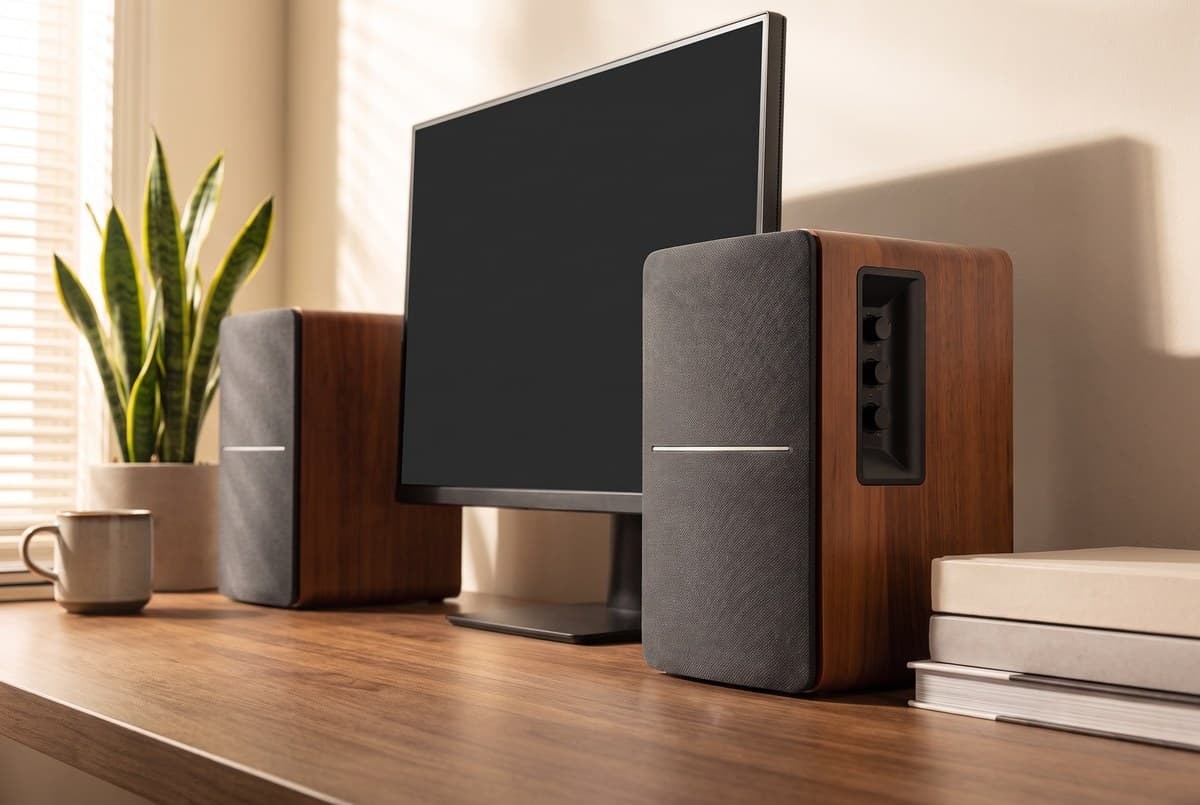
The R1280DB earns its place here on inputs, not on size. It is the only speaker in this guide that takes optical, coaxial, Bluetooth and two sets of RCA at once, which means a TV, a games console, a turntable through a phono stage and a laptop can all stay plugged in with no switcher in between. Under the wood-effect MDF you get a genuine two-way system — a 4-inch woofer and a 0.5-inch (13 mm) silk dome tweeter on separate bands — rated by Edifier at 21 W + 21 W RMS for 42 W total, with a published 55 Hz–20 kHz response that reaches lower than anything else on this page. A remote handles volume and source.
Two things have changed since this speaker launched in 2017, and both are worth correcting if you are reading older coverage. Edifier's own US store now publishes Bluetooth 5.1 for the R1280DB — not the 4.0 that most write-ups of this model, including earlier versions of this one, still hold against it. And the price has moved a long way: Edifier lists it at $189.99, not the $100–120 it sold for in 2024. That reprices the speaker's role entirely. At $190 it is no longer the budget step-down from the Audioengine, it is $89 short of it, and the thing you are buying with the difference is the input panel. The other cost is desk space, and it is the largest on this page: 9.2 inches tall and 5.75 by 7.7 inches on the desk, about 44 square inches per cabinet, plus a speaker cable that has to run from the powered side to the passive one. On a genuinely small desk that is a lot, and a 9-inch cabinet puts the tweeter well above seated ear height unless you sit it low. Buy it for the connections; do not buy it because it is the cheap one, because it is not.
What we like
- Optical, coaxial, Bluetooth 5.1 and dual RCA — the only pick here that takes all four
- 4" two-way with a dedicated 13 mm silk dome tweeter
- 55 Hz–20 kHz — the lowest published bass limit in this guide
- 42 W RMS total (21 W per channel)
- Wood-finish cabinet and an included remote for volume and source
Worth knowing
- $189.99 at Edifier — no longer the mid-priced option it was
- Largest footprint here: 9.2 in tall, ~44 sq in of desk per cabinet
- Power cord goes to the active speaker only; a passive speaker cable runs across the desk
- No subwoofer output — Edifier's R1280DBs, the 's' variant, adds one
- Slightly colored (warm) sound — not flat reference tuning
- Woofer
- 4" composite
- Tweeter
- 0.5" (13 mm) silk dome
- Power
- 42 W RMS total (21 W + 21 W)
- Frequency response
- 55 Hz – 20 kHz; SNR ≥ 85 dB(A)
- Inputs
- Bluetooth 5.1, optical, coaxial, RCA × 2
- Dimensions (each)
- 9.2" H × 5.75" W × 7.7" D (234 × 146 × 196 mm)
- Cabinet
- Wood-effect MDF
5. Premium Pick
Kanto ORA
Typically around $350
- High-resolution audio listeners
- Narrow gaps beside or under a monitor
- Setups adding a subwoofer later
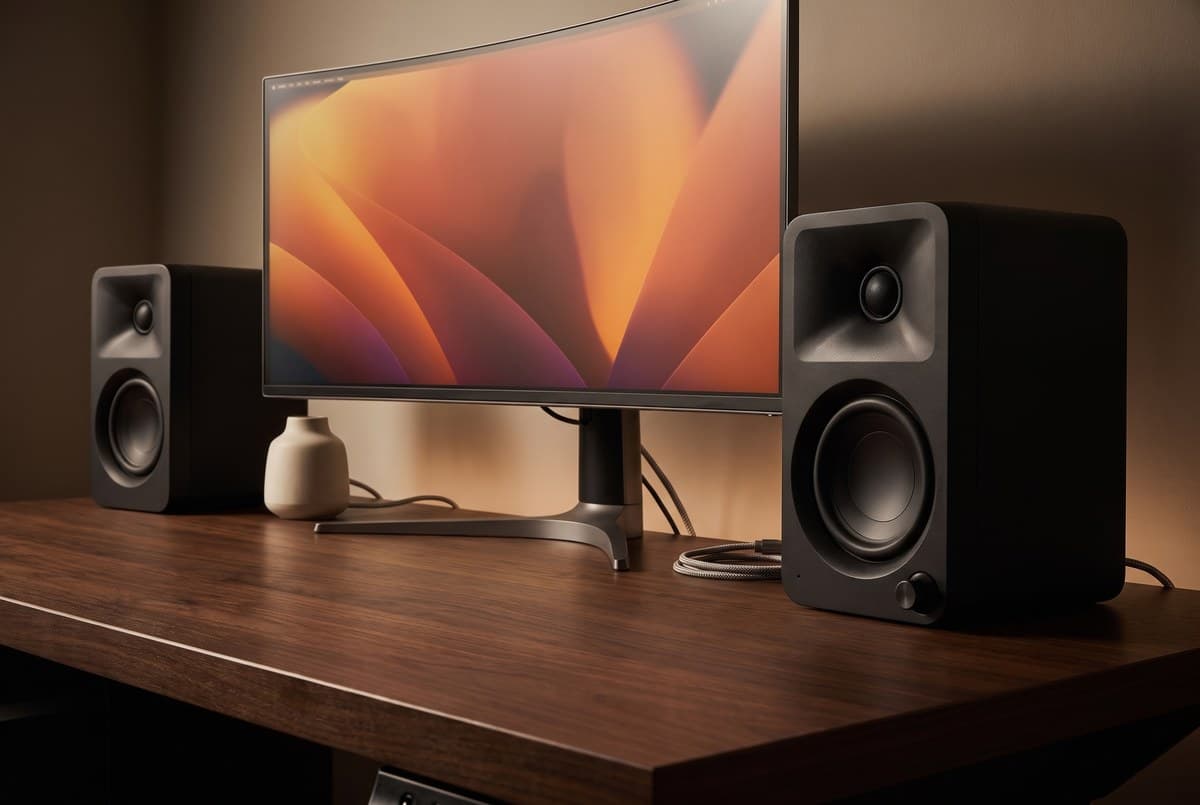
The ORA is the most thoroughly engineered speaker in this guide, and the number that gives it away is the amplifier count: four. Each cabinet holds a 3-inch paper-cone woofer and a 0.75-inch silk dome tweeter, and each driver gets its own Class D amplifier — 16 W RMS to each woofer, 9 W RMS to each tweeter, 50 W RMS total across the pair, or 100 W peak as Kanto publishes it. A DSP crossover manages the handoff, and it does double duty: plug a subwoofer into the RCA output and an automatic 100 Hz high/low-pass filter hands off the bottom end without any manual adjustment. USB-C carries 24-bit/96 kHz digital straight from a laptop with no external DAC, and Bluetooth 5.0 covers wireless.
The reason it belongs in a small-desk guide is the cabinet, but be precise about which part of it. At 3.9 inches wide the ORA is the narrowest thing here — by a hair over the Audioengine's 4 inches, and by nearly two inches over the Edifier. The meaningful geometry is what Kanto does with that width: its own pitch is that the cabinet lies on its side under a raised monitor, so the number that has to clear the gap is 3.9 inches rather than the 6.9-inch standing height. That is the one placement that costs a desk nothing at all, and the magnetically shielded woofers mean it can sit right against a screen. Published response is 70 Hz–22 kHz, so it does give up some low end to the Edifier and the Audioengine, which is exactly what the subwoofer output is for. Note also that Kanto has since added the ORA4, a larger 140 W four-inch model — the ORA remains the small-desk one, and the ORA4 is the one to look at if desk space was never the constraint.
What we like
- Four amplifiers, one per driver: 16 W RMS per woofer, 9 W RMS per tweeter
- Narrowest cabinet here at 3.9 in wide, and designed to lie sideways under a raised monitor
- USB-C audio at 24-bit/96 kHz, no external DAC needed
- Automatic 100 Hz subwoofer crossover on the RCA output
- Magnetically shielded woofers — safe directly beside a screen
- 2.1 lb per cabinet, in 16+ finishes
Worth knowing
- $349.99 — the most expensive option in this guide
- 70 Hz low limit; the 3" woofer still wants a subwoofer for bass-heavy material
- No optical or coaxial input
- Kanto does not publish a warranty term on the product page
- Woofer
- 3" paper cone, magnetically shielded
- Tweeter
- 0.75" silk dome
- Power
- 100 W peak / 50 W total RMS, Class D bi-amplified (16 W per woofer, 9 W per tweeter)
- Frequency response
- 70 Hz – 22 kHz
- Connectivity
- USB-C (24-bit/96 kHz), Bluetooth 5.0, RCA line-level in, subwoofer out
- Crossover
- Automatic 100 Hz high/low-pass filter
- Dimensions (each)
- 6.9" H × 3.9" W × 5.6" D; 2.1 lb
The verdict
For most buyers, the Audioengine A2+ Next Gen is the clearest recommendation, and on a small desk it wins twice over: it is the best-sounding compact speaker in the price-accessible range, and at 4 inches wide by 5.25 deep it is also the smallest thing here. The Class A/B amplifier produces a more natural midrange than Class D at this size, and the Next Gen revision finally makes the wired path the better one, with USB-C at 24-bit/96 kHz alongside aptX HD over Bluetooth 5.3.
If $279 is more than the budget allows, the honest step down is no longer the Edifier — it is $189.99 now, not the $100–120 it once was. Below the Audioengine there are two genuinely different answers. The PreSonus Eris 3.5 2nd Gen is $99.99 for the pair and is the cheapest true two-way on this page; buy it if accuracy matters to you and you can live without Bluetooth, and accept that it is a tall 8.3-inch cabinet. The Creative Pebble V3 is $39.99 and completely honest about what it is: a single-cable, 8-watt, 100 Hz-and-up speaker that sounds dramatically better than a laptop and removes all decision risk.
That leaves the two specialists. The Edifier R1280DB is now a connectivity pick rather than a value pick — take it if a TV, a console and a turntable all need to stay plugged in at once, and make room for the biggest cabinet in this guide. And the Kanto ORA is the one to buy if the space around your monitor is the real constraint: it is built to lie on its side in the 3.9 inches of clearance under a raised screen, and it brings four amplifiers and an automatic subwoofer crossover with it. That is the pick that solves the small-desk problem by placement rather than by compromise.
Frequently asked questions
Convert everything to one figure — total RMS across the pair — before you compare anything, because the boxes do not. Kanto publishes the ORA as "100 W Peak Power (50 W Total RMS)"; Audioengine publishes the A2+ Next Gen as "60 W peak power total (15 W RMS / 30 W peak per channel)"; Creative publishes the Pebble V3 as 2 × 4 W RMS satellites for 8 W of total system power with a 16 W peak; PreSonus publishes 50 W for the Eris 3.5 and does not say whether that is RMS or peak. Read those headline numbers as printed and the Kanto's 100 W looks like twice the PreSonus's 50 W; convert both to total RMS and they are level at 50 W each, because one figure was peak and the other was not. Two more traps: a per-channel figure doubles when you are not watching, and Creative's 8 W is conditional on feeding the speakers from a 10 W USB-C port with the gain switch set to High. None of this decides a purchase at desk distance — every speaker here is louder than two feet of air requires — which is exactly why the number gets marketed so freely.
More than the category likes to advertise, and the spread is wider than the prices suggest. Per cabinet, the Audioengine A2+ Next Gen is about 21 square inches of desk (4 × 5.25 in), the Creative Pebble V3 about 22 (4.7 × 4.6), and the Kanto ORA about 22 (3.9 × 5.6). The PreSonus Eris 3.5 is about 36 and the Edifier R1280DB about 44 — half again as much for the PreSonus, twice as much for the Edifier. Height matters as much on a desk: the Pebble is 4.8 inches, the Audioengine 6, the Kanto 6.9, the PreSonus 8.3 and the Edifier 9.2. On a 24-inch-deep desk with a monitor on a stand, the first three tuck beside the screen; the last two are bookshelf speakers that happen to work on a desk and need you to plan for them. If the gap beside your monitor is the constraint, measure its width — the Kanto at 3.9 inches and the Audioengine at 4 are effectively tied for narrowest, and both are nearly two inches under the Edifier.
Not typically, but check the low-frequency limit rather than assuming. Published figures here run from 55 Hz (Edifier R1280DB) and 65 Hz (Audioengine) down through 70 Hz (Kanto ORA) and 80 Hz (PreSonus Eris 3.5) to 100 Hz for the Creative Pebble V3 — so the Pebble gives up close to an octave to the Edifier and a smaller but still audible slice to the other three, and it is the one pick that does not reach the 80 Hz where most musical bass lines live. A subwoofer adds impact for gaming and bass-heavy music, but at two to three feet of listening distance a compact 2.0 system often sounds more balanced than a sub that overpowers the satellites. If you want extension later, the Audioengine and the Kanto both have a subwoofer output, and the Kanto crosses over automatically at 100 Hz.
Studio monitors (like the PreSonus Eris 3.5) aim for a flat, accurate frequency response — they reproduce what's in the recording without coloring it. Multimedia speakers (like the Edifier R1280DB or Audioengine A2+ Next Gen) add a touch of warmth and presence that makes casual listening more enjoyable. For music production or podcast editing where accuracy matters, a studio monitor is the right tool. For general desk use — music, video, calls — a well-tuned multimedia speaker is usually a more pleasurable daily listen. The practical tiebreaker is often Bluetooth: the Eris has none.
USB audio bypasses your computer's sound card and uses the speaker's own DAC, which is usually the cleanest digital path — but only if the USB input is actually the better one, which is not automatic. The previous Audioengine A2+ Wireless is the cautionary example: its micro-USB input ran a 16-bit/48 kHz converter while its own aptX HD Bluetooth carried 24-bit/48 kHz, so the wired connection was the lower-resolution one. Audioengine fixed exactly that in the Next Gen, which pairs USB-C at 24-bit/96 kHz with Bluetooth 5.3. The Kanto ORA's USB-C is also 24-bit/96 kHz. Standard Bluetooth on the SBC codec is noticeably worse than a wired connection at high volumes; aptX HD is close enough not to matter for casual listening. RCA is excellent if the source has a quality analog output. Check the bit depth of the USB port before assuming it wins.
Aim for roughly the same distance between the speakers as from each speaker to your ears — an equilateral triangle. For a typical 27-inch monitor setup, that means the speakers sit about 2–2.5 feet apart. Tweeters should be at or near ear height for the best stereo imaging, which is worth checking against the heights above: a 9.2-inch Edifier sitting flat on the desk puts its tweeter high, and a 4.8-inch Pebble puts it low. Angling the speakers slightly inward (toeing them toward your listening position) tightens the sweet spot. Avoid placing speakers flat against a back wall — 3–4 inches of clearance behind the cabinet reduces bass buildup.
Standard Bluetooth (SBC) can introduce 100–200ms of latency, which is noticeable as a lip-sync offset during video. aptX and aptX HD reduce this to 40–80ms — usually unnoticeable. For desktop computers, most operating systems have audio-video sync correction built in. If sync drift is visible and your system doesn't correct it automatically, use a USB or analog connection for video playback. For music and podcasts, Bluetooth latency is irrelevant.
Keep building your setup
Audio
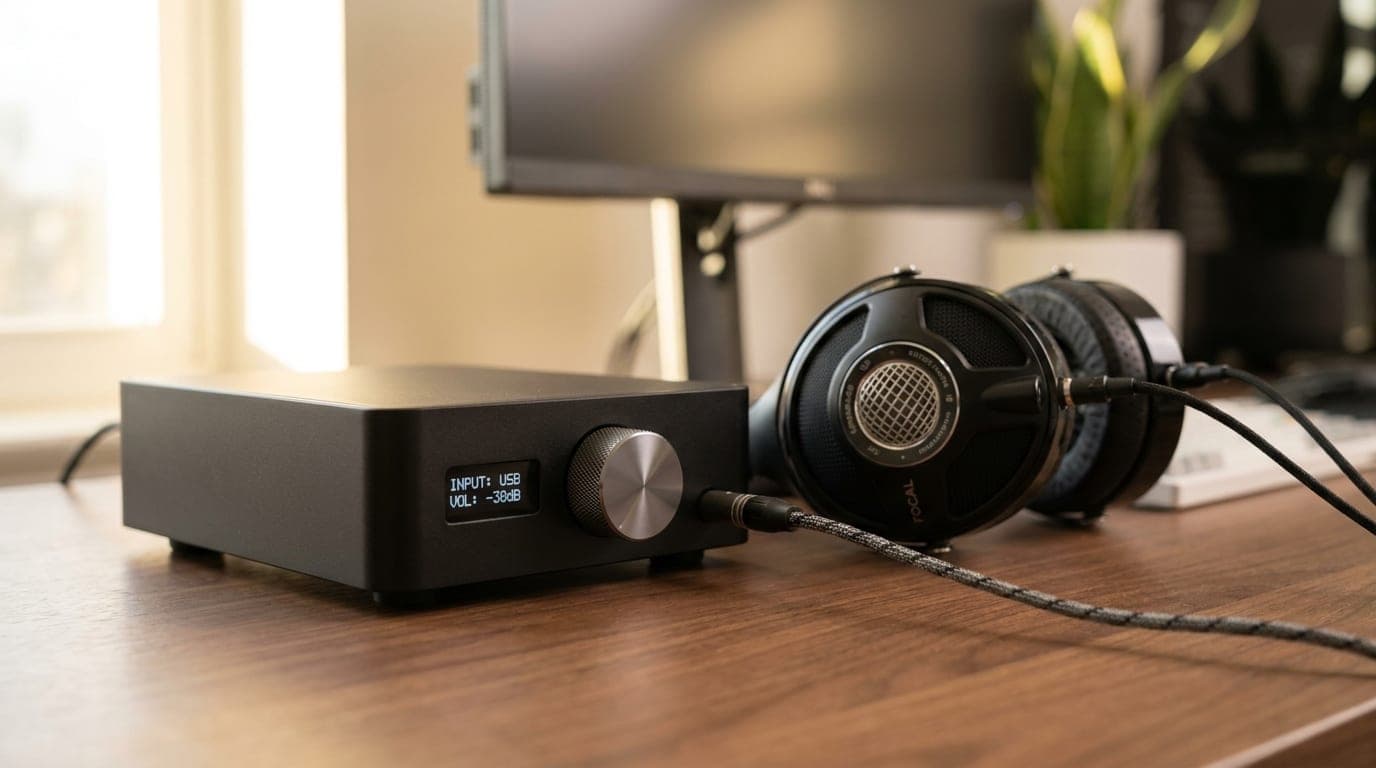
The Best Headphone DACs and Amps for Your Desk in 2026
A dedicated DAC/amp is the fix for weak, hissy onboard audio and headphones that never get loud enough. Five desktop picks from $129 to $499, sorted by power, connectivity, and who each one is actually for.
Updated July 28, 2026
Audio
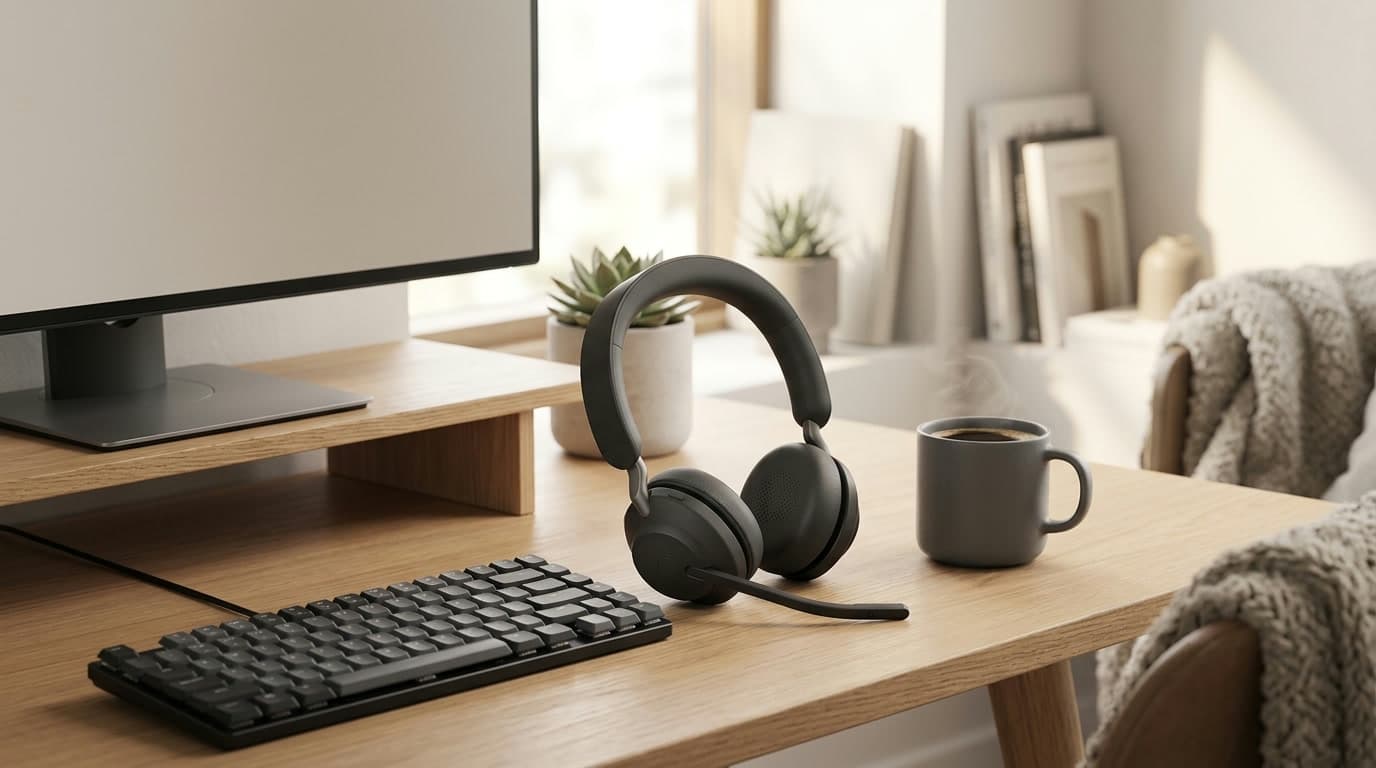
The Best Wireless Headsets for Video Calls in 2026
A headset with a mic near your mouth makes you sound clearer on calls than any laptop or webcam mic can — and lets you hear the room, or block it out. Six wireless headsets for back-to-back meetings, from a $99 budget pick to a $300 pair of enterprise earbuds, sorted by mic type and noise cancelling.
Updated July 31, 2026
Audio
The Best USB Microphones for Video Calls in 2026
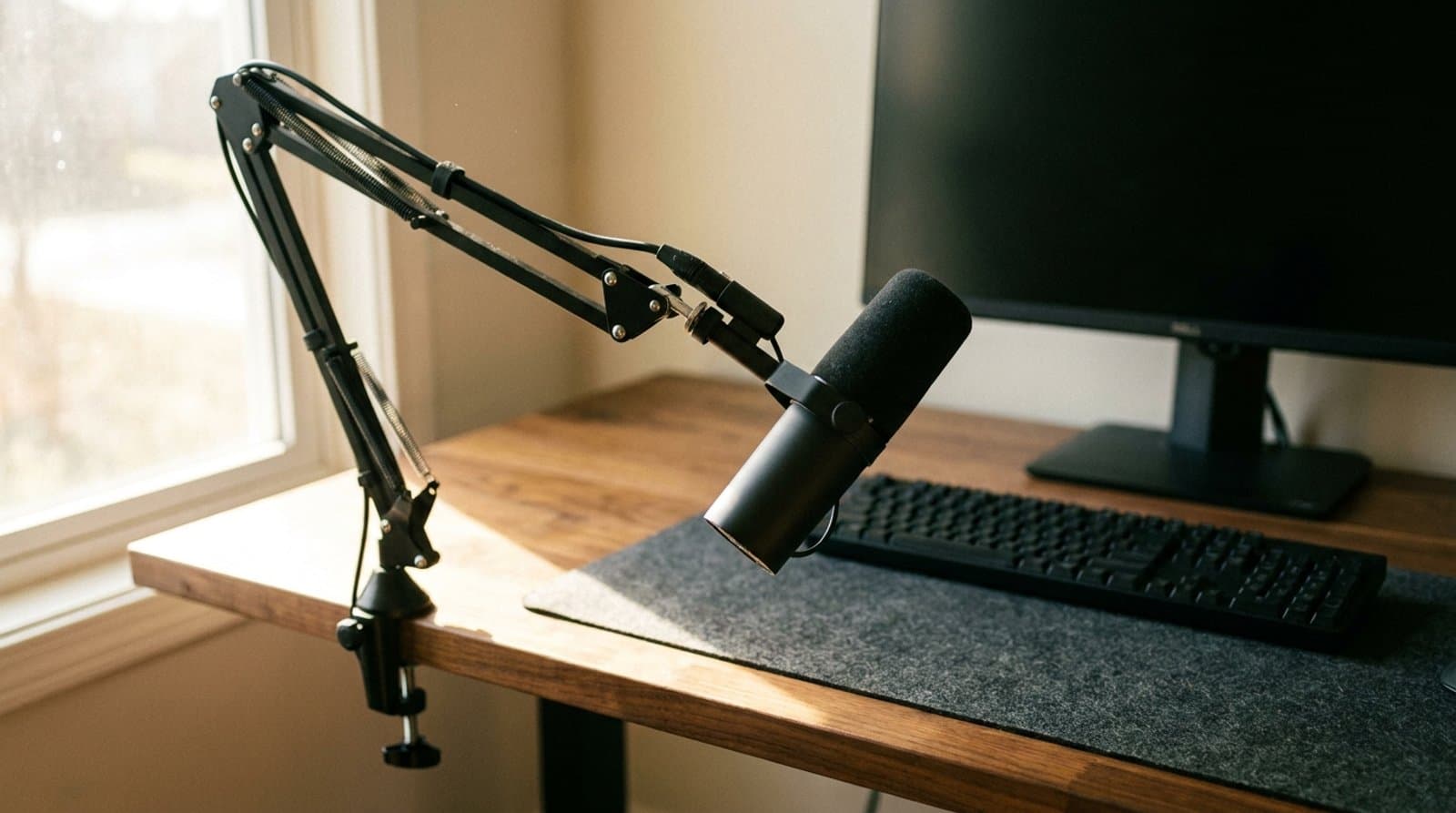
Better calls start with your microphone. Five USB picks from budget to pro that make you sound clear on Zoom and Teams without a recording studio.
Updated September 17, 2026
Get the next guide in your inbox
One short email when we publish or meaningfully update a buying guide. No spam, no daily deals firehose.