 Rigworthy
The Best Wireless Headsets for Video Calls in 2026
By Rigworthy Editorial Team · Updated July 31, 2026
Rigworthy is reader-supported: we may earn a commission if you buy through our links, at no cost to you. How we make money
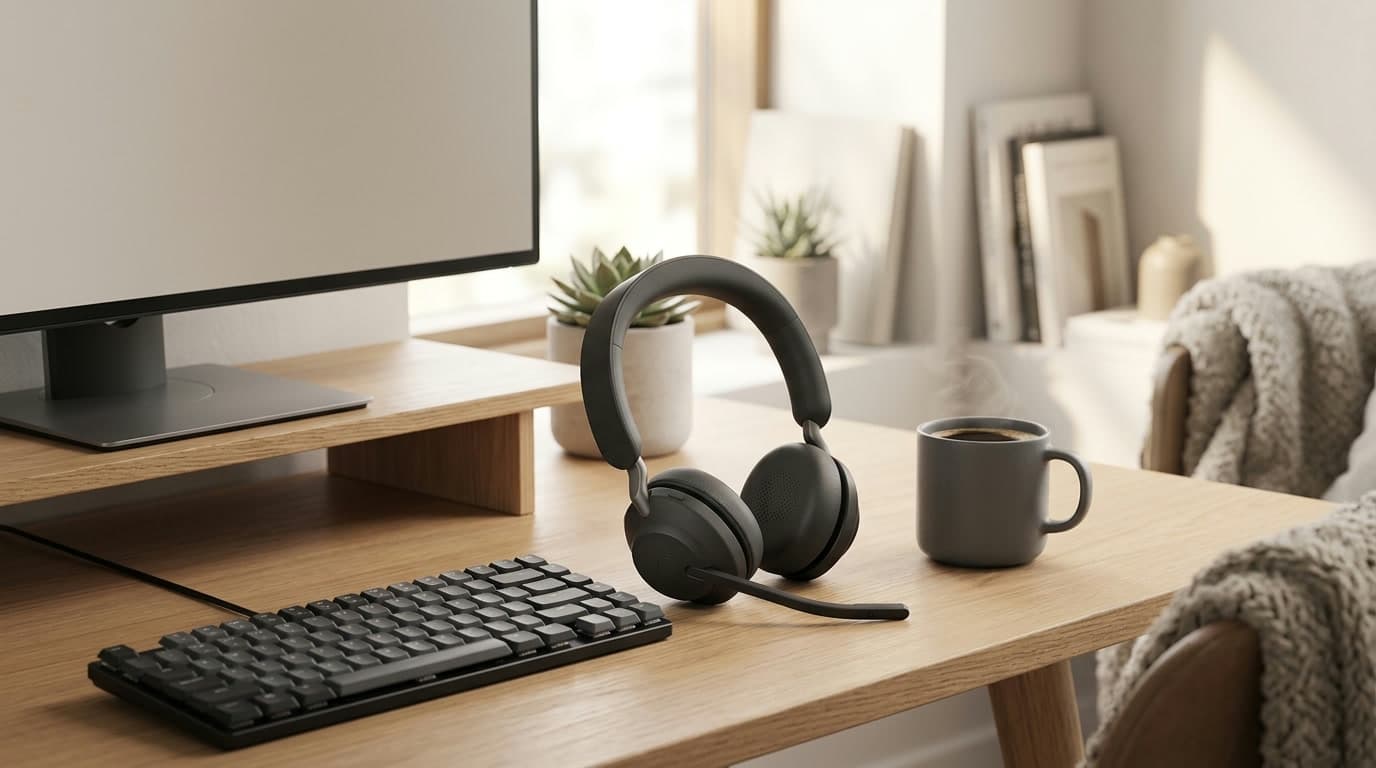
The camera gets all the attention, but the microphone is the part of a video call the other end actually can't ignore. A webcam or laptop mic sits an arm's length from your mouth, so it hands the far side a thin, echoey version of your voice wrapped in keyboard clicks and room hum — and no amount of lighting or 4K sensor fixes that. A call headset moves the mic to within inches of your mouth, and the good ones actively strip the noise around it, so you simply sound clear, close, and easy to listen to on every call. For anyone taking meetings all day, it's the highest-leverage audio upgrade there is.
But "headset" spans a wide range, and the right one depends on your room and your day. A boom mic is the clearest option; a hidden beamforming array looks cleaner on camera. Active noise cancelling quiets a loud space but costs battery; skipping it buys you a week between charges. And the form — over-ear, on-ear, or earbuds — decides how it feels at hour six of back-to-back meetings. This guide lines up six of the best wireless headsets for calls and working from home, sorted by mic type, noise cancelling, and price, so you can match one to how and where you actually work. Specs and prices reflect what manufacturers publish as of mid-2026, and street prices move with sales.
Our top picks at a glance
- 1
- 2
- 3
- 4
- 5
- 6
How we chose
- Mic clarity for the far end — a near-mouth boom or beamforming array beats any built-in laptop or webcam mic
- Noise cancelling: whether it blocks the room you hear (ANC) as well as the room they hear (mic filtering)
- All-day comfort for back-to-back meetings — weight, clamp force, and on-ear vs over-ear vs earbud fit
- Reliable connection — an included USB dongle for the PC plus Bluetooth multipoint to a phone at the same time
- Platform certification (Teams / Zoom / UC) and honest value — where a $99 headset does the job and where the money buys a better mic and ANC
Our picks come from spec research, long-term owner feedback, and category expertise — not sponsorships. Read the full methodology.
Compared side by side
| Product | Award | Mic | Noise cancelling | Typical price |
|---|---|---|---|---|
| Jabra Evolve2 65 | Best Overall | Boom arm | Passive only | $180–290 |
| Poly Voyager Focus 2 UC | Best for Noisy Rooms | Boom + Acoustic Fence | Hybrid ANC | $190–250 |
| Logitech Zone Vibe 100 | Best Budget | Boom arm | Passive only | around $99 |
| Anker PowerConf H700 | Best Value | Boom arm | Hybrid ANC | $150–200 |
| Jabra Evolve2 Buds | Best Earbuds for Calls | Earbud array (no boom) | ANC + HearThrough | $280–300 |
| Logitech Zone Wireless 2 | Best for Teams | Beamforming (no boom) | Hybrid ANC | around $250 |
1. Best Overall
Jabra Evolve2 65
Typically $180–290
- All-day calls with a great mic
- Marathon battery and a rock-solid dongle
- Teams or Zoom, phone and laptop at once
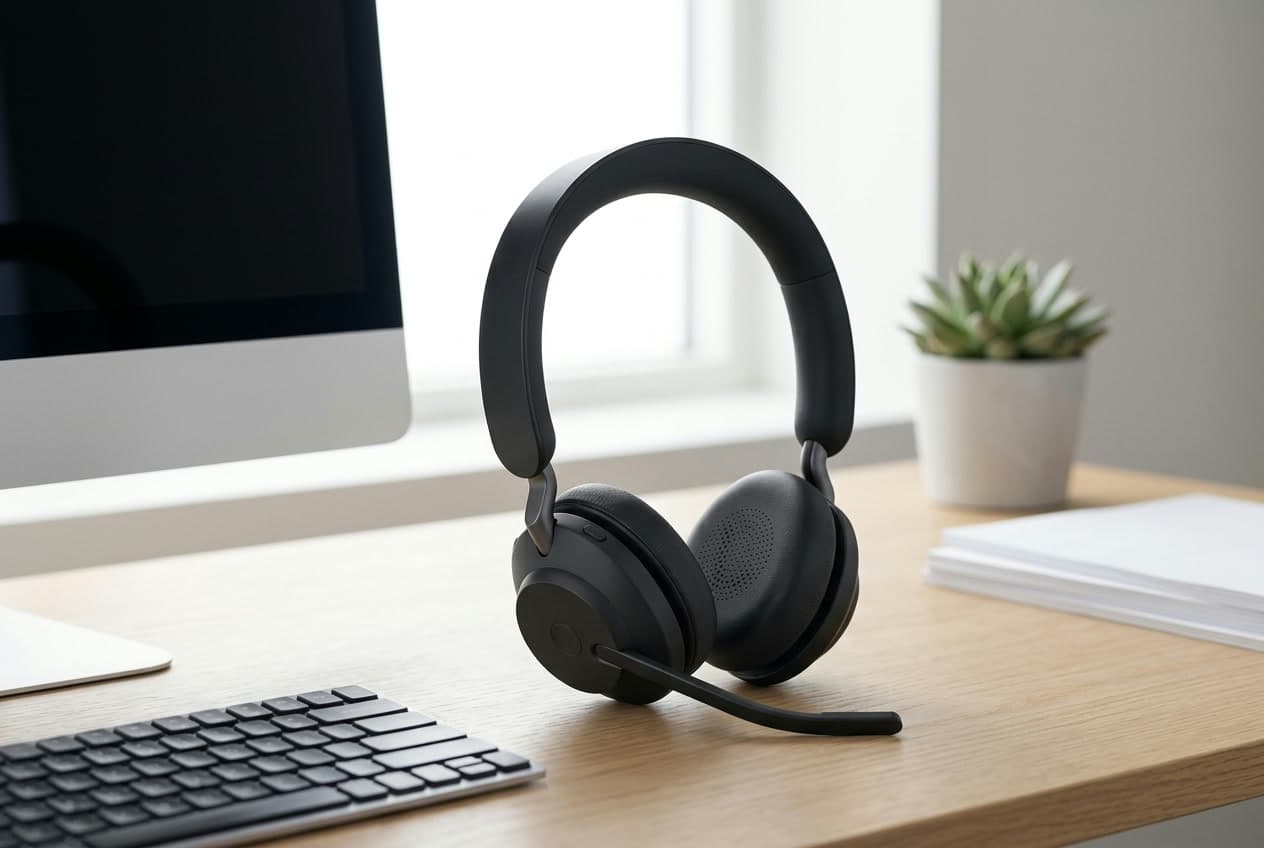
The Evolve2 65 is the headset to recommend to almost anyone who takes calls for a living. Its flip-down boom mic sits close to your mouth, so your voice reaches the far end clear and full instead of thin and roomy the way a laptop or webcam mic sounds — and flipping the boom up mutes you, a control your hands find without looking. Battery is its party trick: up to about 35 hours of talk time means you charge it roughly once a week, not once a day, and it connects through an included Jabra Link dongle (USB-A or USB-C) that's far more stable in a locked-down work PC than raw Bluetooth. It pairs to two devices at once, so a call ringing on your phone reaches the same headset your laptop is on.
The one honest gap is active noise cancelling: the Evolve2 65 relies on the passive seal of its on-ear cushions, so it softens a room but can't electronically erase HVAC hum or a nearby conversation the way the ANC picks below can. If your home office is quiet, you'll never miss it, and the trade buys you that enormous battery and a lighter, cooler on-ear fit. It comes in mono (one-ear) and stereo versions and in Teams- or Zoom/UC-certified SKUs, with a 360-degree busylight on the boom that tells the room you're on a call. For most people who just want to sound great and never think about charging, this is the default.
What we like
- Excellent flip-to-mute boom mic — clear, near-mouth voice on every call
- About 35 hours of talk time; charge roughly once a week
- Stable USB dongle plus Bluetooth multipoint to phone and laptop
Worth knowing
- No active noise cancelling — passive isolation only
- On-ear fit and older Bluetooth than the pricier Jabras
- Form
- On-ear (mono or stereo)
- Mic
- Flip-to-mute boom arm
- Noise cancelling
- Passive only (no ANC)
- Battery
- Up to ~35h talk time
- Connection
- USB dongle + Bluetooth multipoint
2. Best for Noisy Rooms
Poly Voyager Focus 2 UC
Typically $190–250
- Loud homes and open offices
- Blocking noise both directions
- Over-ear comfort with a boom mic
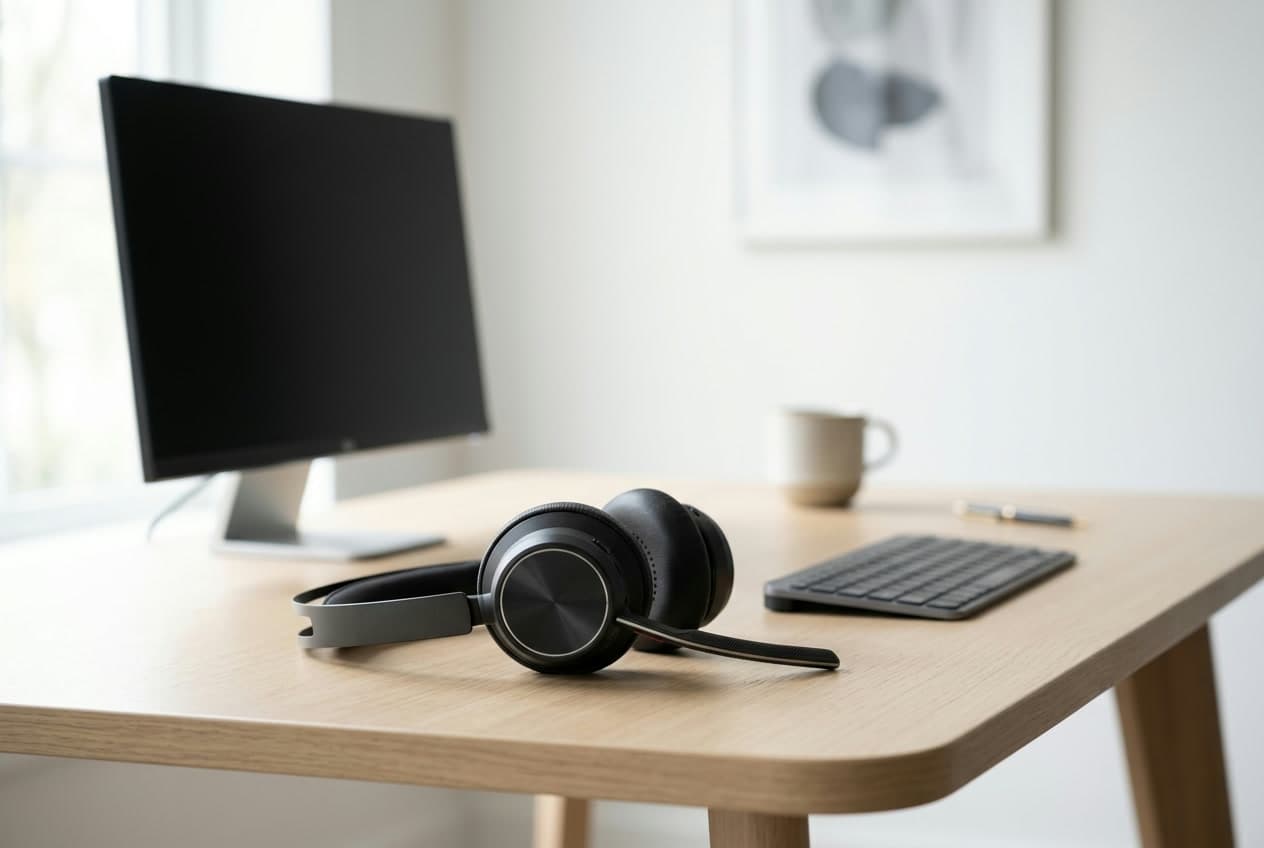
When the noise is a problem in both directions — a loud room bleeding into your ears and into your mic — the Voyager Focus 2 is the answer. It pairs a slim boom mic with Poly's Acoustic Fence technology, which builds a virtual bubble around your mouth and rejects the sound outside it, so a barking dog or a passing coworker largely disappears before it hits the call. On your side, three levels of hybrid active noise cancelling clamp down on the steady drone of a room — traffic, HVAC, a nearby TV — and its over-ear cushions seal better than an on-ear pad, giving you a genuinely quiet place to concentrate between meetings.
It connects over a Poly BT700 dongle (USB-A or USB-C) plus Bluetooth to a second device, and runs around 19 hours of talk time with ANC on — a day or two of calls rather than a week, the usual trade for active cancelling. Comfort is a strong point: the plush over-ear design and light clamp make it easy to wear through back-to-back meetings, and an online-indicator light shows the room you're busy. It's the pick when call clarity and blocking noise matter more than squeezing out the longest possible battery, and it usually costs less than the flagship Jabra while cancelling more.
What we like
- Boom mic plus Acoustic Fence rejects background noise on your end
- Three-level hybrid ANC blocks the room you hear too
- Comfortable over-ear fit for long, back-to-back meetings
Worth knowing
- Around 19h with ANC on — shorter than no-ANC rivals
- Over-ear cups run warmer than an on-ear headset
- Form
- Over-ear stereo
- Mic
- Boom arm + Acoustic Fence
- Noise cancelling
- 3-level hybrid ANC
- Battery
- Up to ~19h talk (ANC on)
- Connection
- USB dongle + Bluetooth multipoint
3. Best Budget
Logitech Zone Vibe 100
Typically around $99
- A first wireless call headset
- A look that isn't obviously an office headset
- Casual meetings on a tight budget
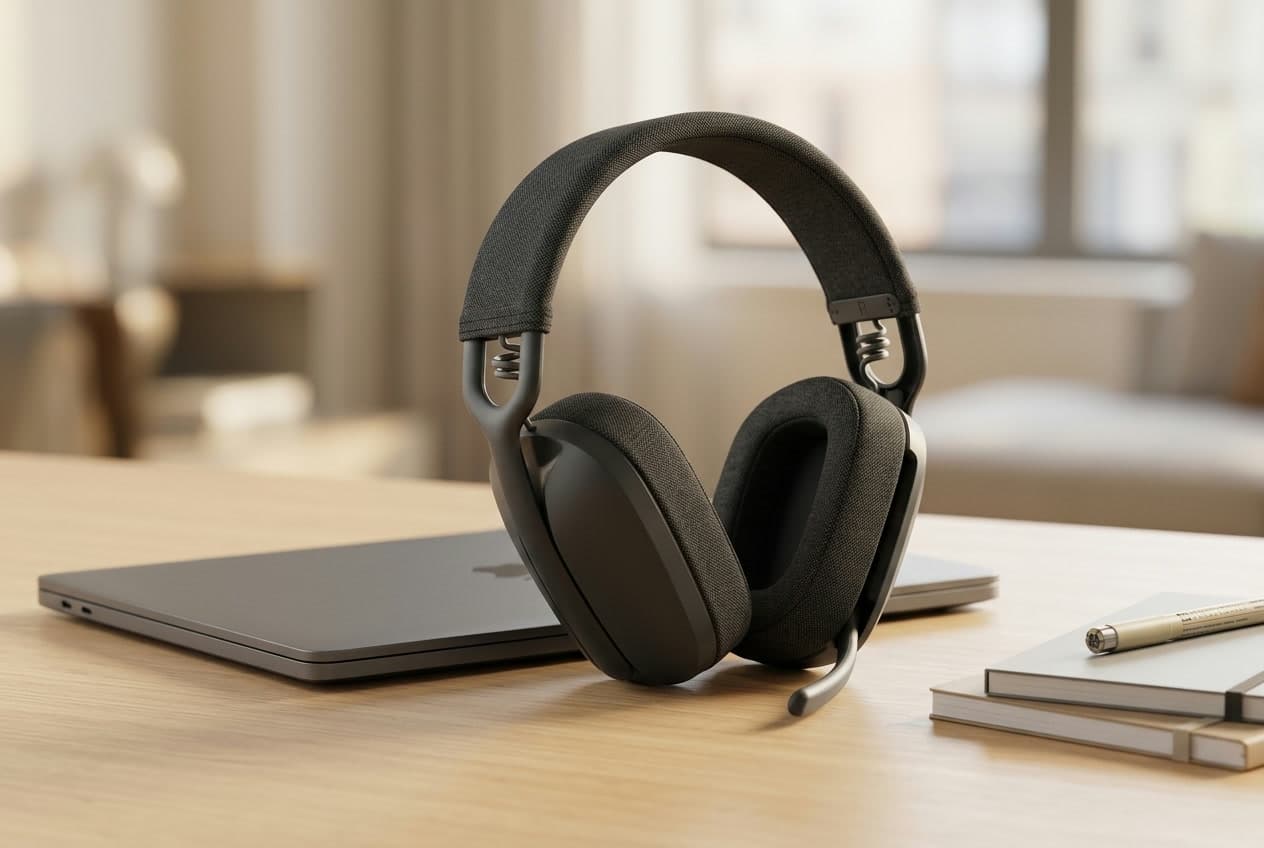
The Zone Vibe 100 is the honest entry point to a proper call headset. At around $99 it gives you the thing that actually matters — a slim flip-and-tuck boom mic that sits near your mouth — for a fraction of the enterprise headsets above, and it deliberately doesn't look like a call-center headset. It's light, wraps in soft fabric and leatherette, and reads as an ordinary pair of headphones on a video call, which is exactly what a lot of remote workers want. It connects over Bluetooth with multipoint to two devices, so your phone and laptop share it, and runs around 18 hours between charges.
The savings show up in two places. There's no active noise cancelling — you get passive over-ear isolation only — and the base Vibe 100 is Bluetooth-only, without the USB receiver that makes a connection bulletproof on a fussy work PC. If your IT setup or your patience needs a dongle, step up to the Zone Vibe 125, which is the same headset with a receiver in the box. But for casual meetings, a home setup you control, and anyone who wants to spend the least to sound clearly better than a laptop mic, the Vibe 100 is the smart, low-risk first headset.
What we like
- A real tuck-away boom mic for around $99
- Light, comfortable, and doesn't look like a work headset
- Bluetooth multipoint to phone and laptop
Worth knowing
- No ANC and no USB dongle (step up to the Vibe 125 for a receiver)
- Not enterprise-certified across every platform
- Form
- Over-ear stereo
- Mic
- Flip-and-tuck boom arm
- Noise cancelling
- Passive only (no ANC)
- Battery
- Up to ~18h talk time
- Connection
- Bluetooth multipoint (no dongle)
4. Best Value
Anker PowerConf H700
Typically $150–200
- ANC and a boom mic without enterprise prices
- A busylight for a shared room
- Home workers not tied to a locked-down IT setup
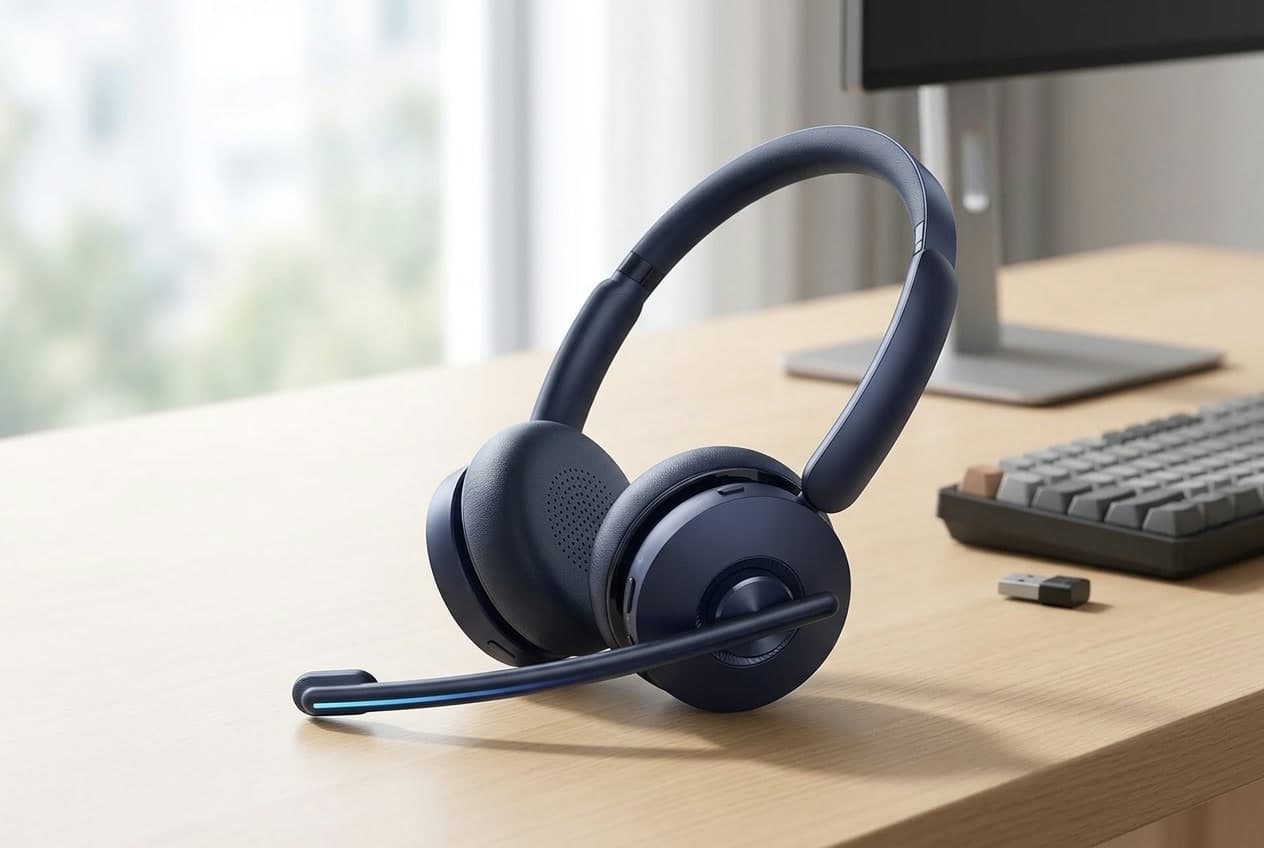
The PowerConf H700 is the value sweet spot: it bundles the two features people pay the enterprise names for — a boom mic and active noise cancelling — into a headset that usually lands well under $200. The boom pivots down for calls and mutes when you flip it up, with a small busylight on the arm so a housemate knows not to walk in, and the hybrid ANC quiets a room while you work. Battery is generous at roughly 24 hours with ANC off, it pairs to two devices at once, and it ships with a USB dongle (plus a USB-C adapter) for a steadier PC link than Bluetooth alone. On paper it goes toe to toe with headsets costing far more.
Where it gives ground is the corporate checklist. The H700 is marketed as compatible with Teams and Zoom rather than formally UC-certified, and some of its smarter tricks — call transcription, tuning — lean on Anker's companion app, which a managed work laptop may not allow. For a lot of home workers none of that matters; you plug in, you sound great, you block the room, and you keep the change. If your employer hands you a headset off an approved list, buy from that list — but if the choice is yours and the budget is real, the H700 delivers the most call headset per dollar here.
What we like
- Boom mic plus hybrid ANC for well under $200
- Busylight on the boom and ~24h battery
- USB dongle and multipoint pairing included
Worth knowing
- Compatible-with, not formally UC-certified for Teams/Zoom
- Some features rely on the Anker app a work PC may block
- Form
- On-ear stereo
- Mic
- Boom arm with busylight
- Noise cancelling
- Hybrid ANC
- Battery
- Up to ~24h talk (ANC off)
- Connection
- USB dongle + Bluetooth multipoint
5. Best Earbuds for Calls
Jabra Evolve2 Buds
Typically $280–300
- Travel and hot-desking light
- No headband, nothing on your ears
- Calls plus errands on the same buds
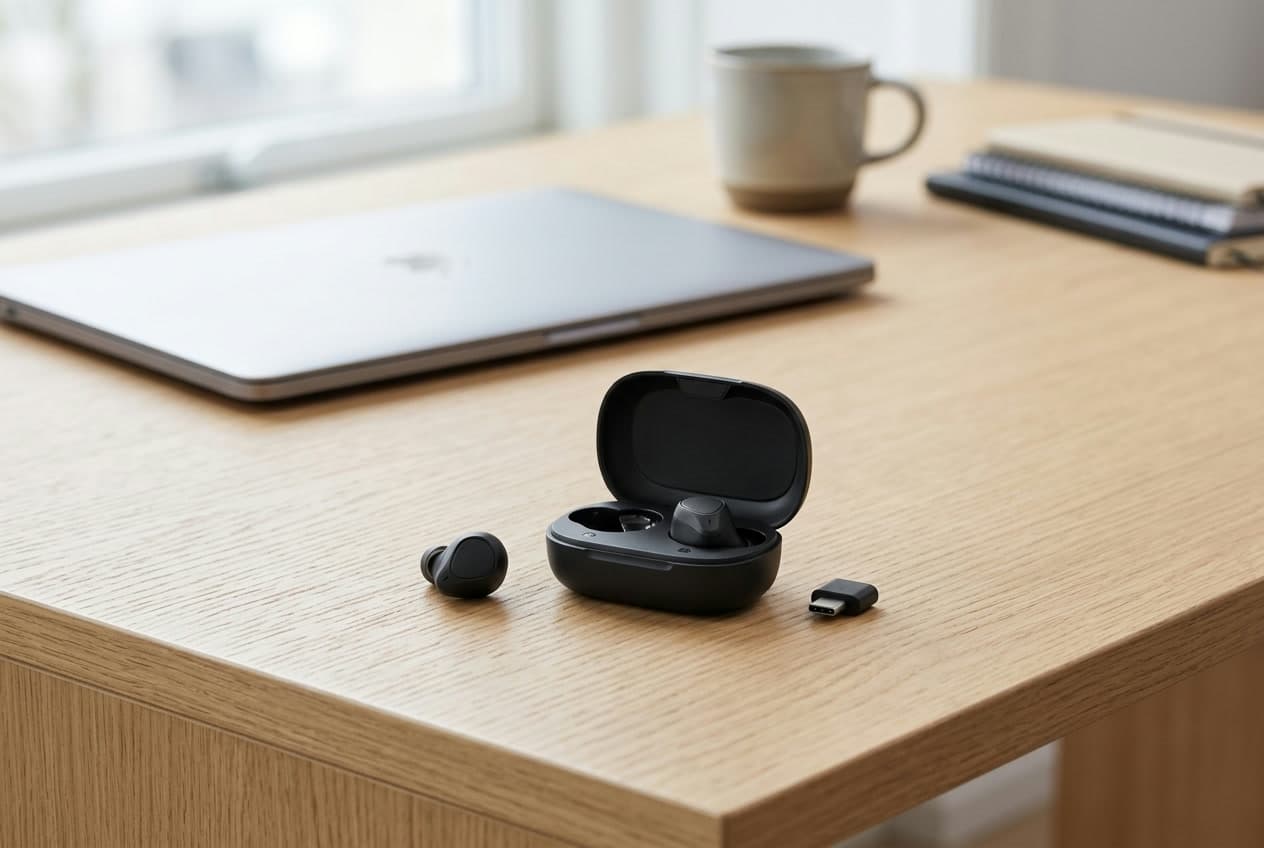
Not everyone wants a headband. The Evolve2 Buds do the same enterprise job — clear calls, real noise cancelling, a stable dongle — in a pair of earbuds that vanish into a pocket. They use a six-mic array with Jabra's MultiSensor Voice instead of a boom, reading a bone-conduction sensor plus microphones to lift your voice out of wind and background noise, and they ship with a Jabra Link dongle so the connection to your laptop is as solid as the over-ear models, not a flaky consumer Bluetooth link. Active noise cancelling and a HearThrough mode let you seal off a busy space or let it back in, and they're rated IP57 for dust and water, so the same buds handle a call at your desk and a walk afterward.
The trade for that freedom is battery and presence. You get roughly five hours of talk time on a charge, with the case topping you back up to around a full day — fine if you drop them in to recharge between meetings, less so for a single unbroken marathon of calls. There's also no boom and no busylight arm waving that you're busy, so a housemate gets no visual cue. But no headset here travels lighter or disappears more completely, and for anyone who works from cafes, hot-desks, or just can't stand something clamped over their ears all day, the Evolve2 Buds are the one that fits the life.
What we like
- Enterprise-grade call quality and ANC in tiny earbuds
- Ships with a Jabra dongle for a rock-solid PC link
- IP57 rated — calls at the desk, then out the door
Worth knowing
- About 5h talk per charge; you lean on the case through a full day
- No boom mic and no busylight for the room to see
- Form
- In-ear true wireless
- Mic
- 6-mic array + MultiSensor Voice (no boom)
- Noise cancelling
- ANC + HearThrough
- Battery
- ~5h/charge, ~33h with case
- Connection
- USB dongle + Bluetooth multipoint
6. Best for Teams
Logitech Zone Wireless 2
Typically around $250
- A clean look with no boom mic
- Microsoft Teams-certified setups
- ANC plus a beamforming mic array
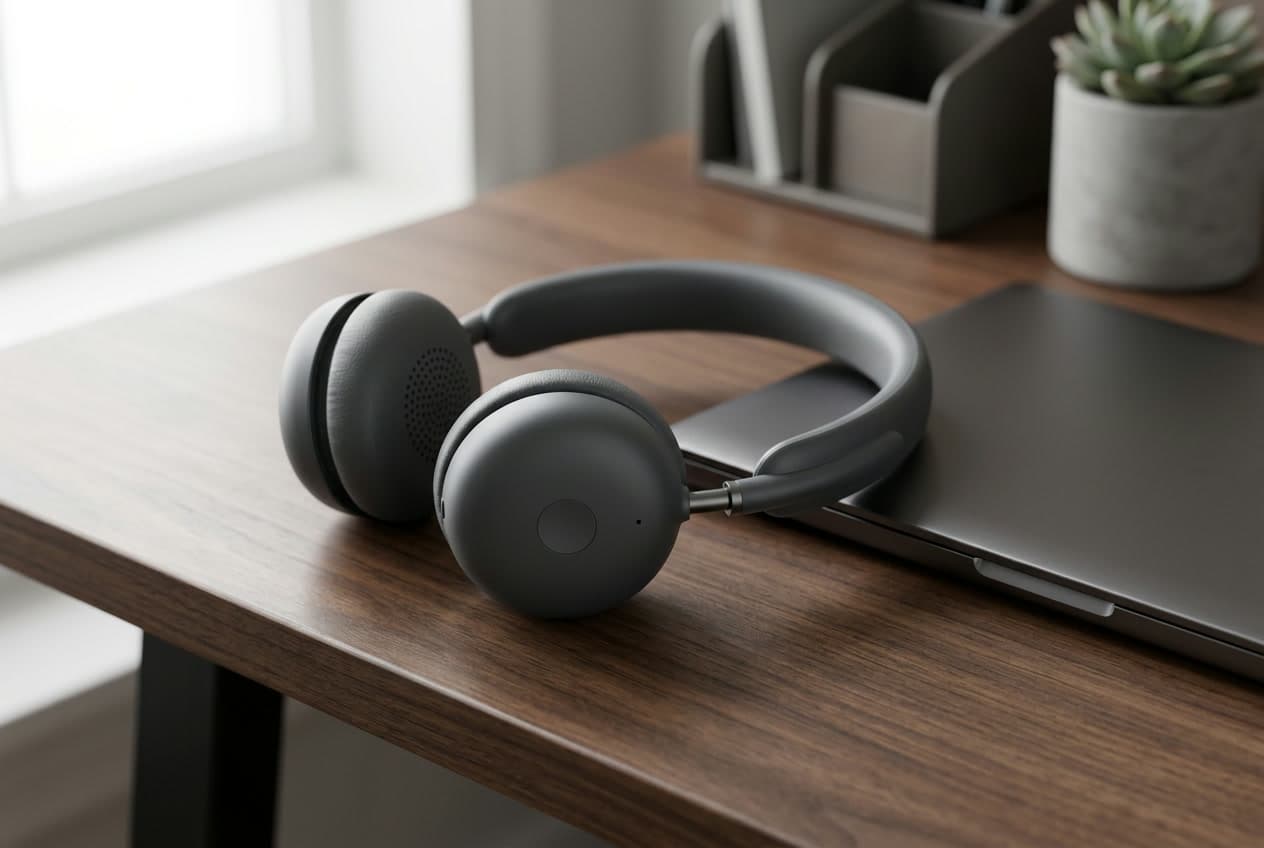
The Zone Wireless 2 is for people who want a serious call headset that doesn't announce itself. Instead of a boom, it uses a six-mic beamforming array built into the cups, so it looks like a normal pair of on-ear headphones on camera while still isolating your voice — Logitech pairs that with AI-based noise suppression to strip keyboard clatter and room noise from what the far end hears. Hybrid active noise cancelling with a transparency mode handles your side, it connects over a USB-C receiver (with a USB-A adapter) plus Bluetooth multipoint, and the business SKU is certified for Microsoft Teams, which is the box a lot of corporate setups need ticked.
Two things to weigh. A beamforming array, however good, sits farther from your mouth than a boom, so in a genuinely loud room a boom mic like the Jabra's or Poly's still has the edge on raw clarity — the Zone trades a little of that for the clean look. And at around $250 it's priced with the flagships. But if you value a headset that passes as ordinary headphones, live inside Teams, and want ANC without a mic arm poking into frame, the Zone Wireless 2 is the natural pick — and if you're on Zoom or Meet instead, its retail twin, the Zone 950, is the same hardware without the Teams badge.
What we like
- Beamforming mic array — no boom, clean look on camera
- Hybrid ANC with transparency, Teams-certified business SKU
- USB-C receiver plus Bluetooth multipoint
Worth knowing
- Beamforming mic trails a true boom in very loud rooms
- Flagship price for a no-boom design
- Form
- On-ear stereo
- Mic
- 6-mic beamforming array (no boom)
- Noise cancelling
- Hybrid ANC + transparency
- Battery
- Up to ~15h talk (ANC on)
- Connection
- USB-C receiver + Bluetooth multipoint
The verdict
For most people, the Jabra Evolve2 65 is the best wireless headset for video calls: its flip-to-mute boom mic makes you sound genuinely clear, its ~35-hour battery means you charge it about once a week, and its included dongle connects to a work PC far more reliably than plain Bluetooth. Its only real compromise is no active noise cancelling — and if your home office is quiet, you'll never miss it.
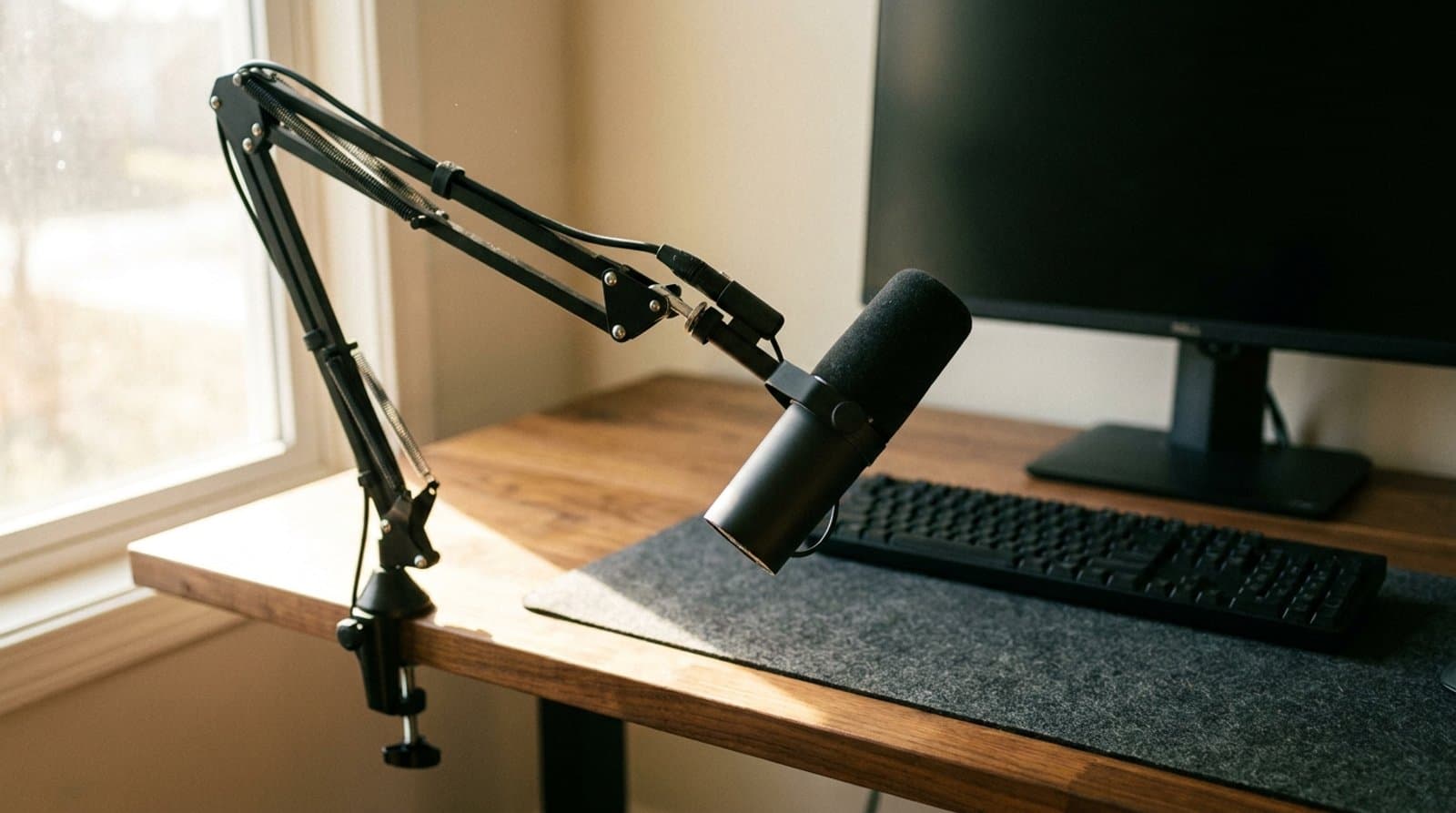
From there, match the headset to your room and your budget. If noise is a problem in both directions, the Poly Voyager Focus 2 pairs a boom mic with strong ANC and blocks the room you hear too. On a tight budget, the Logitech Zone Vibe 100 gives you a real boom mic for around $99, and the Anker PowerConf H700 adds ANC and a busylight for well under $200 if you're not tied to a locked-down IT setup. Prefer no headband at all? The Jabra Evolve2 Buds pack enterprise call quality into earbuds that travel anywhere. And if you want a headset that passes as ordinary headphones and lives inside Microsoft Teams, the Logitech Zone Wireless 2 hides its mic in a beamforming array. Whichever you choose, a headset is only half of sounding good on calls — if you'd rather keep your ears open, a desktop USB microphone is the alternative, a proper webcam fixes how you look, and a pair of desk speakers covers listening when you're off the clock.
Frequently asked questions
Distance. A laptop or webcam mic sits two to three feet from your mouth, so it scoops up keyboard clatter, room echo, and everything else between you and it — you sound thin and roomy no matter how good the camera is. A headset's boom or beamforming mic sits inches from your mouth and, on the better models, actively filters the noise around it, so your voice reaches the far end clear and close. It also means you hear the call privately, without a speaker filling the room. If people regularly ask you to repeat yourself on calls, a call headset is the single most effective fix — more than a webcam, more than lighting.
A boom mic — the arm that swings down toward your mouth — is still the clearest option, especially in a noisy room, because it's physically close to the source of your voice. A beamforming array hidden in the ear cups (like the Logitech Zone Wireless 2) trades a little of that raw clarity for a cleaner look that passes as ordinary headphones on camera. Rule of thumb: if call clarity in an imperfect room is your top priority, choose a boom (Jabra Evolve2 65, Poly Voyager Focus 2, Anker H700); if you'd rather not have a mic arm in frame and your room is reasonably quiet, a beamforming headset is worth the small trade.
It depends on your room, and it's worth separating two things. Mic-side noise filtering — Acoustic Fence, beamforming, AI suppression — cleans up what the other people hear, and every good call headset has some of it. ANC is different: it quiets what you hear, electronically cancelling steady drones like HVAC, traffic, or a distant TV so you can concentrate. If you work somewhere quiet, you can skip ANC and gain battery and a lighter fit (that's the Jabra Evolve2 65's whole trade). If your space is loud in both directions, an ANC headset like the Poly Voyager Focus 2 or Anker H700 is worth it.
Yes, though the details matter for corporate setups. All of these connect over their USB dongle or Bluetooth and work with Teams, Zoom, Google Meet, and any other app on your computer. The distinction is certification: enterprise headsets ship in specific 'UC,' 'Teams-certified,' or 'Zoom-certified' SKUs that have been formally tested, sometimes with a dedicated Teams button. If your IT department requires a certified device — or hands you an approved list — buy the exact certified variant. If the choice is yours, a headset that's 'compatible with' Teams and Zoom (like the Anker H700) works fine; you just skip the formal badge.
It's about your environment, not quality. A mono, single-ear headset (offered on the Jabra Evolve2 65, among others) keeps one ear open so you stay aware of your surroundings — useful in a busy office, at a reception desk, or anywhere you need to hear someone walk up. A stereo headset covers both ears, which combined with ANC creates a focused bubble that's better for concentration and for actually enjoying music between meetings at a home desk. Most remote workers are happier with stereo; open-office and call-center staff often prefer mono.
Aim for a headset that comfortably outlasts your calling day so you're not tethered to a cable mid-meeting. No-ANC headsets stretch furthest — the Jabra Evolve2 65 runs around 35 hours, so you charge it roughly once a week. Turning ANC on costs battery: expect closer to 15–24 hours on the models that cancel noise, which is still a day or two of calls. Earbuds like the Evolve2 Buds get about five hours per charge but refill in their case to roughly a full day. Any of these covers a normal workday; if you forget to charge things, lean toward the long-battery, no-ANC picks.
Keep building your setup
Audio
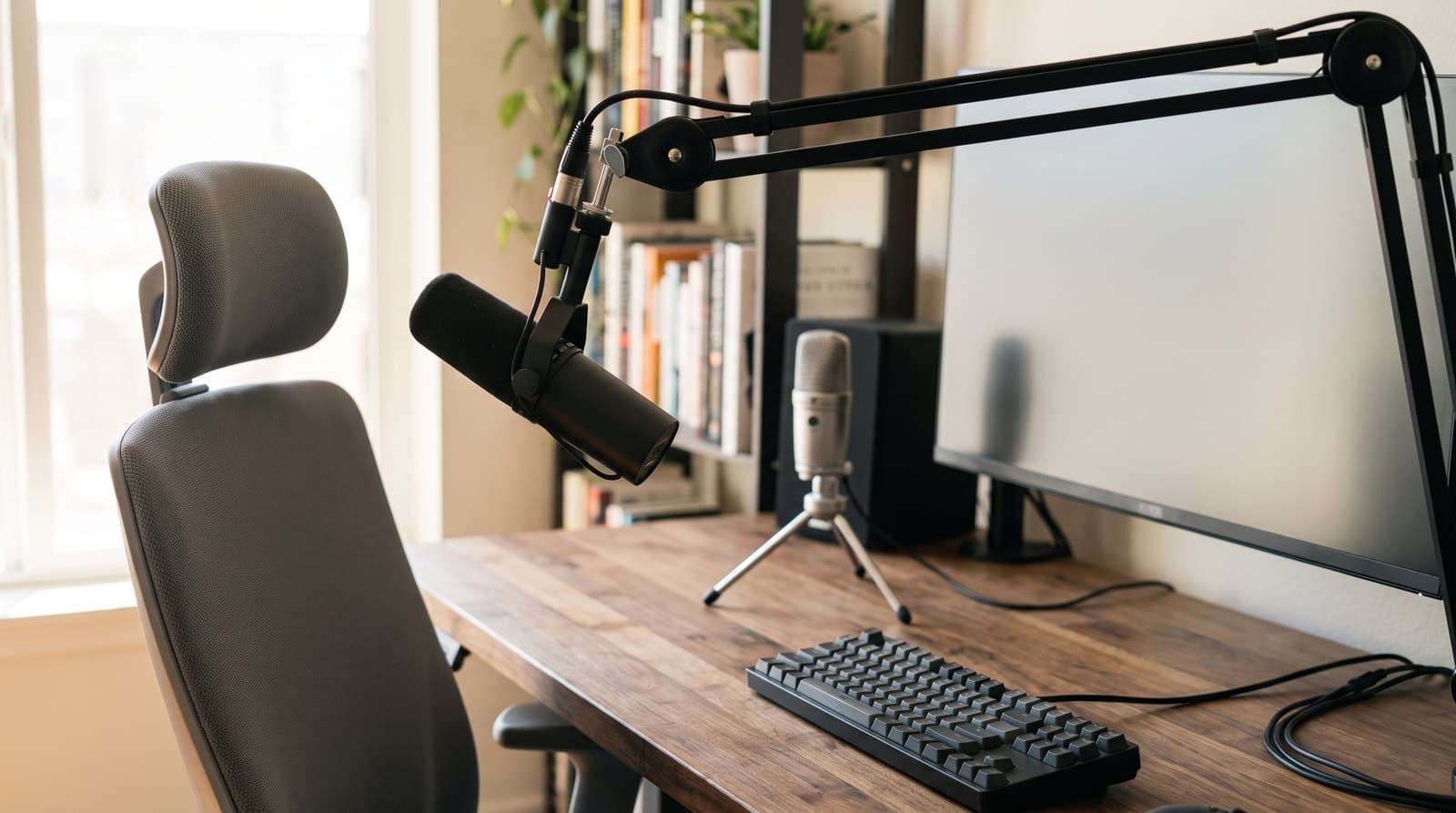
How Far Should Your Microphone Be From Your Mouth?
The single biggest lever on how you sound in a meeting is not the microphone — it is how far the microphone is from your mouth. Speech falls off 6 dB every time that distance doubles, while the cardioid pattern the whole category sells on is worth 4.8 dB in total. Here is the arithmetic, and what it says about the gear we recommend.
Updated September 17, 2026
Audio
The Best USB Microphones for Video Calls in 2026
Better calls start with your microphone. Five USB picks from budget to pro that make you sound clear on Zoom and Teams without a recording studio.
Updated September 17, 2026

Accessories
The Best Webcams for a Home Office in 2026
Your laptop's built-in camera makes you look worse than you are. Five external webcams that fix it — from a $60 plug-and-play default to a 4K gimbal that keeps you framed as you move.
Updated July 28, 2026
Get the next guide in your inbox
One short email when we publish or meaningfully update a buying guide. No spam, no daily deals firehose.