 Rigworthy
The Best Desk Lamps for Home Offices in 2026
By Rigworthy Editorial Team · Updated September 12, 2026
Rigworthy is reader-supported: we may earn a commission if you buy through our links, at no cost to you. How we make money
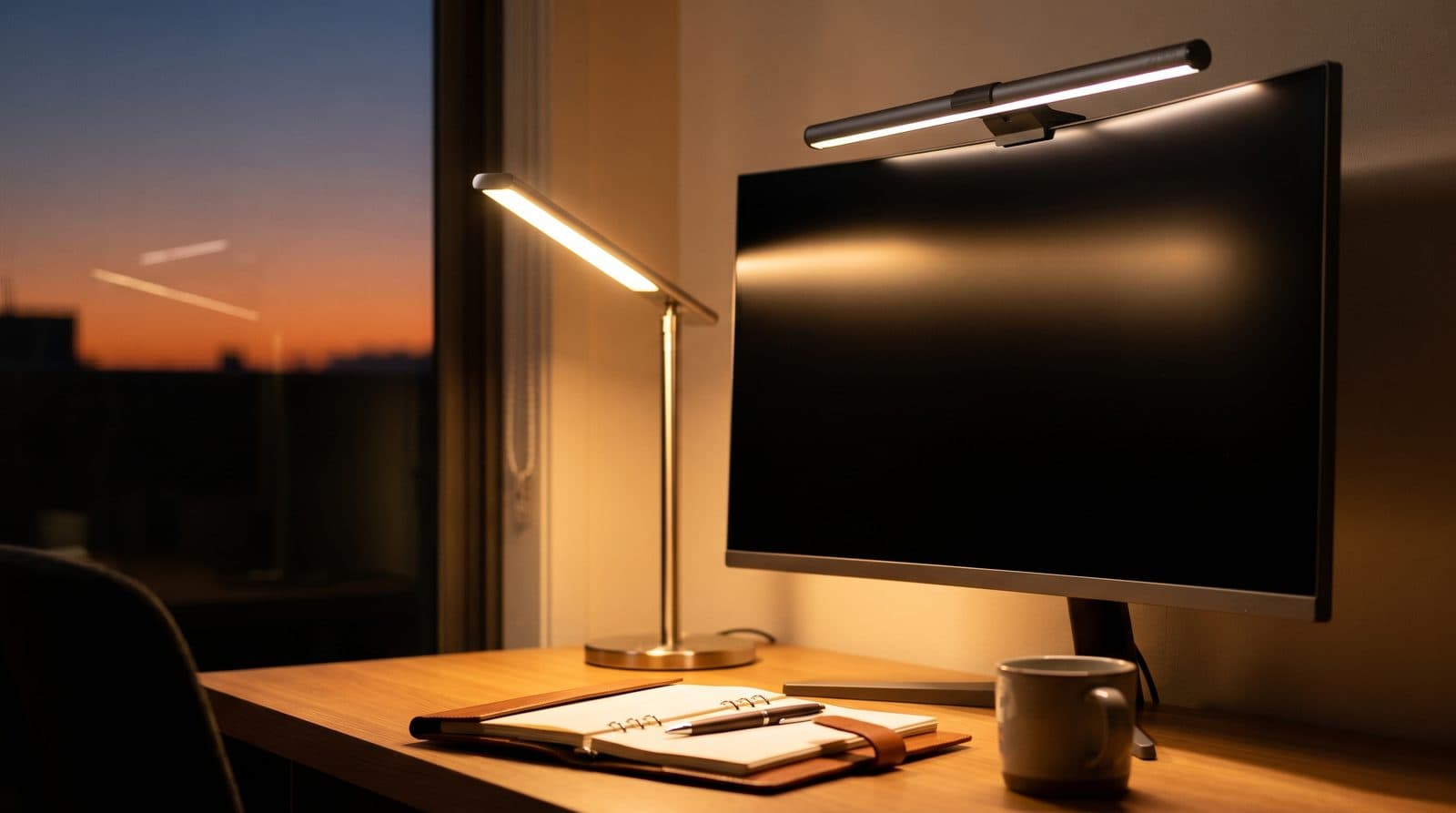
Desk lighting is the upgrade people put off until the first winter of working from home — then wonder how they managed. Good task lighting cuts the contrast between a bright screen and a dim room (a major driver of evening eye strain), makes paperwork legible, and does more for how a setup photographs than most of the gear on it.
This guide covers task lamps: the freestanding and clamp-mounted lights that put an adjustable pool of light exactly where you read, write, and work. (For the bars that clip to your monitor and light the keyboard with zero desk footprint, see our separate guide to the best monitor light bars.) We picked the standout at each price and role, from a buy-it-for-life aluminum arm to a thirty-dollar architect clamp.
Our top picks at a glance
- 1
- 2
- 3
- 4
- 5
How we chose
- Even coverage across the desk, not a hot spot under the head — measured against the 500-lux target for reading and screen work (see [how bright a desk light should be](/guides/how-bright-should-your-desk-light-be))
- Published brightness, in whatever unit the maker gives it, rather than a vague claim about coverage
- Adjustable warmth or an honest, comfortable working tone
- Dimming judged on what the maker actually publishes — a dimming method, a PWM frequency, or a named standard. "Flicker-free" is an unregulated phrase printed on nearly every LED product sold, so it earns no credit here (see [how bright a desk light should be](/guides/how-bright-should-your-desk-light-be))
- Controls you'll actually use daily — dials, knobs, and memory over buried strips
- A footprint and mount that respect a crowded desk
- Warranty read from the manufacturer's own exceptions list, not its homepage banner — the two disagree more often than you'd think
Our picks come from spec research, long-term owner feedback, and category expertise — not sponsorships. Read the full methodology.
Compared side by side
| Product | Award | Brightness | Mount | Color range | Typical price |
|---|---|---|---|---|---|
| UPLIFT E7 LED Desk Lamp | Best Overall | 644 lm max | Clamp or base | 3000–5000K | ~$89 |
| BenQ e-Reading Desk Lamp (Genie) | Best Premium | 1,600 lux at 45 cm | Weighted base | 2700–5700K | ~$200 |
| Xiaomi Mi Smart LED Desk Lamp 1S | Best Value | 520 lm / 1,250 lux | Weighted base | 2600–5000K | ~$50 |
| PHIVE CL-1 Architect Desk Lamp | Best Budget | Not published | Desk clamp | Single tone | ~$30 |
| Lume Cube Edge Light 2.0 | Best for Video Calls | 700 lm / 1,700 lx | Edge clamp | 2700–7500K | ~$120 |
1. Best Overall
UPLIFT E7 LED Desk Lamp
Typically around $89
- Everyday task lighting
- Clean desks
- Buy-it-for-life builds
The UPLIFT E7 is the task lamp that gets everything ordinary right. Its all-aluminum architect-style arm swivels and bends to aim a clean, even wash of light exactly where you want it, and the joints actually hold their position — no slow droop over a workday. Three tap-to-cycle modes move from a warm 3000K through neutral 4000K to a cool 5000K daylight, with stepless dimming from 15% to 100% at each, covering the whole working day without an app or a menu. UPLIFT lists it at $89 with the clamp, which mounts to desktops up to 2.25 inches thick, or $109 with a weighted freestanding base — so it fits a crowded desk or a bare one.
One correction we owe readers, because we got it wrong until this update and it was doing real work in our recommendation. We previously said the E7 carried UPLIFT's 15-year warranty. It does not. That figure is on almost every page of upliftdesk.com, but it covers desks, desktops and tabletops; UPLIFT's own warranty page lists the exceptions, and the line reads "1 year: Lighting." The E7 is a one-year product from a company whose entire brand is long warranties. Buy it for the arm, not the paperwork.
The other trade-offs for the industrial build are a plainer feature set: the color modes are stepped rather than a smooth Kelvin sweep, and the CRI (82) is the lowest here — the $50 Xiaomi below manages Ra 90. What you're paying for is a rigid aluminium arm, a clamp that frees the whole desk, and a 50,000-hour LED.
On brightness, UPLIFT publishes lumens by mode: 567 lm at 3000K, 639 at 4000K and 644 at 5000K, from a 9-watt draw. Converted onto the illuminance scale the rest of this category uses, that is roughly 1,560 lux at half a metre in its coolest mode — about three times the 500-lux standard for reading and screen work, and within a third of every other lamp here. Brightness is not what separates these lamps; see how bright a desk light should be for why the arm matters more than the number.
What we like
- Furniture-grade aluminum arm that holds position all day
- Clamp (to 2.25 in) or weighted base — fits any desk
- Three warm-to-cool modes with stepless 15–100% dimming
Worth knowing
- One-year warranty — UPLIFT's famous 15-year term explicitly excludes lighting
- Stepped color modes rather than a smooth Kelvin sweep
- CRI 82 is the lowest here; the $50 Xiaomi is Ra 90
- Type
- Aluminum architect task lamp
- Color range
- 3000K / 4000K / 5000K
- Mount
- Desk clamp (to 2.25 in) or weighted base (+$20)
- Control
- Tap to cycle, stepless dimming 15–100%
- Brightness
- 567 lm (3000K) / 639 lm (4000K) / 644 lm (5000K), 9 W, CRI 82
- Warranty
- 1 year — UPLIFT's warranty page lists lighting as an exception to its 15-year term
2. Best Premium
BenQ e-Reading Desk Lamp (Genie)
Typically around $200
- Reading + screen work
- Wide desks
- Design-conscious offices
For desks where paper, keyboards, and hobbies share space with the screen, a proper task lamp still beats a light bar — and the Genie is the category's premium standard. Its curved head throws an unusually wide, even oval of light across the whole desk, with a built-in ambient sensor that adapts brightness to the room automatically.
It is also the only lamp here whose maker publishes the number that actually matters. BenQ rates the Genie at 1,600 lux at 45 cm and — uniquely in this category — publishes its coverage at 500 lux: 90 cm (35.4 in) wide. That qualifier is the whole spec. Any lamp lights a 35-inch oval if you accept a dim enough edge; the Genie holds the office standard for reading and typing across that width, which nothing else here documents.
Read against the rest of the table, that also explains where the money goes. The Genie draws 18 W against the UPLIFT E7's 9, and its centre reading is barely brighter. The extra power is not buying a brighter middle — it is buying width. The arm articulates through a huge range (BenQ quotes 13.7 to 19.6 inches of head height above the desk), holds position precisely, and the body is 94% metal at 2.5 kg.
It is also the only lamp in this guide that names a flicker standard rather than saying "flicker-free": BenQ states the Genie "passed the IEEE 1789 standard for LED luminaires." That is a conformance claim, not a measurement — IEEE 1789's limits are frequency-dependent and BenQ publishes neither a modulation depth nor a PWM frequency — so it is not checkable from the box. But it is more than anyone else in this category offers, and it is the right shape of claim. It's a lot of money for a lamp; it's also the one lamp here that genuinely lights a deep desk corner-to-corner, with a figure attached.
What we like
- Extra-wide, even coverage across large desks — 90 cm at 500 lux, published
- Auto-dimming via ambient light sensor; 13 colour steps and 23 brightness steps
- The only lamp here to name IEEE 1789 on flicker
- Excellent articulation and build quality (94% metal, 2.5 kg)
Worth knowing
- Premium price
- Large footprint and reach need a deep desk to shine
- The IEEE 1789 claim comes with no modulation depth or frequency to check it against
- Type
- Articulated LED task lamp
- Color range
- 2700K–5700K, 13 steps (23 brightness steps)
- Control
- Touch dial, auto-brightness mode
- Coverage
- 90 cm (35.4 in) wide at 500 lux — BenQ's published figure
- Brightness
- 1,600 lux at 45 cm; Screen Mode 500 lux at 4000K, Paper Mode 1,000 lux at 5700K; Ra 95, 18 W
- Size / height
- 25 × 25 × 56 cm, 2.5 kg; head 13.7–19.6 in above the desk
3. Best Value
Xiaomi Mi Smart LED Desk Lamp 1S
Typically around $50
- Minimal desks
- Smart-home control
- Budget buyers
The Mi 1S is minimalist task lighting done properly: a clean single-arm design that folds nearly flat, a precise rotary knob (press to toggle, twist for brightness), and smart-home support that adds app and voice control for anyone who wants it. Xiaomi advertises the dimming as flicker-free, and we used to repeat that — but the phrase is unregulated, Xiaomi publishes neither a dimming method nor a PWM frequency behind it, and no maker in this category publishes either. Treat it as a claim rather than a spec, and pan a phone camera across the lit desk at 20% brightness before the return window closes; that is the only check a buyer actually has.
Its light pool is focused rather than desk-filling — right for a keyboard-and-notebook zone, not a full corner workstation. As the tasteful budget default in task lamps, it has few rivals, and its adjustable 2600K–5000K warmth is something the similarly-priced architect lamps skip.
Xiaomi publishes 520 lumens and a central illuminance of 1,250 lux at Ra 90, from a rated 9 watts including the driver — the lowest output here, and still two and a half times the 500-lux standard where it counts. Note that Xiaomi never states the distance that 1,250 lux was measured at, which strictly makes it unusable as printed; cross-checked against a competitor that publishes both numbers, it resolves to half a metre. That arithmetic is in how bright a desk light should be.
What we like
- Clean design with a genuinely good physical knob
- Adjustable 2600K–5000K warmth — rare at this price
- Smart-home integration (app and voice)
Worth knowing
- Focused beam won't light a large desk
- No battery — mains powered only
- Type
- Minimalist LED task lamp
- Color range
- 2600K–5000K
- Control
- Rotary knob, app, voice
- Model
- MJTD01SYL
- Power
- Mains adapter, 9 W rated (lamp + driver); ~25,000 h rated life
- Brightness
- 520 lm / 1,250 lux central, Ra 90
4. Best Budget
PHIVE CL-1 Architect Desk Lamp
Typically around $30
- Tight budgets
- Zero desk footprint
- Long-reach coverage
The PHIVE CL-1 proves you don't need to spend much for a real architect lamp. Its swing arm is built from two 16.3-inch metal segments and the head rotates a full 180 degrees, so it reaches across a wide desk and folds away when you're done — all from a clamp rated for tabletops up to 2.36 inches, which frees your entire desk surface. Touch dimming is stepless with a memory function that recalls your last setting, which is more than some lamps three times the price manage.
The honest catch is the light itself: the CL-1 runs a single near-daylight tone (an Ra85 diffused panel, 8 W) rather than an adjustable warm-to-cool range, so if shifting to a warm evening light matters to you, the Xiaomi 1S is the better budget pick. Watch the model number when you shop — PHIVE's LK-1 and LK-2 look nearly identical and do offer four color modes, which is a different lamp at a different price, and PHIVE even sells one weighted base listed as fitting all three. And note that PHIVE publishes no first-party specification sheet, so unlike every other lamp here it has no verifiable brightness figure at all; the arm, clamp and CRI figures above come from its retail listings. But for a wide-reaching, zero-footprint work light at around thirty dollars, nothing here is better value.
What we like
- Two-segment 16.3 + 16.3 in metal swing arm reaches across a wide desk
- Clamp mount (to 2.36 in) frees the entire desk surface
- Stepless touch dimming with setting memory
Worth knowing
- Single fixed tone — no adjustable warmth
- No first-party spec sheet; every figure here is from retail listings
- Plainer finish than the aluminum premium lamps
- Type
- Metal architect swing-arm lamp, 8 W
- Color range
- Single near-daylight tone, Ra 85
- Arm
- Two 16.3 in segments, 180° swivel head
- Mount
- Desk clamp (to 2.36 in); optional weighted base sold separately
- Control
- Touch, stepless dim + memory
- Brightness
- Not published by PHIVE
5. Best for Video Calls
Lume Cube Edge Light 2.0
Typically around $120
- Daily video calls
- Streaming
- Content creators
If colleagues see your face more than your desk, the Edge Light 2.0 is the specialist tool: an edge-clamping desk light with a long articulated arm that positions a soft, diffused panel at the 45-degree angle that flatters faces on camera, with adjustable warmth to match your room light. The current revision runs 2700K–7500K in five preset steps or a stepless sweep, at CRI 95+ — a wider range and better color rendering than the model it replaces, so check which one a listing is actually selling you.
It is also the most useful spec sheet in this guide, for an unexpected reason: Lume Cube publishes both a lumen rating (700 lm) and an illuminance at a stated distance (1,700 lux at 0.5 m) for the same fixture. Almost nobody does, and having both is what makes every other lamp in this category convertible onto one scale — the arithmetic is in how bright a desk light should be.
Off camera it doubles as a capable task lamp, and the clamp mount means zero base footprint. The honest costs are power and price: it draws 30 W, more than the Genie and over three times the UPLIFT E7, for a comparable pool of light. It won't light a whole desk like the Genie, and its value case rests on camera time — for remote workers with meeting-heavy calendars, it pays for itself in looking consistently well-lit.
What we like
- Soft, diffused light designed for faces on camera
- Edge clamp uses no desk surface
- Long arm positions light exactly where needed
Worth knowing
- Specialist value — overkill if you're rarely on camera
- Focused panel doesn't replace room or desk-wide lighting
- Type
- Clamp-mounted articulated panel light
- Color range
- 2700K–7500K (5 presets or stepless)
- Control
- On-light buttons, stepless 5–100% dimming
- Mount
- Desk edge clamp
- Brightness
- 700 lm / 1,700 lx at 0.5 m, CRI 95+, 30 W
The verdict
For most home offices, the UPLIFT E7 is the task lamp to buy: a furniture-grade aluminum arm that aims light exactly where you want it, holds position all day, and clamps to the desk edge so it costs you no surface. Buy it for the hardware, though, not the badge — UPLIFT's much-advertised 15-year warranty covers desks and desktops, and its own exceptions list puts lighting at one year. We had that wrong until this update, and it was part of why we ranked the lamp first. Step up to the BenQ Genie if your desk is wide and your work involves real paperwork — it lights a deep surface corner-to-corner like nothing else here, and it's the only lamp in the guide that names an actual flicker standard.
On a budget, the Xiaomi Mi 1S is the tasteful pick with adjustable warmth, while the PHIVE CL-1 architect clamp gives you the longest reach and a free desk surface for around thirty dollars. And if your face is on camera daily, the Lume Cube Edge Light 2.0 is the one lamp built for that job — soft, flattering light the others can't quite deliver.
One thing worth knowing before you spend anything: brightness is almost certainly not your problem. Every lamp here that publishes a figure clears the 500-lux standard for reading and screen work by two to three times at the centre of its pool, and moving a lamp you already own from a metre to half a metre is four times the light for free. Shop on how wide the lit area is, not how bright the middle of it gets — the arithmetic is here.
Frequently asked questions
They solve different problems. A monitor light bar clips to your screen, takes zero desk space, and lights the keyboard zone without ever reflecting in the panel — ideal for a monitor-centric desk. A task lamp wins when you need light across a wider area, on paper documents, or aimed flexibly for reading, writing, and hobbies. Many complete setups run one of each. If your desk is mostly a screen and keyboard, start with a light bar (see our dedicated guide); if it's a real work surface, a task lamp here is the better buy.
A clamp mount (like the UPLIFT E7 or PHIVE) frees your entire desk surface and is the better choice on a crowded desk, though it needs a clear edge or grommet-free lip to bite onto. A weighted freestanding base (like the BenQ Genie or Xiaomi 1S) sits anywhere and moves easily between spots, but it spends desk space. If your desk edge is accessible and you're tight on surface, clamp; if you rearrange often or your desk has no clampable edge, go freestanding.
Cooler light (4000–6500K) reads as daylight and suits focused daytime work; warmer light (2700–3500K) is easier on the eyes in the evening and helps signal wind-down. The practical answer is to buy adjustable and shift through the day — which is why a control you'll actually reach for (a dial or knob) matters more than the spec range. If a lamp is single-tone, aim for a neutral 4000K-ish daylight that works morning to night.
It is close to the wrong question, because lumens describe the lamp and what your eyes respond to is lux at the page — which also depends on the beam and on how far away you put the head. As a practical translation: for a compact diffused task lamp at roughly half a metre from the work, about 210 lumens puts 500 lux — the level EN 12464-1 specifies for reading, typing and screen work — at the dead centre of the pool. Aim well above that, since the standard is an average across the area you work in rather than a peak at one point. Every lamp in this guide that publishes a figure is between 520 and 700 lumens, which is why they all clear the standard by two to three times over and why brightness is not what separates them. What does separate them is how wide the pool is — and BenQ is the only maker here publishing that, at 90 cm wide at 500 lux for the Genie. See how bright should your desk light be for the full conversion.
It addresses one well-established contributor: the contrast between a bright display and a dark surrounding room forces your eyes to constantly re-adapt. Balanced desk and task lighting reduces that contrast. It's not a cure-all — screen breaks, blinking, and correct viewing distance still matter — but evening work in a properly lit environment is measurably more comfortable for most people.
Keep building your setup
Lighting
How Bright Should Your Desk Light Be?
Desk lamps are sold in lumens, monitor light bars in lux, LED strips in lumens-per-metre, and one key light in lux at half a metre. None of those are comparable as printed. Here is the conversion, the number you are actually aiming at, and what it says about the lights we recommend.
Updated September 10, 2026
Lighting
The Best Monitor Light Bars for 2026
Zero desk footprint, no glare on the screen, and light exactly where your keyboard is. Six monitor light bars spanning budget to premium, sorted by the features that actually differ.
Updated September 10, 2026
Accessories
The Best Webcams for a Home Office in 2026
Your laptop camera may be worse than you think — or, on an M4-or-later Mac, better than you'd assume. Five external webcams that still beat it, from a $60 plug-and-play default to a $299 gimbal that follows you, plus an honest read on when you don't need one.
Updated September 25, 2026
Get the next guide in your inbox
One short email when we publish or meaningfully update a buying guide. No spam, no daily deals firehose.