 Rigworthy
The Best Webcams for a Home Office in 2026
By Rigworthy Editorial Team · Updated September 25, 2026
Rigworthy is reader-supported: we may earn a commission if you buy through our links, at no cost to you. How we make money
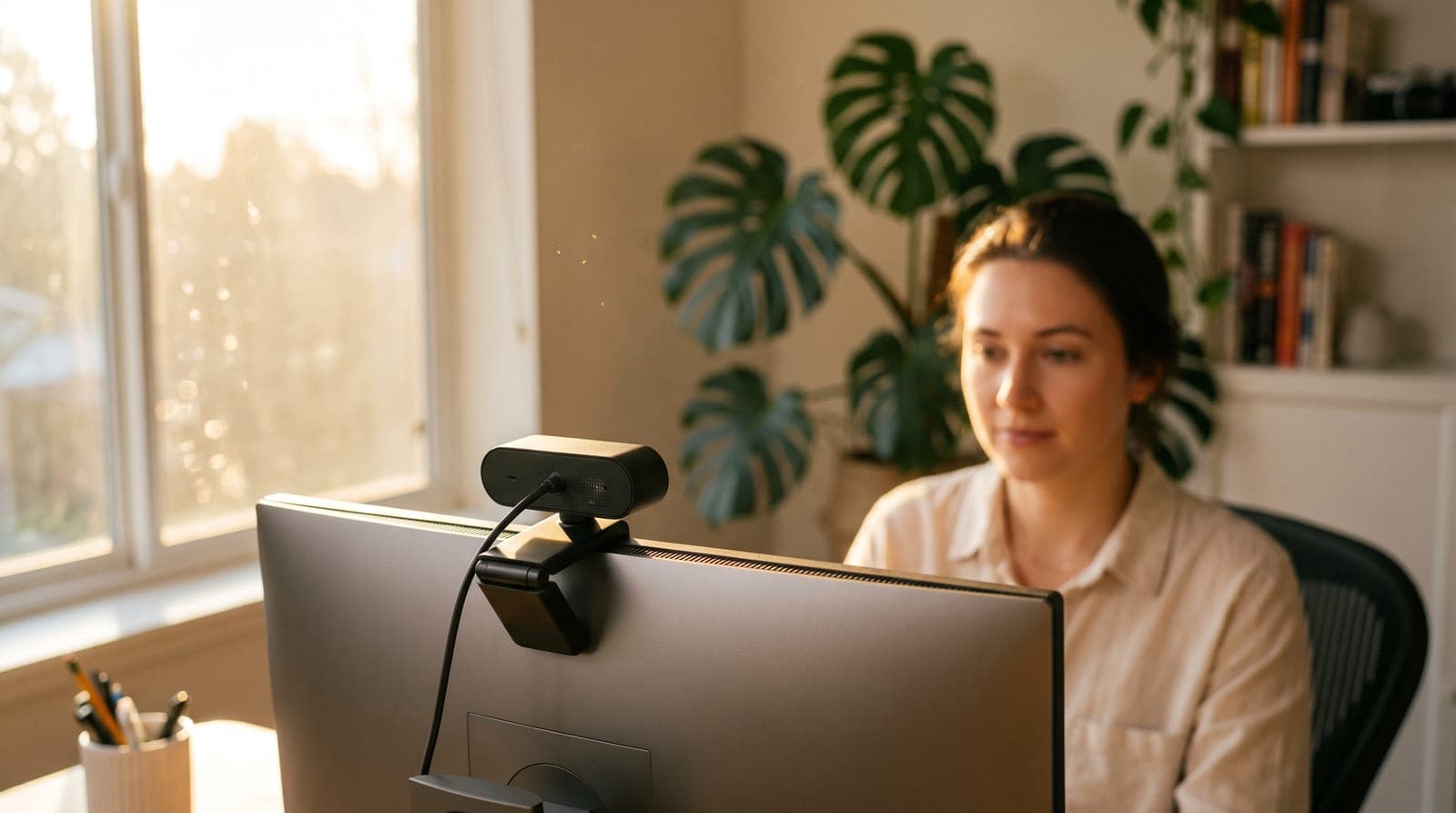
Your laptop's camera used to be the weakest link in every call, and on most machines it still is — a pinhole sensor wedged into a thin lid, angled up from below to catch the least flattering view of your face, falling apart the moment the room light isn't perfect. But the baseline moved, and any honest webcam guide has to say so. Every Mac with a built-in screen from the M4 generation onward — the MacBook Pro and 24-inch iMac from late 2024, the MacBook Air from 2025 — ships a 12MP Center Stage camera that keeps you framed as you move and a Desk View mode that shows the surface in front of you, and a Windows Copilot+ PC runs Studio Effects with automatic framing and eye-contact correction built into the operating system. If that's the machine on your desk, two of the things people buy external webcams for are already sitting there for free.
What an external camera still wins on is the part silicon can't fix. It sits at eye level on top of your monitor instead of below your chin, it uses a bigger sensor and a faster lens than anything that fits inside a display hinge, and it keeps working when the lid is shut and the laptop is docked. This guide sorts five of the best by the things that actually decide the buy — real image quality in normal light, resolution you'll notice, whether the AI framing does anything your OS doesn't already do, and the honest truth about which cameras include a microphone — across a price ladder from about $60 to $299. Specs reflect what manufacturers publish as of September 2026; where a number is unpublished or sources disagree, we've said so rather than invent one.
Our top picks at a glance
- 1
- 2
- 3
- 4
- 5
How we chose
- Whether the camera actually beats the machine you own — an M4-or-later Mac or a Copilot+ PC is a much higher bar than a 2019 laptop
- Real image quality in ordinary room light, not just a headline resolution number
- Resolution and frame rate stated plainly — 1080p/30, 1080p/60, or true 4K
- Autofocus vs. fixed focus, and whether AI framing does anything your operating system doesn't already do
- Mic honesty — which cameras include one and which expect you to bring your own
- Connection, privacy shutter, and mounting that suit a monitor-topped desk
Our picks come from spec research, long-term owner feedback, and category expertise — not sponsorships. Read the full methodology.
Compared side by side
| Product | Award | Resolution | AI / tracking | Mic | Connection / shutter | Typical price |
|---|---|---|---|---|---|---|
| Logitech C920s HD Pro | Best Overall | 1080p/30 | None | Dual stereo | USB-A · sliding shutter | ~$60 (list $69.99) |
| Anker PowerConf C300 | Best for Auto-Framing | 1080p/60 | Digital auto-framing | Dual, noise-cancelling | USB-C · snap-on cover | $99 (list $129.99) |
| Elgato Facecam MK.2 | Best for Streaming | 1080p/60 | Digital PTZ; tracking needs RTX | None | USB-C · sliding shutter | ~$140 |
| Logitech MX Brio (4K) | Best 4K | 4K/30 | AI exposure; no framing | Dual beamforming | USB-C · sliding shutter | $199.99 |
| OBSBOT Tiny 2 | Best for Movement & Tracking | 4K/30 | Gimbal tracking + voice | Dual omni, noise-reduced | USB-C 3.0 · gimbal tilt-down | ~$299 (list $329) |
1. Best Overall
Logitech C920s HD Pro
Typically around $60 ($69.99 list)
- Most home offices
- Plug-and-play buyers
- Tight budgets
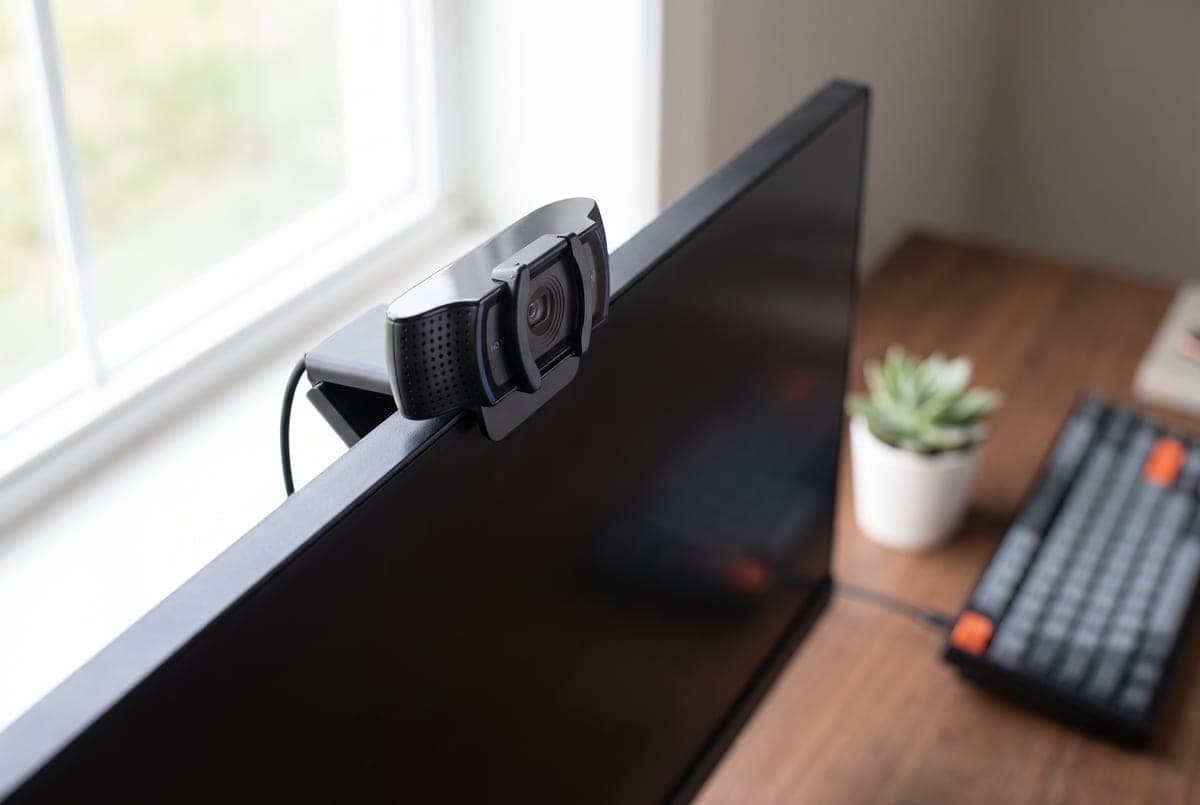
The C920 has been the default answer to "what webcam should I buy" for a decade, and the C920s (Logitech part number 960-001257) is the version to get now — the same proven 1080p/30 camera with a five-element glass lens and reliable autofocus, plus a sliding privacy shutter the original lacked. It clips to a monitor, screws to a tripod, and works the moment you plug it in over USB-A; no drivers, no account, no fuss. For the majority of people who just want to look sharp and in-focus on Zoom, Teams, and Meet, this is still the sensible buy. Logitech lists it at $69.99 and it sells closer to $60 on Amazon, which makes it the cheapest camera here — about $30 under the Anker, and comfortably the lowest-risk way to find out whether an external camera changes anything for you.
Know the model maze before you order: the C920, C920x, C920s, and C920e are the same hardware with different bundles. The C920s adds the privacy shutter (the one we'd pick); the C920x drops the shutter and throws in a short XSplit license; the C920e is the business SKU with the mic disabled out of the box. The honest limits are age-related — it tops out at 1080p/30 with no 4K and no 60fps, its 78° diagonal field of view is the narrowest here, RightLight 2 auto-correction helps but low light still gets noisy, and it's USB-A rather than USB-C. None of that matters much for everyday calls, which is exactly why it endures.
What we like
- Reliable 1080p/30 with a proven five-element glass lens and autofocus
- Sliding privacy shutter and plug-and-play with no software required
- Cheapest camera here and widely available
Worth knowing
- No 4K and no 60fps; the sensor is showing its age in low light
- USB-A only, and the C920/x/e variants confuse the buy
- Resolution
- 1080p / 30fps
- Focus
- Autofocus
- Field of view
- 78° diagonal (fixed)
- Mic
- Dual (stereo)
- Connection
- USB-A
- Model
- 960-001257
2. Best for Auto-Framing
Anker PowerConf C300
Typically $99 ($129.99 list)
- Camera-less desktops and docks
- Presenters who move
- Shared or on-camera framing
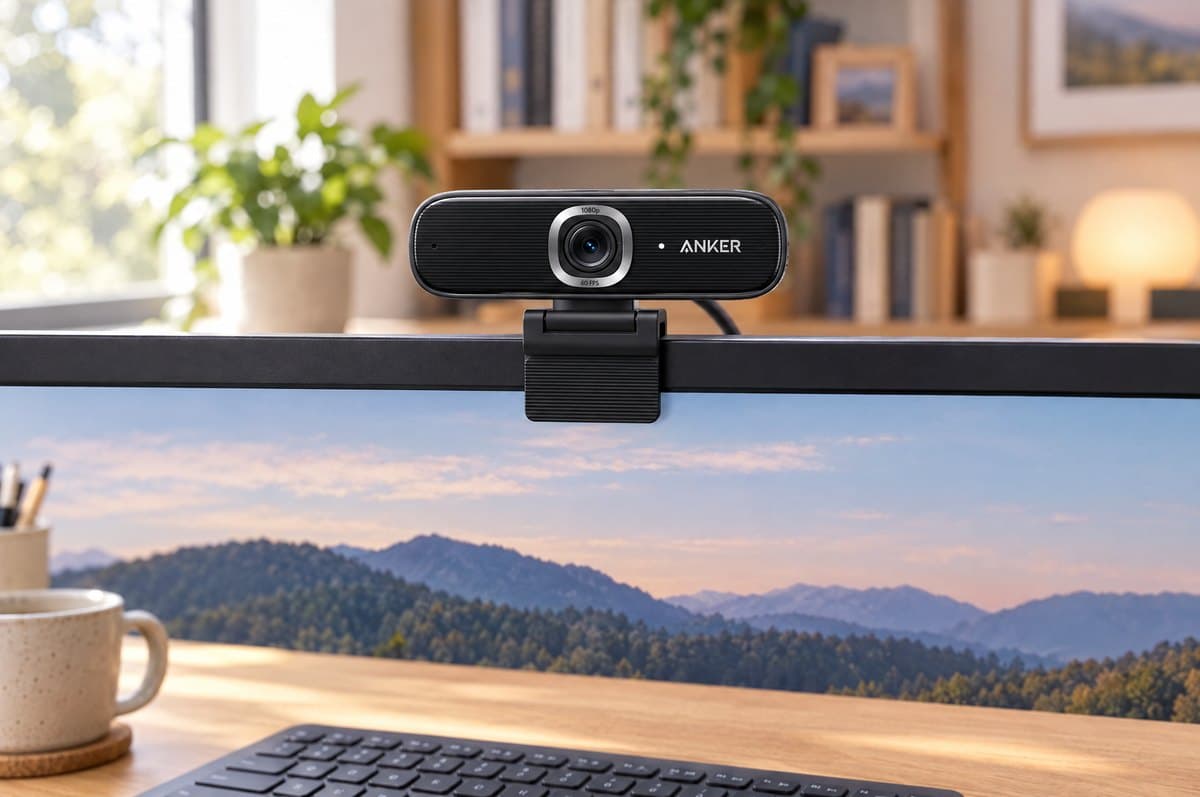
If you talk with your hands, lean out of frame at a whiteboard, or share the shot with someone, the PowerConf C300 (model A3361) is the camera that keeps you centered without a second thought. Its standout trick is genuine AI auto-framing: the camera digitally pans and zooms to follow you, and widens the field of view automatically when a second person joins. Add fast AI autofocus (roughly a third of a second), HDR, and low-light correction, and it holds a clean, well-exposed picture in the kind of mixed room lighting that makes cheaper cameras hunt and wash out. It connects over USB-C, offers three selectable diagonal fields of view — 78°, 90° and 115° — and includes a snap-on privacy cover.
Three clarifications worth making. Its resolution is 1080p at up to 60fps — smooth and sharp, but not true 2K, so don't buy it expecting a 4K image. Mind the model numbers, too: the cheaper PowerConf C200 is genuine 2K but has no framing or tracking at all (its "AI" is just mic noise-cancellation), and the separate C302 is a different 2K/HDR camera. The C300 is the one whose AI actually moves the frame.
And the third matters more than it used to: your computer may already do this. Every Mac with a built-in screen from the M4 generation onward frames you with Center Stage — the MacBook Pro and 24-inch iMac from late 2024, the MacBook Air from 2025 — and a Windows Copilot+ PC does the same thing through Automatic framing in Windows Studio Effects. Both free, both built in. That doesn't make the C300 pointless, but it does narrow the job, and it narrows it on desktops too: an M4 iMac already frames you. What's left is the real case for this camera — a tower-and-monitor desktop, a laptop working lid-closed in a dock, or an older machine with no such feature — not that auto-framing is otherwise unobtainable. It lists at $129.99 and frequently sells nearer $99, which is where it becomes an easy recommendation over a static 1080p camera.
What we like
- Real AI auto-framing and face tracking that follow you around
- Smooth 1080p/60 with HDR and quick autofocus in mixed light
- USB-C, stereo noise-cancelling mics, and a snap-on cover
Worth knowing
- 1080p, not the true 2K the C200 offers
- M4-or-later Macs and Copilot+ PCs already frame you for free — this earns its place on camera-less desktops and docked machines
- Resolution
- 1080p / 60fps
- Focus
- AI autofocus (~0.35s)
- Field of view
- 78° / 90° / 115° diagonal (selectable)
- AI
- Auto-framing + tracking, HDR
- Connection
- USB-C
- Model
- A3361
3. Best for Streaming
Elgato Facecam MK.2
Typically around $140
- Streamers and creators
- Fixed desk distance
- Manual image control
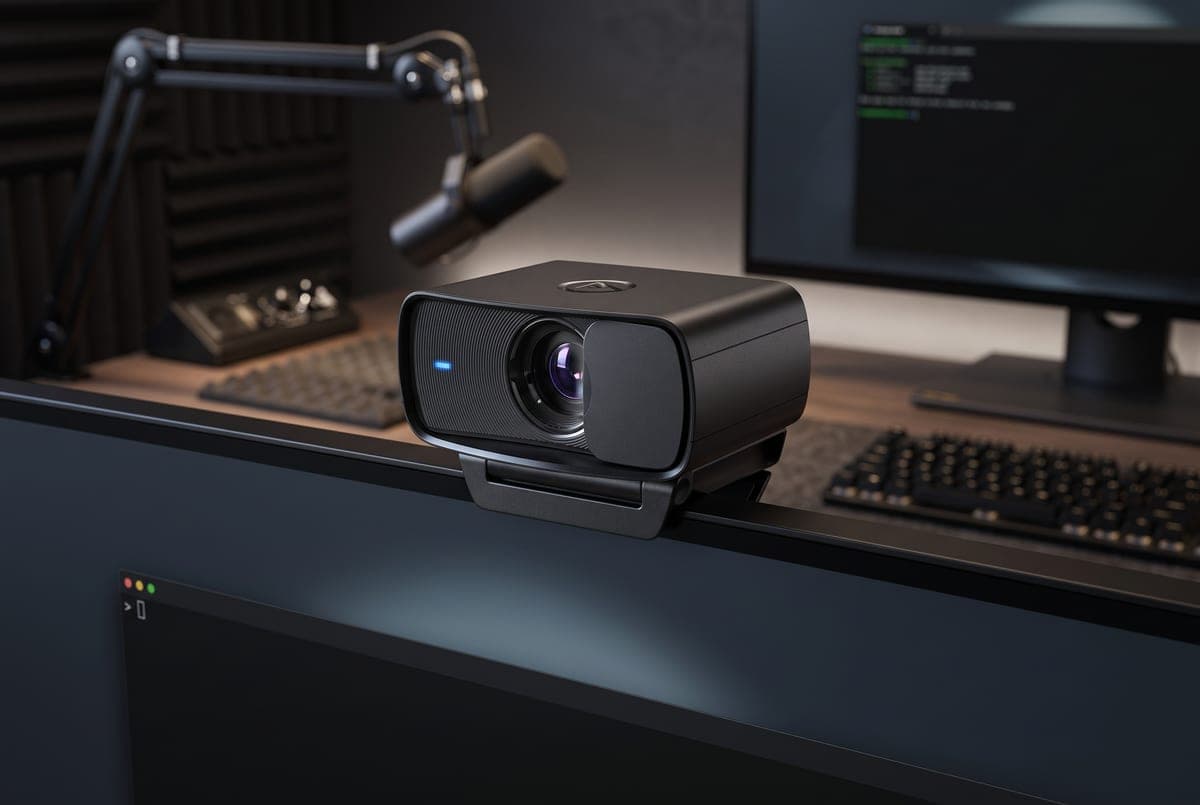
The Facecam MK.2 (model 10WAC9901) is built for people who care how the image is made, not just what number is on the box. It captures uncompressed 1080p at 60fps over USB 3.2 Gen 1 through a Sony STARVIS sensor and an f/2.4 glass lens at 84° diagonal, and Elgato's Camera Hub software exposes real manual control — ISO, shutter, white balance, adjustable noise reduction, and digital pan, tilt and zoom — so you can lock a consistent, color-accurate look instead of letting the camera guess. HDR and a proper sliding privacy shutter round it out. For a seated streamer or presenter at a fixed distance, no other camera here gives you this much say over how the picture is made.
Two things to accept going in. It has fixed focus tuned for 30–120 cm (11.8–47.2 in), so it's sharpest when you sit at a consistent desk distance and not ideal if you move around a lot. And it has no built-in microphone at all — this is a video-only camera that assumes you already run a dedicated mic, which is fitting for its audience but a genuine buy-blocker if you don't. Elgato's Magic AI effects, including background removal, eye contact and face tracking, also need an NVIDIA RTX GPU; the plain pan-tilt-zoom controls do not. Note the sensor size too: at 1/2.5 inches it is the smallest published sensor in this guide, so the MK.2's advantage is control and consistency rather than raw light-gathering — the OBSBOT's 1/1.5-inch sensor will beat it in a genuinely dark room. Mind the lineup as well: the original Facecam is fixed-focus and mic-less, the MK.2 is the current 1080p60 mainstream pick, and the pricier Facecam Pro shoots 4K60 with autofocus.
What we like
- Uncompressed 1080p/60 with a Sony STARVIS sensor and true manual controls
- HDR, adjustable noise reduction, digital pan/tilt/zoom, and a real privacy shutter
- Consistent, color-accurate image built for streaming
Worth knowing
- Fixed focus and no built-in mic — bring your own
- Smallest published sensor here (1/2.5"); AI background, eye-contact and tracking effects need an NVIDIA RTX GPU
- Resolution
- 1080p / 60fps (uncompressed)
- Focus
- Fixed (30–120 cm / 11.8–47.2 in)
- Sensor
- Sony STARVIS 1/2.5", f/2.4
- Field of view
- 84° diagonal
- Mic
- None (video only)
- Connection
- USB-C (USB 3.2 Gen 1)
- Model
- 10WAC9901
4. Best 4K
Logitech MX Brio (4K)
Typically $199.99
- Best image quality
- Hybrid-work pros
- Show Mode desk demos
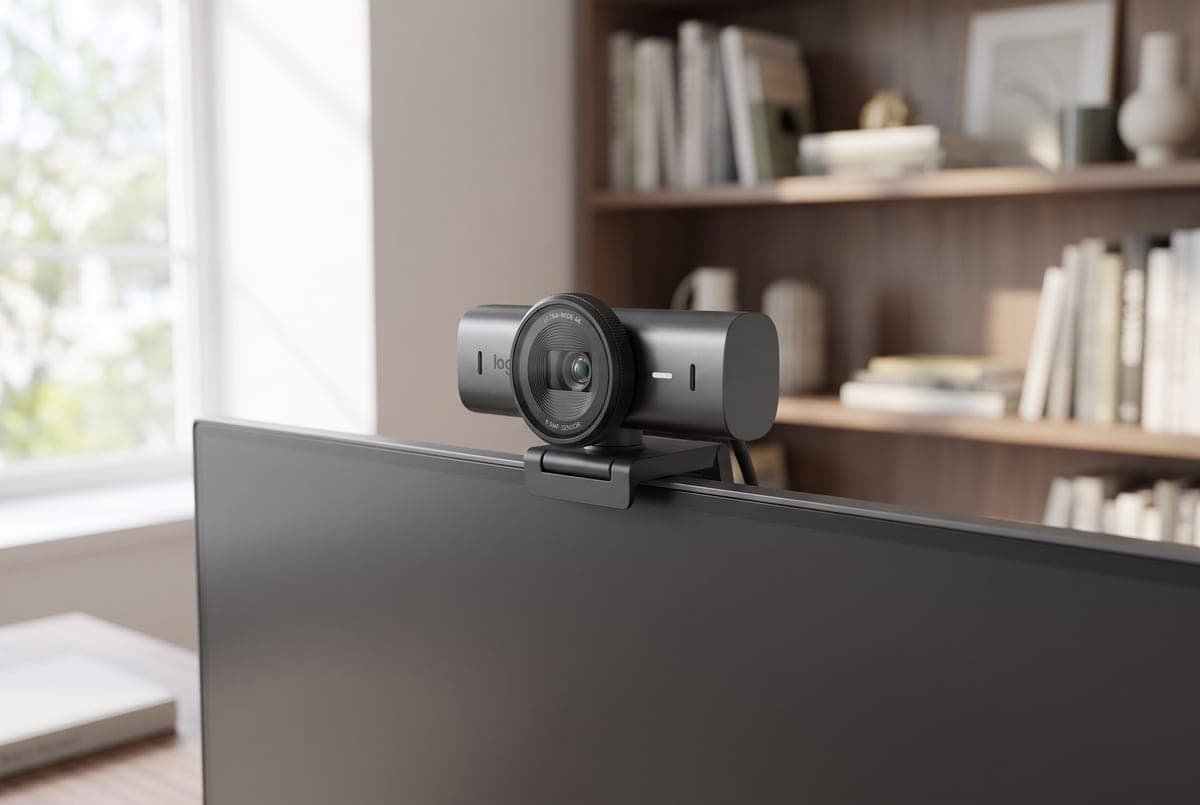
When you want the best-looking webcam image and the resolution to back it up, the MX Brio (960-001553) is Logitech's current 4K flagship. It shoots 4K at 30fps or 1080p at 60fps through an 8.5MP Sony STARVIS sensor that Logitech describes as its largest webcam sensor yet — the company publishes no sensor dimension, only that the pixels are 70% larger than the outgoing Brio 4K's — with AI-assisted exposure, white balance, and noise reduction that keep skin tones natural in ordinary room light. It offers three selectable diagonal fields of view (90°, 78° and 65°), connects over USB-C, includes a sliding privacy shutter, and tunes through Logi Options+. A neat bonus is Show Mode: tilt the camera down and it flips the image right-side up to demo whatever is on your desk — genuinely useful for teaching, unboxing, or hands-on calls. Worth knowing that macOS Desk View does much the same thing on an M4-or-later Mac using the built-in camera; Show Mode's advantage is that it works on any machine, including a Windows desktop.
The main reason to pause is price and the naming trap around it. At $199.99 it's more than triple the C920s, so it only makes sense if 4K sharpness and better light handling matter to you. Do not confuse this with the Brio 500/505 business cameras — despite the family name, those are 1080p (4MP), not 4K. And the older original Brio 4K (960-001105) is no longer the budget route to 4K that it once was: Logitech has discontinued it, and what remains is scattered third-party and open-box stock at prices we can't verify, so treat the MX Brio as effectively the only current Logitech 4K option. If image quality is the whole point of the upgrade, this is the pick.
What we like
- True 4K/30 with an 8.5MP Sony STARVIS sensor and Logitech's largest webcam pixels to date
- Strong AI exposure and low-light handling; USB-C, three selectable fields of view and a shutter
- Show Mode flips a down-tilted view for desk demos, on Windows as well as Mac
Worth knowing
- $199.99 — the priciest here after the OBSBOT
- Easy to confuse with the 1080p Brio 500/505 business cams; Logitech publishes no sensor size
- Resolution
- 4K / 30fps; 1080p / 60fps
- Focus
- Autofocus
- Sensor
- 8.5MP Sony STARVIS (size unpublished)
- Field of view
- 90° / 78° / 65° diagonal (selectable)
- Extras
- Show Mode, AI exposure, privacy shutter
- Connection
- USB-C
- Model
- 960-001553
5. Best for Movement & Tracking
OBSBOT Tiny 2
Typically around $299 ($329 list)
- Standing or roaming presenters
- 4K image quality
- Gesture and voice control
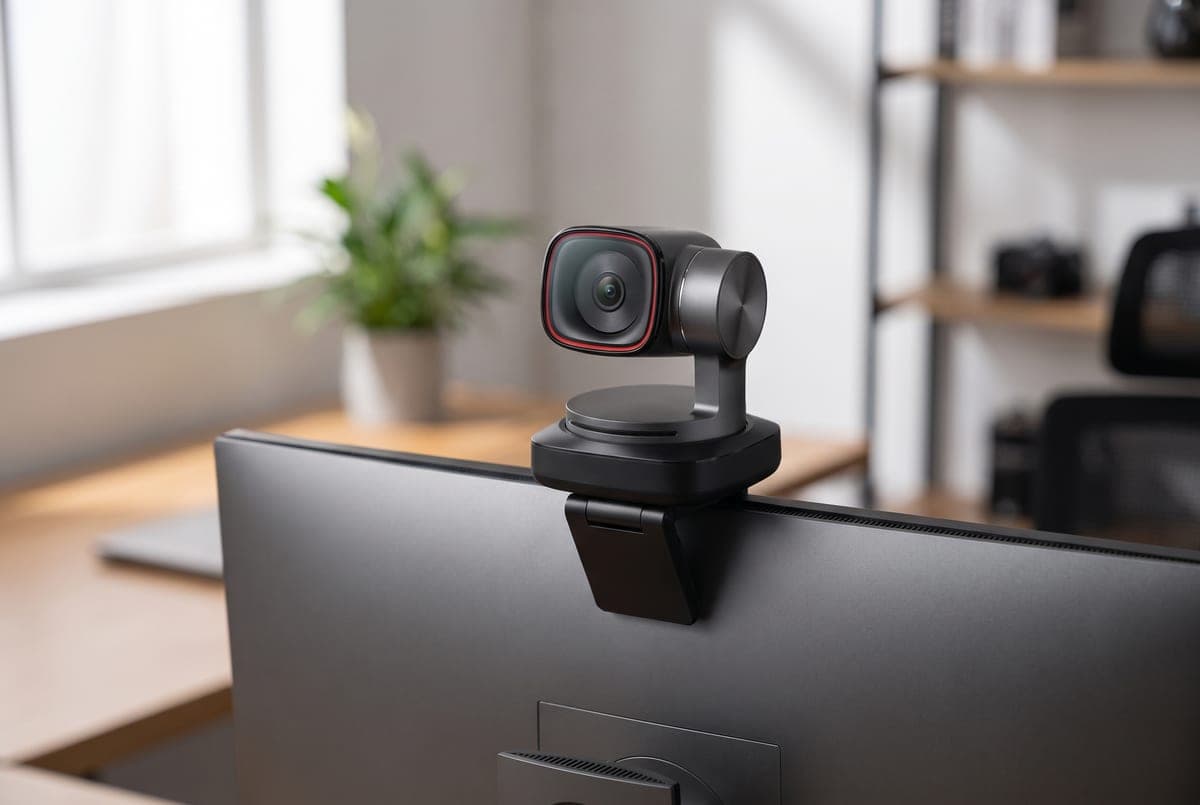
The Tiny 2 (OWB-2204-CE) is a different kind of camera: a real motorized PTZ webcam on a two-axis gimbal that physically pans and tilts to keep you framed as you move, rather than cropping into a wider sensor. It shoots 4K at 30fps or 1080p at 60fps through a 1/1.5-inch sensor behind a fast f/1.9 lens at 85.5° diagonal — the largest sensor and the fastest optics that any maker in this guide publishes a figure for, which is why it holds up so well in dim rooms — with dual native ISO, HDR up to 4K/30 and all-pixel phase-detect autofocus that locks in about 0.3 seconds. The gimbal covers ±150° of pan and ±140° of tilt under software control, you drive it hands-free with gestures and voice commands, there's a Desk Mode for pointing it down at your desk, and when you switch it off the gimbal politely points the lens at the floor as a privacy gesture. For anyone who stands at a whiteboard, moves around a studio, or films hands-on work, nothing else here follows you like this.
The catch is price, and a lineup that has moved underneath it. At about $299 — OBSBOT lists it at $329 and holds a standing discount — it is the most expensive camera here and overkill if you sit still on calls all day. It is also no longer OBSBOT's newest. The Tiny 3 arrived in early 2026 at $349 on a larger 1/1.28-inch sensor with an f/1.8 lens and OBSBOT's AI Tracking 2.0, and the Tiny 3 Lite sits at $199 with a smaller 1/2-inch sensor but the same new tracking — making it the cheapest way into the current system, and a real alternative if you care more about the following than the low light. Outside OBSBOT, Insta360's Link 2 now lists at $199.99, and the Link 2 Pro, launched in January 2026 at $249.99, puts a 1/1.3-inch sensor — larger than this pick's — under the same kind of gimbal for $50 less. So the Tiny 2 is no longer the automatic sensor-size winner in its own class. Buy it for the mature software, the voice control and the price it actually sells at, and price the Tiny 3 Lite and Link 2 Pro against it rather than assuming this is the only serious gimbal camera.
What we like
- Motorized two-axis gimbal physically tracks you, ±150° pan and ±140° tilt
- 1/1.5" sensor and an f/1.9 lens — the largest published sensor and fastest optics here, with 4K/30 HDR
- Hands-free gesture and voice control, Desk Mode, and a privacy tilt-down when off
Worth knowing
- About $299 ($329 list) — the priciest pick, and overkill if you sit still
- Superseded by the Tiny 3 and Tiny 3 Lite, and undercut on sensor size by the $249.99 Insta360 Link 2 Pro
- Resolution
- 4K / 30fps; 1080p / 60fps
- Focus
- All-pixel PDAF autofocus (~0.3s)
- Sensor
- 1/1.5" CMOS, f/1.9, HDR to 4K/30
- Field of view
- 85.5° diagonal
- Tracking
- 2-axis gimbal, ±150° pan / ±140° tilt, gesture + voice
- Connection
- USB-C (USB 3.0)
- Model
- OWB-2204-CE
The verdict
For most home offices the Logitech C920s is still the one to buy — a reliable, eye-level 1080p upgrade over any older laptop camera, with a privacy shutter, plug-and-play simplicity, and the lowest price here at roughly $60 on the street against a $69.99 list. Before you spend more than that, though, check what your computer already does. An M4-or-later MacBook or iMac frames you with Center Stage and shows your desk with Desk View; a Copilot+ PC frames you in Windows Studio Effects. If you have one of those and you only ever take calls sitting in front of its own screen, the honest answer may be that you don't need a webcam at all.
If you do, match it to the job. The Anker PowerConf C300 adds digital auto-framing where the OS effects can't reach — on a camera-less desktop, on a docked machine, or on an older laptop. The Elgato Facecam MK.2 gives streamers uncompressed 1080p60 and genuine manual control, just bring your own mic, because it has none at all. The Logitech MX Brio is the pick when you want true 4K and the best low-light image among the fixed cameras. And the OBSBOT Tiny 2 is a 4K gimbal that physically tracks you — though price the $199 Tiny 3 Lite and the $249.99 Insta360 Link 2 Pro, which carries a larger sensor than the Tiny 2 for less money, against it first, because that corner of the market has moved. Whichever you choose, remember the camera is only half the picture: pair it with a dedicated USB microphone and put a good desk lamp in front of you, and you'll look and sound better than the spec sheet alone can promise.
Frequently asked questions
It depends which laptop, and that is a newer answer than it used to be. If your machine is more than a few years old, yes, comfortably — those cameras use tiny sensors squeezed into a thin lid and sit below eye level pointing up your nose, and even the roughly $60 C920s is a clear step up. But every Mac with a built-in screen from the M4 generation onward — MacBook Pro and 24-inch iMac from late 2024, MacBook Air from 2025 — carries a 12MP Center Stage camera with Desk View, and a Windows Copilot+ PC runs automatic framing and eye-contact correction inside the operating system, so on new hardware the resolution and framing gap has largely closed. What an external camera still wins on is physical: it sits at eye level on top of your monitor rather than below your chin, its sensor and lens are bigger than anything that fits in a display hinge so it holds up far better in dim rooms, and it keeps working when the laptop is docked with the lid shut. If you run a tower-and-monitor desktop, or work lid-closed, the case is unchanged.
For calls alone, no. Zoom, Teams, Google Meet, and most conferencing apps cap or compress the outgoing stream to 1080p or lower, so a sharp, well-lit 1080p camera like the C920s or Anker C300 looks essentially identical to a 4K one on the other end. 4K earns its keep if you record content, stream, or want the sharpest possible image with room to crop — that's when the MX Brio or OBSBOT Tiny 2 pay off. Good lighting improves how you look far more than jumping from 1080p to 4K.
Most do, but not all, which is why it's a column in the table above. The Logitech C920s, Anker PowerConf C300, Logitech MX Brio, and OBSBOT Tiny 2 all include microphones (the C300 and Tiny 2 add noise cancellation, the MX Brio uses a dual beamforming pair). The Elgato Facecam MK.2 has no microphone at all — it's a video-only camera aimed at streamers who already run a dedicated mic, and if you don't have one, budget for it. Built-in webcam mics are fine for casual calls, but they sit two to three feet away and catch room echo; if audio quality matters, pair any of these with a dedicated USB microphone.
Auto-framing keeps you centered as you move and widens the shot when someone joins you. Three different things do it here: the Anker C300 crops and pans digitally inside a wider sensor, the OBSBOT Tiny 2 physically swings a motorized gimbal to follow you, and — increasingly — your computer does it for free, through Center Stage on an M4-or-later Mac or Automatic framing in Windows Studio Effects on a Copilot+ PC. Check what you already have before paying for it — and note that the 24-inch iMac has had Center Stage since late 2024, so "I use a desktop" is no longer an automatic yes. A framing camera earns its money on a tower-and-monitor desktop, on a docked laptop, or on an older machine with no such feature; the gimbal earns its money when you genuinely leave the desk, because software framing can only crop into what the lens already sees. And if you sit still on calls you don't need any of it — plenty of people switch it off so the frame stays put.
Less automatically than it was, and it's worth pricing the field before you commit. OBSBOT has since launched the Tiny 3 at $349 on a larger 1/1.28-inch sensor, and the Tiny 3 Lite at $199 — the Lite runs the same AI Tracking 2.0 as the flagship on a smaller 1/2-inch sensor, so it is the cheapest route into OBSBOT's current tracking. Insta360's Link 2 now lists at $199.99, and the Link 2 Pro, launched in January 2026 at $249.99, uses a 1/1.3-inch sensor that is larger than the Tiny 2's for $50 less than this pick. The Tiny 2 remains a strong buy on mature software, voice control and the price it actually sells at, but it is no longer the default choice it was a year ago.
Mount it at or just above eye level, centered over your monitor, so you're looking roughly into the lens rather than down at it — this alone fixes the unflattering up-the-nose angle of most laptop cameras. Sit an arm's length away, and put your main light source in front of you (a window or a desk lamp), never behind you, or you'll turn into a silhouette. A monitor riser or a well-placed desk lamp does more for your on-camera appearance than a lot of the camera's own spec sheet.
Keep building your setup
Audio
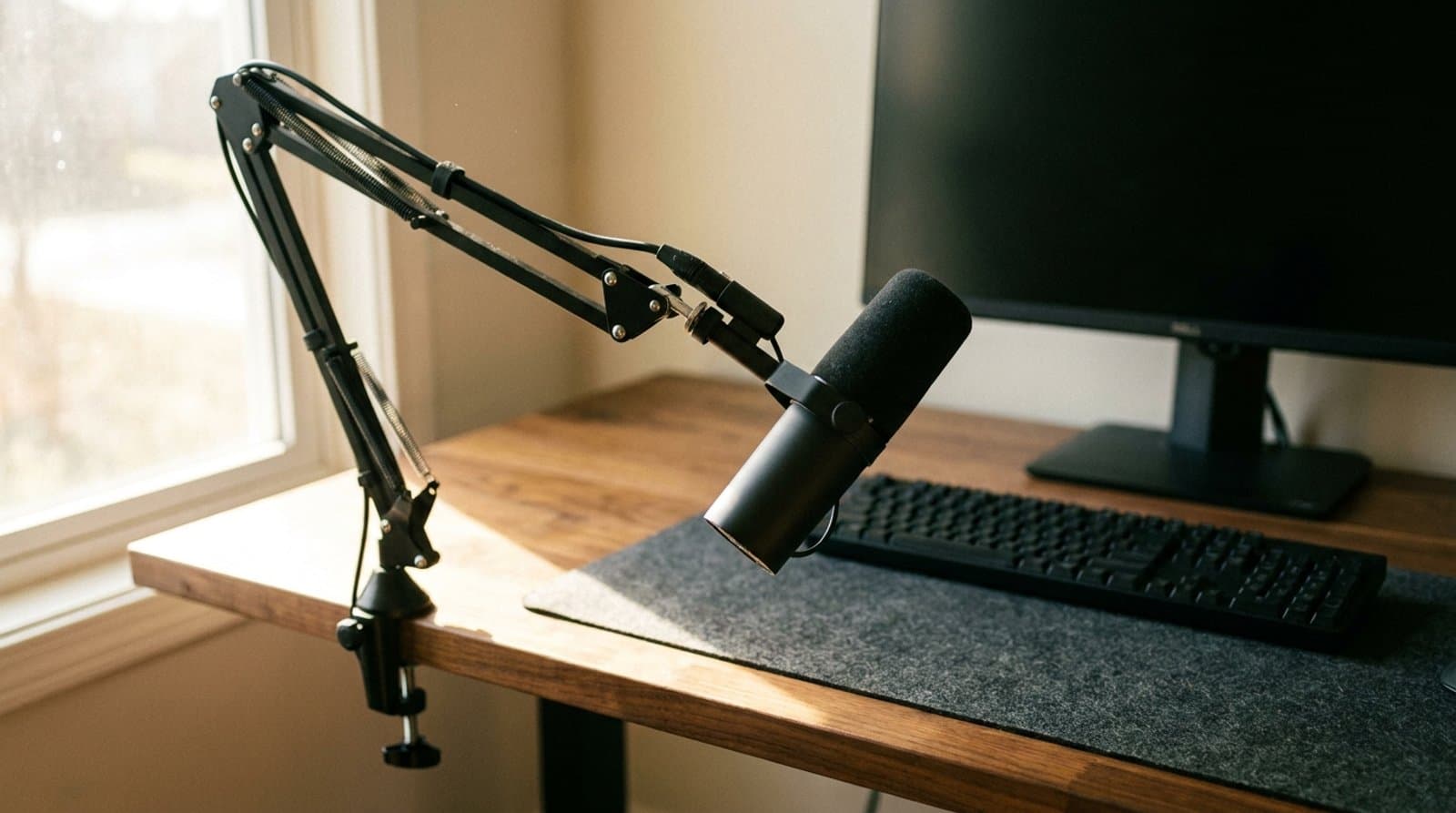
The Best USB Microphones for Video Calls in 2026
Better calls start with your microphone. Five USB picks from budget to pro that make you sound clear on Zoom and Teams without a recording studio.
Updated September 17, 2026
Lighting
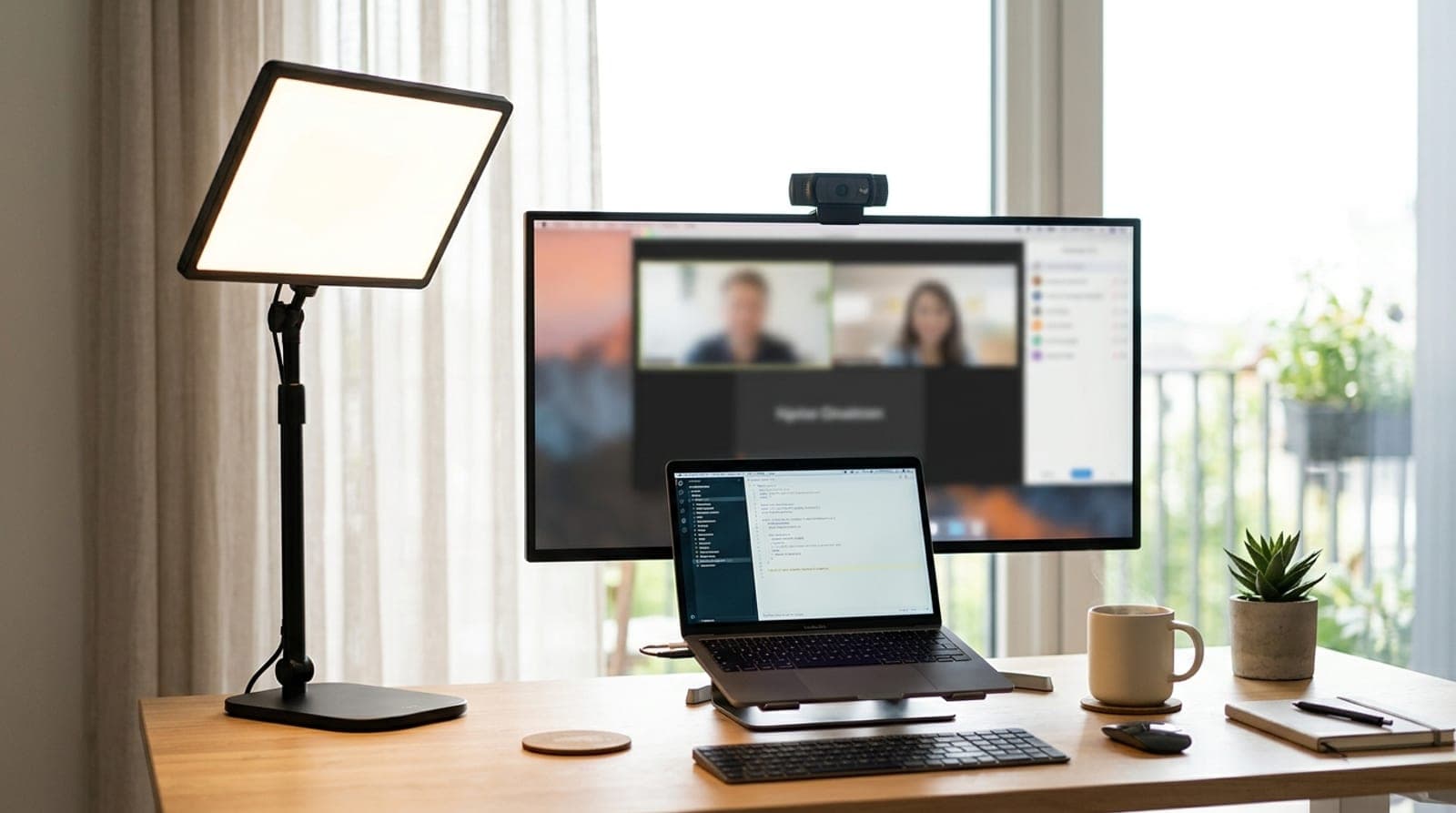
The Best Key Lights for Video Calls and Streaming in 2026
Overhead lighting makes you look tired on camera; a key light fixes it in one purchase. Six front-facing lights compared on the things that matter — real brightness, color accuracy, how they mount, and whether you need the app.
Updated September 10, 2026
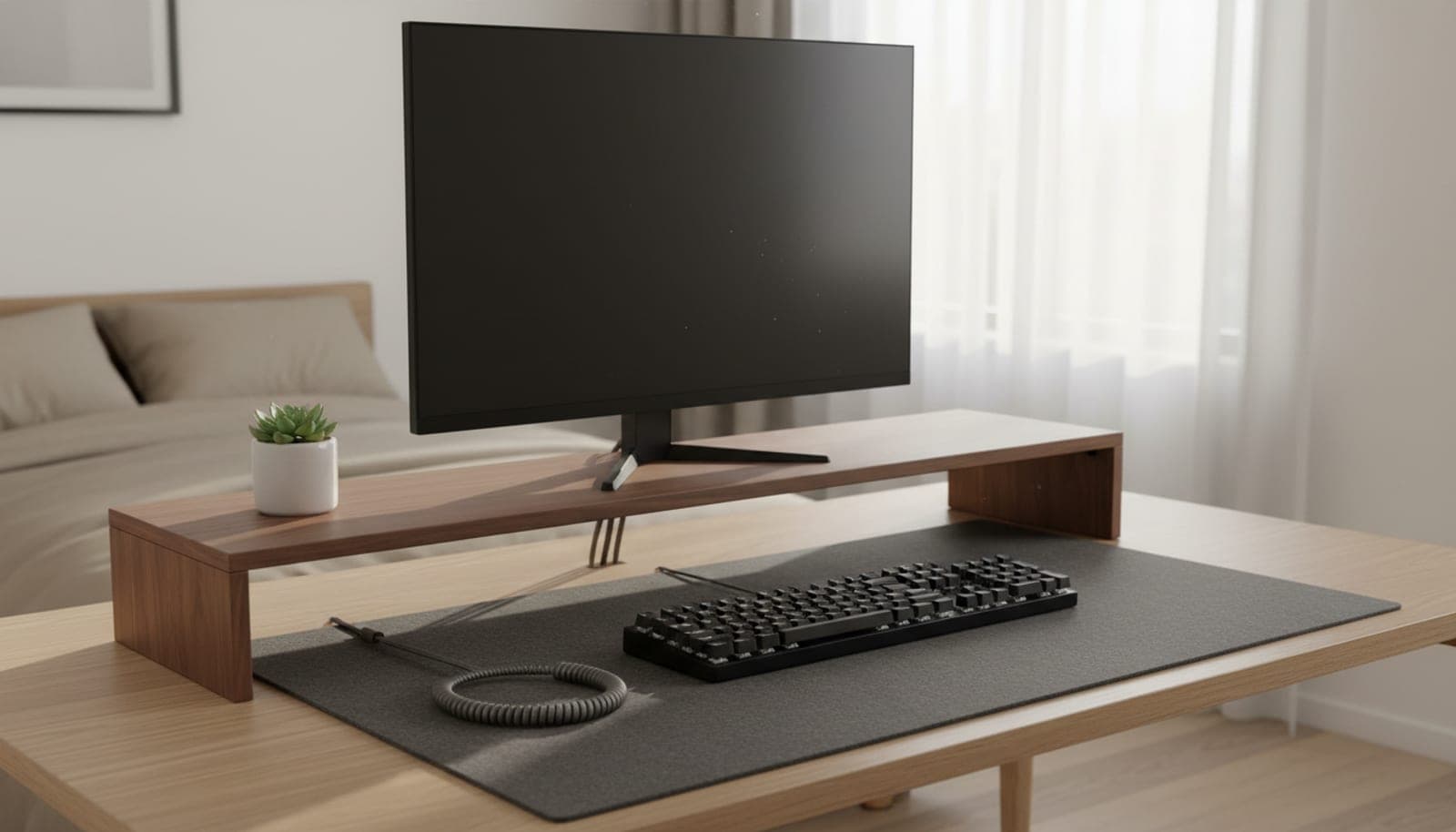
Accessories
The Best Desk Shelves & Monitor Risers in 2026
Raise your screen to eye level and reclaim the space underneath. Four desk shelves and monitor risers from $35 to $590 — sorted on the number that decides whether a keyboard fits, which is the clearance underneath, not the height on the box.
Updated September 23, 2026
Get the next guide in your inbox
One short email when we publish or meaningfully update a buying guide. No spam, no daily deals firehose.