 Rigworthy
The Best Desk Mats for Gaming in 2026
By Rigworthy Editorial Team · Updated September 12, 2026
Rigworthy is reader-supported: we may earn a commission if you buy through our links, at no cost to you. How we make money
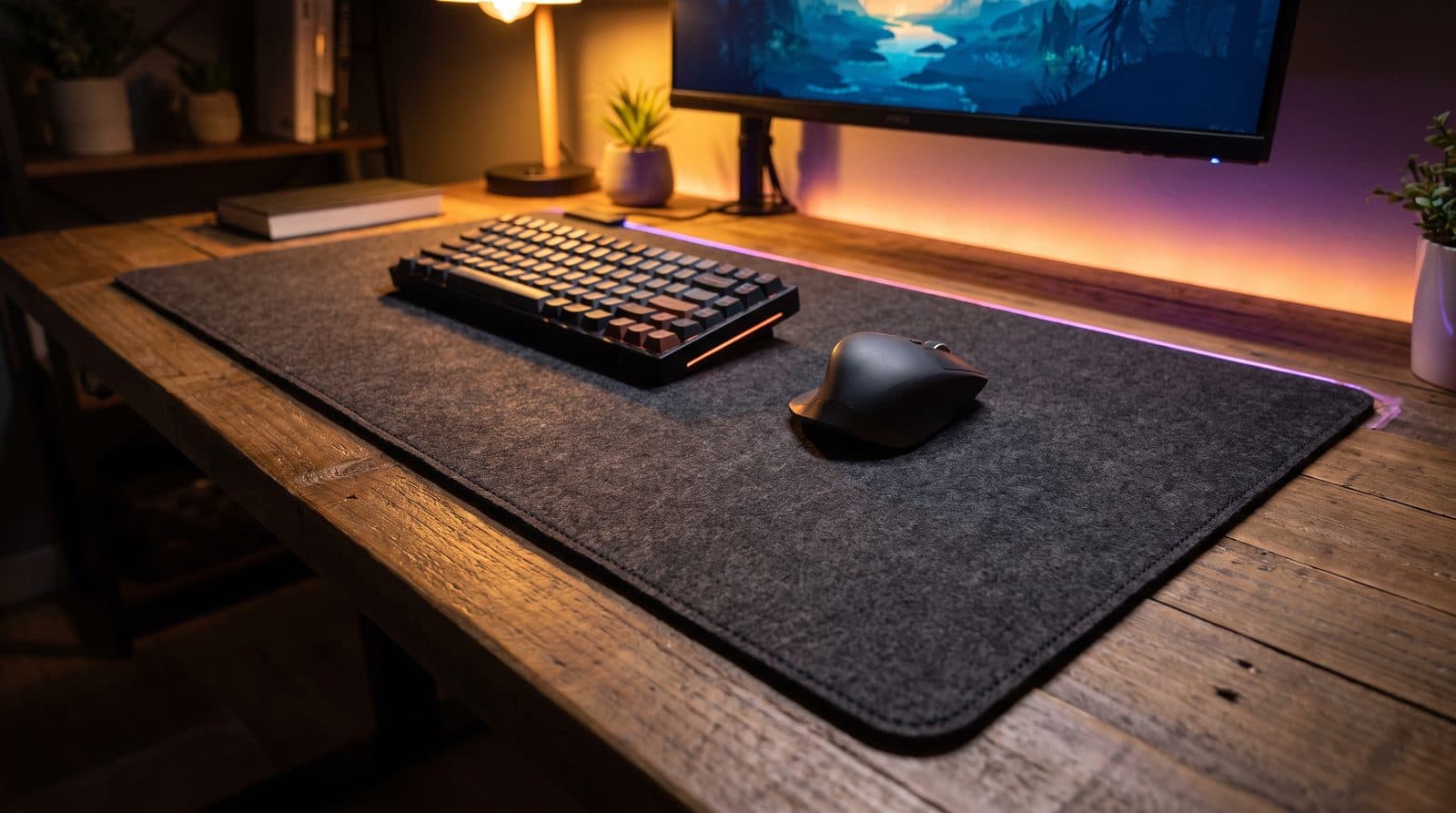
A full-desk gaming mat does three jobs at once: it gives your mouse a consistent, predictable surface, it protects the desk from wear and coffee, and it visually pulls a setup together. The difference between a good one and a cheap one shows up in the details — edge stitching that doesn't scrape your wrist, a rubber base that never creeps, and a weave that still glides evenly after a wash.
We shortlisted mats across cloth, hybrid, and RGB categories, prioritizing consistent surface texture, published dimensions we could verify against the maker's own spec table, and sizes that genuinely cover a keyboard-and-mouse zone with room to spare. Two of the five don't have stitched edges, and we say so rather than quietly scoring around it. Here's where each pick earns its place.
Our top picks at a glance
- 1
- 2
- 3
- 4
- 5
How we chose
- Surface consistency — glide should feel identical across the whole mat, including after cleaning
- Edge treatment, stated honestly: stitched edges last longer, and two of the five mats here don't have them. We say which, rather than pretending it's a gate we applied
- A grippy rubber base that stays planted during fast, low-DPI swipes
- Sizing that fits real desks — we favor 35-inch-plus widths for full coverage, and we publish the manufacturer's own millimetre figures rather than the rounded inches on the box
- Every dimension and thickness below is the maker's published spec where one exists — and where it doesn't, we say so in the spec row rather than estimating. No comparative claims on numbers nobody publishes
- Value against street price, not MSRP
Our picks come from spec research, long-term owner feedback, and category expertise — not sponsorships. Read the full methodology.
Compared side by side
| Product | Award | Size | Thickness | Surface | Typical price |
|---|---|---|---|---|---|
| SteelSeries QcK 3XL | Best Overall | 1220 × 590 mm | 3 mm | Cloth (control) | ~$40 |
| Razer Gigantus V2 XXL | Best Value | 940 × 410 mm | 4 mm | Cloth (balanced) | ~$30 |
| Corsair MM700 RGB Extended | Best RGB | 930 × 400 mm | 4 mm | Cloth + RGB edge | ~$60 |
| Artisan Hien (XL, Soft) | Enthusiast Pick | 490 × 420 mm | 4 mm | Cloth (fast) | ~$55 |
| Razer Strider XXL | Best Hybrid | 940 × 410 mm | 3 mm | Hybrid (speed) | ~$50 |
1. Best Overall
SteelSeries QcK 3XL
Typically around $40
- Full-desk coverage
- Control-oriented aim
- No-fuss buyers
The QcK surface is the closest thing mousepads have to a reference standard — a tightly woven cloth with a controlled, predictable glide that a huge share of esports players grew up on. The 3XL takes that exact surface and stretches it to 1220 × 590 × 3 mm, enough to swallow a full-size keyboard, mouse, and headset stand with margin. SteelSeries' own spec table prints those millimetres and "48 × 24 × 0.12 in" on the same line, and 590 mm is 23.2 in — so measure against the millimetres if your desk is tight. See our desk mat sizing guide for why that rounding matters.
It's a simple product executed well: consistent weave, a silicone-rubber base that doesn't shift, and a street price that usually undercuts rivals of this size (SteelSeries lists it at $45.99 and it discounts often). The lack of edge stitching is the one real trade-off — treat the edges gently and it lasts; abuse them and they'll fuzz over time.
One thing worth knowing before you commit to the width: at 3 mm this is the thinnest full-desk mat in this guide, tied with the Strider. The Gigantus V2 XXL and the MM700 are both 4 mm, so if what you actually want is wrist cushioning rather than mouse travel, neither of the 3 mm mats is the one that delivers it. The QcK ladder also runs past the 3XL now — 4XL is 1220 × 762 mm and 5XL is 1600 × 800 — if 590 mm of depth isn't enough.
What we like
- Reference-grade cloth surface with predictable control
- 1220 × 590 mm of coverage — the widest published surface in this guide
- Silicone-rubber base that stays planted
Worth knowing
- No stitched edges — fraying is possible with rough treatment
- 3 mm — joint-thinnest of the full-desk mats here, so little wrist cushioning
- Dark cloth shows dust and skin oils
- Size
- 1220 × 590 × 3 mm (48 × 23.2 in — SteelSeries prints "48 × 24" on the same line)
- Thickness
- 3 mm (SteelSeries published)
- Surface
- Micro-woven cloth
- Base
- Silicone rubber (SteelSeries published base material)
- Edges
- Unstitched
2. Best Value
Razer Gigantus V2 XXL
Typically around $30
- Budget builds
- Balanced glide
- First desk mat
Razer's Gigantus V2 hits a genuinely useful middle ground: a textured weave that's a touch faster than the QcK's pure control surface, so flicks feel easy while micro-adjustments stay manageable. The XXL size covers 940 × 410 × 4 mm (37 × 16.1 in) — full keyboard-and-mouse coverage on all but the deepest desks, and Razer publishes the whole size ladder, so the figures here are its own: Medium 360 × 275 × 3, Large 450 × 400 × 3, XXL 940 × 410 × 4, 3XL 1200 × 550 × 4.
At its usual street price it's one of the easiest recommendations in the category, especially for a first full-desk mat. It skips RGB and stitching to hit the price, and that's the right trade for most people — Razer's own comparison says the Strider differs from the Gigantus by having stitched edges, a smoother glide and a firmer base, which is a clean statement of what the extra $20 buys.
What we like
- Balanced speed/control surface suits most play styles
- Frequently discounted below its $29.99 list price
- 4 mm of cushioning — the joint-thickest here, and Razer's own copy sells it on wrist comfort
Worth knowing
- No stitched edges (Razer confirms this in its own Strider comparison)
- 410 mm (16.1 in) of depth is shallower than some rivals — check your desk
- Size
- 940 × 410 × 4 mm (37 × 16.1 in), from Razer's published size table
- Thickness
- 4 mm (3 mm on the M and L sizes)
- Surface
- Textured micro-weave cloth
- Base
- High-density rubber foam, anti-slip
- Edges
- Unstitched
3. Best RGB
Corsair MM700 RGB Extended
Typically around $60
- RGB setups
- Stitched-edge durability
- Cable tidiness
If your setup already glows, the MM700 finishes the look properly: a three-zone RGB ring around the perimeter that syncs through Corsair's iCUE software, on a mat that would be competitive even unlit. The surface is a smooth, slightly fast weave with genuinely good stitched edges.
The clever touch is the corner control pod, which doubles as a two-port USB pass-through hub — one less cable reaching around your monitor — and it carries 12 onboard lighting profiles you can cycle without opening iCUE at all. You pay for the light show, and the detachable USB-C cable is one more wire to route, but among RGB mats this is the one that gets the fundamentals right.
If 930 mm isn't enough desk, Corsair now sells the same mat as an MM700 RGB Extended 3XL. That is the direct RGB answer to our top pick's width, and it's the one to compare against the QcK 3XL if lighting matters more to you than the $20 gap.
What we like
- Bright, even edge lighting with iCUE sync and 12 onboard profiles
- Low-profile stitched edges wear well
- Built-in two-port USB hub in the control pod
Worth knowing
- $59.99 list — roughly double the price of unlit rivals
- Requires a USB cable run for power
- Size
- 930 × 400 × 4 mm (36.6 × 15.8 in)
- Thickness
- 4 mm
- Surface
- Woven textile, stitched edge
- Lighting
- 360°, 3-zone RGB, iCUE compatible
- Connection
- Detachable USB-C, two-port USB hub
4. Enthusiast Pick
Artisan Hien (XL, Soft)
Typically around $55
- Competitive FPS
- Fast, dry glide
- Surface connoisseurs
Artisan pads are the enthusiast community's worst-kept secret: Japanese-made surfaces with weaves and foam bases you simply can't get elsewhere. The Hien is the fast-but-controllable one — a smooth, dry glide that stays consistent in humid rooms where ordinary cloth gets sticky.
The XL is mouse-zone sized rather than full-desk at 490 × 420 × 4 mm, and that's the point: serious players often pair a dedicated aim surface with a separate desk mat. Note the size ladder is a rotated one — Artisan's L is 420 × 330, so the XL's depth is the previous size's width, and the depth-first "420 × 490" you'll see on import listings is the same pad, not a different one.
It is also the most carefully finished object here — a stitched edge over a Poron foam base — and the only pad in this guide you can order in more than one base hardness, which is the lever enthusiasts actually pull: SOFT sinks and slows the last millimetre of a micro-adjustment, MID stays firm under the same movement. The Strider and the MM700 are stitched too, so the edge alone doesn't separate them; the tunable base does. The catch is that it fails the size criterion outright — 19.3 inches of width is a mouse zone, not a desk. Between import stock and demand, availability and price both fluctuate; US retail sits around $55, and Japan-import listings run higher.
What we like
- Surface quality and consistency ahead of mainstream brands
- Stitched edge and Poron foam base — the best-finished pad here
- Handles humidity better than standard cloth
- Multiple base hardnesses to tune feel
Worth knowing
- Mouse-zone size, not full-desk coverage — it fails our own 35-inch width bar
- Price and availability fluctuate with import stock
- Size
- 490 × 420 × 4 mm (19.3 × 16.5 in) — listed depth-first as 420 × 490 by some importers
- Thickness
- 4 mm (SOFT base; the MID base is 3 mm)
- Surface
- Hien weave, 100% polyester — fast, dry glide
- Edges
- Stitched
- Origin
- Made in Japan
5. Best Hybrid
Razer Strider XXL
Typically around $50
- Speed-leaning aim
- Easy cleaning
- Humid climates
The Strider splits the difference between cloth and hard pads: a firm, smooth-textured hybrid surface that glides faster than cloth but stops more predictably than plastic. It also sheds spills and wipes clean in a way soft cloth never will — Razer markets it as water-resistant, and that is the practical difference day to day.
The XXL version brings that surface to full-desk size at 940 × 410 × 3 mm, with anti-fray stitched edges and a grooved rubber underside. Razer's own FAQ states the difference from the cheaper Gigantus V2 plainly — stitched edges, a smoother glide with less dynamic friction, and a firmer base — which is an unusually honest summary of what you're paying $20 more for. If you've worn the texture off a cloth pad within a year or you play in a humid room, the hybrid surface is the practical answer.
What we like
- Fast, consistent hybrid glide that resists humidity
- Water-resistant — wipes clean, good for desks that see coffee
- Anti-fray stitched edges lie flat from day one
Worth knowing
- Firmer surface and 3 mm base are less forgiving for wrists than 4 mm cloth
- Speed-leaning glide takes adjustment for control players
- Size
- 940 × 410 mm (37 × 16.1 in) — from retail listings; Razer no longer publishes a size table for the Strider
- Thickness
- 3 mm (stated in Razer's own product copy)
- Surface
- Hybrid soft/hard mat, water-resistant
- Base
- Grooved anti-slip rubber, mid-to-firm
- Edges
- Stitched
The verdict
For most people the SteelSeries QcK 3XL is the pick: a proven surface at a size and price the rest of the category struggles to match, and the only mat here that publishes 1220 mm of width. If your desk is shallower or you want to spend less, the Razer Gigantus V2 XXL gives up very little.
Two honest caveats on that top pick, both from the makers' own spec tables. The QcK 3XL is 3 mm thick — joint-thinnest on this page with the Strider, against 4 mm for both the Gigantus and the MM700 — so if you're buying a mat for wrist cushioning rather than mouse travel, the cheaper Razer is the better object. And the QcK has no stitched edge, which is the one durability feature the Strider and the MM700 both have and Razer itself names as the difference between its two mats.
Go Corsair MM700 if RGB is part of your setup's identity (and note there's now an Extended 3XL version if you want the QcK's width with lighting), Razer Strider if you want speed and easy cleaning, and Artisan Hien if aim feel is something you think about daily — it's the one pad here that's a genuine step up in surface quality rather than size or features, and the only one you can order in a base hardness of your choosing. It just isn't a desk mat.
Frequently asked questions
For full keyboard-and-mouse coverage, the common 'XXL' class — around 900–940 mm wide and 400–410 mm deep — is the right target. Two things worth knowing before you buy on width. First, the label is not a standard: Razer's XXL is 940 × 410 mm and SteelSeries' is 900 × 400, and the three 3XL mats on the market span 550 to 610 mm of depth. Second, your mouse only gets what the keyboard leaves, which on an XXL beside a full-size board is about 49 cm — comfortably more travel than most players need, so width is rarely the real constraint. Measure your desk's clear depth first, because a mat that overhangs the edge curls, catches on your chair, and wears out early. Our desk mat sizing guide has the arithmetic and the real published dimensions.
Cloth offers the most control and comfort and is the default for most players. Hybrid surfaces glide faster, resist humidity, and clean up easily, at the cost of a firmer feel. Hard pads are the fastest but the least forgiving and can wear mouse feet quicker. If you're unsure, start with cloth — it's the easiest surface to adapt to.
Most cloth mats hand-wash well: lukewarm water, a small amount of mild soap, gentle scrubbing with a soft brush, then a thorough rinse and air dry flat. Avoid machine drying and wringing, which can separate the cloth from the rubber base. Hybrid mats are simpler — usually a damp cloth wipe is enough.
No — the lighting sits in a diffuser ring around the perimeter, outside the tracking surface. Modern optical sensors are unaffected by nearby lighting. The practical considerations are the extra USB cable and price, not tracking performance.
Keep building your setup
Desk Mats
What Size Desk Mat Do You Actually Need?
Every mousepad size guide, ours included, hands out a round number of inches. The useful number is the one left over after your keyboard, measured against how far your mouse actually travels — and once you do that arithmetic, most people are buying a bigger mat to solve a problem they do not have.
Updated September 6, 2026
Desk Mats
The Best Hard and Glass Mousepads in 2026
The third kind of desk mat: no cloth, no cushion, just a low-friction slab. Six glass and hard pads compared on coated-vs-uncoated glide, edge comfort, and the skate wear nobody warns you about.
Updated September 6, 2026
Accessories
The Best Gaming Mice in 2026
The flagships all weigh 60 g or less now and carry a sensor you cannot out-aim. What's left is shape — the one thing no firmware update can fix — so we put the millimetres in the table instead of the DPI.
Updated August 16, 2026
Get the next guide in your inbox
One short email when we publish or meaningfully update a buying guide. No spam, no daily deals firehose.