 Rigworthy
The Best Dual Monitor Arms in 2026
By Rigworthy Editorial Team · Updated September 20, 2026
Rigworthy is reader-supported: we may earn a commission if you buy through our links, at no cost to you. How we make money
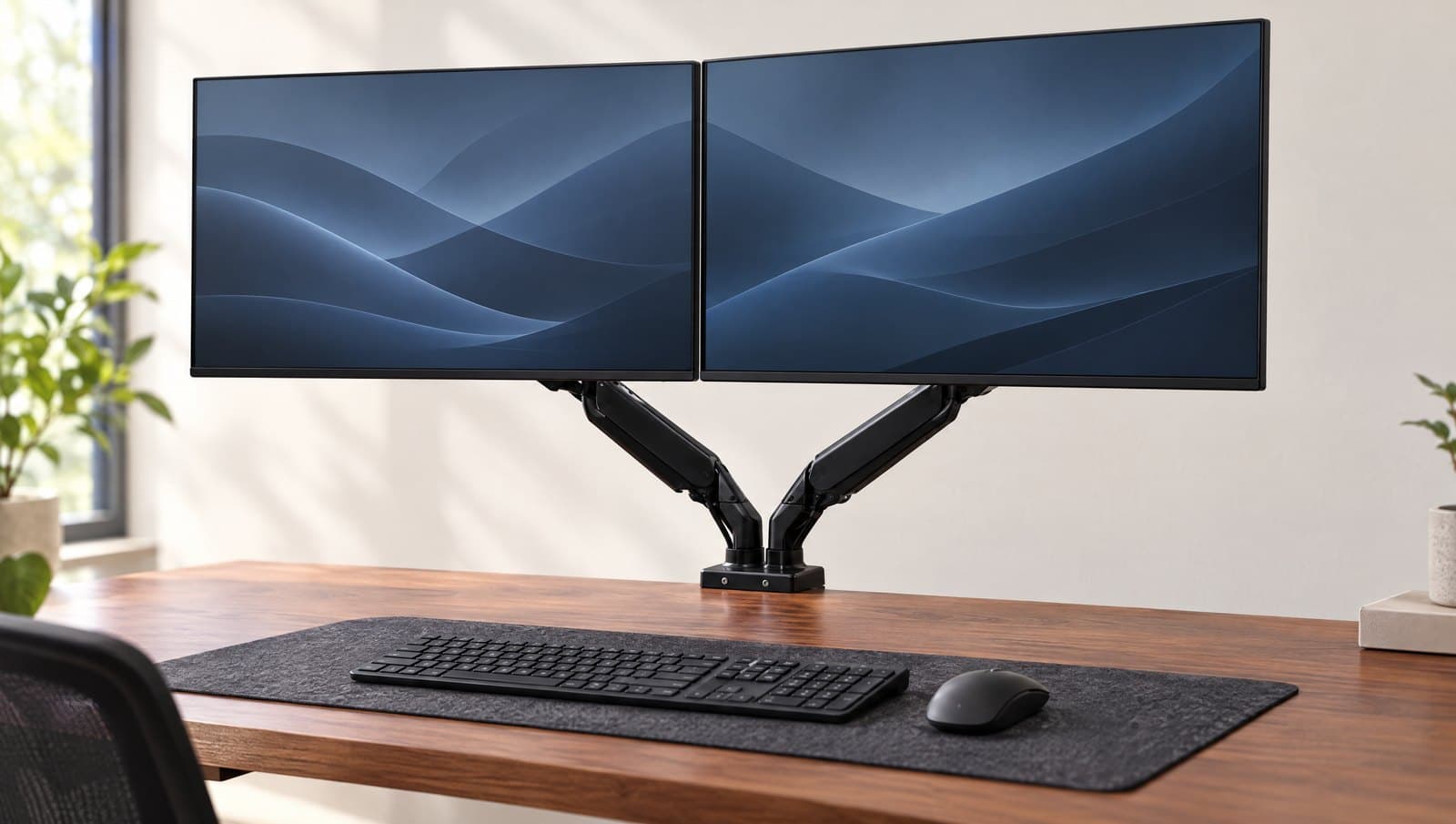
Two screens is the most common upgrade path in a desk setup, and the mount is where it quietly goes wrong. The word "dual" hides two very different products: a cheap fixed post that holds both screens rigidly, and a pair of independent gas-spring arms that each float on their own. They look similar in a listing and behave nothing alike on your desk.
This guide is organized around the decision that actually matters — layout and mechanism. Independent arms handle mismatched sizes, portrait orientation, and frequent repositioning; a fixed post is cheaper and set-and-forget; a stacking arm goes vertical for a narrow desk. And underneath all of them is one number the listings bury: "fits two 27-inch screens" describes size, not weight, and a per-arm rating is not always a promise you can cash twice. Two of the six mounts here publish a combined cap of 40 pounds, which in Ergotron's case is four pounds less than its own arms are individually rated to carry. So the table below carries both figures, plus the warranty each maker actually publishes — because the price tells you less about coverage than you'd expect.
Our top picks at a glance
- 1
- 2
- 3
- 4
- 5
- 6
How we chose
- Independent articulation vs. a shared crossbar — stated plainly for every pick
- Per-arm weight capacity AND the maker's combined cap, because two arms rated 22 lbs do not always make a 44 lb mount
- Whether the mechanism actually floats — gas spring vs. fixed friction post
- Clamp and grommet hardware that survives two screens' weight on one desk edge
- Warranty length, published by the maker rather than inferred from the price
Our picks come from spec research, long-term owner feedback, and category expertise — not sponsorships. Read the full methodology.
Compared side by side
| Product | Award | Mechanism | Fits (per screen) | Load (per arm) | Warranty | Typical price |
|---|---|---|---|---|---|---|
| HUANUO DS18 Dual Monitor Mount (HNDS18B) | Best Overall | Gas spring | 17–32 in | 22 lb | Up to 5 yr | ~$70 |
| VIVO STAND-V002 Dual Monitor Mount | Best Budget | Fixed post | 13–30 in | 22 lb | 3 yr | ~$40 |
| North Bayou F160 | Best for Matched 27-in Screens | Gas spring | 17–27 in | 4.4–19.8 lb | Not published | ~$70–90 |
| Mount-It! MI-1772 Dual Monitor Desk Mount | Best Warranty | Gas spring | 13–32 in | 19.8 lb (40 lb total) | Lifetime | ~$160 |
| Jarvis Dual Monitor Arm (Herman Miller) | Best Premium Value | Gas spring | 13–32 in | 19 lb | 10 yr | ~$245 |
| Ergotron LX Dual Stacking Arm, Tall Pole (45-509) | Best for Small & Narrow Desks | Constant-force spring | Up to 40 in | 7–22 lb (40 lb total) | 10 yr | ~$530 |
1. Best Overall
HUANUO DS18 Dual Monitor Mount (HNDS18B)
Typically around $70
- Two 17–32 in screens
- Mismatched monitor pairs
- First dual mount
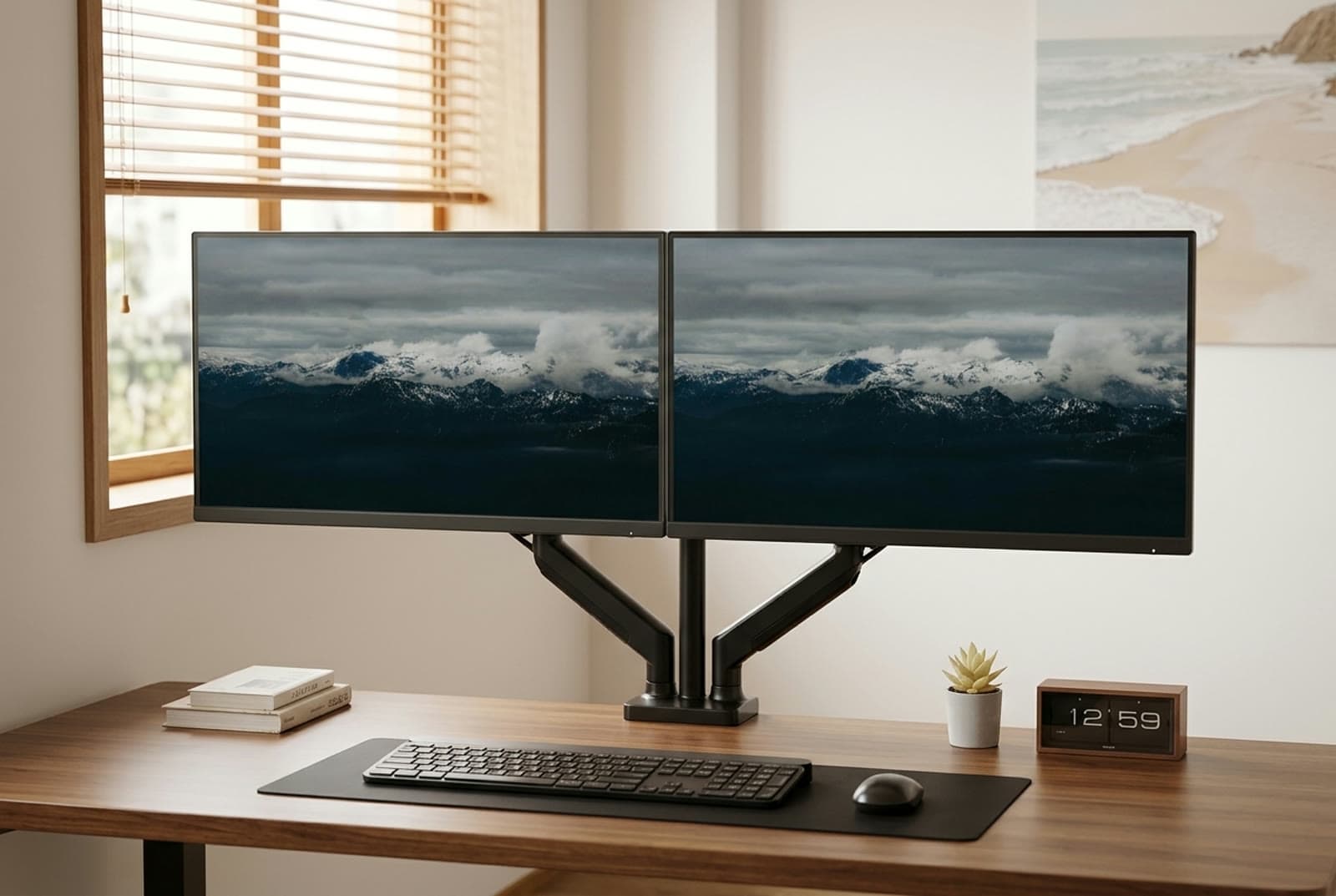
This is the dual mount most people should buy. It's two fully independent gas-spring arms on one shared base, so each screen floats to its own height, angle, and depth one-handed — the thing a rigid crossbar can't do. That independence is exactly what makes it forgiving of a mismatched pair: a 27-inch main next to a smaller 24, or one screen turned portrait, all line up without a fight.
HUANUO publishes the DS18 at 22 lbs per arm for 17–32 inch flat or curved screens on 75×75 or 100×100 VESA, with 17.5 inches of height above the desk and 15.4 inches of forward reach. Both mounting options are in the box, and the ranges are specific: the C-clamp takes desktops 0.39 to 2.56 inches thick, the grommet mount 0.39 to 2.17 inches. That 22 lb figure ties the highest per-arm rating in this guide — the VIVO and the Ergotron match it — but only two of those three let you actually spend it twice. Ergotron caps the pair at 40 lbs; HUANUO, like VIVO, publishes no combined total at all, so on this mount the two arms are genuinely independent budgets. It is the only gas-spring arm here that gives you both.
Two honest limits, both of them HUANUO's own words rather than ours. First, the company states the mount is not compatible with particle board or softwood desktops — that is a flat exclusion, not a caution about heavy panels, and it disqualifies a lot of flat-pack desks outright. If that's your desk, the clamp-versus-grommet decision is where to start, because bolting through the surface spreads load in a way a clamp cannot. Second, HUANUO publishes no minimum monitor weight, so if you hang something very light on an arm tuned for 22 lbs, finding the tension is trial and error. The warranty is published as "up to 5 years" — the hedge is theirs.
What we like
- Two truly independent gas-spring arms — each screen floats on its own
- 22 lbs per arm ties the highest rating here, with no combined cap published against it
- Published clamp range of 0.39–2.56 in; grommet hardware included
- Handles mismatched sizes and portrait orientation cleanly
Worth knowing
- HUANUO rules out particle board and softwood outright — not a caution, an exclusion
- No minimum monitor weight is published, so tension on a very light screen is guesswork
- $69.99 on HUANUO's own store, well above the sub-$50 marketplace listings people quote
- Layout
- Dual independent arms
- Max load
- 22 lbs per arm (no minimum published)
- Fits
- 17–32 in per screen
- Height / reach
- Up to 17.5 in above desk, 15.4 in forward
- VESA
- 75×75, 100×100 mm
- Mount
- Clamp 0.39–2.56 in, grommet 0.39–2.17 in
- Warranty
- "Up to 5 years" (HUANUO's wording)
2. Best Budget
VIVO STAND-V002 Dual Monitor Mount
Typically around $40
- Tight budgets
- Set-and-forget height
- Two matched screens
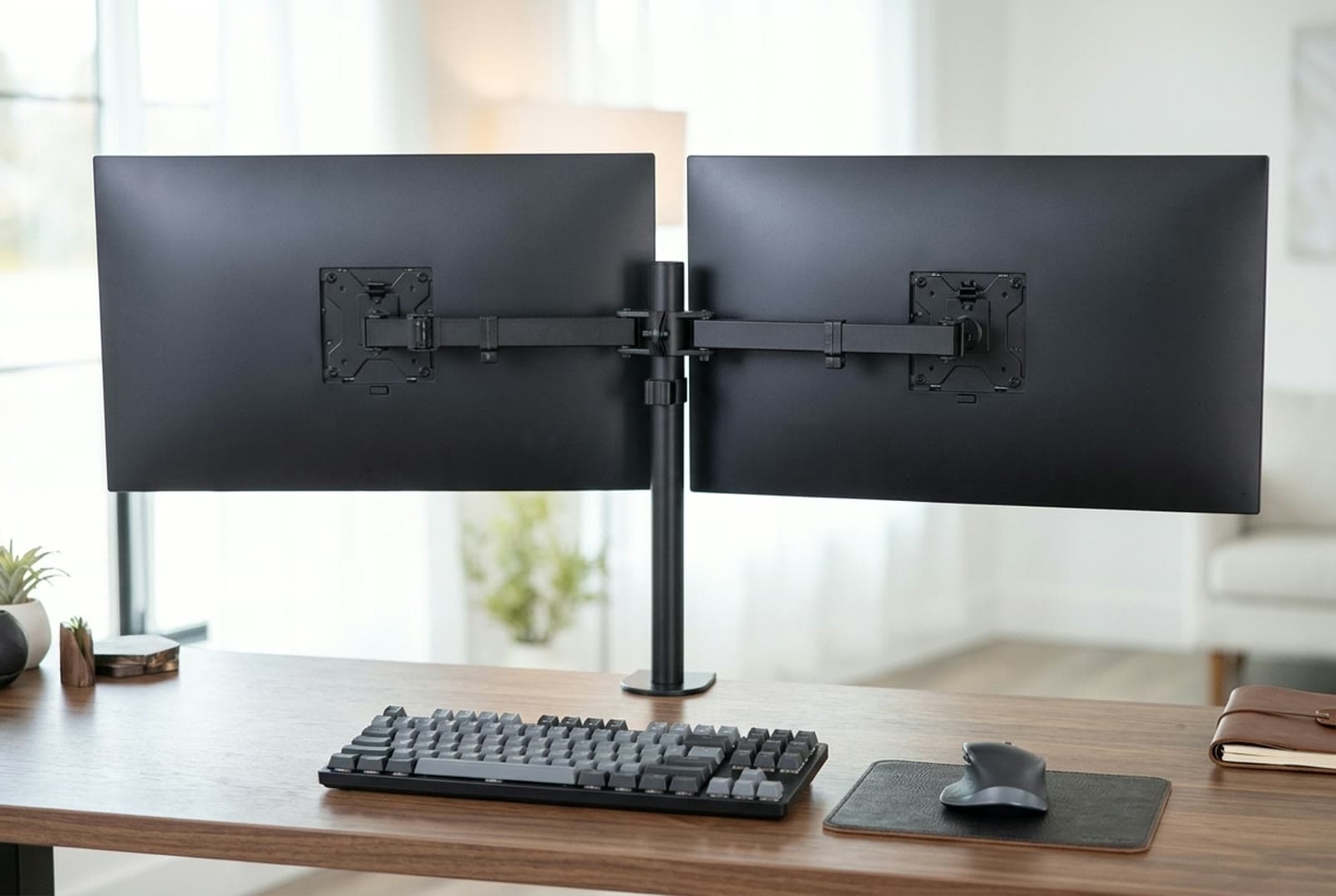
The V002 is the cheapest honest way to get two screens off the desk, and the trade-off is right there in the mechanism: it's a fixed friction-joint mount, not a gas spring. You loosen the joints, position each screen, and tighten them back down — there's no one-handed float. In exchange VIVO rates it at a genuine 22 lbs per monitor for 13–30 inch screens, which is a lot of capacity for $39.99.
Both arms articulate independently on a shared 17-inch pole, with 16 inches of height travel along it, so you can still angle and tilt each screen separately once it's set. C-clamp and grommet hardware are both included and it fits desktops up to 3.25 inches thick — the widest desk range in this guide. VIVO also publishes a 3-year warranty, which is more than North Bayou states for anything.
Two things to know before you buy. Because it's friction-held rather than counterbalanced, heavier screens can slowly droop inward over months until you re-tighten the joints, and repositioning is a two-hands, loosen-and-lock affair. And check the model number rather than the family: VIVO sells the STAND-V032 for 13–32 inch screens and the STAND-V038 for 13–38 inch on the same pole design, so if your panels are bigger than 30 inches the V002 is the wrong SKU rather than a tight fit.
What we like
- Cheapest mount here by $30, with a real 22 lb-per-arm rating
- Independent tilt and angle on each screen once set
- Fits desktops up to 3.25 in — the widest desk range in this guide
- 3-year warranty, published by VIVO
Worth knowing
- Friction post, not a gas spring — no one-handed height float
- Heavier screens can droop inward until you re-tighten
- Stops at 30 in; the 32-inch and 38-inch versions are different SKUs (V032, V038)
- Layout
- Dual independent arms (fixed post)
- Max load
- 22 lbs per arm
- Fits
- 13–30 in per screen
- Pole / travel
- 17 in pole, 16 in of height travel
- VESA
- 75×75, 100×100 mm
- Mount
- Clamp or grommet, desktops up to 3.25 in
- Warranty
- 3 years
3. Best for Matched 27-in Screens
North Bayou F160
Typically around $70–90
- Two identical 24–27 in monitors
- Clean symmetrical setups
- Step-up from a fixed post
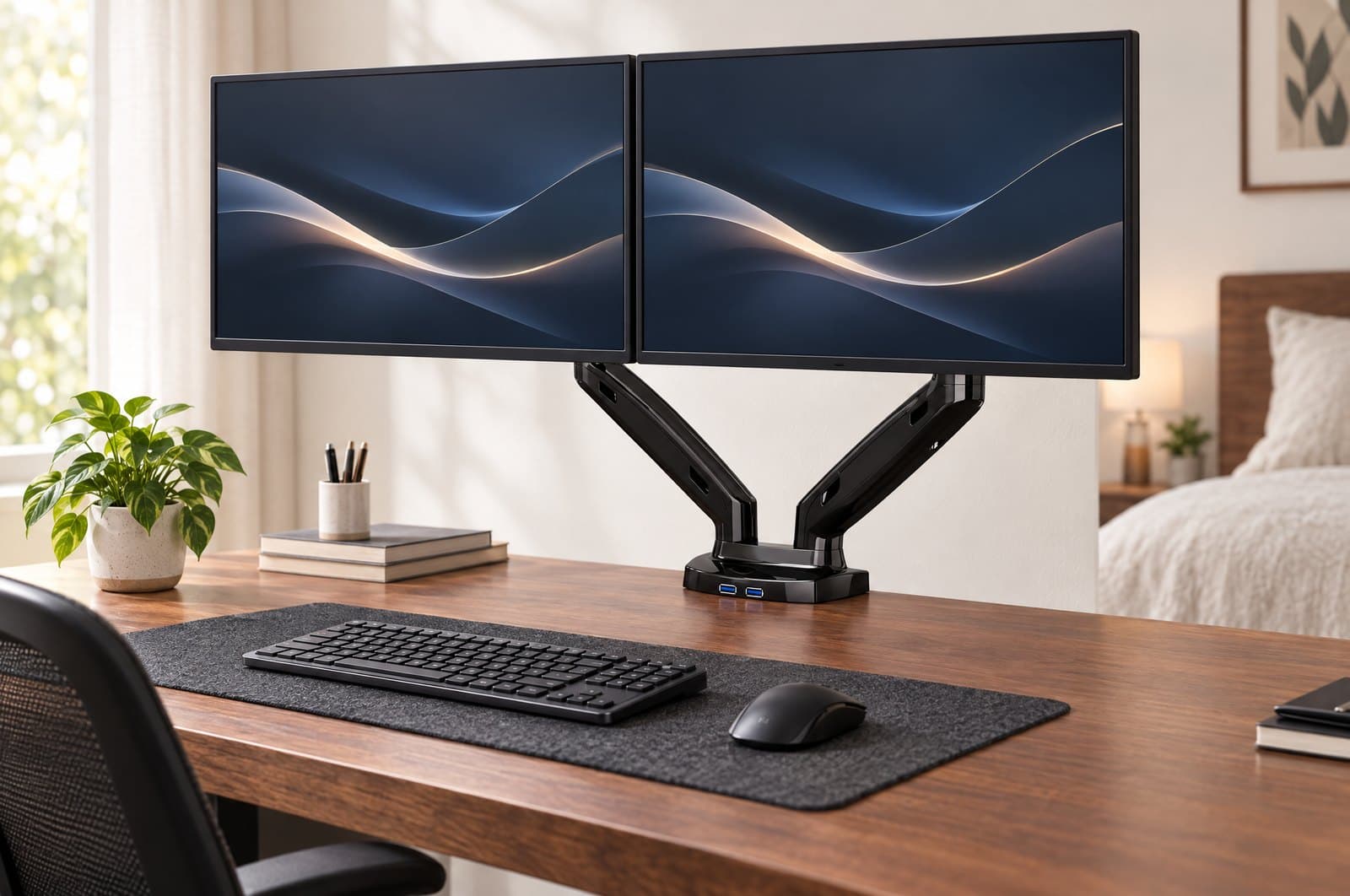
North Bayou builds the budget arms other brands quietly rebrand, and the F160 is its dual gas-strut done right for the mainstream case: two matched 24–27 inch monitors sitting level and symmetrical on one gloss-black base. Each arm is rated 4.4 to 19.8 lbs (2–9 kg), and it is one of only two picks here that publish a minimum weight as well as a maximum — the Ergotron's 7 lb floor is the other, at several times the price. That number matters more than it sounds, because a gas strut tuned below its floor pushes a light screen upward on its own. At 4.4 lbs the F160 has the lowest floor in this guide, so it is the safer of the two for a small or unusually light second panel. The base also carries two USB 3.0 pass-through ports, though whether the cables are in the box depends on which configuration you buy.
It fits both 75×75 and 100×100 VESA, includes clamp and grommet mounts, and gives 10 inches of upright travel with about 21 inches of extension. The clear ceiling is size, and it is worth being precise about where that ceiling is: North Bayou's global and US listings publish 17–27 inches, while its Australian listing for the same model publishes 17–30. Buy it for a pair of 27s and the discrepancy never bites; buy it hoping for 30-inch panels and you are relying on the more generous of two numbers the same company prints.
Two caveats you should price in. North Bayou publishes no warranty term at all — not a short one, none — which is consistent with what we found across its single arms too. And the F160 is now the oldest dual in its own lineup: North Bayou's current duals are the G35 (22–32 in, 4.4–26.4 lbs per arm), the G75 (up to 32 in, 6.6–26.4 lbs) and the G65 (27–34 in, 11–35.2 lbs). The F160 has not been replaced, but if your screens are over 27 inches the answer is a different North Bayou, not this one. There is also no published US list price — North Bayou's own storefront shows $276 for a USB-cabled configuration, an order above what US retailers charge, so treat any F160 price you see as retailer-set.
What we like
- Publishes a weight floor as well as a ceiling — 4.4 lbs, the lowest of the only two picks here that state one
- Two USB 3.0 pass-through ports built into the base
- Clean, symmetrical fit for two matched 24–27 in screens
- Clamp and grommet included; about 21 in of extension
Worth knowing
- North Bayou publishes no warranty term for it — the only pick here with none
- Screen ceiling is published two ways: 17–27 in on the US listing, 17–30 in on the Australian one
- No maker list price in the US; the brand's own store shows a figure retailers don't use
- Layout
- Dual independent arms
- Max load
- 4.4–19.8 lbs (2–9 kg) per arm
- Fits
- 17–27 in per screen (US listing)
- Travel
- 10 in upright, ~21 in extension
- VESA
- 75×75, 100×100 mm
- Mount
- Clamp or grommet; USB 3.0 ports in base
- Warranty
- Not published
4. Best Warranty
Mount-It! MI-1772 Dual Monitor Desk Mount
Typically around $160
- Two 30–32 in screens
- Buyers who want coverage that outlasts the arm
- Heavier panels without premium money
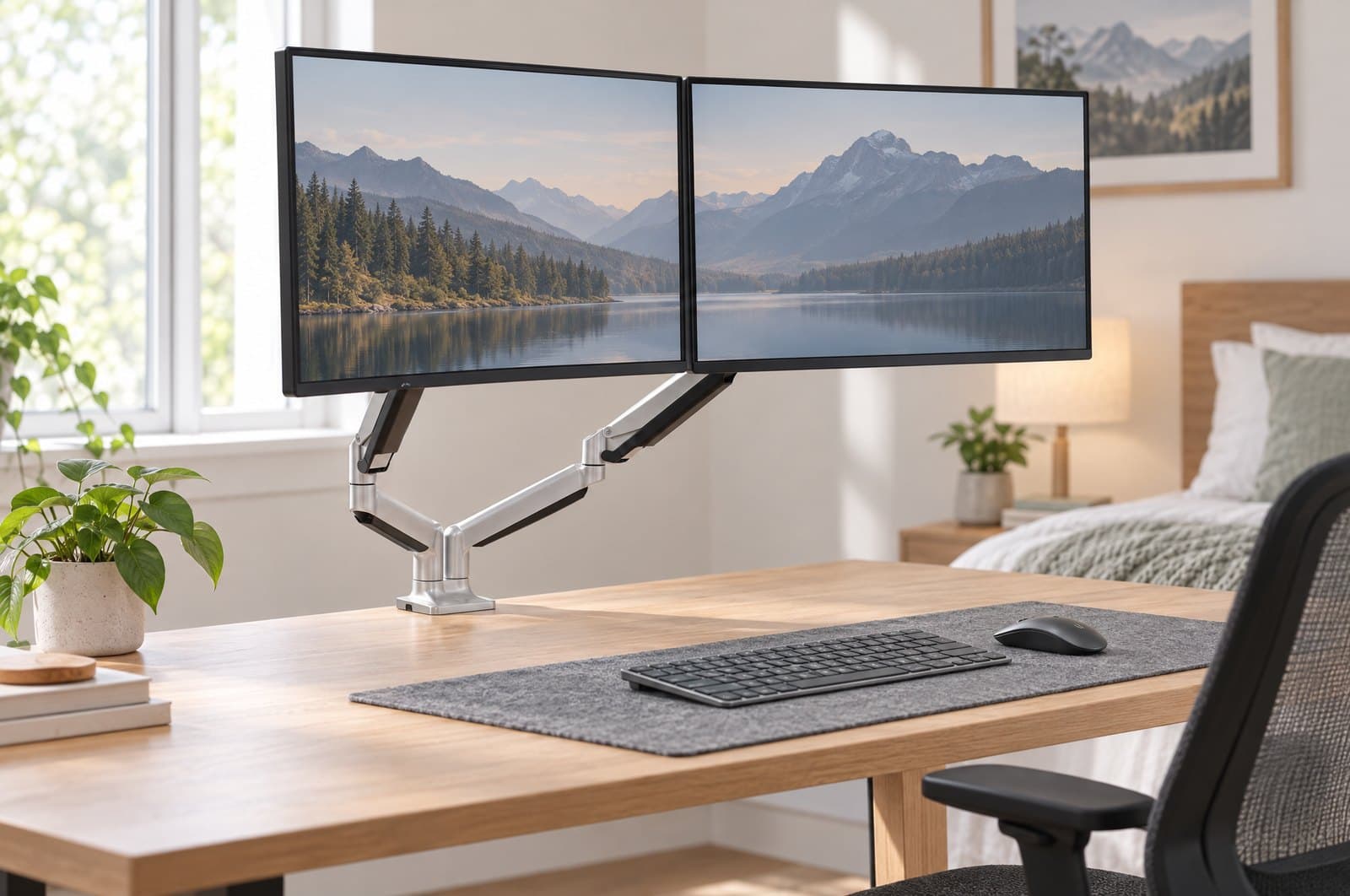
The MI-1772 is the arm to buy when you want the coverage rather than the badge. Mount-It! backs it with a lifetime warranty — longer than the ten years Ergotron and Herman Miller publish, and the reason this pick holds its award. Two independent gas-spring arms run from one silver post on a single clamp, rated 19.8 lbs per arm for 13–32 inch screens, with 13 inches of vertical travel, 45° of tilt, 180° of swivel and 360° of rotation for portrait work.
Read the load line carefully, because this is where dual mounts mislead. Mount-It! publishes 19.8 lbs per arm and a 40 lb total — those numbers are consistent with each other, which is exactly why they are worth quoting: 19.8 × 2 is 39.6, so both arms can be loaded to their rating at once. That is not true of every mount in this guide, and it is the question to ask of any dual before you hang two heavy panels on it.
Hardware covers 75×75 and 100×100 VESA with clamp and grommet bases, in silver (MI-1772) or black (MI-1772B). The honest catch is the price: Mount-It! lists it at $159.99, which puts it within about $25 of a discounted Herman Miller Jarvis. Against the Jarvis you get a longer warranty and slightly more per-arm capacity; against the $69.99 HUANUO you are paying $90 for the paperwork and a heavier build, not for more screen support. Like any dual, extending both arms out wide multiplies the leverage on the inner joints — keep the heavier monitor nearer the post.
What we like
- Lifetime warranty — the longest published term in this guide
- Per-arm rating and combined cap agree: 19.8 lbs each, 40 lbs total
- Handles two 32-inch screens with 13 in of height travel
- Silver and black versions of the same mount (MI-1772 / MI-1772B)
Worth knowing
- $159.99 list is within ~$25 of a discounted Jarvis with a better-known build
- Buys less per-arm capacity than the $69.99 HUANUO, not more
- Bulkier arms; keep the heavier screen closer to the post
- Layout
- Dual independent arms
- Max load
- 19.8 lbs per arm (40 lbs total)
- Fits
- 13–32 in per screen
- Travel
- 13 in vertical; 45° tilt, 180° swivel, 360° rotation
- VESA
- 75×75, 100×100 mm
- Mount
- Clamp or grommet
- Warranty
- Lifetime
5. Best Premium Value
Jarvis Dual Monitor Arm (Herman Miller)
Typically around $245
- Long-term daily setups
- Portrait + landscape mixes
- 10-year warranty seekers
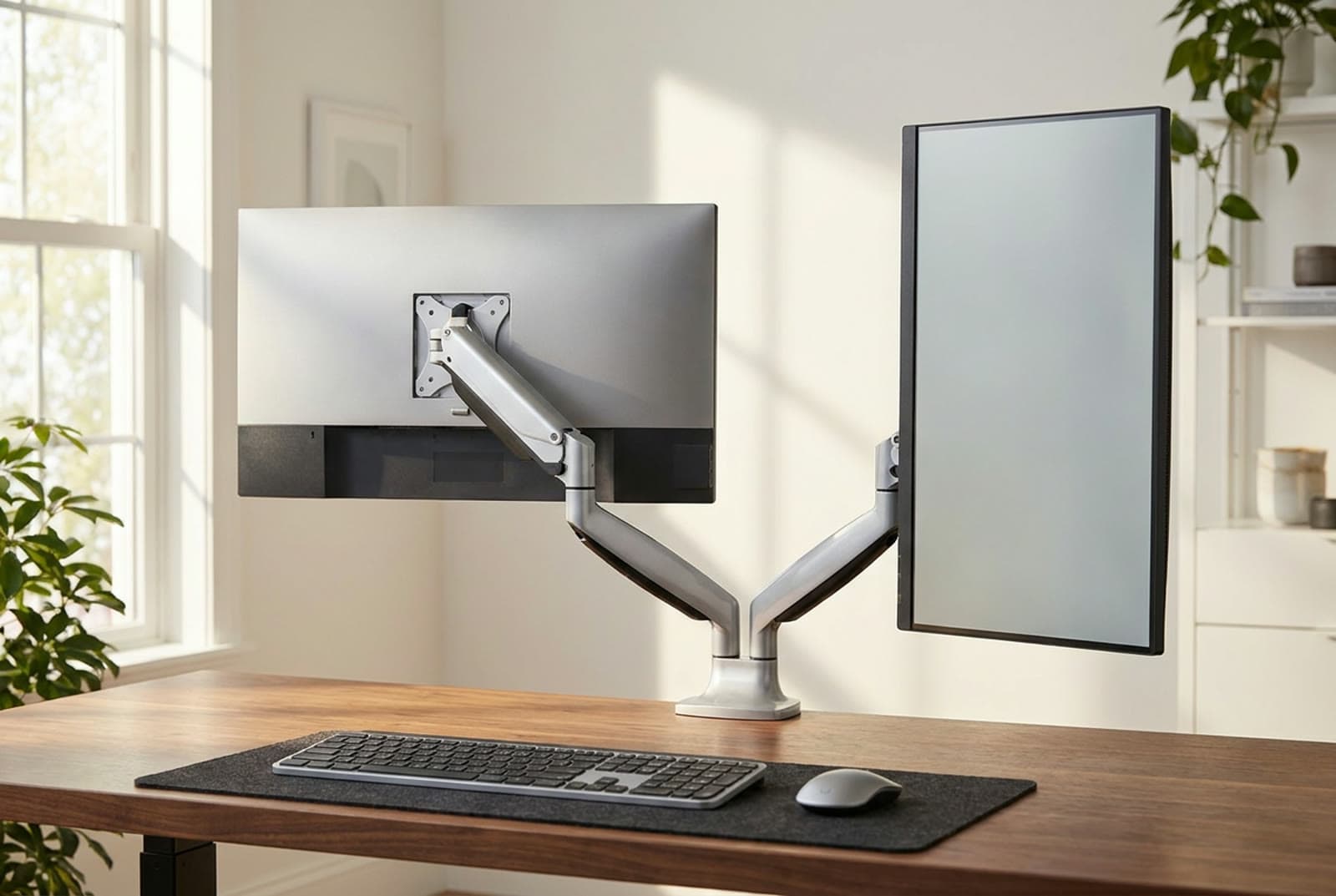
Formerly sold as the Fully Jarvis Dual and now carried by Herman Miller, this is where the jump from mid to premium starts to justify itself. Two independent gas-spring arms hold 13–32 inch monitors up to 19 pounds each, with tool-free tension tuning, 360° swivel and clean portrait/landscape rotation on each arm. Herman Miller publishes 13.2 inches of height adjustment, topping out at 19.8 inches above the tabletop measured at monitor centre. The motion is refined in a way the budget duals aren't, and it holds its position for years rather than months.
Nineteen pounds is the number to check against your panels, not twenty — it is the lowest per-arm rating in this guide, and most 32-inch monitors are heavier than most 27s by more than you'd guess. Weigh the screen without its factory stand before you commit. VESA covers 75×75 and 100×100 with clamp and grommet hardware, and the arm carries a 10-year warranty, which is the coverage that turns this into a buy-once decision rather than a purchase you revisit.
Herman Miller lists it at $245, and it is frequently discounted — it was $183.75 when we last checked, which is real money off but not a permanent price. One genuine risk: MillerKnoll shut Fully down in April 2023, so secondhand Fully-branded units carry no manufacturer support. Buy it new from Herman Miller for a setup you'll live with daily and it's the value pick of the premium tier.
What we like
- Refined gas-spring motion that holds position for years
- 10-year warranty on a $245 list price
- Independent portrait/landscape rotation on each arm
- Published height figures: 13.2 in of adjustment, 19.8 in max above the desktop
Worth knowing
- 19 lbs per arm is the lowest per-arm rating here — weigh a 32-inch panel first
- Older Fully-branded units have no manufacturer support after the 2023 shutdown
- The discounted price moves; $245 is the list you should budget against
- Layout
- Dual independent arms
- Max load
- 19 lbs per monitor
- Fits
- 13–32 in per screen
- Height
- 13.2 in of adjustment, 19.8 in max above desktop
- VESA
- 75×75, 100×100 mm
- Mount
- Clamp or grommet
- Warranty
- 10 years
6. Best for Small & Narrow Desks
Ergotron LX Dual Stacking Arm, Tall Pole (45-509)
Typically around $530
- Stacked (over-under) layouts
- Narrow desks
- Big screens up to 40 in
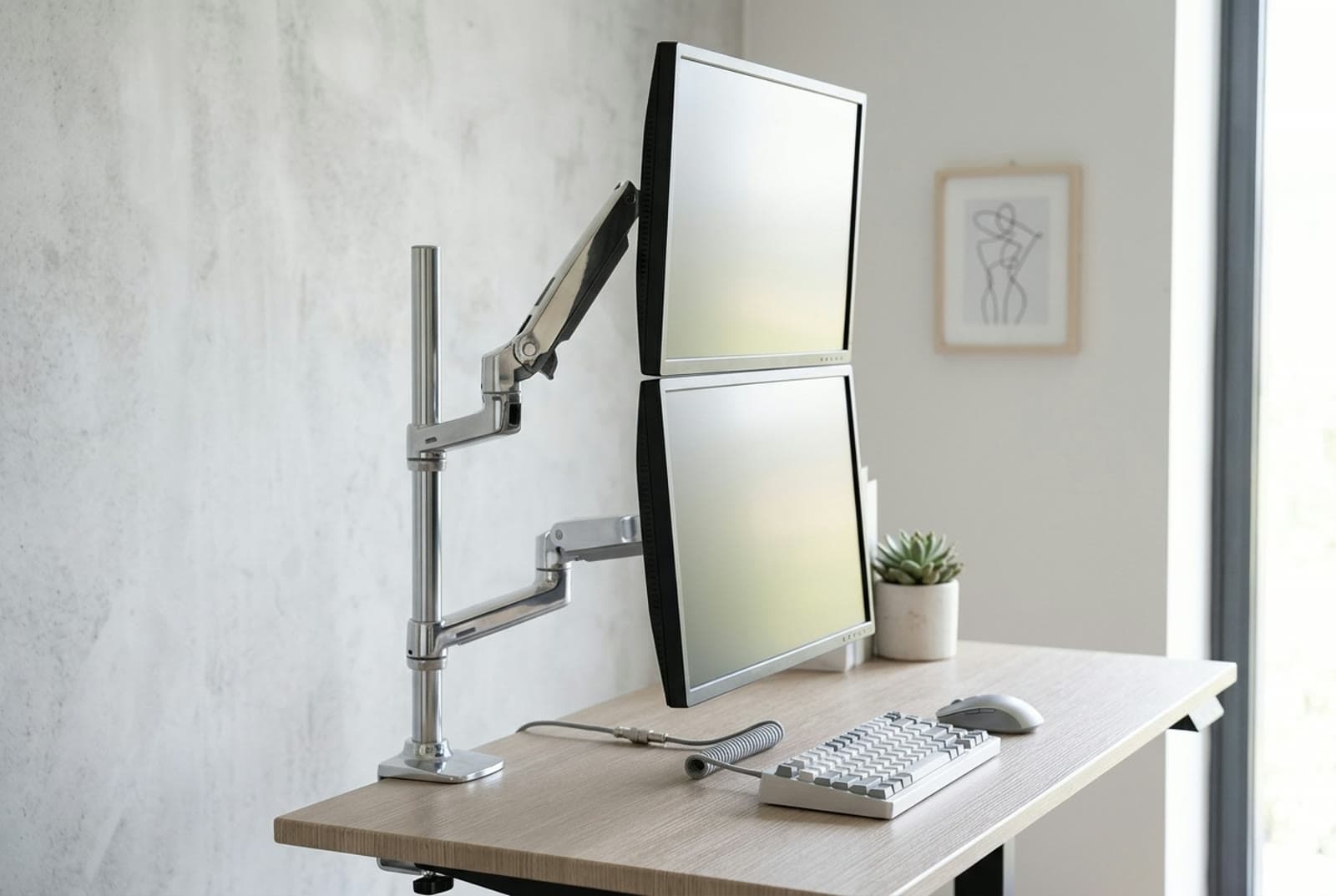
Every other pick here puts your screens side by side, which needs desk width you may not have. The tall-pole LX Dual Stacking Arm solves the narrow-desk problem by going vertical: a 22-inch pole carries two arms that stack one screen above the other, each with 13 inches of lift, 75° of tilt and 360° of pan and rotation. It supports screens up to 40 inches — by a wide margin the highest size ceiling in this guide.
Check the model number, because Ergotron sells two arms under almost the same name and they are not interchangeable. The tall-pole 45-509 is the one rated 7 to 22 lbs per monitor for screens up to 40 inches; the standard 45-248 rides a 12-inch pole and stops at 24-inch screens at 7 to 20 lbs. And there is a ceiling above both per-arm figures: Ergotron publishes a 40 lb combined limit, so two monitors at the 22 lb maximum — 44 lbs together — is a configuration the mount's own spec sheet does not allow. Budget for a heavy screen plus a lighter one, not two heavy ones.
It uses Ergotron's mechanical Constant Force spring rather than a gas strut, which is why sag complaints are rare and Ergotron is comfortable publishing a 10-year warranty — there's no gas to leak. Clamp hardware takes desk edges 0.63 to 2.6 inches thick and a grommet plate is in the box. The catch is the tall pole: it raises the centre of gravity, so it wants a solid, thick desk, and stacking two large screens can push the top one uncomfortably high. At a $529 list it costs roughly as much as the other five picks put together — but it's the arm for a narrow desk or a permanent over-under layout.
What we like
- Vertical stacking reclaims a narrow desk that side-by-side mounts can't use
- Constant-force spring resists sag; 10-year warranty
- Highest screen-size ceiling here at 40 in per arm
- Published clamp range of 0.63–2.6 in, grommet plate included
Worth knowing
- 40 lb combined cap means you cannot load both arms to their 22 lb rating
- $529 list — about what the other five picks in this guide cost together
- Tall pole needs a solid desk; the stacked top screen can sit high
- Layout
- Stacked (vertical) on a 22 in pole
- Max load
- 7–22 lbs per arm; 40 lbs combined
- Fits
- Up to 40 in per screen
- Travel
- 13 in of lift; 75° tilt, 360° pan and rotation
- VESA
- 75×75, 100×100 mm
- Mount
- Clamp 0.63–2.6 in, or grommet
- Warranty
- 10 years
The verdict
For most people the HUANUO DS18 is the one to buy — two independent gas-spring arms that float each screen, a top-of-table 22 pounds per arm with no combined cap working against it, and a price under a third of the premium options. Check your desktop first, though: HUANUO excludes particle board and softwood outright, which is a harder line than most makers draw. On a tight budget the VIVO STAND-V002 gets two screens off the desk for $40, as long as you're happy setting the height by hand and leaving it there.
Buying for a symmetrical pair of 24–27 inch screens, the North Bayou F160 is the well-damped middle, and at 4.4 pounds it publishes the lowest floor here for how light a screen it can hold — just accept that North Bayou publishes no warranty at all. If coverage is what you're paying for, the Mount-It! MI-1772 carries a lifetime warranty, longer than anything else in this guide, and its per-arm and combined ratings agree with each other. Step up to the Jarvis Dual for a refined, buy-once arm with a decade of coverage — weighing your panels first, because 19 pounds per arm is the lowest ceiling here. And if your desk is narrow, the Ergotron LX Dual Stacking Arm goes vertical, and its mechanical spring has no gas strut to leak — provided your two screens together come in under its 40-pound cap.
Whatever you pick, weigh your monitors before you shop, then measure your desktop at the rear edge and check it against that arm's own published clamp range — a dual mount puts both screens through a single attachment, and choosing between a clamp and a grommet is decided by what your desk is made of, not by which method sounds sturdier.
Frequently asked questions
Not always, and this is the single most useful thing to check before you buy a dual. Some makers publish a combined cap that is lower than twice the per-arm figure. Ergotron rates the tall-pole LX Dual Stacking Arm at 7–22 lbs per monitor but caps the pair at 40 lbs, so 44 lbs of screens is outside its own spec. Mount-It's MI-1772 publishes 19.8 lbs per arm and 40 lbs total, which is consistent — both arms can be loaded to their rating. HUANUO and VIVO publish 22 lbs per arm with no combined figure at all. Look for the total, and if there isn't one, assume the base and clamp were designed around roughly twice the per-arm number and leave headroom anyway.
A single dual mount is cheaper, uses one desk clamp, and keeps two screens visually connected — ideal for a matched pair. Two separate single arms cost more and take two clamp points, but each screen positions completely independently, you can space them further apart, mix very different sizes, or add a screen later. There's also no shared weight cap to trip over. For two similar monitors close together, buy a dual. For a big ultrawide plus a mismatched second screen, two single arms usually work better — pair a heavy-duty mount from our ultrawide monitor arm guide with a lighter one, or start with the sub-$50 single arms if the second screen is small.
Yes, if it uses independent arms rather than a rigid crossbar. Every pick in this guide runs two separately articulating arms, so a 27-inch main next to a 24-inch second — or one screen in portrait — lines up fine. What matters is weight, not just size: check each monitor's weight without its stand, stay under the per-arm rating, and check the combined cap too. Put the heavier screen on the arm nearest the post to reduce leverage on the base.
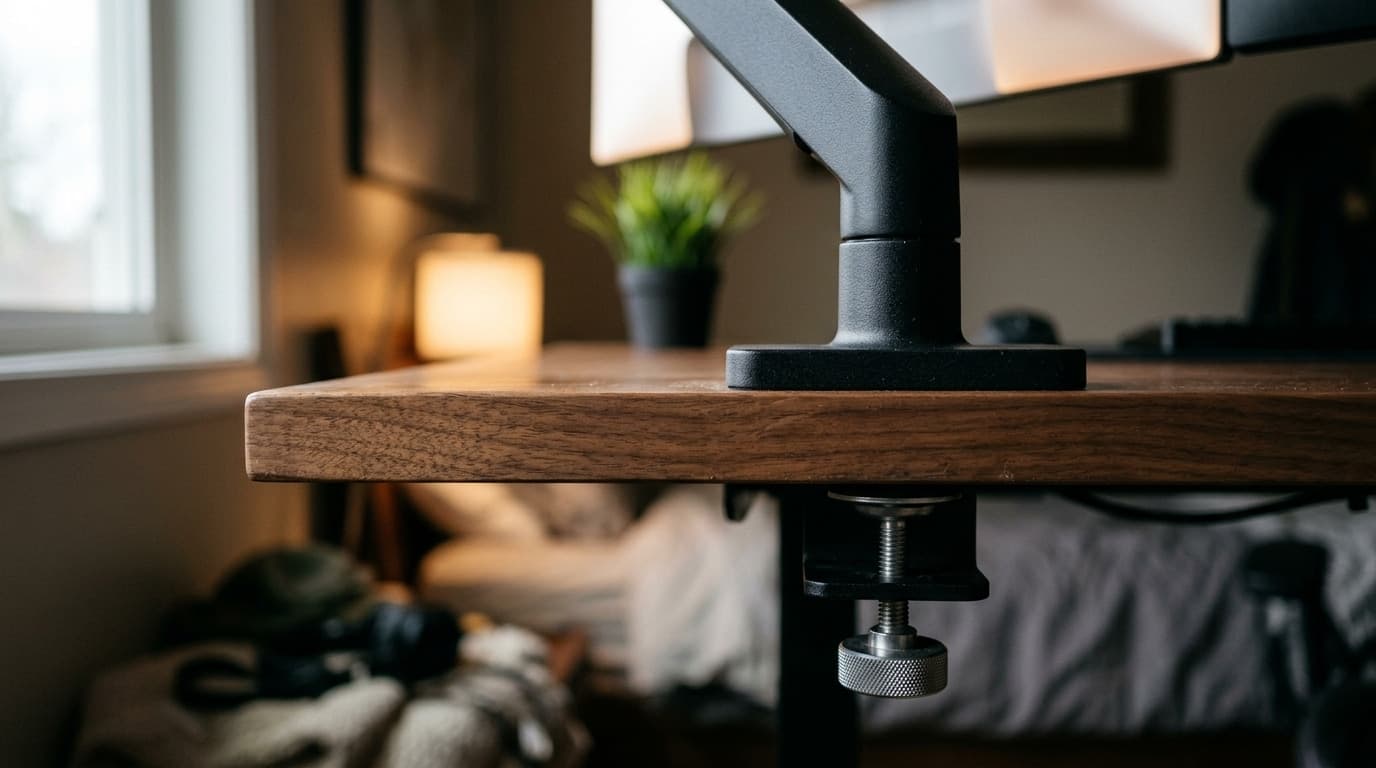
The risk with duals is real because one clamp carries both screens' weight and their leverage. Check the maker's own exclusions first — HUANUO, for example, states outright that its DS18 is not compatible with particle board or softwood desktops, which rules out a lot of flat-pack desks regardless of how heavy your monitors are. Then confirm your desk edge is flat and within the clamp's published thickness range: 0.39–2.56 inches for the HUANUO, up to 3.25 inches for the VIVO, 0.63–2.6 inches for the Ergotron. If the top is thin, or the edge is beveled or waterfall-shaped, use the grommet mount instead — bolting through the surface spreads the load far better than a clamp.
A gas-spring arm (HUANUO, North Bayou, Mount-It, Jarvis) floats each screen to a new height one-handed and holds it — best if you adjust often or switch between sitting and standing. A fixed-post arm (VIVO STAND-V002) is set once by hand and left there — cheaper and high-capacity, but no float. A constant-force mechanical spring (Ergotron) does what a gas spring does without a gas strut to leak over time, which is the engineering argument for resisting long-term sag. What it is not is a proxy for warranty length: the longest term in this guide belongs to a gas-spring arm (Mount-It's lifetime), and the gas-spring Jarvis matches Ergotron's ten years. Buy the mechanism for how it behaves, and read the warranty separately.
Two screens double the cable count, so route each cable through the arm's channel and down into a single path — an under-desk tray or raceway keeps it invisible. The most common mistake is too little slack: on a sit-stand desk, raise the arms to full height before you bundle, and anchor the cables at two points (the arm hinge and under the desktop) so a service loop absorbs the movement instead of yanking a connector loose.
Keep building your setup
Monitor Arms
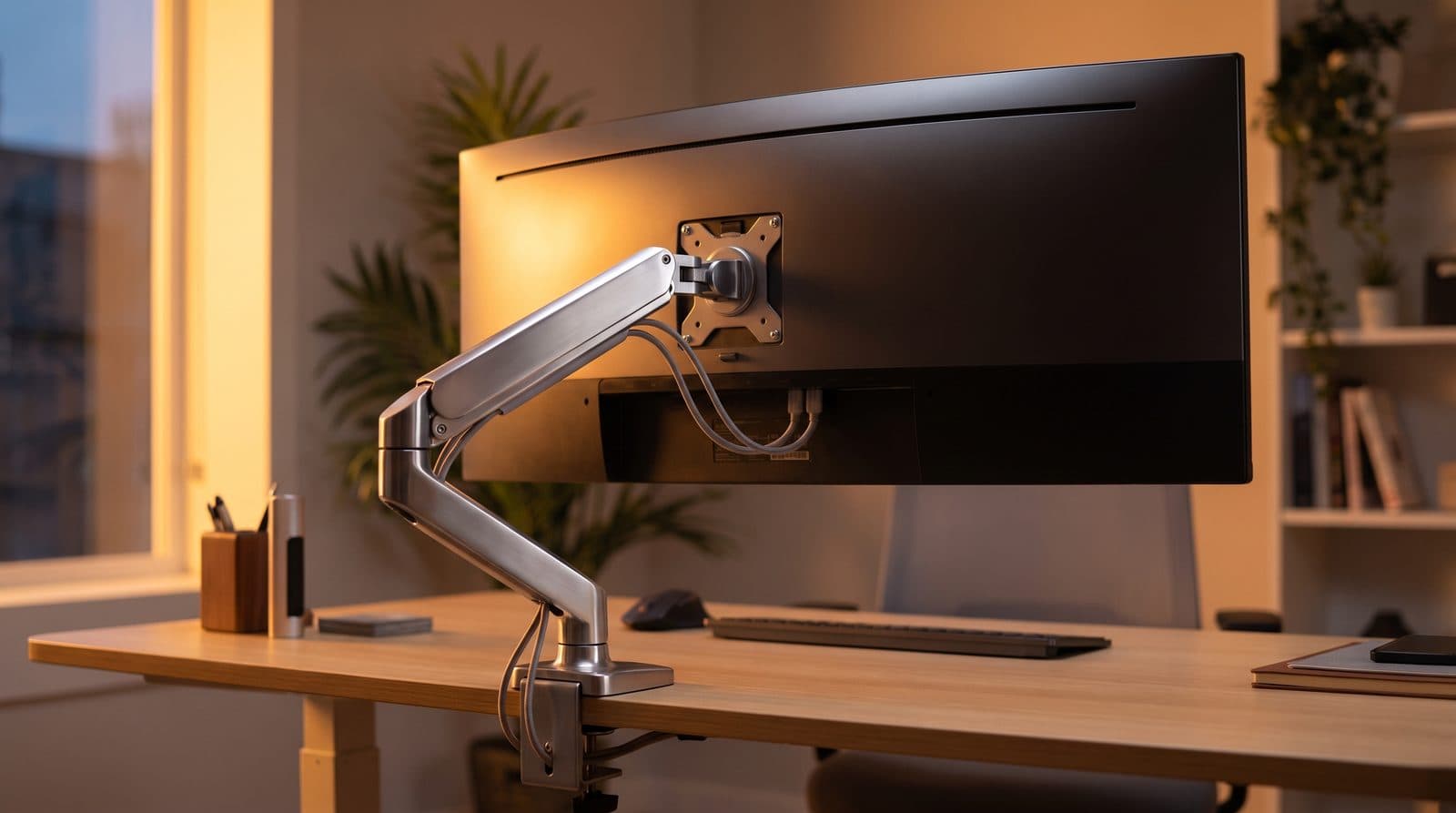
The Best Monitor Arms for Ultrawide Monitors in 2026
Ultrawides are heavy, and most arms quietly aren't rated for them. Five arms that hold 34- to 49-inch screens without sagging — matched to monitor weight.
Updated September 11, 2026
Monitor Arms
The Best Budget Monitor Arms Under $50 in 2026
You don't need to spend Ergotron money to get your monitor off the desk. Four single arms under $50 — compared on the capacity, reach and warranty their makers actually publish.
Updated September 16, 2026
Monitor Arms
Clamp vs. Grommet: How to Attach a Monitor Arm to Your Desk
Every monitor arm ships with a clamp and most also include a grommet base, and the box tells you nothing about which one your desk can actually take. Here is the decision, measured — including the desks where the honest answer is neither.
Updated August 17, 2026
Get the next guide in your inbox
One short email when we publish or meaningfully update a buying guide. No spam, no daily deals firehose.