 Rigworthy
Clamp vs. Grommet: How to Attach a Monitor Arm to Your Desk
By Rigworthy Editorial Team · Updated August 17, 2026
Rigworthy is reader-supported: we may earn a commission if you buy through our links, at no cost to you. How we make money
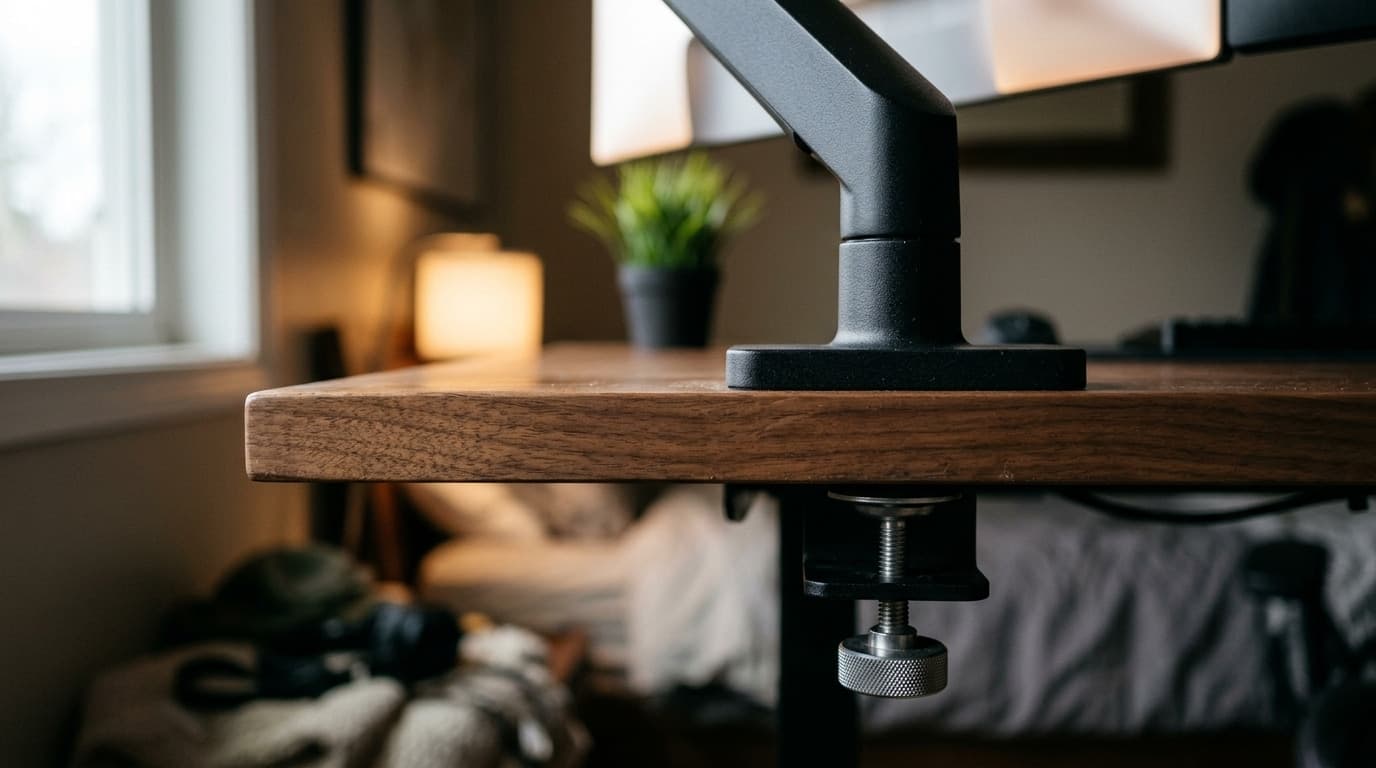
Every monitor arm ships with a way to attach it to your desk, and usually two: a clamp that grips the rear edge, and a grommet base that bolts through a hole in the desktop. The instructions explain how to fit each one. They almost never explain which one you should be fitting, and that decision is made by your desk, not by your monitor or your budget.
It matters more than it sounds. Getting it wrong is how you end up with a dented laminate top, a shattered glass desk, an arm that slowly drifts downward over six months, or a permanent hole in a desk you now want to sell. Getting it right takes four measurements and about two minutes.
The short version is that the clamp is the default and the grommet is the specialist, and most people should fit the clamp that came in the box. But there are specific, common situations where the clamp physically cannot do the job — and a couple of desks where the honest answer is that neither method is safe as shipped. This guide covers all three cases, using manufacturers' own published mounting specifications rather than estimates.
The short version
- For most desks and most people, use the clamp that came in the box. It is included, it is reversible, and it is the option every arm is designed around.
- Choose a grommet mount when the clamp physically cannot reach — a desk edge blocked by a frame, a return, a modesty panel, or a monitor that needs to sit further back than the base can reach.
- The measurement that decides it is desktop thickness at the rear edge, where the mount actually goes, not at the front edge where you happen to have a tape measure.
- A grommet is not automatically the answer for a thicker desk. On Ergotron's own LX drawing the clamp is rated to 2.4 in and the bundled grommet base to 2.25 in, and VIVO publishes a single figure covering both methods.
- Manufacturer ranges vary enormously — the Ergotron LX clamp stops at 2.4 in, VIVO rates its arms to 3.25 in — so the only number worth trusting is the one on your own arm's spec sheet.
- On tempered glass and honeycomb-core desks, neither method is safe as shipped. The fix is a steel spreader plate, or a mount that never touches the desktop at all.
Measurements here come from manufacturers' own published mounting specifications, not from our estimates. Read the full methodology.
What each attachment actually does
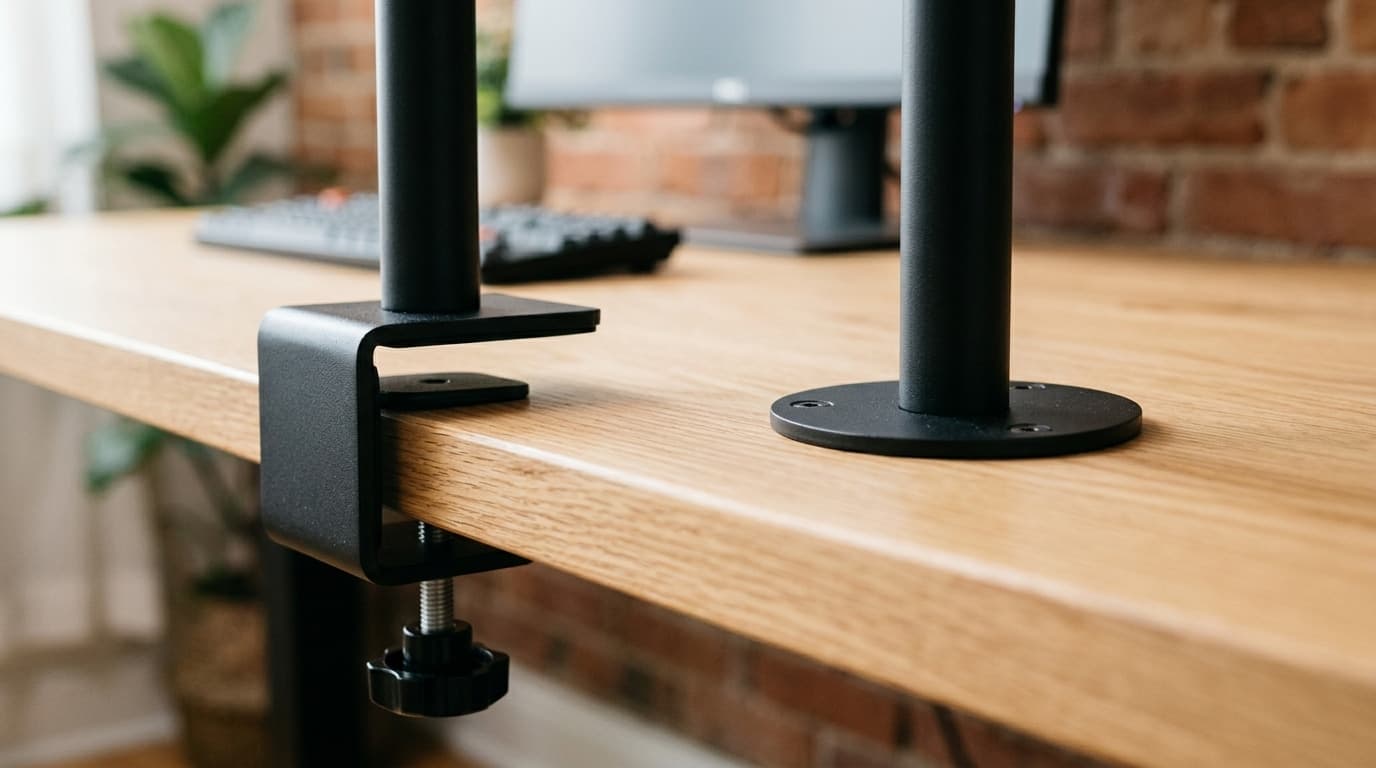
A desk clamp is a vice. Two jaws close on the rear edge of your desktop — one plate above, one below — and a bolt draws them together until friction and pressure hold the post upright. Nothing is drilled and nothing is permanent. Ergotron calls the two-piece version "the most common option" in its own desk-attachment literature, and notes that it can slide on from the back or the side of the desk, or be disassembled entirely and reattached in place when there is no clearance behind the desk at all.
A grommet mount is a bolt. The arm's post sits on a plate on top of the desk, a threaded bolt drops through a hole in the desktop, and a large washer or backing plate pulls up against the underside. The desktop itself is sandwiched between two pieces of steel. Ergotron's guidance is that you reach for it "when mounting to edge of desk is not available or not preferred," and when the "base does not reach edge of desk when monitors are in desired location" — that second case being the one people usually overlook.
There are two more attachments you will see on spec sheets, both borrowed from contract office furniture. A C-clamp under-mount grips from below and is designed for situations where there is very little room under the desk; Ergotron specifies 1.2 in (31 mm) of clear edge to slide it on from the back, and it sits with a 0.8 in (20 mm) setback from the edge to leave room for divider panels. A C-clamp top-mount does the same job but is fitted from above the desk. Both are, in Ergotron's own words, the "less common option."
The important thing is that these are not quality tiers. A grommet mount is not the upgrade and a clamp is not the compromise. They are two different answers to the same question — how do I get a vertical post to stay vertical — and which one is correct is decided almost entirely by your desk, not by your monitor or your budget.
| Attachment | Desk thickness | What it needs | Reversible? |
|---|---|---|---|
| Two-piece desk clamp | Up to 2.4 in (60 mm) on the Ergotron LX; 0.6–2.59 in (16–66 mm) on the heavier HX; up to 3.25 in on VIVO's arms | Clear space under the desktop, and access from the back or side | Yes — no permanent change |
| C-clamp (under-mount) | Model-dependent | 1.2 in (31 mm) of clear desk edge; sits 0.8 in (20 mm) back from the edge | Yes |
| Grommet mount | 2.25 in (57 mm) for the LX's bundled base; up to 3 in (76 mm) for Ergotron's separate LX grommet kit; up to 3.25 in on VIVO's arms | A hole within the arm's stated range — 0.31–2 in (8–51 mm) on Ergotron's LX kit — with the bolt centred in it | No — the hole is permanent |
It is a torque problem, not a weight problem
The single most useful thing to understand about desk mounting is that the load on the attachment is not the weight of your monitor. It is the weight of your monitor multiplied by how far forward of the mount it sits. A 15 lb display parked 18 in in front of the post applies roughly 22 lb-ft of tipping moment to that attachment, and that is the number trying to peel your clamp off the desk or lever your grommet bolt out of the desktop.
This is not our theory. Ergotron prints it on the LX's own dimensional drawing: the arm is rated 7–25 lbs, followed by the note that a "monitor depth greater than 2.5 in (64 mm) may diminish capacity." A deeper monitor moves its centre of mass further from the arm, and the manufacturer reduces the rating accordingly. Depth, not just weight.
Three practical consequences follow. First, an arm at full extension is working far harder than the same arm tucked in, which is why arms that feel rock-solid on the showroom floor develop a bounce when you actually pull the screen toward you. Second, a heavy ultrawide is a bigger mounting problem than its weight alone suggests, because it is both heavy and wide — see our ultrawide arm guide for arms specced for it. Third, and most relevantly here, this is exactly the load that a thin or hollow desktop is bad at resisting, because the force arrives as concentrated pressure on a small patch of material rather than as an even weight spread across the desk.
It also explains the honest answer to "which is stronger." Neither, categorically. A clamp resists that moment through friction on the desk edge, so it depends on how much solid material the edge has. A grommet resists it through the desktop panel itself, so it depends on how much solid material surrounds the hole. Give either one good material and both are fine. Give either one 3 mm of veneer over cardboard and both fail.
The four measurements to take before you order
Nearly every mounting failure and return traces back to one of these four numbers going unmeasured. They take about two minutes with a tape measure, and they are worth more than any amount of reading reviews.
1. Thickness at the rear edge. Not the front edge, not the middle. Measure where the mount will actually sit, because desks taper, carry a thicker edge band at the front, or have a laminate lip. Compare that number against your arm's published clamp range — it will be an explicit range, and both ends matter. A desktop that is too thin will not develop enough clamping pressure any more than one that is too thick will fit the jaws.
2. Clear depth under the rear edge. The clamp's lower jaw and its tightening bolt need somewhere to go. This is where standing desks routinely fail: steel crossbars, frame rails, cable trays, control boxes and modesty panels all live exactly where the clamp wants to be. Measure the unobstructed depth from the rear edge forward, and remember the obstruction does not have to be at the edge to matter — it only has to be within the mount's footprint.
3. Clear height under the desktop. A conventional clamp tightens with a hand bolt underneath, and that bolt needs vertical room to turn. If your desk sits over a drawer unit, a keyboard tray or a rolling file cabinet, check that you can actually get a hand in there — and consider a low-profile clamp that tightens from above.
4. Where the screen needs to end up. This is the measurement people skip, and it is the one that most often forces the grommet decision. Sit down, decide where the monitor should be, and work backwards to where the post must stand. If that position is 8 in in from the back edge — a deep desk, a corner unit, a screen that has to clear a return — no clamp reaches it, and the clamp-versus-grommet debate is already over.
When to use a clamp (which is most of the time)
If your desk has a solid rear edge in the arm's thickness range, clear space behind and below it, and the monitor can live near the back of the desk, use the clamp. It ships in the box, it costs nothing extra, it takes ten minutes, and — the part that matters more than people expect — it is completely reversible.
That reversibility is worth real money. A clamp lets you move the arm 6 in to the left when you add a second screen, switch desks without buying new hardware, and hand the desk back at the end of a lease without explaining a hole in it. If you rent, or if there is any chance you will reconfigure the desk within a couple of years, the clamp is not the compromise option — it is the correct one.
Two habits make a clamp behave. Use the rubber or foam pads that come with it, on both jaws; they are not packaging, they are what stops a steel plate from denting a laminate top and what supplies the friction holding everything in place. And retighten it after about a week. Every clamped joint relaxes slightly as the pads compress and the desktop takes a set, and a quarter-turn at the one-week mark is the difference between an arm that stays put for years and one you keep noticing has sagged.
Against our own commercial interest: do not buy a grommet accessory speculatively "in case." Most arms include both bases already, and if yours does not, the clamp will almost certainly be fine. Fit the clamp first and find out.
When to use a grommet
Four situations make the grommet genuinely the right call. Outside them, the clamp is almost always the better answer.
The clamp cannot reach the spot. Deep desks, corner units and L-shaped returns all put the ideal screen position further forward than any edge-mounted base can serve. This is Ergotron's own stated case for the grommet: use it when the "base does not reach edge of desk when monitors are in desired location."
The edge is not available. A hutch, a back panel, a wall-hugging desk with no clearance behind, an edge occupied by a pegboard clamp or a cable tray, or a frame rail running exactly where the clamp needs to sit. If the edge is spoken for, the grommet goes through the middle of the desk and ignores the problem entirely.
You want the cleanest possible look. A grommet base is smaller on top and has nothing hanging below the desk. On a floating or wall-facing desk where the underside is visible, that is a real aesthetic difference, and it pairs well with routing the cables straight down through the same hole.
You are worried about crushing the edge. On a softer top — bamboo, low-density particleboard, thin MDF — a grommet spreads its load through the panel and against a wide backing washer, rather than pinching a narrow strip of edge material between two plates. It is gentler on the material, provided the desktop around the hole is solid.
What a grommet is not is an automatic strength or capacity upgrade. Both methods carry the same rated monitor load on a given arm, and the thickness numbers do not reliably favour the grommet: on Ergotron's LX dimensional drawing the desk clamp is rated to 2.4 in (60 mm) while the bundled grommet base is 2.25 in (57 mm), and VIVO publishes one maximum desktop thickness — 3.25 in — that covers its C-clamp and its grommet alike. Ergotron's separate LX grommet kit does go further, to 3 in (76 mm), which is the point: the ordering depends on the exact part, not on the method. If you have a genuinely thick slab desk, check both numbers on your own arm rather than assuming the grommet is the one that will fit.
The trap: your desk's existing hole is probably the wrong size
"My desk already has a grommet hole" feels like it settles the question. Often it does not, because the hole in your desk was cut to pass cables, not to carry a bolt, and the two are sized for different jobs.
Ergotron's LX grommet kit is specified for through-surface holes of 0.31–2 in (8–51 mm), and its dimensional drawing adds that the bolt must be centred in the hole. Factory cable ports start at the top of that range and go up from there: the common sizes are 50 mm, 60 mm and 80 mm (roughly 2, 2.4 and 3.1 in), with 60 mm the workhorse and 80 mm increasingly standard to accommodate power modules and USB hubs. A 50 mm port is right at the limit, a 60 mm port is past it, and an 80 mm port is half again wider than the largest hole the mount was designed for.
That gap matters because a grommet mount works by sandwiching solid desktop between the top plate and the underside washer. Widen the hole enough and the washer is no longer bearing on much of anything — it is spanning a void, with the clamping force concentrated on a thin annulus of material at the rim. Before you plan around an existing hole, measure it, then check it against your arm's specified hole diameter and the diameter of the backing washer in the box.
If the hole is oversized you have three options: a grommet reducer or spacer ring that fills the gap and re-establishes a proper bearing surface, a larger aftermarket backing plate that spans well past the hole, or drilling a correctly-sized hole elsewhere and capping the old one with a standard grommet cover. What you should not do is bolt through an 80 mm hole with a 40 mm washer and hope.
Four desks that break both methods
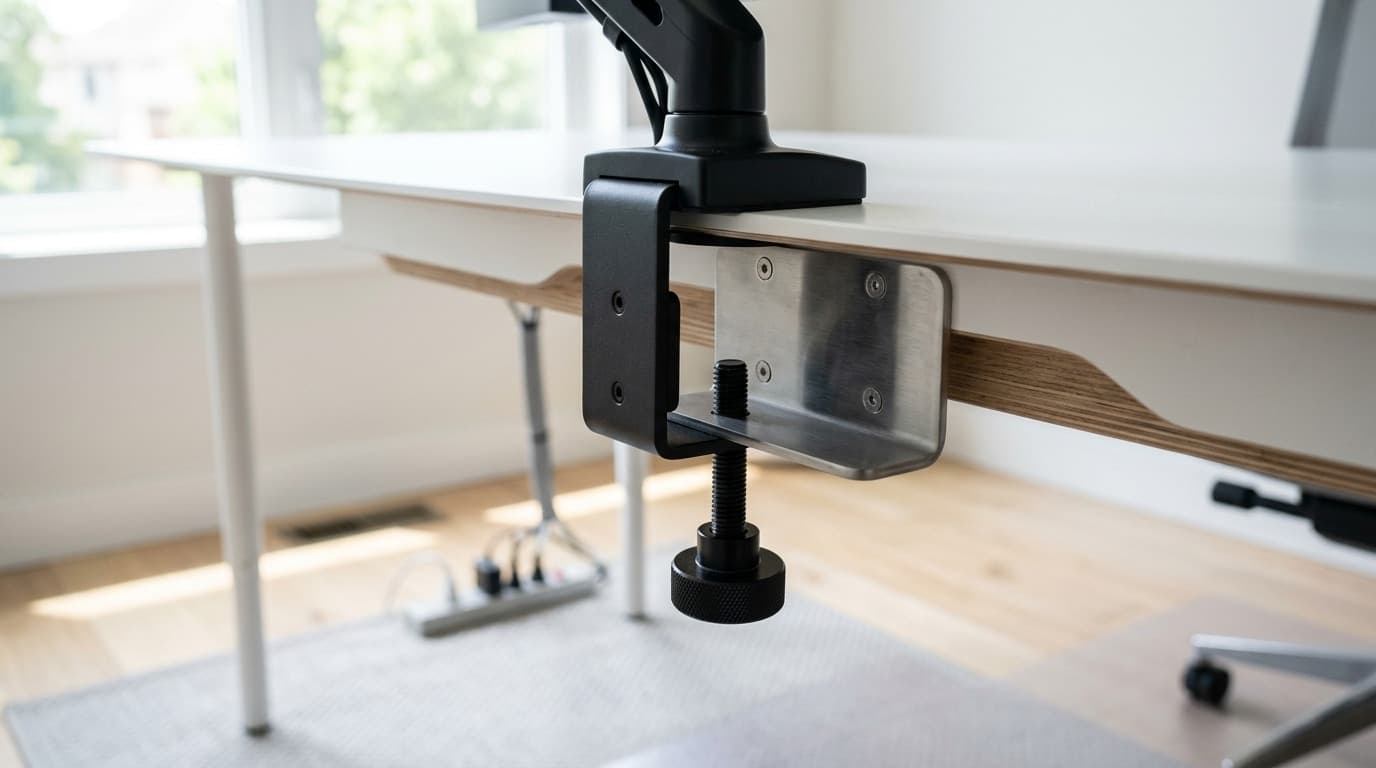
Tempered glass. Tempered glass is strong against evenly distributed load and unpredictable against concentrated point pressure, and when it fails it does not crack — it goes to fragments all at once. Its edges are its most vulnerable region, which is precisely where a clamp goes. And the grommet route is not an alternative here: tempered glass cannot be drilled after tempering, so unless the pane was manufactured with a hole in it, that option does not exist. If you are mounting to glass, use a clamp on a pane of adequate thickness with a wide reinforcement plate above and below to distribute the pressure, keep it away from the very edge, and replace any pane that already has a chip before loading it.
Honeycomb and hollow-core tops. Many inexpensive desktops — the IKEA LINNMON family is the well-known example — are two thin fibreboard skins over a paper honeycomb filler. There is nothing structural in the middle for either method to grip. A clamp tightened normally will dish or punch through the skin; a grommet bolt compresses the same void from a different angle. The fix is not a different mount, it is a steel spreader plate under the clamp that turns a point load into a distributed one, and gentle tightening. Around $15 of steel is a better purchase here than a more expensive arm.
Thick solid slabs. The opposite failure. A 2 in butcher-block or solid hardwood top exceeds the jaw range of plenty of arms — the Ergotron LX stops at 2.4 in and gets tight before that once you account for a chunky edge profile. Options are a heavy-duty arm with a wider range (Ergotron's HX reaches 2.59 in, VIVO rates its arms to 3.25 in), a deeper replacement C-clamp, or a grommet — which on a solid slab is genuinely excellent, since there is plenty of material around the hole and nothing to crush. Just confirm the grommet part you are buying is itself rated for the thickness, because the base bundled with an arm is not always the one with the widest range.
Standing desks. Sit-stand frames are the most common modern obstruction problem, and it is worth checking before you buy either the desk or the arm. Crossbars, steel frame rails, control boxes, cable trays and mounted power strips all compete for the space under the rear edge. Measure the clear depth and height at the exact spot the post needs to stand. A grommet is often the clean way out, because it drops through the desktop in front of the frame rather than fighting it — and if you are still shopping, our standing desk guide flags frame designs that leave the rear edge accessible.
When neither one works
Occasionally the honest answer is that your desk cannot take a desk-mounted arm, and it is better to know that before you have drilled a hole in it. Four routes out, roughly in order of how often they are the right call.
A spreader plate. The cheapest fix and the one most people need. A flat steel reinforcement plate under the clamp jaw distributes the load across a much wider area, which is what makes a clamp viable on thin, hollow-core or soft tops. They cost very little and are sold specifically for this.
A freestanding base. A weighted post that simply stands on the desktop, or a stand that sits behind the desk on the floor. No clamping, no drilling, no thickness requirement at all, and the only real option for a glass top you are not willing to risk. It costs desk space, which is much of the reason you wanted an arm.
A wall mount. If the desk is against a wall and you can hit studs, a wall-mounted arm takes the desk out of the equation completely and frees the entire desktop. The trade is that it is fixed where you put it, and it is the least renter-friendly option on this list.
A different desktop. If you are already replacing the desk, buying a solid top and a separate frame lets you choose thickness and cut your grommet holes exactly where you want them. Worth knowing if the current desk is a honeycomb top you have already been fighting.
The bottom line
Fit the clamp. That is the right answer for the large majority of desks, and it is the one the arm was designed around: it is included in the box, it takes ten minutes, it leaves no permanent mark, and it lets you move or replace the whole setup later without buying anything. If you rent, or if there is any real chance you will rearrange the desk in the next couple of years, the clamp is not the budget option — it is the correct one.
Reach for the grommet when the clamp physically cannot do the job. That means one of four things: the screen needs to sit further forward than any edge-mounted base can reach, the rear edge is occupied by a frame rail or a hutch or a panel, the underside is visible and you want nothing hanging below it, or the top is soft enough that you would rather spread the load through the panel than pinch the edge. Those are real situations and the grommet solves them properly. What it is not is an automatic strength or thickness upgrade — on Ergotron's own LX drawing the clamp is rated for a slightly thicker desktop than the bundled grommet base, and VIVO quotes one figure for both.
Before you order anything, take the four measurements: thickness at the rear edge, clear depth behind it, clear height beneath it, and where the screen actually needs to end up. Then check them against your specific arm's spec sheet rather than against the numbers in this guide, because the ranges vary enormously between models — the Ergotron LX clamp stops at 2.4 in, VIVO rates its arms to 3.25 in, and both are perfectly normal arms. If your desk is tempered glass or a honeycomb-core top, treat both methods as unsafe until you have added a reinforcement plate, and remember that tempered glass cannot be drilled at all.
With the attachment settled, the arm itself is the easier decision. If you are running two screens, the dual monitor arm guide covers the load and clearance maths that a second display adds. If you have a heavy 34-inch or 49-inch panel, arms specced for ultrawides is where to start, since panel weight and depth both work against the mount. And if you just want a screen at eye level for as little as possible, the sub-$50 arms are genuinely good now — just check their clamp range against that rear-edge measurement first.
Frequently asked questions
Not inherently. Both are rated for the same monitor loads on the same arm, and the thickness specs do not consistently favour either one — Ergotron's LX drawing gives 2.4 in for the clamp and 2.25 in for the bundled grommet base, while VIVO publishes a single 3.25 in maximum covering both. What actually determines stability is how much solid desktop material the mount has to work with. A grommet through a solid hardwood slab is superb; a grommet through a honeycomb top is worse than a clamped one with a spreader plate. Choose by the desk, not by the reputation of the method.
On solid wood, thick laminate or steel, no — provided you use the supplied rubber or foam pads and do not overtighten. On softer materials it can. Low-density particleboard, thin MDF and bamboo can compress under a clamp's concentrated pressure, and honeycomb-core tops can dish or fail outright. If your top is soft, thin or hollow, add a steel spreader plate under the lower jaw. It is inexpensive, invisible once installed, and converts a point load into a distributed one.
With care, and only with a clamp. Tempered glass cannot be drilled after tempering, so the grommet route is off the table unless the pane came with a hole. If you clamp, use a pane of adequate thickness, fit a wide reinforcement plate above and below the glass so the pressure is spread rather than concentrated, keep the clamp back from the vulnerable edge, and do not tighten aggressively. Any pane with an existing chip or crack should be replaced before you load it. If that sounds like more risk than you want, a freestanding weighted base avoids the question entirely.
Measure it first, then check it against your arm's own stated range — Ergotron's LX grommet kit, for example, is specified for holes of 0.31–2 in (8–51 mm). Factory cable ports are typically 50, 60 or 80 mm across, so a 50 mm port sits right at that limit and the larger sizes are past it. A hole that is too large leaves the backing washer spanning a void instead of bearing on solid material. If yours is oversized, use a reducer ring or a larger backing plate that spans well past the hole, or drill a correctly-sized hole elsewhere and cap the old one.
Very common. Measure the unobstructed depth and height under the rear edge at the exact point the post needs to stand, since crossbars, control boxes and cable trays all compete for that space. If the clamp cannot fit, the usual answers are a grommet mount that drops through the desktop in front of the frame, a low-profile clamp that tightens from above rather than below, or moving the arm laterally to a clear section of the edge. Failing all three, a wall mount or freestanding base sidesteps the frame completely.
Yes, and almost nobody does. Clamp pads compress and the desktop takes a set over the first days of use, so check the clamp bolt after about a week and give it a quarter turn if there is any play. The same applies to a grommet bolt. Most reports of an arm that has slowly drifted or developed a wobble are a mount that was correct on day one and never checked again.
Keep building your setup
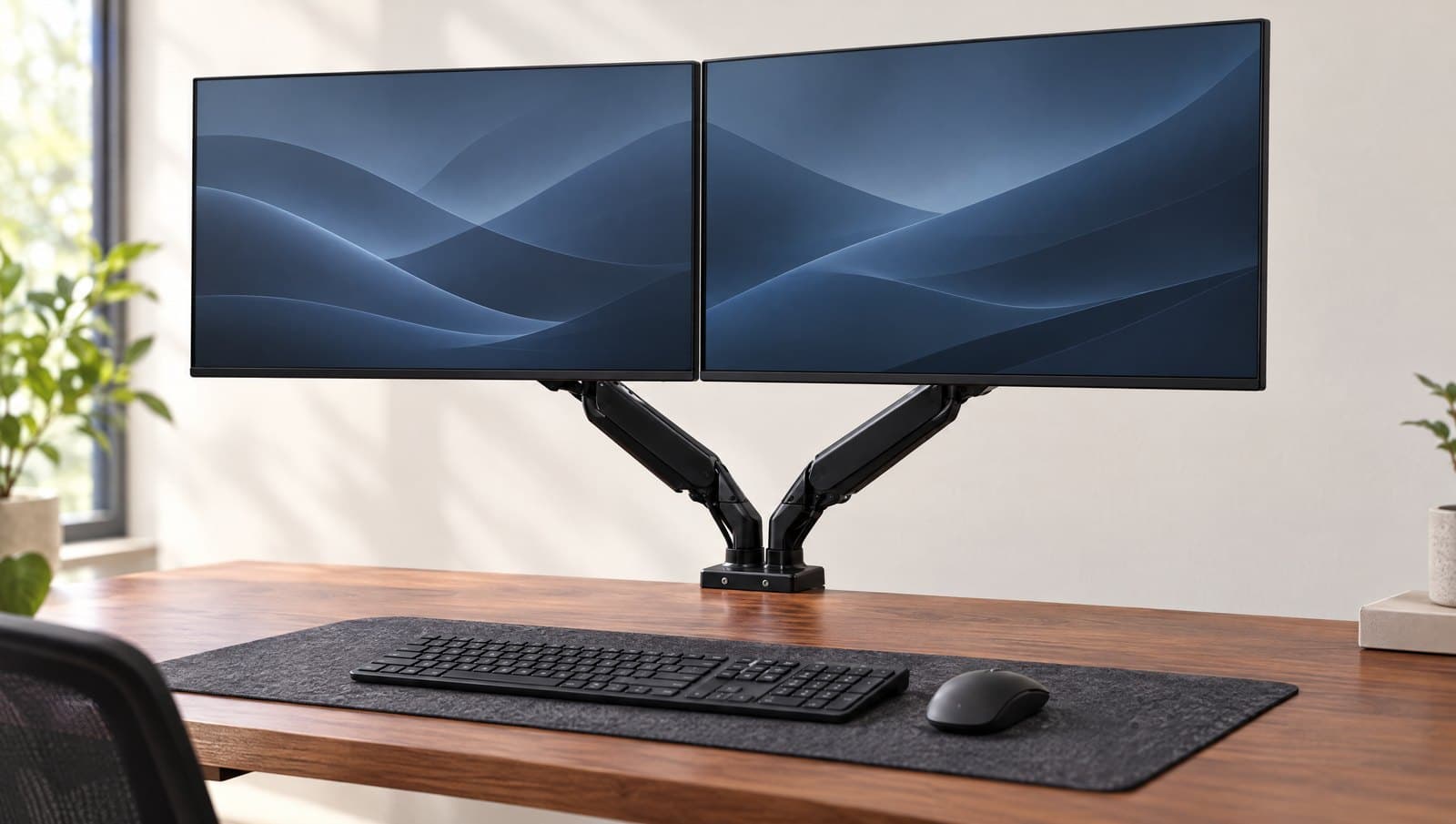
Monitor Arms
The Best Dual Monitor Arms in 2026
Two screens, one mount — and one number the listings bury: several of these arms publish a combined weight cap lower than twice their own per-arm rating. Six dual mounts sorted by layout, load and warranty.
Updated September 20, 2026
Monitor Arms
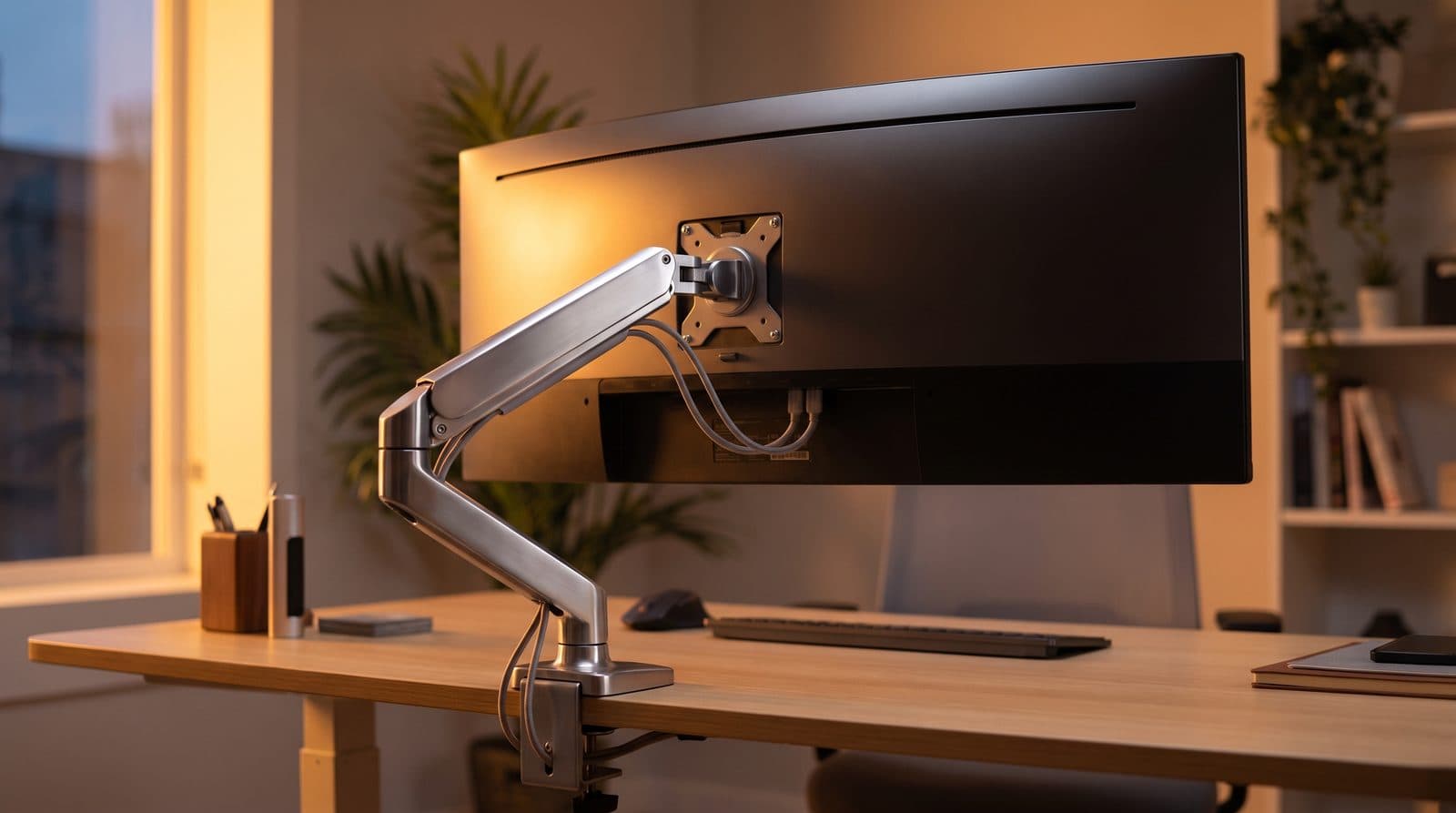
The Best Monitor Arms for Ultrawide Monitors in 2026
Ultrawides are heavy, and most arms quietly aren't rated for them. Five arms that hold 34- to 49-inch screens without sagging — matched to monitor weight.
Updated September 11, 2026
Monitor Arms
The Best Budget Monitor Arms Under $50 in 2026
You don't need to spend Ergotron money to get your monitor off the desk. Four single arms under $50 — compared on the capacity, reach and warranty their makers actually publish.
Updated September 16, 2026
Get the next guide in your inbox
One short email when we publish or meaningfully update a buying guide. No spam, no daily deals firehose.