 Rigworthy
The Best Ergonomic & Split Keyboards for 2026
By Rigworthy Editorial Team · Updated July 31, 2026
Rigworthy is reader-supported: we may earn a commission if you buy through our links, at no cost to you. How we make money
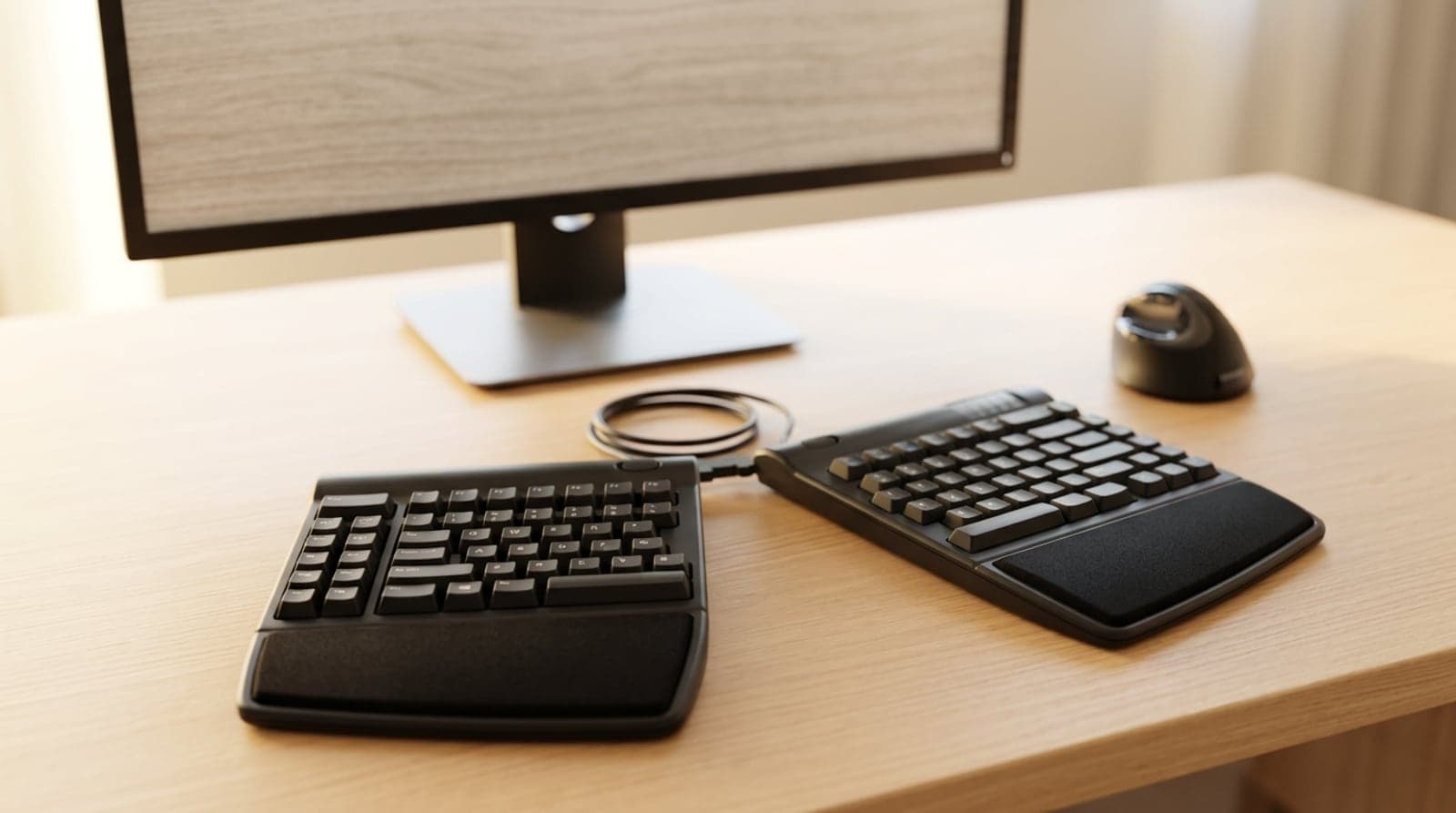
A straight, flat keyboard is one of those things you never question until your wrists start filing complaints. It forces your hands into two unnatural positions at once: your wrists bend outward toward your little fingers, and your forearms roll flat so your palms face straight down. Hold that for eight hours a day across years of desk work and the strain quietly compounds into the wrist, forearm, and shoulder ache a lot of office workers just learn to tolerate. An ergonomic keyboard is the fix — and unlike most ergonomic gear, the good ones are genuinely pleasant to use, not a compromise you endure.
But "ergonomic keyboard" covers a huge range, from a keyboard that looks almost normal to a pair of scooped-out wells you'll spend a fortnight relearning to type on. The single question that sorts them is how far each one goes: a gentle curve straightens your wrists; separating the halves opens your shoulders; tenting the inner edges stops your forearms rolling flat; and a contoured well does all of it at once. More correction means more relief — but also, past a point, a real relearning period. This guide lines up six of the best from mild to radical, so you can pick the one your hands and your patience are ready for. Specs and prices reflect what manufacturers publish as of mid-2026 and street prices move with sales; none of this is medical advice, and if your pain is persistent or severe, see a professional.
Our top picks at a glance
- 1
- 2
- 3
- 4
- 5
- 6
How we chose
- How far it corrects your posture — a gentle curve fixes the wrists; only splitting the halves apart opens the shoulders
- Tenting: whether it lifts the inner edges to stop your forearms rolling flat, and if that's built in or a separate kit
- The relearning curve — near-zero on curved boards, one to four weeks on columnar and contoured layouts
- Switch feel and wrist-rest height — quiet scissor keys versus tunable mechanical, and a palm rest that matches the board's height
- Honest value: where a $60 board delivers most of the benefit and where the extra money buys real adjustability
Our picks come from spec research, long-term owner feedback, and category expertise — not sponsorships. Read the full methodology.
Compared side by side
| Product | Award | Type | Splits & tents | Typical price |
|---|---|---|---|---|
| Logitech Ergo K860 | Best Overall | Curved one-piece | Split curve, no separation | $100–130 |
| Logitech Wave Keys | Best Budget | Wave one-piece | None (gentle wave) | $50–60 |
| Incase Ergonomic Keyboard (Designed by Microsoft) | Best Sculpt Replacement | Domed split | Fixed dome, split keys | $80–140 |
| Kinesis Freestyle2 | Best Adjustable Split | Separable split | Separates; tent kit optional | $100–130 |
| ZSA Moonlander Mark I | Best Enthusiast Split | Tented columnar split | Separates + built-in tenting | ~$365 |
| Kinesis Advantage360 Professional | Best Contoured | Contoured well split | Separates + tented + dished | ~$450 |
1. Best Overall
Logitech Ergo K860
Typically $100–130
- First-time ergonomic buyers
- Office work with zero relearning
- Wrist and forearm strain, not shoulder
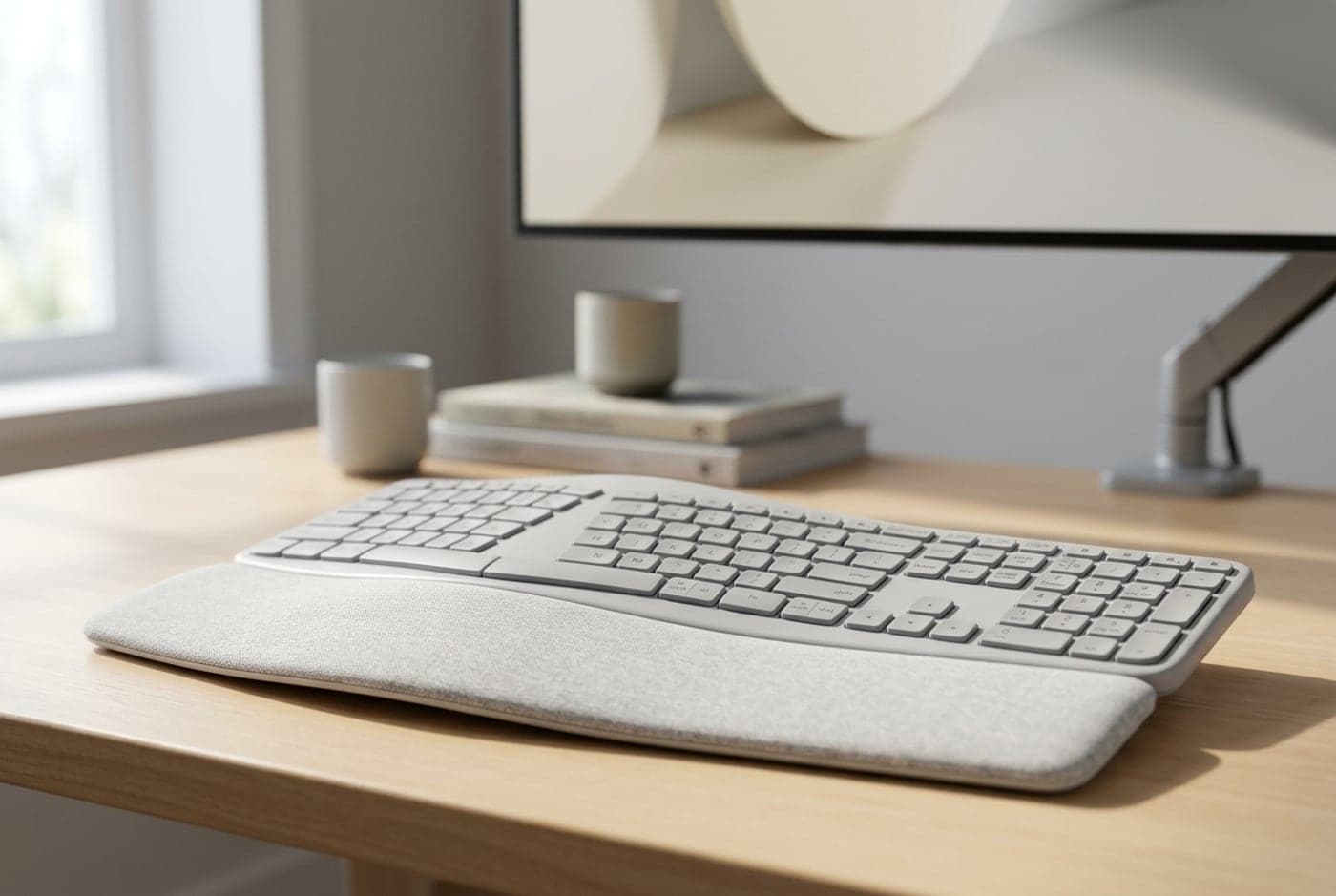
The K860 is the ergonomic keyboard to recommend to almost anyone, because it delivers most of the benefit while asking for none of the sacrifice. It's a one-piece board with a split, curved key layout — the keys fan apart in the middle and dish slightly — so your wrists stop bending outward (the ulnar deviation a straight board forces) without you having to relearn where anything is. A generous pillowed palm rest is built in, and a reverse-tilt design lifts the front edge so your wrists sit flat or slightly dropped rather than cocked upward. Type on it for five minutes and it feels normal; type on it for a week and your forearms notice the difference at the end of the day.
Two honest limits. First, it's curved, not separated: because the two halves are fused into one body, it relaxes your wrists but can't square your shoulders the way a keyboard whose halves pull fully apart can — if your strain is in your neck and upper back, look further down this list. Second, the scissor-switch keys are quiet and laptop-like, which most office workers prefer, but anyone chasing a satisfying mechanical feel won't find it here. It's wireless over Bluetooth and a Logi Bolt receiver across up to three devices, runs about two years on a pair of AAAs, and is the single easiest ergonomic upgrade on this page — the one we'd hand a first-timer without hesitation.
What we like
- Curved split layout relieves wrist and forearm strain with zero relearning
- Excellent built-in pillow palm rest and reverse-tilt for a neutral wrist
- Bluetooth + Logi Bolt across three devices, ~2-year battery
Worth knowing
- One-piece body can't open your shoulders like a fully separated split
- Quiet scissor switches, not a mechanical feel
- Type
- One-piece curved split, full-size
- Switches
- Scissor (low-profile, quiet)
- Wrist rest
- Integrated pillow rest
- Tenting
- Fixed curve + reverse tilt (no separation)
- Connection
- Bluetooth + Logi Bolt (3 devices)
2. Best Budget
Logitech Wave Keys
Typically $50–60
- Trying ergonomics cheaply
- Smaller desks and casual use
- A subtle look that isn't obviously 'ergonomic'
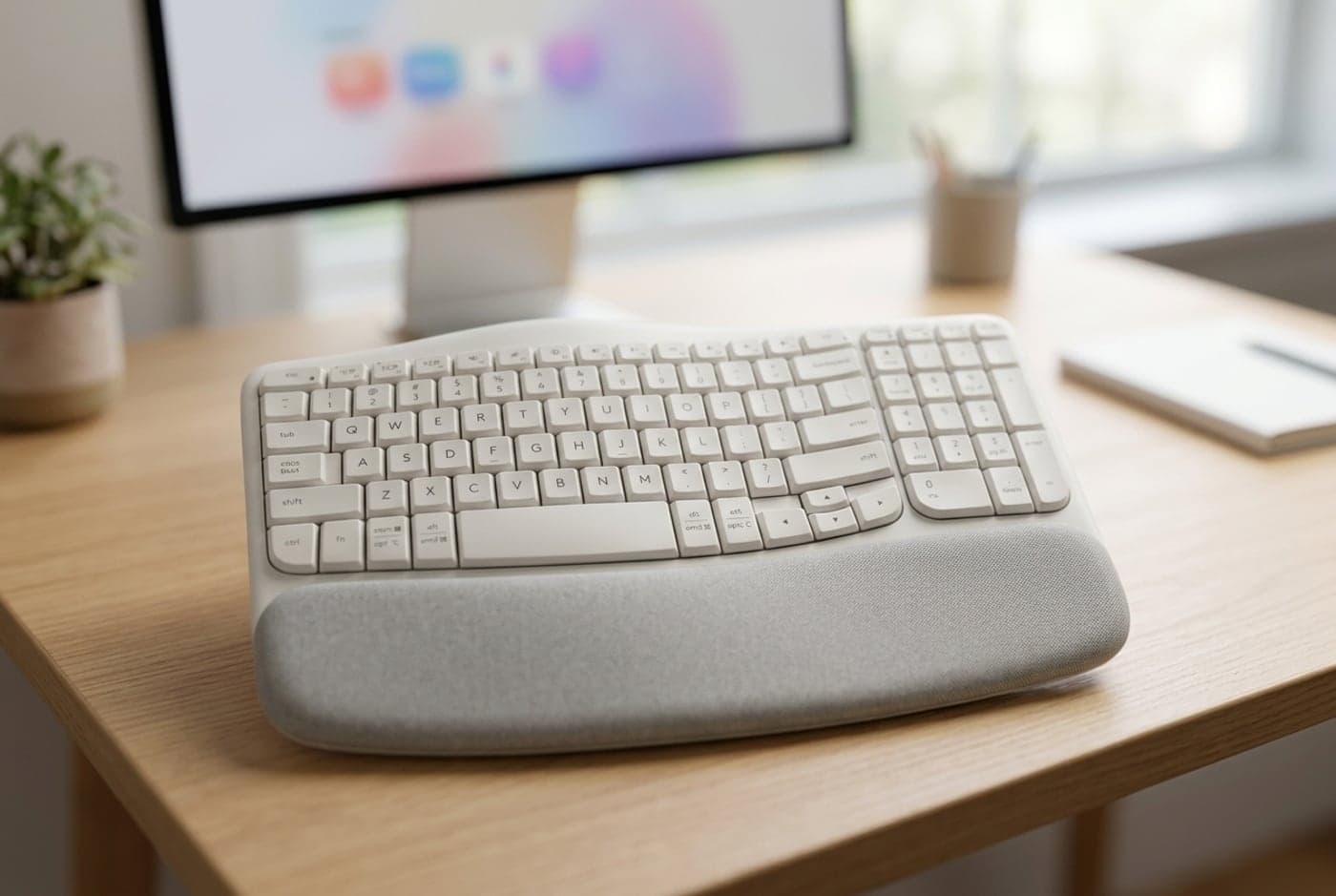
If the K860 is more board — or more money — than you want, the Wave Keys is the gentle on-ramp. Instead of a full split curve, its rows gently undulate in a wave so your fingers fall onto the keys at slightly kinder angles, and a soft memory-foam cushion runs the whole front edge to support your palms. It's more compact and far more subtle than a big ergonomic board — from across the room it just looks like a slightly wavy keyboard — which makes it an easy sell for a shared home or a desk with no room to spare. At around $50–60 it's the cheapest honest way to feel what a little wrist relief does for you.
Set expectations: the wave is a nudge, not a correction. It softens finger angles and gives your palms somewhere comfortable to land, but it doesn't split, tent, or dish, so it does less for serious pronation or shoulder posture than anything below it. The switches are quiet membrane, and it's wireless over Bluetooth and a Logi Bolt receiver with multi-year battery life. For mild, early strain — or for anyone who wants to test whether an ergonomic shape helps before spending real money — it's the smart, low-risk first step, and plenty of people are happy to stop here.
What we like
- The cheapest way to feel an ergonomic shape, around $50–60
- Cushioned memory-foam palm rest and quiet keys
- Compact, subtle, and wireless with long battery life
Worth knowing
- A gentle wave only — no true split, tent, or dish
- Membrane feel; limited help for serious strain or shoulder posture
- Type
- Wave (undulating rows), compact full-size
- Switches
- Membrane (quiet)
- Wrist rest
- Integrated memory-foam cushion
- Tenting
- None
- Connection
- Bluetooth + Logi Bolt
3. Best Sculpt Replacement
Incase Ergonomic Keyboard (Designed by Microsoft)
Typically around $80–140
- Fans of the discontinued Microsoft Sculpt
- A domed split with a detached numpad
- Wireless, quiet, dished comfort
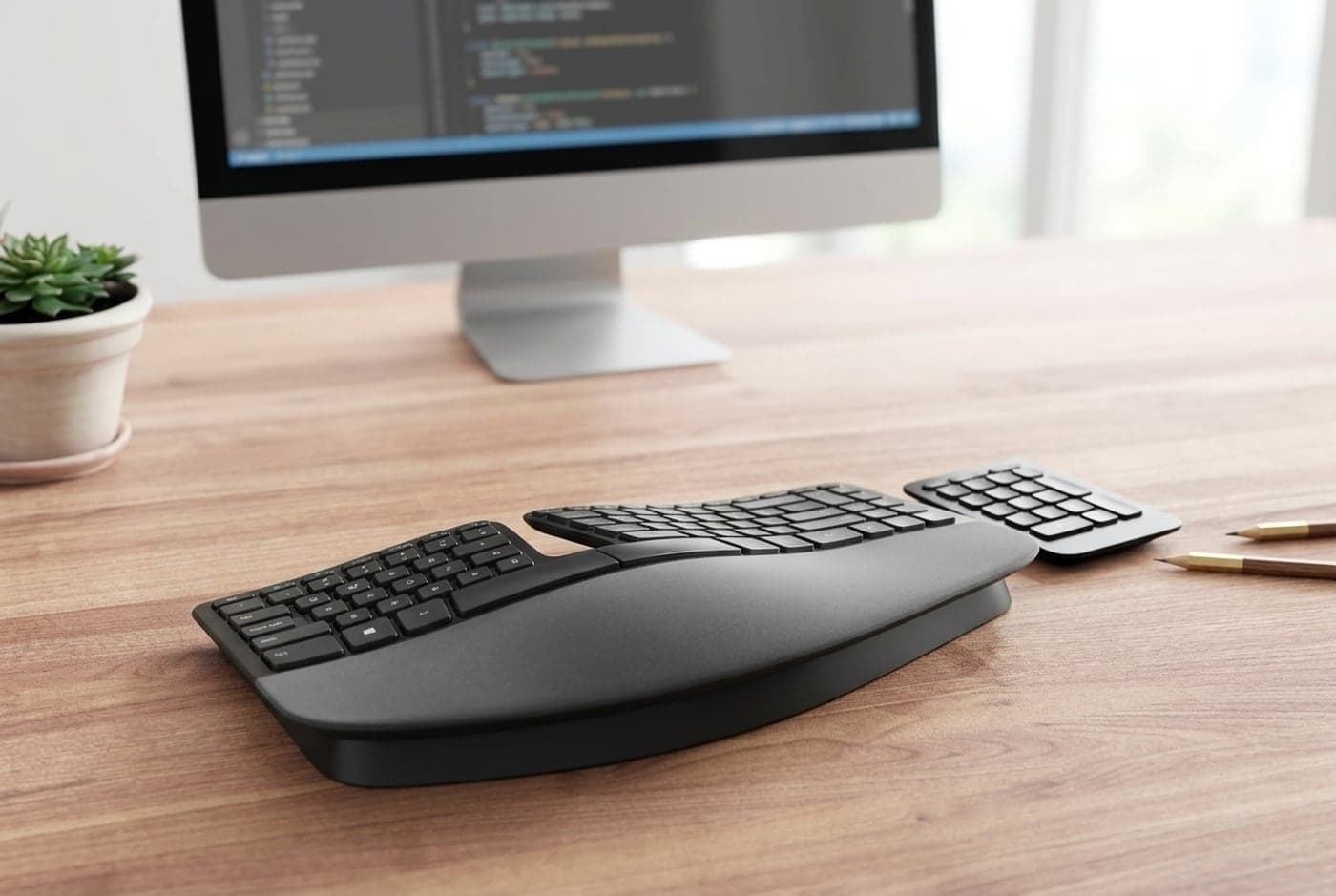
For years the answer to 'best ergonomic keyboard' was the Microsoft Sculpt Ergonomic — a domed, split-key board with a cushioned wrist rest and a separate numpad you could shove aside to bring your mouse closer. Microsoft exited the keyboard business in 2023 and the original is now discontinued, which sent used prices soaring. The good news: Incase licensed and revived the Microsoft-designed line, so the Sculpt's dome-and-split shape lives on. The domed model splits the keys and curves them up in the center to match the natural arc of your hands, keeps the beloved detachable numpad, and adds a modern touch or two. If you loved the Sculpt, or you keep reading that a Sculpt is the ergonomic board to get, this is how you actually buy that shape in 2026.
The honest caveat is availability. Incase's own listings have flickered between 'coming soon' and in-stock, and the line spans a wired basic model (cheaper), the wireless domed Sculpt-style board, and a compact contoured version — so check exactly which model and price is live before you commit, and expect stock to come and go at third-party retailers. Switches are quiet scissor/membrane, not mechanical. But no other board here nails the specific, much-loved Sculpt formula — a gentle dome, a real split, a cushioned rest, and a numpad that gets out of your mouse's way — and for a huge number of Sculpt refugees that formula is exactly the point.
What we like
- Revives the discontinued Microsoft Sculpt's dome-and-split shape
- Detachable numpad lets you bring the mouse in closer
- Quiet keys, cushioned rest, wireless on the domed model
Worth knowing
- Stock is intermittent — confirm the exact model and price is live
- Scissor/membrane feel; not a fully separable or tented split
- Type
- Domed split with detached numpad
- Switches
- Scissor / membrane (quiet)
- Wrist rest
- Integrated cushioned rest
- Tenting
- Fixed dome (no separation)
- Connection
- Wireless (domed model) / wired basic model
4. Best Adjustable Split
Kinesis Freestyle2
Typically $100–130
- Shoulder and upper-back posture
- Adjusting the gap to your shoulder width
- A separable split without relearning the layout
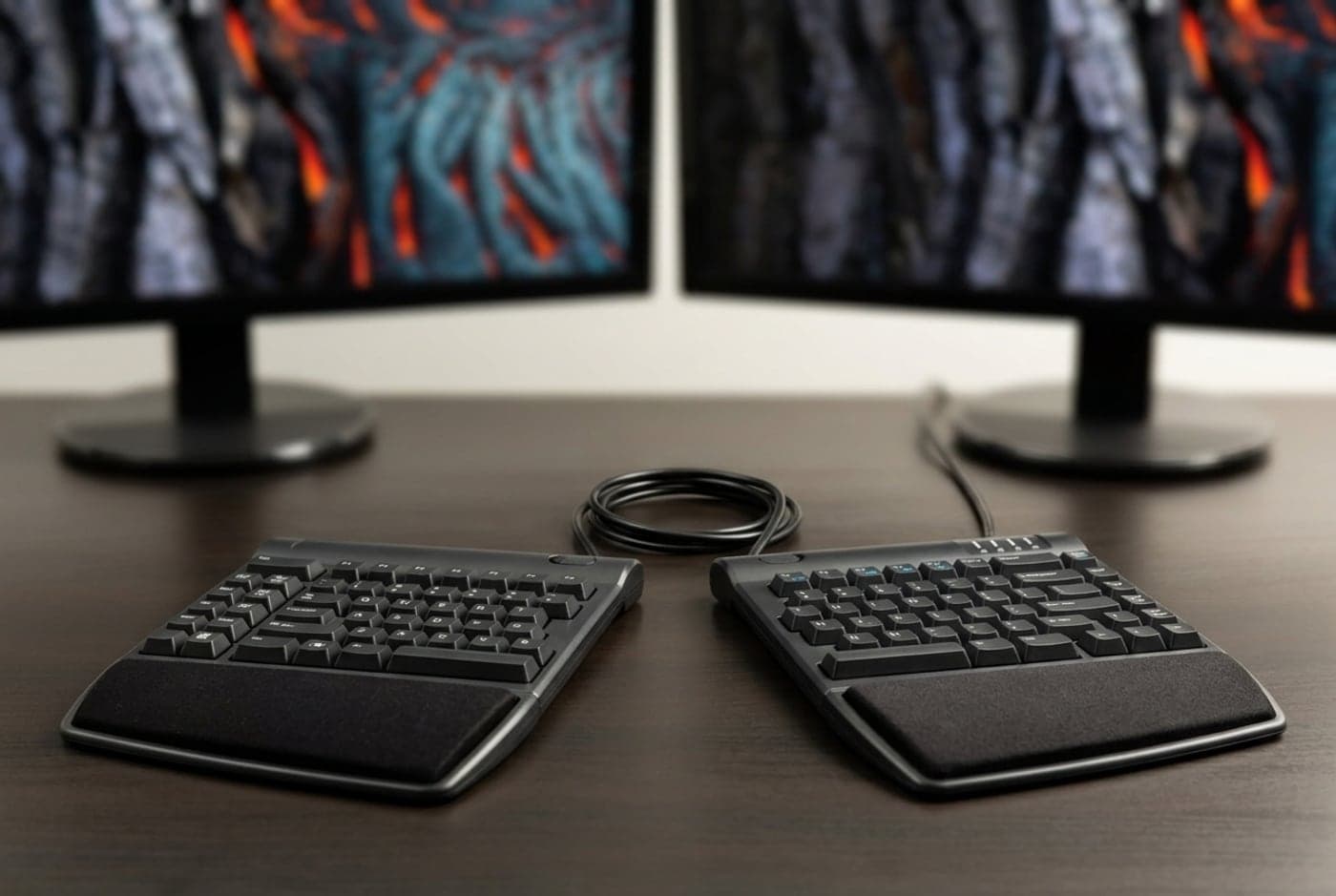
This is the first board on the list whose two halves physically come apart, and that changes what it can fix. A curved one-piece board relaxes your wrists; pulling the halves out to shoulder width also opens your chest and squares your shoulders, so the Freestyle2 is the pick when your strain lives in your neck and upper back, not just your wrists. Crucially, it keeps a completely normal, row-staggered layout — the keys are where you expect them — so unlike the columnar boards below it, there's almost nothing to relearn. You just slide the halves to a comfortable width (up to around nine inches apart) and type. It's the sensible, office-friendly separable split: quiet membrane switches, wired simplicity, and an optional palm rest.
The one thing to plan for is tenting. Out of the box the Freestyle2 lies flat, and flat still leaves your forearms rolled palm-down; the real magic of a split is angling the inner edges up so your hands tilt toward a handshake. Kinesis sells VIP3 and Ascent tenting accessories that add 5°, 10°, 15° — even up to 90° — and if shoulder and forearm relief is your goal, budget for one, because a flat split is only doing half the job. Even so, for most people who want the posture benefit of a true split without a learning curve or a mechanical-keyboard price, the Freestyle2 is the natural place to land.
What we like
- Halves fully separate to open the shoulders, not just the wrists
- Normal row-staggered layout — no relearning required
- Quiet, wired, and affordable for a genuine split
Worth knowing
- Flat by default — tenting is a separate accessory purchase
- Membrane switches and a slightly utilitarian look
- Type
- Fully separable split, standard layout
- Switches
- Membrane (quiet)
- Wrist rest
- Optional palm-support accessory
- Tenting
- Add-on VIP3 / Ascent kits (5°–90°)
- Connection
- Wired USB
5. Best Enthusiast Split
ZSA Moonlander Mark I
Typically around $365
- Going all-in on ergonomics
- Built-in tenting and hot-swap switches
- Programmable, tinkerer-friendly typing
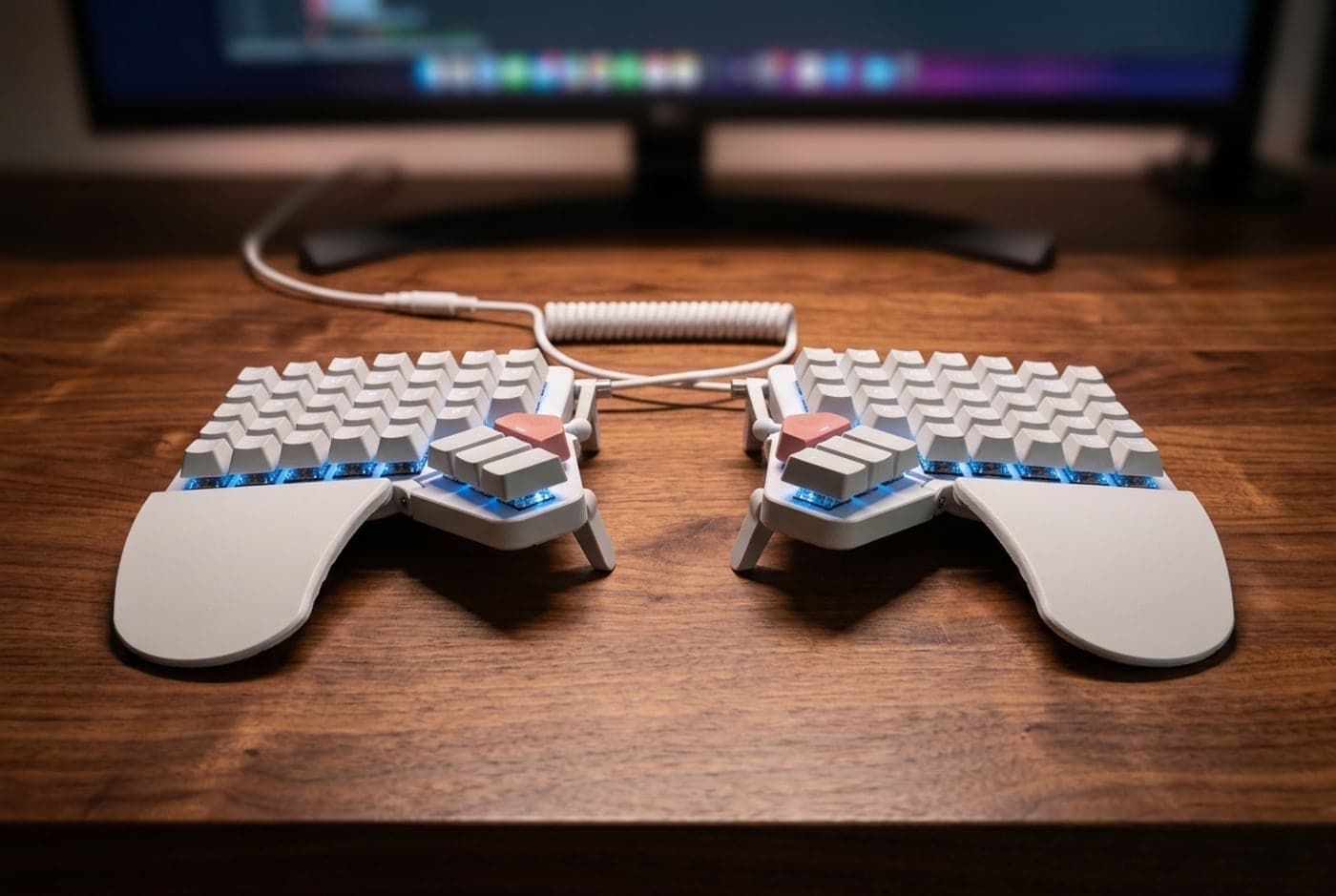
The Moonlander is where ergonomics stops being a mild upgrade and becomes a commitment — with the biggest payoff for people who type all day. Each half separates completely and tents up on integrated legs, so you set both the width and the angle exactly to your body. The layout is columnar (ortholinear): the keys sit in straight vertical columns instead of the staggered rows every normal keyboard uses, which lets each finger move in a straight line and puts a cluster of keys under your thumbs, where they're strong and underused. It's hot-swap mechanical, so you can drop in whatever switch feel you like without soldering, and it's deeply programmable through ZSA's Oryx configurator — remap every key, build layers, and make the board fit your hands rather than the other way around. Fold-out palm rests are included.
Be clear-eyed about the cost, in money and in time. At around $365 it's a serious purchase, and the columnar layout means a real adjustment period — expect one to a few weeks of slower, clumsier typing while your fingers unlearn the stagger. Some people bounce off it; those who stick with it rarely go back. It's wired and unapologetically enthusiast. But if you want the full ergonomic package — total separation, built-in tenting, a thumb cluster, hot-swap switches, and per-key programmability — the Moonlander delivers it in one of the most refined split boards you can buy, and it's the one to get before you graduate to a contoured well.
What we like
- Full separation plus built-in tenting — set width and angle precisely
- Hot-swap mechanical switches and deep per-key programmability
- Thumb clusters and columnar layout ease finger travel long-term
Worth knowing
- Columnar layout needs one to several weeks of relearning
- Expensive and wired; overkill for mild, occasional strain
- Type
- Separable tented columnar split
- Switches
- Hot-swap mechanical
- Wrist rest
- Included fold-out palm rests
- Tenting
- Built-in adjustable legs
- Connection
- Wired USB-C
6. Best Contoured
Kinesis Advantage360 Professional
Typically around $450
- Serious RSI or existing injury
- The most aggressive posture correction
- All-day typists who want the endgame
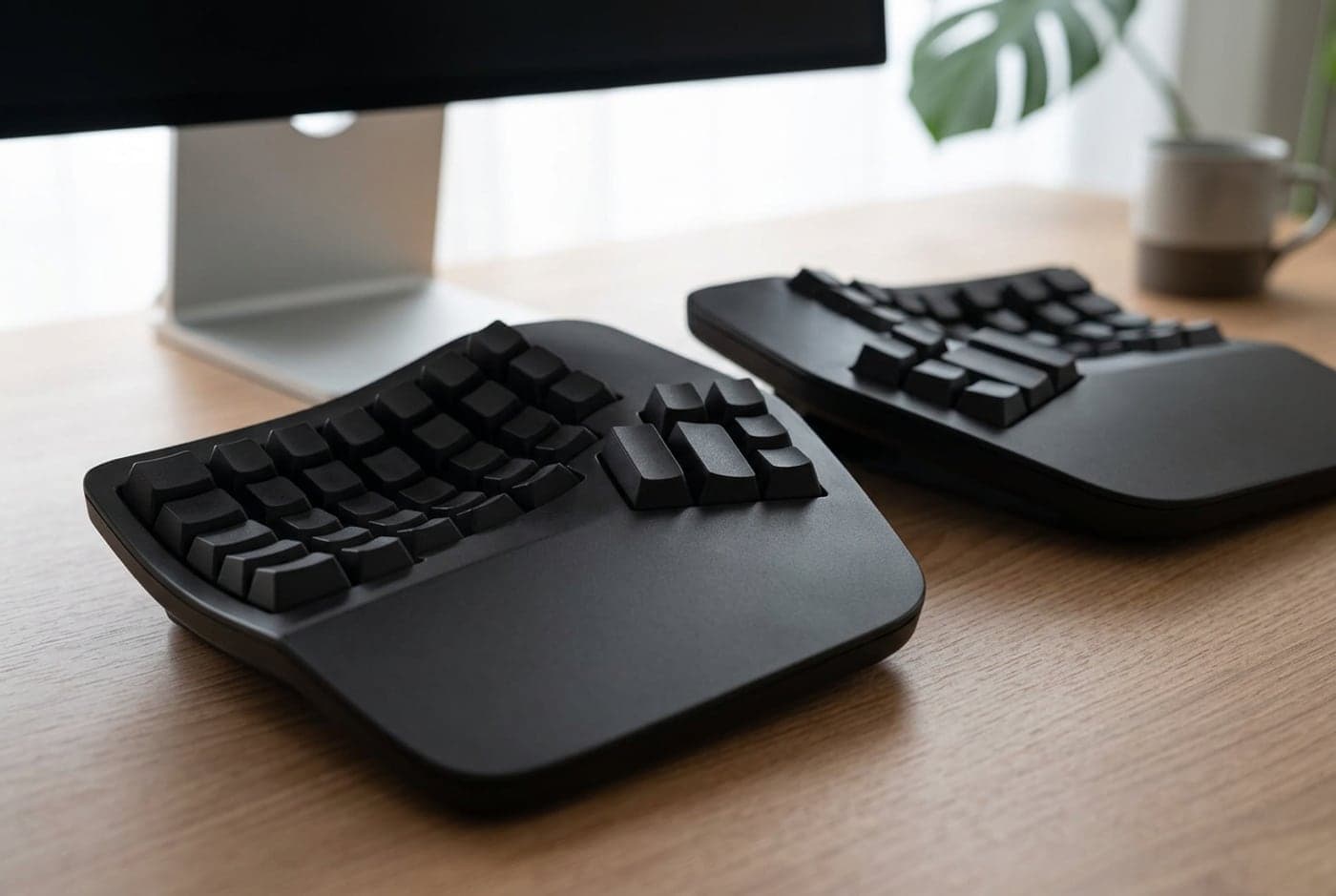
The Advantage360 is the endgame ergonomic keyboard, and it looks the part: instead of flat keys, each half is a concave, scooped well so your fingertips drop into keys that are contoured to different finger lengths, with a fat cluster of keys under each thumb. Combined with full separation and built-in tenting, that dished shape minimizes finger travel and keeps your wrists, forearms, and shoulders about as neutral as a keyboard can — which is why the Advantage line has been a long-standing recommendation for people managing genuine RSI or typing around an existing injury. The Professional model is wireless: Bluetooth across multiple devices plus wired USB-C, with the split halves talking to each other so you can spread them as wide as you like. It runs the open ZMK firmware, so it's fully programmable.
This is the most demanding board here to adopt, and the priciest — around $450, with the steepest learning curve of anything on the list. The contoured wells and columnar layout take real commitment; give it a few weeks before you judge it, and don't buy it as your first cautious step into ergonomics. But nothing else corrects your posture this thoroughly, and for someone whose livelihood depends on typing comfortably through pain, the Advantage360 is the one that finally does it. If you want an even lower-profile take on the contoured well, the MoErgo Glove80 (around $399) is the other board worth cross-shopping — flatter, lighter switches, similarly aggressive tenting.
What we like
- Concave key wells and thumb clusters minimize finger travel and strain
- Full separation, built-in tenting, wireless, and fully programmable
- The most thorough posture correction for serious RSI
Worth knowing
- Steepest learning curve and the highest price here
- Radical shape — not a first, cautious ergonomic step
- Type
- Contoured split with concave key wells
- Switches
- Mechanical (tactile or quiet linear)
- Wrist rest
- Integrated palm supports
- Tenting
- Built-in (3 settings)
- Connection
- Bluetooth + wired USB-C
The verdict
For most people, the Logitech Ergo K860 is the best ergonomic keyboard to buy: its curved, split-key layout and excellent palm rest relieve wrist and forearm strain with zero relearning, and it's a genuinely nice board to type on every day. It's the safe, high-value default.
From there, match the board to how far you need to go. On a tight budget, or just testing the water, the Logitech Wave Keys delivers a gentle ergonomic nudge for around $50. If you're mourning the discontinued Microsoft Sculpt, the Incase 'designed by Microsoft' board revives that exact dome-and-split shape — just confirm stock before you buy. When the strain is in your shoulders and neck rather than your wrists, you need a keyboard that actually comes apart: the Kinesis Freestyle2 separates to shoulder width with almost no learning curve, while the ZSA Moonlander adds built-in tenting, hot-swap switches, and full programmability for someone ready to commit. And at the far end, the contoured Kinesis Advantage360 is the endgame for serious RSI — the most thorough posture correction here, if you'll invest the weeks to adopt it. Whichever you choose, give it time to stop feeling strange, pair it with an ergonomic mouse and a supportive wrist rest so both hands are covered — though it is worth knowing that the sideways bend these boards fix is the direction the wrist tolerates least, at less than half the angle of the upward bend a rest addresses, which we set out in our keyboard height guide — and if quiet keys matter more than a split shape, a standard office mechanical keyboard is the other road worth weighing.
Frequently asked questions
For many people, yes — but the shape has to match the problem. A straight keyboard forces two strains at once: your wrists bend outward toward your pinkies (ulnar deviation) and your forearms roll palm-down (pronation). A curved or split board straightens the wrists; tenting the inner edges up reduces the pronation; and separating the halves to shoulder width opens your chest so your shoulders stop hunching in. So a gentle curved board like the K860 helps wrist and forearm strain, while neck and shoulder complaints really need a board whose halves pull apart and tent. None of this is a medical treatment, and results vary — if your pain is persistent or severe, see a professional — but a lot of desk workers report real relief within a couple of weeks of switching to the right shape.
A curved board (Logitech Ergo K860, Wave Keys, the Incase Sculpt-style) is one solid piece: the keys fan or wave apart in the middle, which relaxes your wrists, but the two halves are fixed together so the distance between your hands is set. A true split (Kinesis Freestyle2, ZSA Moonlander, Kinesis Advantage360) physically separates into two halves you can slide as far apart as you like and often tilt upward. That separation is the part that squares your shoulders and opens your chest. Rule of thumb: if your strain is only in your wrists and forearms, a curved board is enough and far easier to live with; if it's in your shoulders, neck, or upper back, you want a keyboard that actually comes apart.
It depends entirely on the layout, not the split. Curved and wave boards (K860, Wave Keys) keep a normal key arrangement, so there's essentially nothing to relearn — you're up to speed in minutes. A separable split with a standard layout, like the Kinesis Freestyle2, takes only a few days as your hands get used to the gap. The real adjustment is the columnar and contoured boards — the ZSA Moonlander and Kinesis Advantage360 — where the keys sit in straight vertical columns instead of staggered rows. Those take anywhere from one to four weeks of slower, clumsier typing before it clicks. If a long relearning period sounds miserable, stay with a curved or standard-layout split.
Microsoft left the keyboard business in 2023, so the Sculpt Ergonomic is discontinued and new stock has largely dried up (used units often sell at inflated prices). The direct successor is the Incase line 'designed by Microsoft,' which revived the same dome-and-split shape and the detachable numpad the Sculpt was loved for. Availability has been intermittent — Incase's listings flip between 'coming soon' and in-stock — so check which model is actually live before you buy. If you can't find one and want the closest still-in-production feel, a curved one-piece board like the Logitech Ergo K860 is the easiest substitute; if you're open to going further, a separable split fixes more than the Sculpt ever did.
Tenting — angling the inner edges of the keyboard up so your hands tilt toward a handshake rather than lying flat — is one of the biggest single comfort gains a split can offer, because a flat keyboard leaves your forearms fully rolled palm-down. Even 10–15 degrees makes a noticeable difference. Whether you have to pay extra depends on the board: the ZSA Moonlander and Kinesis Advantage360 have tenting built in, so you just set the angle. The Kinesis Freestyle2 lies flat and needs a separate VIP3 or Ascent tenting accessory, so if you buy one, budget for the kit too — a flat split is only doing part of its job.
Briefly, and only for some of them. Curved and wave boards won't slow you down at all — the keys are where you expect. A standard-layout split like the Freestyle2 costs you a few days of getting used to the gap. The columnar boards (Moonlander, Advantage360) genuinely will slow you down for one to several weeks while your fingers unlearn the staggered rows most people have typed on their whole lives — that's the price of their deeper ergonomic benefit, and it passes. If your work can't absorb a couple of weeks of reduced typing speed, start with a curved board or a standard-layout split rather than jumping straight to a columnar or contoured well.
Keep building your setup
Accessories
The Best Mechanical Keyboards for Office Use in 2026
A mechanical keyboard you'll love typing on doesn't have to annoy everyone around you. Five office-appropriate boards — from a silent $90 Cherry to a dampened aluminum flagship — chosen for how quiet they are, not just how they feel.
Updated July 31, 2026
Accessories
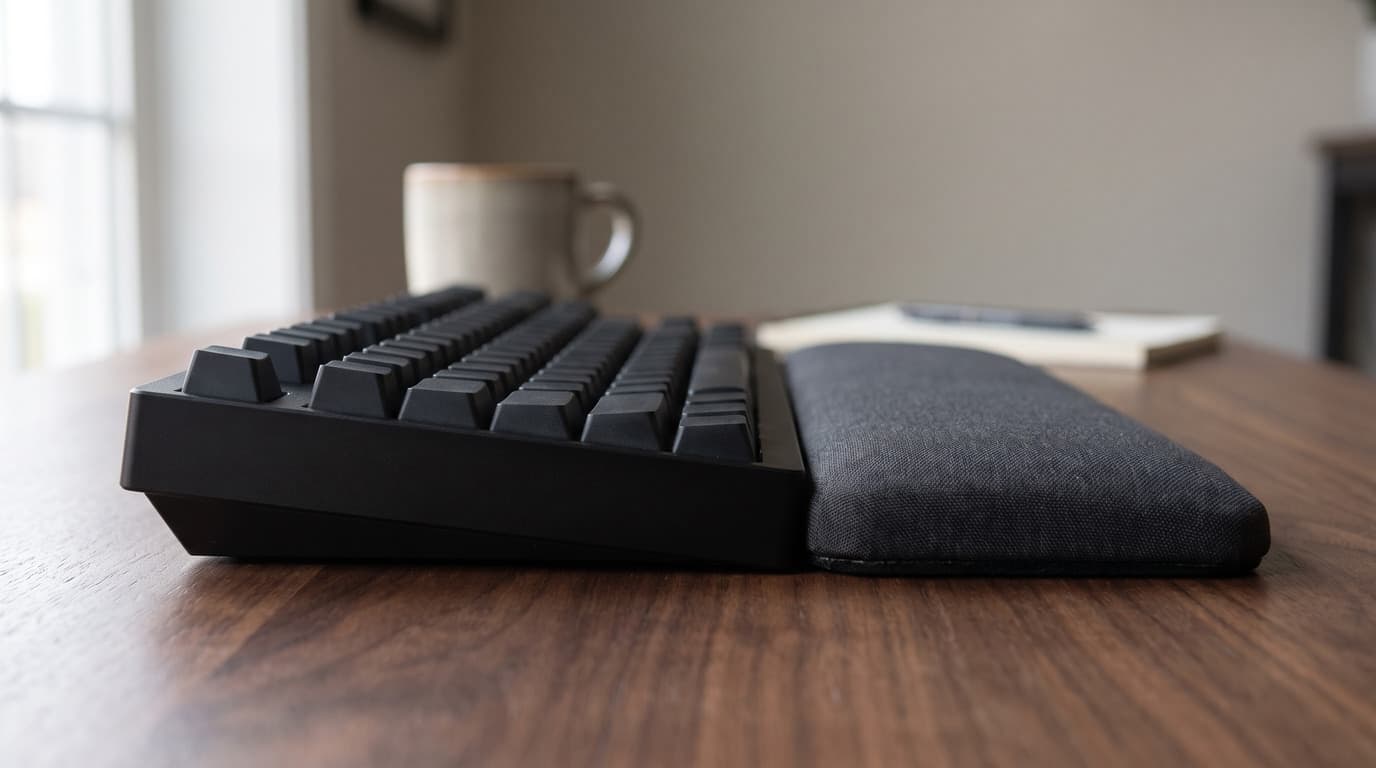
Keyboard Height and Wrist Rests: Matching the Two Numbers Nobody Publishes
The angle your wrists sit at is a height step you can measure with a ruler. The trouble is that keyboard makers publish that height on at least four different conventions, wrist rest makers publish a single unloaded thickness, and the two numbers are almost never comparable — which is how a rest sold as height-matched ends up half the height of the keyboard in front of it.
Updated September 5, 2026
Accessories
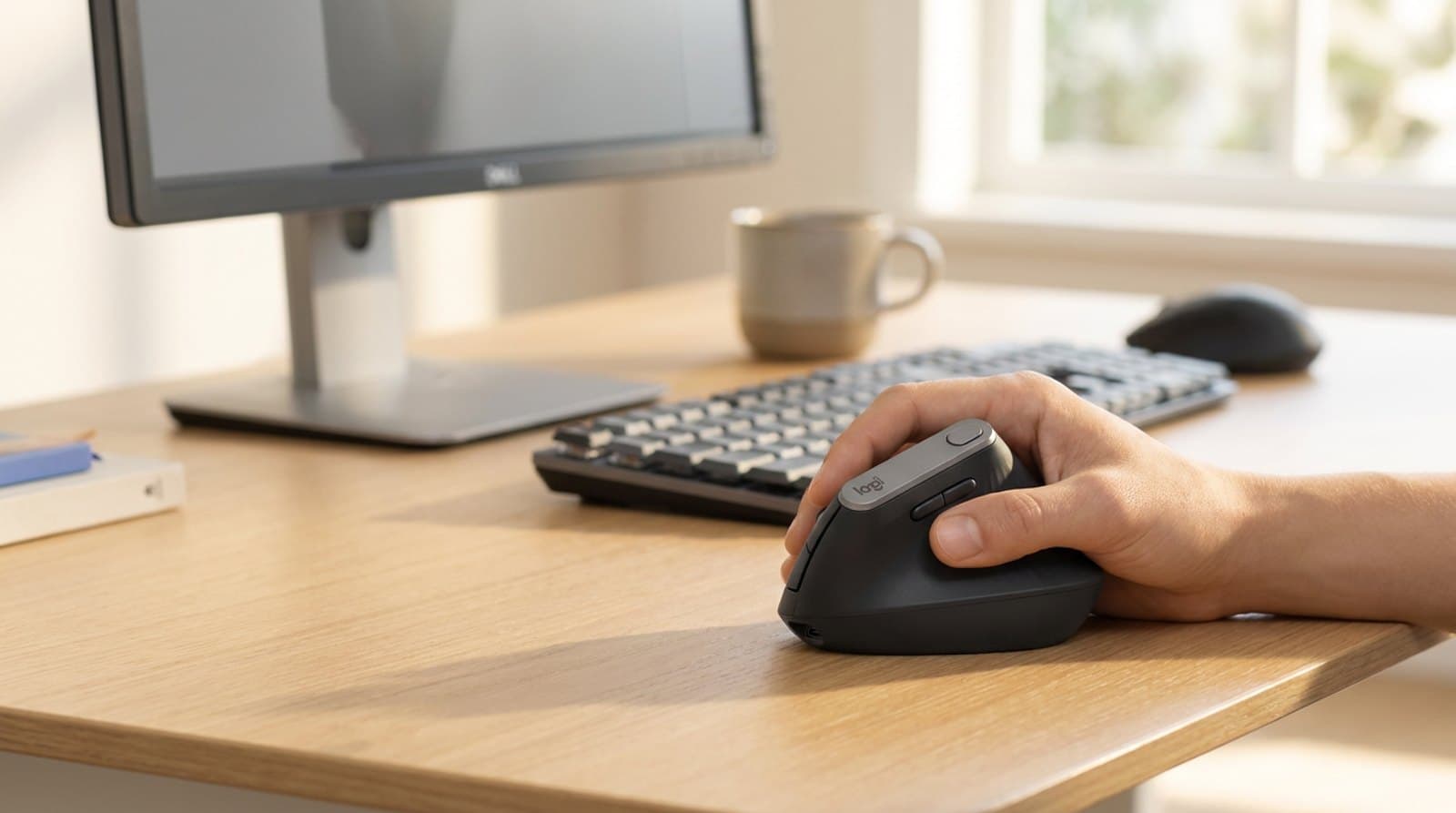
The Best Ergonomic Mice for Wrist Pain in 2026
A flat mouse forces your forearm into a lifelong twist. These six ergonomic mice — vertical, sculpted, trackball, and fully adjustable — put your hand in a neutral handshake instead, sorted by the shape that fits your hand and your pain, not just the lowest price.
Updated July 30, 2026
Get the next guide in your inbox
One short email when we publish or meaningfully update a buying guide. No spam, no daily deals firehose.