 Rigworthy
Keyboard Height and Wrist Rests: Matching the Two Numbers Nobody Publishes
By Rigworthy Editorial Team · Updated September 5, 2026
Rigworthy is reader-supported: we may earn a commission if you buy through our links, at no cost to you. How we make money
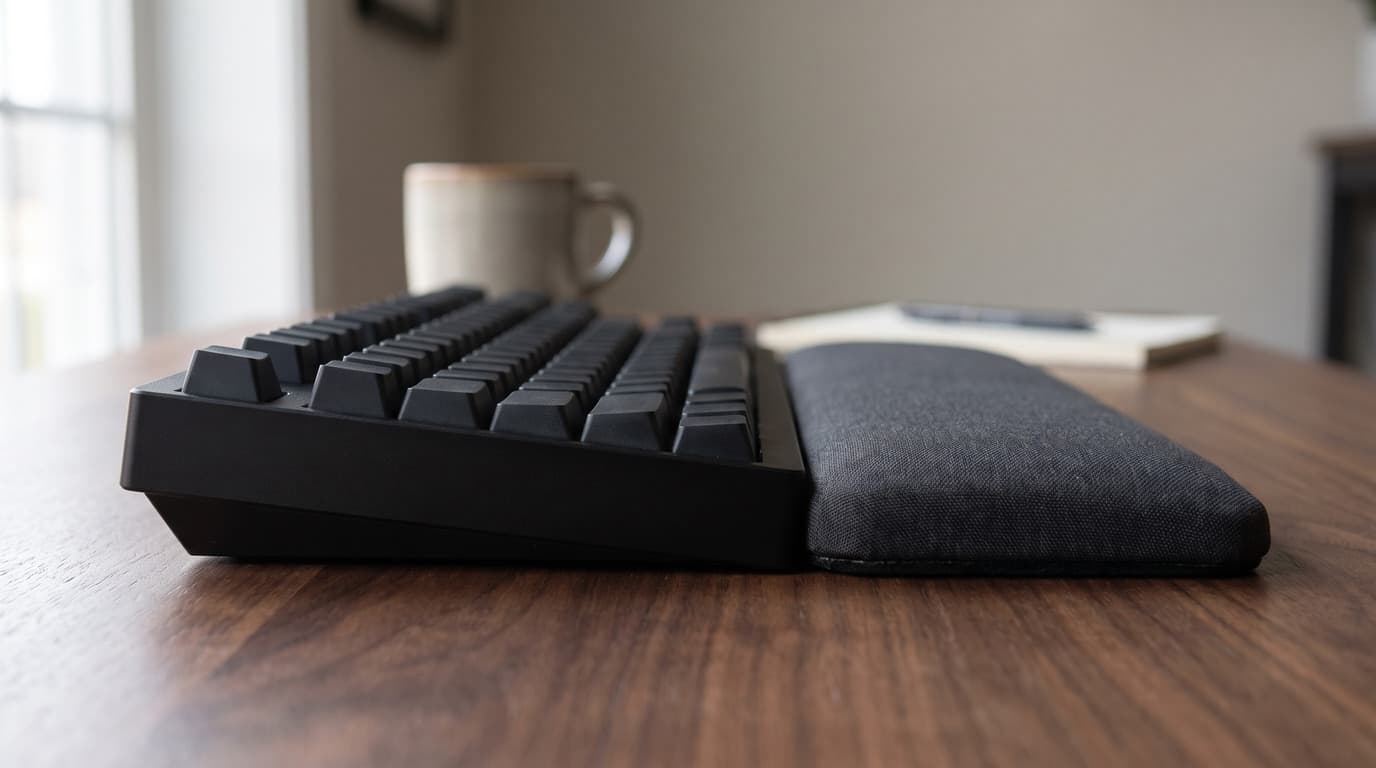
Every guide to wrist comfort at a keyboard, including the one we published, opens with materials. Gel or memory foam. Wood or leatherette. Cooling, cleanability, stitched edges. All of it is real, and none of it is the thing that decides what angle your wrists spend eight hours at.
That is set by a height step you can measure with a ruler: the top surface of whatever your palms land on, against the front edge of the keyboard your fingers have to reach over. OSHA names exactly this — match the support to the width, height, and slope of the front edge of the keyboard — and then the industry makes it almost impossible to follow, because keyboard makers publish that height on at least four different conventions and wrist rest makers publish a single unloaded thickness that means something else again.
This guide reconciles the two. It has the manufacturer figures for the boards and rests we recommend across our own guides, converted onto one convention so they can be compared; the roughly 9 mm of keycap that explains most of the confusion; what the flip-out feet really do; and the peer-reviewed pressure data that says the direction everyone worries about is not the one that matters most. It also corrects two things we had wrong.
The short version
- Your wrist angle at the keyboard is set by a height step you can measure with a ruler: the top of your wrist rest against the front edge of your keyboard. Material, gel versus foam, and cooling all matter less than that one measurement.
- OSHA names the spec exactly — match the support to the width, height and slope of the front edge of the keyboard — and then almost nobody publishes a front-edge height you can actually compare.
- Published front heights come on at least two conventions. Keychron quotes the Q3 Max at 19.7 mm without keycaps and the K2 HE at 30.2 mm with one. Wooting publishes both for the same board: 19.4 mm bare, 28.4 mm with an OEM keycap. The keycaps are the roughly 9 mm nobody adds.
- Converted onto one convention, standard mechanical keyboards cluster around 26–30 mm at the front edge — and most wrist rests sold to sit in front of them are 10–26 mm. The gap is the step your palm has to climb.
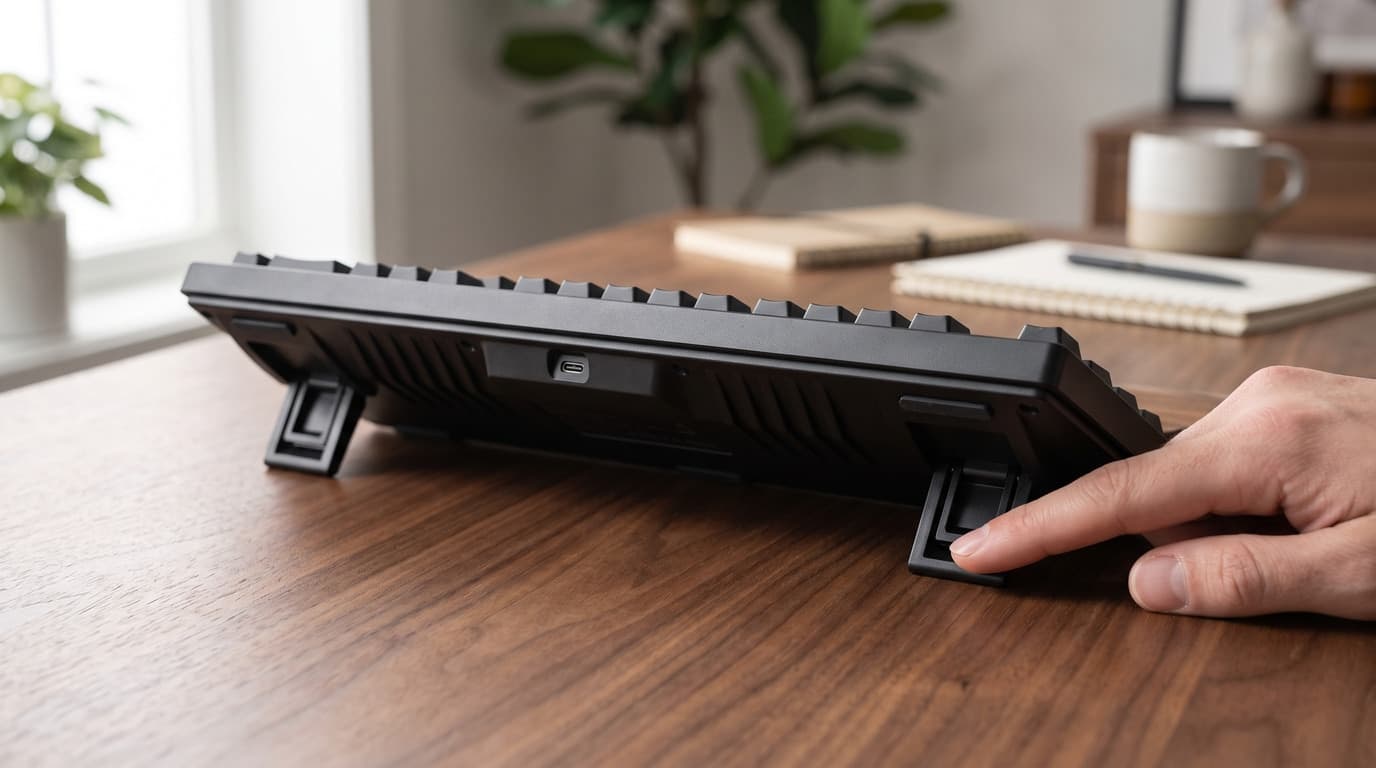
- Flip-out feet pivot the board about its front edge, so they change slope without changing front height. No wrist rest can compensate for feet, which is why OSHA says not to use them if they bend your wrist.
- Upward is not the direction your wrist tolerates least. Carpal tunnel pressure crosses the same threshold at about 32.7 degrees of extension but only 14.5 degrees of sideways deviation — and a wrist rest does nothing about sideways.
Measurements here come from manufacturers' own published mounting specifications, not from our estimates. Read the full methodology.
Start with your elbows, not with the keyboard
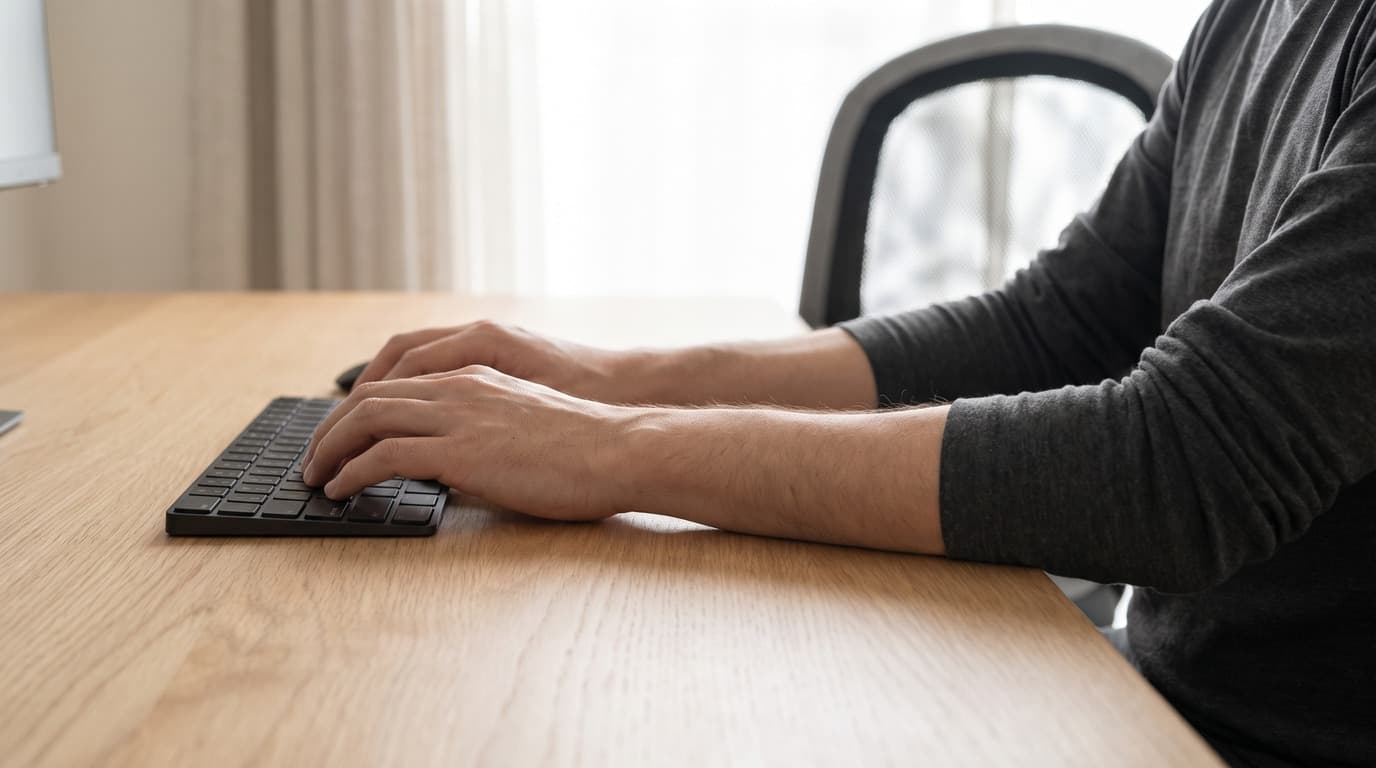
Everything in this article is about a gap of a few millimetres, so it is worth saying plainly at the top that a few millimetres is the last thing to fix. If your desk is four inches too high, no wrist rest on earth is going to save you, and the honest advice is to stop reading this and go set the desk and the chair first.
OSHA's own instruction for keyboard height is a single sentence and it is about your arms rather than the desk: "Elbows should be about the same height as the keyboard and hang comfortably to the side of the body." Not the desktop — the keyboard, which sits on top of the desktop and is itself an inch or so tall. If your elbows are level with the desk surface, your keyboard is already above them.
The order of operations is the one we set out in the office chair guide: set the chair to your body, bring the work surface to your elbows, and put a footrest under your feet if the desk will not come down far enough. If your desk moves, our standing desk height guide has the measurement. If it does not move — and most desks are a fixed 29 to 30 inches, built to the tall end of the population — then the correction is charged entirely to the chair, and you will be sitting slightly high with your wrists angling down to reach the keys rather than up.
Assume from here on that the desk and chair are as close as you can get them. What is left is a stack of small heights sitting on top of that surface, and it is genuinely measurable.
The spec that decides it is the front edge, and it is published four different ways
Here is OSHA's guidance on wrist and palm supports, quoted in full because the whole of this article is contained in it: "Match the wrist support to the width, height, and slope of the front edge of the keyboard (keeping in mind that the goal is to keep wrist postures as straight as possible)." Canada's CCOHS gives the same instruction in nearly the same words. Three quantities — width, height, slope — all of them properties of one edge of the keyboard.
That is an unusually specific and actionable piece of ergonomic advice. It is also, in practice, close to impossible to follow, because the height of the front edge of a keyboard is a number the keyboard industry has no shared convention for publishing. We went through the boards recommended across our own three keyboard guides and found at least four different things being called "height."
Keychron is the best case: it publishes a Front Height field, which is exactly the number OSHA asks for. But look at two Keychron boards side by side. The Q3 Max is listed at 19.7 mm front height without keycaps. The K2 HE is listed at 30.2 mm front height including keycap. Same manufacturer, same field name, same product page layout, two different conventions — and a reader comparing them would conclude the K2 HE stands half again as tall at the front as the Q3 Max, when in reality the two are within a couple of millimetres of each other.
Wooting settles the conversion, because it is the one manufacturer we found that publishes both numbers for the same board. The 80HE is listed as "19.4mm (H) front case height, no keycap" and "28.4mm (H) front height with OEM keycap." The keycaps are worth 9.0 mm. That is a single data point on a single keycap profile and it will vary — a low-profile cap adds much less, a tall SA-profile cap much more — but for the standard OEM-ish caps that ship on most boards it is a reasonable working figure, and it is the only manufacturer-published version of it we could find.
Add that 9 mm back and Keychron's own bare-case figures line up almost exactly with the boards that publish the assembled number: the Q3 Max's 19.7 mm becomes roughly 28.7, the Q1 Max's 20.7 becomes roughly 29.7, the older K2's 17 becomes roughly 26. Against Wooting's published 28.4 and Keychron's published 30.2, that is a tight cluster. Standard-profile mechanical keyboards are about 26 to 30 mm tall at the front edge, and the disagreement between spec sheets is a labelling problem rather than a real difference between the products.
The other two conventions are worse because they do not describe the front edge at all. Cherry lists the KC 200 MX at 430 × 121 × 39 mm — that 39 mm is the tallest point of the board, at the back, with keycaps. Logitech's own specification page for the MX Mechanical gives a bare "Height (mm / inch): 26.10 mm / 1.02 inches" with no indication of where on the keyboard it was measured. Neither figure is wrong. Neither is the number OSHA asked for, and neither can be compared to the other.
| Keyboard | Published figure | What the number actually is | Front edge, with keycaps |
|---|---|---|---|
| Wooting 80HE | 19.4 mm / 28.4 mm | Both conventions published for the same board | 28.4 mm |
| Keychron K2 HE | 30.2 mm | Front height, incl. keycap | 30.2 mm |
| Keychron Q3 Max | 19.7 mm | Front height, without keycaps | ≈ 28.7 mm |
| Keychron Q1 Max | 20.7 mm | Front height, without keycaps | ≈ 29.7 mm |
| Keychron K2 | 17 mm | Front height, without keycaps | ≈ 26 mm |
| Cherry KC 200 MX | 39 mm | Tallest point, at the back, incl. keycaps | Not published |
| Logitech MX Mechanical | 26.10 mm | "Height" — location unstated | Not published |
Most wrist rests are shorter than the keyboards they are sold for
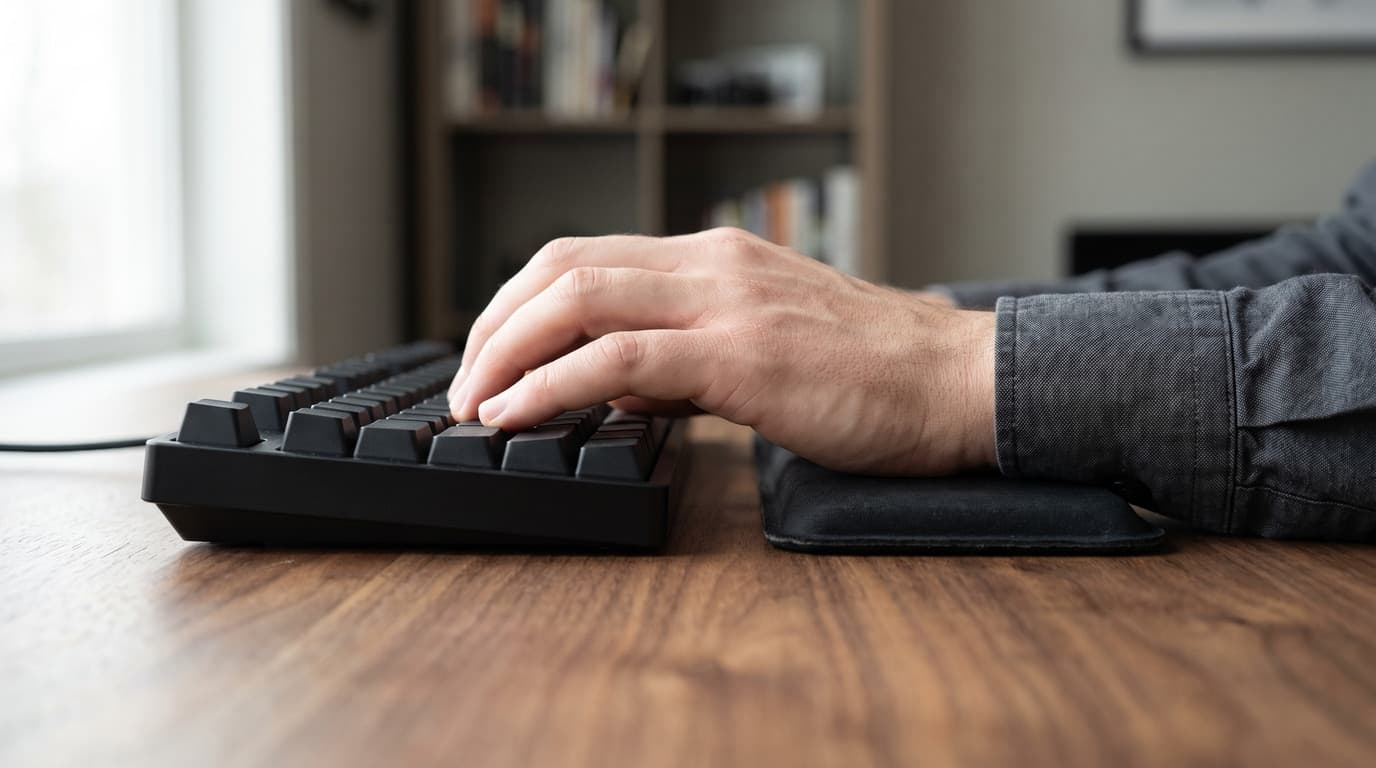
Now do the same exercise on the other side of the pairing, and the picture gets simpler and considerably more awkward. Wrist rest manufacturers publish one number, a plain thickness, and there is no ambiguity about what it means. So we measured our own wrist rest guide against the 26–30 mm band above.
Five of the six picks in that guide are shorter than a standard mechanical keyboard's front edge, and the one we had labelled best for mechanical keyboards is the second-shortest of the lot. The Keychron Walnut Wood Palm Rest is 15 mm thick. Keychron sells it sized per keyboard series — a 317 mm version for the K2 and K6, a 330 mm version for the Q1, Q2 and V2 — but every one of them is 15 mm. The sizing is width and length. The height is a constant, and it is roughly half the front-edge height of the Keychron boards it is sold to sit in front of.
This corrects our own guide, which said the walnut rest is "milled to sit level with the front of a mechanical board" so that "your wrists rest flat and neutral instead of angling down onto the desk," and listed "height-matched to tall mechanical boards" as a pro. That was wrong, and the guide has been corrected. It is not a small error either: on a Keychron K2, 15 mm of palm rest against a front edge of roughly 26 mm leaves an 11 mm step, which is most of the problem the rest was bought to solve.
It is worth being fair about how this happens, because we made the mistake ourselves and so does most of the internet. Keychron publishes the K2's front height as 17 mm without keycaps. A 15 mm palm rest sitting next to a 17 mm figure looks like a near-perfect match — it is 2 mm off, well within the tolerance anyone would care about. The error is not in the arithmetic. It is that the 17 mm figure describes a keyboard with no keycaps on it, which is not a keyboard anybody types on. The mismatch survives precisely because comparing the two published numbers, exactly as printed, gives you the wrong answer and gives it convincingly.
One honest complication before the table, and it cuts against the tidy conclusion. Published thickness is unloaded thickness. A 30 mm memory-foam rest does not stay 30 mm once a hand is on it, and cheap foam compresses a long way — which is why the Gimars set, nominally the tallest thing in our guide at about 30 mm, is not therefore the best height match. Wood and hard gel deliver their published height because they do not compress; soft foam publishes a number it cannot hold. So the ranking below is not a ranking of correctness. The rigid rests are the ones whose spec you can trust, and they are the ones publishing the smallest numbers.
| Wrist rest | Published height | Against a ~29 mm front edge | Holds its height? |
|---|---|---|---|
| Gimars Memory Foam Set | ~30 mm (1.2 in) | Nominally level | No — soft foam, compresses |
| Razer Ergonomic Wrist Rest Pro | 26.4 mm | ~3 mm short | Partly — gel-infused foam |
| HyperX Wrist Rest | 22.1 mm | ~7 mm short | Partly — gel-infused foam |
| 3M WR305LE (mouse) | ~19 mm (0.75 in) | Mouse-side; not a keyboard match | Mostly — firm gel |
| Keychron Walnut Palm Rest | 15 mm | ~14 mm short | Yes — solid wood |
| Kensington Duo Gel | ~10 mm (0.41 in) | ~19 mm short | Mostly — firm gel |
The feet change the slope, not the height — so no rest can fix them
OSHA's third quantity was slope, and slope is where the flip-out feet on the underside of almost every keyboard come in. The eTool is blunt about them: keyboard tilt "caused by extending the legs on the back of the keyboard or by a steep design angle, may cause the wrist to bend upward," and the instruction that follows is one sentence long — "Do not use keyboard feet if they increase bending of the wrist."
The geometry is worth understanding because it explains why this is a problem a wrist rest cannot solve. The feet are at the back of the board, so extending them pivots the whole keyboard about its front edge. The front edge barely moves. Everything behind it rises. That means the height you carefully matched your wrist rest to is still correct — and your wrists are now bent further up anyway, because the keys you are reaching for have gone up while the edge your palms sit against has not.
The size of it is easy to compute from published figures. Keychron gives the K2 HE three typing angles: 5°, 9.34° and 12.43°. The home row sits roughly 38 mm back from the front edge on a standard-pitch board — OSHA specifies 18 to 21 mm of vertical key spacing, so two rows back is about that. Going from the lowest setting to the highest therefore lifts the home row by about 38 × (tan 12.43° − tan 5°), which is around 5 mm. That is a third of the entire height deficit we just spent a section measuring, added or removed by a plastic flap, and it is invisible to any wrist rest you own.
Cornell's ergonomics group has argued the opposite direction for years: its typing guidance names a negative slope keyboard support as the ideal, with the back of the board below the front, and describes what happens without one — "the forearms sag as they tire and this puts the wrists into greater wrist extension." OSHA is more agnostic, telling you to elevate the back or the front depending on whether you sit high or low relative to the board. What neither of them recommends is the default: front edge low, back edge high, feet out.
Which produces a genuinely odd result when you look at what our own guides recommend. Every mechanical board across the office and gaming guides tilts one way — positive, feet up, back high — with adjustment steps that only make it more so. The single keyboard in any of our three guides that tilts the right way is in the guide most readers skip: the Logitech Ergo K860 in our split keyboard guide, whose tilt legs give 0°, −4° and −7°, lifting the front edge rather than the back. It also has the only integrated palm rest in the set, which is to say it is the one board where the manufacturer has already matched the rest to the front edge for you, because both are the same object.
| Keyboard | Published angles | Direction |
|---|---|---|
| Logitech Ergo K860 | 0° / −4° / −7° | Negative — front edge rises |
| NuPhy Air75 V2 | Three steps, lowest ~3.5° (not published by NuPhy) | Positive |
| Keychron K8 Pro | 3.5° / 7.5° / 10.5° | Positive |
| Keychron Q1 Max / Q3 Max | 5.2° fixed (2.4–2.7 mm feet) | Positive, not adjustable |
| Keychron K2 HE | 5° / 9.34° / 12.43° | Positive — steepest here |
The advice contradicts itself, and it is worth saying which half wins
There is a second problem sitting underneath all of this measuring, and until the correction above our own guide carried both sides of it in two adjacent answers. One still stands: a wrist rest "is meant to support your wrists while you pause between bursts of typing, not to plant them on while your fingers stretch to the keys" — hands floating, wrists down only during breaks. The answer immediately below it used to recommend a wood rest "milled to the board's height" so that your wrists sit flat on it, which is the opposite instruction. Both cannot be the primary advice, and the second has now been rewritten. If you genuinely float your hands while typing, the height of the rest hardly matters, because you are not touching it.
OSHA is on the floating side and says so twice. The hazard section warns that "resting the wrist/palm on a support while typing may inhibit motion of the wrist and could increase awkward wrist postures," and the solution section is explicit: "Your hands should move freely and be elevated above the wrist/palm rest while typing. When resting, the pad should contact the heel or palm of your hand, not your wrist." That last clause is the one most people get wrong — the pad is for the heel of the palm, and if the crease of your wrist is what is touching it, the thing has become a fulcrum.
So why does height matter at all? Because almost nobody floats. Anchoring the palms is what hands do when they get tired, which is exactly when posture starts to cost you, and telling people to stop is advice with a very poor compliance record. The height match is insurance against the way you will actually type at 4pm, not the way you intend to type at 9am. Both pieces of advice are right; they just apply at different hours of the day, and buying the correct height is the one you do not have to remember to do.
Two design details from the same OSHA page are worth carrying to the shop, and one of them cuts against a pick in our own guide. The support "should be at least 1.5 inches (3.8 cm) deep," which rules out the very slim strips, and supports should be "fairly soft and rounded to minimize pressure on the wrist" — with a specific warning that "your forearms and wrists can be affected if wrist rests have sharp, hard leading edges." A solid walnut bar with a bevel is, on that guidance, the least suitable material in the category, whatever its height. We still think a wood rest is a reasonable thing to want, for the durability and hygiene reasons the guide gives. But it is a preference bought against the ergonomic advice rather than because of it, and the guide now says so in as many words.
Worth noting for completeness: OSHA's own position on the category is not a ringing endorsement. "Although opinions vary regarding the use of wrist/palm supports, proper use has been shown to reduce muscle activity and to facilitate neutral wrist angles." Proper use. The device is conditional on the technique, which is an unusual thing for a $20 accessory to depend on.
Upward is not the direction your wrist tolerates least
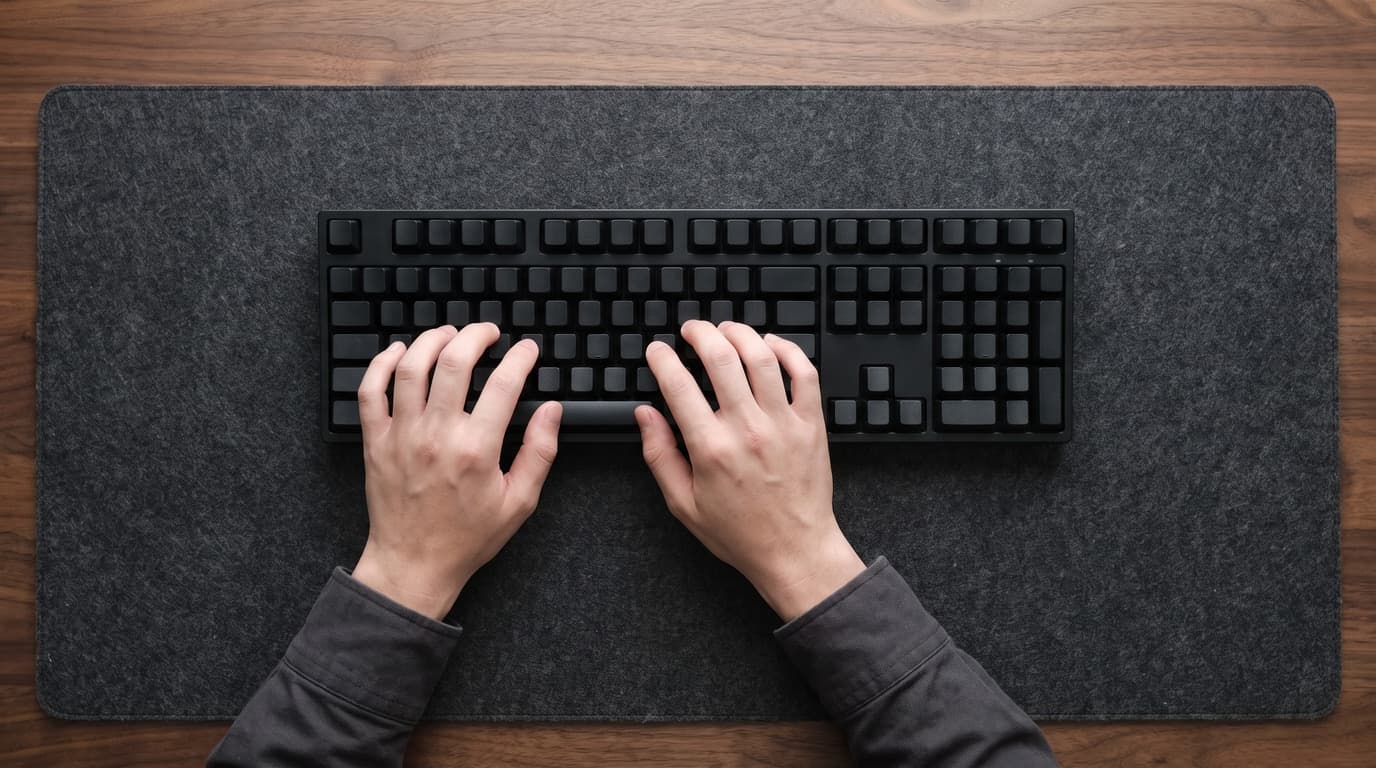
It would be easy to finish here with a scolding about millimetres, so it is worth putting some calibration on how much wrist extension actually costs you — and the answer reorders this entire hub's priorities.
The best-grounded numbers come from Keir, Bach, Hudes and Rempel, published in Human Factors in 2007 under the title "Guidelines for wrist posture based on carpal tunnel pressure thresholds." They measured carpal tunnel pressure directly in 37 healthy participants while the wrist was moved through extension, flexion and side-to-side deviation, then worked out the angle in each direction that keeps 75% of people below a given pressure. At a 30 mmHg threshold the figures are 32.7° for extension (95% CI 27.2–38.1), 48.6° for flexion, 21.8° for radial deviation and 14.5° for ulnar deviation. At the stricter 25 mmHg threshold, extension is 26.6° and ulnar deviation 12.1°.
Read the extension figure first, because it is reassuring and we would rather publish it than not. Roughly 27 to 33 degrees is a lot of bend — far more than an 11 mm step in front of a keyboard produces. If you are typing with your palms on a rest that is a centimetre too low, you are not in the danger zone this research describes, and anyone telling you a slightly short wrist rest will give you carpal tunnel syndrome is overselling. The step is worth fixing because it is easy and free of downside, not because it is an injury waiting to happen.
Now read the fourth figure, because it is the one that should change what you buy. Ulnar deviation — your hand angling outward toward the little finger — crosses the same pressure threshold at 14.5°, less than half the angle extension tolerates. It is comfortably the tightest of the four directions. And a wrist rest does precisely nothing about it, because sideways deviation is caused by the shape of the keyboard: a straight row-staggered board with a numpad bolted to the right forces both hands inward at the wrists and pushes the mouse out past it.
That is an uncomfortable ordering for a hub that sells nine accessories. The direction your wrist tolerates best has a $20 product aimed squarely at it and a whole guide devoted to it. The direction it tolerates worst is fixed by a split or ergonomic keyboard — a $50 to $400 purchase with a real learning curve, and by a distance the least-read of our three keyboard guides. Dropping the numpad helps too, which is the underrated ergonomic argument for a tenkeyless board and one our office guide makes almost in passing. If you are choosing between a better wrist rest and a keyboard that lets your hands sit straight, the physiology says buy the keyboard.
| Direction | At 30 mmHg | At 25 mmHg | What fixes it |
|---|---|---|---|
| Ulnar deviation (hand angled outward) | 14.5° | 12.1° | Split / ergonomic keyboard, tenkeyless |
| Radial deviation (hand angled inward) | 21.8° | 17.8° | Keyboard shape and mouse placement |
| Extension (wrist bent up) | 32.7° | 26.6° | Keyboard height, slope, wrist rest |
| Flexion (wrist bent down) | 48.6° | 37.7° | Rarely the problem at a desk |
The mouse hand has the same problem and a different answer
Everything above concerns the hand that types. The hand that clicks is planted for longer, moves less, and is the one that aches first for a lot of people — and the height logic transfers only partly.
OSHA's pointer guidance leads on distance rather than height: "Keep the pointer/mouse close to the keyboard," because a mouse pushed out past a numpad drags the whole arm away from the body and loads the shoulder before it ever reaches the wrist. That is the same argument for a tenkeyless board as the one above, arriving from a different direction, and it is the cheapest ergonomic change available to most desks — move the mouse three inches left and delete nothing.
Where the height logic does transfer, it transfers awkwardly. A standard flat mouse is roughly 40 mm tall and your palm sits on top of it, so the mouse-side wrist is already higher than the keyboard-side wrist, and a mouse rest that matches your keyboard rest will not match your mouse. Our own pick here, the 3M WR305LE, is about 19 mm — sensible under a low mouse, low under a tall one. OSHA's suggestion is simply "use a mouse pad with a wrist/palm rest to promote neutral wrist posture," which is a shape recommendation rather than a number.
But the bigger point is the one from the previous section. A vertical mouse does not reduce wrist extension — it addresses forearm pronation, the palm-down twist, which is a different axis entirely and one the Keir data does not cover. It also raises where your hand sits, so a wrist rest sized for a flat mouse is wrong under it, and most vertical mice are designed to be used without one. If you are shopping for the mouse hand, the order is: move the mouse closer first, change the shape second, and add a pad under the wrist last — which inverts the order of expense and, we suspect, the order most people actually do it in.
One more thing our gaming mice guide is right about and worth repeating here: shell size matters more than any accessory. A mouse too large for your hand forces a claw grip with the wrist cocked back, which is wrist extension arriving through the mouse rather than the keyboard, and no amount of gel under the wrist unwinds it.
What to actually do about it
The measurements are simple and the fixes are mostly free, so here is the whole thing as a sequence. You need a ruler and about ten minutes.
1. Measure your own front edge rather than trusting a spec sheet. Stand a ruler on the desk against the front of your keyboard, keycaps on, feet in whatever position you actually use. That number is the only one that matters and it takes fifteen seconds, which is faster than finding out which convention your manufacturer used.
2. Retract the feet and see if it helps. This is free, reversible and the single highest-yield change in this article. If the board feels better flat — and for most people at a correctly-set desk it will — you have removed several degrees of extension and saved yourself a purchase. OSHA's instruction is exactly this, in the negative: do not use the feet if they bend your wrist.
3. Match the rest, or skip it. Measure the rest you own against the number from step one. A rest within a few millimetres of the front edge is doing its job; one that is 15 mm short is a wedge your palm has to climb. If nothing you own matches, going without is a legitimate option — OSHA's floating-hands advice is the ideal and a rest is optional support for the moments you fall short of it.
4. Consider a lower keyboard rather than a taller rest. This is the move nobody suggests because there is nothing to sell you at the wrist. A low-profile board like the Logitech MX Mechanical or the NuPhy Air75 V2 sits far closer to the desk, which shrinks both the step and the extension at once, and pairs comfortably with the thin rests that are easy to find. Buying a shorter keyboard fixes the geometry; buying a taller rest only patches it.
5. If your desk cannot come down, put the keyboard below it. OSHA's fallback when the surface or chair will not adjust is a keyboard tray, with a specific requirement worth quoting: it should "be adjustable in height and tilt," have room for the mouse as well as the keyboard, and leave proper leg clearance. A tray that only slides is half a product — and when we compared the category against that sentence, two of six trays had no tilt at all and one more stopped at −10°. This is also the one route to the negative slope Cornell recommends, which no desktop-mounted keyboard can give you.
6. Fix sideways before you fix upward. If your hands angle outward to reach the keys, that is the direction with the least tolerance and the most to gain, and the answer is the shape of the board rather than anything under your wrists. A split or curved keyboard is the real fix; a tenkeyless board is the cheap partial one, and it brings the mouse closer as a bonus.
And a note on where this sits among the other things on your desk. Wrist geometry is downstream of desk height, which is downstream of chair height, and a monitor riser or a laptop stand changes where your eyes go without touching any of this. If you are building a setup from scratch, the wrists are close to the last thing to tune, not the first — but they are also the cheapest, and unlike most of the stack you can check your work with a ruler.
The bottom line
Measure your own keyboard's front edge with the keycaps on and the feet where you actually keep them, then match your wrist rest to that number within a few millimetres. That single measurement outranks every material decision in the category, and it is the one no spec sheet will hand you — Keychron publishes front height with keycaps on one board and without on another, Cherry publishes the tallest point at the back, and Logitech publishes a height without saying where it measured.
Before you buy anything, retract the feet. It is free, it is reversible, it removes several degrees of wrist extension for most people at a correctly set desk, and OSHA's guidance amounts to exactly that. Then decide honestly whether you need a rest at all: the ideal is hands floating over the keys with the pad used between bursts, in which case its height barely matters — and the reason to match it anyway is that almost nobody types that way by the end of the afternoon.
If you do buy, buy against your measurement rather than the marketing. Our wrist rest guide now carries the published height of every pick alongside the correction this article forced: the walnut rest we recommended for tall mechanical boards is 15 mm, which is roughly half the front edge of the Keychron keyboards it is sold for, and no amount of walnut fixes that. And if your hands angle outward to reach the keys rather than tilting up, stop reading about wrist rests entirely — that direction crosses the same pressure threshold at less than half the angle, nothing under your palms addresses it, and the fix is the shape of the board. A split or ergonomic keyboard is the real answer; a tenkeyless board is the cheap half of it, and it brings your mouse closer at the same time.
Frequently asked questions
The same height as the front edge of your keyboard, measured with the keycaps on and the feet in the position you actually use. OSHA's guidance is to match the support to the width, height and slope of that front edge. For a standard-profile mechanical keyboard that lands somewhere around 26 to 30 mm, which is taller than most wrist rests on sale; for a low-profile or laptop-style keyboard it may be 15 mm or less. There is no universal correct height — it is entirely a property of the keyboard you own, which is why measuring beats shopping.
Because there is no shared convention for what to measure. We found four in use across the boards in our own guides: front height without keycaps, front height with a keycap, the tallest point of the board at the back, and an unlabelled overall height. Keychron uses two of these on different products. The gap between a bare-case front height and the same board with keycaps installed is roughly 9 mm — Wooting publishes both figures for the 80HE, at 19.4 mm and 28.4 mm, which is the only manufacturer-published version of the conversion we could find. If a spec sheet does not say where it measured, treat the number as unusable and measure the board yourself.
It is better in the ways wood is generally better — it does not absorb skin oils, it does not compress, it does not fray, and it delivers exactly the height printed on the box, which soft foam does not. What it is not is automatically height-matched. Keychron's walnut rest is 15 mm thick in every version it sells, sized per keyboard series by width and length rather than height, against front edges of roughly 26 to 30 mm on the boards it is sold for. OSHA also asks for supports that are fairly soft and rounded and specifically warns about hard leading edges, so a wood bar is a preference held against the ergonomic guidance rather than because of it. See our wrist rest guide for the picks and the corrected heights.
Probably not, and it costs nothing to find out. OSHA's instruction is direct — do not use keyboard feet if they increase bending of the wrist — and for most people sitting at a correctly set desk, they do. The feet pivot the board about its front edge, so they raise the keys without raising the edge your palms rest against, which means extending them adds wrist extension that no wrist rest can compensate for. On a Keychron K2 HE, going from the shallowest published angle to the steepest lifts the home row by roughly 5 mm. Try the board flat for a week before you decide.
The honest answer is that the evidence is softer than the marketing. OSHA itself begins with "although opinions vary regarding the use of wrist/palm supports," and its endorsement is conditional on proper use — hands floating while typing, the pad contacting the heel of the palm and not the wrist crease. Used that way it reduces contact stress against a hard desk edge and helps keep the wrist in line. Used as an anchor to pivot your hands on, it can make posture worse, which OSHA also lists as a hazard on the same page. A rest is a reasonable comfort purchase and a poor substitute for a correctly positioned keyboard.
In order, and starting with the free ones: retract the keyboard feet, move the mouse closer to the keyboard, and check that your elbows are about level with the keyboard rather than with the desktop. Then measure the step between your wrist rest and the front edge of the board and close it if it is more than a few millimetres. If your hands angle outward to reach the keys, that is the most valuable thing to fix — carpal tunnel pressure crosses the same threshold at about 14.5 degrees of sideways deviation against 32.7 degrees of upward bend, so shape beats height — and the answer there is a split or tenkeyless keyboard. Persistent numbness or tingling is a doctor's problem, not a shopping problem.
Keep building your setup
Accessories
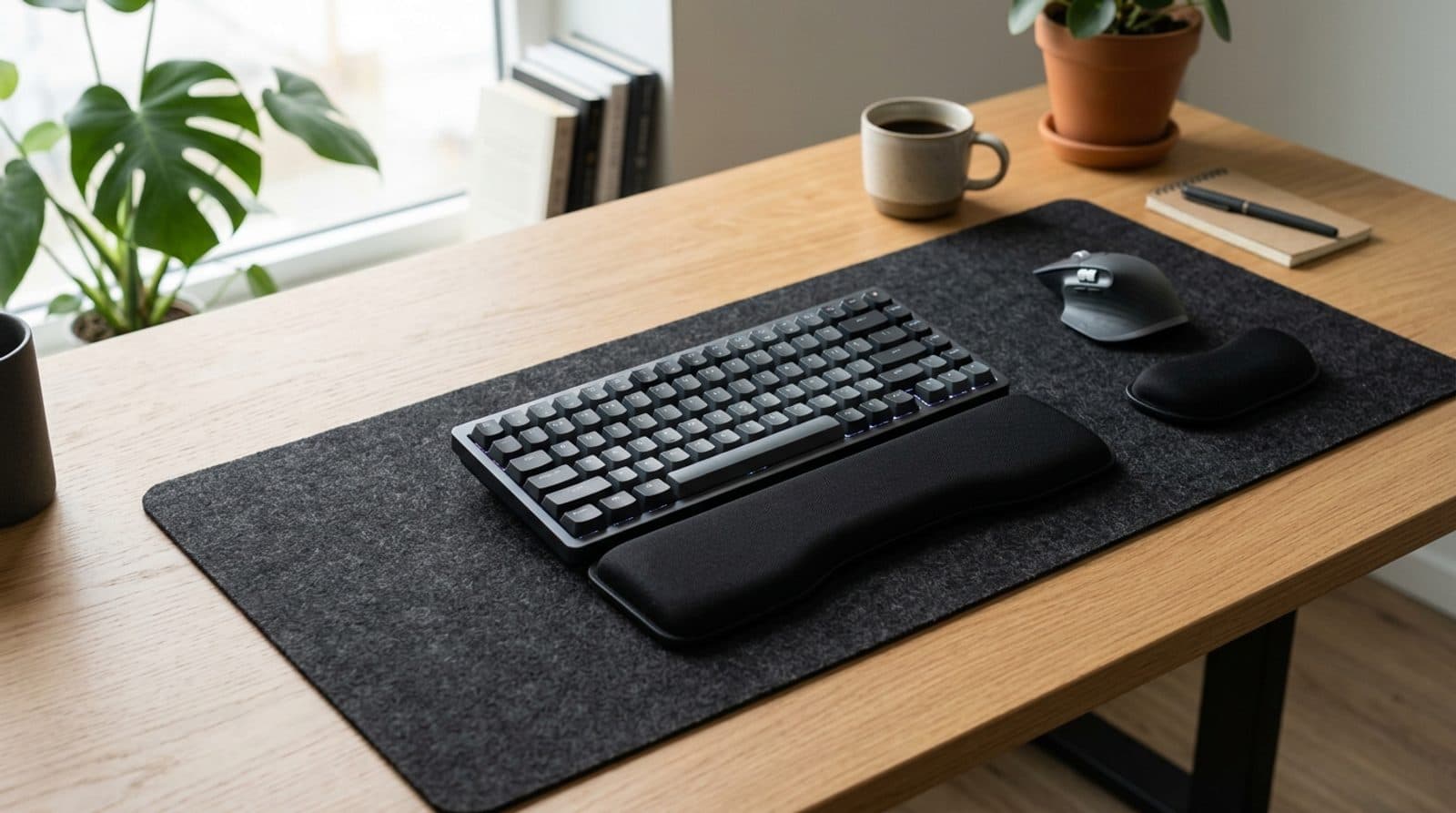
The Best Wrist Rests for Keyboard and Mouse in 2026
A great keyboard and mouse still leave your wrists doing the work. Six wrist rests — cooling gel, memory foam, solid walnut, and a dedicated mouse pad — sorted by material, height match to your keyboard, and how they hold up to a sweaty afternoon.
Updated September 5, 2026
Accessories
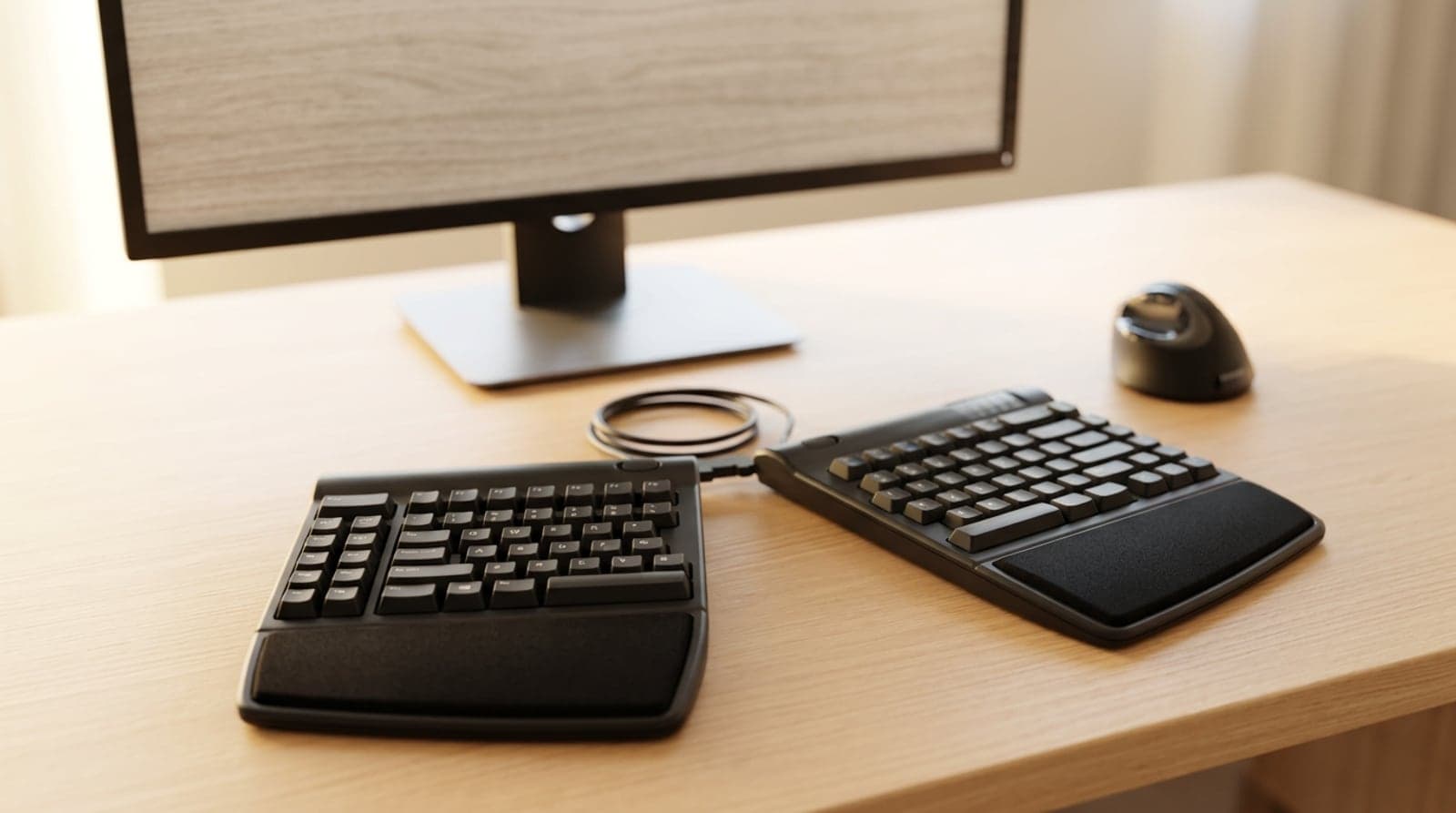
The Best Ergonomic & Split Keyboards for 2026
A flat, straight keyboard bends your wrists outward and rolls your forearms flat all day. These six ergonomic and split keyboards — from a gentle one-piece curve to a fully separated, tented, contoured well — fix that, sorted by how radical a change your hands (and your patience) are ready for.
Updated July 31, 2026
Accessories
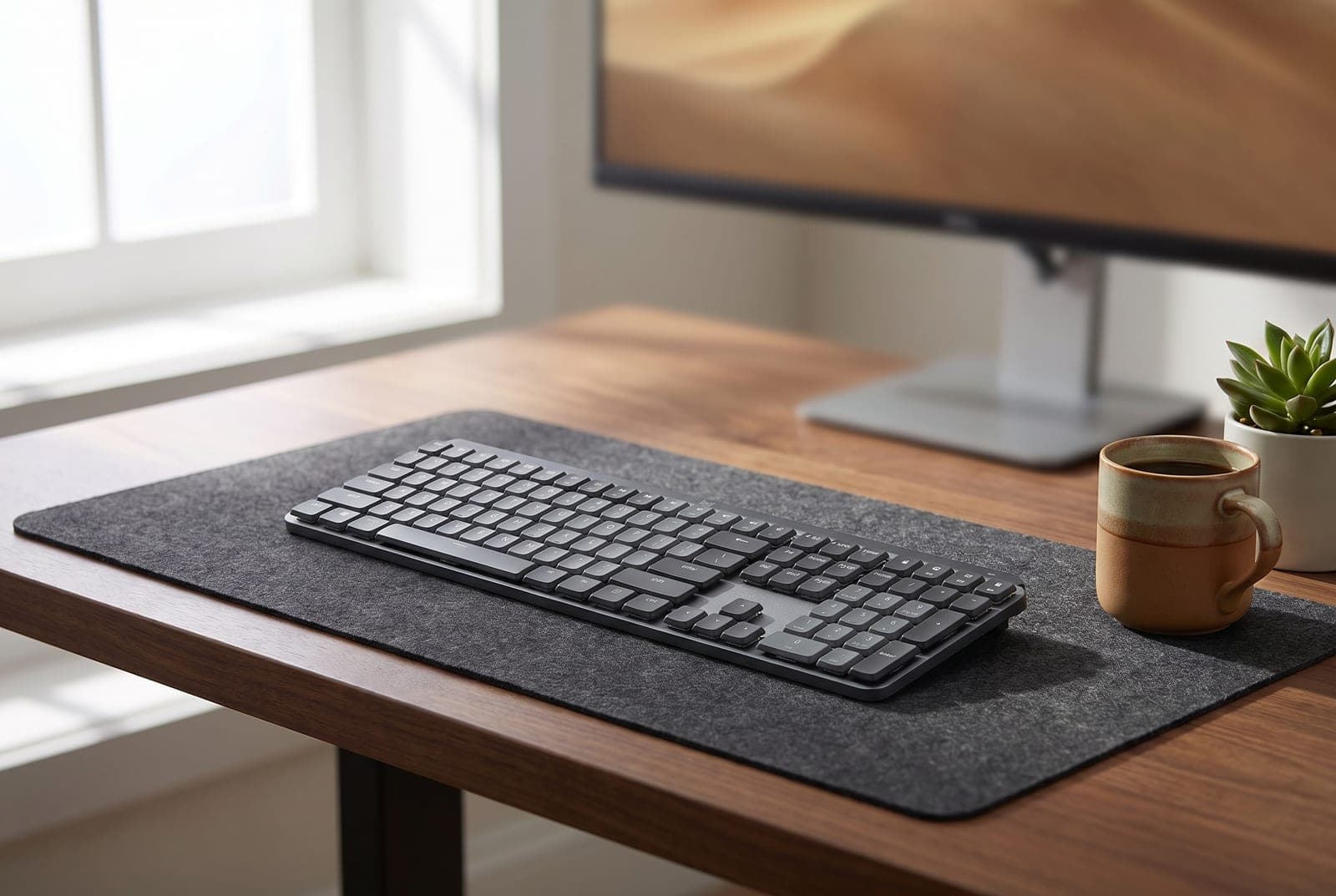
The Best Mechanical Keyboards for Office Use in 2026
A mechanical keyboard you'll love typing on doesn't have to annoy everyone around you. Five office-appropriate boards — from a silent $90 Cherry to a dampened aluminum flagship — chosen for how quiet they are, not just how they feel.
Updated July 31, 2026
Get the next guide in your inbox
One short email when we publish or meaningfully update a buying guide. No spam, no daily deals firehose.