 Rigworthy
The Best Ergonomic Mice for Wrist Pain in 2026
By Rigworthy Editorial Team · Updated July 30, 2026
Rigworthy is reader-supported: we may earn a commission if you buy through our links, at no cost to you. How we make money
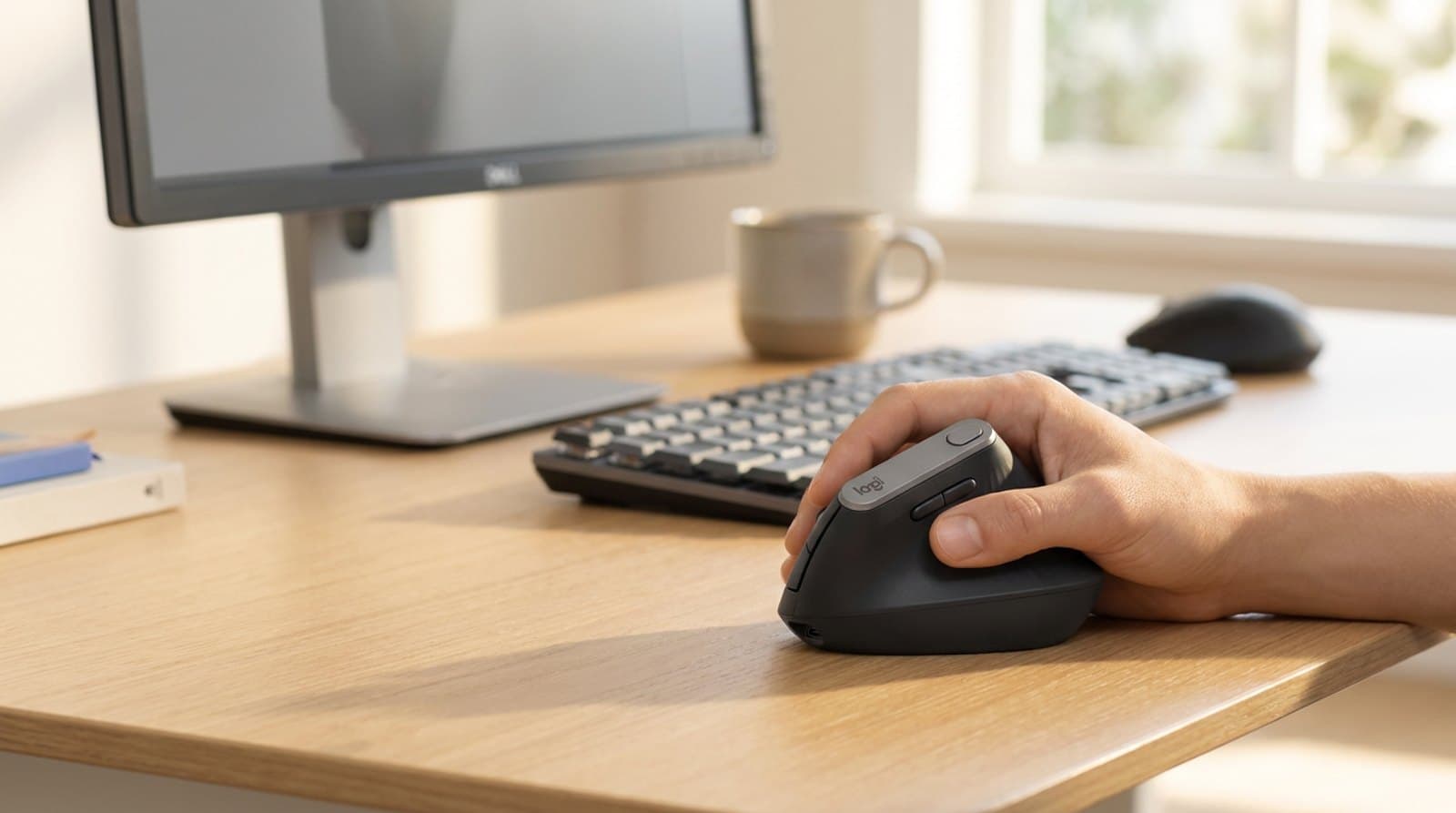
The mouse is the one piece of gear your hand touches every working minute, and a normal flat mouse quietly works against you the entire time. Holding your palm down and your forearm twisted is a position your body never chose — do it for eight hours a day across years of computer work and the strain compounds into the wrist, forearm, and shoulder ache a lot of desk workers just learn to live with. An ergonomic mouse is the fix, and it's one of the cheapest, highest-impact ergonomic upgrades you can make.
But "ergonomic mouse" isn't one thing. A vertical mouse rotates your hand into a neutral handshake and is the change most people should try first. A trackball removes the movement altogether so nothing on your arm has to travel. A sculpted mouse relaxes your grip without a learning curve. And an adjustable mouse lets you dial in an exact angle around an existing injury. This guide sorts six of the best by the shape that fits your hand and your problem — with honest notes on hand size, the adjustment period, and where a $20 mouse proves the concept before you spend more. Specs and prices reflect what manufacturers publish as of mid-2026; none of this is medical advice, and if your pain is persistent or severe, see a professional.
Our top picks at a glance
- 1
- 2
- 3
- 4
- 5
- 6
How we chose
- Grip angle and how neutral it keeps your forearm — the single thing that decides wrist relief
- Hand size fit — a vertical mouse that's too big or too small trades one ache for another
- Form factor for your specific problem: vertical, sculpted, trackball, or adjustable
- Everyday usability — click quietness, scrolling, buttons, and multi-device switching
- Honest value: where a $20 mouse proves the concept and where the extra money earns its place
Our picks come from spec research, long-term owner feedback, and category expertise — not sponsorships. Read the full methodology.
Compared side by side
| Product | Award | Type | Hand size | Typical price |
|---|---|---|---|---|
| Logitech MX Vertical | Best Overall | Vertical (57°) | Medium–large | $70–100 |
| Logitech Lift | Best for Small Hands | Vertical (57°) | Small–medium (L/R) | $50–70 |
| Anker 2.4G Wireless Vertical Mouse | Best Budget | Vertical (budget) | Medium–large | ~$20 |
| Logitech MX Master 3S | Best for Productivity | Sculpted | Medium–large | $80–100 |
| Logitech ERGO M575S Trackball | Best Trackball | Thumb trackball | Most (right) | $40–50 |
| Contour Unimouse | Best Adjustable | Adjustable vertical | Any (L/R) | $99–110 |
1. Best Overall
Logitech MX Vertical
Typically $70–100
- Medium to large hands
- Rechargeable, multi-device desks
- The classic vertical handshake
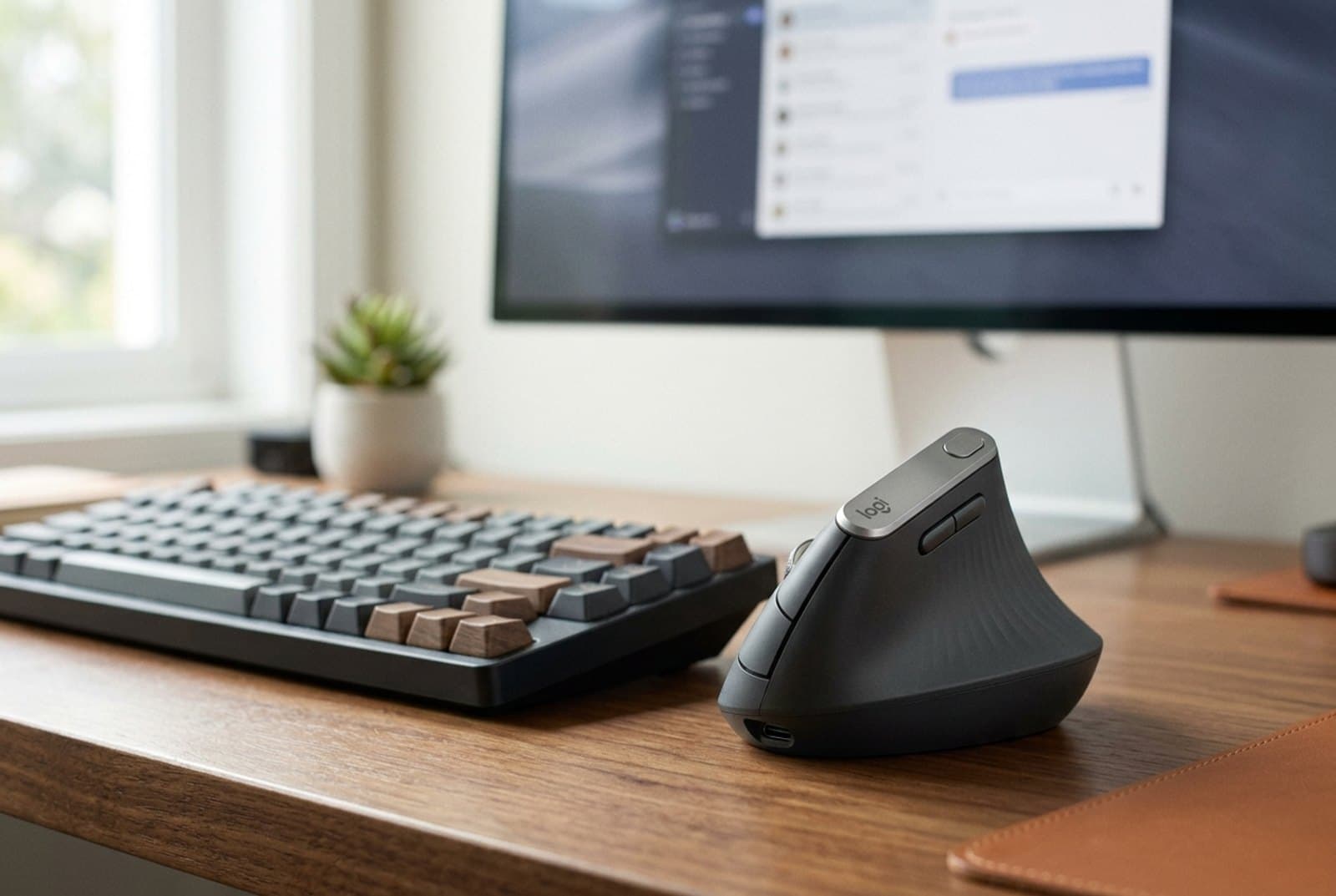
The MX Vertical is the mouse most people mean when they say 'vertical mouse,' and it's still the one to beat. Its whole design turns your hand sideways to a 57° angle — the 'handshake' position — so your forearm stops twisting flat against the desk the way a normal mouse forces it to. Logitech says that angle cuts muscular activity by roughly 10% versus a standard mouse, and after a few days the difference in how your wrist feels at 5pm is the whole point. It's a proper flagship otherwise: a 4,000 DPI Darkfield sensor that even tracks on glass, USB-C recharging with a one-minute quick charge worth about three hours of use, and Bluetooth plus a Logi Bolt receiver so it hops between up to three computers.
Two honest caveats. First, it's a big mouse built for medium-to-large hands — if your hand is under about 7 inches from wrist crease to fingertip, the smaller Lift below will fit you far better and cost less. Second, it's right-handed only, so left-handers should skip straight to the Lift, which ships a dedicated left version. For everyone else, this is the ergonomic mouse that gets recommended more than any other for a reason: the vertical shape that actually helps, in a body polished enough to be your everyday driver — especially next to a Logitech keyboard sharing the same receiver.
What we like
- 57° handshake angle genuinely relieves forearm and wrist strain over a long day
- Rechargeable USB-C with quick-charge, plus 4,000 DPI Darkfield tracking on any surface
- Bluetooth and Logi Bolt multi-device switching with customizable buttons
Worth knowing
- Large body is uncomfortable for small hands — the Lift fits them better
- Right-handed only, and pricier than the vertical mice below it
- Type
- Vertical (57° fixed)
- Sensor
- 4,000 DPI Darkfield (tracks on glass)
- Power
- Rechargeable USB-C (~4 months/charge)
- Connection
- Bluetooth + Logi Bolt (3 devices)
- Hand size
- Medium to large, right-handed
2. Best for Small Hands & Left-Handers
Logitech Lift
Typically $50–70
- Small to medium hands
- Left-handed users
- A cleaner, quieter desk
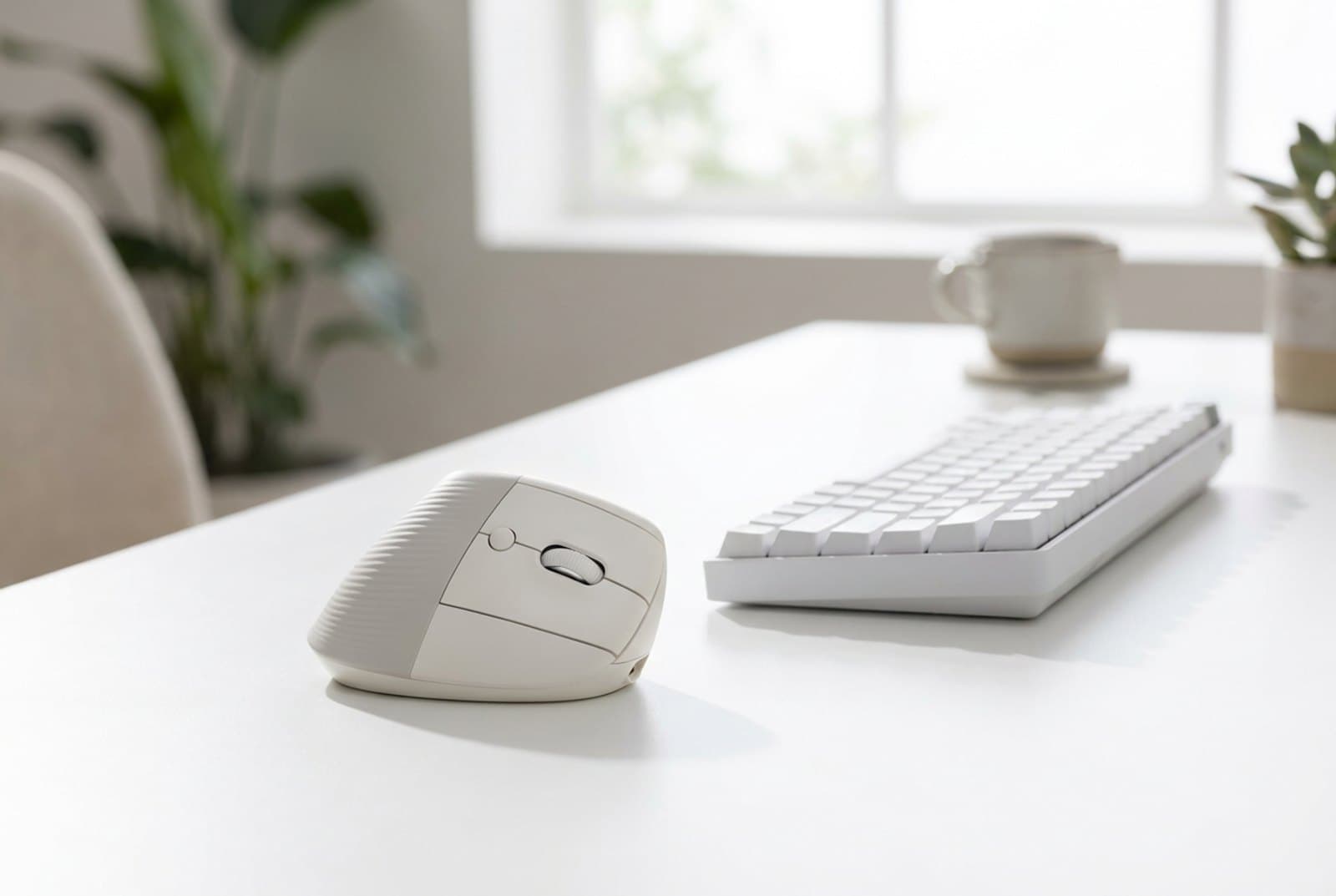
The Lift is the MX Vertical's smarter, more accessible sibling, and for a huge share of people it's the better buy. It uses the same 57° handshake angle but in a noticeably smaller, lighter body sized for small-to-medium hands — the exact group the big MX Vertical leaves cramping. Crucially, it's the ergonomic mouse to buy if you're left-handed: Logitech makes a genuine left-handed Lift, which is rare in this category. It also has quiet clicks, a soft-touch grip, and runs up to 24 months on a single AA battery, so you'll likely replace the mouse before the battery. Bluetooth and a Logi Bolt receiver cover three devices.
The compromises are the ones you'd expect from the smaller, cheaper vertical. It uses a replaceable AA rather than a built-in rechargeable pack (a plus for some, a fiddle for others), and its sensor tops out at 4,000 DPI on a standard optical rather than the MX Vertical's glass-tracking Darkfield — irrelevant for office work, worth noting for edge cases. If your hands are large you'll want the MX Vertical instead. But for most people — and for every left-hander and anyone with smaller hands — the Lift delivers the same wrist-saving posture for less money, and it's the vertical mouse we'd hand to a first-timer without hesitation.
What we like
- Same 57° relief in a compact body that fits small and medium hands
- Genuine left-handed version — a rarity among ergonomic mice
- Quiet clicks and up to 24 months on one AA battery
Worth knowing
- Too small for large hands, which want the MX Vertical
- AA-powered with a standard optical sensor rather than rechargeable Darkfield
- Type
- Vertical (57° fixed)
- Sensor
- Up to 4,000 DPI optical
- Power
- 1× AA (up to 24 months)
- Connection
- Bluetooth + Logi Bolt (3 devices)
- Hand size
- Small to medium; right or left
3. Best Budget
Anker 2.4G Wireless Vertical Mouse
Typically around $20
- First-time vertical users
- Testing the shape cheaply
- Secondary or travel desks
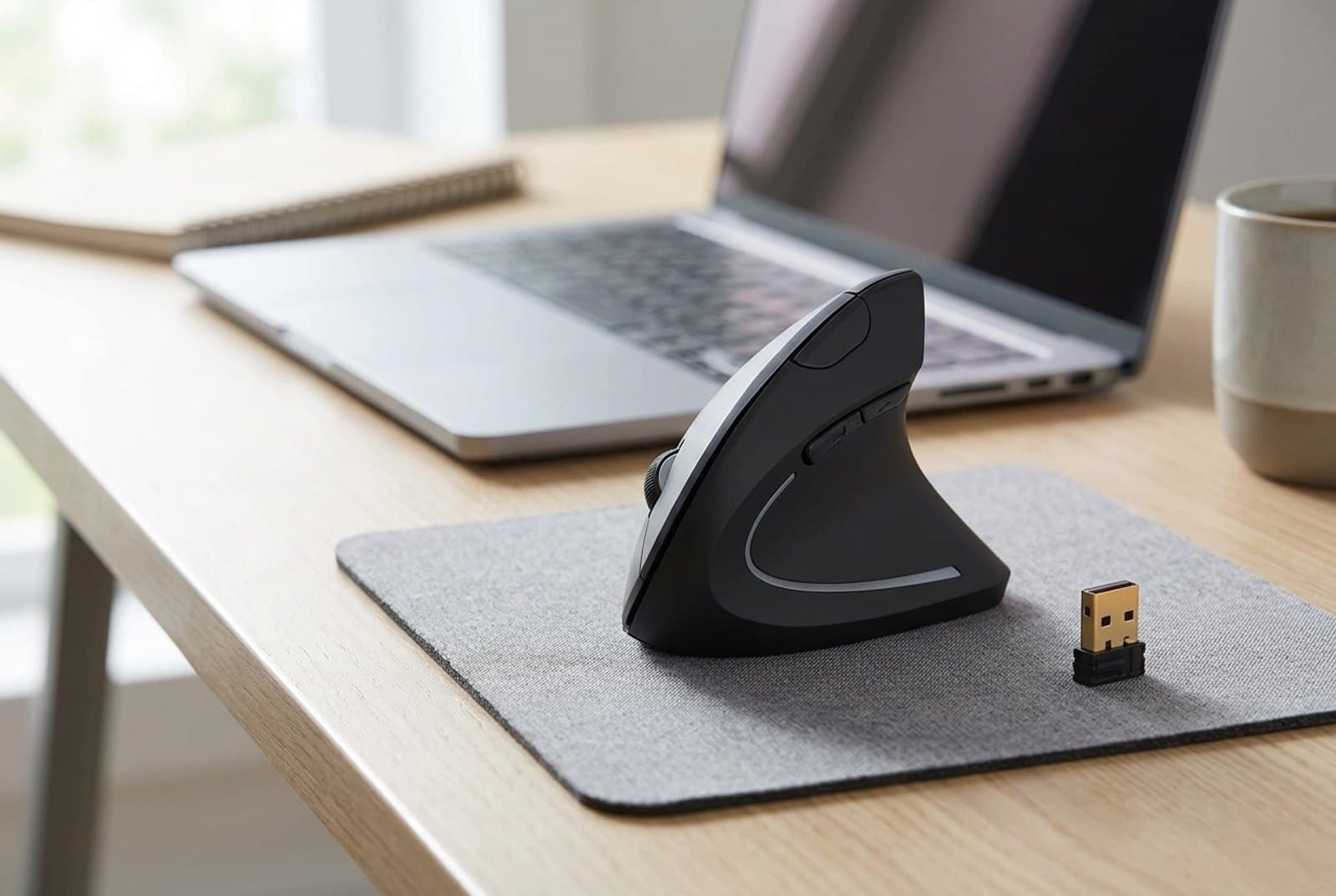
Not sure a vertical mouse is for you? Spend $20 and find out. The Anker 2.4G Wireless Vertical has been the default 'try the shape' pick for years because it nails the one thing that matters — an upright handshake grip that takes the twist out of your forearm — for roughly a quarter of the Lift's price. It runs on a simple 2.4 GHz USB receiver (no Bluetooth pairing), offers 800/1200/1600 DPI steps, and adds handy next/previous thumb buttons for browsing. For a huge number of people, the revelation that their wrist feels better after a week on this cheap Anker is what justifies upgrading to a nicer vertical later.
You are, of course, buying to a price. It's 2.4 GHz-only, so you'll give up a USB port to the dongle and there's no Bluetooth; it takes AAA batteries rather than recharging; the plastics and click feel are plainly budget; and it's right-handed only. It's also on the larger side, so very small hands may find it a stretch. But none of that changes the core value: this is the lowest-risk way to prove the vertical concept on your own wrist before spending real money, and plenty of people happily never upgrade past it.
What we like
- The cheapest honest way to try the vertical handshake shape
- Simple plug-and-play 2.4 GHz receiver, no pairing needed
- Adjustable 800/1200/1600 DPI with browser back/forward buttons
Worth knowing
- 2.4 GHz-only (no Bluetooth) and AAA-powered, with budget click feel
- Right-handed only and a bit large for very small hands
- Type
- Vertical (budget)
- Sensor
- 800 / 1200 / 1600 DPI
- Power
- 2× AAA
- Connection
- 2.4 GHz USB receiver
- Hand size
- Medium to large, right-handed
4. Best for Productivity
Logitech MX Master 3S
Typically $80–100
- Power users who won't adapt to vertical
- Heavy scrolling and multi-app work
- Mild strain, not acute pain
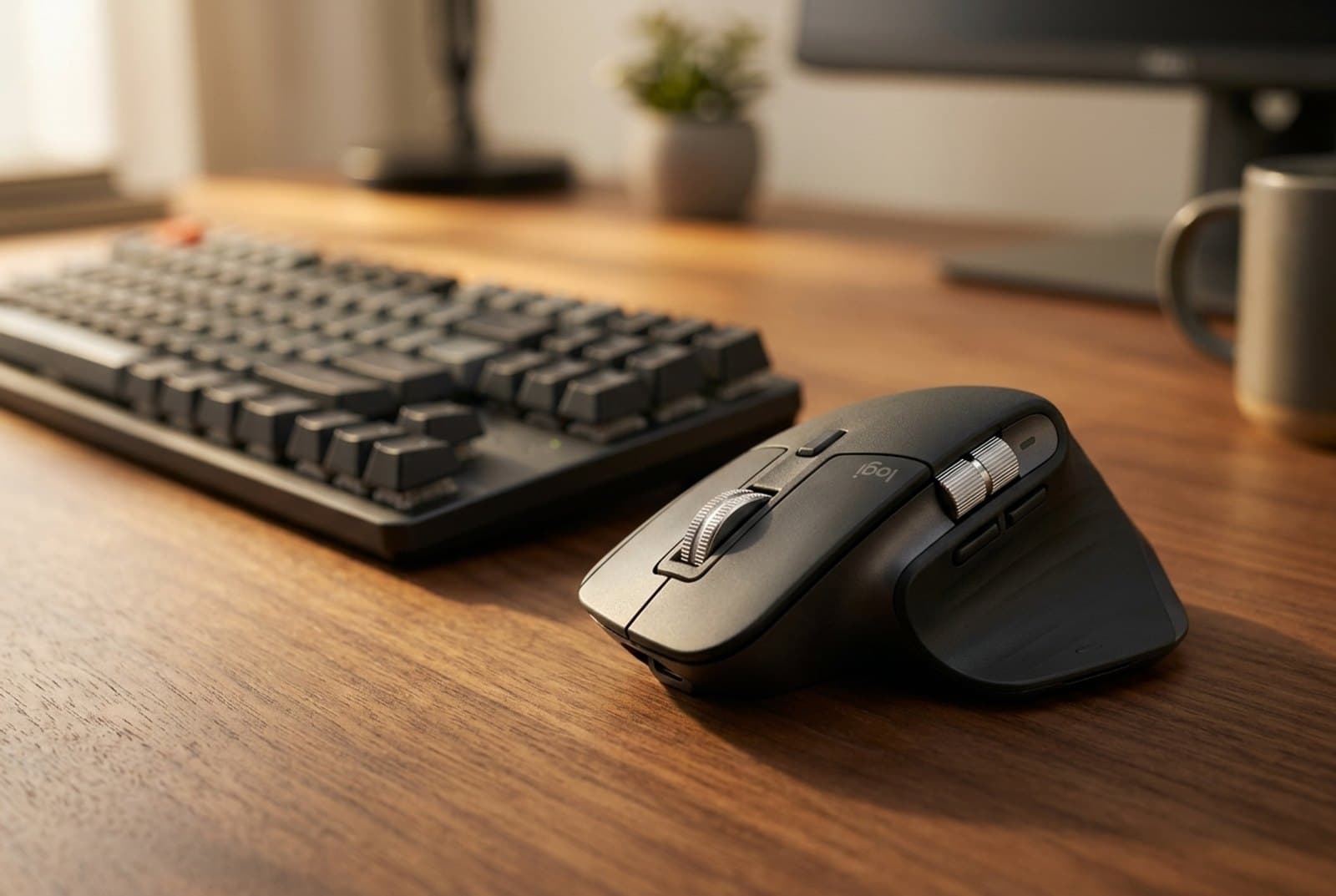
Some people try a vertical mouse and simply never adapt to it — the grip feels alien, precision work suffers, and they drift back to a normal mouse. The MX Master 3S is the ergonomic answer for them. It isn't vertical; it's a tall, deeply sculpted mouse that fills the palm and lifts your hand into a more relaxed, partly-raised posture without asking you to relearn how to click. On top of that it's the best productivity mouse on the market: an 8,000 DPI Darkfield sensor that tracks on glass, near-silent Quiet Clicks, and the superb MagSpeed wheel that flips between ratcheted and free-spinning scroll, plus a thumb wheel and gesture button. Bluetooth and Logi Bolt cover three machines, and Logi Flow lets you slide the cursor between two computers as if they were one.
Be clear about what it is and isn't. It's a productivity mouse with real ergonomic benefit, not a medical-grade wrist fix — if you have genuine RSI or acute wrist pain, a true vertical or a trackball keeps your forearm more neutral than any sculpted mouse can. It's also large and right-handed, so small hands and lefties are out. But for the power user with mild strain who wants comfort without giving up speed and precision, nothing here is as pleasant to use eight hours a day.
What we like
- Sculpted shape relaxes the hand without the vertical learning curve
- 8,000 DPI glass tracking, near-silent Quiet Clicks, and the excellent MagSpeed wheel
- Bluetooth + Logi Bolt, USB-C recharge, and Flow across two computers
Worth knowing
- Sculpted, not vertical — less forearm relief than a true vertical or trackball
- Large and right-handed only; overkill if you just want basic wrist relief
- Type
- Sculpted (not vertical)
- Sensor
- 8,000 DPI Darkfield (tracks on glass)
- Power
- Rechargeable USB-C
- Connection
- Bluetooth + Logi Bolt (3 devices)
- Hand size
- Medium to large, right-handed
5. Best Trackball
Logitech ERGO M575S Trackball
Typically $40–50
- Keeping the wrist completely still
- Small desks with no mousing room
- RSI and shoulder strain
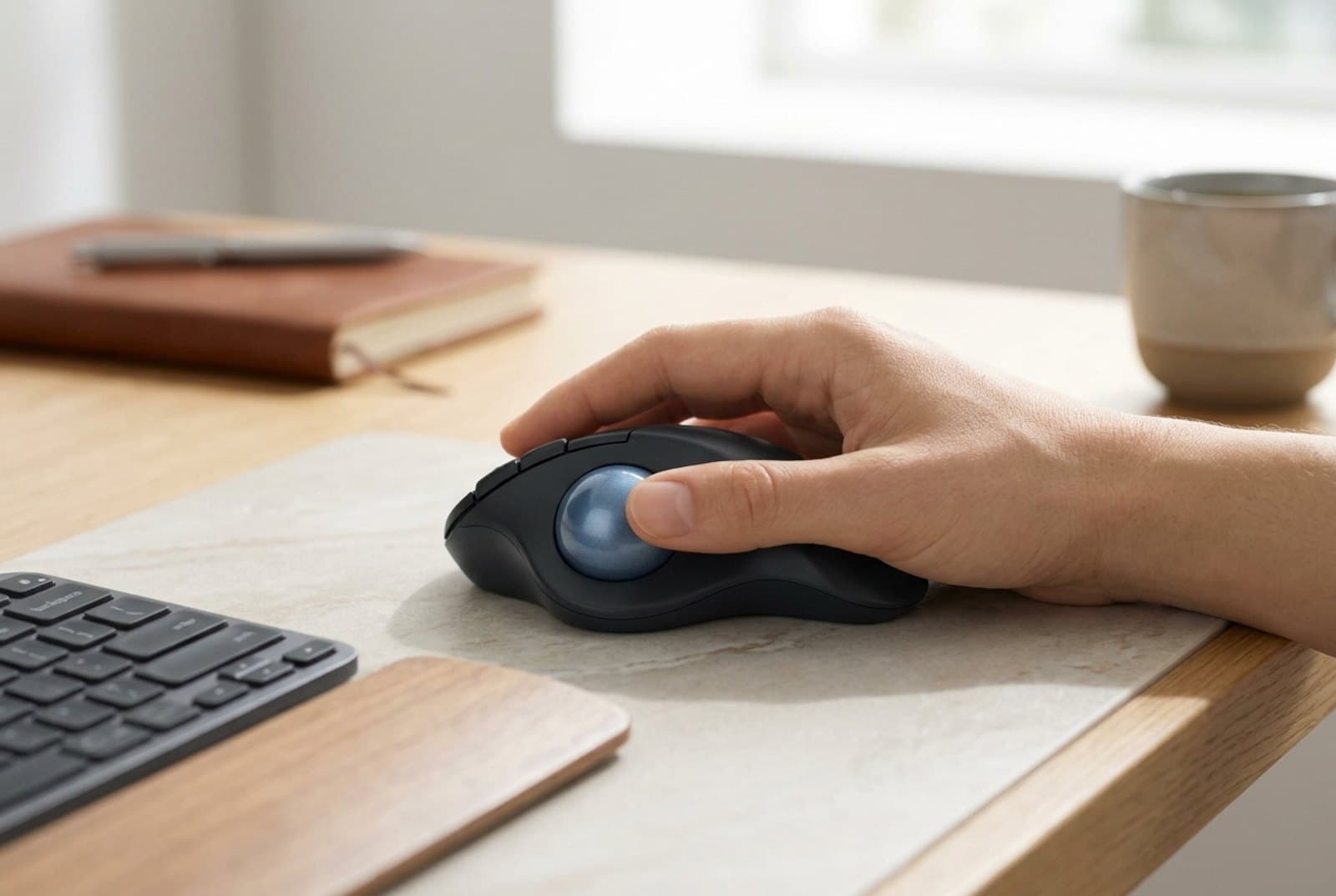
A trackball attacks wrist pain from a completely different direction: instead of moving the whole mouse — and your whole forearm — you leave your hand parked and roll a ball with your thumb. Nothing about your wrist or arm has to travel, which is why trackballs are a go-to recommendation for RSI, shoulder strain, and tiny desks with no room to swing a mouse. The ERGO M575S is the easiest one to live with: a sculpted body that supports your whole hand, quiet clicks, an adjustable-DPI ball, and both Bluetooth and Logi Bolt wireless, all certified by U.S. ergonomists. A single AA lasts up to 24 months. And because the mouse never moves, it's brilliant on a cramped or cluttered desk where a vertical mouse would run out of runway.
The honest catch with any trackball is the adjustment period. Precise cursor work — photo editing, detailed design, fast gaming — feels clumsy for the first week or two while your thumb learns the ball, and some people never fully warm to it. You'll also want to wipe the ball and its bearings occasionally to keep the roll smooth. It's right-handed and thumb-operated, so it won't suit everyone. But if your pain comes from constantly dragging a mouse around, or your desk simply hasn't got the space, the M575S removes the movement entirely for very little money — and it's the trackball we'd start beginners on.
What we like
- Your hand and forearm stay still — no mousing motion at all
- Needs zero desk space, ideal for cramped or cluttered setups
- Quiet clicks, Bluetooth + Bolt, and up to 24 months on one AA
Worth knowing
- Real learning curve; precise cursor work feels clumsy at first
- Right-handed, thumb-operated, and the ball needs occasional cleaning
- Type
- Thumb trackball
- Sensor
- Adjustable DPI optical ball
- Power
- 1× AA (up to 24 months)
- Connection
- Bluetooth + Logi Bolt (2 devices)
- Hand size
- Most hands, right-handed
6. Best Adjustable & Premium
Contour Unimouse
Typically $99–110
- Dialing in an exact angle
- Existing wrist injury or acute pain
- Sharing across hand sizes
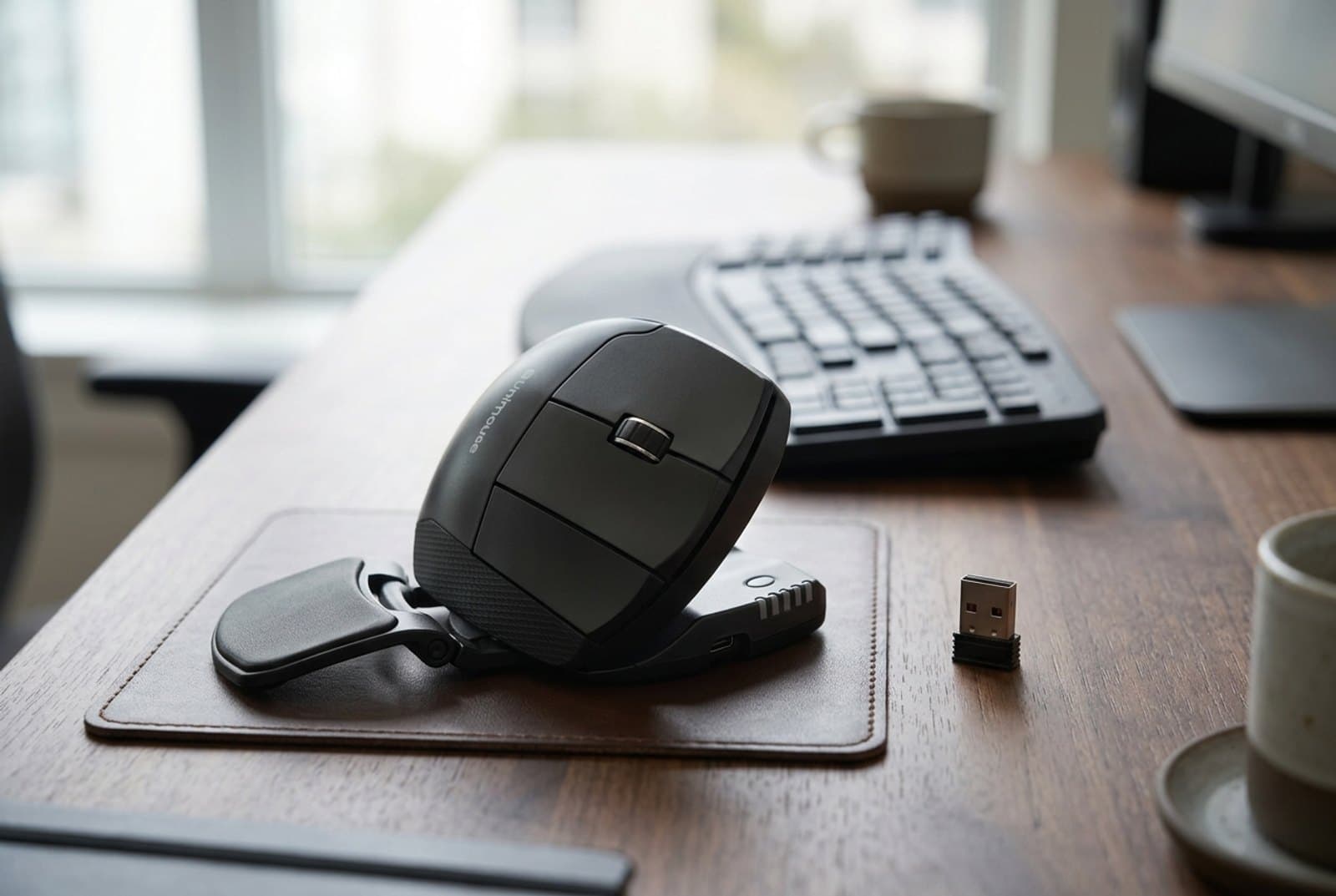
Every other mouse here fixes your hand at one angle and hopes it fits. The Contour Unimouse is the one that adjusts to you. A patented articulating hinge lets you set the body anywhere from 35° to 70°, and the movable thumb rest slides forward and back, up and down, in and out, and rotates — so you can tune the fit to your exact hand rather than the average of everyone's. That flexibility is why it's the pick for people with an existing wrist injury or acute pain, whose comfortable angle might be very specific, and for a mouse that has to fit more than one person. It's a serious ergonomic tool: six programmable buttons, an 800–2,800 DPI sensor, a rechargeable battery good for about three months a charge, and dedicated left- and right-handed versions.
It's also the priciest and most niche option here, and that's the trade. At around $100 it costs five times the Anker for a benefit — infinite adjustability — that most people don't strictly need; if a fixed 57° already feels right, the MX Vertical or Lift give you that for less. The Unimouse is a touch heavier and busier-looking than a clean consumer mouse, too. But if you've tried fixed verticals and none sat quite right, or you're mousing around a real injury and need to find your precise angle, the ability to adjust every axis is worth every dollar — and it's the only mouse here that lets two different hands share one desk in comfort.
What we like
- Adjustable 35°–70° tilt and a fully movable thumb rest fit any hand
- Six programmable buttons, rechargeable, with left- and right-handed versions
- The best choice for an existing injury or a shared, multi-user desk
Worth knowing
- Expensive and more adjustment than most people actually need
- Heavier and busier-looking than a simple fixed vertical
- Type
- Adjustable vertical (35°–70°)
- Sensor
- 800–2,800 DPI optical
- Power
- Rechargeable (~3 months/charge)
- Connection
- 2.4 GHz USB receiver
- Hand size
- Any; right or left versions
The verdict
For most people, the Logitech MX Vertical is the best ergonomic mouse to buy: its 57° handshake angle delivers real forearm relief in a polished, rechargeable, multi-device body. But the right pick depends on your hand and your pain, and this is a category where fit beats prestige.
If your hands are small, or you're left-handed, the Logitech Lift gives you the same 57° relief in a body that actually fits — it's the one we'd hand a first-timer. Not sure the shape is for you at all? The Anker vertical proves the concept for around $20 before you commit. If you tried vertical and hated it, the sculpted MX Master 3S relaxes your grip while staying the best productivity mouse made. If your pain comes from moving the mouse — or your desk has no room — the ERGO M575S trackball keeps your hand perfectly still. And if no fixed angle ever felt right, or you're working around a real injury, the Contour Unimouse adjusts to you. Whichever you choose, give it a week to stop feeling strange, pair it with a comfortable keyboard and a soft desk mat under your wrist, move the mouse in close to the keyboard before you add anything under the wrist at all (why that order), and let the rest of your ergonomic setup do its part too.
Frequently asked questions
For many people, yes — but the mechanism matters. A standard mouse forces your forearm into pronation (palm-down), and holding that twist for hours a day, for years, is what compounds strain. A vertical mouse rotates your hand into a neutral 'handshake' position that relieves that twist, and a trackball removes the mousing motion entirely. Logitech cites roughly a 10% reduction in muscular activity for the MX Vertical's 57° angle. None of this is a medical treatment, and results vary — if you have persistent or severe pain, see a professional — but a lot of people report meaningful relief within a week or two of switching. Give any new shape at least a few days; the grip feels strange before it feels better.
It depends on where your pain comes from. If the strain builds from your forearm being twisted flat all day, a vertical mouse (MX Vertical, Lift, or Anker) fixes the angle while you still move the mouse normally, so it's the smaller adjustment and the one most people start with. If the pain comes from constantly dragging the mouse around — or your desk simply has no room to move one — a trackball like the ERGO M575S keeps your hand and forearm completely still and you roll a ball instead. Trackballs relieve more movement but have a steeper learning curve. When in doubt, start with a vertical; it's the more familiar change.
Hand size is the most common reason a vertical mouse disappoints, so measure before you buy: from your wrist crease to the tip of your middle finger. Roughly speaking, hands around 7 inches or larger are comfortable on the full-size Logitech MX Vertical, while small-to-medium hands fit the more compact Logitech Lift far better — a too-big vertical leaves you clawing at it and a too-small one cramps. If you're between sizes, or you can't measure confidently, the adjustable Contour Unimouse sidesteps the question by letting you tune both the angle and the thumb rest to your exact hand.
Yes, though the category skews heavily right-handed, so you have to choose deliberately. The Logitech Lift ships a genuine left-handed version, which makes it the easiest recommendation for most left-handers. The Contour Unimouse also comes in a dedicated left-handed model and adds full angle and thumb-rest adjustment on top. Most other popular verticals — including the MX Vertical and the budget Anker — are right-handed only, so if you're left-handed, start with the Lift or the Unimouse rather than trying to adapt a right-handed shape.
Briefly, then no. Expect a few days to a couple of weeks where clicking and precise cursor work feel slower while your hand learns the new grip — this is normal and it passes. Vertical mice have the gentlest adjustment because you still move the mouse the same way; trackballs take the longest because your thumb has to learn to steer the cursor. If your job depends on pixel-precise work (design, photo editing, competitive gaming), a sculpted mouse like the MX Master 3S gives you comfort with almost no learning curve, while a trackball is the slowest to master. For everyday office and browsing work, most people are back to full speed within a week.
It matters less for tracking than it used to, but it still matters for comfort. The Logitech Darkfield sensors in the MX Vertical and MX Master 3S track on almost anything, including glass, so a mouse pad isn't strictly required. A good desk mat still helps in two ways: it gives a consistent, quiet glide and it cushions your wrist and forearm against a hard desk edge over a long day. Trackballs don't move at all, so the surface under them is irrelevant. If you're building a comfortable setup around a new ergonomic mouse, a large cloth or felt desk mat is a cheap, worthwhile finishing touch.
Keep building your setup
Accessories
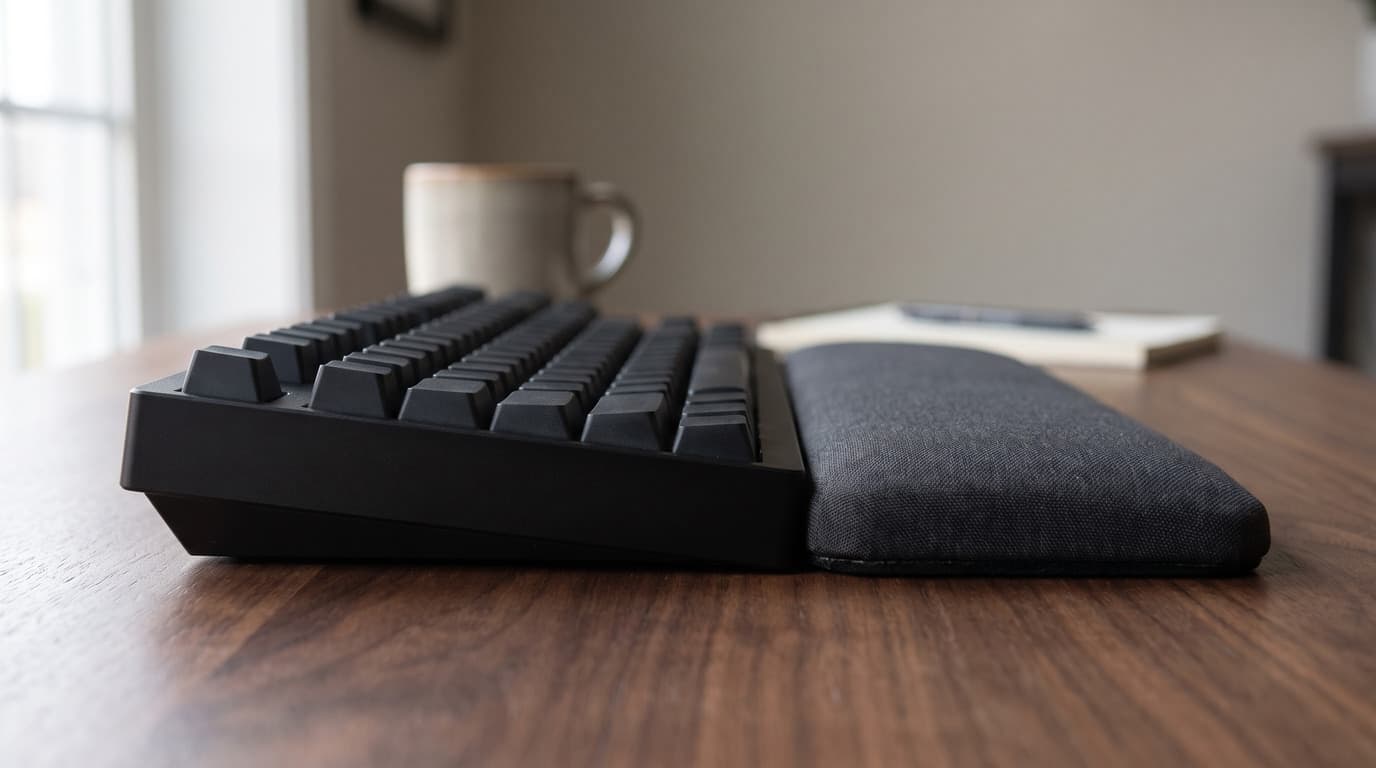
The Best Wrist Rests for Keyboard and Mouse in 2026
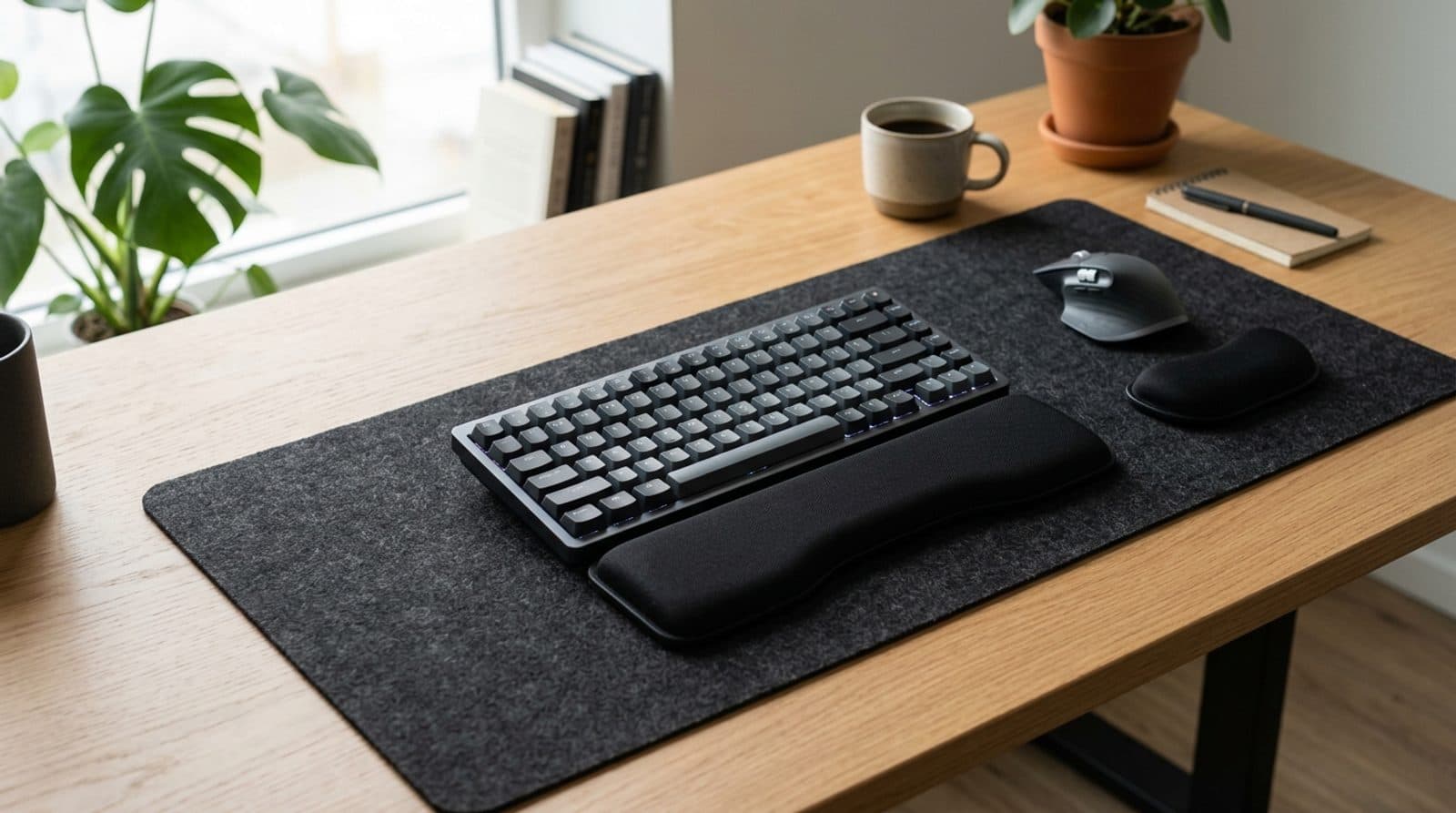
A great keyboard and mouse still leave your wrists doing the work. Six wrist rests — cooling gel, memory foam, solid walnut, and a dedicated mouse pad — sorted by material, height match to your keyboard, and how they hold up to a sweaty afternoon.
Updated September 5, 2026
Accessories
Keyboard Height and Wrist Rests: Matching the Two Numbers Nobody Publishes
The angle your wrists sit at is a height step you can measure with a ruler. The trouble is that keyboard makers publish that height on at least four different conventions, wrist rest makers publish a single unloaded thickness, and the two numbers are almost never comparable — which is how a rest sold as height-matched ends up half the height of the keyboard in front of it.
Updated September 5, 2026
Accessories
The Best Mechanical Keyboards for Office Use in 2026
A mechanical keyboard you'll love typing on doesn't have to annoy everyone around you. Five office-appropriate boards — from a silent $90 Cherry to a dampened aluminum flagship — chosen for how quiet they are, not just how they feel.
Updated July 31, 2026
Get the next guide in your inbox
One short email when we publish or meaningfully update a buying guide. No spam, no daily deals firehose.