 Rigworthy
The Best Mechanical Keyboards for Office Use in 2026
By Rigworthy Editorial Team · Updated July 31, 2026
Rigworthy is reader-supported: we may earn a commission if you buy through our links, at no cost to you. How we make money
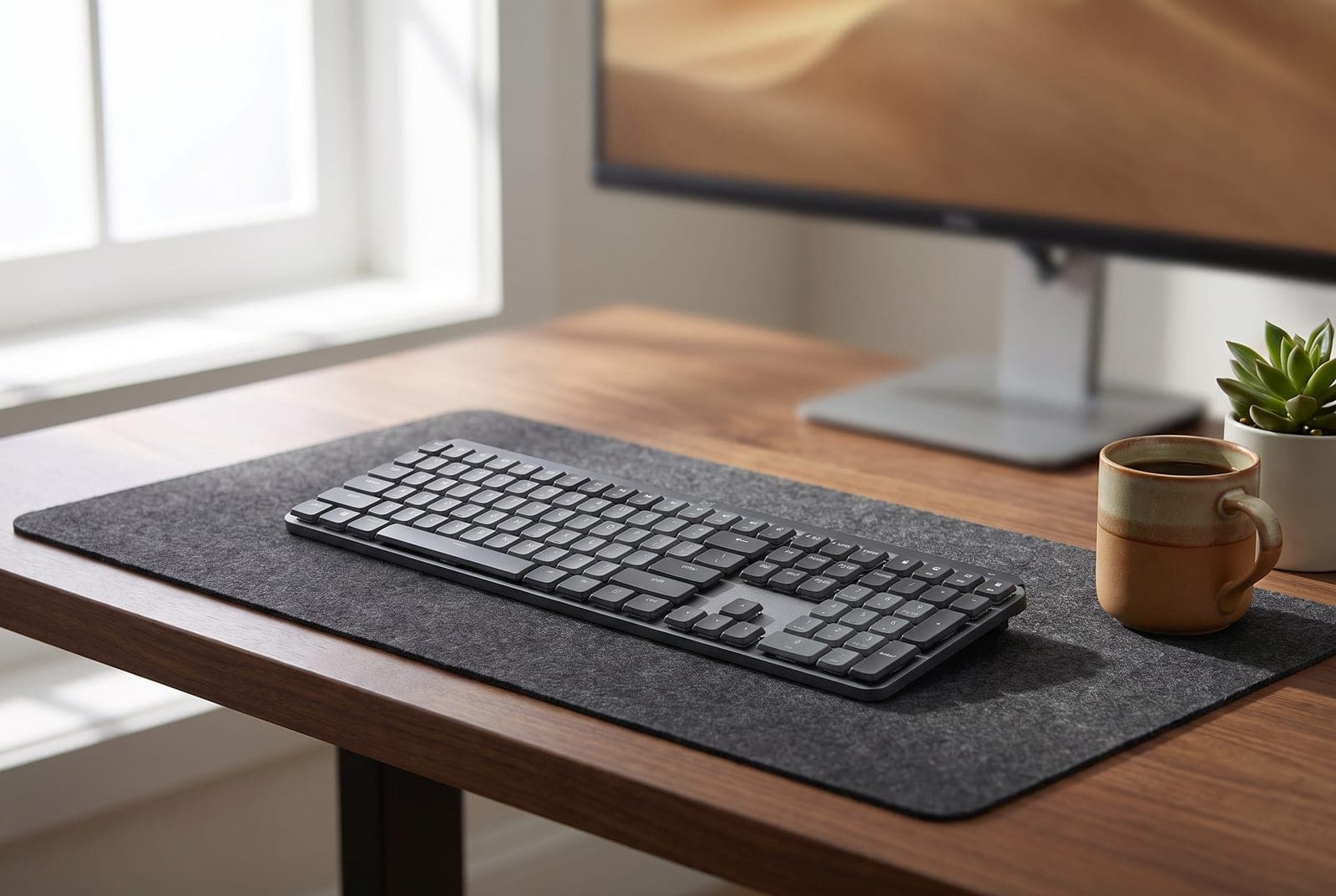
A mechanical keyboard is one of the most satisfying upgrades on a desk — until it becomes the loudest thing in a video call or an open-plan office. The good news is that "mechanical" and "quiet" stopped being opposites years ago. Silent switches with built-in dampeners, gasket-mounted cases stuffed with acoustic foam, and low-profile designs all exist specifically to give you the feel of a great keyboard without the clatter that makes you self-conscious in a shared room.
This guide sorts five office-appropriate mechanical keyboards by the things that actually matter at work: how quiet they are in practice, whether the layout fits your job, and whether wireless multi-device switching is worth paying for. They run from a genuinely silent $90 Cherry you just plug in, to a dampened aluminum flagship you tune switch-by-switch. Specs and prices reflect what manufacturers publish as of mid-2026; where a number depends on your switch or configuration choice, we've said so rather than pretend one answer fits everyone.
Our top picks at a glance
- 1
- 2
- 3
- 4
- 5
How we chose
- How quiet it actually is in a shared room — switch type, dampening, and whether it ships silent
- Layout that fits real work: full-size numpad, tenkeyless, or space-saving 75%
- Wireless multi-device switching versus a simpler, cheaper wired connection
- Typing feel and build — pre-lubed switches, gasket mounts, and keycap material
- Honest value: what you pay for silence, and where a cheaper board does the same job
Our picks come from spec research, long-term owner feedback, and category expertise — not sponsorships. Read the full methodology.
Compared side by side
| Product | Award | Layout | Switches | Typical price |
|---|---|---|---|---|
| Cherry KC 200 MX (Silent Red) | Best Budget & Quietest | Full-size | MX2A Silent Red | ~$90 |
| Keychron K8 Pro | Best Wireless Value | Tenkeyless | Hot-swap (silent-capable) | $99–119 |
| NuPhy Air75 V2 | Best Low-Profile | 75% low-profile | Low-profile (silent-capable) | $120–130 |
| Logitech MX Mechanical | Best Overall | Full-size / 75% | Tactile Quiet (low-profile) | $150–180 |
| Keychron Q3 Max | Best Premium & Dampened | Tenkeyless | Gateron Jupiter (silent-capable) | $190–215 |
1. Best Budget & Quietest Out of the Box
Cherry KC 200 MX (Silent Red)
Typically around $90
- Shared and open-plan offices
- Numpad users
- No-software simplicity
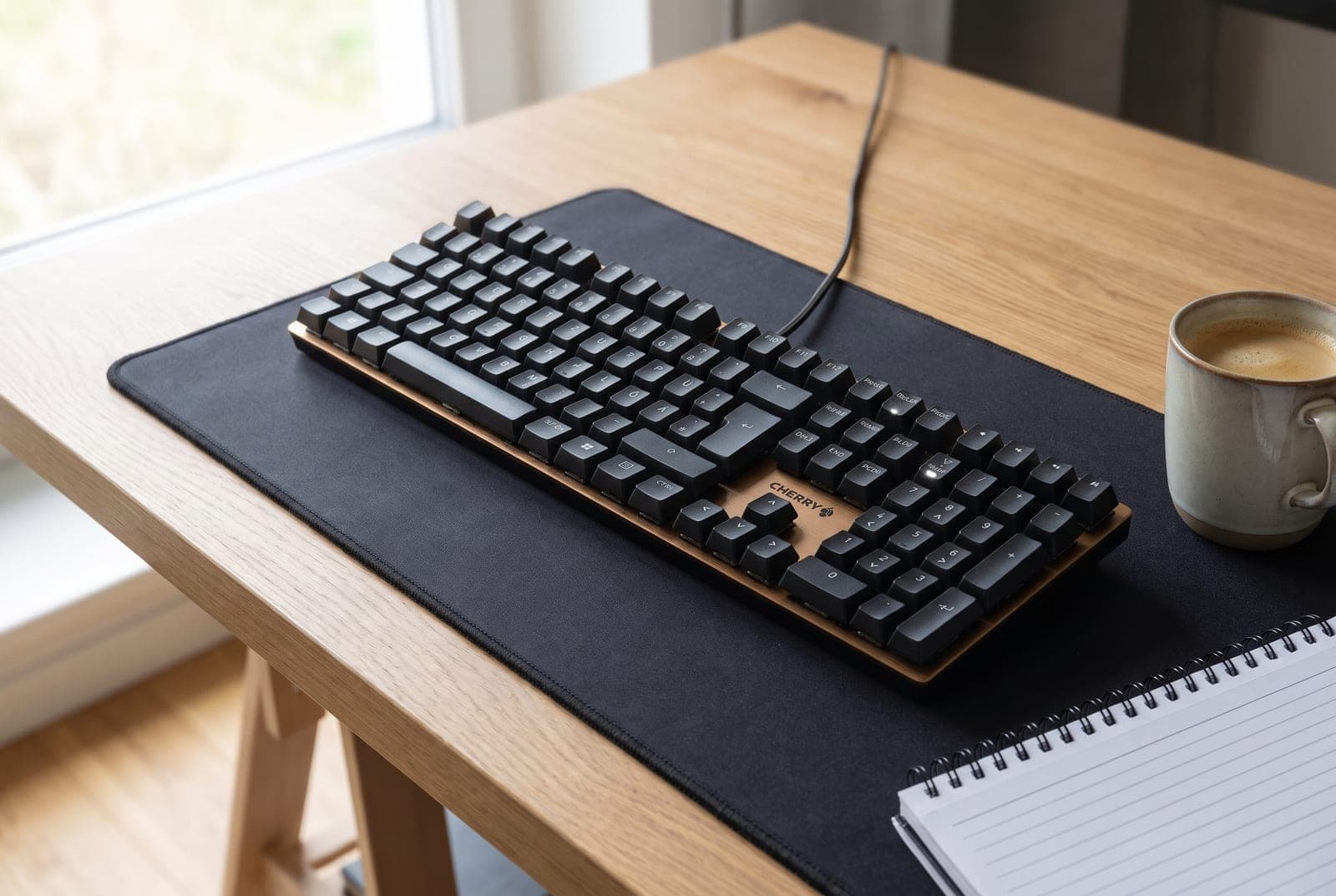
If your only goal is a mechanical keyboard that won't get you glared at across an open-plan office, buy this one and stop reading. The KC 200 MX is one of the first boards to ship with Cherry's updated MX2A Silent Red switches — smooth, pre-lubed 45g linears with dampening built into the switch itself, so there's no bottom-out clack and no sharp upstroke. It's genuinely one of the quietest mechanical keyboards you can buy without modding, and it does it straight out of the box with zero setup. A brushed aluminum top plate keeps it from feeling cheap, and it's a proper full-size layout with a numpad — the thing spreadsheet users actually miss on smaller boards.
The trade-offs are all about simplicity, and for an office that's mostly a feature. It's wired-only over USB-A with a 160 cm cable, there's no backlighting beyond the caps/num/scroll indicator LEDs, and there's no companion software — you plug it in and type. It also only comes in the full-size layout, so there's no compact version if desk space is tight. But at around $90 with real Cherry switches, N-key rollover, and a look that blends into a work desk rather than shouting for attention, it's the easiest recommendation here for anyone who just wants quiet keys and a numpad.
What we like
- Ships with genuinely quiet, pre-lubed Cherry MX2A Silent Red switches
- Full-size layout with a numpad and a premium brushed-aluminum top
- No software, no pairing, no charging — plug in over USB and type
Worth knowing
- Wired-only USB-A, and full-size is the only layout offered
- No backlighting and no wireless multi-device switching
- Layout
- Full-size (100%)
- Switches
- Cherry MX2A Silent Red (45g linear)
- Connection
- Wired USB-A (160 cm)
- Keycaps
- Laser-etched, aluminum top plate
- Extras
- N-key rollover, indicator LEDs only
2. Best Wireless Value
Keychron K8 Pro
Typically $99–119
- Mac and Windows switchers
- Tinkerers who want hot-swap
- Wireless on a budget
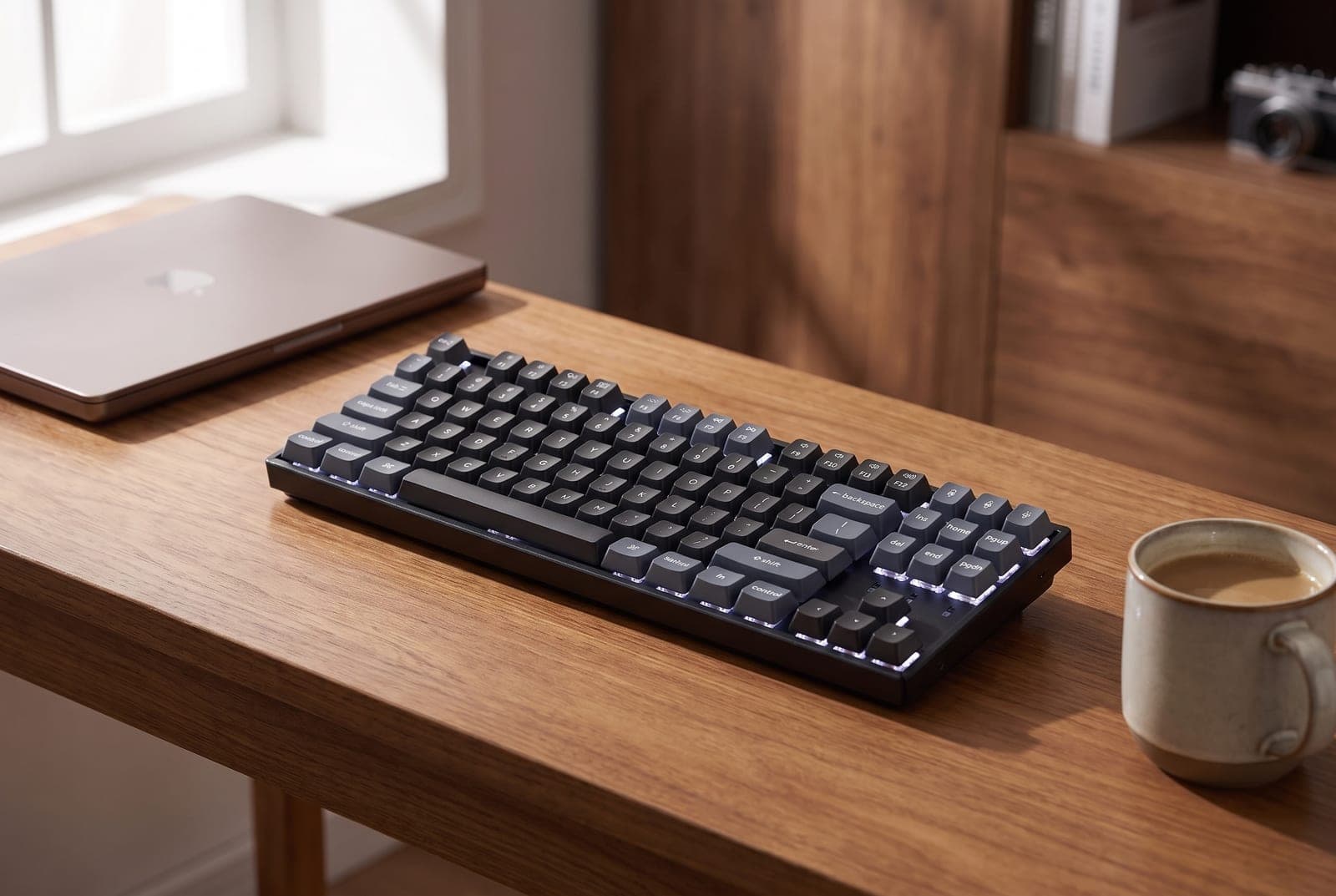
The K8 Pro is the sensible wireless workhorse: a tenkeyless (87-key) board with Bluetooth 5.1 for up to three devices, a wired USB-C fallback, and full QMK/VIA support so you can remap any key or build macros in a browser. Crucially for an office, it's hot-swappable — the sockets take almost any 3- or 5-pin MX switch without soldering — which makes it the flexible quiet pick: order it with tactile Gateron G Pro Browns if you like feedback, or drop in silent linear switches (Gateron Silent or Cherry MX Silent Red) for a near-silent board you tuned yourself. Double-shot keycaps and an optional aluminum frame keep it feeling solid well above its price.
Two things to set expectations. First, it's a standard-height mechanical keyboard, so it sits taller than the low-profile boards here — a wrist rest helps on long days. Second, the quiet story depends on your switch choice: the stock G Pro switches are pleasant but not silent, so budget a few dollars for silent switches if noise is the whole point. The tenkeyless layout drops the numpad to pull your mouse closer and ease your shoulder, which most typists prefer; if you live in spreadsheets, the full-size Cherry above is the better fit. For most people who want wireless, Mac/Windows flexibility, and room to tinker, this is the value sweet spot.
What we like
- Bluetooth multi-device plus wired USB-C, Mac and Windows keycaps included
- Hot-swappable sockets — build a silent board with the switches you choose
- QMK/VIA remapping and macros, with an affordable aluminum-frame option
Worth knowing
- Stock switches aren't silent — plan on swapping for near-silent typing
- Standard height sits tall — check the front-edge height before buying a wrist rest
- Layout
- Tenkeyless (87-key)
- Switches
- Gateron G Pro, hot-swappable (silent-capable)
- Connection
- Bluetooth 5.1 (3 devices) + wired USB-C
- Firmware
- QMK / VIA
- Keycaps
- Double-shot / dye-sub PBT
3. Best Low-Profile
NuPhy Air75 V2
Typically $120–130
- Laptop and MacBook users
- Small desks and travel
- A modern, thin typing feel
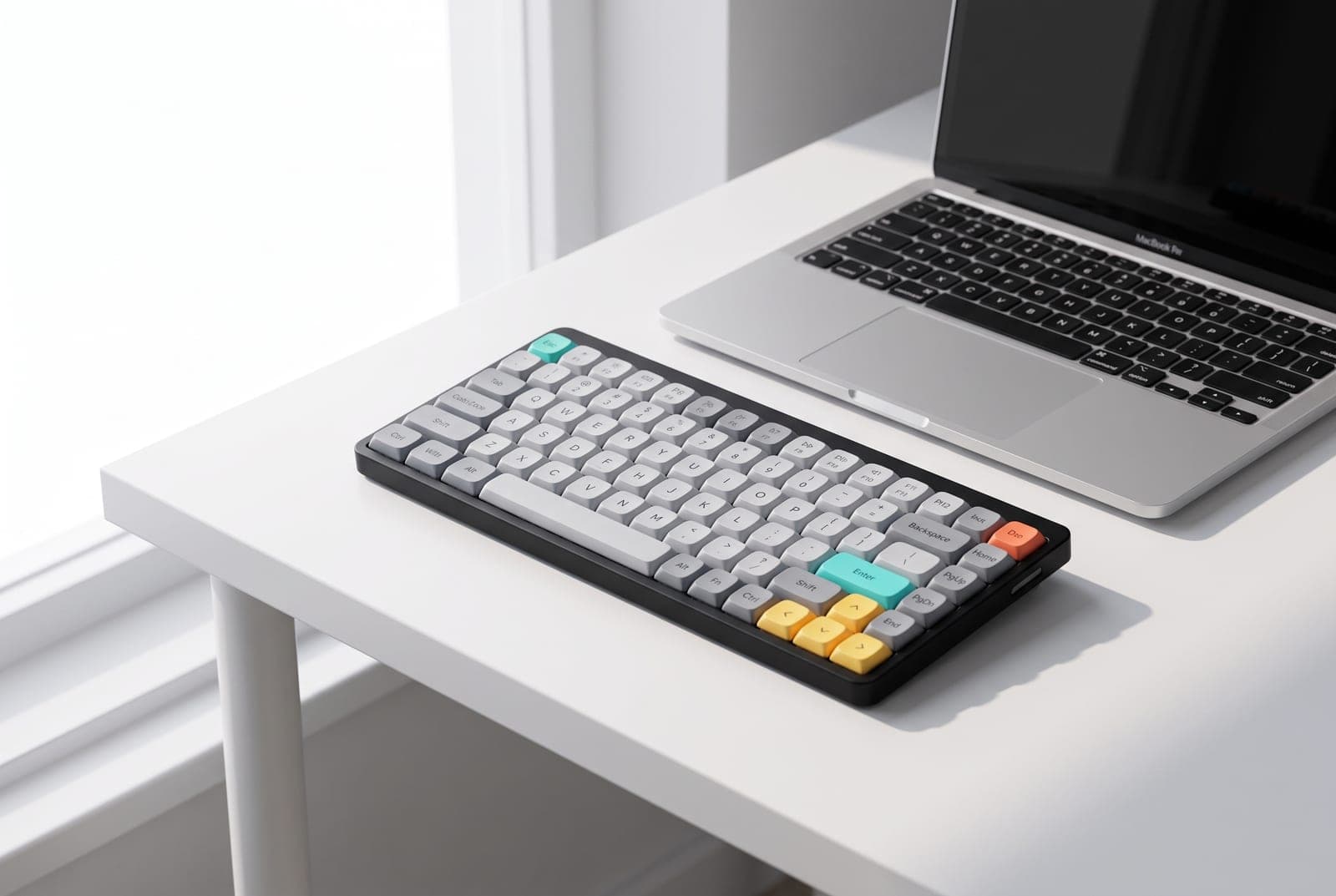
If a standard mechanical keyboard feels like too much keyboard, the Air75 V2 is the low-profile answer that still types like a real mechanical board. It's a compact 75% layout — arrow keys and a function row without the numpad's width — barely taller than a laptop keyboard, which keeps your wrists flatter and matches a MacBook's typing angle beautifully. It runs low-profile Gateron switches (it ships on the smooth 48g Daisy linear, with quieter and clickier options available), pairs with up to four devices over Bluetooth or a low-latency 2.4 GHz dongle, and its 4,000 mAh battery goes weeks between charges with the lights off. QMK/VIA support and hot-swap low-profile sockets mean you can still tune it.
The compromises are the usual low-profile ones. The thin switches are quieter than full-height clickies but not silent — for the quietest result, choose the low-profile red or a silenced variant. The shallower travel takes a day or two to adjust to if you're coming from a tall board, and the playful accent keycaps read more 'creative desk' than 'corporate boardroom,' though a calmer keycap set fixes that. As the low-profile pick for anyone on a laptop, a small desk, or a bag that travels between home and office, nothing here strikes the balance of thinness, feel, and features as well.
What we like
- Low-profile mechanical feel that suits laptop users and small desks
- Up to four-device pairing over Bluetooth and 2.4 GHz, huge battery
- Hot-swap low-profile sockets and QMK/VIA for real customization
Worth knowing
- Low-profile switches quiet the sound but aren't silent by default
- Playful stock keycaps look less at home in a formal office
- Layout
- 75% low-profile
- Switches
- Gateron low-profile (Daisy 48g default), hot-swap
- Connection
- Bluetooth + 2.4 GHz (4 devices) + USB-C
- Battery
- 4,000 mAh (weeks with backlight off)
- Firmware
- QMK / VIA
4. Best Overall
Logitech MX Mechanical
Typically $150–180
- Multi-computer workflows
- Plug-and-play buyers
- Home offices with a Logitech mouse
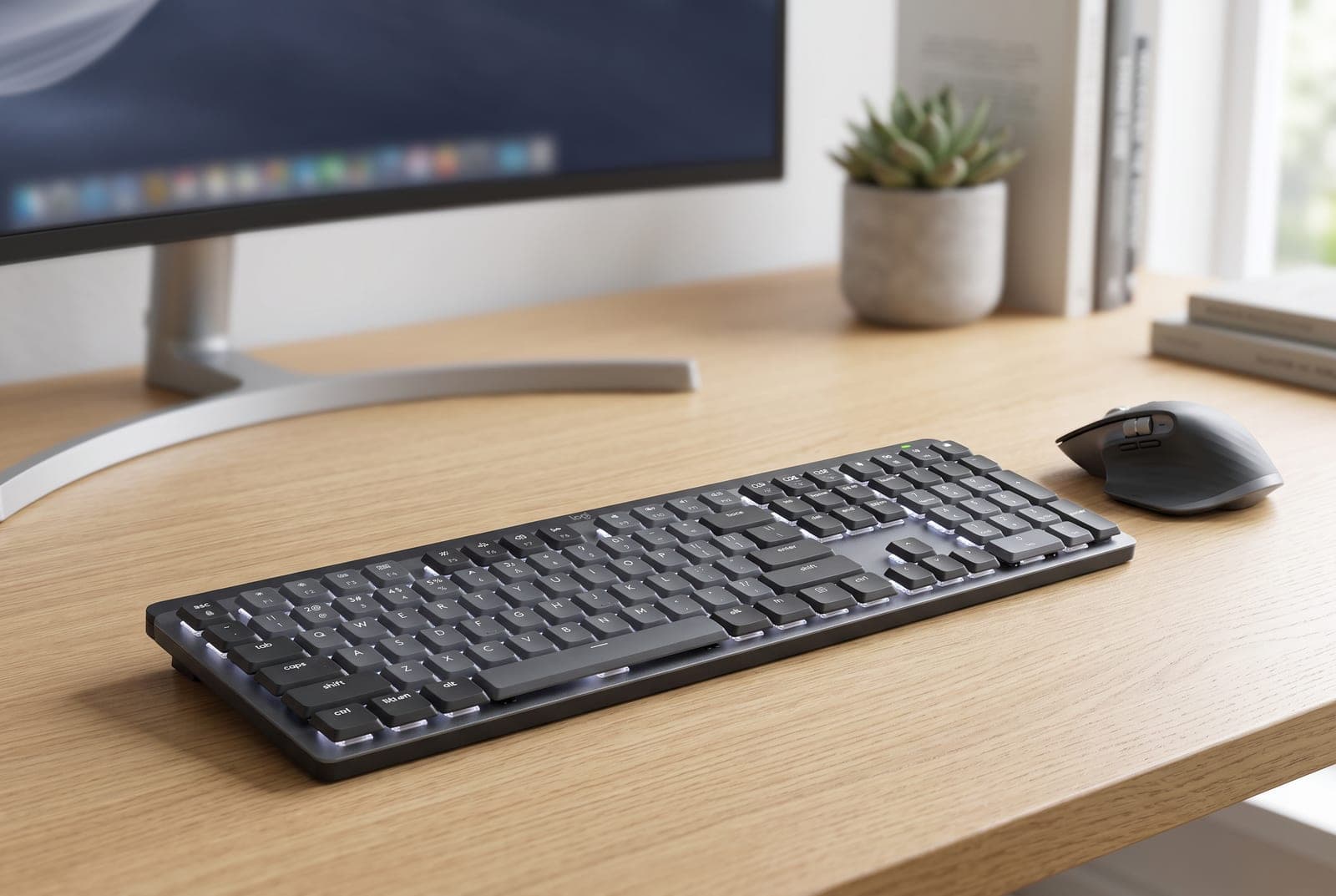
For most working professionals, the MX Mechanical is the one to buy: a low-profile mechanical keyboard built around productivity rather than gaming. Its headline trick is Easy-Switch — three keys that jump the keyboard (and, with Logi Flow, your cursor and clipboard) between up to three computers instantly, which is the single most useful feature you can have on a desk that juggles a work laptop and a personal machine. Order it with Logitech's Tactile Quiet switches and it's noticeably subdued for a mechanical board, with a smart backlight that lights only when your hands approach and adjusts to the room. It pairs over Bluetooth or the included Logi Bolt receiver, charges over USB-C, and runs about 15 days per charge with the backlight on — or up to ten months with it off.
It's the priciest mainstream pick here at $179.99 list (though it frequently sells lower), and there are two things to weigh. The low-profile feel is excellent but different — shallower than a standard mechanical board, so try it if you can. And while the Tactile Quiet switches are the ones to get, the Clicky and Linear options are not office-quiet, so choose deliberately. There are two layouts: the full-size MX Mechanical with a numpad, and the 75% MX Mechanical Mini that clears desk space for your mouse. If you want the most polished, do-everything office keyboard — especially alongside an MX Master mouse — this is it.
What we like
- Easy-Switch and Flow move between three computers seamlessly
- Tactile Quiet low-profile switches with a smart proximity backlight
- Bluetooth or Logi Bolt, USB-C charging, and long battery life
Worth knowing
- The most expensive mainstream option, and only Tactile Quiet is office-quiet
- Low-profile feel and non-hot-swap switches won't suit tinkerers
- Layout
- Full-size or 75% Mini
- Switches
- Low-profile Tactile Quiet (also Linear/Clicky)
- Connection
- Bluetooth + Logi Bolt (3 devices), USB-C
- Battery
- ~15 days backlit / ~10 months off
- Software
- Logi Options+ (Easy-Switch, Flow)
5. Best Premium & Best-Dampened
Keychron Q3 Max
Typically $190–215
- Enthusiast typing feel
- A quiet, planted desk anchor
- Deep customization
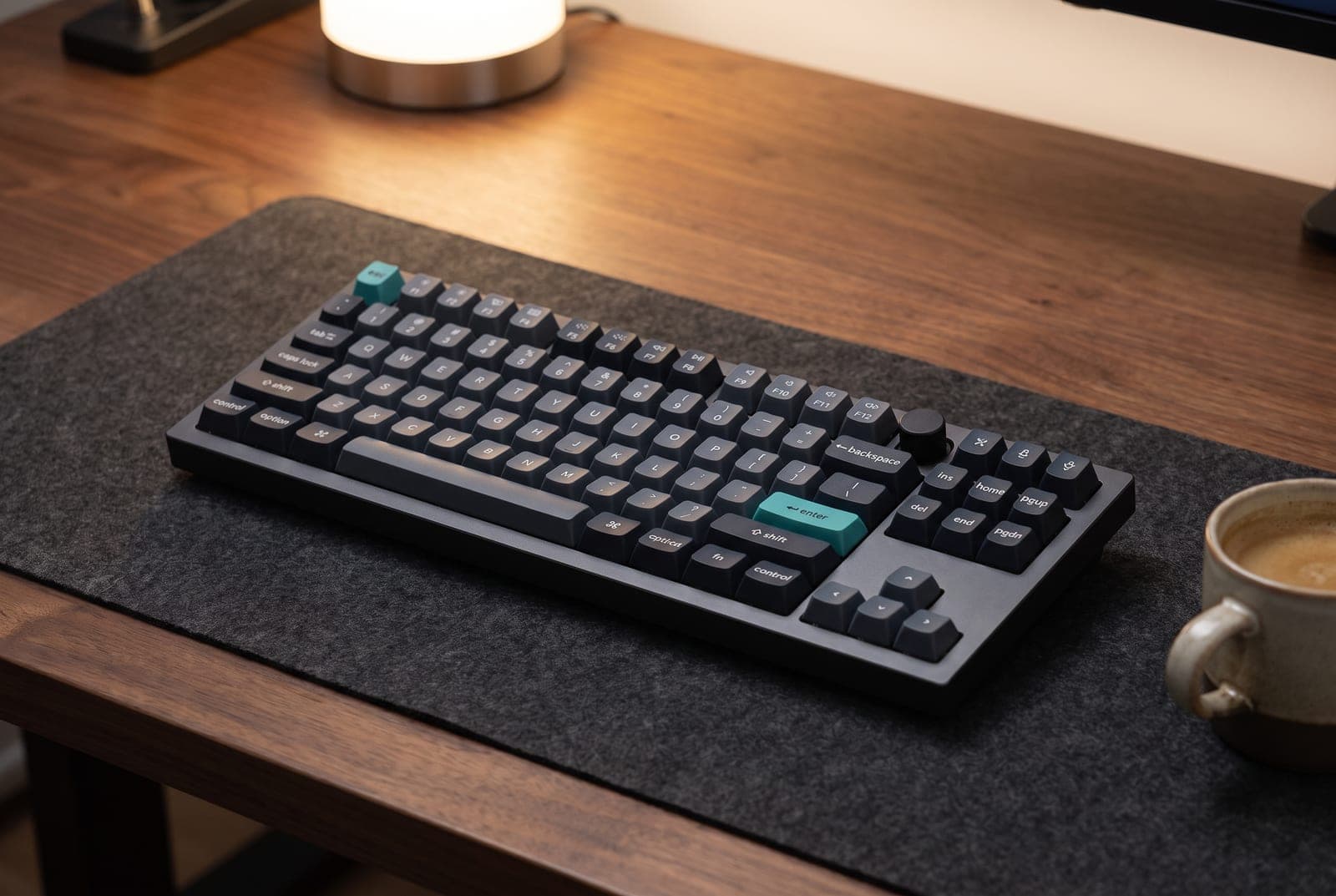
The Q3 Max is where a keyboard becomes a piece of desk furniture. It's a tenkeyless board built from CNC-machined aluminum with a gasket mount and layers of acoustic foam (IXPE, PET, and latex) that soak up the hollowness and ping cheaper boards have — the result is a deep, muted, 'thock' typing sound rather than a rattle, so even with tactile switches it reads as calm rather than clattery in a shared room. It pairs low-latency 2.4 GHz wireless and Bluetooth with wired USB-C, is fully hot-swappable, runs QMK/VIA, and wears double-shot PBT keycaps and an optional control knob. For the quietest possible result, pair its dampened body with silent linear switches.
This is an enthusiast purchase, so buy it for the right reasons. At roughly $190–215 it costs more than twice the Cherry, and its full-aluminum build is heavy — that's a plus for stability but a minus if you carry a keyboard between desks. QMK/VIA is powerful but has a learning curve compared with Logitech's polished app. What you get for the money is the best typing feel and the best sound insulation in this lineup, in a board you can tune switch-by-switch for years. If a keyboard is where you spend eight hours a day and you want the quiet to come from great engineering rather than a compromise, this is the one to grow into.
What we like
- Gasket mount and multi-layer foam give the deepest, most dampened sound
- Full CNC-aluminum build, hot-swap, QMK/VIA, wireless and wired
- Enthusiast typing feel that pairs beautifully with silent switches
Worth knowing
- Premium price and a heavy body that isn't made to travel
- QMK/VIA is deeper but less approachable than Logitech's software
- Layout
- Tenkeyless (80%)
- Switches
- Gateron Jupiter, hot-swappable (silent-capable)
- Build
- CNC aluminum, gasket mount, acoustic foam
- Connection
- 2.4 GHz + Bluetooth + wired USB-C
- Firmware
- QMK / VIA, double-shot PBT keycaps
The verdict
For most people, the Logitech MX Mechanical is the best all-round office keyboard — Easy-Switch across three computers, quiet tactile low-profile switches, and a polish nothing else here matches, especially next to an MX Master mouse. But it's also the priciest mainstream pick, and it isn't the right answer for everyone.
If you just want silence and a numpad for as little as possible, the Cherry KC 200 MX ships genuinely quiet and asks nothing of you but a USB port. The Keychron K8 Pro is the wireless value play, hot-swappable so you can build exactly the quiet board you want. The NuPhy Air75 V2 is the low-profile pick for laptop users and small desks. And the Keychron Q3 Max is the one to grow into — the best typing feel and the deepest, most dampened sound in the group. Whichever you choose, remember the room matters too: a cloth desk mat softens the sound further, and pairing quiet keys with a good USB microphone keeps your typing off everyone else's call. And before you add a wrist rest to any of these, measure the board's front edge — a standard mechanical keyboard stands roughly 26 to 30 mm tall there and most rests are shorter, which our keyboard height and wrist rest guide works through with the manufacturer figures.
Frequently asked questions
Yes — the key is the switch and the build, not the label 'mechanical.' Silent switches like Cherry MX2A Silent Red or Gateron Silent linears have rubber dampeners inside that mute both the bottom-out and the return, dropping typing noise to roughly 45–48 dB, close to a normal membrane keyboard. Add a dampened, foam-filled body like the Keychron Q3 Max and the sound gets even softer and deeper. The keyboards to avoid in a shared room are clicky switches (blue/green) and hollow, un-dampened cases — those are the ones coworkers notice.
Look specifically for switches with the word 'Silent' in the name — Cherry MX Silent Red (or the newer MX2A Silent Red), Gateron Silent, and similar dampened linears are the quietest common options. Standard linear switches (plain reds) are next quietest, tactile browns are a bit louder on the bump, and clicky blues are by far the loudest and worst for an office. Two of our picks ship silent out of the box or as an option; the hot-swap boards (Keychron K8 Pro, Q3 Max, NuPhy) let you install silent switches yourself for the quietest result.
Choose by your work and your desk. Full-size keeps a numpad, which matters if you enter numbers all day — the Cherry KC 200 MX is the pick there. Tenkeyless (like the Keychron K8 Pro and Q3 Max) drops the numpad so your mouse sits closer and your shoulder relaxes, which most typists prefer. A 75% layout (NuPhy Air75 V2, or the MX Mechanical Mini) is even more compact while keeping arrow and function keys — ideal for small desks and laptop users. If you don't regularly use a numpad, tenkeyless or 75% is the more ergonomic choice.
For a keyboard that stays on one desk, wired is perfectly fine and cheaper — you never charge it and latency is a non-issue. Wireless earns its price in two cases: you switch between multiple computers (the Logitech MX Mechanical's Easy-Switch is superb for a work laptop plus a personal machine), or you want a cleaner, cable-free desk. Most of our picks offer both Bluetooth and a wired mode, so you can go wireless day-to-day and plug in if the battery runs low or you want zero latency.
It helps more than you'd think. A thick cloth desk mat absorbs the vibration that would otherwise transmit into a hard desk and amplify as a hollow resonance, so the same keyboard sounds softer and less 'tappy' on a mat than on bare wood or glass. It won't silence loud clicky switches, but combined with silent switches and a dampened board it's a cheap, effective final touch — and it protects your desk surface too. It's the easiest quieting upgrade you can add to a keyboard you already own.
Keep building your setup
Accessories
The Best Ergonomic & Split Keyboards for 2026
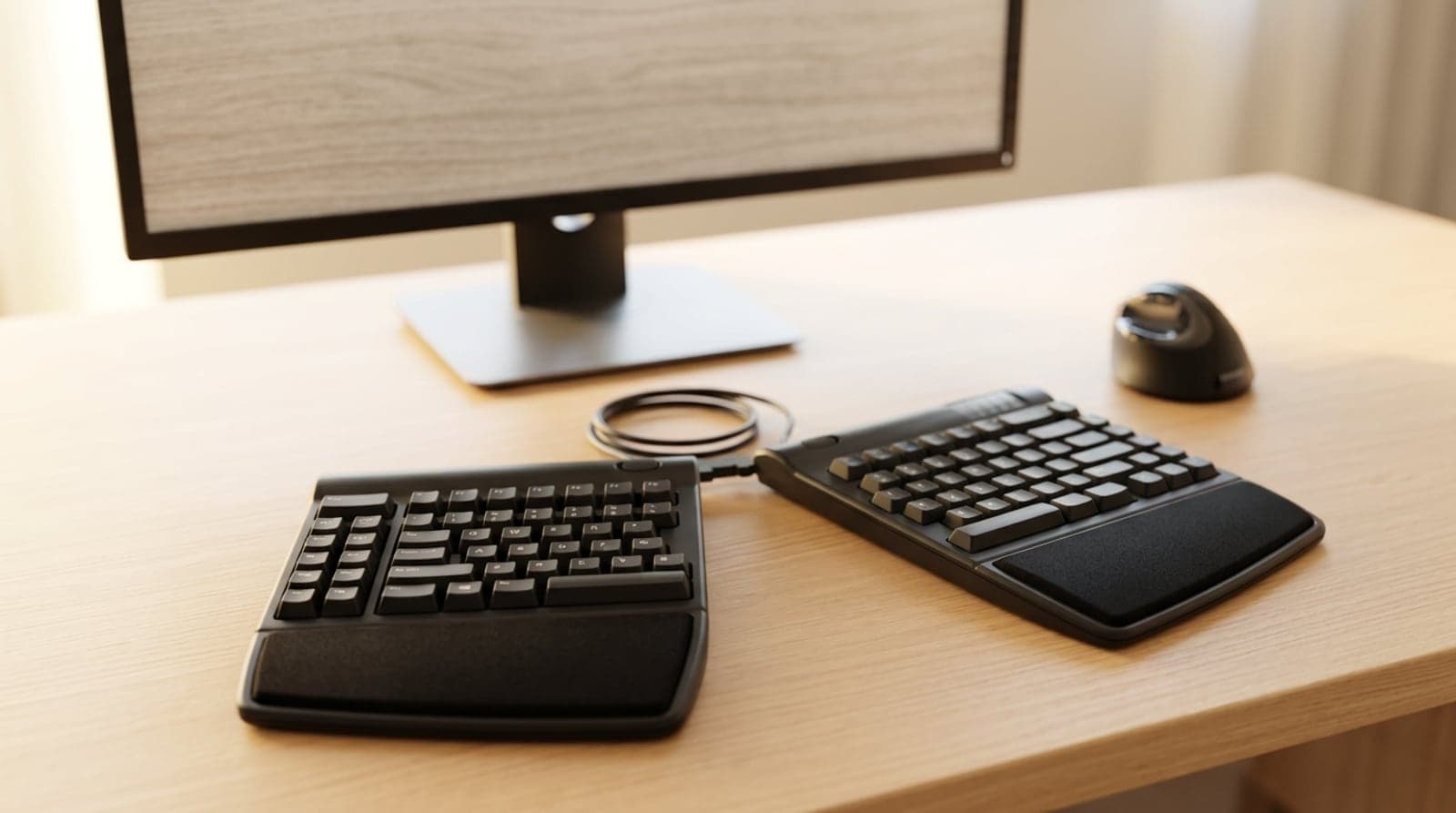
A flat, straight keyboard bends your wrists outward and rolls your forearms flat all day. These six ergonomic and split keyboards — from a gentle one-piece curve to a fully separated, tented, contoured well — fix that, sorted by how radical a change your hands (and your patience) are ready for.
Updated July 31, 2026
Accessories
Keyboard Height and Wrist Rests: Matching the Two Numbers Nobody Publishes
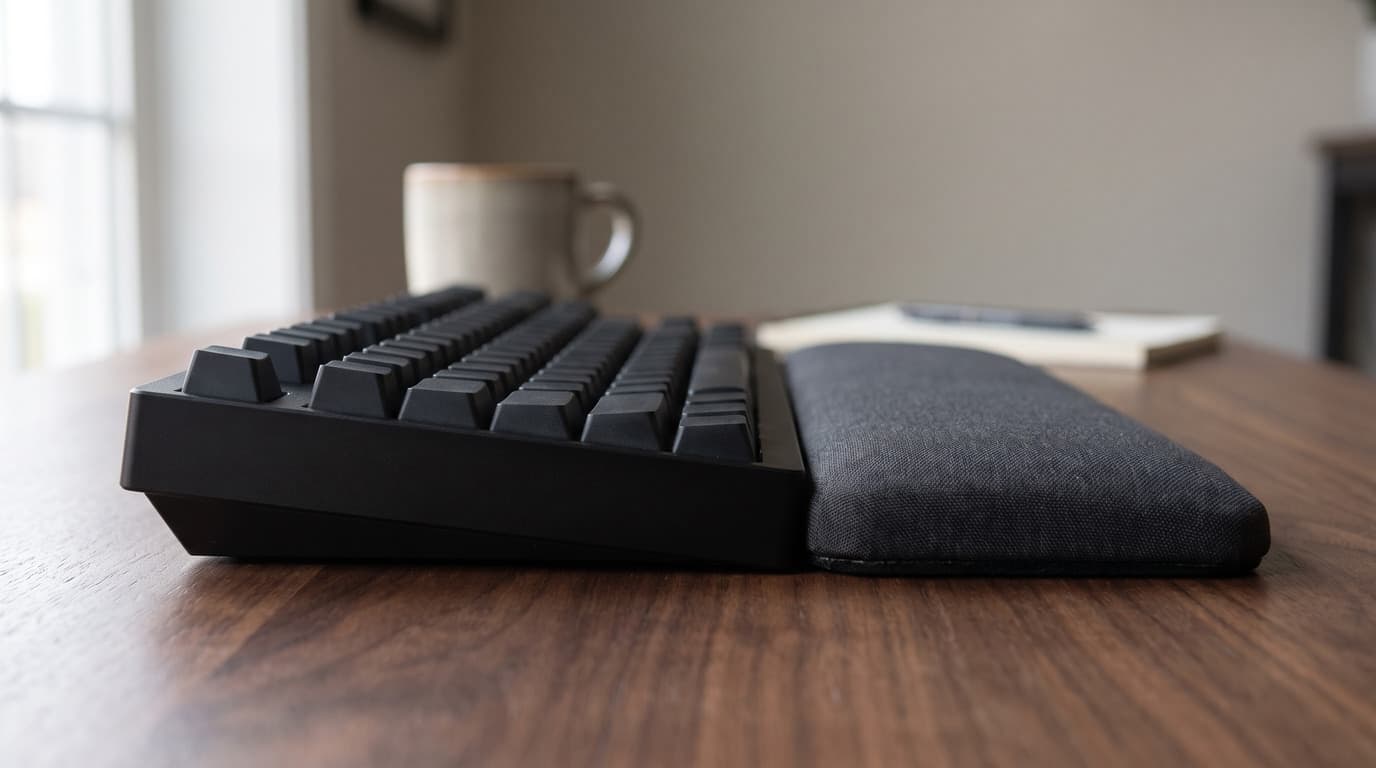
The angle your wrists sit at is a height step you can measure with a ruler. The trouble is that keyboard makers publish that height on at least four different conventions, wrist rest makers publish a single unloaded thickness, and the two numbers are almost never comparable — which is how a rest sold as height-matched ends up half the height of the keyboard in front of it.
Updated September 5, 2026
Accessories
The Best Ergonomic Mice for Wrist Pain in 2026
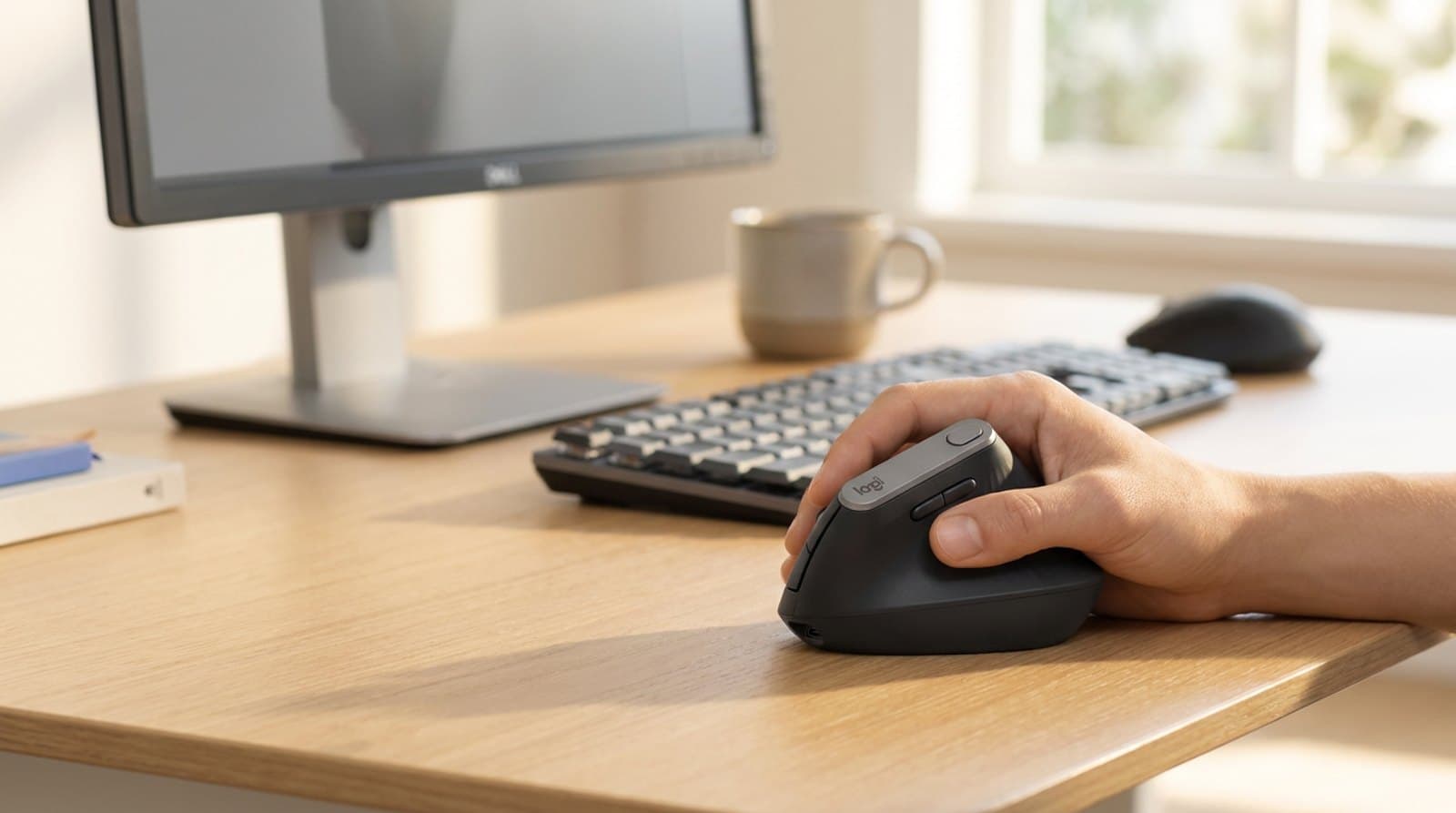
A flat mouse forces your forearm into a lifelong twist. These six ergonomic mice — vertical, sculpted, trackball, and fully adjustable — put your hand in a neutral handshake instead, sorted by the shape that fits your hand and your pain, not just the lowest price.
Updated July 30, 2026
Get the next guide in your inbox
One short email when we publish or meaningfully update a buying guide. No spam, no daily deals firehose.