 Rigworthy
The Best Headphone Stands and Under-Desk Hooks in 2026
By Rigworthy Editorial Team · Updated August 5, 2026
Rigworthy is reader-supported: we may earn a commission if you buy through our links, at no cost to you. How we make money
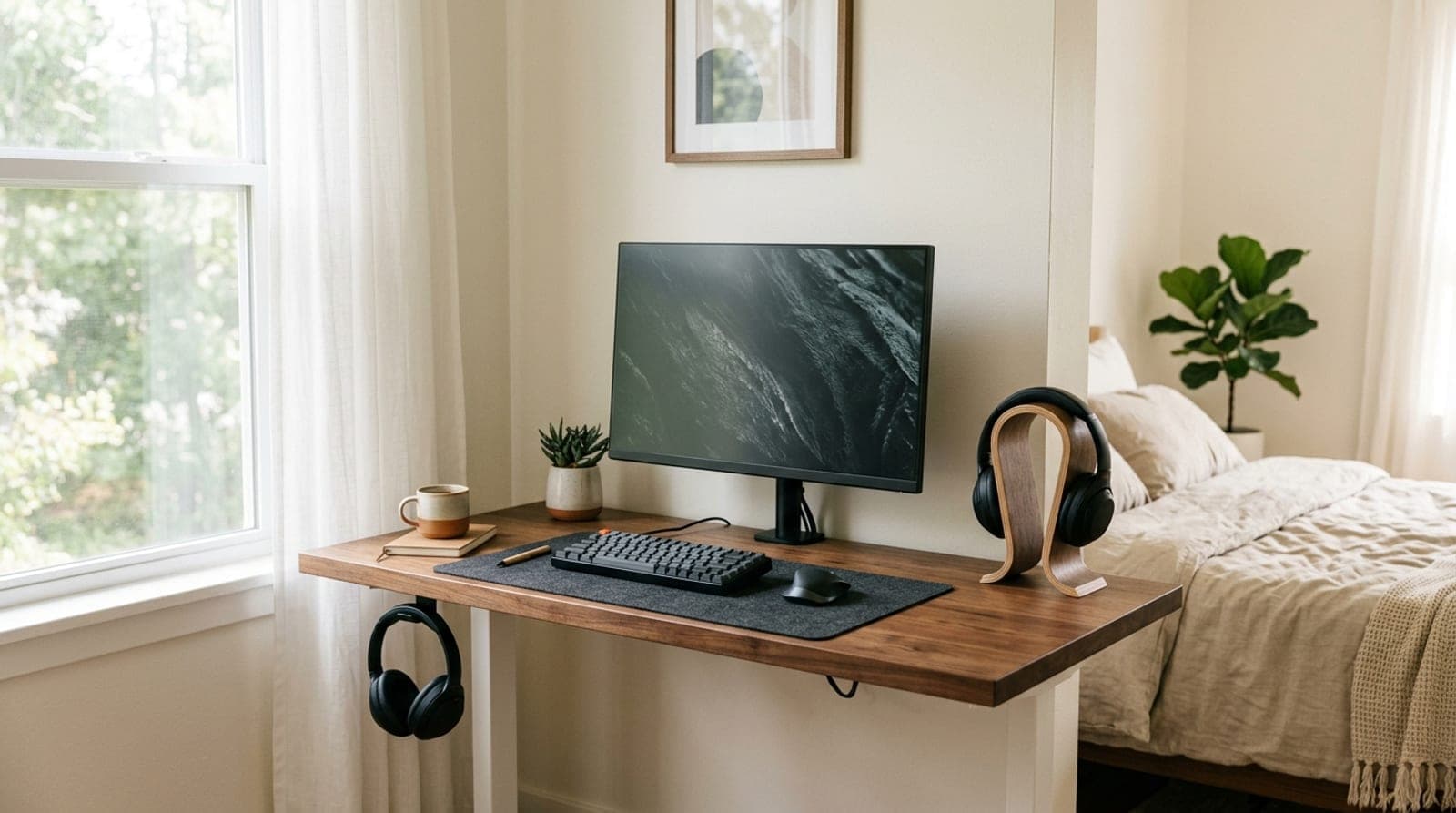
A headphone stand is the rare desk accessory with an obvious problem to solve — headphones sprawled across the keyboard, hanging off a monitor corner, or slowly getting crushed under a stack of paper — and a slightly awkward solution. The classic answer is a sculpture that sits on your desk and holds them up, which fixes clutter by spending the exact resource you were short of in the first place: surface area. Which is why the smartest pick in this category for most people isn't a stand at all. It's a hook that costs fifteen dollars and mounts underneath the desk, in the dead air by your knee, where nothing else was ever going to live. (If surface area is genuinely your bottleneck, the headphones are rarely the worst offender — a laptop lying flat eats far more of it, which a vertical stand fixes for about the same money.)
That's the first decision, and your desk usually makes it for you. A smooth underside or a clear front edge means a hook, and you're done for the price of a sandwich. A glass top, a deep apron, or a cable tray across the front means an on-desk stand — and once you're spending surface area anyway, it's worth asking what else the object can do for you. Some hold two extra USB ports and a headphone jack. One charges your phone. One is simply a beautiful piece of wood and leather that happens to hold headphones. Below that, the details that separate a good stand from a bad one are unglamorous but real: how wide and how padded the part touching your headband is, and whether the base is heavy enough to stay put when you lift a heavy pair off it one-handed.
Our top picks at a glance
- 1
- 2
- 3
- 4
- 5
- 6
How we chose
- Where it mounts — under-desk adhesive, desk-edge clamp, or an on-desk base — because desk space is the thing you're actually short of
- Hanger width and padding: a wide, cushioned cradle spreads the load instead of denting one spot on the headband
- Stability — weighted or grippy bases that stay put when you tug a cable, and hooks that don't sag under heavy cans
- Capacity for real headphones, from light on-ears to thick gaming headsets and heavy audiophile cans
- Extras that genuinely earn their price — USB ports, a headphone jack, wireless charging — and honesty about what they don't do
- Removability: what adhesive, a clamp, or screws leave behind on a rented, glass, or finished desk
Our picks come from spec research, long-term owner feedback, and category expertise — not sponsorships. Read the full methodology.
Compared side by side
| Product | Award | Mount | Extras | Typical price |
|---|---|---|---|---|
| Elevation Lab The Anchor | Best Overall | Under-desk (adhesive) | Holds 2 pairs | ~$15 |
| Brainwavz Hengja | Best Clamp-On (No Adhesive) | Desk-edge clamp | Rotates, fully removable | ~$16–19 |
| New Bee Headphone Stand | Best Budget On-Desk Stand | On-desk base | None — just a good cradle | ~$15–20 |
| Razer Base Station V2 Chroma | Best for Gaming | On-desk base | 2× USB 3.1, DAC + 3.5 mm, RGB | ~$70–100 |
| Oakywood 2-in-1 Headphones Stand with Wireless Charger | Best 2-in-1 | On-desk base | Qi wireless phone charging | ~$109 |
| Grovemade Wood Headphone Stand | Best Premium | On-desk base | Leather-wrapped body, weighted base | ~$140–150 |
1. Best Overall
Elevation Lab The Anchor
Typically around $15
- Desks where every square inch is already spoken for
- Hanging two pairs from one mount
- A 30-second install with no tools
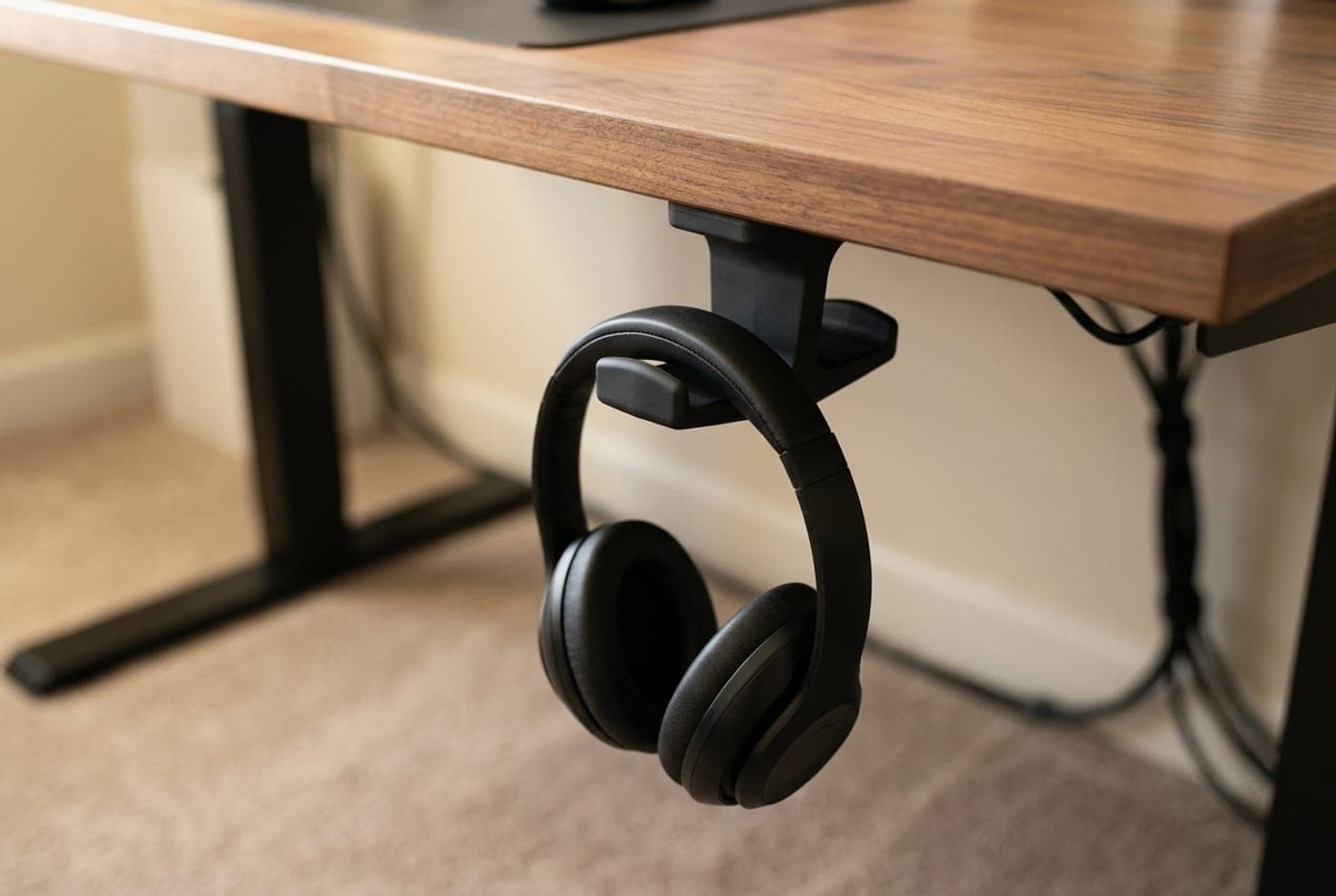
The Anchor solves the headphone-stand problem by refusing to play it: instead of putting a sculpture on your desk, it sticks a hook underneath it. A slab of medical-grade silicone wrapped around a steel core mounts to the desk underside with 3M adhesive — the same class of adhesive GoPro uses for helmet mounts — and takes precisely zero surface area. Your headphones hang in the dead space by your knee, out of sight, and the top of your desk stays as empty as it was before you bought anything.
Two details make it better than the generic hooks it inspired. The silicone body flexes on impact, so when you inevitably catch it with a knee it gives instead of bruising you, and the arm is long enough to hold two pairs at once — a gaming headset and a work headset, or your cans and a partner's. Installation is a wipe and a press — Elevation Lab reckons 30 seconds — and then, as with any 3M mount, a day of curing before you trust it with weight. The trade-offs are the honest ones for any adhesive mount: it wants a clean, smooth, hard surface (bare particleboard, heavily textured laminate, and freshly oiled wood are the failure cases), and removing it means warming the adhesive with a hair dryer and peeling carefully. At around $15 for a mount that gives you desk space back rather than taking it, it's the default recommendation for almost every setup.
What we like
- Costs zero desk space — mounts entirely under the desktop
- Holds two pairs of headphones on one mount
- Flexible silicone body won't bruise a knee like a metal hook
- Tool-free install in about a minute
Worth knowing
- Adhesive needs a clean, smooth surface — struggles on raw or textured underside
- Semi-permanent: removal takes heat and patience
- Headphones hang out of sight, which some people find less satisfying than a display stand
- Mount type
- Under-desk, 3M adhesive
- Material
- Medical-grade silicone over a steel core
- Capacity
- Two pairs, including large over-ears
- Install
- Tool-free — wipe, press, then let the adhesive cure
- Removal
- Heat with a hair dryer, then peel
2. Best Clamp-On (No Adhesive)
Brainwavz Hengja
Typically around $16–19
- Renters and anyone who won't glue hardware to furniture
- Glass, veneer, and finished desks adhesive can't grip
- Moving the hook later without a trace
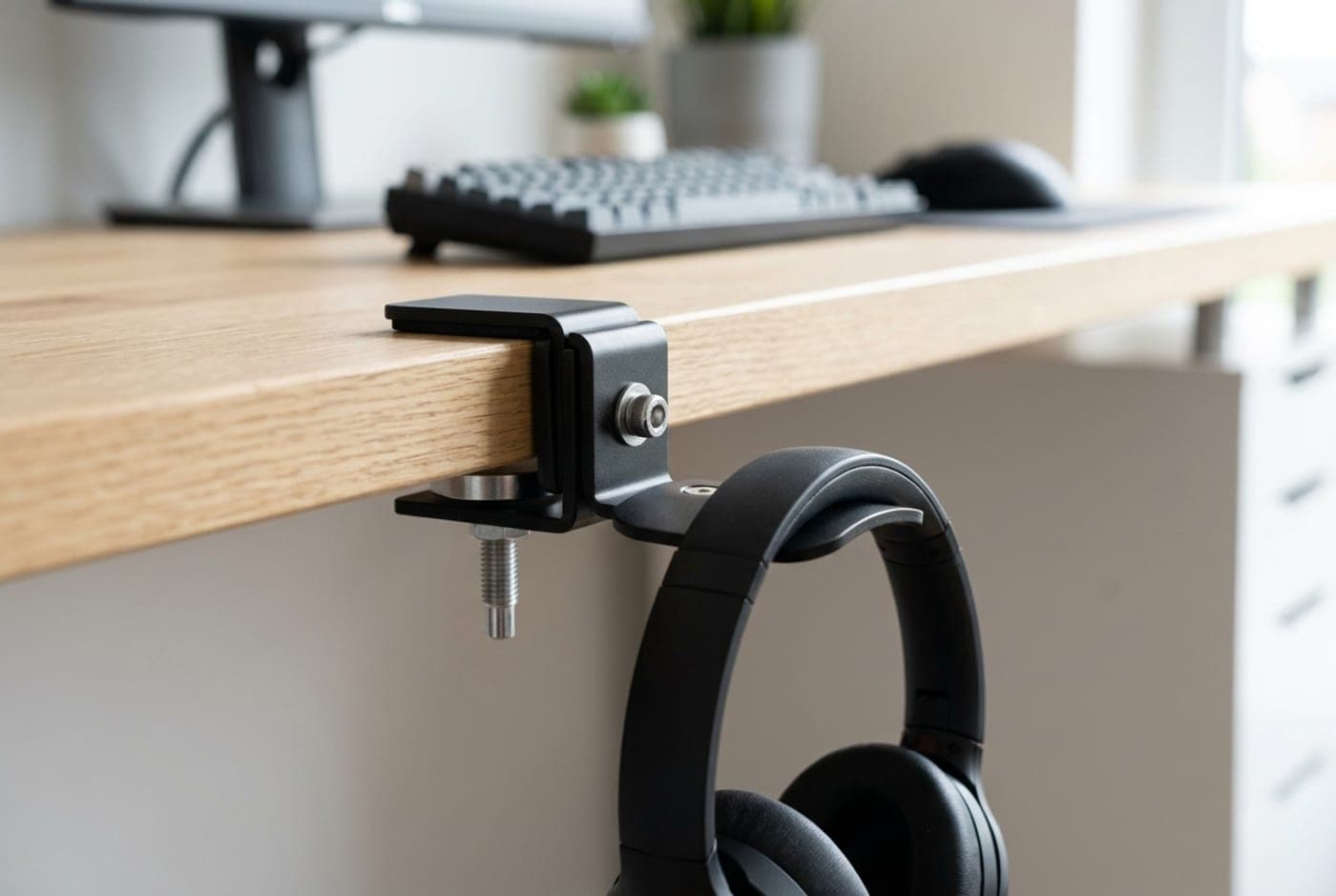
The Hengja is the answer when adhesive is off the table. It's an all-metal hanger with a screw clamp that grips any desk edge, shelf, or panel between roughly 14 mm and 40 mm thick — about half an inch to an inch and a half — with a cushioned pad underneath so it doesn't scar the finish. Tighten it with the included tool, and it's solid; loosen it, move it eighteen inches down the desk, and there's nothing left behind. For a rented flat, a glass desktop, or a nice piece of furniture you'd rather not stick 3M tape to, that's the whole argument.
It's also more adaptable than it first looks. The mounting plate rotates, so you can hang the arm downward from a desk edge, sideways off a shelf upright, or even from a vertical panel on a monitor stand — useful if your desk has no usable lip. It's a genuinely small object (112 g of machined metal) with finished edges that won't snag a headband, and it holds one pair rather than two. The catch is that it needs an accessible edge with clearance underneath for the clamp jaw, which rules out desks with a deep apron or a cable tray right at the front. Where it fits, it does the same job as an adhesive hook with none of the commitment, for about the same money.
What we like
- Clamps on — no adhesive, no residue, fully repositionable
- Fits desk edges from roughly 14–40 mm thick
- Rotating plate works on horizontal and vertical surfaces
- All-metal build with a protective pad against the finish
Worth knowing
- Needs an accessible desk edge with clearance for the clamp
- Holds one pair, not two
- Clamp can loosen slightly over months and want a re-tighten
- Mount type
- Desk-edge screw clamp
- Material
- All metal (aluminum)
- Clamp range
- ~14–40 mm surface thickness
- Weight
- 112 g
- Orientation
- Rotatable — horizontal or vertical mounting
3. Best Budget On-Desk Stand
New Bee Headphone Stand
Typically around $15–20
- The cheapest way to get headphones off the desk surface
- Setups with no usable desk edge or underside
- Keeping a headset visible and grabbable
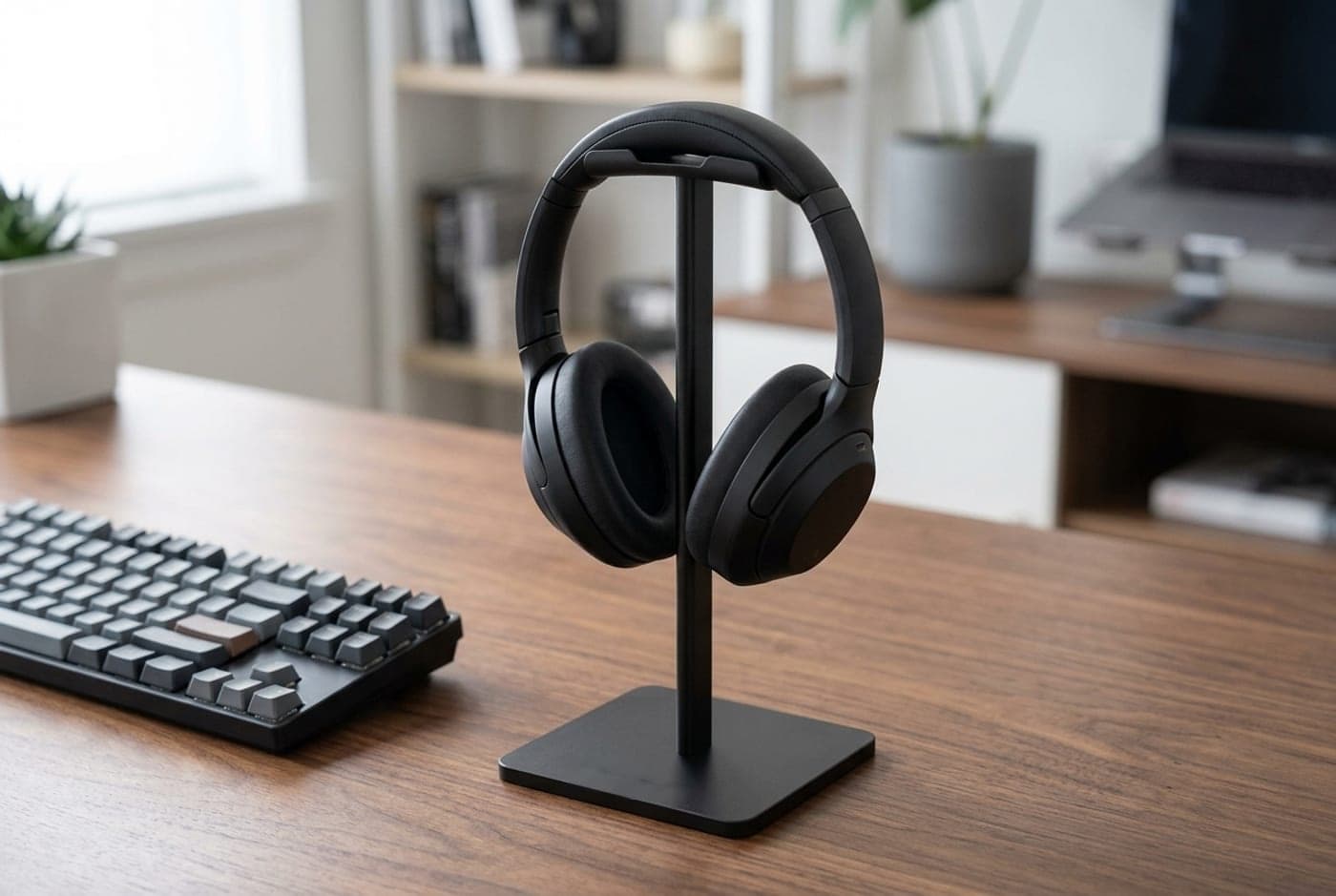
If you want a stand rather than a hook — because your desk has a glass top, a deep front apron, or you just like seeing your headphones — the New Bee is the one that costs almost nothing and does the job properly. It's a slim aluminum support bar on a weighted ABS base, about 8.9 inches tall, topped with a broad TPU-cushioned cradle that spreads the headband load across a wide arc instead of pinching it at one point. That cradle is the part cheap stands usually get wrong, and it's why this design — on sale in essentially the same form since 2016 — is still the one that gets recommended when someone asks for a stand and doesn't want to think about it.
Set expectations at the price and it's hard to fault. It assembles in about a minute from three pieces, the rubber-gripped base resists sliding, and it will hold anything from light on-ears to a fat gaming headset without complaint. What you don't get is heft — it's light enough that a firm tug on a taut cable can walk it across the desk — or any finish that reads as premium next to aluminum-and-walnut gear. It also occupies a genuine chunk of surface area, a 3.7-inch square, which is exactly the cost the under-desk hooks avoid. For under $20, though, it's the honest baseline every other stand here has to beat.
What we like
- Wide TPU-cushioned cradle — kinder to headbands than narrow hooks
- Works on glass, on a shelf, anywhere with a flat surface
- Assembles in a minute; anti-slip base
- Fits everything from on-ears to bulky gaming headsets
Worth knowing
- Light enough to be dragged by a taut cable
- Consumes a 3.7-inch square of desk space
- Plain finish — functional, not decorative
- Mount type
- On-desk base
- Material
- Aluminum bar, ABS base, TPU cradle
- Height
- ~8.9 in
- Footprint
- ~3.7 × 3.7 in
- Assembly
- 3-piece, tool-free
4. Best for Gaming
Razer Base Station V2 Chroma
Typically around $70–100
- Gaming desks that want the stand to be part of the lighting
- Reclaiming two USB ports at desk height
- Analog headsets that need a headphone jack up front
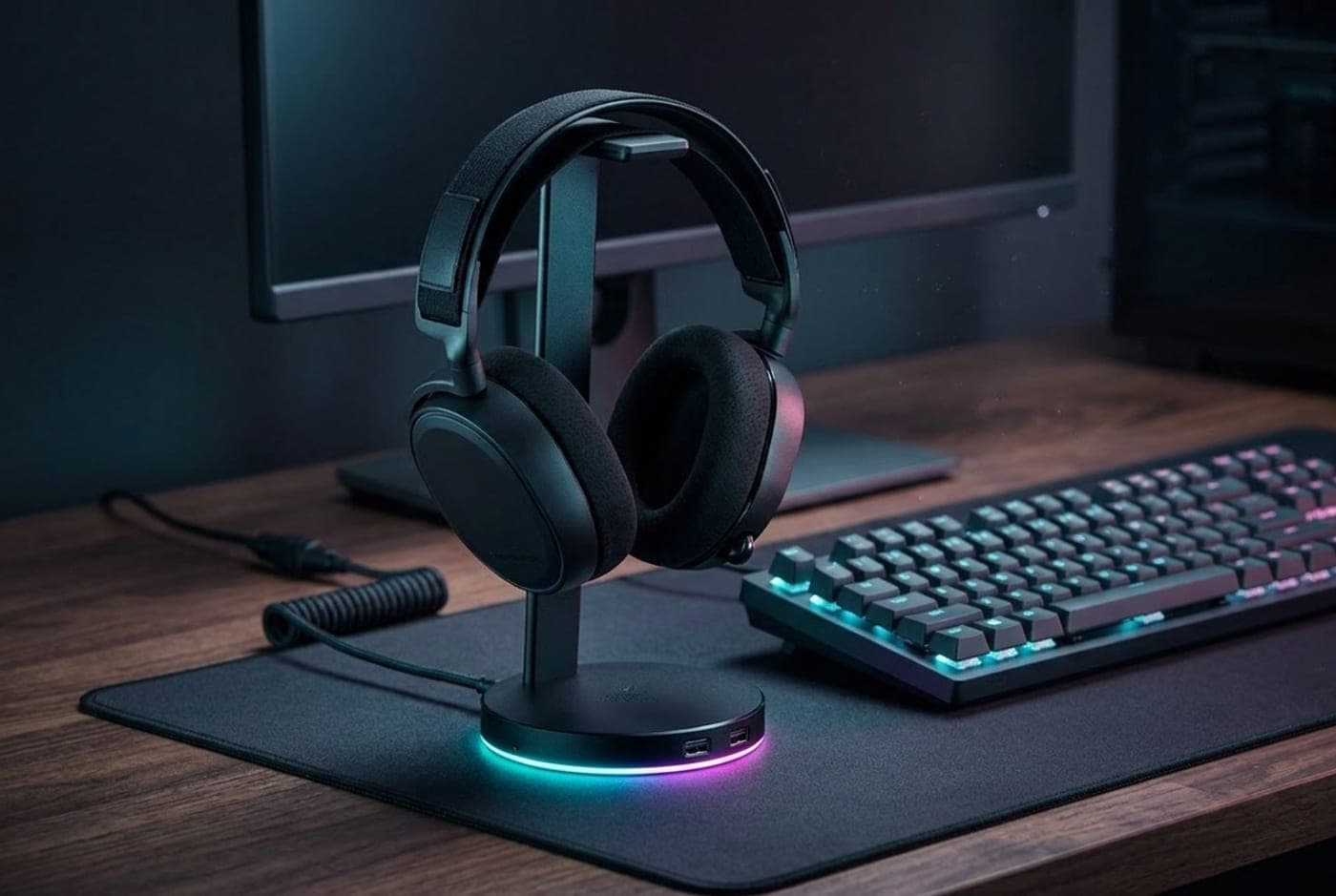
Razer's Base Station is the stand that stopped being only a stand. The aluminum column is 278 mm tall — deliberately taller than most, so bulky gaming headsets clear the desk — with a wide rubberized ledge that cradles heavy models securely. Around the base sits a ring of Chroma RGB that syncs with the rest of a Razer setup and reacts to supported games, and built into the body are two USB 3.1 ports and a 3.5 mm combo jack fed by an internal DAC, so a wired headset plugs in at desk level instead of somewhere behind your PC.
Be clear-eyed about the extras. The '7.1 surround' is virtual surround processing applied in software after you register the product — useful positional trickery, not eight real drivers — and the internal DAC is a convenience feature, not an upgrade path for high-impedance audiophile cans (that's what a dedicated desktop amp is for). The USB ports are a genuine daily win, though, and the whole thing needs a USB connection to your PC to light up, so it's a desk-power commitment rather than a passive object. At roughly $70 and up it costs four times what a plain stand does; if the lighting, the front-panel jack, and two extra ports all matter to you, it's worth it, and if only one does, it isn't.
What we like
- Tall 278 mm column with a wide ledge for heavy gaming headsets
- Two USB 3.1 ports and a 3.5 mm jack with a built-in DAC at desk level
- Chroma RGB that syncs with a wider Razer setup
- Anodized aluminum build with an anti-slip rubber base
Worth knowing
- Needs a USB connection and desk power to function fully
- '7.1 surround' is software virtual surround, not true multi-driver audio
- Four to six times the price of a plain stand that holds headphones just as well
- Mount type
- On-desk base
- Height
- 278 mm (~10.9 in)
- USB
- 2 × USB 3.1
- Audio
- 3.5 mm combo port with built-in DAC
- Lighting
- Razer Chroma RGB
- Colors
- Black, Mercury White, Quartz Pink
5. Best 2-in-1
Oakywood 2-in-1 Headphones Stand with Wireless Charger
Typically around $109
- Getting two desk objects down to one
- Warm wood setups that reject black plastic
- A phone that lives on the desk anyway
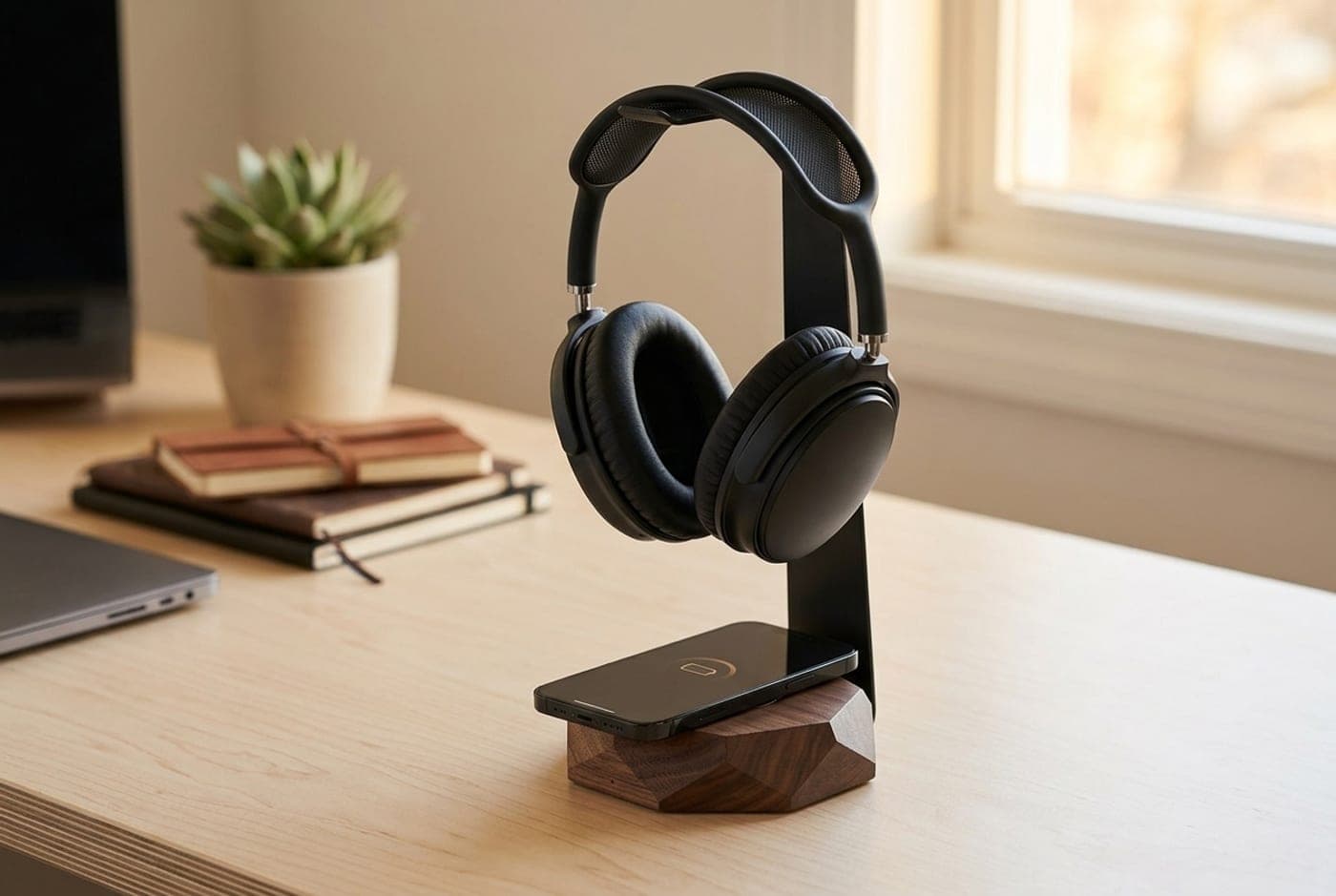
The most interesting thing a headphone stand can do is replace something else on your desk, and Oakywood's 2-in-1 replaces your phone dock. It's a faceted solid wood base — oak, American walnut, or black-stained oak, handmade in Poland — with a Qi charging pad under the top surface and a slim steel arm arching over it to hang your headphones from. Your phone lies flat and charges; your cans hang above it; two objects become one, and the footprint is a tidy 5 × 5 inches for an 11.8-inch-tall stand.
The charging is Qi, which means convenient rather than fast: it works through cases up to about 4 mm thick and tops a phone up quietly over an evening, but it is not a substitute for a high-wattage USB-C charger when you need a phone back in twenty minutes. The base is weighted with anti-slip cork underneath, so it doesn't skate when you lift a heavy pair off the handle. At $109 it costs roughly what a decent Qi stand plus a decent wood stand would cost separately, which is exactly the point — you're paying for one beautiful object instead of two adequate ones, and if the phone-on-the-desk problem is real for you, it's the most useful stand here.
What we like
- Combines a headphone stand and a Qi phone charger in one object
- Solid oak, walnut, or black-stained oak — handmade, not veneer
- Weighted base with anti-slip cork; steel handle takes heavy cans
- Small 5 × 5 in footprint for what it replaces
Worth knowing
- Qi charging is slow compared with a wired USB-C charger
- Cases thicker than ~4 mm can block charging
- Ships from Poland — longer transit than a domestic order
- Mount type
- On-desk base
- Material
- Solid oak / walnut / black oak, stainless steel handle
- Dimensions
- 13 × 13 × 30 cm (5.1 × 5.1 × 11.8 in)
- Charging
- Qi, works through cases up to ~4 mm
- Base
- Weighted, anti-slip cork backing
6. Best Premium
Grovemade Wood Headphone Stand
Typically around $140–150
- Desks where the accessories are part of the design
- Heavy audiophile headphones that need a stable, padded rest
- Buying one object and never replacing it
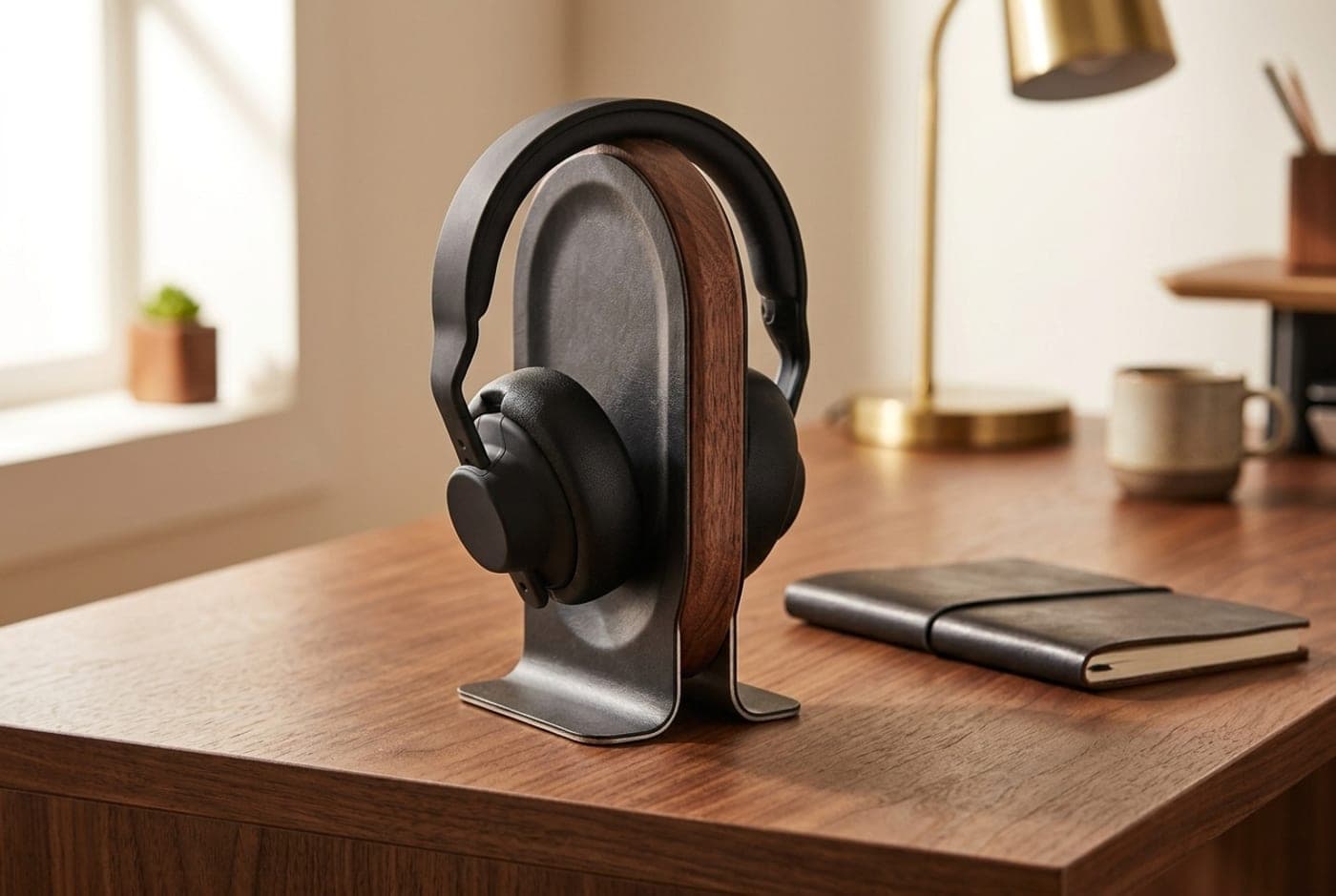
Grovemade's stand is the one people photograph, and the shape is doing more work than it looks. An oval hardwood core — American walnut or maple — is scooped out on both faces, braced between two pieces of formed stainless steel that splay into the base, and the whole body is wrapped in vegetable-tanned leather. Headphones don't dangle off it. The headband settles into machined grooves along the top edge, and the earcups rest against the leather-covered scoops on either side, so a heavy pair is supported by its own shape instead of pinched at one point on the band.
It's also heavy in the way expensive desk objects should be. At 2.25 lbs on a splayed base, it doesn't move when you lift a pair of planar cans off it one-handed, and it doesn't need to be tethered to a USB port or a charger to do its job. What you're paying for is materials and permanence — the leather darkens with handling, the wood takes a mark and keeps its character, and there's nothing to break. At roughly $140–150 it is unambiguously an aesthetic purchase; the Anchor holds the same headphones for a tenth of the price. But if your desk is a considered object and your headphones are the nicest thing on it, this is the stand that matches them.
What we like
- Grooved top edge and leather-wrapped scoops hold the band and both earcups
- 2.25 lb weighted, splayed base stays put with heavy cans
- Solid hardwood and stainless steel; ages rather than wears out
- No cables, no power, nothing to fail
Worth knowing
- By far the most expensive pick, and function-per-dollar is poor
- Takes real desk space, unlike an under-desk hook
- Leather and untreated wood mark with heavy handling (by design)
- Mount type
- On-desk base
- Material
- Hardwood core, formed stainless steel, vegetable-tanned leather wrap
- Height
- 9 in
- Weight
- 2.25 lb
- Finishes
- Walnut with black leather, maple with brown leather
The verdict
For most desks, buy the Elevation Lab Anchor and stop thinking about it — around $15, mounts under the desktop in a minute, holds two pairs, and costs you no surface area at all. If you rent, own a glass desk, or refuse on principle to put adhesive on furniture, the Brainwavz Hengja does the same job with a screw clamp that leaves nothing behind and repositions in seconds. When a hook won't work and you just need something to hold headphones, the New Bee stand is the honest sub-$20 baseline, with a wide cushioned cradle that's kinder to headbands than most stands twice its price. Gaming desks that want the stand to pull double duty should look at the Razer Base Station V2 Chroma for its two USB 3.1 ports, front-panel jack, and Chroma lighting — just buy it for the ports and the look, not for the virtual surround, and let a dedicated desktop DAC/amp handle the actual sound. If your phone already lives on the desk, the Oakywood 2-in-1 turns two objects into one handsome piece of walnut with a Qi pad in the top. And if the desk is a considered thing and your headphones are the nicest object on it, the Grovemade Wood Headphone Stand is the one to end the search — expensive, permanent, and the gentlest place a good pair of cans can spend the night.
Frequently asked questions
Hanging a pair on a well-shaped stand does not stretch the headband — the band is designed to flex far wider than a stand holds it, and the stand supports it rather than spreading it. What can happen over months is a dent in soft headband padding if the support is narrow and hard, which is why every pick here either uses a wide cradle (New Bee's TPU cushion, the grooved leather-wrapped top of the Grovemade) or a broad, rounded arm (the Anchor, the Hengja). Avoid thin wire hooks and coat hooks, rotate which way the band sits if you're worried, and if the padding is memory foam it recovers anyway.
Start with your desk. If you have a usable desk edge or a smooth underside, a hook is almost always the better buy: it costs about $15, it holds the headphones in dead space you weren't using, and it doesn't consume the surface area you're short of. Get an on-desk stand instead if your desk is glass or has a deep front apron or cable tray that blocks a hook, if you want the headphones visible as part of the setup, or if you want a stand that does something extra — USB ports, a headphone jack, or wireless charging.
3M adhesive mounts hold well on clean, smooth, hard surfaces: sealed laminate, painted MDF, metal, and finished wood. They struggle on bare particleboard, heavily textured melamine, dusty undersides, and freshly oiled or waxed wood, where the surface itself lets go before the tape does. Wipe the spot with the included alcohol pad, press firmly for 30 seconds, and leave it 24 hours before hanging anything. If you're unsure about the surface — or you rent and don't want to risk the finish — a clamp mount like the Hengja sidesteps the question entirely.
The USB ports are the genuinely useful part: two extra USB 3.1 ports at desk height beat reaching behind a tower every time, and they cover flash drives, dongles, and charging small devices. The 3.5 mm jack with its built-in DAC is a convenience — it puts a headphone port at the front of your desk — but it's not an audio upgrade for demanding headphones; a dedicated desktop DAC and amp does that job properly. And the '7.1 surround' branding is software virtual surround, not real multi-channel hardware. Buy the stand for the ports and the lighting, not for the sound.
Yes, all six will physically hold heavy cans, but stability differs. Weighted stands (Grovemade at 2.25 lbs, Oakywood's weighted wood base) and mounted hooks (Anchor, Hengja) are the ones that don't move when you lift a heavy pair off one-handed. The lightweight budget stand is the exception: a New Bee holds the weight fine but can be dragged across the desk by a taut, heavy cable. If you own planar magnetics or a thick studio pair, favor a weighted base or a fixed mount, and route the cable so it isn't pulling sideways on the stand all day.
It's a good way to top up, not a good way to charge in a hurry. Qi pads like the one in the Oakywood deliver a trickle compared with a wired USB-C charger, and thick cases, pop sockets, and metal card holders can block charging altogether (about 4 mm of case is the practical limit). Treat it as the place your phone lives while you work — face up, charging slowly, easy to see — and keep a proper fast charger elsewhere for the times you need 50% in twenty minutes.
You can, and plenty of people do, but both have costs. A bare desk edge presses the headband against a hard 90-degree corner, which is the one shape most likely to dent padding. Hanging a heavy pair off a monitor arm adds an off-center load to a mount that's already carrying a screen, and it puts the headphones in front of you where they catch light and cables. A $15 hook removes both problems, which is why it's the cheapest genuinely worthwhile upgrade in this entire category.
Keep building your setup
Stands
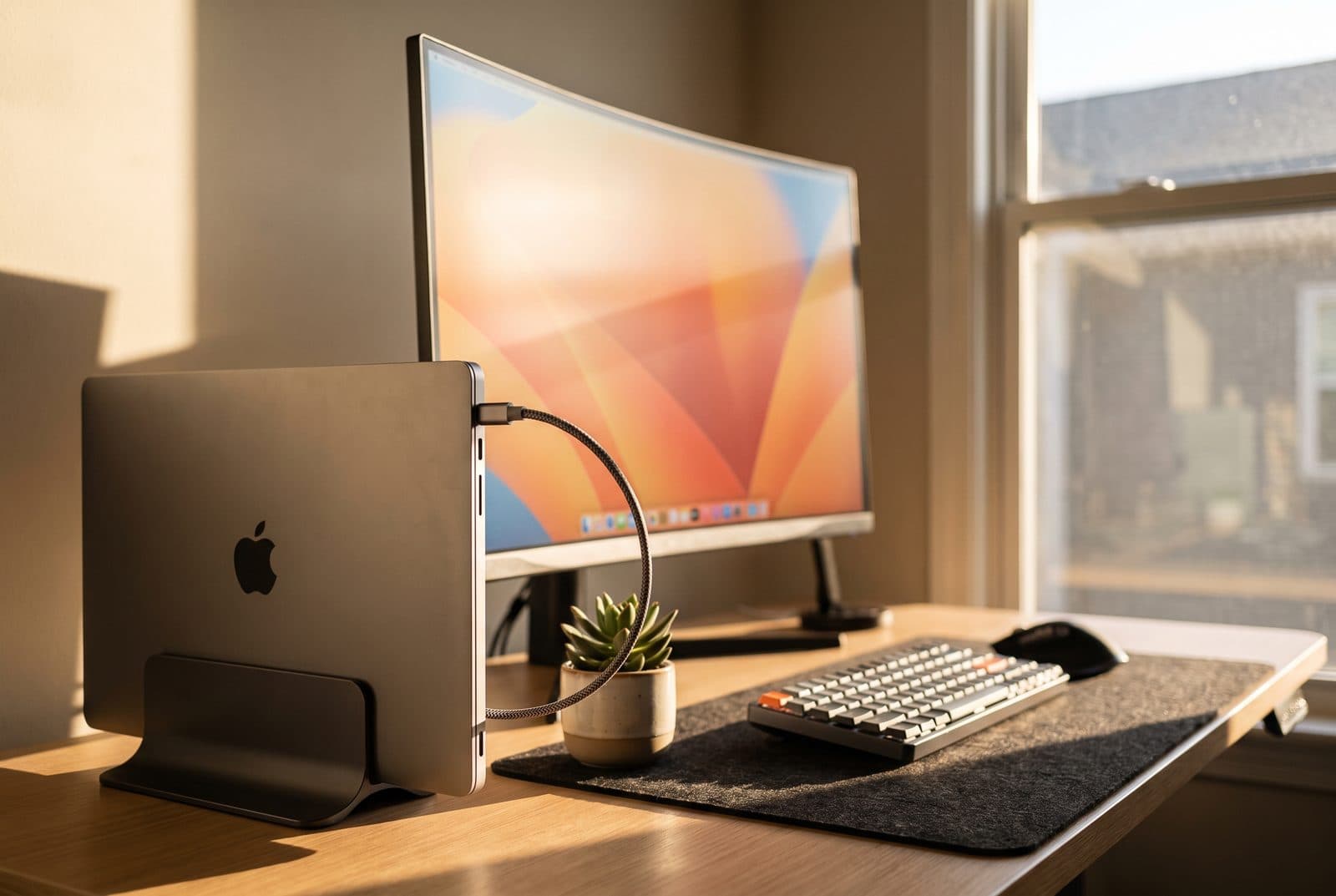
The Best Vertical Laptop Stands in 2026
Dock your laptop, close the lid, and reclaim the desk. Six vertical stands compared on how thick a laptop they hold, how stable they are, and which suit a clamshell setup.
Updated September 7, 2026
Stands
How High Should a Laptop Stand Be?
Every laptop stand guide, ours included, says to raise the screen to eye level. Do the arithmetic and that rule turns out to be borrowed from a monitor, it overshoots a laptop by about two and a half inches, and the stand you need is taller than almost anything the category sells.
Updated September 7, 2026
Audio
The Best Headphone DACs and Amps for Your Desk in 2026
A dedicated DAC/amp is the fix for weak, hissy onboard audio and headphones that never get loud enough. Five desktop picks from $129 to $499, sorted by power, connectivity, and who each one is actually for.
Updated July 28, 2026
Get the next guide in your inbox
One short email when we publish or meaningfully update a buying guide. No spam, no daily deals firehose.