 Rigworthy
How High Should a Laptop Stand Be?
By Rigworthy Editorial Team · Updated September 7, 2026
Rigworthy is reader-supported: we may earn a commission if you buy through our links, at no cost to you. How we make money
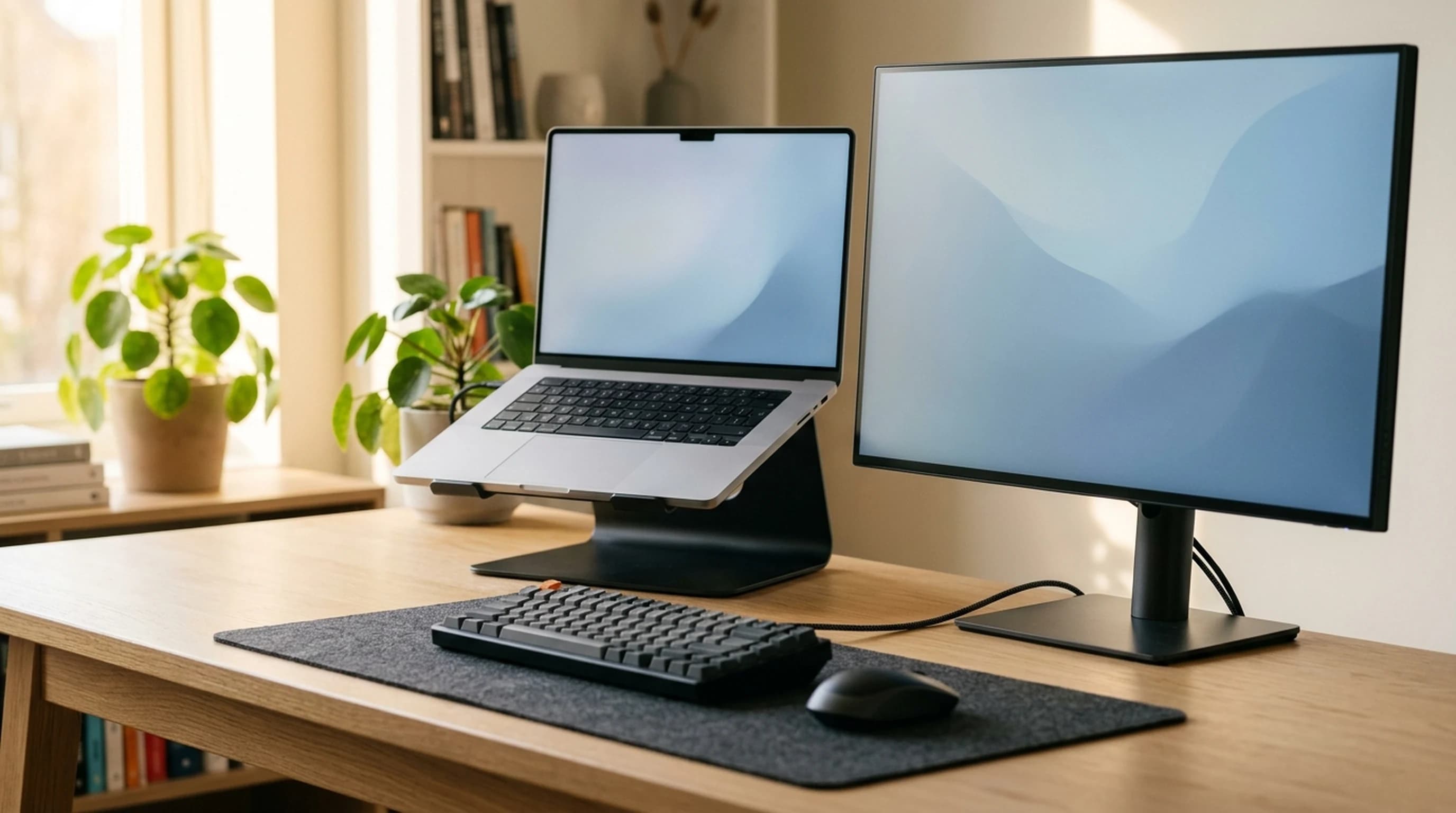
Every laptop stand is sold on a single number, and every guide to laptop stands — this site's included — hands you a single rule to judge it against: raise the screen until the top of it is at eye level. Both halves of that turn out to be wrong. The number means five different things across five products in our own guide, two of which we transcribed incorrectly and one of which describes a stand that does not exist. And the rule is borrowed from a 17-inch CRT monitor, where it happened to be identical to the instruction it was standing in for. On a laptop screen, which is two thirds the height, it is about two and a half inches too high.
The real answer is three subtractions long and it needs no product research at all. Your eyes sit about 21 inches above your desk — a figure that barely moves between a small woman and a large man, because it is a difference between two measurements taken from the seat. The middle of your screen wants to be 15 to 20 degrees below that, which is what OSHA actually says. And a 14-inch laptop panel is 7.73 inches tall, so its midpoint is 3.87 inches above the desk when it is lying flat.
Put those together and a 14-inch laptop at a normal working distance needs 7.6 to 9.9 inches of lift — and 9.1 to 11.0 inches if you sit close, which is what a small desk makes you do. The best-known fixed stand in the category raises it 5.9. This piece has the arithmetic, the anthropometric data behind the 21 inches, the published heights for every stand we recommend converted onto one convention, and three corrections to our own guide, including one that had doubled a manufacturer's figure.
The short version
- Your eyes sit about 20 to 22 inches above the desk, and that figure barely moves with your height. It is a difference between two measurements taken from the seat — eye height minus elbow height — so the leg length that drives most of the variation in stature cancels out of it entirely.
- OSHA publishes two rules in one sentence, and only one of them is a target. "Top of the monitor at or slightly below eye level" is a ceiling; "the center of the monitor 15 to 20 degrees below horizontal eye level" is the thing to aim at. On a 27-inch screen they agree. On a laptop they are about two and a half inches apart.
- For a 14-inch laptop at a 24-inch viewing distance, the center-angle rule asks for 7.6 to 9.9 inches of lift. At 20 inches away it asks for 9.1 to 11.0. The best-known fixed stand in the category raises a laptop 5.9 inches.
- Small screens and small desks compound rather than cancel. A shorter screen has a lower midpoint, and a shallower desk puts you closer — both of which raise the lift you need. The small-desk buyer needs the tallest stand, which is the opposite of how this category is sold.
- Published stand heights are not comparable as printed. Across five stands in our own guide the number means the stand's height, the height the screen is raised to, the screen lift, a webcam's total height above the desk, and a rear-edge tilt — five products, five conventions.
- Past about six inches of lift the external keyboard stops being an accessory and becomes part of the purchase, because the laptop's own keyboard is now somewhere around your sternum.
Measurements here come from manufacturers' own published mounting specifications, not from our estimates. Read the full methodology.
Five stands, five different measurements
Start with the thing that makes this category impossible to shop: the height figure on a laptop stand is not a standardized quantity, and the five stands in our own small-desk guide are quoted five different ways. Not five different values — five different measurements, of which the reader is given no warning.
Rain Design publishes the mStand at 5.9 inches (150 mm), which is the height of the stand itself. Nulaxy says the C3 will "elevate the laptop screen to 7''" — a height the screen is raised to, not by. Roost publishes the V3 as 6.5 to 12.5 inches of screen lift across seven levels, which is the number a reader actually wants and almost nobody else quotes. Twelve South publishes the Curve Flex at a maximum height of 10.78 inches (274 mm) and, in the same breath, says a fully deployed stand puts a 16-inch MacBook Pro's webcam 22 inches off the desk — a total height above the desk, measured to a different landmark again. And MOFT's Invisible Stand is quoted at 2 or 3 inches, which is a lift of the laptop's rear edge to produce a 25-degree keyboard tilt, and raises the top of the screen by less than the number printed on it.
Two of those numbers had been transcribed wrongly into our own guide, and one of them was doubled. We listed the Curve Flex as offering "up to ~22 in screen lift." Twelve South's 22 inches is a height above the desk, not the distance the stand moves anything; the stand's own maximum is 10.78. A reader taking our figure at face value would have been shopping for twice the stand they needed. We also listed the Roost V3 as "three positions up to ~11 in lift," against Roost's published seven levels and 6.5 to 12.5 inches. Both are corrected.
The third correction is not a units problem, it is the wrong product. Our guide described the Nulaxy C3 as "a folding aluminum Z-frame with a wide height and angle range," gave it a spec line of "adjustable, roughly 2–13 in range," and warned about bounce at maximum height. The C3 is not adjustable. It is a fixed-height riser that detaches into three pieces for storage, it holds 22 lb rather than the 7.7 we published, and it has no angle adjustment at all. That entry has been rewritten, and so has the FAQ that told readers to pick "an adjustable stand like the Nulaxy C3" to line a laptop up with an external monitor — advice that could not be followed on the product it named.
Which is a long way of saying the same thing this site has now found in five different categories: when a spec is published on more than one convention, the arithmetic is never wrong and the label always is. Desk frames measured with and without a desktop. Monitors measured on a diagonal across different aspect ratios. Keyboards measured with and without keycaps. Mousepads rounded into inches and converted back. And now stands, measured five ways at once. The rest of this article is an attempt to establish the one number all five of them are approximating.
| Stand | What the number measures | Manufacturer's published figure | What we had published |
|---|---|---|---|
| Rain Design mStand | Height of the stand | 5.9 in (150 mm), fixed | "Raises screen ~5.9 in" |
| Nulaxy C3 | Height the screen is raised to | "elevate the laptop screen to 7''", fixed | "Adjustable, roughly 2–13 in range" — wrong product |
| Roost V3 | Screen lift, 7 levels | 6.5–12.5 in | "Three positions up to ~11 in lift" |
| Twelve South Curve Flex | Height of the stand / total webcam height | 10.78 in (274 mm) stand; webcam 22 in off the desk, 16-in MacBook Pro | "Up to ~22 in screen lift" — doubled |
| MOFT Invisible Stand | Rear-edge lift, producing a 25° tilt | 2 in or 3 in | "Two positions: ~2 in and ~3 in" |
Your eyes are about 21 inches above the desk, whoever you are
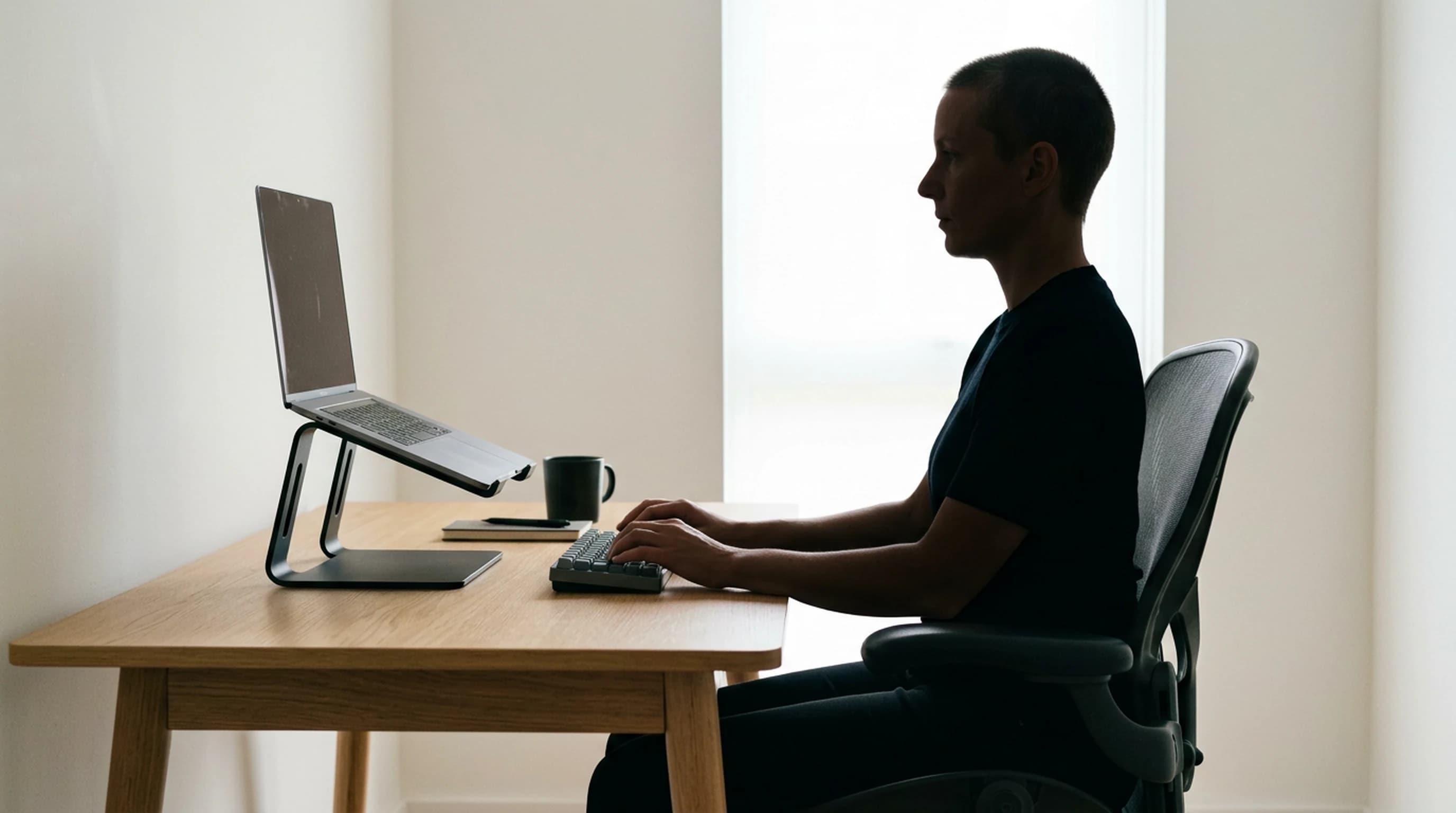
Every piece of monitor-height advice ever written is anchored to eye level, and none of them tell you where that is. It sounds like it ought to depend on how tall you are, which would make the whole exercise personal and unwritable. It does not, and the reason is the same trick that produced the useful number in our cable-hiding guide: the quantity you want is a difference, and the difference cancels most of the variation out.
Two measurements matter, and both are taken from the surface of the seat rather than from the floor: sitting eye height, and elbow rest height — how far your elbow sits above the seat when your upper arm hangs and your forearm is level. Set a chair the way our chair adjustment guide says to, with the elbows level with the work surface, and the desk is now at elbow height. So the height of your eyes above the desk is simply sitting eye height minus elbow rest height.
Run that subtraction across the anthropometric table the office furniture industry designs to — the Natick/ANSUR figures reproduced in Allsteel's Ergonomics and Design reference guide alongside the BIFMA guidelines — and the result is the most stable number in this entire article. A 5th-percentile woman lands at 20.3 inches. A 95th-percentile man lands at 21.9. The whole population, both sexes, 5th to 95th percentile, sits inside a band under two inches wide.
That is worth pausing on, because the inputs are not stable at all. Sitting eye height across the same six rows runs from 27.4 to 33.5 inches — a spread of more than six inches. The subtraction removes almost all of it. The reason is anatomical: both figures are measured from the seat, so the leg length that drives most of the difference in standing height has already been excluded, and what is left is torso and upper arm, which vary together. Eye height above the desk is a torso measurement, and torsos are much more alike than people are.
One caveat on the method, since so much of this article rests on it. A percentile table is not a person: the 95th-percentile row for sitting eye height and the 95th-percentile row for elbow rest height do not describe the same individual, so subtracting one from the other understates how much real people vary. The honest spread is wider than the two inches the table shows. It is not wider by much — both dimensions are driven by torso length, so they rise and fall together within the same body — and it does not need to be tight to be useful, because the target it feeds into is itself a band. At a normal viewing distance OSHA's range is nearly two and a half inches wide, which absorbs an inch of error in either direction without changing which stand you should buy.
This is the same shape of finding as the one in our standing desk height guide, pointed the other way. There, the lesson was that your elbow rather than your stature sets desk height, because leg-to-torso proportion varies more than height does. Here, that same variation is exactly what gets cancelled — which is why a stature chart is the wrong tool for desk height and an unnecessary one for screen height. For the rest of this article, assume your eyes are 21 inches above your desk. If you are a small woman, use 20; if you are a large man, use 22. It will not change any conclusion below.
| Person | Sitting eye height | Elbow rest height | Eyes above the desk |
|---|---|---|---|
| 5th-percentile woman | 27.4 in | 7.1 in | 20.3 in |
| 50th-percentile woman | 29.3 in | 9.2 in | 20.1 in |
| 95th-percentile woman | 31.0 in | 11.0 in | 20.0 in |
| 5th-percentile man | 28.7 in | 7.4 in | 21.3 in |
| 50th-percentile man | 31.3 in | 9.5 in | 21.8 in |
| 95th-percentile man | 33.5 in | 11.6 in | 21.9 in |
A laptop screen is much shorter than you think
The other half of the arithmetic is the screen itself, and here the number you need is not printed anywhere either. Laptops are sold on a diagonal, and a diagonal tells you nothing about height without the aspect ratio — which is the same problem our monitor sizing guide ran into, and it has the same one-line solution. Screen height is the diagonal divided by the square root of one plus the aspect ratio squared, and the aspect ratio is just the native resolution's width over its height.
Apple publishes the 14-inch MacBook Pro as a 14.2-inch diagonal at 3024 by 1964. That is an aspect ratio of 1.540, so the panel is 7.73 inches tall, and its midpoint sits 3.87 inches above its own bottom edge. A 13-inch MacBook Air is 7.41 inches tall. Even the 16-inch MacBook Pro, the largest laptop most people will ever own, is only 8.79 inches.
Compare that with the screens the ergonomics guidance was written around. A 27-inch 16:9 monitor is 13.24 inches tall — nearly twice a 14-inch laptop. A 32-inch is 15.69. And the 17-inch 4:3 CRT that sat on every desk when the guidance was drafted is 10.20 inches tall, still a third taller than a 16-inch MacBook Pro. The tallest laptop made is shorter than the smallest monitor anyone has used in twenty years, and that single fact is what breaks the rule everybody quotes.
One geometric footnote, and it is smaller than it sounds. A laptop lid is not vertical — it usually sits ten to fifteen degrees past upright — which shortens the panel's vertical extent by about three percent, or roughly a quarter of an inch on a 14-inch screen. That is inside the rounding on everything below, so the numbers here treat the lid as vertical. The bottom edge of the screen sits about three quarters of an inch above the desk when the laptop is lying flat, which is the chassis plus the bezel; the 14-inch MacBook Pro's chassis alone is 0.61 inches.
| Screen | Diagonal and shape | Screen height | Half-height |
|---|---|---|---|
| 13-inch MacBook Air | 13.6 in, 2560×1664 | 7.41 in | 3.71 in |
| Typical 15.6-inch Windows laptop | 15.6 in, 16:9 | 7.65 in | 3.83 in |
| 14-inch MacBook Pro | 14.2 in, 3024×1964 | 7.73 in | 3.87 in |
| 15-inch MacBook Air | 15.3 in, 2880×1864 | 8.31 in | 4.16 in |
| 16-inch MacBook Pro | 16.2 in, 3456×2234 | 8.79 in | 4.40 in |
| 17-inch 4:3 monitor (the old standard) | 17 in, 4:3 | 10.20 in | 5.10 in |
| 27-inch monitor | 27 in, 16:9 | 13.24 in | 6.62 in |
| 32-inch monitor | 32 in, 16:9 | 15.69 in | 7.85 in |
"Top of the screen at eye level" is a monitor rule, and it overshoots a laptop
OSHA's Computer Workstations eTool gives two instructions about monitor height, in consecutive sentences: "The top of the monitor should be at or slightly below eye level. The center of the computer monitor should normally be located 15 to 20 degrees below horizontal eye level." CCOHS says much the same from the other side — place the monitor "at about 15 degrees (or slightly lower) below the horizontal line" — and adds a ceiling of its own for tall or portrait displays: make sure "the top of the screen is not at a level higher than the operator's eye."
Read them carefully and they are not the same instruction. One is a ceiling and one is a target. "At or slightly below" describes a limit you must not exceed; "15 to 20 degrees below horizontal" describes where the screen should actually be. Every laptop stand guide in existence, ours included, has quoted the ceiling and treated it as the target. For a monitor that is harmless, because the two coincide. For a laptop it is a real error, and it points the wrong way.
Here is why they coincide on a monitor. If the top of a screen sits exactly at eye level, then the middle of it sits one half-height below eye level, and the angle that produces is the arctangent of the half-height over the viewing distance. Set that equal to 15 degrees and you can solve for the screen it works on: the two rules agree exactly when the screen is twice the viewing distance times the tangent of the angle. At the 20-inch distance and 15-degree angle the OSHA figures were drafted around, that is a screen 10.7 inches tall — and a 17-inch 4:3 monitor is 10.20 inches tall. The two rules were written for the same screen, and they were the same rule on it.
They still work on a modern monitor. A 27-inch at arm's length puts its center 15.4 degrees down when its top is at eye level; a 32-inch, 18.1. Both land inside the band. But run a laptop through it and the whole class falls out the bottom: every laptop from a 13-inch Air to a 16-inch Pro lands between 8.8 and 10.4 degrees, roughly five degrees above where the guidance wants it. In inches, at a 24-inch viewing distance, taking "top of the screen at eye level" literally puts a 14-inch MacBook Pro about 2.6 inches too high.
This is not a trivia point, because the direction matters, and the guidance is unusually explicit that it is not symmetric. CCOHS states it outright: "The fact that discomfort caused by a monitor which is too high (above the horizontal) is worse than one which is slightly too low (below an acceptable visual zone) should be kept in mind while arranging a monitor at any workstation." Too high is also the error people notice least, because tilting the head back feels alert rather than uncomfortable until several hours in. And it is the expensive direction: the fix for a screen that is too low is a stand, and the fix for a screen that is too high is to stop buying the taller stand. We have been quoting a rule that errs high.
The generalizable version, and it is the fourth time this site has found the same shape: a rule of thumb is usually a proxy for a measurement, and proxies break outside the range they were calibrated on. Top-of-screen-at-eye-level is a proxy for a viewing angle, calibrated on a 17-inch 4:3 CRT. A laptop screen is two thirds the height of one. Nobody updated the rule, because for the twenty years in between every screen anyone put on a desk stayed inside the range where it worked.
| Screen | Half-height | Center angle with the top at eye level | Inside OSHA's 15–20°? |
|---|---|---|---|
| 13-inch MacBook Air | 3.71 in | 8.8° below horizontal | No — about 6° too shallow |
| 14-inch MacBook Pro | 3.87 in | 9.2° | No — about 6° too shallow |
| 15-inch MacBook Air | 4.16 in | 9.8° | No |
| 16-inch MacBook Pro | 4.40 in | 10.4° | No — the closest any laptop gets |
| 17-inch 4:3 monitor at 20 in | 5.10 in | 14.3° | Effectively yes — the rules were the same rule here |
| 27-inch monitor | 6.62 in | 15.4° | Yes |
| 32-inch monitor | 7.85 in | 18.1° | Yes |
The arithmetic, and the answer the category cannot reach
Three numbers now do all the work. Your eyes are 21 inches above the desk. The middle of the screen should be 15 to 20 degrees below that. The screen's own midpoint is half its height above its bottom edge, which sits three quarters of an inch above whatever it is standing on. So:
Lift = 21 − (viewing distance × tan of the angle) − half the screen height − 0.75.
For a 14-inch MacBook Pro at a 24-inch viewing distance, that is 21 − 6.43 − 3.87 − 0.75, giving 9.95 inches at 15 degrees, and 7.65 at 20. Call it a band of 7.6 to 9.9 inches. At 20 inches away — OSHA's stated minimum, and a normal distance on a compact desk — the band moves up to 9.1 to 11.0 inches.
Now put the category against it. The Rain Design mStand, the fixed stand this site has called the category benchmark for years, raises a laptop 5.9 inches, which does not reach the band until you sit about 29 inches back. The Nulaxy C3 gets to roughly 7, and needs about 26. The Twelve South Curve Flex tops out at 10.78 and the Roost V3 at 12.5, which means at any normal working distance the only two stands in our own guide that can put a 14-inch laptop where OSHA asks are the two adjustable ones, and one of them is a travel stand.
One nuance before the bigger point. Fixed stands are not simply undersized — they are undersized across most of the range and oversized at the end of it. A fixed height is right at exactly one distance and wrong in both directions away from it: the mStand sits inside the band between about 29 and 39 inches, missing low in front of that and high behind it. That is not a defect of the mStand. It is what a fixed number does when the variable it depends on is the one thing the buyer is never asked to measure.
Then the part that inverts our own guide. Look down the table and the required lift goes up as the viewing distance comes down — and a small desk is a short viewing distance. A shallow desk puts your screen closer, which means the same screen has to be higher to sit at the same angle. And smaller laptops compound it from the other end: a 13-inch Air's midpoint is lower than a 16-inch Pro's, so it needs another half-inch of lift, and the person with a 13-inch laptop is more likely to be the person with a small desk. The two effects push the same way. The buyer our small-desk guide is written for needs the most lift in the category, and the guide leads with the stand that provides the least.
We are not going to turn that into a recommendation to buy the tallest stand available, because past about six inches a second problem takes over — see the next section but one — and because there is a cheaper axis nobody mentions. You can also move the laptop further away. OSHA's preferred range runs to 40 inches, BIFMA's floor is "no less than 15.7 inches from VDTs to eyes," and every inch of extra distance buys back about a quarter-inch of required lift at 15 degrees. Pushing a laptop from 24 inches to 30 takes the requirement from 9.9 inches down to 8.3, which is the difference between a stand that exists and one that does not. It costs you desk depth and legibility, which is a real trade — but it is a free adjustment you can test in ten seconds, and none of us have been telling you to try it.
| Viewing distance | Lift needed at 15° | Lift needed at 20° | Which stands land inside the band |
|---|---|---|---|
| 20 in (OSHA's minimum) | 11.0 in | 9.1 in | Roost V3, Curve Flex — both at full extension |
| 24 in | 9.9 in | 7.6 in | Roost V3, Curve Flex |
| 28 in | 8.9 in | 6.2 in | Roost V3, Curve Flex, Nulaxy C3 |
| 32 in | 7.8 in | 4.7 in | All four risers, including the mStand |
| 36 in | 6.7 in | 3.3 in | Roost, Curve Flex, mStand — the C3 now overshoots |
| 40 in (OSHA's maximum) | 5.7 in | 1.8 in | Curve Flex only — every fixed stand is too tall here |
If the laptop is your second screen, align the middles, not the tops
Most people who own a laptop stand also own a monitor, and the laptop sits beside it as a secondary display. The standard advice for that — including in our own small-desk guide until this article — is to set the stand so the top of the laptop screen lines up with the top of the monitor. It looks tidy, and it is the wrong alignment, for exactly the reason the previous two sections established.
Line up the tops of a 14-inch MacBook Pro and a 27-inch monitor and their midpoints are not level. The laptop's center is 3.87 inches below its top edge; the monitor's is 6.62 below its. Aligning the tops puts the laptop's center 2.75 inches higher than the monitor's — so every time your eye moves from the main screen to the secondary one, you look up. Which is the direction OSHA specifically warns about, applied to the screen you glance at rather than the one you read.
Align the middles instead and the geometry does what you want: both screens sit at the same viewing angle, your head does not move between them, and the laptop's top edge simply finishes lower than the monitor's. It will look slightly untidy. It is correct. If you want the arithmetic in one line: the laptop's top edge should sit below the monitor's top edge by the difference in their half-heights, which for a 14-inch laptop next to a 27-inch monitor is 2.75 inches, and next to a 32-inch is 4 inches.
There is a practical wrinkle worth naming, and it is why this alignment is hard to hit with a fixed stand. A monitor on its own base is at whatever height the base gives it; a monitor on an arm is at whatever height you set. If both the laptop and the monitor are adjustable, this is a two-minute job. If neither is, it is not solvable at all — which is a reasonable argument for spending the money on the arm rather than the stand, since the arm also gives back the desk depth the monitor's own stand was eating, somewhere between 2.2 and 9.8 inches by the figures in our monitor sizing guide.
And one honest note about which screen should be the main one. A 14-inch laptop display at a 24-inch viewing distance subtends less than half the visual area of a 27-inch monitor at the same distance. If you have both, the monitor is your primary screen and the laptop is a glanceable panel for chat and mail — which means the laptop's exact height matters much less than this article has been implying, and the sensible position for it is usually off to one side and comfortably below the monitor. The height question is at its most consequential for the person who has only the laptop, and that is the person the numbers above are for.
Past six inches, the keyboard stops being optional
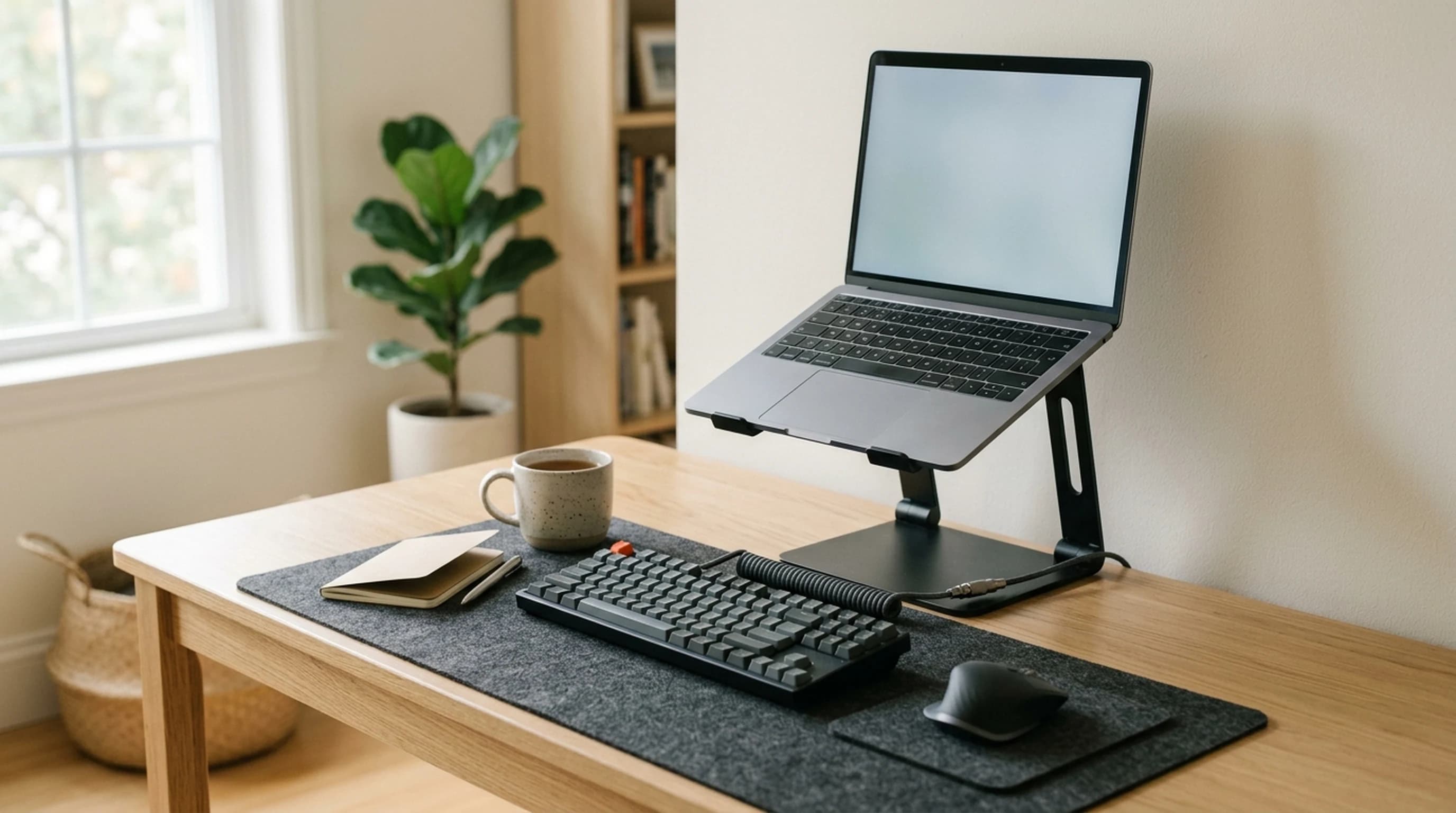
Everything above assumes you are not typing on the laptop, and it is worth being explicit about why, because the moment you raise a laptop you have made a decision about your hands whether or not you meant to.
The laptop's keyboard travels with its screen. Raise the screen nine inches and the keyboard is nine inches up too, which puts it somewhere around the bottom of your ribcage. Typing there means either lifting your shoulders — the sustained static load CCOHS describes when it warns that "your shoulder and neck muscles are continually being used to lift the arm away from your body" — or dropping your wrists into extension over the front edge. Neither is survivable for a working day, and this is the trade nobody puts on the box: a laptop stand does not improve your posture. It moves the problem from your neck to your shoulders, and the external keyboard is what moves it off both.
So the honest version of the budget is that a full-height stand is a two-item purchase. Our office keyboards guide and our ergonomic mice guide are the other half of it, and the total is usually two to three times the price of the stand. Any guide that quotes you the stand's price alone — including ours, until we started saying this — is quoting you a third of the bill.
The exception is the low-rise class, and it is a legitimate product rather than a compromise. A MOFT-style 2-to-3-inch rear lift or any of the small tilting wedges leave the keyboard perfectly usable, because they barely raise it: what they do is tilt it. That is a genuine improvement to wrist angle and airflow, and it is a real thing to buy. It is simply not a screen-height product, and the numbers in this article do not apply to it. A 3-inch rear lift raises the top of the screen by rather less than 3 inches, because tipping the chassis forward also reclines the lid. Judge it on the keyboard, which is what it is actually adjusting.
One more thing, once the external keyboard is on the desk: its front edge is now the surface your wrists rest against, and that has its own number. Our keyboard height guide puts a standard mechanical board's front edge at 26 to 30 mm and shows why a wrist rest has to match it. That guide and this one are the two halves of the same setup — one sets the screen, one sets the hands, and the stand you buy determines that you need both.
When the answer is not a riser at all
The arithmetic above has an uncomfortable implication for a category built on fixed stands: for a small laptop on a small desk, the required lift is 9 to 11 inches, and a laptop lifted 9 to 11 inches is a laptop you cannot type on, driven by a keyboard and mouse you have had to buy anyway. At which point it is worth asking what the laptop's own screen is still doing on the desk.
This is where our other two stands guides stop being alternatives and start being the answer. Once you have an external keyboard and mouse, a vertical stand and an external monitor solve the height problem by removing it: the monitor is tall enough for the rule to work on, its height is adjustable on an arm, and the laptop goes on its edge where the geometry is irrelevant. The decision is not really riser versus vertical stand. It is whether the laptop's own screen is your main screen — and if it is not, the height question was never yours to solve.
The desk-space arithmetic points the same direction, and it is worth doing properly because all three of our stands guides make space claims and none of them publish the dimensions behind them. A 14-inch MacBook Pro lying flat is 12.31 by 8.71 inches, which is 107 square inches of desk. A riser does not recover that — the laptop still occupies the same plan area, just higher up, and the mStand's own base is 10 by 7.5 inches underneath it. A vertical stand does. The BookArc Flex's own base is 8.43 by 3.6 inches, but the laptop standing in it is longer than the stand, so the honest figure is the whole envelope: the machine's 12.31-inch length by the stand's 3.6-inch width, or about 44 square inches. A riser gives back a keyboard-sized slot under an arch. A vertical stand gives back about sixty square inches.
And then the quiet winner of the whole hub. The only product in these three guides that costs zero surface area is the one that mounts somewhere other than the desk: a $15 under-desk headphone hook or a desk-edge clamp. That is not a joke at the category's expense — it is the principle the rest of it should be judged by. Every object on a desk is competing for the same 100-odd square inches in front of you, and the ones worth paying for are the ones that either earn their footprint or move off it entirely.
So the order of operations, if you are starting from a laptop flat on a desk and a budget: an external keyboard and mouse first, because nothing else works without them. Then a monitor, if the laptop's screen is going to be your main screen for more than a few hours a day, because a 14-inch panel cannot satisfy the guidance at any height and a 27-inch one does it standing on its own base. Then a stand — a vertical one if you now have a monitor, a tall adjustable riser if you do not. The riser is last on that list and it is the thing this category sells first.
| Object | Type | Published footprint | Plan area |
|---|---|---|---|
| 14-inch MacBook Pro, lying flat | The problem | 12.31 × 8.71 in | 107 sq in |
| Twelve South Curve Flex | Riser | 10.4 × 8.8 in | 92 sq in |
| Rain Design mStand | Riser | 10.0 × 7.5 in | 75 sq in |
| Rain Design mTower | Vertical stand | 9.84 × 4.48 in | 44 sq in |
| Twelve South BookArc Flex | Vertical stand | 8.43 × 3.6 in | 30 sq in |
| OMOTON vertical stand | Vertical stand | 5.90 × 3.74 in | 22 sq in |
| New Bee headphone stand | On-desk stand | 3.7 × 3.7 in | 14 sq in |
| Elevation Lab Anchor | Under-desk hook | Mounts beneath the desktop | 0 sq in |
The whole thing, in five minutes
None of this needs a calculator, and most of it you can do with a tape measure and a stack of books before you spend anything.
1. Set the chair first. Elbows level with the desk, feet supported. Everything above assumes this, and if the chair is wrong then so is every number that follows. Our chair adjustment guide is the order of operations.
2. Measure how far away you actually sit. Front of the screen to your eyes. This is the number with the biggest effect on the answer and the one nobody asks for. If it is under 20 inches, deal with that before you buy a stand — moving back is free and it reduces the height you need.
3. Find your screen's half-height. Divide the diagonal by the square root of one plus the aspect ratio squared, then halve it. For almost every laptop made it is between 3.7 and 4.4 inches, so if you would rather not do the arithmetic, use 4.
4. Do the subtraction. 21, minus your viewing distance times 0.27, minus your half-height, minus 0.75. That is the lift you want, in inches, at the shallow end of OSHA's range. Multiply the distance by 0.36 instead for the steep end, and buy for somewhere in between.
5. Test it with books before you buy. Stack paperbacks under the laptop to that height, work for an afternoon, and adjust. It costs nothing and it is a far better guide than any stand's product page, because it accounts for your bifocals, your ceiling light and your actual posture at four in the afternoon.
6. Then buy for the constraint you found. If the answer is under six inches, a fixed riser is rigid, cheap and permanent. If it is over eight — which it will be if you sit close, which small desks make you do — you need an adjustable stand, and there are two worth having. And if the answer is that you cannot get there without making the laptop untypeable, buy the monitor and put the laptop on its edge.
The bottom line
Measure how far away you sit before you look at a single stand. It is the variable with the largest effect on the answer, it swings the requirement by more than five inches across OSHA's own recommended range, and it is the one thing no product page in this category asks about. Then do the subtraction: 21, minus your viewing distance times 0.27, minus half your screen's height, minus three quarters of an inch. For most laptops on most desks that lands between eight and ten inches, which is taller than almost every fixed stand sold — so test it with a stack of paperbacks for an afternoon before you spend anything, because books are free and they account for your eyesight and your actual four-o'clock posture in a way arithmetic cannot.
If the number comes out under six inches, a fixed riser is the better object: more rigid, cheaper, and it will outlast several laptops. If it comes out over eight — and it will if you sit close — you need one of the two adjustable stands that can actually get there, and you need to budget for the external keyboard at the same time, because a laptop nine inches up is a laptop you cannot type on. That is not a footnote to the purchase; it is most of the purchase.
And if the honest answer is that no stand puts your screen where it should be without making the machine unusable, that is useful information rather than a dead end. It means the laptop's screen was never going to be your main screen, and the money belongs on a monitor — after which the laptop goes on its edge in a vertical stand, takes up sixty fewer square inches of desk, and its height stops mattering to anyone.
Frequently asked questions
For a 14-inch laptop at a normal 24-inch viewing distance, between 7.6 and 9.9 inches — that is the lift that puts the middle of the screen 15 to 20 degrees below eye level, which is what OSHA actually asks for. Sit closer, at 20 inches, and it rises to 9.1 to 11.0 inches. Sit further back at 32 and it falls to 4.7 to 7.8. Viewing distance is the variable with the biggest effect and the one no stand's product page mentions, so measure it before you shop. The arithmetic is: 21 inches, minus your viewing distance times 0.27, minus half your screen's height, minus three quarters of an inch.
No — that rule is borrowed from monitors and it overshoots a laptop by about two and a half inches. OSHA gives two instructions: the top of the screen at or slightly below eye level, and the center of the screen 15 to 20 degrees below horizontal. The first is a ceiling and the second is the target, and they only agree on a screen about ten inches tall — which is a 17-inch 4:3 monitor, the screen the guidance was drafted around. A 14-inch laptop panel is 7.73 inches tall, so putting its top at eye level leaves its center only about 9 degrees down, roughly 6 degrees shallower than the guidance wants. Aim at the middle of the screen, not the top of it.
About 21 inches, and remarkably, that barely depends on how tall you are. The figure is sitting eye height minus elbow rest height — both measured from the seat — because a correctly set chair puts the desk at elbow height. Run that subtraction across the Natick/ANSUR anthropometric data the office furniture industry designs to and a 5th-percentile woman lands at 20.3 inches while a 95th-percentile man lands at 21.9. Sitting eye height itself spans more than six inches across the same range; the subtraction removes almost all of it, because the leg length that drives most of the variation in stature is measured out of both figures.
It depends entirely on how far away you sit, which is not a dodge — it is the finding. The mStand raises a laptop 5.9 inches, which lands inside the recommended band at a viewing distance between about 29 and 39 inches, and falls short of it by roughly two to five inches if you sit at 20 to 24. That means the mStand is well judged for a large laptop on a deep desk and undersized for a small laptop on a shallow one. Which is awkward, because a shallow desk is exactly where our own small-desk guide has been recommending it. It remains the most rigid fixed stand in the category and the space under its arc is genuinely useful; just check the distance you actually sit at before assuming its height is the right one.
No — line up the middles. Screens of different sizes have different half-heights, so aligning the tops of a 14-inch laptop and a 27-inch monitor puts the laptop's center 2.75 inches higher than the monitor's, and you end up glancing upward at the secondary screen all day. Set the laptop's top edge below the monitor's by the difference in their half-heights: 2.75 inches against a 27-inch monitor, about 4 against a 32-inch. It looks slightly off and it is geometrically right. This is much easier if the monitor is on an arm, since then both screens are adjustable rather than just one.
Above about six inches of lift, yes, and it should be in the budget from the start rather than discovered afterwards. The laptop's keyboard rises with its screen, so a nine-inch stand puts your hands somewhere near your ribcage — you either lift your shoulders to reach it, which is the sustained static load CCOHS warns about, or bend your wrists back over the desk edge. A laptop stand does not fix your posture on its own; it moves the strain from your neck to your shoulders, and the external keyboard is what moves it off both. The exception is the low-rise wedge class, which raises the rear edge two or three inches to tilt the keyboard rather than to raise the screen, and leaves it perfectly typeable.
Ask whether the laptop's own screen is your main screen. If it is, you want a riser, and you want a taller one than you probably think — 8 to 10 inches for most people, which rules out most fixed stands. If you have an external monitor, the laptop screen is a glanceable side panel at best, and the geometry problem disappears: put the machine on its edge in a vertical stand and get the desk back. A 14-inch laptop lying flat occupies 107 square inches; on edge in a BookArc Flex, counting the whole envelope rather than just the stand's base, it is about 44. A riser recovers only the slot under its arch, because the laptop is still taking up the same plan area, just higher.
Keep building your setup
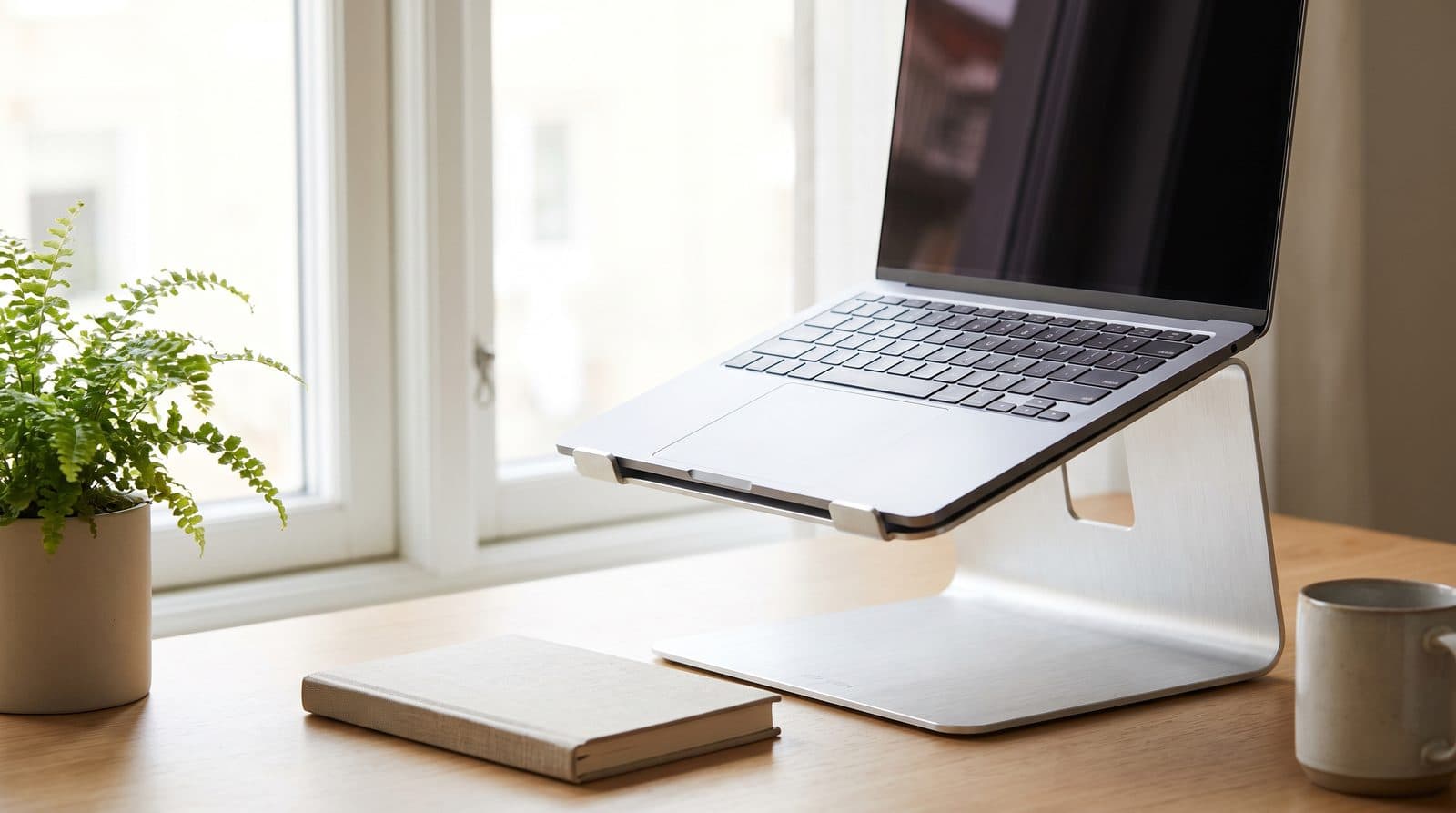
Stands
The Best Laptop Stands for Small Desks in 2026
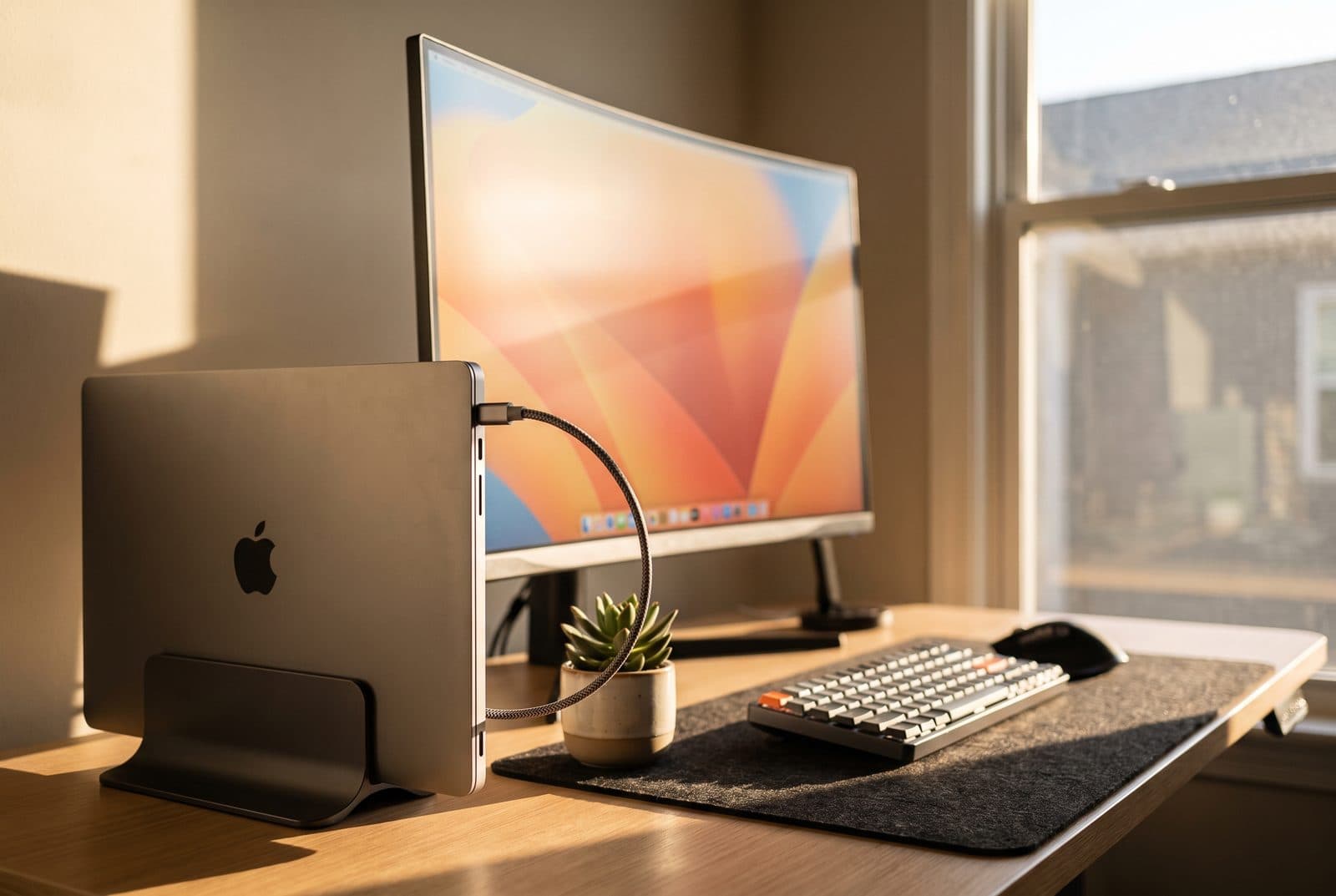
On a small desk every inch counts — and sitting closer means you need more lift, not less. Five stands rated on the height they actually reach and the desk space they give back, from folding travel stands to desk-anchoring classics.
Updated September 12, 2026
Stands
The Best Vertical Laptop Stands in 2026
Dock your laptop, close the lid, and reclaim the desk. Six vertical stands compared on how thick a laptop they hold, how stable they are, and which suit a clamshell setup.
Updated September 7, 2026
Stands
The Best Headphone Stands and Under-Desk Hooks in 2026
A headphone stand fixes clutter by spending the one thing you're short of: desk space. Six stands and hooks — under-desk adhesive, desk-edge clamp, budget aluminum, RGB hub, wireless-charging wood, and premium — sorted by where they mount.
Updated August 5, 2026
Get the next guide in your inbox
One short email when we publish or meaningfully update a buying guide. No spam, no daily deals firehose.