 Rigworthy
The Best Vertical Laptop Stands in 2026
By Rigworthy Editorial Team · Updated September 7, 2026
Rigworthy is reader-supported: we may earn a commission if you buy through our links, at no cost to you. How we make money
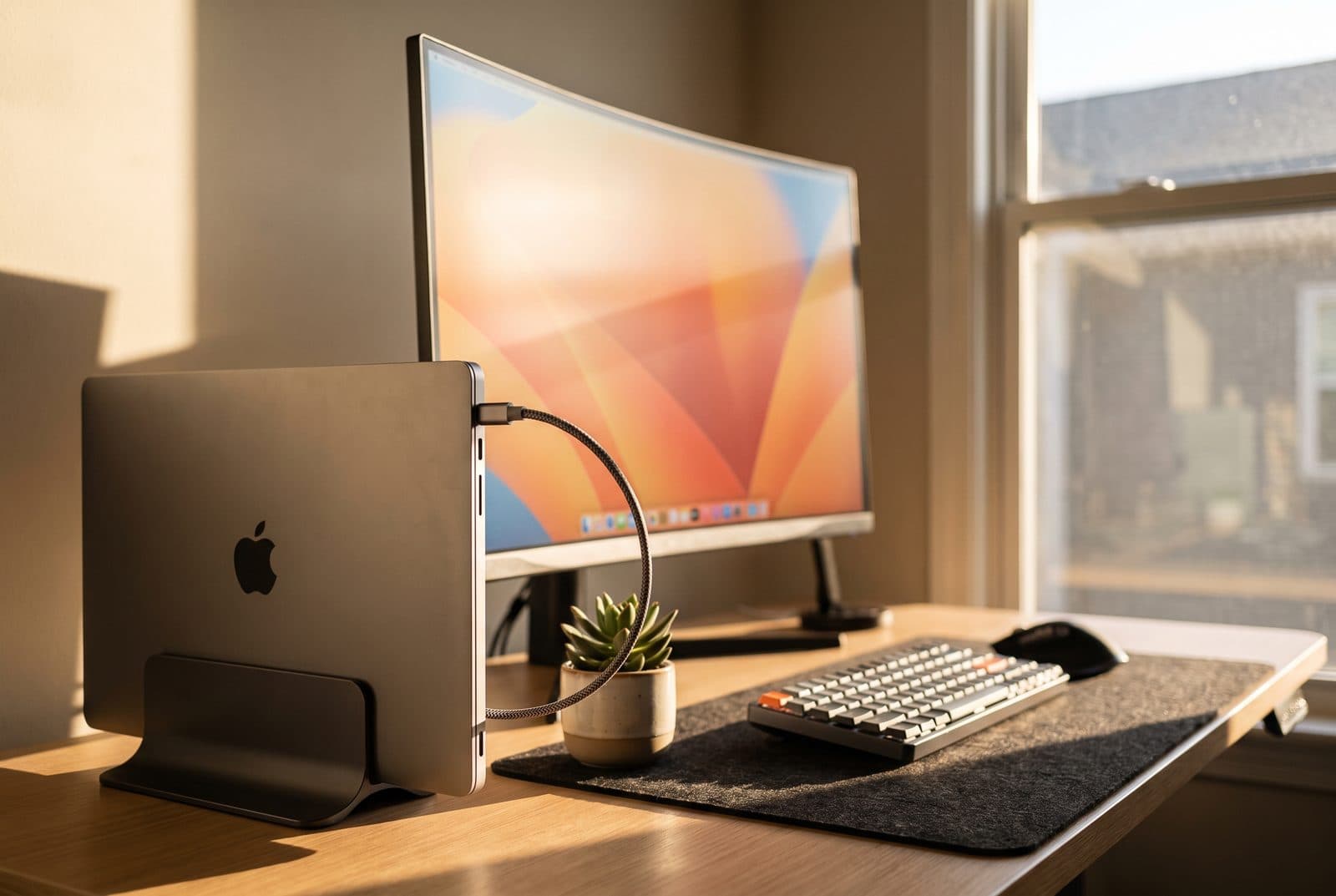
A laptop lying flat is the least efficient way to use a desk: it eats the deepest, most usable stretch of surface while giving you a screen that's too low and a keyboard you've probably stopped using anyway. If you dock to an external monitor, standing the laptop on its edge in a vertical stand reclaims that space entirely — the closed machine tucks into a footprint the size of a paperback, and the desk in front of you opens back up. It's the quiet finishing move on a clamshell setup, and a good one costs less than a nice lunch.
This guide sorts six of the best by the questions that actually decide the buy: how thick a laptop the slot will hold — the spec that quietly rules out half the market for gaming machines — how stable the stand is once a tall laptop is standing in it, whether you need one slot or two, and how much the material matters to you, from $16 aluminum to solid walnut. We've been honest about the traps: the elegant stand that tips when it's empty, the slim-only slot that won't take a thick laptop in a case, and the premium wood piece that costs as much as everything else here combined. Specs reflect what manufacturers publish as of mid-2026; where a figure is unpublished or varies by model, we've said so rather than inventing one.
Our top picks at a glance
- 1
- 2
- 3
- 4
- 5
- 6
How we chose
- Fit range — the thickness gap has to match your laptop, from slim ultrabooks to thick gaming rigs in a case
- Stability — a light stand with a tall laptop tips; base weight and a low grip point matter
- One slot or two — a dual dock stows a work and a personal machine side by side
- Cooling — an aluminum body doubles as a heat sink; a closed laptop still needs to breathe
- Scratch protection — silicone, felt, or rubber lining so the finish survives daily docking
Our picks come from spec research, long-term owner feedback, and category expertise — not sponsorships. Read the full methodology.
Compared side by side
| Product | Award | Material | Slots | Typical price |
|---|---|---|---|---|
| Twelve South BookArc Flex | Best Overall | Steel arcs | Single | ~$50 |
| OMOTON Vertical Laptop Stand | Best Value | Aluminum | Single | ~$16 |
| UGREEN Dual Slot Vertical Laptop Stand | Best for Two Laptops | Aluminum | Dual | $25–30 |
| JARLINK 4-in-1 Vertical Laptop Stand | Best for Gaming & Thick Laptops | Aluminum | Dual+ | ~$20 |
| Rain Design mTower | Best for Cooling | Aluminum | Single | ~$40 |
| Oakywood Vertical Laptop Stand | Best Premium | Solid wood | Single | $150–180 |
1. Best Overall
Twelve South BookArc Flex
Typically around $50
- MacBook clamshell setups
- Mixed laptop sizes
- A clean, minimal look
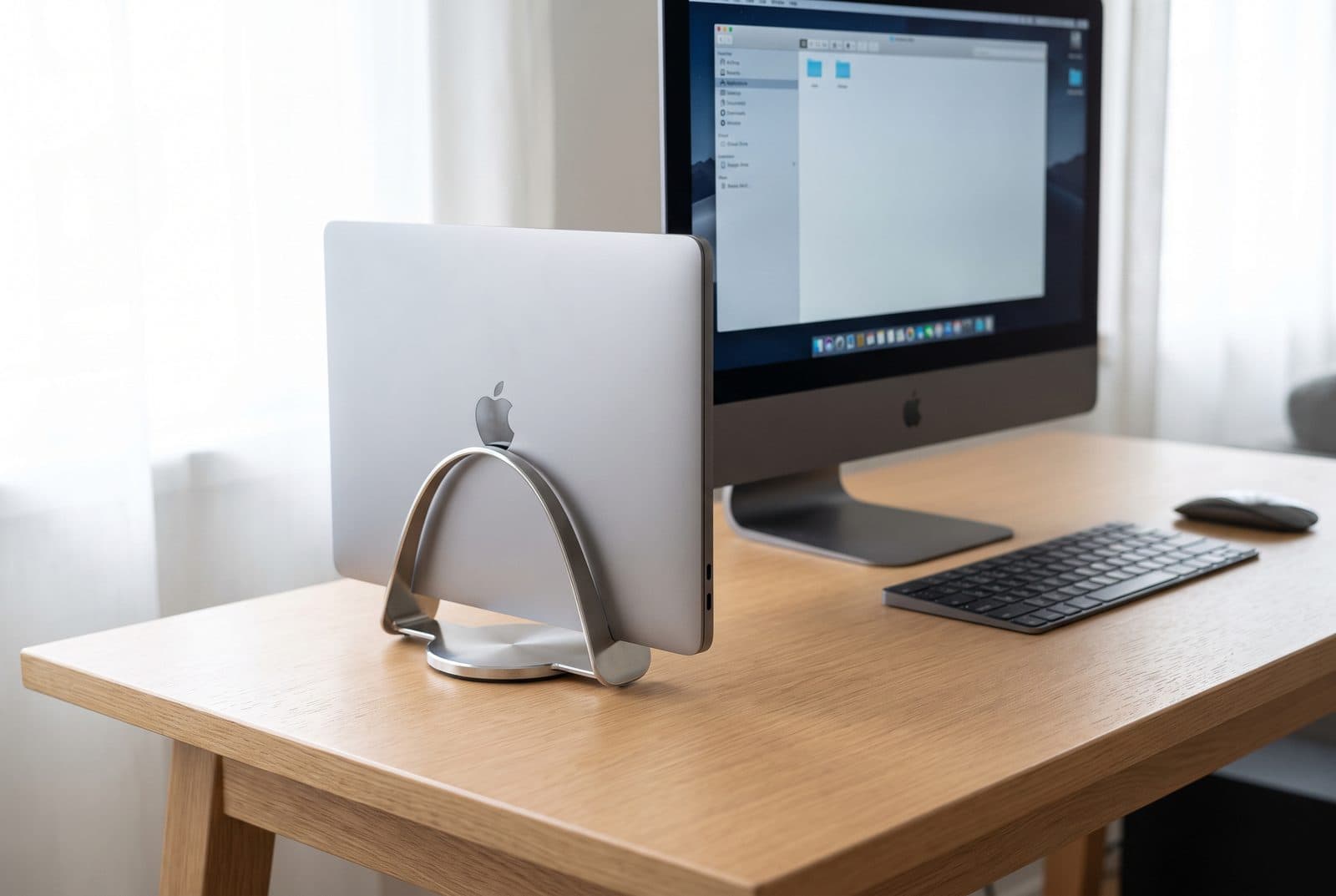
The BookArc Flex is the vertical stand to buy if you want one thing to just work with whatever laptop you own now and whatever you own next. Instead of the silicone inserts that made the original BookArc a per-model affair, the Flex uses two curved steel arms that the laptop's own weight draws together — set the machine in and the arcs cradle it, automatically fitting anything up to about 16 inches and 1 inch thick without swapping parts. It's the cleanest-looking option here by a distance, with a small cable channel to route a charger through, and it comes in white, black, silver, and a premium chrome.
The self-adjusting design has one honest consequence: the whole stand is light (about half a pound), so it relies on the laptop to anchor it, and an empty Flex is easy to knock. With a laptop docked it's stable enough for everyday use, but it isn't the tank that a heavy dual-slot aluminum base is. It's also a single-laptop stand — if you need to park a work and a personal machine together, look at the UGREEN or JARLINK below. For the most common job, though — one MacBook or ultrabook, closed, driving an external monitor — the Flex is the most universal and best-built pick, and it's the one we'd hand to most people.
What we like
- Steel arcs self-fit any laptop up to ~1 in thick — no inserts to lose
- Easily the most minimal, desk-friendly look of the group
- Cable channel and four finishes including chrome
Worth knowing
- Light on its own — an undocked stand is easy to knock over
- Single slot only; premium price for one laptop
- Material
- Steel arms, silicone lining
- Slots
- Single
- Fits thickness
- Up to ~1 in (no inserts)
- Fits size
- Up to ~16 in laptops
- Finishes
- White, black, silver, chrome
2. Best Value
OMOTON Vertical Laptop Stand
Typically around $16
- First-time clamshell users
- Tight budgets
- Most 13–16 in laptops
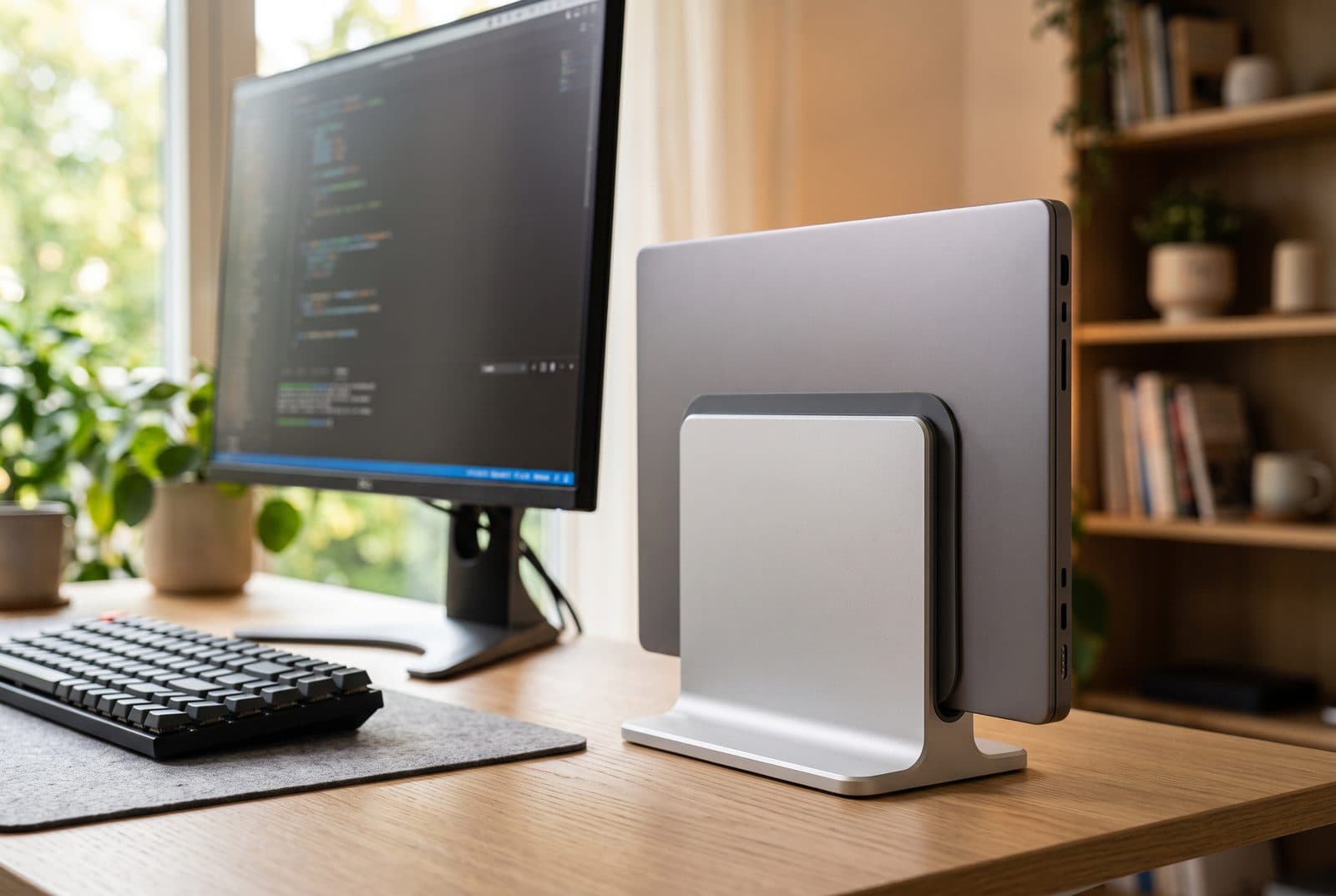
The OMOTON is the stand that proves you don't need to spend much to clear your desk. It's a single block of sandblasted aluminum with a rubber-lined slot whose width you set with a screw underneath, so it grips a slim MacBook Air or a chunkier 16-inch notebook equally well, up to 17.3 inches. It looks the part next to Apple gear, it's genuinely heavy for the price, and with more than ten thousand reviews averaging around 4.8 stars it's the closest thing to a default in this category. For a first move into clamshell docking, it's hard to spend $16 more wisely.
The trade-offs are the ones you'd expect at the price. You adjust the fit with a screwdriver rather than a tool-free mechanism, so it's a set-and-forget width, not something you change on a whim. The single-slot version holds one machine; OMOTON sells a near-identical double version if you need two, so check which listing you're adding to the cart. And while the base is hefty, a tall, heavy laptop set high in the slot can still feel a little top-heavy on a bump. None of that undoes the core value: this is the most stand for the least money here.
What we like
- Remarkable value — aluminum build and huge track record for ~$16
- Screw-set width fits everything from slim Airs to 16 in notebooks
- Heavy, MacBook-matching finish that looks pricier than it is
Worth knowing
- Width adjusts with a screwdriver, not tool-free
- Single and double versions look alike — confirm the one you want
- Material
- Anodized aluminum
- Slots
- Single (double sold separately)
- Fits thickness
- Adjustable via base screw
- Fits size
- Up to 17.3 in laptops
- Non-slip
- Silicone slot lining + base
3. Best for Two Laptops
UGREEN Dual Slot Vertical Laptop Stand
Typically $25–30
- A work + personal machine
- Laptop plus a tablet
- Heavy aluminum stability
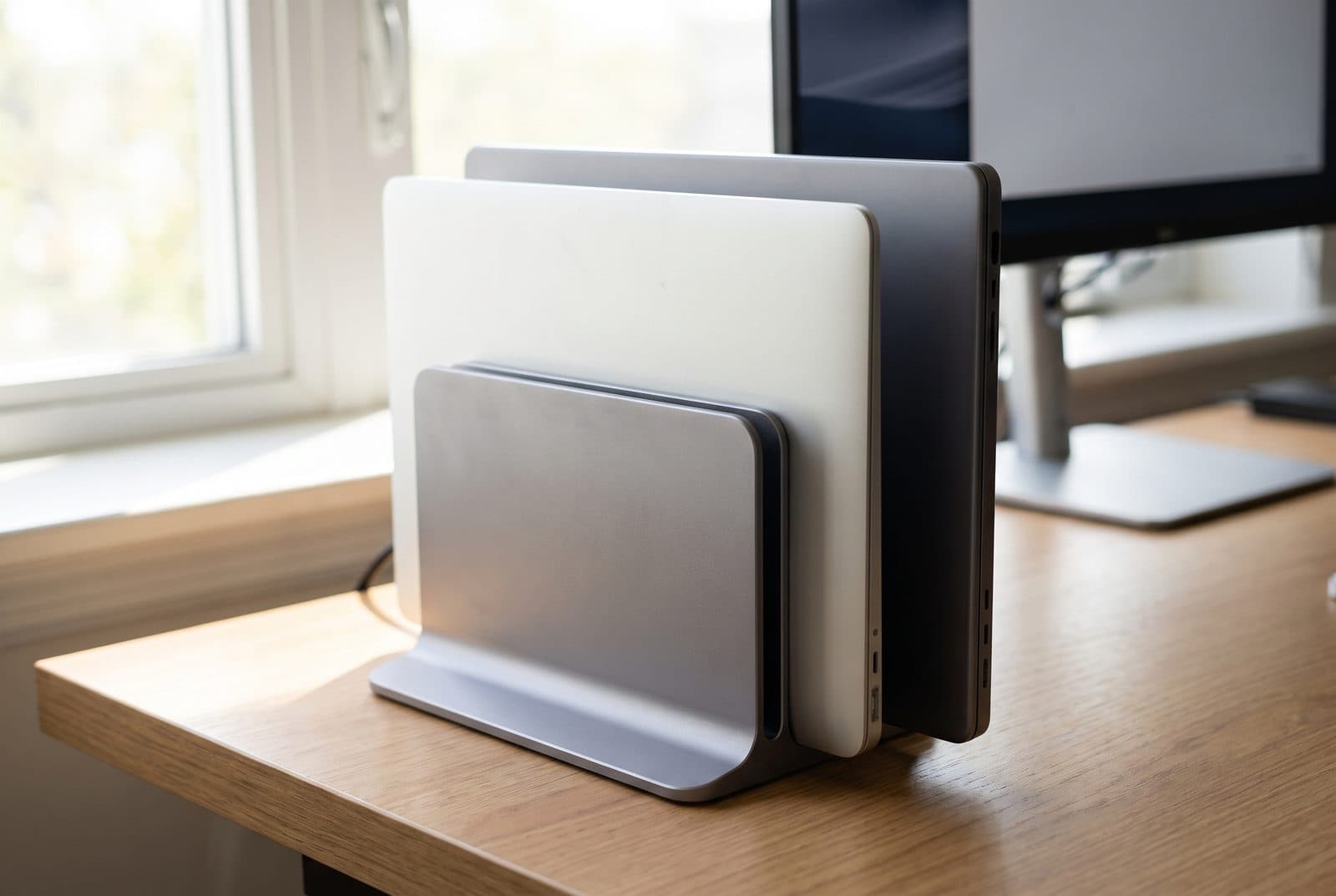
If you finish the day with a work laptop and a personal one both wanting a home, the UGREEN dual-slot is the tidy answer. Two independently adjustable slots each take a device up to an inch thick, so you can stand a MacBook Pro next to a Surface or slide a tablet into the second groove, and the heavy aluminum-alloy base gives it the planted feel that lighter single stands lack. Rubberized grips and a silicone mat wrap each slot to protect the finish, and each slot loosens with a couple of hand bolts to dial in tension — no tools needed once it's on the desk.
The dual layout sets its limits. Each slot maxes out around one inch of thickness and roughly a 15.6-inch laptop, so a thick gaming rig — especially in a protective skin — won't fit; that's the JARLINK's job below. Two docked laptops also take up more desk width than a single stand, which slightly undercuts the space-saving pitch if you only ever dock one. But for the specific and common problem of corralling two machines without cluttering the desk, it's the most stable, best-finished way to do it for under $30.
What we like
- Two independently adjustable slots for a work + personal pair
- Heavy aluminum base — the most planted stand in its price class
- Tool-free hand-bolt tension and full silicone lining
Worth knowing
- Each slot tops out near 1 in thick / 15.6 in — no thick gaming laptops
- Two docked machines eat more desk width than a single stand
- Material
- Aluminum alloy
- Slots
- Dual (independently adjustable)
- Fits thickness
- 0.47–1 in per slot
- Load
- Up to ~11 lb (5 kg)
- Fits size
- Up to ~15.6 in per slot
4. Best for Gaming & Thick Laptops
JARLINK 4-in-1 Vertical Laptop Stand
Typically around $20
- Thick gaming laptops
- Laptops in a case or skin
- Laptop + tablet + phone
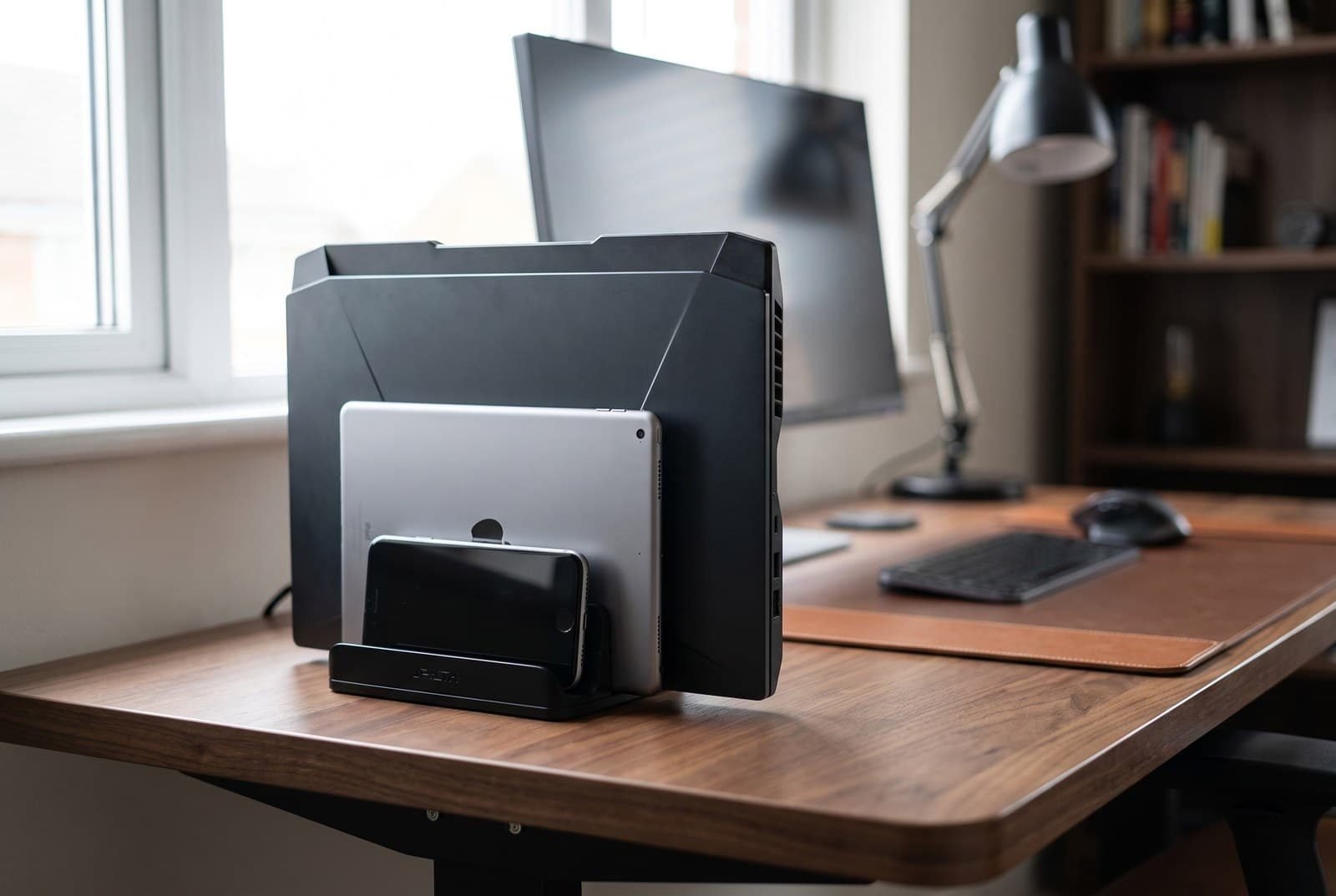
Most vertical stands quietly assume you own a slim ultrabook, and then a thick gaming laptop won't drop into the slot. The JARLINK is built for the exception: an included Allen key sets each slot anywhere from about 0.39 up to 1.6 inches — far wider than the roughly one-inch gap the aluminum single-slot stands top out at — which is enough to take a bulky 17-inch gaming machine, even one wearing a protective skin, that those stands simply can't. A low, weighted aluminum base keeps that heavier hardware planted, and the dual-slot design doubles as a small dock for a tablet, a phone, or a second laptop alongside the main one.
You're buying capability over polish. The JARLINK is chunkier and more utilitarian than the sleek BookArc or the OMOTON, so it reads as a tool rather than a design piece, and if all you own is a slim MacBook you're paying for a fit range you'll never use. But if your laptop is the reason other stands don't work — thick chassis, big footprint, case on — this is the one in the group that actually holds it, and it does it for around $20. For gaming laptops and desktop-replacement machines, it's the obvious pick.
What we like
- Widest gap here (~0.39–1.6 in) — takes thick gaming laptops others reject
- Heavy base steadies tall, heavy hardware other stands can't
- Extra slots for a tablet, phone, or second device
Worth knowing
- Bulky, utilitarian look — not a design centerpiece
- Overkill (and over-wide) if you only own a slim ultrabook
- Material
- Aluminum alloy
- Slots
- Dual + device slots
- Fits thickness
- ≈0.39–1.6 in per slot (adjustable)
- Fits size
- Up to 17.3 in laptops
- Non-slip
- Silicone lining + weighted base
5. Best for Cooling
Rain Design mTower
Typically around $40
- Laptops that run warm
- Slim MacBooks and ultrabooks
- A single-piece premium build
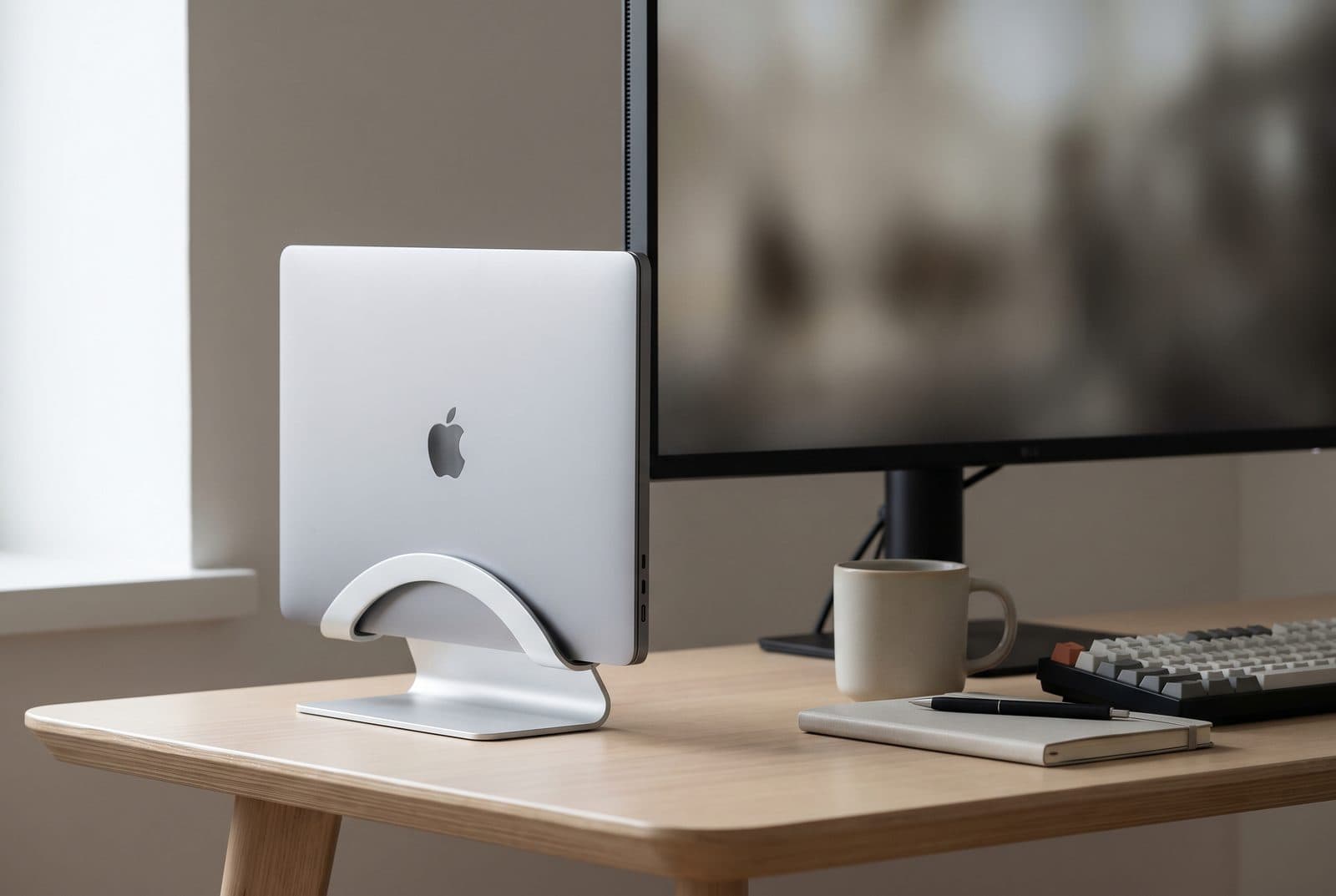
The mTower comes from the same designers as the mStand riser, and it brings that pedigree to the vertical format: a single sculpted piece of anodized aluminum, no seams, no plastic base. The material choice isn't just for looks — the aluminum body acts as a large heat sink, drawing warmth off a closed laptop that's working hard in clamshell mode, which is exactly when a docked machine tends to run hottest. It lifts the laptop about 3.5 inches off the desk, ships with rubber adapters to snug the slot to your specific model, and looks like it belongs next to Apple hardware because it essentially was designed to.
The elegance comes with a narrower brief. The mTower is happiest with slim machines — roughly 0.68 to 0.98 inches, and best under about 0.75 inch — so a thick gaming laptop is out; that's a JARLINK job. It's a single-slot stand, the fit relies on matching the right rubber adapter rather than a screw, and at around $40 you're paying a premium over the OMOTON for the build and the cooling rather than for more capability. But if your laptop gets hot in clamshell and you want the nicest single-piece stand to tame it, the mTower is the one that treats cooling as a feature, not an afterthought.
What we like
- Aluminum body doubles as a heat sink for hot clamshell sessions
- Seamless single-piece build; premium Apple-adjacent look
- Raises the laptop ~3.5 in with model-specific rubber adapters
Worth knowing
- Slim laptops only (~0.68–0.98 in) — no thick gaming rigs
- Premium over the OMOTON for build and cooling, not capability
- Material
- Single-piece anodized aluminum
- Slots
- Single
- Fits thickness
- ≈0.68–0.98 in (rubber adapters)
- Lift height
- ≈3.5 in (88 mm)
- Finishes
- Silver, space gray
6. Best Premium
Oakywood Vertical Laptop Stand
Typically $150–180
- Wood and warm desk setups
- A design-forward centerpiece
- Buyers who value materials
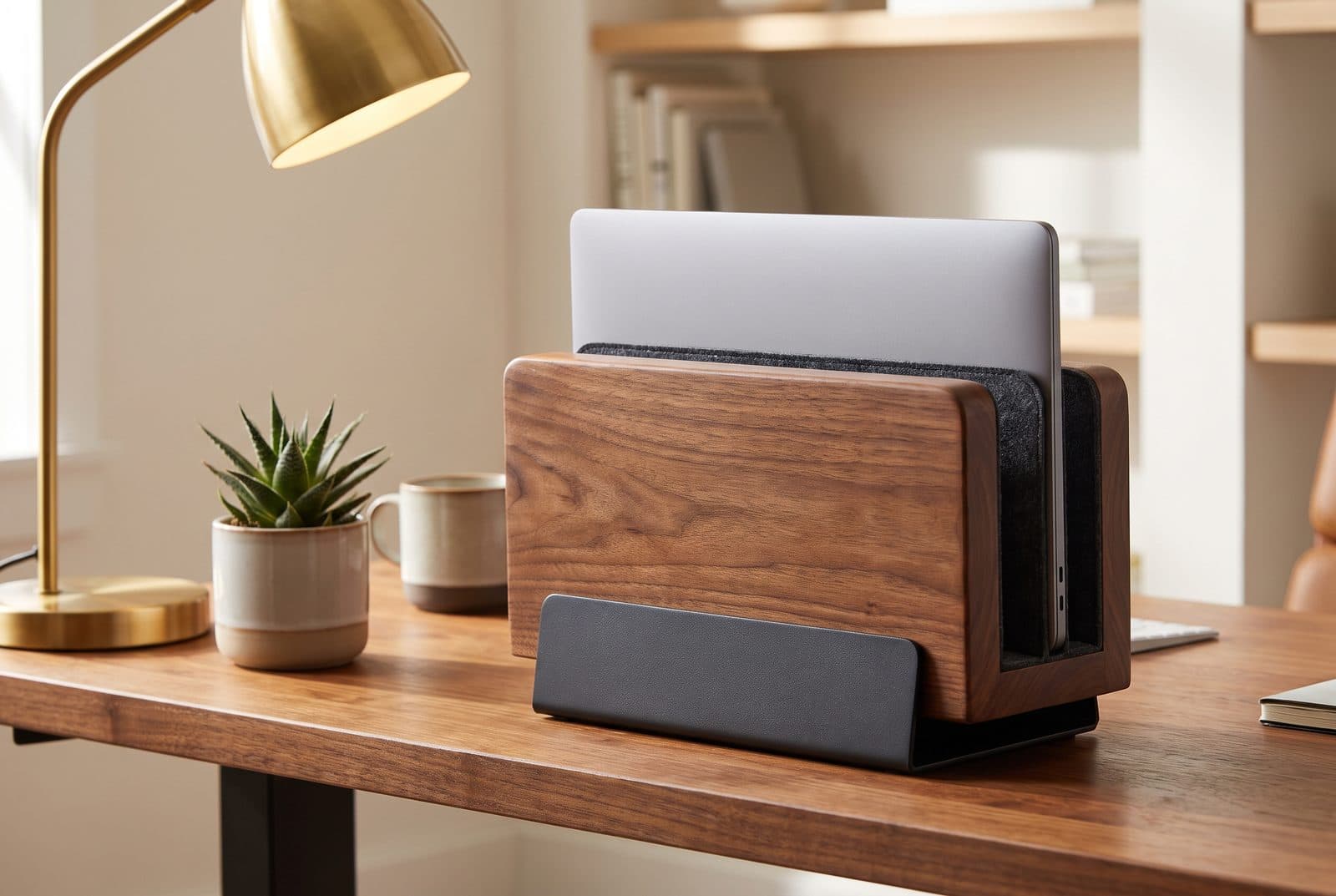
Everything else here is aluminum, steel, or plastic; the Oakywood is the one that treats the stand as furniture. It's handcrafted from a solid block of walnut or oak seated on a powder-coated steel base, with felt-lined slots so your laptop rests against soft wool rather than metal, and an adjustable width that takes machines up to about 34 millimeters thick. On a wood-topped or warm-toned desk it reads as a deliberate design object rather than an accessory, and the materials age the way good wood does — this is the stand you buy once and keep.
The price is the whole conversation. At roughly $150–180 it costs as much as the entire rest of this list combined, and it's a considered purchase, not an impulse one — wood and felt also want a little more care than a wipe-clean aluminum slot. The single-slot version holds one laptop (Oakywood sells a separate dual dock if you need two), and none of the extra spend buys you more capability than a $16 OMOTON delivers functionally. What it buys is material and craft: if your desk is a place you care about how things look and feel, the Oakywood is the vertical stand that earns a spot on it.
What we like
- Solid walnut or oak on a steel base — a genuine design piece
- Felt-lined slots and adjustable width up to ~34 mm
- Materials that age well; a buy-it-once purchase
Worth knowing
- Costs as much as the rest of this list combined
- Single slot; wood and felt want more care than aluminum
- Material
- Solid walnut/oak + steel base
- Slots
- Single (dual sold separately)
- Fits thickness
- Up to ~34 mm (adjustable)
- Lining
- Felt-lined slot
- Build
- Handcrafted, powder-coated base
The verdict
For most people the Twelve South BookArc Flex is the right call — its self-fitting steel arcs take almost any laptop up to an inch thick with no inserts to lose, and it's the cleanest-looking stand of the group. If you'd rather not spend much, the OMOTON does the same core job in aluminum for around $16 and is the value benchmark the whole category is measured against.
From there, match the stand to your situation. Two machines to park? The UGREEN dual-slot stows a work and a personal laptop side by side. A thick gaming laptop the others won't hold? The wide-gap JARLINK is the one that fits it. A machine that runs hot in clamshell? The single-piece aluminum Rain Design mTower doubles as a heat sink. And if the desk is a place you care about, the solid-wood Oakywood is the one worth the splurge. Whichever you pick, the payoff is the same: close the lid, run one cable to a dock, and get your desk back.
Frequently asked questions
Yes, for the vast majority of modern laptops. MacBooks officially support closed-display 'clamshell' mode as long as they're plugged into power and connected to an external display and input device, and most Windows laptops are designed to keep running with the lid shut once you change the power settings so it doesn't sleep. The one real consideration is heat: a closed laptop working hard vents less freely, so if yours runs warm under load, favor a stand that helps — an aluminum body like the Rain Design mTower acts as a heat sink, and keeping the vents clear matters more than the stand's shape. If your laptop is old or already thermally throttled, watch temperatures for the first few heavy sessions.
They solve opposite problems, and the deciding question is whether the laptop's own screen is your main screen. A vertical stand stows a closed laptop on its edge to reclaim desk space, which only makes sense if you dock to an external monitor, keyboard, and mouse. A riser stand lifts the laptop open so its own screen sits closer to the right height, for people who use the laptop's display directly. Worth knowing before you choose: a 14-inch laptop needs 8 to 10 inches of lift to sit where OSHA's guidance wants it, which is more than most fixed risers deliver and enough to make the laptop's own keyboard unusable — see our laptop stand height guide. Since you need an external keyboard either way at that point, the honest comparison is riser-plus-keyboard against monitor-plus-vertical-stand. The space argument favors the vertical stand heavily: a 14-inch MacBook Pro lying flat occupies about 107 square inches of desk and a riser leaves that plan area committed, while the same machine on edge in a BookArc Flex takes about 44.
Only if you check the slot's thickness range first — this is the number that trips people up. Slim-focused stands like the Rain Design mTower top out around one inch, and even most adjustable aluminum stands max near an inch, which a thick gaming laptop (especially in a protective skin) will exceed. The JARLINK is the pick here specifically because each slot opens to about 1.6 inches — comfortably past that one-inch ceiling — wide enough for bulky 17-inch machines even in a case. Measure your laptop's thickness at its fattest point — including any case — and match it to the stand's stated range before buying.
You need three things connected: power, a display, and input. The cleanest way is a single USB-C hub or dock that carries power, your monitor, and your peripherals over one cable — plug it in, close the lid, and the laptop drives the external screen. Set the laptop in the vertical stand, run that one cable to the dock, and your keyboard, mouse, monitor, and charger all come alive together. On a Mac, closing the lid while powered and connected triggers clamshell mode automatically; on Windows, set 'when I close the lid' to 'do nothing' in power settings first so it doesn't sleep.
Not if it's lined, and every pick in this guide is — silicone on the aluminum stands, felt on the Oakywood, rubber adapters on the mTower. The lining is what keeps the finish safe and holds the laptop still, so it's worth confirming a stand has it before buying, and worth keeping the slot free of grit that could get dragged against the case. The bigger real-world risk isn't scratching, it's tipping: set a heavy laptop into a light stand and a knock can send both over. Match the stand's weight and base to your laptop, and seat the machine low in the slot for a lower center of gravity.
Count your laptops. If you dock one machine, a single slot is cleaner and takes less desk width — the BookArc Flex, mTower, or OMOTON. If you juggle a work laptop and a personal one, a dual-slot stand like the UGREEN parks both upright side by side without two separate stands cluttering the desk, and the second slot doubles for a tablet. Dual stands are a little wider and, on cheaper models, only fit slimmer machines per slot, so if one of your two is a thick gaming laptop, check the thickness range carefully or use the wide-gap JARLINK.
Keep building your setup
Stands
The Best Laptop Stands for Small Desks in 2026
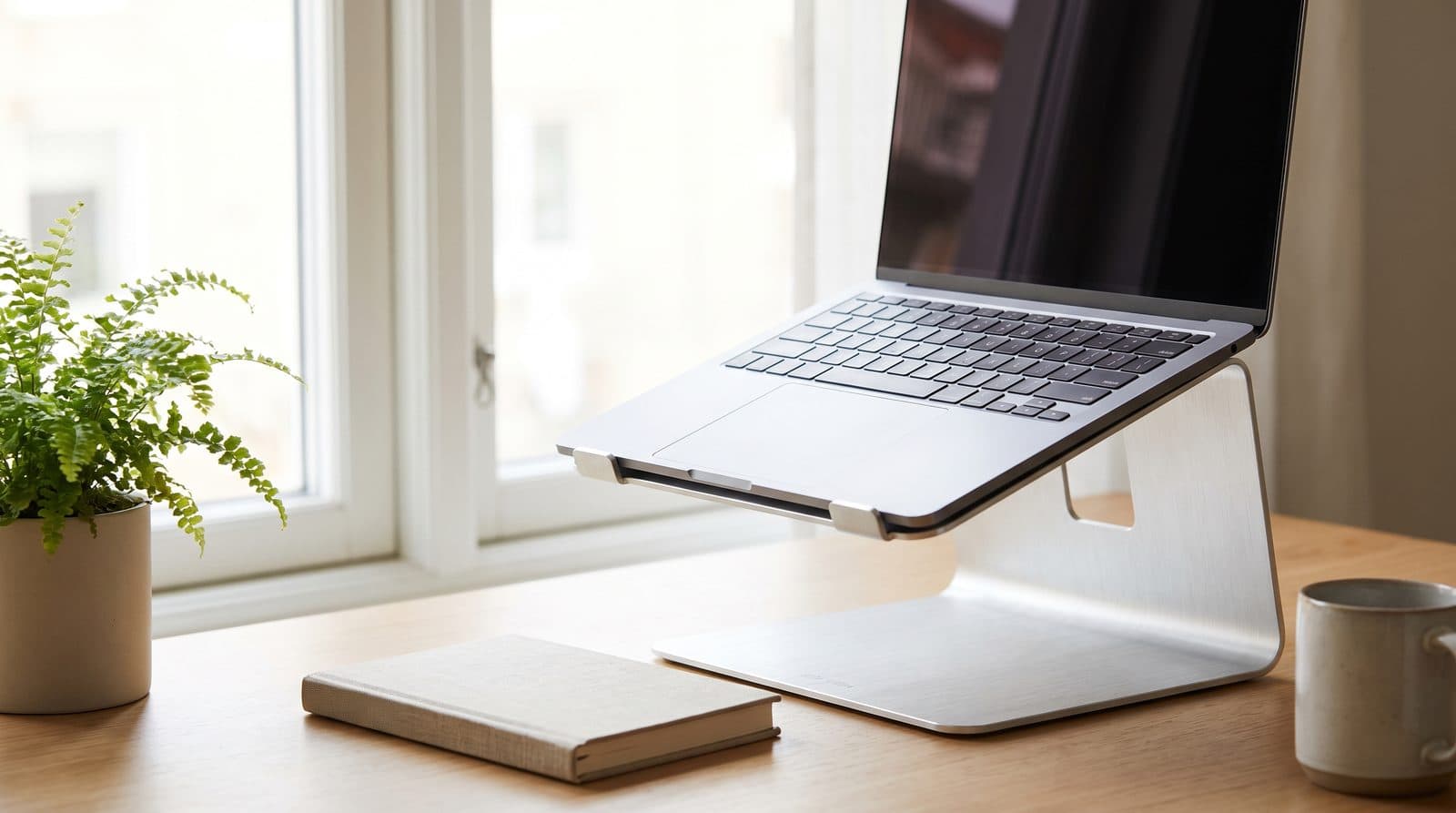
On a small desk every inch counts — and sitting closer means you need more lift, not less. Five stands rated on the height they actually reach and the desk space they give back, from folding travel stands to desk-anchoring classics.
Updated September 12, 2026
Stands
How High Should a Laptop Stand Be?
Every laptop stand guide, ours included, says to raise the screen to eye level. Do the arithmetic and that rule turns out to be borrowed from a monitor, it overshoots a laptop by about two and a half inches, and the stand you need is taller than almost anything the category sells.
Updated September 7, 2026
Stands
The Best Headphone Stands and Under-Desk Hooks in 2026
A headphone stand fixes clutter by spending the one thing you're short of: desk space. Six stands and hooks — under-desk adhesive, desk-edge clamp, budget aluminum, RGB hub, wireless-charging wood, and premium — sorted by where they mount.
Updated August 5, 2026
Get the next guide in your inbox
One short email when we publish or meaningfully update a buying guide. No spam, no daily deals firehose.