 Rigworthy
The Best Portable Monitors in 2026
By Rigworthy Editorial Team · Updated August 9, 2026
Rigworthy is reader-supported: we may earn a commission if you buy through our links, at no cost to you. How we make money
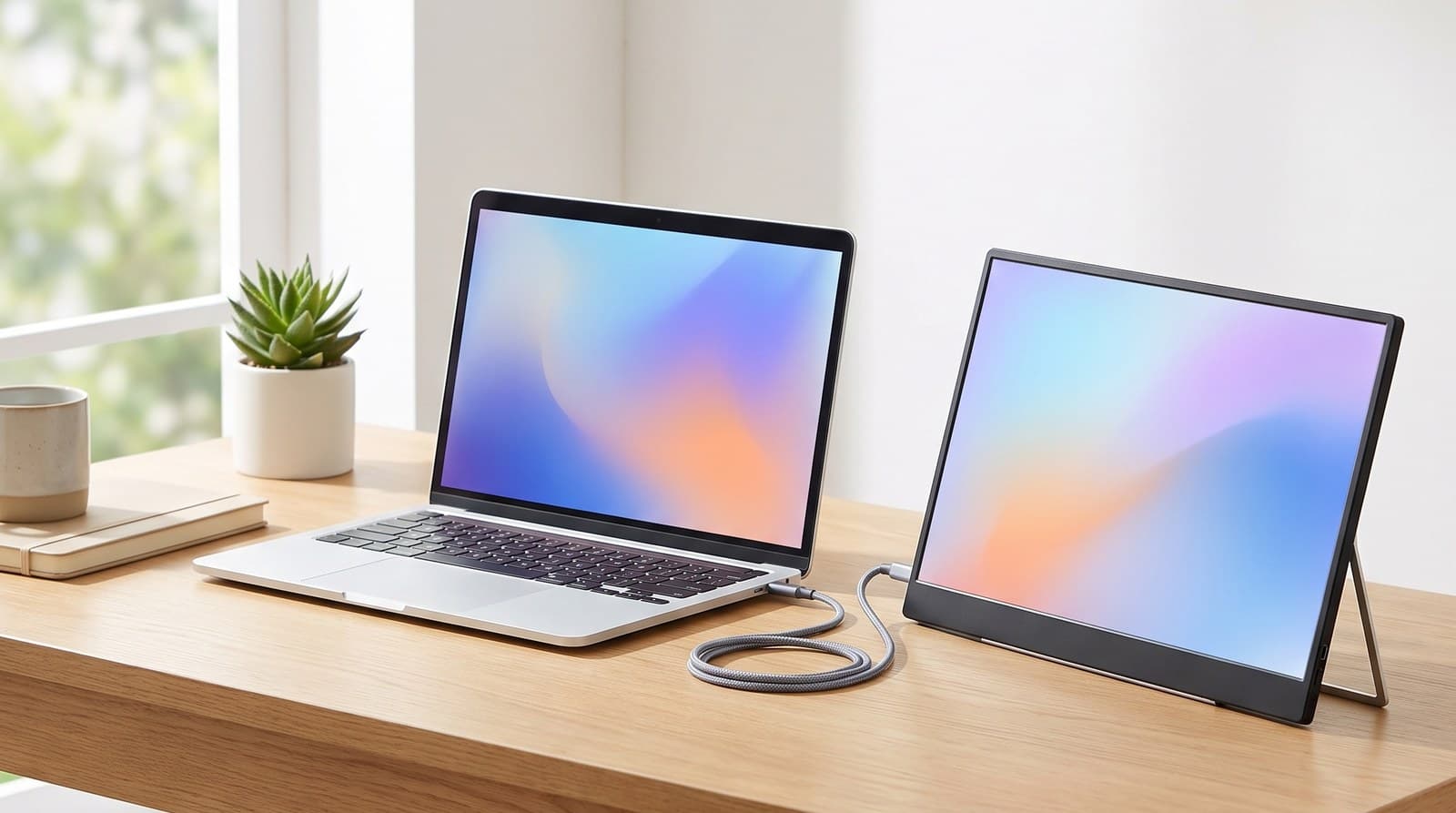
A portable monitor is the rare desk upgrade that fixes a problem you feel every day. If you work on a laptop, you're working on one screen, and a second one changes how the day goes more than a nicer keyboard or a better chair ever will — you stop alt-tabbing between the document and the source, the call and the notes, the code and the browser.
The category has also quietly gotten good. A 15-inch panel now weighs less than a hardback book, runs off a single cable, and costs a fraction of what the first ones did. But the specs that get advertised — resolution, refresh rate, an HDR badge — are mostly not the ones that decide whether you'll still be using it in six months.
Three things do. Whether your laptop's USB-C port can actually drive a display at all, which is not a given and is the most common reason one of these goes back in the box. How it stands up — much of the category still props itself on a folded magnetic cover, and even the ones with a proper kickstand only tilt, so the screen sits well below eye level and your neck pays for the extra pixels. And how bright the panel really is, since 250 nits is the category norm and it's dimmer than the laptop you're setting it beside.
We picked six across a $110-to-$500 ladder and 14 to 16 inches, and led on those three things rather than the spec sheet.
Our top picks at a glance
- 1
- 2
- 3
- 4
- 5
- 6
How we chose
- Connection reality — whether a single USB-C cable genuinely carries video and power, and what happens if your laptop port can't
- How it stands — built-in stands, kickstands and hinges versus the origami folio covers much of the category still ships with, and whether any of them add height rather than only tilt
- Manufacturer-rated brightness, stated plainly, because 250 nits and 400 nits are different products
- Pixel density at the actual screen size, not headline resolution
- Weight and thickness measured against what you'd really carry every day
- Ports, power delivery wattage, and two-way charging, checked against manufacturer spec sheets rather than listing copy
Our picks come from spec research, long-term owner feedback, and category expertise — not sponsorships. Read the full methodology.
Compared side by side
| Product | Award | Size & resolution | Panel | Stand | Typical price |
|---|---|---|---|---|---|
| ViewSonic VG1655 | Best Overall | 15.6 in, 1080p | IPS 60 Hz | Built-in fold-out | $180–250 |
| Arzopa Z1FC | Best Budget | 16.1 in, 1080p | IPS 144 Hz | Built-in kickstand, tilt only | $110–130 |
| HP Series 5 Pro 514pn | Best for Text & Detail | 14.3 in, 2560 × 1600 | IPS Black 75 Hz | Built-in kickstand | $299–339 |
| ASUS ZenScreen Touch MB16AMTR | Best Touchscreen & Untethered | 15.6 in, 1080p | IPS touch | Kickstand + tripod socket | ~$300 |
| Lenovo ThinkVision M14 | Best Ultraportable | 14 in, 1080p | IPS 60 Hz | Hinged, height-adjust foot | $130–200 |
| ViewSonic VX1655-4K-OLED | Best Premium | 15.6 in, 4K | OLED | Built-in + smart cover | $450–500 |
1. Best Overall
ViewSonic VG1655
Typically $180–250
- A daily second screen that has to sit at a sensible height
- Laptops that need charging back through the same cable
- Anyone who wants portrait orientation to be a one-second change
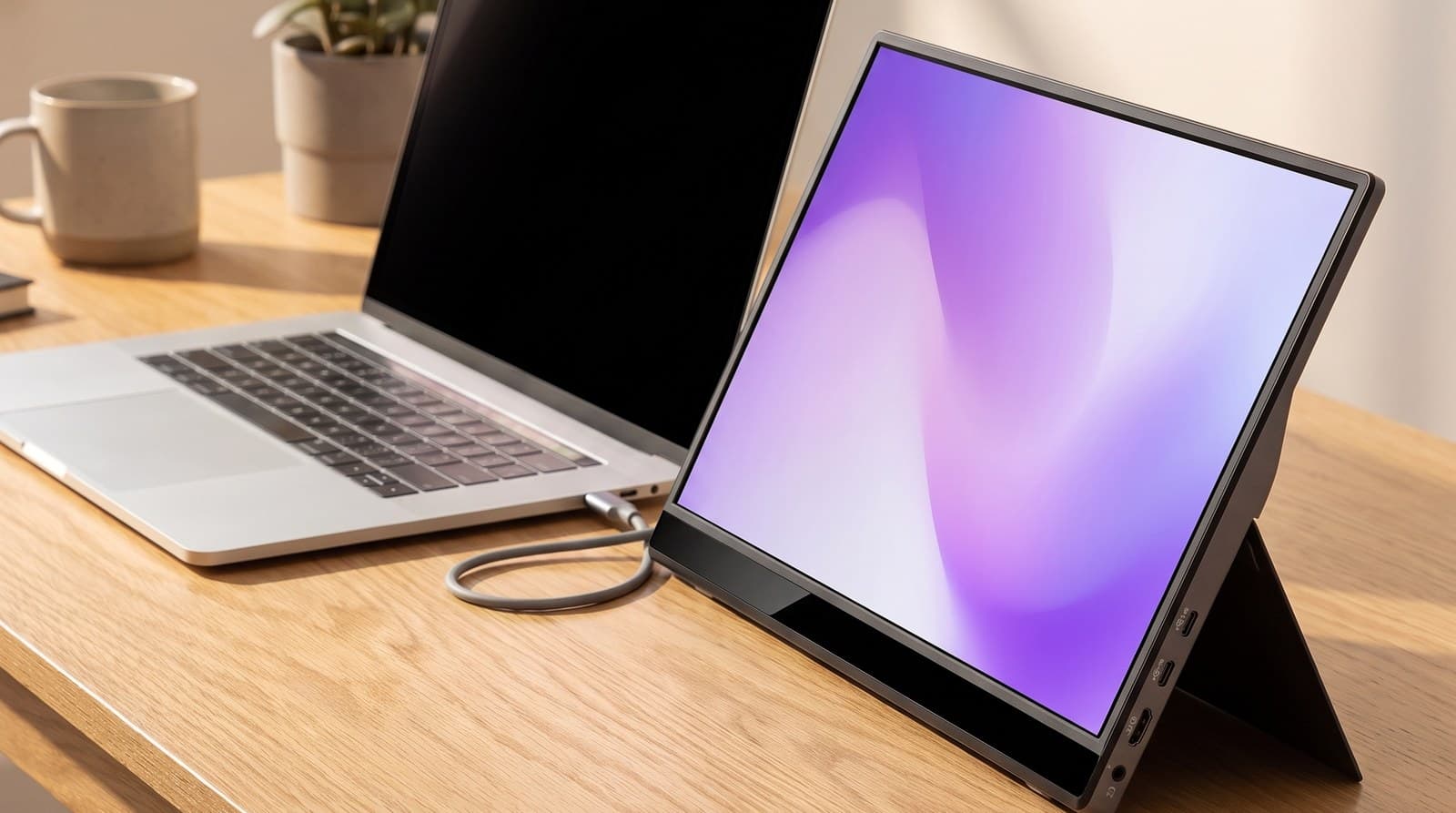
Plenty of portable monitors are a panel plus a folded-up magnetic cover, and that cover is the thing you end up fighting every day. The VG1655 sidesteps it properly: ViewSonic builds a fold-out stand into the back of the chassis that props the screen in landscape or rotates it into portrait without any origami, and the magnetic cover is a detachable screen protector rather than a load-bearing part of the design. It's a 15.6-inch 1920 × 1080 IPS panel, 0.6 inches thick and 1.8 lbs, with two USB-C ports, a mini-HDMI input, a headphone jack and a pair of 0.8 W speakers.
The port arrangement is the other reason this is the default pick. Both USB-C ports handle 60 W two-way power, which means you can run it from your laptop on one cable, or — more usefully at a desk — plug a charger into the monitor and have it feed power back to the laptop while carrying video the other way. That turns a second screen into a single-cable dock of sorts. Be clear-eyed about the panel, though: 250 cd/m² is on the dim side even for this category, the contrast is a modest 800:1, and 60 Hz is all you get. This is a productivity display, not a games machine, and it wants to be indoors and out of direct sun.
What we like
- Genuine built-in fold-out stand, landscape and portrait, with no folio origami
- Two USB-C ports with 60 W two-way power — it can charge your laptop back
- Three-year limited warranty, unusual in a category full of marketplace brands
Worth knowing
- 250 cd/m² is dim; poor next to a window and unusable outdoors
- 800:1 contrast and 60 Hz — strictly a work panel
- Heaviest of the 15-inch picks here at 1.8 lbs
- Size & resolution
- 15.6 in, 1920 × 1080
- Panel
- IPS, 60 Hz, 800:1
- Brightness
- 250 cd/m² rated
- Ports
- 2 × USB-C (60 W two-way), mini-HDMI, 3.5 mm
- Weight
- 1.8 lbs, 0.6 in thick
- Extras
- Built-in stand, magnetic cover, 2 × 0.8 W speakers
2. Best Budget
Arzopa Z1FC
Typically $110–130
- The cheapest way to find out if you'll actually use a second screen
- Steam Deck, Switch and console use away from the TV
- Bag weight — 780 g and 9.3 mm
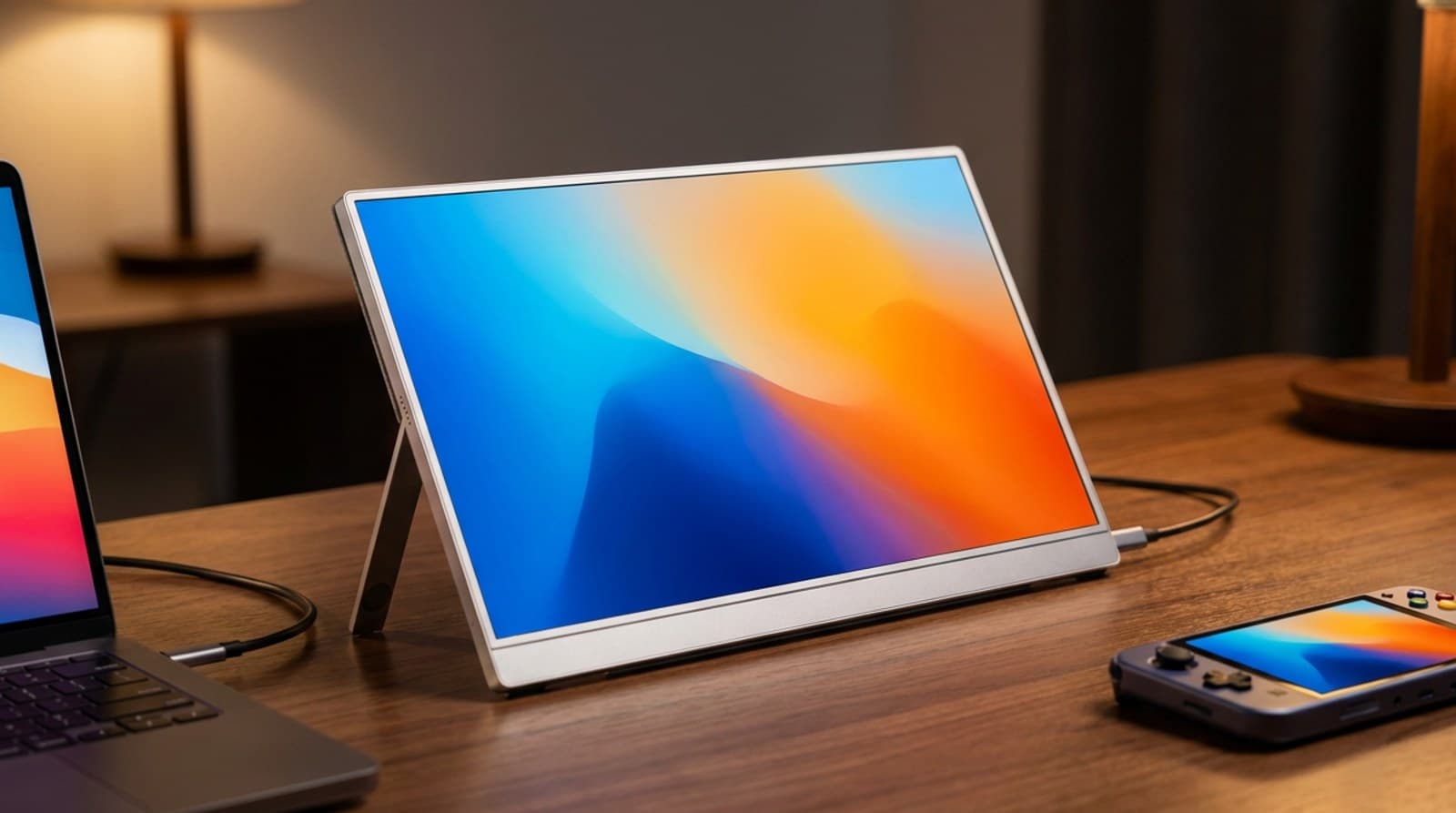
The Z1FC is the pick that makes the whole category make sense, because it costs about as much as a decent desk lamp. You get a 16.1-inch 1080p IPS panel in an aluminum body that's 9.3 mm thick and 780 g, rated at 300 cd/m² and 1000:1 with 106% sRGB coverage, plus two USB-C ports and a mini-HDMI input. It runs at 144 Hz, which is genuinely useful if you're plugging a Steam Deck or a Switch into it and is a pleasant surprise on the desktop even when you're only reading email — and it is, notably, the largest screen in this guide.
It also does better on the stand than its price suggests. Arzopa hinges a thin metal kickstand into the back that folds flush for travel, swings out to roughly 80 degrees and holds the panel upright in portrait — a real fitting rather than the folio cover this bracket usually calls a stand. The protective cover in the box is just a case. What you give up is elsewhere: the kickstand only tilts, so the screen still sits low on the desk with no way to gain height; there's no Adaptive Sync despite the high refresh rate, so it isn't a tear-free gaming display in the strict sense; and 1080p spread across 16.1 inches works out to a coarser pixel density than most modern laptop screens, so text looks a bit softer than the panel beside it. At this price those are easy trades. Buy it, use it for a month, and you'll know whether you want to spend $300 on a nicer one.
What we like
- 16.1 inches — the biggest screen here — for around $110–130
- 144 Hz and 106% sRGB, both rare at this price
- Metal kickstand hinged into the chassis, not a folio cover — and it holds portrait
Worth knowing
- The kickstand only tilts, so the screen still sits low on the desk
- No Adaptive Sync, so the 144 Hz isn't a full gaming feature
- 1080p over 16.1 in is a coarser pixel density than most laptop panels
- Size & resolution
- 16.1 in, 1920 × 1080
- Panel
- IPS, 144 Hz, 1000:1
- Brightness
- 300 cd/m² rated
- Color
- 106% sRGB
- Ports
- 2 × USB-C, mini-HDMI
- Weight
- 780 g, 9.3 mm thick
- Stand
- Built-in metal kickstand, up to 80° tilt
3. Best for Text & Detail
HP Series 5 Pro 514pn
Typically $299–339
- Spreadsheets, code and long documents on a second screen
- Working next to a high-resolution laptop panel without a sharpness mismatch
- Colour work that needs a wide, accurate gamut
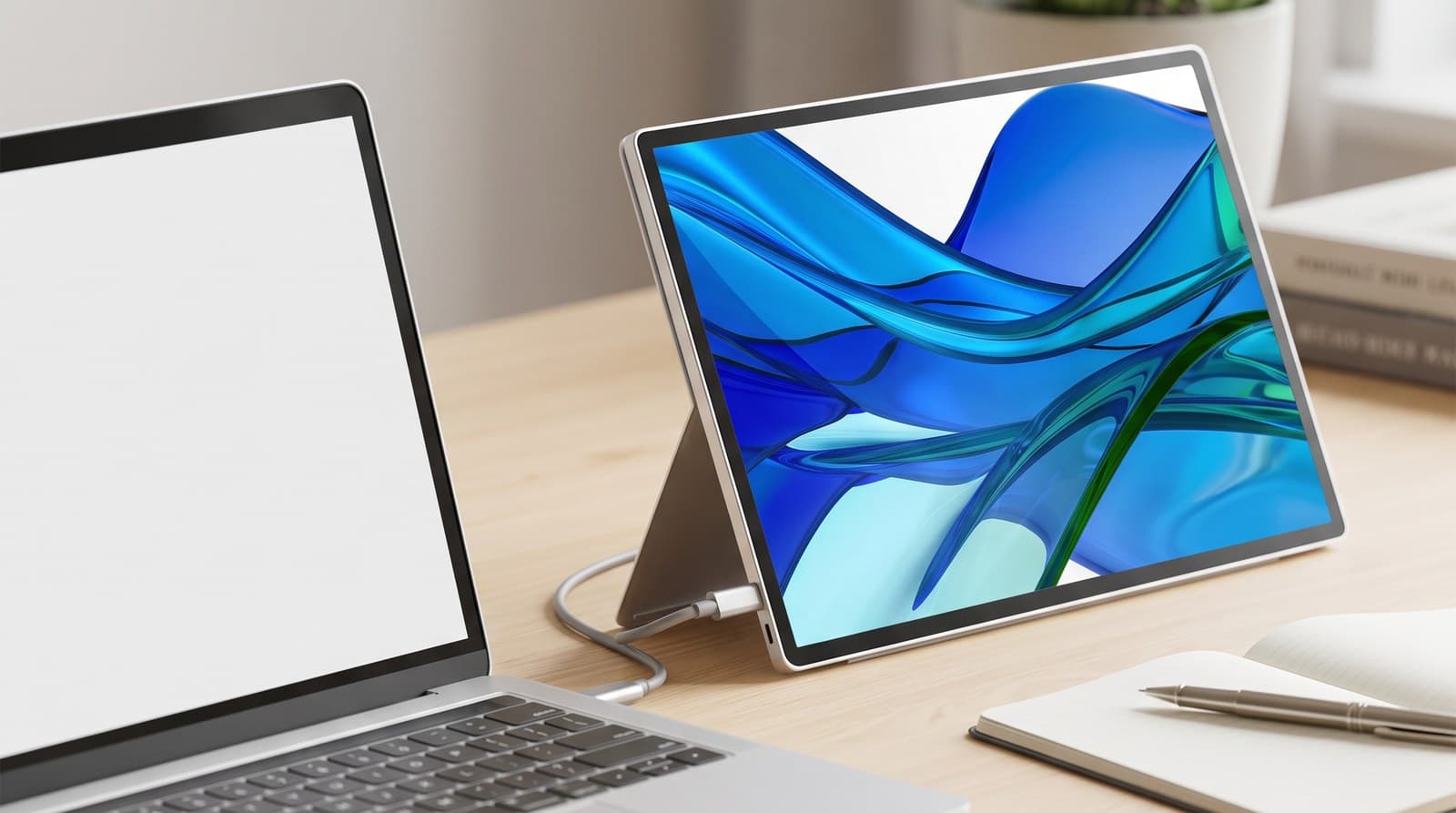
Nearly every portable monitor is 1080p, and 1080p is the reason a lot of people quietly stop using theirs — text on the second screen looks fuzzy next to a modern laptop display, so the eye keeps drifting back to the good panel. The 514pn is the fix. It's a 14.3-inch 2560 × 1600 16:10 IPS Black panel rated at 400 nits, in an aluminium-alloy chassis 0.35 inches thick weighing 1.4 lbs, with a built-in variable-angle kickstand and two USB-C ports carrying up to 65 W power delivery. HP quotes full coverage of sRGB, DCI-P3 and Adobe RGB, and the matte finish keeps overhead lighting off the glass.
The 16:10 shape is worth more than the spec sheet suggests: the extra vertical space is exactly what a document or a code editor wants on a secondary screen. Two honest caveats. There's no HDMI at all, so this only works with a laptop or tablet whose USB-C port supports DisplayPort Alt Mode — check before you order. And it's the smallest usable size here at 14.3 inches; you're trading screen area for pixel density and weight, which is the right trade for text work and the wrong one if you mainly want more room for windows.
What we like
- 2560 × 1600 at 14.3 in — by far the sharpest text of the non-4K picks
- 400-nit rated matte IPS Black panel with 100% sRGB, DCI-P3 and Adobe RGB
- Built-in variable-angle kickstand, 1.4 lbs, 0.35 in thick
Worth knowing
- USB-C only — no HDMI fallback if your port lacks DisplayPort Alt Mode
- 14.3 in is the smallest screen here
- Around $300 is a lot next to a $120 1080p panel
- Size & resolution
- 14.3 in, 2560 × 1600 (16:10)
- Panel
- IPS Black, 75 Hz, matte
- Brightness
- 400 nits rated
- Color
- 100% sRGB / DCI-P3 / Adobe RGB
- Ports
- 2 × USB-C, up to 65 W PD
- Weight
- 1.4 lbs, 0.35 in thick
4. Best Touchscreen & Untethered
ASUS ZenScreen Touch MB16AMTR
Typically around $300
- Using a second screen where there's no power outlet
- Touch-first work — annotation, sketching, kiosk and demo use
- Protecting your laptop's battery life
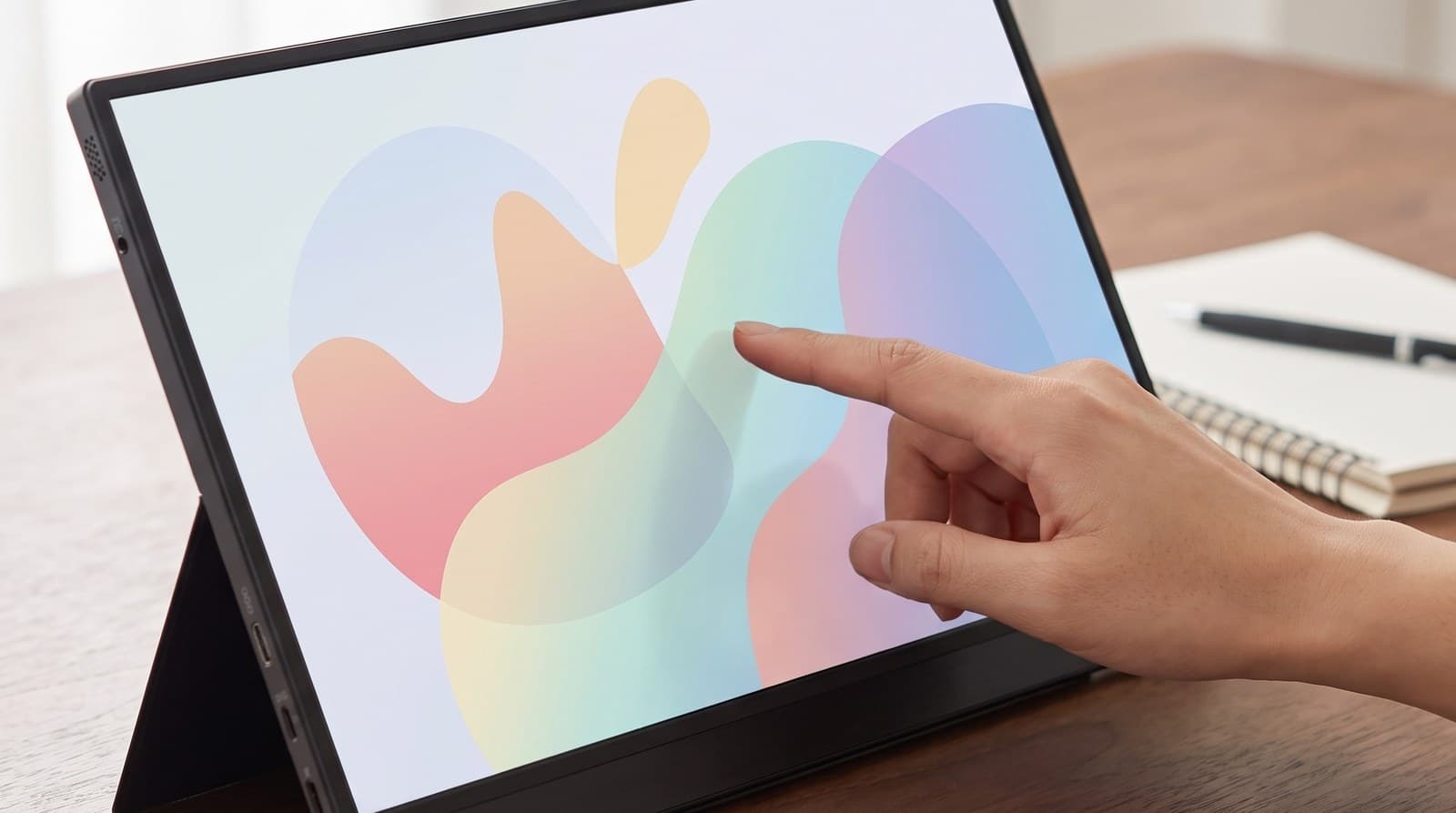
Every other monitor in this guide runs on your laptop's battery. That's the hidden cost of the single-cable trick, and on a thin ultrabook it can knock a meaningful chunk off your unplugged runtime. The MB16AMTR is the answer: a 15.6-inch 1080p IPS panel with a 7,800 mAh battery inside, good for up to four hours on its own, so it can either run standalone or — more to the point — stop drawing from the machine you're trying to keep alive. Add 10-point capacitive touch with the usual swipe, scroll, drag and pinch gestures, a built-in kickstand and a tripod socket on the body, and it's the most self-sufficient display here.
The trade-offs are weight, value and the panel itself. A battery is heavy, so this is a chunkier thing to carry than the 780 g Arzopa, and you're paying roughly $300 for a 1080p screen rated at 250 cd/m² and 700:1 — dimmer than the $120 Arzopa, and the same money buys the far sharper, far brighter 2560 × 1600 HP. Touch also comes with a platform asterisk: it works cleanly on Windows, while macOS has no native touch support at all, so Mac users get a nice screen and a dead touch layer. Buy this one for the battery and the touch, in that order, and only if you'll genuinely use them.
What we like
- 7,800 mAh internal battery — up to four hours without touching your laptop's charge
- 10-point touch, built-in kickstand and a tripod socket
- Hybrid USB-C and mini-HDMI input covers almost any source device
Worth knowing
- 1080p at 250 cd/m² for around $300 is poor value on the panel alone
- The battery makes it heavier than every other 15-inch pick here
- Touch does nothing on macOS — Windows only for that feature
- Size & resolution
- 15.6 in, 1920 × 1080
- Panel
- IPS, 60 Hz, 700:1
- Brightness
- 250 cd/m² rated
- Touch
- 10-point capacitive
- Battery
- 7,800 mAh, up to 4 hours
- Ports
- USB-C, mini-HDMI
- Extras
- Built-in kickstand, tripod socket
5. Best Ultraportable
Lenovo ThinkVision M14
Typically $130–200
- Carrying a second screen every single day
- Hot-desking and cafés where space is tight
- Passing the cable through from either side
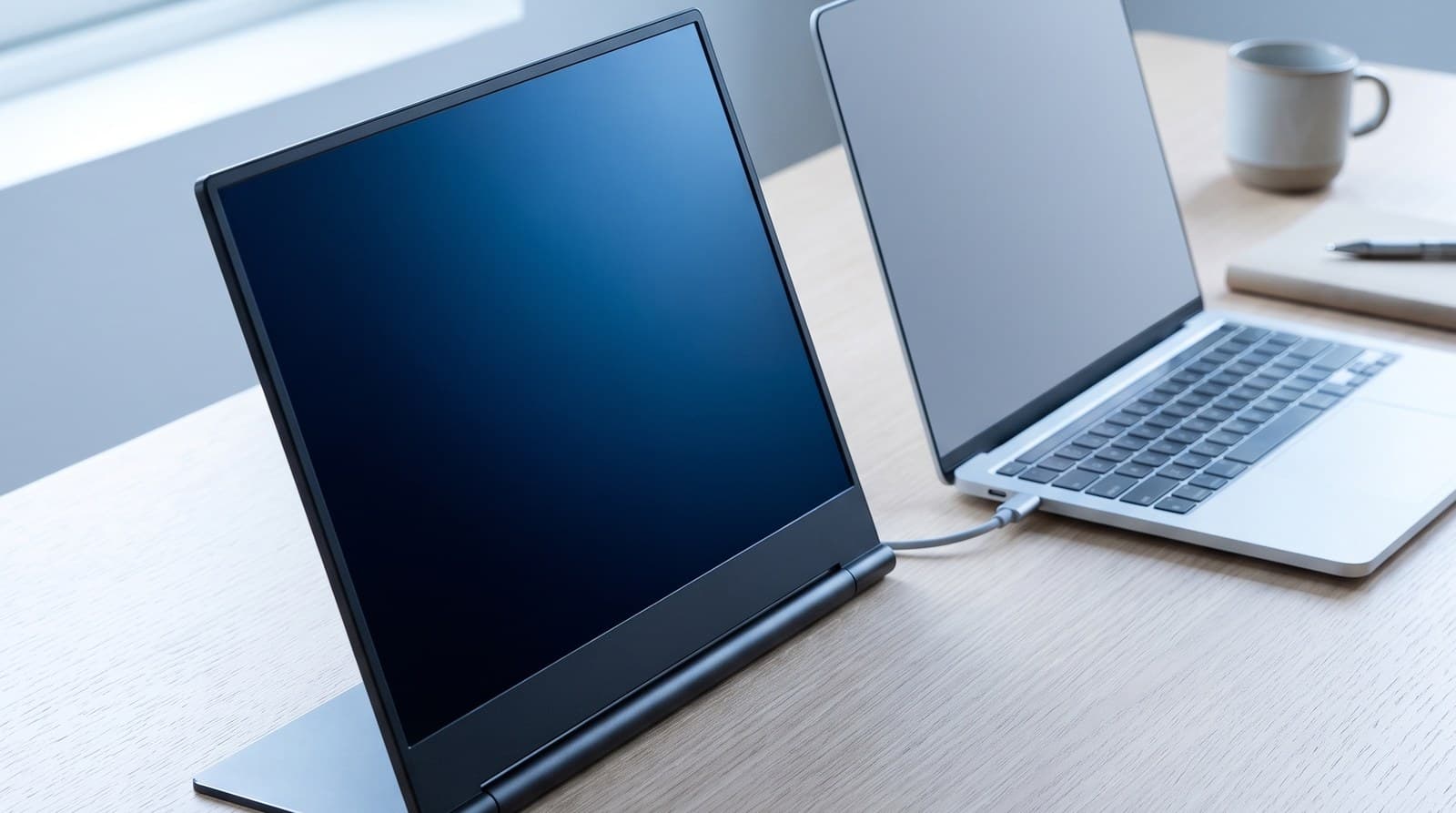
At 570 g the M14 is the lightest thing here by a wide margin — roughly three-quarters of the Arzopa and less than half the HP — and the panel itself is 4.4 mm thick before you count the stand. That is the entire pitch, and it's a good one: a portable monitor you resent carrying is a portable monitor that lives in a drawer. The panel is a 14-inch 1920 × 1080 IPS rated at 300 cd/m², with 6 ms response and a USB-C port on each side, so the cable can come from whichever side your laptop's port happens to be on.
Lenovo's hinge is the underrated part. Rather than a folio cover, the M14 uses a Yoga-style hinge that tilts from −5° to 90° and includes an adjustable foot that lifts the screen slightly, which gets it closer to a sensible height than any origami cover manages. What you should know going in is that this is an older design that Lenovo has kept in the catalogue for years: it's 1080p at 60 Hz with no HDMI and no touch, and the newer M14d (2240 × 1400, 16:10) and M14t Gen 2 touch model exist at higher prices if you want those. Watch the price too — it swings a lot, and it's only a clear win at the lower end of its range.
What we like
- 570 g and 4.4 mm — the easiest one here to justify carrying daily
- Yoga-style −5° to 90° hinge with a height-lifting foot, not a folio cover
- USB-C on both sides, so cable routing is never awkward
Worth knowing
- An older design: 1080p, 60 Hz, no HDMI, no touch
- 300 cd/m² and a 14-inch panel make it the smallest and dimmest of the sharp picks
- Street price fluctuates widely — only a bargain at the low end
- Size & resolution
- 14 in, 1920 × 1080
- Panel
- IPS, 60 Hz, 6 ms
- Brightness
- 300 cd/m² rated
- Ports
- 2 × USB-C 3.1 Gen 1
- Weight
- 570 g, 4.4 mm panel thickness
- Stand
- Hinged −5° to 90° with adjustable foot
6. Best Premium
ViewSonic VX1655-4K-OLED
Typically $450–500
- Photo and video work away from the main setup
- Anyone who wants the second screen to be the better screen
- Watching things on a plane or in a hotel room
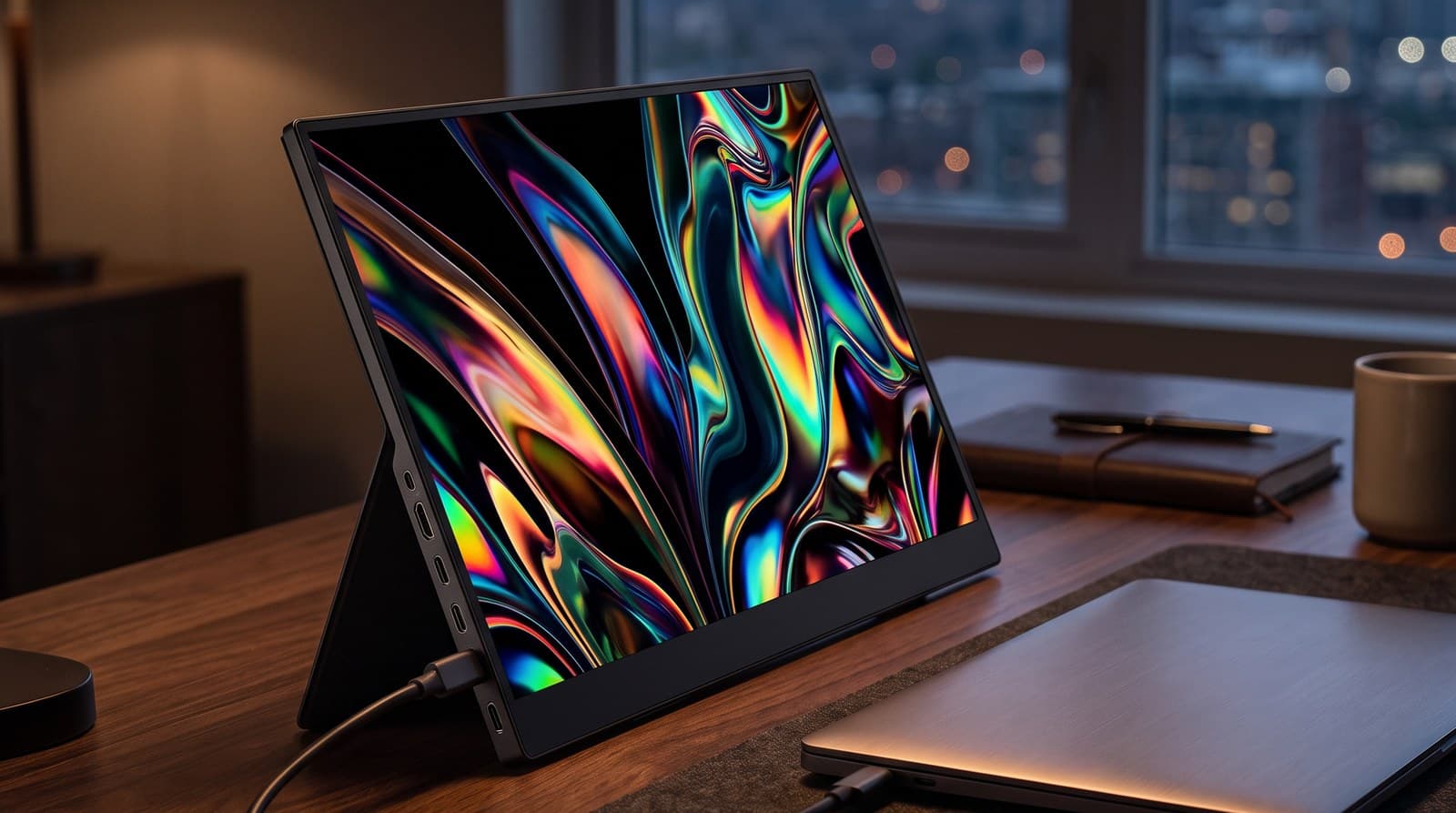
This is the one that stops being a compromise. It's a 4K 3840 × 2160 OLED at 15.6 inches, which works out to roughly 280 pixels per inch — sharper than almost any laptop you'd sit it next to — with the self-emissive contrast OLED gives you, a rated 400 nits, a 0.05 ms response time and HDR support that the panel can actually do something with. And despite all that it weighs 680 g, lighter than every pick here except the Lenovo, in a chassis with a built-in stand, a smart cover, two USB-C ports doing 60 W two-way power and a mini-HDMI input.
Two things to weigh. The first is simply the price: at $450–500 this costs more than several of these picks combined, and more than a very good 27-inch desktop monitor. The second is OLED's standing caveat — static interface elements left on screen for thousands of hours carry a burn-in risk that an IPS panel doesn't have, which matters more for a display parked on a spreadsheet all day than for one used in bursts on the road. If you want the sharpest, best-looking portable screen made and you'll use it as a screen rather than a permanent taskbar holder, nothing else here is close.
What we like
- 4K OLED at 15.6 in — roughly 280 ppi, sharper than the laptop beside it
- OLED contrast and 0.05 ms response, at a rated 400 nits
- 680 g with a built-in stand, smart cover and 60 W two-way USB-C
Worth knowing
- $450–500 — more than a good 27-inch desktop monitor
- OLED burn-in risk with static UI over very long static use
- 4K on a 15.6-inch panel needs display scaling to be readable
- Size & resolution
- 15.6 in, 3840 × 2160
- Panel
- OLED, 0.05 ms, HDR
- Brightness
- 400 nits rated
- Ports
- 2 × USB-C (60 W two-way), mini-HDMI, 3.5 mm
- Weight
- 680 g
- Extras
- Built-in stand, smart cover, dual speakers
The verdict
For most people the ViewSonic VG1655 is the right buy, mostly for the two things that aren't the panel: a fold-out stand built into the chassis that props the screen in landscape or portrait without any origami, and two 60 W two-way USB-C ports so it can push power back to your laptop rather than only drinking from it. Accept that 250 nits is dim and it's an easy daily driver.
If you're not sure you'll use a second screen at all, start with the Arzopa Z1FC. It's the biggest panel here at 16.1 inches, it's 780 g, its kickstand is a hinged metal bar rather than a folded-up case, and at $110–130 it answers the question for the price of a takeaway dinner. Spend more only once you know the answer is yes.
From there, buy for the thing you actually need. The HP Series 5 Pro 514pn is the pick for anyone whose second screen holds text — 2560 × 1600 at 14.3 inches means documents and code look as sharp as they do on the laptop, not softer. The ASUS ZenScreen Touch MB16AMTR earns its place on the 7,800 mAh battery inside it, which is the only real fix for the runtime hit a bus-powered screen imposes. The Lenovo ThinkVision M14 wins on the one metric that decides whether a portable monitor gets carried or abandoned: 570 g. And the ViewSonic VX1655-4K-OLED is simply the best screen here, a 4K OLED sharper than the laptop beside it, if you can justify $450–500.
Before you order anything, check your laptop for DisplayPort Alt Mode on its USB-C port — without it, none of this works over one cable. And be honest about where the screen will live: if it never leaves the desk, a proper desktop monitor is more screen for less money. If it does travel, get the laptop itself to eye level too with a laptop stand, and if you're running a screen, power and peripherals down one port, a USB-C dock is the piece that ties it together.
Frequently asked questions
Only if your laptop's USB-C port supports DisplayPort Alternate Mode, and this is the single biggest cause of returns in the category. Plenty of USB-C ports carry data and power but no video signal at all — cheaper Windows laptops in particular often have exactly one video-capable port, or none. Check your laptop's spec sheet for "DisplayPort Alt Mode" or a small DP logo next to the port before you order. If you don't have it, you have two options: use a monitor with an HDMI input (the Arzopa, ASUS and both ViewSonics here have one) and accept that you'll need a second cable for power, or buy a DisplayLink adapter, which pushes video over plain USB using a driver. DisplayLink works, but it costs some CPU and isn't ideal for video playback.
Yes, noticeably. When you run one off a single USB-C cable, your laptop is supplying the display's power — typically somewhere around 6–10 W — and on a thin ultrabook that can cut your unplugged runtime by a third or more. There are three ways around it. Plug the monitor into a charger or power bank via its second USB-C port so it powers itself; buy a two-way-power model like the ViewSonic VG1655 or VX1655-4K-OLED, which can feed power back to the laptop while receiving video; or buy the ASUS ZenScreen Touch MB16AMTR, which carries its own 7,800 mAh battery and doesn't ask your laptop for anything.
Because most of them are: 250–300 nits is the category norm, roughly half what a decent laptop screen does. It's a consequence of the power budget — the display has to run off a USB-C port, and brightness is the most expensive thing it can spend that power on. Indoors and away from windows, 250 nits is fine. Near a bright window, on a train, or anywhere outdoors, it isn't, and no setting will fix it. If you'll use one in bright rooms, the HP Series 5 Pro 514pn and the ViewSonic VX1655-4K-OLED are the two picks here rated at 400 nits. Treat HDR badges on anything below that as marketing.
Sometimes, but check first — most portable monitors have no VESA holes at all, which is why they ship with folio covers and kickstands instead. A few, like the ASUS ZenScreen Touch, include a tripod socket you can use with a tripod-mount arm adapter, and there are clamp-style holders made specifically for portable panels. If you want a portable monitor to live at proper eye level on your desk permanently, the realistic answers are a model with a genuine built-in stand, a laptop-stand-style riser underneath it, or a dedicated portable-monitor stand. Our monitor arms guides are worth reading if you're mounting a full-size display instead — the weight ratings there assume something far heavier than these.
It depends entirely on the size and on what sits next to it. At 14 inches, 1080p is about 157 pixels per inch and looks perfectly crisp. At 16.1 inches — the Arzopa — it drops to roughly 137 ppi, which is coarser than most laptop screens made in the last five years, so text on the second screen looks visibly softer than on the first. That mismatch is what makes people stop using a portable monitor for reading and writing. If your work is documents, code, or spreadsheets, the 2560 × 1600 HP or the 4K ViewSonic are worth the money. If you mainly park a chat window, a dashboard, or a video call on it, 1080p is genuinely fine.
Only in name. ASUS sells it under the ZenScreen badge and it does run over a single USB-C cable with 70 W power delivery, but it's a 27-inch 2560 × 1440 100 Hz IPS panel that hangs off a height-adjustable C-clamp arm and weighs 4.81 kg with that arm attached — about eight times the Lenovo. It's a very good single-cable desktop monitor with 75 × 75 mm VESA mounting, and if what you actually want is one cable to your laptop at a fixed desk, it's a better buy than any panel in this guide. It is not something you put in a bag.
If the screen is never going to leave your desk, yes — and we'd rather say so than sell you the wrong thing. A $150 24-inch 1080p desktop monitor gives you far more screen area than a $150 portable, is brighter, comes with a real stand, and has VESA holes so an arm can put it exactly where you want it. Portable monitors carry a genuine size-and-weight premium, and it's only worth paying when portability is the point: travel, hot-desking, working from a kitchen table, or a laptop-based setup with nowhere to put a permanent second screen. Buy for how you'll actually use it, not for how flexible it sounds.
Keep building your setup
Monitors
The Best Monitors for a Home Office in 2026
The desk monitor you stare at for eight hours a day, judged on the three specs that decide it: pixels per inch at the size you're buying, how much dock is built into the back, and whether the stand does anything but tilt.
Updated August 10, 2026
Monitors
What Size Monitor for Your Desk: Width, Not Inches
A 34-inch ultrawide is no taller than a 27-inch monitor, a 32-inch has more screen area than either, and the deepest stand in this guide belongs to the smallest display. Diagonal inches are the one dimension that predicts none of that. Here is how to size a screen from the desk you already own.
Updated September 2, 2026
Accessories
The Best USB-C Hubs and Docking Stations in 2026
A $50 hub and a $380 dock both get filed under "USB-C hub," and the gap is where most people overspend. Six picks sorted by whether you need more ports or a real single-cable desk — plus the MacBook display limit this category is still built around, which Apple removed two chip generations ago.
Updated September 24, 2026
Get the next guide in your inbox
One short email when we publish or meaningfully update a buying guide. No spam, no daily deals firehose.