 Rigworthy
The Best Standing Desk Converters in 2026
By Rigworthy Editorial Team · Updated September 21, 2026
Rigworthy is reader-supported: we may earn a commission if you buy through our links, at no cost to you. How we make money
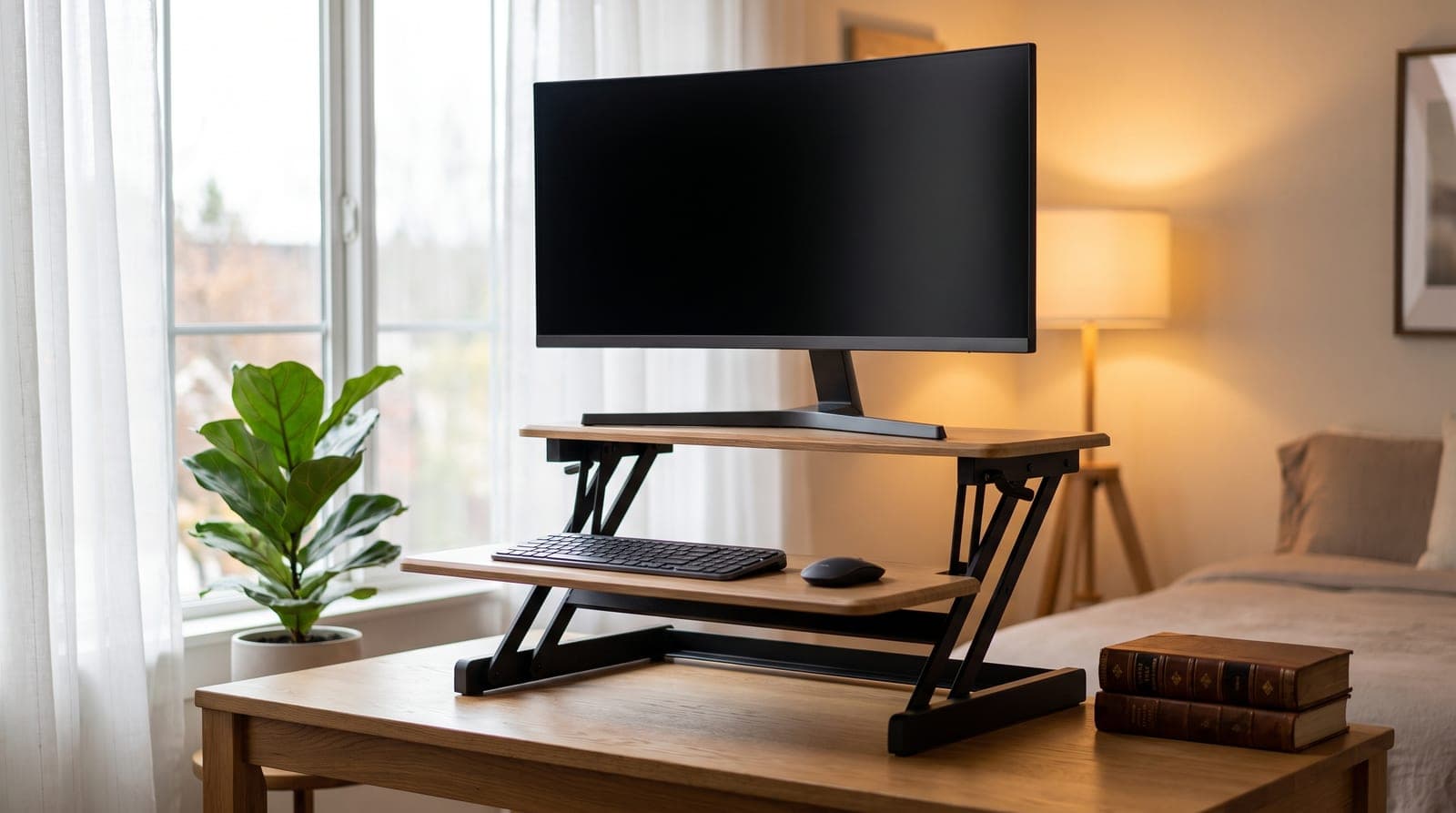
A standing desk converter answers the question a full standing desk ignores: what if you like the desk you already have? Instead of replacing a frame, a riser drops on top of your current desktop and lifts your monitor and keyboard to standing height — no assembly, no drilling, and it moves out with you when the lease ends. It's the lowest-commitment way to stop sitting all day.
The catch is that "riser" covers wildly different machines: a heavy weighted deck that floats on springs, a gas-piston two-tier surface, a compact scissor lift, a motorized deck with outlets built in, and a clamp-on arm that skips the surface entirely. This guide sorts them by the two things that actually decide the buy — how far the lift travels and how much desk it needs — and both sit in the table below, alongside capacity and price. Specs are the manufacturers' own published figures, rechecked in September 2026; where a real source conflict exists we name it rather than pick the flattering number.
Our top picks at a glance
- 1
- 2
- 3
- 4
- 5
How we chose
- Stability at full standing height with a real monitor-and-keyboard load, not just an empty deck
- Lift mechanism stated plainly — spring Z-lift, gas-piston, scissor X-lift, or electric — in the manufacturer's own words
- Lift range and deck depth in the comparison table, because those are the two numbers that decide whether a riser fits you and your desk
- Weight capacity taken from the manufacturer's published figure, with real source conflicts named and invented ones removed
- A clear buyer situation for each: small desk, dual monitors, electric, or ergonomics-first
Our picks come from spec research, long-term owner feedback, and category expertise — not sponsorships. Read the full methodology.
Compared side by side
| Product | Award | Lift type | Lift range | Capacity | Depth it needs | Typical price |
|---|---|---|---|---|---|---|
| Vari VariDesk Pro Plus 36 | Best Overall | Spring Z-lift | 4.5–17.5 in | 35 lbs | 25.75 in min desk | $429 |
| Rocelco DADR (37.5-inch Deluxe) | Best for Dual Monitors | Gas-piston Z-lift | 5–17 in | 35 lbs | 20.5 in deck | $220–335 |
| VIVO DESK-V000K (K Series, 32-inch) | Best for Small Desks | Scissor X-lift | 4.5–20 in | 33 lbs | 15.7 in deck | $119.99 |
| Rocelco EDR2B (Electric) | Best Electric | Motorized | 4.7–21.7 in | 40 lbs | 20.5 in deck | ~$309 |
| Ergotron WorkFit-S Dual | Best for Ergonomics | VESA arm | 23 in | 31 lbs total | None — clamps to the edge | $700–800 |
1. Best Overall
Vari VariDesk Pro Plus 36
Typically $429
- Large, deep desks
- No-assembly buyers
- Rock-solid stability
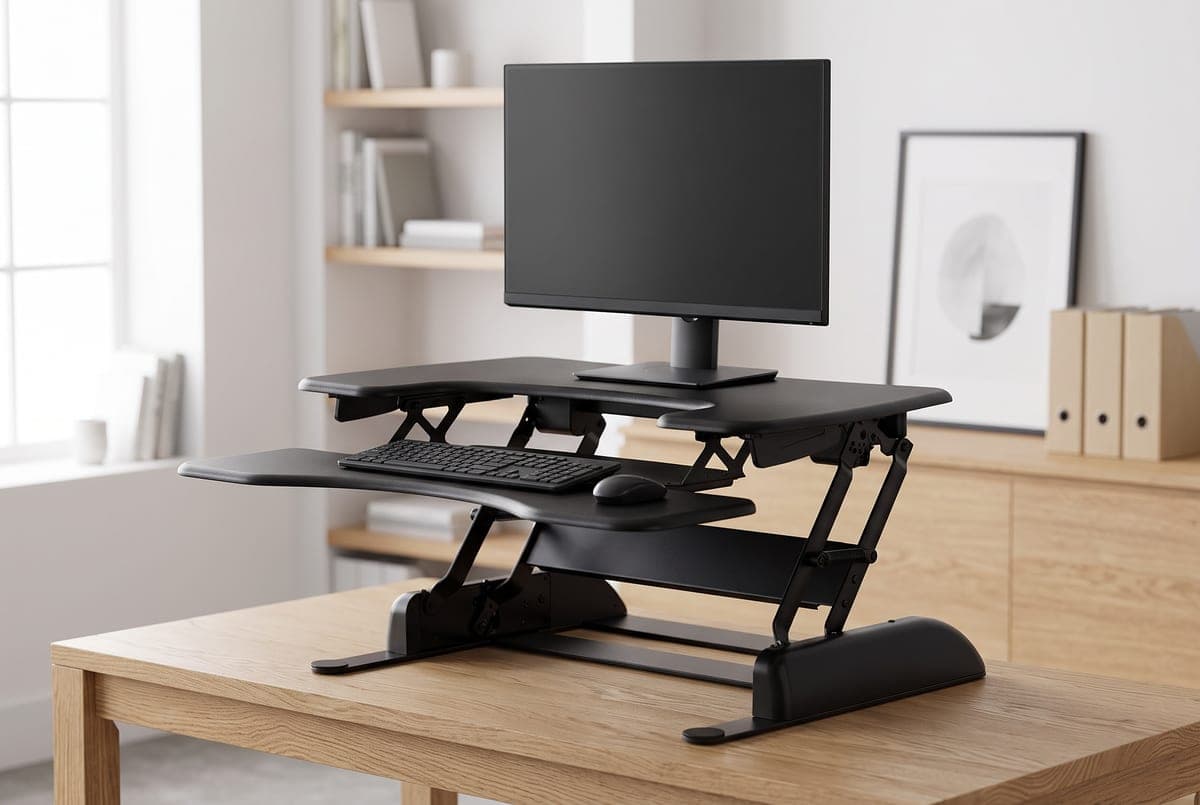
The Pro Plus 36 is the converter the whole category still gets measured against. It's a spring-assisted Z-lift that ships fully assembled — you lift it out of the box, set it on your desk, and it works. Squeeze the handles on either side and the weighted base lets the two-tier deck float up through 11 locked heights, 4.5 to 17.5 inches of lift, then holds without a wobble. That stability is the whole point, and it is a mass argument rather than a marketing one: at 52.15 pounds this is the heaviest riser here, against 48.1 for the Rocelco EDR2B and 44 for the DADR, and it barely acknowledges that you're typing on it at full height.
The 36-inch top gives you room for a monitor (or two smaller ones — Vari rates it for two) on the upper shelf with a real keyboard-and-mouse tray suspended below. The honest limits: Vari rates it to 35 pounds, so it's not for a heavy triple-monitor rig; the arc lifts the surface up and slightly toward you, and Vari publishes a minimum desk depth of 25.75 inches, which is the only such figure any maker in this guide states; and there's no built-in VESA — mounting an arm means Vari's optional accessory. It is also no longer the mid-priced pick. At $429 on Vari's own site it is the second-most-expensive thing here and costs more than the electric Rocelco, so buy it for the base weight and the warranty, not to save money.
That warranty is worth being precise about, because Vari's own policy page splits the line down the middle of one product name: the manual Pro Plus 36 carries a lifetime warranty, while the Pro Plus 36 Electric — same family, same deck width — carries five years. The one reviewed here is the manual, and it is the only lifetime-warranted product in this guide.
What we like
- Heaviest base here at 52.15 lbs, which is what actually kills wobble at full height
- Zero assembly, and the only lifetime warranty in this guide
- Roomy two-tier deck fits a monitor plus a full keyboard tray
Worth knowing
- Just 11 fixed height stops and 13 in of travel — only the DADR moves less
- Rated to 35 lbs, needs 25.75 in of desk depth, and no built-in VESA — arm mount costs extra
- Lift type
- Spring-assisted Z-lift (manual)
- Lift range
- 4.5–17.5 in, 11 stops (13 in of travel)
- Capacity
- 35 lbs
- Surface
- 36 in wide, two-tier; 52.15 lbs
- Minimum desk depth
- 25.75 in (Vari's published figure)
- Warranty
- Lifetime (manual model; the Electric is 5 years)
2. Best for Dual Monitors
Rocelco DADR (37.5-inch Deluxe)
Typically $220–335 street
- Two-monitor setups
- Value seekers
- Deep work surfaces
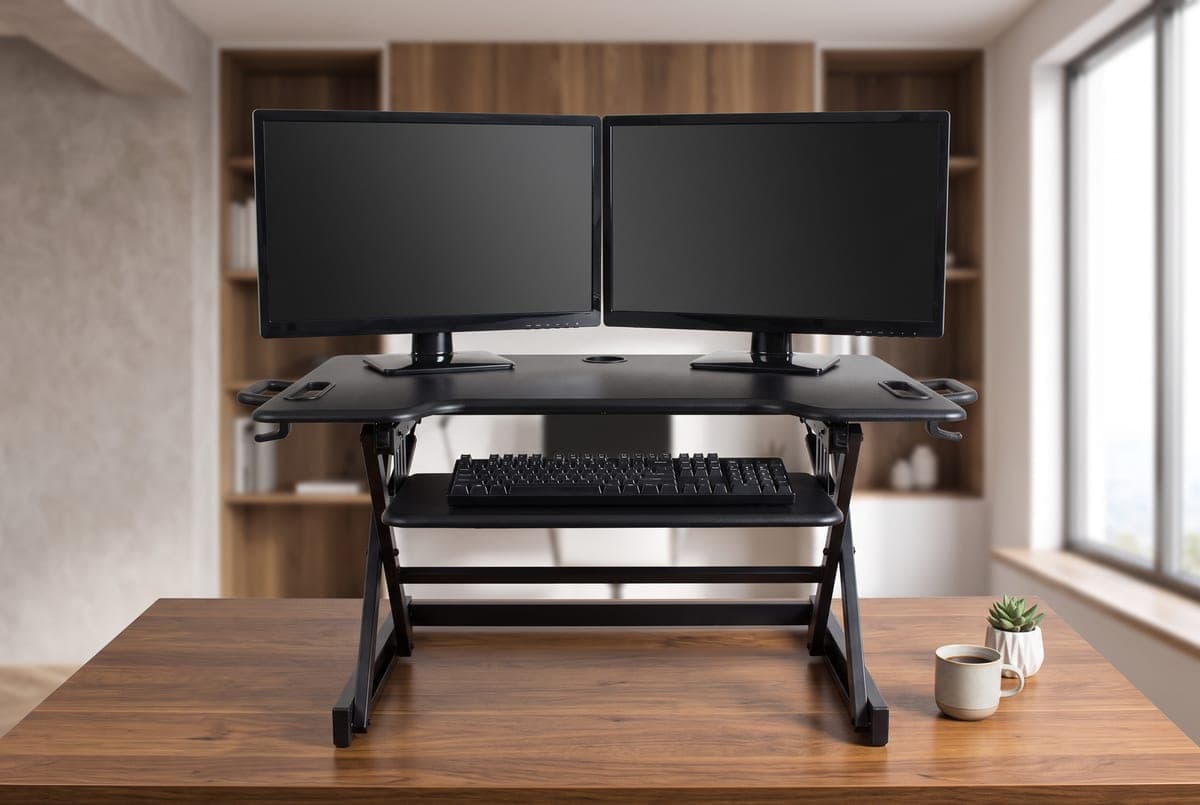
The Rocelco DADR does what the Vari does — a two-tier deck on a squeeze-handle lift — and it is the one to buy if the goal is two big screens. Rocelco describes the mechanism as "gas piston assist with easy-grip side handle" and gives it continuous height adjustment from 5 to 17 inches, and the 37.5 × 20.5-inch top is rated by Rocelco for up to two 32-inch monitors, with a 29 × 11.5-inch retractable keyboard tray below it. There's a grommet at the back edge for an optional VESA arm, which is the clean way to get true monitor height on top of the riser's own lift.
One correction worth making explicitly, because it appeared here for two months: this guide previously credited the DADR with "dual gas pistons." Rocelco does not publish a piston count for it. "Dual Piston Lift Assist" is the retail-listing language for the ADR, the smaller 32-inch sibling, and it migrated across. Rocelco's published phrasing for both models is the same singular "gas piston assist."
Price is the other thing to be careful about. Rocelco's own store lists the DADR at $499.50 — seventy dollars more than the Vari — and no retailer charges anything like that; it sells in the $220–335 range at the office suppliers, which is where the value argument lives. Buy this at street price and it is comfortably the most deck per dollar in the guide; buy it at list and it makes no sense at all. Rocelco rates it to 35 pounds, it ships fully assembled at 44 pounds, it is a touch less planted than the heavier Vari at full extension, and the warranty is one year against the Vari's lifetime. Wider 46-inch versions exist if you need triple-monitor width.
What we like
- Big 37.5 × 20.5 in deck that Rocelco rates for two 32-inch monitors
- Gas-piston lift with continuous adjustment and a rear VESA grommet for an optional arm
- Fully assembled, and at street price the cheapest way to get a full two-tier deck
Worth knowing
- Some sway at maximum height versus a heavier weighted base
- One-year warranty, and a $499.50 list price no retailer honours — check the street price before ordering
- Lift type
- Gas-piston Z-lift (manual); Rocelco publishes no piston count
- Lift range
- 5–17 in, continuous (12 in of travel)
- Capacity
- 35 lbs
- Surface
- 37.5 × 20.5 in deck; 29 × 11.5 in keyboard tray; VESA grommet
- Monitors
- Up to two 32 in (Rocelco's figure)
- Warranty
- 1 year
3. Best for Small Desks
VIVO DESK-V000K (K Series, 32-inch)
Typically $119.99
- Shallow or compact desks
- Tight budgets
- Apartments
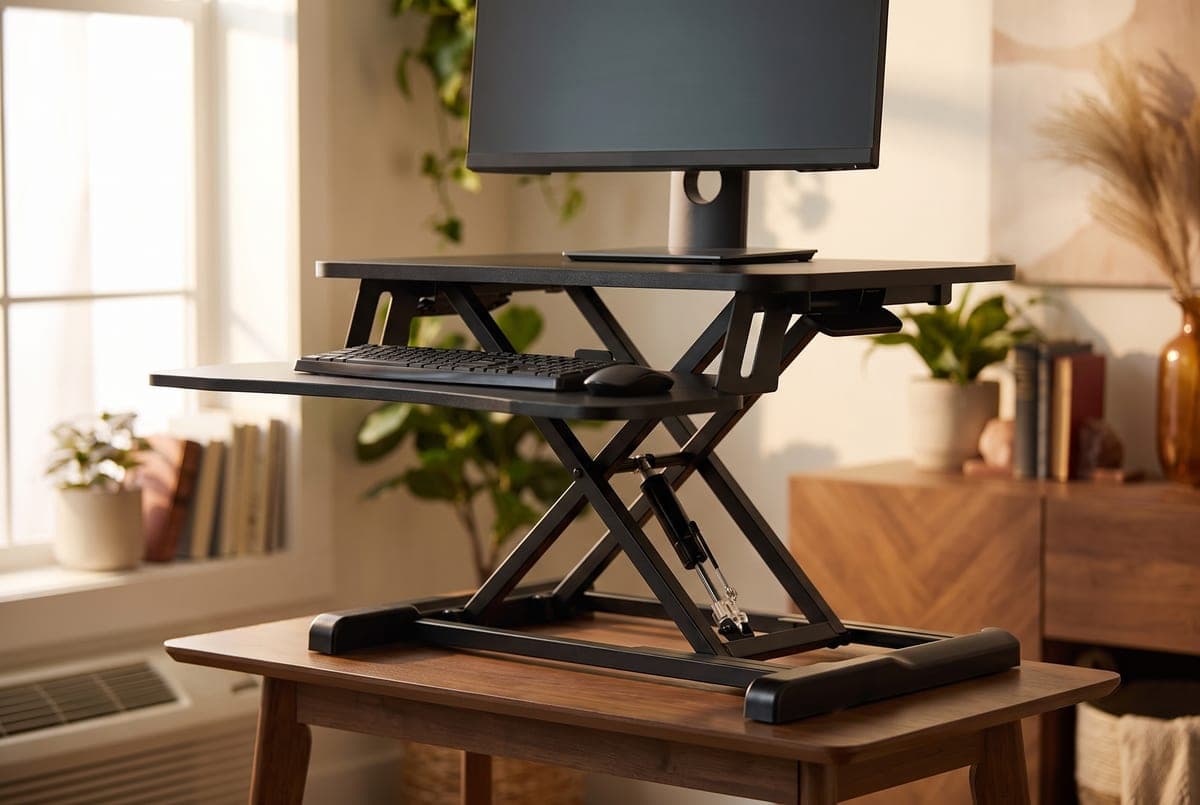
The V000K is the pick when depth is the constraint and price is the second constraint. It's a pneumatic-spring scissor (X-lift, VIVO's patented X-frame) that rises straight up rather than arcing forward, so it doesn't crowd you against the wall, and its top is only 15.7 inches deep — five inches shallower than either Rocelco deck and ten shallower than the Vari's published minimum desk depth. That is the entire argument for it, and it is a good one: on a 20-inch apartment desk nothing else in this guide fits.
Its 4.5-to-20-inch range gives 15.5 inches of travel, which is the widest of any manual deck here — the Vari manages 13 and the DADR 12. It is not the widest in the guide outright: the electric Rocelco EDR2B reaches 17 inches of travel and the Ergotron's VESA arm covers 23. Trade-offs are the ones you'd expect at this price: a single central spring is less planted than the dual-deck weighted designs, the top is particle board, and 33 pounds of desktop capacity (plus 4 on the keyboard tray) keeps it to one or two modest monitors.
At $119.99 on VIVO's own site it is by a wide margin the cheapest thing here, and VIVO covers it for three years, which is three times the Rocelco term. Check the model code when you order: the $169.99 price that turns up in search results belongs to the DESK-V000K-M2, the same deck with a dual monitor mount attached, and the K Series runs from 26 to 48 inches wide on the same 15.7-inch depth.
What we like
- Slim 15.7 in deck depth — the only riser here that fits a genuinely shallow desk
- Widest travel of any manual deck here at 15.5 in, despite the small footprint
- Cheapest on the list at $119.99, with a 3-year warranty
Worth knowing
- Single central spring is less stable than the dual-deck weighted designs
- Particle-board top and a 33 lb desktop capacity — the lowest deck rating here
- Lift type
- Pneumatic-spring scissor X-lift (manual)
- Lift range
- 4.5–20 in (15.5 in of travel)
- Capacity
- 33 lbs desktop, 4 lbs keyboard tray
- Surface
- 31.5 × 15.7 in deck; steel and particle board
- Warranty
- 3 years
4. Best Electric
Rocelco EDR2B (Electric)
Typically around $309
- One-touch height changes
- Power at the surface
- Frequent sit-stand cycling
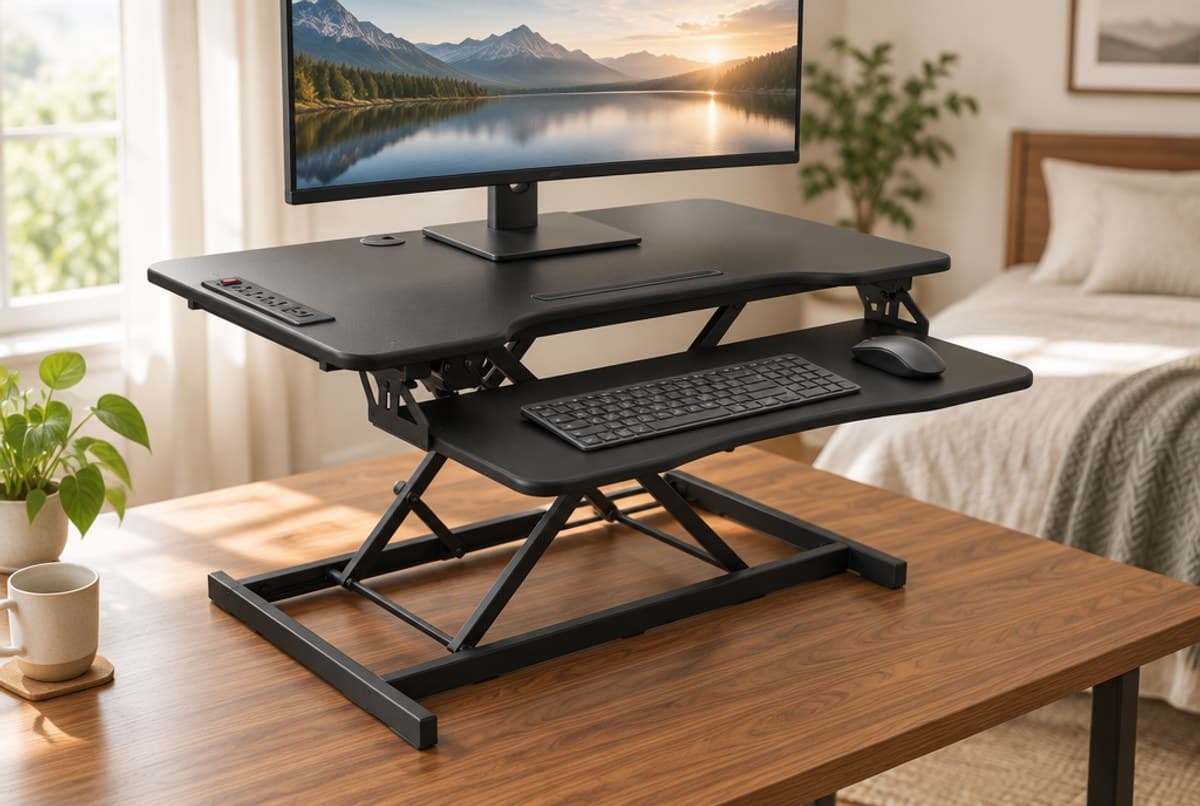
If cranking a handle sounds like the thing that will stop you actually standing, the Rocelco EDR2B is the fix: it's motorized, so one touch of a button raises the deck straight up through what Rocelco calls its Enhanced Vertical Range, 4.7 to 21.7 inches — no squeeze, no arc, no settling into position. That effortlessness is what turns sit-stand from a novelty into a habit. Note the model number carefully: this is the electric EDR2B (sold as R EDRB2), not the manual EADR, whose "E" is just marketing for a vertical lift, and not the earlier EDR generation, which Rocelco published with a different range and capacity.
On the numbers it is now the strongest surface riser in this guide, and this entry used to hide that. Rocelco rates the electric lift at 40 pounds — a flat figure, published without qualification — which is the highest capacity here and five pounds above both Z-lift decks. Its 17 inches of travel is the most of any deck on this list — only the Ergotron's arm, which gives you no surface at all, goes further. Its work surface is 37.25 × 20.5 inches with a full-size 31.5 × 10-inch detachable keyboard tray. And at roughly $309 on the street it costs less than the $429 Vari, so it is not, as this guide previously claimed, the priciest surface riser here — it is the mid-priced one.
Its other party trick is the built-in power strip: Rocelco publishes four AC outlets plus two USB and one USB-C port on the desktop, along with a phone slot, so your chargers ride up and down with the deck instead of tugging at their cables. The real costs are that it weighs 48.1 pounds, it needs a wall outlet of its own, and Rocelco's warranty is one year — which on a motorized product with a control board in it is the shortest coverage here relative to what can fail. FlexiSpot's EM7 is the alternative if you want more surface and don't care about integrated power.
What we like
- One-touch motorized lift — the lowest-friction way to actually alternate
- Highest capacity here at 40 lbs, and at 17 in the most travel of any deck on this list
- Four AC outlets, two USB and a USB-C port that travel with the deck
Worth knowing
- One-year warranty on the only pick here with a motor and a control board
- Heavy at 48.1 lbs and needs its own wall outlet
- Lift type
- Motorized (electric, one-touch)
- Lift range
- 4.7–21.7 in (17 in of travel)
- Capacity
- 40 lbs
- Surface
- 37.25 × 20.5 in deck; 31.5 × 10 in detachable tray; 48.1 lbs
- Extras
- 4 AC outlets, 2 USB + 1 USB-C, phone slot
- Warranty
- 1 year
5. Best for Ergonomics
Ergotron WorkFit-S Dual
Typically $700–800
- Independent monitor height
- Maximum desk space
- Dual-monitor ergonomics purists
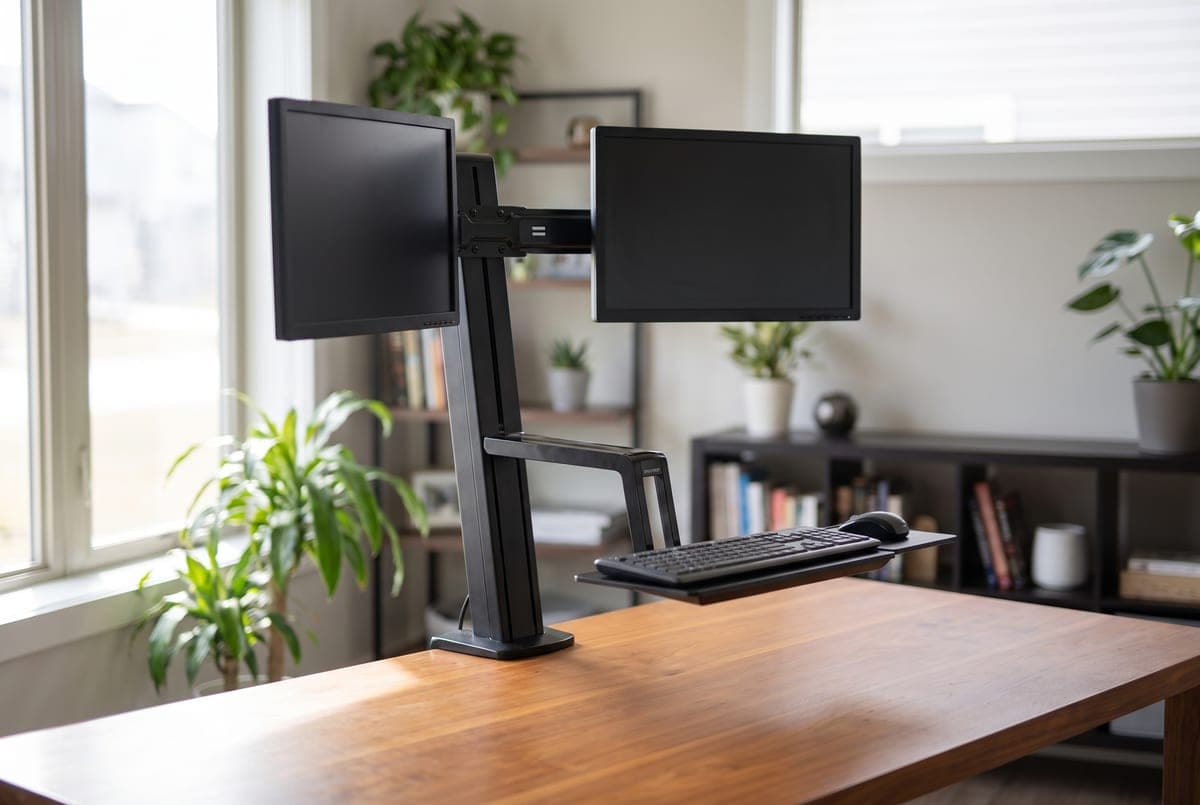
The WorkFit-S is the converter for people who care about ergonomics more than about a flat platform. Instead of a deck, it clamps to your desk's rear edge and floats your monitors on a counterbalanced Constant Force arm, with a keyboard tray cantilevered below. Ergotron publishes 23 inches of maximum display height adjustment — six inches more than the longest-travelling deck here manages, and a shelf that merely holds screens at deck height cannot do it at all. The two displays also adjust independently for height and tilt, so you can set true eye level on both. It carries two VESA displays up to 24 inches, on 100 × 100 or 75 × 75 mm patterns.
Read the weight spec in both directions, because only one end of it gets quoted. Ergotron rates each display at 6 to 14 pounds and the whole height-adjustment assembly at 31 pounds total — and the 6 is a floor, not a formality. A counterbalanced arm needs load to work against, so a light 24-inch panel under six pounds will not settle properly on it. The 31-pound ceiling is also the total for everything the mechanism lifts, screens and keyboard tray together, not a screens-only budget.
The catches are price and prerequisites. At $700–800 on the street it's the most expensive pick here by a wide margin — Ergotron's own list price is $1,284 — it needs a desk edge you can clamp to (0.4 to 2.4 inches thick, so thin 12 mm tops are inside its spec, not outside), and this SKU has no work surface: the Worksurface+ variant adds a 23 × 15-inch shelf if you need somewhere to write. Ergotron's warranty is five years, which is long for the category but short of the Vari's lifetime. In exchange you get the smallest desk footprint of anything on this list, because the surface stays entirely clear.
What we like
- Independent, tool-free height and tilt on both monitors — true eye level
- 23 in of display height adjustment, the widest range in this guide
- Frees the entire desk surface; clamps to an edge as thin as 0.4 in
Worth knowing
- By far the most expensive, and needs a clampable desk edge
- Displays must weigh at least 6 lbs each, and this SKU has no work surface
- Lift type
- Counterbalanced VESA arm (clamp-mount)
- Lift range
- 23 in of display height adjustment
- Capacity
- 31 lbs total assembly; 6–14 lbs per display
- Monitors
- Up to 2 × 24 in, VESA 75×75 / 100×100
- Mounting
- Clamp fits desk edges 0.4–2.4 in thick
- Warranty
- 5 years
The verdict
For most people the Vari VariDesk Pro Plus 36 is still the one to buy, but buy it for the right reasons. It is not the cheapest, it doesn't have the most capacity, and at 13 inches of travel only the DADR moves less. What it has is 52 pounds of weighted base, zero assembly, and the only lifetime warranty in this guide — which on a product you will lean on every day for a decade is the argument that survives.
If you run two monitors, the Rocelco DADR is the most deck per dollar at street prices — just ignore Rocelco's own $499.50 list price, which no retailer charges and which would make it a worse buy than the Vari. The VIVO DESK-V000K is the answer for a small or shallow desk on a tight budget, and at 15.7 inches deep it is the only pick that fits one. The Ergotron WorkFit-S is for the dual-monitor ergonomics purist who wants floating screens and an open desk.
The pick that moved most in this update is the Rocelco EDR2B, and it moved up. On Rocelco's own page it is rated at a flat 40 pounds, which makes it the highest-capacity pick here — not the lowest, as the unsourced "33, some listings 40" hedge this guide used to carry implied. It also has the longest travel of any deck at 17 inches, and at roughly $309 it costs less than the Vari rather than more. If you want the best numbers on this page and can live with a one-year warranty on a motor, it is the strongest surface riser in the guide.
Whichever deck you pick, add an under-desk cable tray and think about an anti-fatigue mat or a footrest — standing more only helps if the rest of the setup keeps up.
Frequently asked questions
Get a converter if you like your current desk, rent, or don't want to spend $400+ replacing it: a riser sits on top, needs no assembly, and moves out when you do. Get a full standing desk if you want the whole surface to raise, a heavier weight capacity, and the least wobble — converters eat some desk depth, cap out between 31 and 40 lbs across this guide, and are inherently less rigid than a frame with legs. Note that the price gap is narrower than the category's reputation suggests: the picks here run from $120 to $800, so a converter is only reliably the cheaper route at the bottom of the range — compare against our under-$500 standing desk guide before assuming. For a laptop-and-monitor setup on an existing desk, a converter is still the lower-commitment path; for a permanent multi-monitor workstation, a full desk is the better foundation.
Some do, and the spec that predicts it is mass. The steadiest here is the Vari Pro Plus 36 at 52.15 lbs, followed by the Rocelco EDR2B at 48.1 and the DADR at 44 — all of them two-tier decks with weighted bases that barely move under typing. Single-spring scissor (X-lift) units like the VIVO V000K and thin-steel budget converters show the most keyboard-tray bounce when raised. If stability matters most, buy heavy and buy a wider base; the extra mass is what kills the wobble.
Start with the deck depth, because that is what every maker publishes: 15.7 inches for the VIVO V000K, 20.5 for both Rocelco decks. Only Vari publishes an actual minimum desk depth — 25.75 inches for the Pro Plus 36 — and the reason is its forward-arcing Z-lift, which moves the surface up and toward you as it rises, so it needs clearance behind you as well as under the base. If your desk is shallow, choose a straight-up scissor lift with a compact footprint, or skip the deck entirely: the Ergotron WorkFit-S clamps to an edge 0.4 to 2.4 inches thick and uses no surface depth at all.
Sometimes. Most flat-deck converters have no built-in VESA, so you either set monitors directly on the top shelf or use a rear grommet where the riser provides one — the Rocelco DADR and EDR2B do. Clamp-style monitor arms usually can't grip a thin riser deck, so a grommet-mount arm is the reliable route, and our clamp vs grommet explainer covers which of your monitors' options will actually hold. If you want arm-mounted screens by design rather than as an add-on, the Ergotron WorkFit-S already is a VESA arm, and our monitor arm guide covers standalone arms.
Do the arithmetic before you order, because a converter's lift is measured from your desktop, not from the floor. Measure your standing elbow height — floor to the underside of your elbow, in work shoes, upper arms relaxed and forearms level — then subtract your desk height, and the difference is the lift you need. On a typical 29-inch desk, someone needing a 44-inch standing height needs about 15 inches of lift, which all four decks here clear. A taller user needing 47 inches needs closer to 18, and that is where the field thins sharply: the Vari tops out at 17.5 inches and the DADR at 17, so only the VIVO (20 in) and the electric EDR2B (21.7 in) reach it, plus the Ergotron's arm at 23. The catch nobody mentions is at the other end: the deck and its keyboard tray still sit above your desktop when fully lowered, so your seated typing height goes up rather than down — which makes an already-too-tall desk worse. Our standing desk height guide walks through both measurements.
Add up your monitors and anything living on the deck. A typical 27-inch monitor runs 8–14 lbs; a 32-inch panel can hit 12–18 lbs; a laptop adds 3–5 lbs. Two 27-inch monitors plus a laptop lands near 25–30 lbs, which is close to the limit of the 33–35 lb decks here — the electric Rocelco EDR2B's 40 lbs is the only rating with real headroom for that load. If you run big or heavy dual screens, choose the highest-rated deck or move the monitors onto a VESA arm to take their weight off the shelf. One capacity spec here runs the other way: the Ergotron needs each display to weigh at least 6 lbs, because a counterbalanced arm has to have something to balance against.
Keep building your setup
Desks
The Best Anti-Fatigue Mats for Standing Desks in 2026
A standing desk without a mat just moves the ache from your back to your feet. Six anti-fatigue mats — active terrain, thick memory foam, and made-in-USA polyurethane — sorted by how you actually stand.
Updated July 30, 2026
Desks
The Best Standing Desks Under $500 in 2026
The $250–$500 range is where standing desks stop being a gamble. Five desks that hold real setups steady at height — compared on published capacity, which here changes with the size you order, and on what the warranty actually covers once you read past the banner.
Updated September 14, 2026

Desks
Standing Desk Height: How to Set Yours, and What the Charts Get Wrong
Every standing desk chart asks how tall you are. That is the wrong question — the number that governs desk height is your elbow, not your stature, and people of identical height need desks two inches apart. Here is the two-measurement method, and the frame specs that decide whether your correct height is reachable at all.
Updated September 22, 2026
Get the next guide in your inbox
One short email when we publish or meaningfully update a buying guide. No spam, no daily deals firehose.