 Rigworthy
Standing Desk Height: How to Set Yours, and What the Charts Get Wrong
By Rigworthy Editorial Team · Updated September 22, 2026
Rigworthy is reader-supported: we may earn a commission if you buy through our links, at no cost to you. How we make money
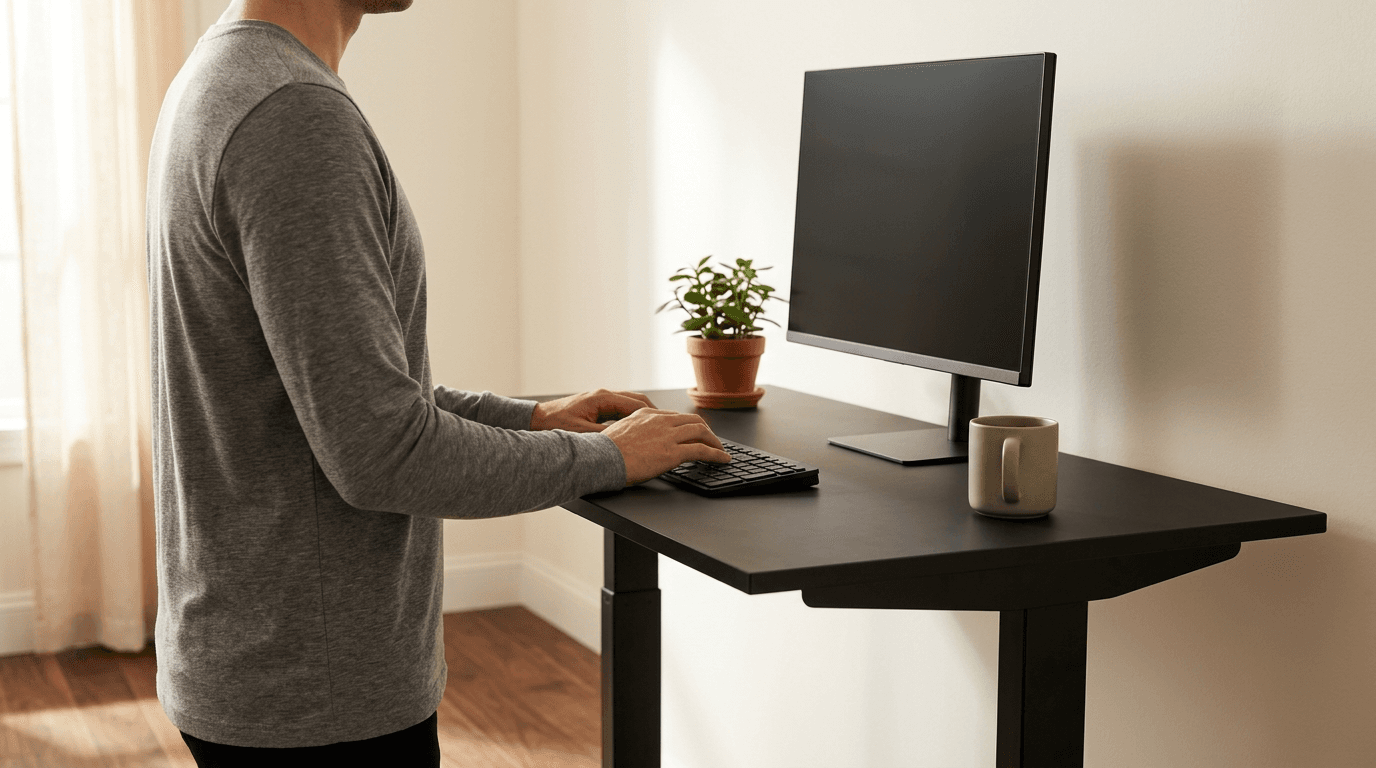
Ask the internet what height your standing desk should be and you will get a chart organised by how tall you are. It is a reasonable starting guess and a bad final answer, because the number that governs desk height is not your stature — it is the height of your elbow off the floor, and two people who measure exactly the same can need desks two inches apart.
That matters more than a couple of inches sounds. Set it too high and you type with your shoulders shrugged and your wrists bent back; too low and you spend the day leaning forward into it. Either one is a posture you will hold for thousands of hours, and neither announces itself as a problem until your neck or your wrists do it for you.
This guide covers the two measurements that replace the chart, the order to set things in so the desk is not calibrated to a badly adjusted chair, the frame specifications that decide whether your correct height is even reachable — including a measurement convention that makes published ranges quietly non-comparable — and what the research actually says about how much of the day to spend standing. It uses manufacturers' own published specifications and institutional ergonomics guidance rather than estimates.
The short version
- A standing desk has two correct heights, not one, and both come from the same measurement: the height of your elbow off the floor with your upper arm hanging relaxed at your side.
- Stature charts are a starting guess. Two people who are both 5'9" can have elbow heights two inches apart, because the ratio of leg to torso length varies far more than total height does.
- Set the chair first, then the seated desk height, then the monitor. If you set the desk to your body before the chair is right, you have set it to the wrong body position.
- Buy the travel range, not the top number. ANSI/BIFMA G1-2013 recommends roughly 22.6–48.7 in to fit a seated 5th-percentile woman through a standing 95th-percentile man, and plenty of popular frames do not reach the bottom of that.
- Published ranges are not comparable as printed. Some makers quote the frame alone and some quote the desk with a 1 in top — a full inch of difference before you have added your own thicker desktop.
- Shoes, an anti-fatigue mat and a chunky keyboard can add well over an inch between the floor and your hands. Set the desk in the shoes and on the mat you will actually use.
Measurements here come from manufacturers' own published mounting specifications, not from our estimates. Read the full methodology.
There is no standing desk height — there are two of them
The question people ask is "what height should my standing desk be," and the answer that comes back is a chart: 5'6" gets 41 inches, 6'0" gets 44 inches, and so on. That chart is a reasonable first guess and a poor final answer, because a sit-stand desk does not have a height. It has two of them, and neither is derived from how tall you are.
Both come from one measurement. Stand up straight in the shoes you work in, let your upper arms hang relaxed at your sides, and bend your elbows to a right angle so your forearms are level. The distance from the floor to the underside of your elbow is your standing elbow height, and that is where the surface your hands work on wants to be — give or take a fraction. Sit down in a properly adjusted chair and repeat the measurement from the floor, and you have your seated elbow height. Those two numbers are the desk's two presets.
Why not just use your stature? Because the thing that decides elbow height is the proportion of leg and torso in your total height, and that varies between people far more than the total does. Two colleagues who both measure 5'9" can easily need desks a couple of inches apart — one is long in the leg with a short torso, the other the reverse. The chart cannot see that, and your tape measure can. Every stature-based table on the internet, including the good ones, is a population average being applied to an individual.
There is also a reason to trust the elbow rather than the height chart that has nothing to do with anatomy: the elbow rule is what the ergonomics guidance is built on in the first place. Cornell's ergonomics group frames the target as the "elbow angle... at or greater than 90 degrees to avoid nerve compression at the elbow," which is a statement about your arm, not about your stature. The chart is a shortcut derived from that rule. You may as well use the rule.
One refinement worth knowing. Setting the surface exactly at elbow height puts your hands on the desk, but what your hands actually rest on is a keyboard, which sits on top of it. Elbow height is therefore the height of your hands, and the desk usually wants to be very slightly below it — a fraction of an inch to an inch, depending on how thick your keyboard is. If your wrists have to bend upward to reach the keys, the desk is too high; if your shoulders creep up, it is much too high; if you are leaning forward and down, it is too low.
| Measurement | How to take it | What it sets | What going wrong looks like |
|---|---|---|---|
| Standing elbow height | Standing in work shoes, upper arms relaxed at your sides, elbows bent to a right angle — floor to the underside of the elbow | The desk's standing preset, minus a small allowance for keyboard thickness | Too high: shrugged shoulders and bent-back wrists. Too low: a forward hunch and a sore lower back |
| Seated elbow height | The same measurement, seated in the chair once it is properly adjusted — floor to the underside of the elbow | The desk's sitting preset | Too high: reaching up, shoulder and neck ache. Too low: slumping toward the desk |
| Eye height (both positions) | Floor to the centre of your eyes, standing and seated | Where the top of the monitor goes — at or just below this line | Chin tilted up, or neck bent down over a laptop |
How to set both heights, in the right order

Order matters more than precision here. Almost every badly set-up desk we see is a desk that was measured against a body sitting in a badly set-up chair, and the desk faithfully preserved the error.
1. Set the chair first, and ignore the desk entirely while you do it. Raise or lower the seat until your thighs are roughly level and your feet are flat on the floor. If your feet dangle, either the chair goes down or a footrest goes under them — do not compensate by dropping the seat and letting your knees ride up. Set the lumbar support to fit the small of your back before you touch anything else. Our ergonomic chair guides cover which adjustments are worth paying for.
2. Now set the seated desk height. Sit as you have just arranged, take the seated elbow measurement, and bring the desk to it. Your forearms should be level or angled very slightly downward, wrists straight, shoulders down. Save it as preset 1.
3. Stand up and set the standing height. Take the standing elbow measurement in the shoes and on the mat you will actually be using — see the section below on why that is not a detail — and raise the desk to match. Save it as preset 2. On a crank desk with no memory, mark the leg with a strip of tape at each height; it takes ten seconds and it removes the main friction that stops people alternating.
4. Set the monitor last, once, seated. Push the screen back to roughly arm's length and set the top of the display at or just below your seated eye level. Because the monitor travels with the desktop, this single setting holds in both positions — the reasoning is in the monitor section below.
5. Re-check after a week. Your first guess is usually a little high, because most people set a standing height that feels commanding rather than relaxed. If your shoulders are tired at the end of a standing block, come down half an inch. Small changes are the whole game here; an inch is a large adjustment, not a small one.
Two habits are worth building in at this point. Alternate before you are uncomfortable rather than after, and never adjust the desk without glancing underneath it first — a raised desk that catches a drawer unit or a cable will either stall on its anti-collision sensor or, on a crank desk, pull something off the wall. An under-desk cable tray that travels with the desktop is the fix for the second problem.
The spec that matters is the range, not the top number
Standing desk marketing sells the ceiling — how tall the desk goes, because that reads as capability. The number that determines whether the desk fits you is the bottom of the range, and it is the one nobody checks.
The reference point is ANSI/BIFMA G1-2013, the furniture industry's ergonomics guideline for computer workstations. It recommends a height-adjustment range of roughly 22.6 to 48.7 in, chosen to accommodate a seated 5th-percentile woman through a standing 95th-percentile man — about 90% of the adult population. UC Berkeley's own guidance uses a rounder version of the same idea: "height-adjustable desks that adjust between 22-48 inches will fit 95% of users." Uplift's published literature ties its V3 frame explicitly to the standard, describing it as accommodating "a seated 5th percentile (5'0") to a standing 95th percentile (6'3")".
Now compare that bottom figure against what desks actually do. A frame with a 29.4 in minimum — and there are well-reviewed, good-looking desks in that bracket — has a lowest setting that is above a comfortable seated typing height for a large share of adults. It is a sit-stand desk that cannot correctly sit. That is not a defect the reviews usually surface, because a reviewer of average-or-above height never runs into it, and it is why our sub-$500 desk guide treats a high minimum as a real mark against a frame rather than a footnote.
And a high floor is not only a cheap-desk problem, which is the assumption that lets it slip past. The two quad-leg FlexiSpots in the table below have the tallest ceilings here and cost $599.99 and $899.99 — and their published minimums are 26 and 25.8 in with no top on, which is about 27 in once you have fitted one. That is more than four inches above the recommended bottom of the range, and above a correct seated typing height for a large share of adults. A heavy-duty frame is engineered around load and width, not around reach, so paying more buys you a better desk at the top of its travel and tells you nothing at all about the bottom. Check the floor on the expensive ones too.
The same arithmetic applies at the top, in the other direction. G1-2013's recommended ceiling of 48.7 in is a 95th-percentile standing figure, and if you are taller than that percentile — roughly 6'3" and up — a desk whose assembled ceiling is 47.5 in will have you typing with your wrists bent up, no matter how good it is otherwise — and note that some frames quote that ceiling before a top has been added, which is worth an inch back. This is why the highest-ceiling frames are worth a premium to a small number of people and nothing at all to everyone else.
So the honest way to shop is: take your two elbow measurements first, add the allowance for shoes and mat from the section below, and then read the frame's published range as a pass/fail test rather than a feature. If your seated number is below the frame's minimum, that desk is wrong for you and no amount of quality elsewhere fixes it.
| Frame | Published range | Convention | What it means in practice |
|---|---|---|---|
| UPLIFT V3 | 22.6–48.7 in | With a 1 in desktop — UPLIFT also publishes the frame alone | Built to hit the G1-2013 numbers exactly; the frame alone is 21.6–47.7 in, or 23.8–49.9 in with foot spacers. Replaced the V2 and V2-Commercial in late 2025 |
| FlexiSpot E7 | 22.8–48.4 in | Frame only, no top | Add your desktop: with a 1 in top it is really 23.8–49.4 in |
| FlexiSpot E7Q | 25.8–51.6 in | Frame only, no top | Tall ceiling, high floor: add a 1 in top and the minimum is about 26.8 in, four inches above the recommended bottom |
| Uplift V2 (standard, discontinued) | 25.5–51.1 in | With a 1 in desktop | No longer sold — UPLIFT's frame pages serve the V3 now. Listed because a great many desks in use are V2s: the minimum sits nearly 3 in above the V3's |
| Autonomous Desk Pro (3-stage) | 27.2–52.7 in | Assembled desk — Autonomous also publishes 26–51.5 in frame only | One of the tallest ceilings on the market; Autonomous and UPLIFT are the two makers here who publish both conventions |
| FlexiSpot E7 Plus | 26–51.6 in | Frame only, no top | Level with the E7Q at 51.6 in, the tallest frame-only ceiling here — but check the variant: FlexiSpot's E7 Plus Fit is a different frame at 24–45.7 in |
| Autonomous Desk Core | 29.4–47.5 in | Assembled desk | The minimum is above a correct seated height for many adults |
The number trap: frame-only versus with a desktop
Here is the detail that makes cross-shopping standing desks quietly unreliable, and it took reading two manufacturers' own documents side by side to see it clearly.
Uplift publishes its V3 range as 22.6–48.7 in, and its own specification sheet states plainly that the desk meets the ANSI/BIFMA G1-2013 height requirement "when used with a 1" thick desktop," with the footnote "measurements represent desk with 1" desktop." FlexiSpot publishes the E7 at 22.8–48.4 in — without a top. Put those two side by side on a comparison chart, as roughly every standing desk article on the internet does, and they read as a tie at the bottom: 22.6 against 22.8, two tenths of an inch apart. Give both the same 1 in desktop and the real gap is 1.2 in — 22.6 against 23.8.
The gap is not academic, because it lands exactly where it does the most damage. Both numbers hover around the 22.6 in bottom of the recommended range, so an inch of measurement convention is the difference between a desk that reaches a short user's correct seated height and one that does not. Two frames that a comparison chart presents as interchangeable are, in the position that matters most, more than an inch apart.
Then add your own desktop, which is a variable the frame maker knows nothing about. A basic laminate top runs about 0.75 in. Uplift's and FlexiSpot's standard tops are around 1 in. A solid bamboo or hardwood top is commonly 1 to 1.25 in, and a butcher-block slab can be 1.5 in or more. Every fraction of that goes onto both ends of the range: a thick slab raises your minimum height, which hurts a short seated user, and raises your maximum, which helps a tall standing one.
There is a second version of this trap that is worse, because no amount of normalising fixes it: the same model name covering two different frames. FlexiSpot's own product data lists an E7 Plus at 26–51.6 in and an E7 Plus Fit at 24–45.7 in, both four-leg, both rated 540 lbs static, sold under almost the same name. That is 5.9 inches of ceiling riding on one three-letter word, and it is the reason a height figure you found in a review or a comparison chart can be perfectly accurate and still not describe the desk in your basket. Convention tells you how a number was measured; the variant tells you which product it was measured on, and you need both.
The practical rule is short. Before you compare two desks, find out which convention each number uses — the spec sheet usually says, and if it does not, the phrase to look for is "including desktop" or "without top." Then normalise both to the desktop you actually intend to buy. If the desk arrives and the numbers do not match what you expected, measure from the floor to the top surface at the lowest setting and trust that instead of the listing.
Five things that quietly change your height after you set it
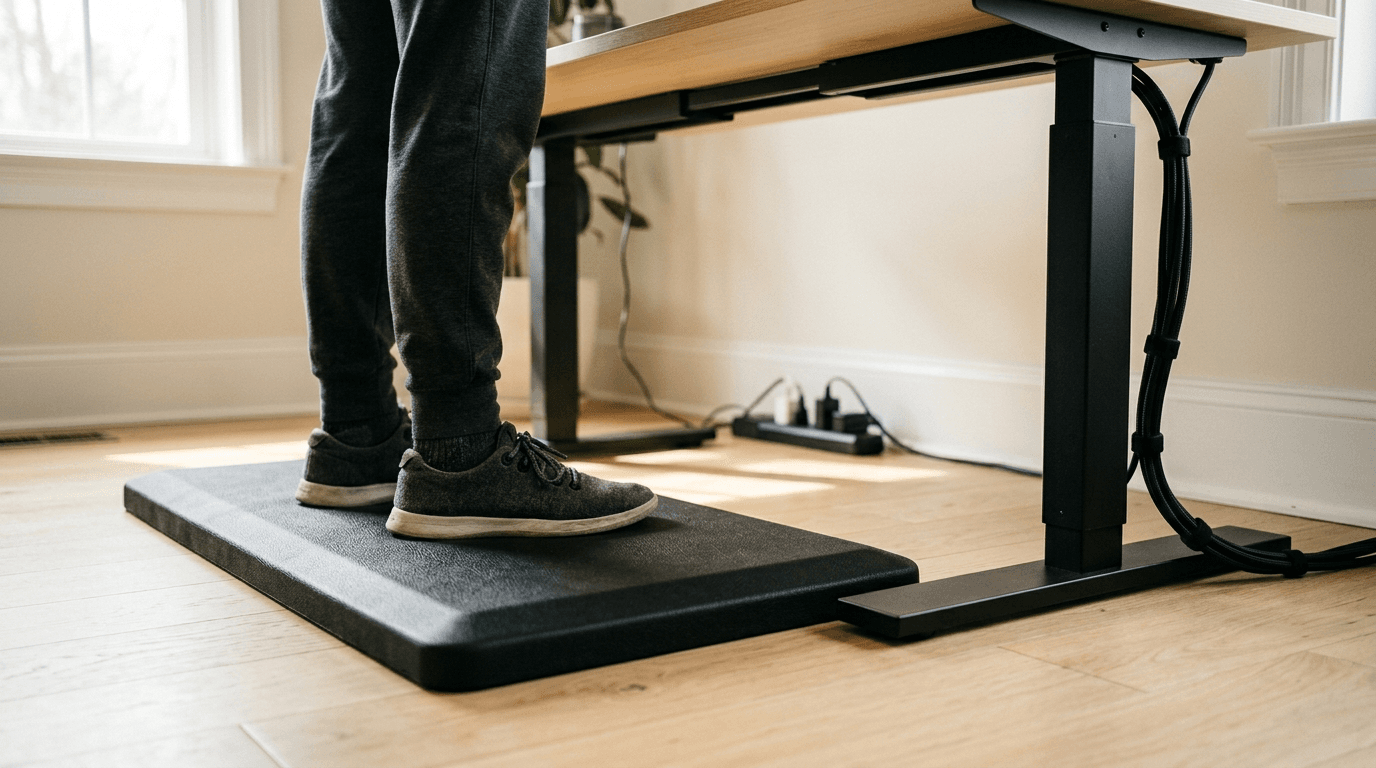
Your elbow height is a measurement of your body, but the height that matters is the distance from whatever your feet are on to wherever your hands end up. Several things sit in that gap, and they add up to more than an inch — enough to make a correctly measured desk feel wrong.
Shoes. A flat trainer adds roughly half an inch to three-quarters; a boot or a heel can add well over an inch. If you measured barefoot at the weekend and work in shoes, your standing preset is already too low. Measure in what you wear.
The anti-fatigue mat. Standing on a hard floor all day is its own problem, and the mat that fixes it is typically about three-quarters of an inch of foam or polyurethane — sculpted "terrain" mats are thicker still at their high points. That thickness raises you, so the desk has to rise with it. Set the standing height while standing on the mat, not beside it.
A walking pad. The biggest single offender. An under-desk treadmill puts a deck of roughly four to five inches between you and the floor, so your walking height is four to five inches above your standing height. This is the most common reason a walking pad gets used twice and then stored: the desk was never raised to match, so the user spent twenty minutes typing with their shoulders up around their ears. Check that your frame's ceiling still clears your standing elbow height plus the deck before you buy the pad.
The keyboard. Your hands rest on the keys, not on the desk. A conventional mechanical keyboard sits roughly 30–40 mm tall at the front edge; a low-profile or laptop-style board is closer to 17–22 mm. Swapping between the two moves your hands most of a centimetre, which is why a new mechanical keyboard can make a previously comfortable desk feel a touch high. A wrist rest matched to the keyboard's height is the cheap correction; lowering the desk a fraction is the free one.
The desk mat. Minor but real: a thick felt or leather desk mat adds two or three millimetres. Not worth adjusting for on its own, but it stacks with the keyboard change.
| What | Typical addition | Which height it affects |
|---|---|---|
| Work shoes | 0.5–1 in + | Standing only |
| Anti-fatigue mat | ~0.75 in (more for terrain mats) | Standing only |
| Under-desk treadmill deck | ~4–5 in | Standing only — and it can exceed the frame's ceiling |
| Keyboard front-edge height | 17–22 mm low-profile vs. 30–40 mm conventional | Both |
| Felt or leather desk mat | 2–3 mm | Both — too small to adjust for alone, but it stacks |
| Desktop thickness | 0.75–1.5 in | Both — it moves the whole published range |
Set the monitor once — it follows the desk
A question that comes up constantly: if the desk moves between two heights, do you have to move the monitor too? Almost always no, and the reason is worth understanding because it saves a lot of fiddling.
When the desktop rises, the monitor standing on it rises by exactly the same amount. So the screen's position relative to the desk surface never changes — and the desk surface is tracking your elbow in both positions. The relationship you actually care about is the distance from your elbow to your eyes, which is a torso-and-neck measurement that barely differs between sitting upright and standing. Set the screen correctly once, seated, and it stays correct standing.
The target itself is well established. OSHA's computer workstation guidance puts the preferred viewing distance "between 20 and 40 inches (50 and 100 cm) from the eye to the front surface of the computer screen," with "the top of the monitor... at or slightly below eye level" and the centre of the screen "normally located 15 to 20 degrees below horizontal eye level." Cornell's guidance is compatible and slightly more specific about where your eyes should land: "a user's eyes should be in line with a point on the screen about 2-3" below the top of the monitor casing."
Three situations break the set-it-once rule. If you recline substantially when seated and stand upright — a genuine difference in posture, not just in desk height — your eye line changes and a screen set for one will be slightly wrong for the other; split the difference. If you wear bifocals or progressive lenses, OSHA's advice is to "lower the monitor (below recommendations for non-bifocal users) so you can maintain appropriate neck postures," because otherwise you tilt your head back to find the reading segment — and standing tends to make that worse. And if you work on a laptop screen, none of this can be satisfied at all: the keyboard and the display are welded together, so putting one at the right height guarantees the other is wrong.
The fixes are all cheap relative to the desk. A monitor arm gives you free height and takes the screen off the desktop entirely — check our clamp versus grommet explainer first, because a sit-stand frame's crossbars and cable trays are the single most common obstruction to fitting one. A fixed riser or desk shelf does the same job for less money if you never need to change the height. And for a laptop, a stand plus an external keyboard is the only arrangement that puts the screen and the hands where they each belong.
If your desk does not move: the 29-inch problem
Most of the desks in the world are a fixed 29 to 30 in tall, and that convention is inherited from writing furniture rather than derived from typing. Run it through the elbow rule and the mismatch is obvious: a 29 in surface suits the seated elbow height of a fairly tall adult, and the median adult is not that. For most people a fixed desk is not slightly too tall, it is one to three inches too tall — which is precisely why the office furniture industry spent decades bolting keyboard trays underneath them.
You have three honest routes, and they are ordered by cost rather than by quality.
Raise yourself instead of lowering the desk. Wind the chair up until your elbows meet the 29 in surface, then put a footrest under your feet so your thighs stay level and your feet stay supported. This costs about $30 and fixes the ergonomics properly. The catch is that it does nothing about the monitor, which now needs to come up too, and it makes the chair's own height range the limiting factor.
Add a keyboard tray. An under-desk tray decouples typing height from desk height, which is exactly the right conceptual fix — it brings the equipment to your body instead of the reverse. Aim to land the keyboard roughly two to four inches below the desktop, and prefer a tray with negative tilt (front edge higher than the back), which is what keeps the wrists flat. The trade is that you lose knee clearance and gain hardware under the desk that competes for exactly the space a monitor arm clamp wants. Check the tray's track length as well as its drop: a sit-stand frame's crossbar and control box leave far less clear underside than the 16- and 17-inch tracks common in the category expect.
Put a converter on top. A sit-stand converter gives you a standing position on a desk that cannot move, which is a different and larger benefit. Two height caveats specific to converters, though. Their lowest position is not the desk surface — the deck and its keyboard tray still sit above the desktop when fully lowered, so your seated typing height goes up rather than down, making an already-too-tall desk worse. And the deck's standing height is measured from the desktop, so a 29 in desk plus a converter that raises 16 in tops out at 45 in whether that suits you or not. Measure your standing elbow height, subtract your desk height, and check the converter covers the difference before buying.
Against our own interest, the fourth option is often the best value: if the desk is a cheap fixed one and you were going to spend $200 on trays and risers anyway, a sub-$500 sit-stand frame solves the height problem at the root and gives you the standing position as well.
How often to switch — and why standing is not the goal
Having set two heights, the obvious question is how much time to spend at each. The most-cited answer comes from Professor Alan Hedge's ergonomics group at Cornell, and it is refreshingly specific: in every half hour, "20 minutes sitting (in a good posture), 8 minutes standing... and 2 minutes of standing and moving (gentle stretching, walking etc.)". Over a 7.5-hour working day, Cornell notes that this works out to about "5 hours of sitting, 16 sit-to-stand changes, 2 hours of standing and .5 hours of moving."
Two things in that pattern surprise people. The first is how much of it is still sitting — a correctly used standing desk is a desk you sit at for the majority of the day. The second is that the two minutes of movement is doing a great deal of the work, and it is the part everyone drops.
That emphasis is not arbitrary. A 2024 University of Sydney study published in the International Journal of Epidemiology, which followed accelerometer data from just over 83,000 UK Biobank participants for a median of about seven years, found that standing more in place of sitting did not improve cardiovascular outcomes, and that beyond roughly two hours of daily standing the risk of orthostatic circulatory problems — varicose veins, chronic venous insufficiency — rose. Sitting for more than about ten hours a day raised risk on both fronts. The researchers' own caveat matters: the data was not collected on standing desk users specifically, and desk standing is a small slice of anyone's total. But the direction of the finding lines up with what ergonomists have said for years, and Hedge's own guidance warns that "over standing can detrimentally affect your health."
The conclusion is not that standing desks are a scam. It is that the benefit is in the transition, not the position — a static posture held for hours is the problem, and standing still is a static posture too. The desk is valuable because it makes changing posture frictionless, which is why memory presets are a genuine ergonomic feature and not a luxury, and why a crank desk needs those tape marks to get used.
Two ways to make the alternation actually happen. Put the switch on an existing rhythm rather than a timer you will mute — stand for calls, sit to write. And make standing pleasant enough to sustain: a mat underfoot removes most of the reason people quietly stop, and a walking pad converts the standing block into the movement portion Cornell's pattern asks for, provided you have raised the desk to account for its deck.
And, against our own commercial interest: if you know you will set the desk once and never touch it again, you do not need a sit-stand desk. You need a fixed desk at the right height for you, which is cheaper, more rigid, and — measured against a standing desk that is never raised — ergonomically identical.
The bottom line
Measure your elbows, not your height. Stand in your work shoes with your upper arms relaxed and your elbows bent to a right angle, and measure floor to elbow; sit in a properly adjusted chair and do it again. Those two numbers are your desk's two presets, and they are worth more than any chart, because the leg-to-torso proportion that decides them varies far more between people than total height does. Set the chair first, then the seated height, then the standing height, then the monitor — once, seated, at or just below eye level, where it will stay correct in both positions because it travels with the desktop.
If you are still shopping, read the frame's range as a pass/fail test rather than a feature, and read the bottom of it. ANSI/BIFMA G1-2013 recommends roughly 22.6 to 48.7 in to cover a seated 5th-percentile woman through a standing 95th-percentile man, and a good number of popular frames start well above that floor — a desk with a 29.4 in minimum cannot sit correctly for a lot of adults, whatever else it does well. Check the convention too: Uplift's 22.6 in figure includes a 1 in desktop and FlexiSpot's 22.8 in figure does not, so two minimums that read as a tie are more than an inch apart once both are wearing the same top.
Then remember what sits between the floor and your hands. Shoes, three-quarters of an inch of anti-fatigue mat, the four or five inches of a walking pad deck, and the difference between a low-profile and a conventional keyboard all move the target. Set the standing height wearing and standing on whatever you actually use, and re-check after a week — nearly everyone's first attempt is half an inch too high.
Finally, the part the category undersells: the benefit is in the change of posture, not in the standing. Cornell's guidance is 20 minutes sitting, 8 standing and 2 moving per half hour, and the 2024 Sydney research found that standing in place of sitting did not improve cardiovascular outcomes on its own. So if you will genuinely never touch the buttons, buy a fixed desk at your correct seated height and spend the difference elsewhere. If you will, then a frame that reaches both of your numbers — the sub-$500 bracket covers most people, the heavy-duty frames reach highest and lowest, and a converter does it on the desk you already own — is one of the few purchases here that changes how the whole day feels.
Frequently asked questions
Use your elbow rather than your stature. Stand in your work shoes, let your upper arms hang at your sides and bend your elbows to a right angle; the floor-to-elbow distance is where your hands want to be, and the desk sits a fraction below that to allow for keyboard thickness. As a sanity check, that usually lands somewhere around 40–44 in for people between roughly 5'4" and 5'11", and higher above that — but the range of correct answers at any given stature is a couple of inches wide, because leg-to-torso proportion varies more than total height does. Measure once and you never have to trust a chart.
For most people, yes. ANSI/BIFMA G1-2013 recommends a top of about 48.7 in, chosen to accommodate a standing 95th-percentile man — roughly 6'3". If you are taller than that, or you stand on a thick anti-fatigue mat or a walking pad, a 48 in ceiling can genuinely run out. Add your mat or deck thickness and your shoe height to your standing elbow measurement, then compare that total against the frame's published maximum before ordering, remembering to check whether that maximum includes a desktop.
Because its minimum height is above your seated elbow height, which is more common than it sounds. The recommended bottom of the range is about 22.6 in, but plenty of well-regarded frames start at 25.5 in and some assembled desks start above 29 in — a sit-stand desk that cannot correctly sit. The workarounds are a footrest with the chair raised, or a keyboard tray to drop the typing surface below the desktop. If you are still shopping, treat the frame's minimum height as a pass/fail spec against your own seated measurement.
Sometimes, and that inconsistency is the single most confusing thing about comparing frames. Uplift quotes the V3 at 22.6–48.7 in and states on its own spec sheet that the figure represents the desk with a 1 in desktop; FlexiSpot quotes the E7 at 22.8–48.4 in without a top. As printed the two minimums read as a tie, two tenths of an inch apart. Put the same 1 in desktop on both and the real gap is 1.2 in — which, at the bottom of the range, is the difference between reaching a short user's seated height and missing it. Always normalise to the desktop you plan to use — laminate tops run about 0.75 in, standard tops about 1 in, and solid wood or butcher block 1.25 in or more.
Usually not. The monitor rises with the desktop, so its position relative to the surface never changes — and if the desk is tracking your elbow height in both positions, the elbow-to-eye relationship is nearly constant between sitting and standing. Set the top of the screen at or just below eye level once, seated, at roughly arm's length. The exceptions are if you recline noticeably when seated but stand upright, in which case split the difference, and if you wear progressive or bifocal lenses, where the monitor should sit lower than standard so you are not tilting your head back to find the reading segment.
Less than most people assume, and broken up. Cornell's widely used pattern is 20 minutes sitting, 8 minutes standing and 2 minutes of movement in every half hour, which comes to roughly two hours of standing across a working day and about sixteen position changes. A 2024 University of Sydney study of more than 83,000 people found that standing in place of sitting did not improve cardiovascular outcomes and that beyond about two hours of daily standing the risk of circulatory problems like varicose veins increased. The benefit is in changing posture regularly, not in standing for as long as you can tolerate.
Keep building your setup
Desks
The Best Standing Desks Under $500 in 2026
The $250–$500 range is where standing desks stop being a gamble. Five desks that hold real setups steady at height — compared on published capacity, which here changes with the size you order, and on what the warranty actually covers once you read past the banner.
Updated September 14, 2026
Desks
The Best Standing Desk Converters in 2026
You don't have to replace your desk to stand up. Five sit-stand converters for the desk you already own — from a rock-solid manual Z-lift to a one-touch electric deck with outlets built in, plus a clamp-on arm that uses no desk space at all.
Updated September 21, 2026
Desks
The Best Under-Desk Keyboard Trays in 2026
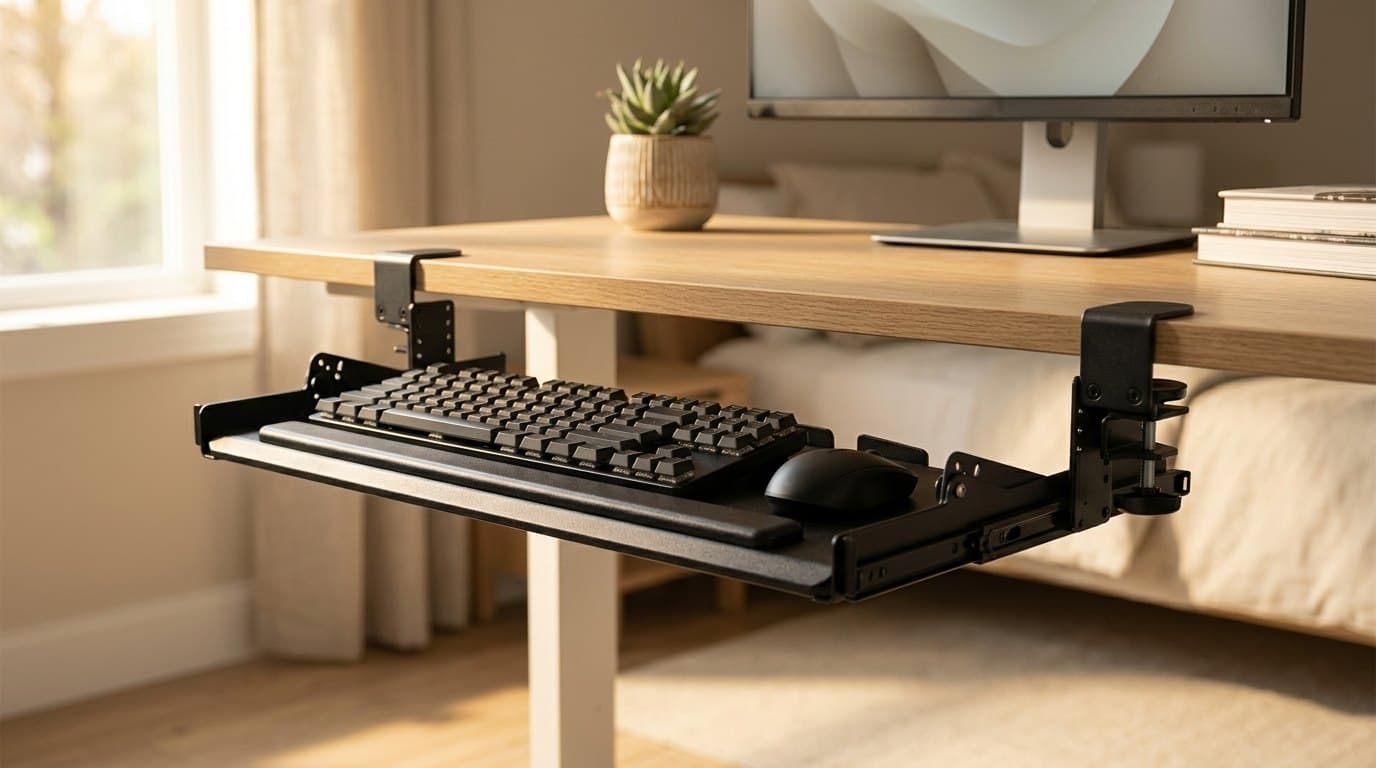
A keyboard tray is a desk-height correction, not an accessory. Six picks compared on the two specs that decide whether one works: how far it drops your hands, and how much clear depth its track needs.
Updated September 13, 2026
Get the next guide in your inbox
One short email when we publish or meaningfully update a buying guide. No spam, no daily deals firehose.