 Rigworthy
The Best Power Strips & Surge Protectors for a Desk Setup in 2026
By Rigworthy Editorial Team · Updated August 3, 2026
Rigworthy is reader-supported: we may earn a commission if you buy through our links, at no cost to you. How we make money
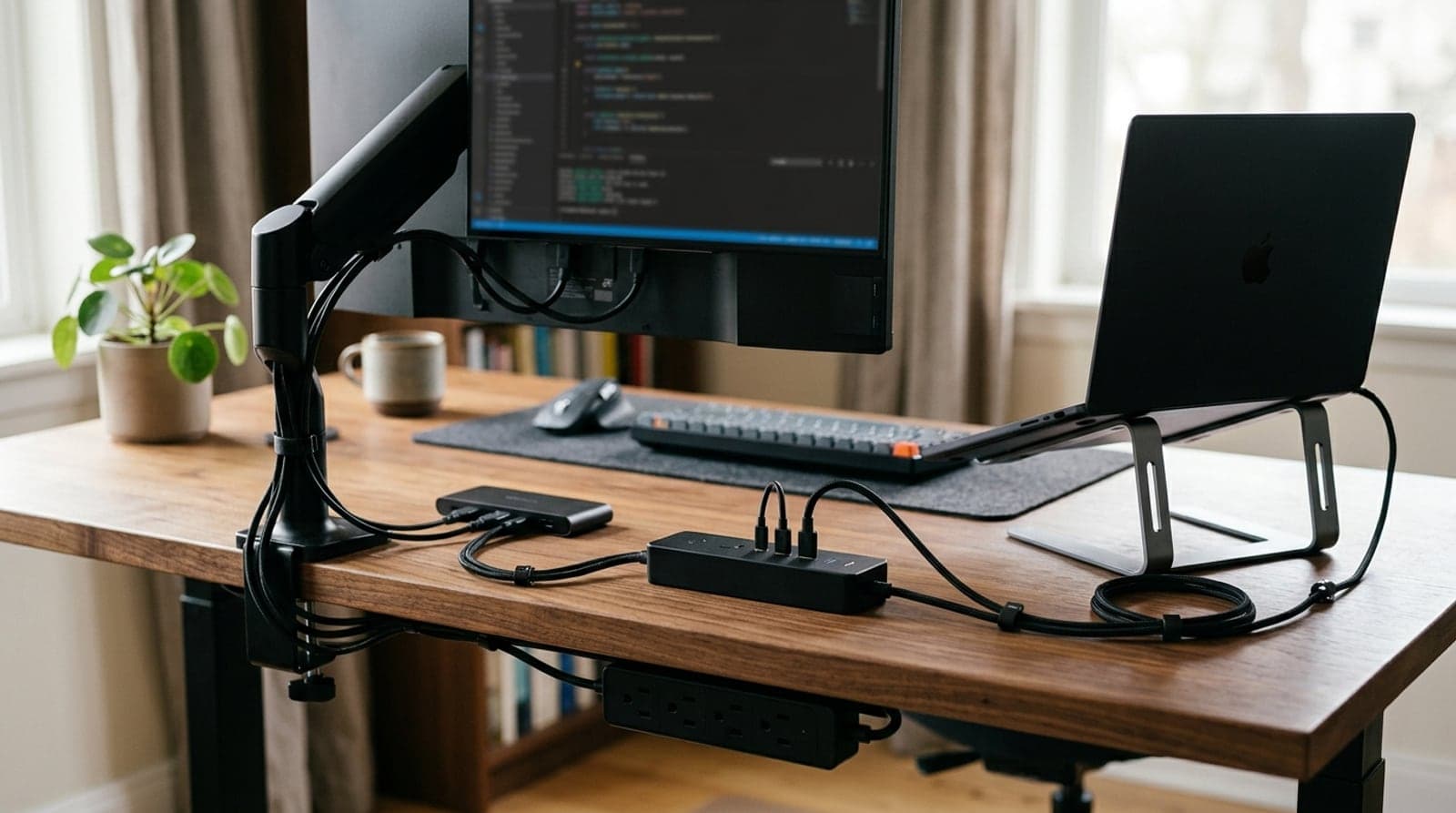
Every cable-management guide eventually leads back to one object: the power strip. An under-desk cable tray exists to hold it up out of sight; a cable box exists to hide it on the floor. But which strip you're hiding matters more than either — because half the products sold as "surge protectors" protect nothing at all, and the difference between a real one and a bare splitter is invisible until the day a spike takes out your monitor.
This guide sorts the strip itself. We lead with the distinction that actually decides the buy — a power strip just splits an outlet, while a surge protector carries a joule rating and can absorb spikes — and then match six picks to real desk situations: the balanced everyday strip, the USB-C charger that powers a laptop, the heavy-duty protector for a gaming PC, the under-desk clamp that clears your surface, the flat-plug strip for tight gaps behind furniture, and the pure-USB station for an all-devices desk. Joule ratings, wattages, and outlet counts reflect what manufacturers list as of mid-2026; where a spec varies by SKU or comes from retailer listings rather than the manufacturer's own page, we've said so rather than smoothing it over. We haven't bench-tested surge suppression — no one honestly can outside a lab — so we weigh rated protection, warranties, and design instead.
Our top picks at a glance
- 1
- 2
- 3
- 4
- 5
- 6
How we chose
- Real, rated surge protection — a joule number and, ideally, a connected-equipment warranty; we flag 'power strips' that protect nothing
- USB-C that matches the job — 20W phone-charging versus 65W+ laptop-grade PD, stated honestly for every pick
- Enough outlets, spaced for bricks — count your gear first, then leave room for the wall-warts that hog two slots
- A plug and mount that fit your desk — under-desk clamps and flat plugs that reclaim space versus a corded desktop tower
- Honest safety framing — joules are a lifetime budget that quietly degrades, so we say when to replace and never overstate what a strip protects
Our picks come from spec research, long-term owner feedback, and category expertise — not sponsorships. Read the full methodology.
Compared side by side
| Product | Award | Surge rating | USB-C | Outlets | Typical price |
|---|---|---|---|---|---|
| Anker 351 Power Strip (A9192) | Best Overall | 2,100 J | 20W | 12 | $25–29 |
| UGREEN DigiNest Pro 100W USB-C Power Strip | Best for USB-C Charging | None listed | 100W | 2–3 | $70–90 |
| APC Performance SurgeArrest P12U2 | Best Surge Protection | 4,320 J | None | 12 | $40–60 |
| Anker Nano Power Strip (Desk Clamp, A9196) | Best Under-Desk Mount | 1,500 J | 70W | 6 | $58–70 |
| ECHOGEAR VoltSpin Rotating Surge Protector | Best Flat / Behind Furniture | 2,160 J | None | 8 | $45–55 |
| Anker Prime 250W GaN Charging Station (A2345) | Best for Pure USB Charging | None (charger) | 140W | 0 AC | $100–150 |
1. Best Overall
Anker 351 Power Strip (A9192)
Typically $25–29
- Most desk setups
- Real surge + USB in one strip
- Wall or under-desk mounting
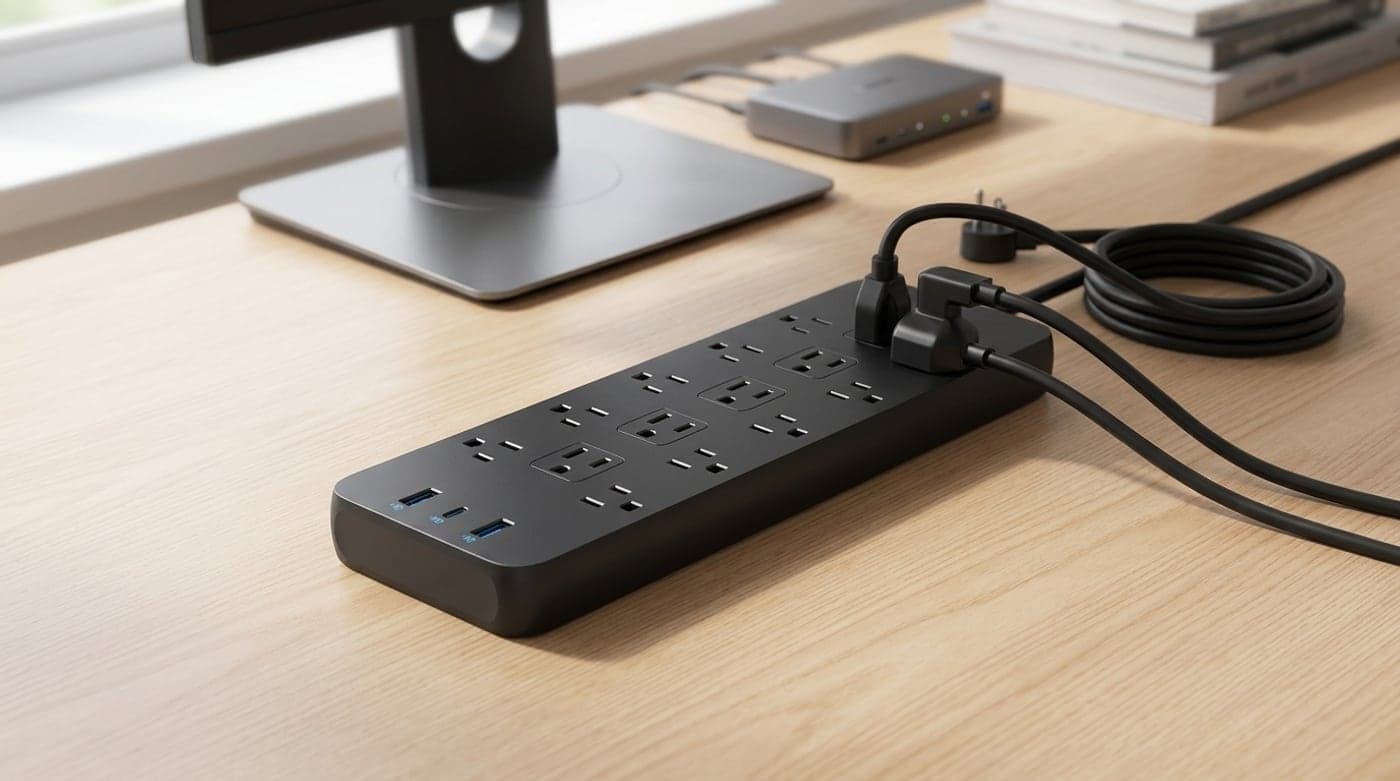
The Anker 351 is the strip most desks should start with because it does the three things a desk power strip actually needs to do, and none of the things it doesn't. It carries a genuine 2,100-joule surge rating — real protection, not a bare splitter — across twelve outlets, several of them spaced widely enough to take chunky wall adapters without smothering their neighbors, plus two USB-A ports and one USB-C. At street prices around $25–29 it undercuts almost everything with a comparable joule rating, and keyhole slots on the back let you wall-mount it or fix it to a tray under the desk so it never clutters the surface.
Be clear-eyed about the USB-C: it's a 20W port, which tops up a phone or earbuds happily but will not fast-charge a laptop — for that you want the UGREEN or the clamp-on Anker below. And 2,100 joules is a solid mid-tier budget rather than a fortress; it's plenty for a monitor, dock, and peripherals, but if you're protecting a high-end gaming PC and a console you'll want the APC's headroom. For the money, though, nothing here balances outlets, real surge protection, and desk-friendly mounting as cleanly, which is exactly what makes it the default pick.
What we like
- Genuine 2,100J surge rating at a budget price
- Twelve outlets, several spaced for bulky bricks
- Keyhole slots for wall or under-desk mounting
Worth knowing
- USB-C is 20W — charges phones, not laptops
- Mid-tier joules; a top-end PC wants more headroom
- Type
- Surge protector
- Surge rating
- 2,100 joules
- Outlets
- 12 AC
- USB
- 2× USB-A, 1× USB-C (20W)
- Mounting
- Free-standing or wall/keyhole
2. Best for USB-C Charging
UGREEN DigiNest Pro 100W USB-C Power Strip
Typically $70–90
- Powering a laptop off USB-C
- Modern all-USB desks
- A clean desktop hub
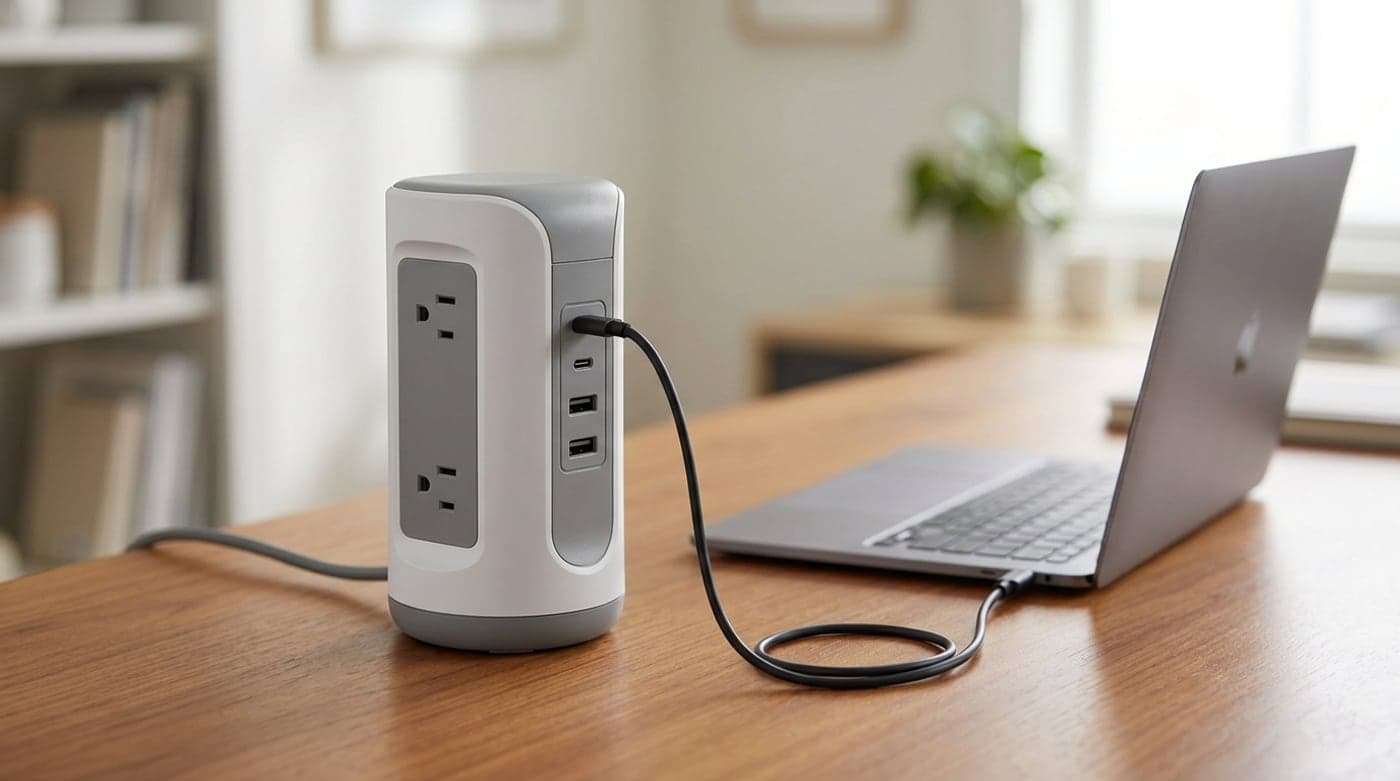
If your desk runs on USB-C — a laptop, a tablet, a phone, maybe a portable monitor — the DigiNest Pro is the piece that collapses three chargers into one tidy desktop unit. Its headline is a 100W USB-C output (splitting sensibly across ports when several are in use), which is genuinely enough to power and charge most 13- to 15-inch laptops while a couple of AC outlets handle your monitor and dock. It's an upright, compact tower rather than a sprawling strip, so it sits on the desk looking like a considered object instead of hardware, and a single cord runs to the wall.
Here's the honest catch, and it's the whole reason this is a separate pick from a surge protector: UGREEN publishes no joule rating for it. Treat it as a power strip — a very good charging one — not as surge protection for expensive gear. If your area gets storms or dirty power, run this downstream of a rated protector like the APC, or keep your desktop PC on something with a real joule number. Bought for what it is — the cleanest way to feed a laptop-centric desk from one unit — it's excellent; just don't mistake generic 'surge protection' marketing for a guaranteed rating.
What we like
- 100W USB-C — real laptop-charging power
- Compact upright tower that looks like desk furniture
- Combines AC and fast USB in one cord to the wall
Worth knowing
- No published joule rating — treat as a power strip, not surge protection
- SKUs vary (DigiNest Pro vs Nexode) — confirm outlet count before buying
- Type
- Power strip (no rated surge)
- Surge rating
- Not published
- Outlets
- 2–3 AC (by SKU)
- USB
- Up to 3× USB-C + 1× USB-A, 100W total
- Warranty
- 2-year product
3. Best Surge Protection
APC Performance SurgeArrest P12U2
Typically $40–60
- Gaming PCs and consoles
- Protecting expensive electronics
- Storm-prone areas
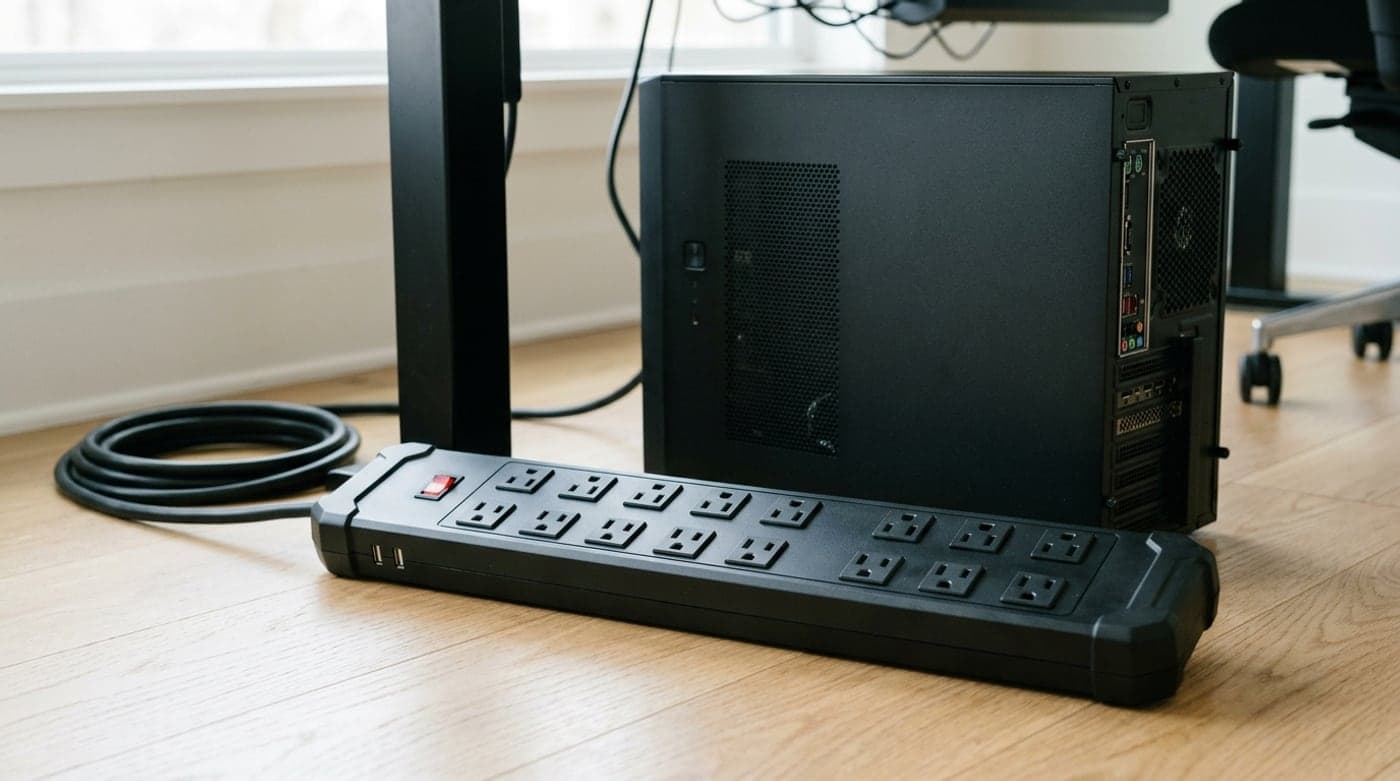
When there's real money plugged in — a gaming rig, a console, a good monitor — you stop optimizing for USB-C and start optimizing for how much surge energy the strip can eat. The P12U2 leads the field here with a 4,320-joule rating, roughly double the Anker 351, backed by APC's $300,000 connected-equipment warranty (read the terms, but the figure signals how confident Schneider is in the clamping). Four of its twelve outlets are spaced for transformer plugs so a couple of wall-warts don't smother their neighbors, the 6-foot cord has a 180° rotating retainer for tidy routing, and it wall-mounts.
The trade-off is that it's an electronics-protection tool, not a charging hub: you get two USB-A ports and no USB-C at all, so laptop charging stays on your charger or a separate strip. It's also physically bigger and less pretty than the desktop towers here. But for the specific, important job of standing between a grid spike and a four-figure setup, nothing else in this guide has the joules or the warranty to match, and that's precisely what you're buying it for.
What we like
- 4,320 joules — the most surge headroom here
- $300,000 connected-equipment warranty (per APC terms)
- Transformer-spaced outlets, rotating cord retainer, wall-mountable
Worth knowing
- USB-A only — no USB-C or laptop PD
- Bulky; a protection tool, not a desktop showpiece
- Type
- Surge protector
- Surge rating
- 4,320 joules
- Outlets
- 12 AC (4 transformer-spaced)
- USB
- 2× USB-A (no USB-C)
- Warranty
- $300,000 connected-equipment
4. Best Under-Desk Mount
Anker Nano Power Strip (Desk Clamp, A9196)
Typically $58–70
- Reclaiming the whole desktop
- Clean floating-desk looks
- Laptop charging at the desk edge
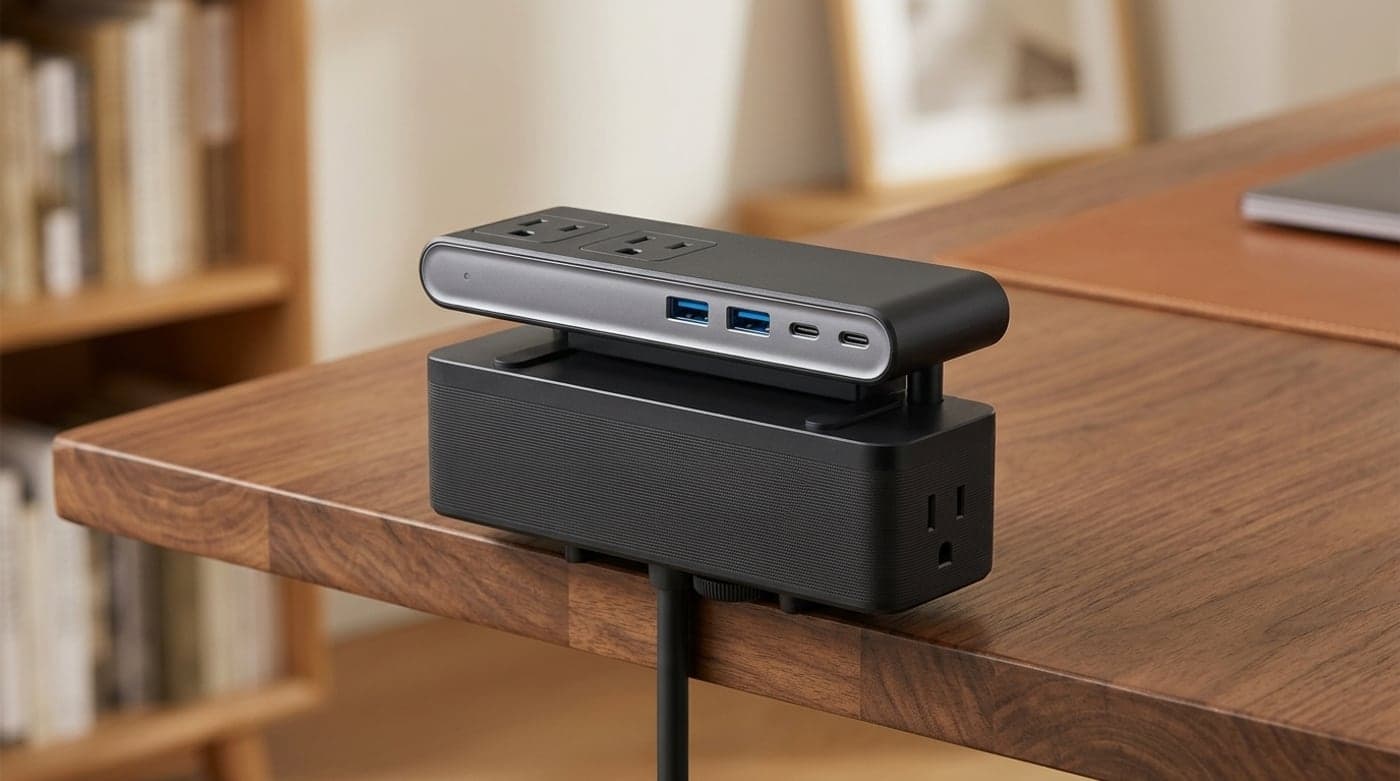
The tidiest place for a power strip is not on the desk or on the floor — it's clamped to the desk's edge, where every outlet faces you and no cord ever crosses the surface. Anker's Nano clamp strip is built exactly for that: a silicone-lined clamp grips desktops from about 0.6 to 1.8 inches thick (and angled edges up to 45°), presenting six AC outlets, two USB-A, and two USB-C ports that together deliver 70W — enough to actually charge a laptop right where you sit. It carries a 1,500-joule surge rating and a flat, low-profile plug, so it earns a spot on this list as a genuine surge protector, not just a convenience mount.
Check your desk thickness before you buy: thick solid-wood or double-layer tops can exceed the clamp's 1.8-inch range, and for those an ECHOGEAR-style clamp station (rated to ~2.5 inches) is the better fit. The 1,500 joules is the lowest of the rated strips here — fine for a laptop, monitor, and peripherals, less so for a tower PC you'd rather see behind the APC. But for turning a cluttered desktop into a clean floating surface with fast charging at the edge, it's the most satisfying single upgrade in this guide.
What we like
- Clamps to the desk edge — zero cable on the surface
- 70W USB-C actually charges a laptop
- Rated 1,500J surge plus a flat, low-profile plug
Worth knowing
- Clamp fits ~0.6–1.8 in desks only — measure first
- Lowest joule rating of the rated strips here
- Type
- Surge protector (clamp)
- Surge rating
- 1,500 joules
- Outlets
- 6 AC
- USB
- 2× USB-A, 2× USB-C (70W combined)
- Mounting
- Desk-edge clamp (0.6–1.8 in)
5. Best Flat / Behind Furniture
ECHOGEAR VoltSpin Rotating Surge Protector
Typically $45–55
- Tight gaps behind a desk or console
- Bulky wall-wart adapters
- A flat plug that hides behind furniture
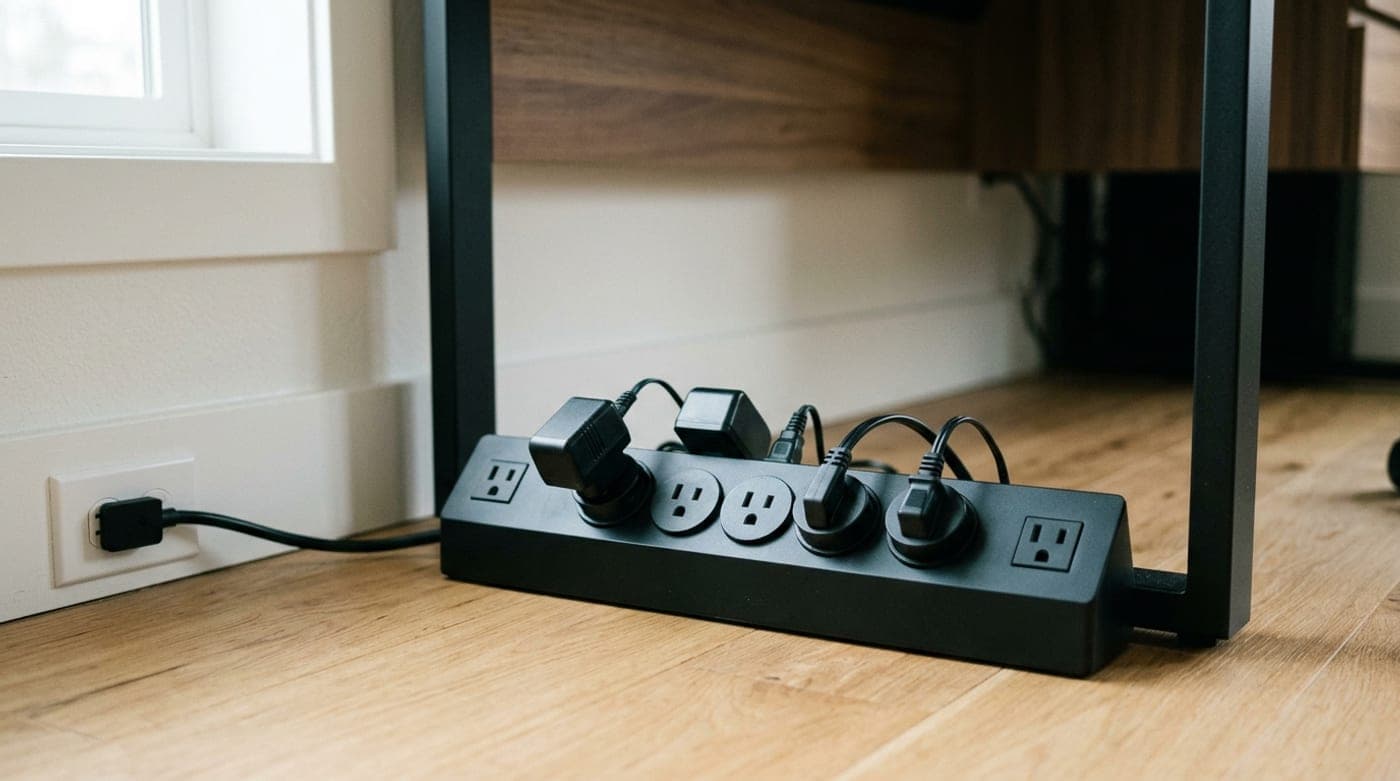
Not every desk needs another bulky tower — sometimes the problem is the six-inch gap between the desk and the wall, where a fat wall plug won't fit and the outlet is buried behind a leg. The VoltSpin answers that with a flat plug that sits nearly flush against the wall and a slim cord you can route into the gap, then gives you six rotating outlets that pivot to clear chunky wall-warts instead of letting them block their neighbors (two fixed side outlets handle the rest). It's genuinely surge-rated at 2,160 joules with an ECHOGEAR connected-equipment warranty, which makes it a real protector rather than a dumb outlet multiplier — rarer than it should be in the flat-plug format.
The honest limitations: there's no USB of any kind here, so charging stays on your other gear, and it's still a corded strip you'll want tucked behind or beneath the desk rather than sitting on the surface. If you want USB-C in a slim package instead, a flat-plug strip with built-in ports is the alternative — but many of those trade away real surge protection to get thin, whereas the VoltSpin keeps it. For feeding a cramped spot behind a desk or media console from a plug that actually fits the gap, while still protecting your gear, it's the tidiest answer here.
What we like
- Flat plug sits flush — slides into tight gaps behind furniture
- Six rotating outlets pivot to clear bulky adapters
- Rated 2,160J with a connected-equipment warranty
Worth knowing
- No USB ports at all
- Corded strip — for behind or under the desk, not on it
- Type
- Surge protector (flat plug)
- Surge rating
- 2,160 joules
- Outlets
- 8 AC (6 rotating + 2 fixed)
- USB
- None
- Warranty
- 5-year + connected-equipment
6. Best for Pure USB Charging
Anker Prime 250W GaN Charging Station (A2345)
Typically $100–150
- All-USB, laptop-first desks
- Charging four devices at once
- A cable-light minimalist setup
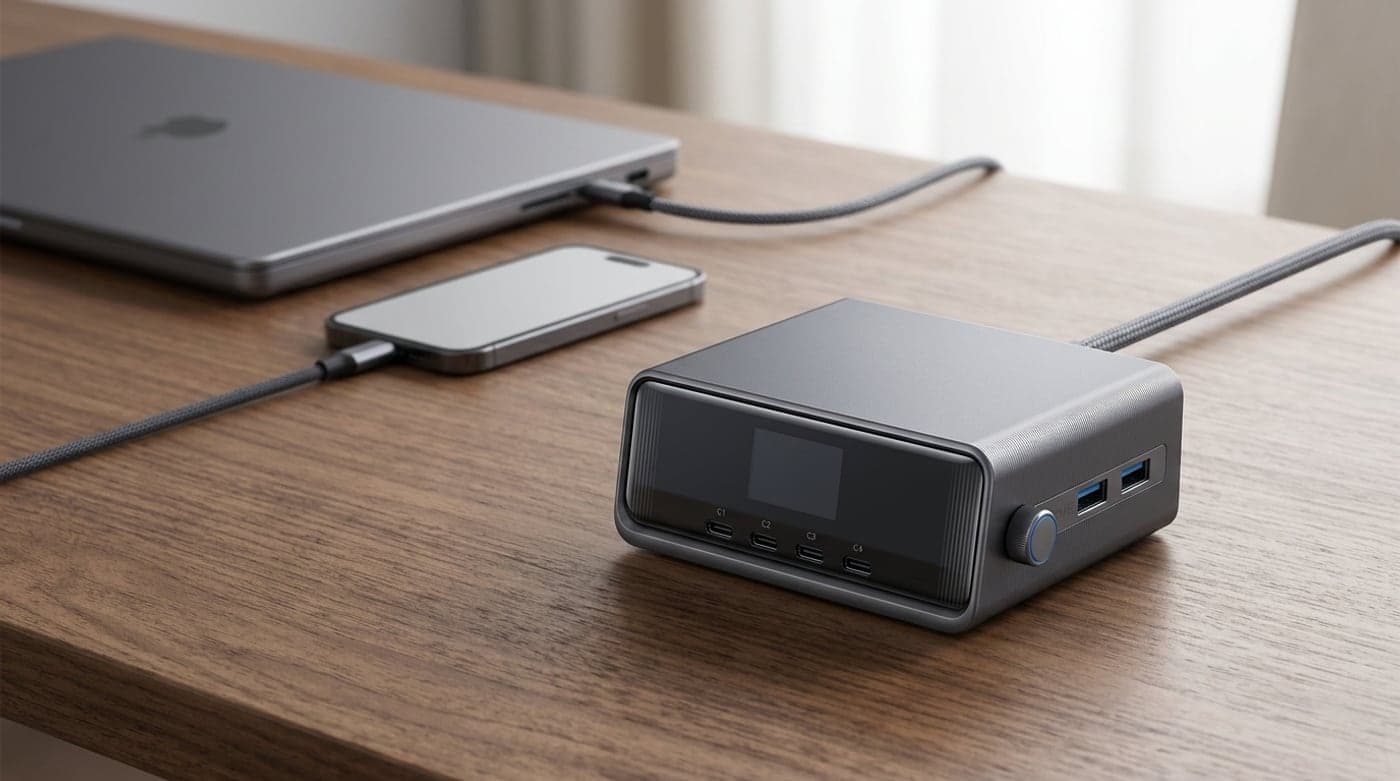
For the modern desk where almost everything charges over USB, an AC power strip is half-wasted — what you actually want is a lot of USB wattage from one small brick. The Anker Prime 250W GaN station delivers four USB-C and two USB-A ports totaling 250W, with a 140W flagship port that fast-charges a heavy laptop while a phone, tablet, and earbuds all top up alongside it. A little LCD shows live per-port draw, the whole thing is smaller than the tower strips here, and a detachable AC cord plus 100–240V support means it travels.
This is the one pick that is explicitly not a surge protector: it's a DC charger, with no AC outlets and no joule rating, so your monitor and desktop PC still need a rated strip. Include it when your desk is genuinely laptop-and-devices rather than tower-and-monitor — pair it with the APC or Anker 351 for the few things that still use a wall plug, and let this handle all the charging. Judged as what it is, it's the cleanest way to kill a drawer full of chargers and reclaim the outlets they hogged.
What we like
- 250W across six ports; 140W charges a big laptop fast
- Live per-port LCD readout
- Compact, detachable cord, travel-ready voltage
Worth knowing
- No AC outlets and no surge protection — it's a charger
- Priciest pick; overkill for a single-laptop desk
- Type
- USB charging station (no AC / no surge)
- Total power
- 250W GaN
- Ports
- 4× USB-C, 2× USB-A
- Top port
- 140W USB-C
- Extras
- LCD readout, detachable cord, 100–240V
The verdict
For most desks, buy the Anker 351: a genuine 2,100-joule rating, twelve outlets, USB, and wall or under-desk mounting for around $28 is the cleanest balance here. If your desk runs on USB-C, add the UGREEN DigiNest Pro for real 100W laptop charging — just remember it has no rated surge protection, so keep your PC on something that does.
From there, match the rest to your situation. Protecting a gaming rig or console? The APC P12U2 brings 4,320 joules and a $300,000 warranty. Want a clear desktop? The Anker clamp strip grips the edge with 70W USB-C on tap. A cramped outlet behind the desk? The flat-plug ECHOGEAR VoltSpin slips into the gap and rotates its outlets clear of bulky adapters. And for a desk that's all laptops and devices, the Anker Prime 250W station replaces a drawer of chargers — pair it with any rated strip for the few things that still need a wall plug. Whatever you choose, remember the one rule the marketing won't tell you: joules are a budget that runs down, so replace a surge protector every few years and after any big spike. For the data side of the same desk, our USB-C hubs and docks guide is the companion to this one.
Frequently asked questions
It's a real distinction, not marketing. A power strip just splits one wall outlet into several — many have zero surge protection, no joule rating, and no components inside to absorb a spike. A surge protector adds sacrificial parts (MOVs) and carries a joule rating: the amount of surge energy it can absorb over its life. The quick test is the spec sheet — if there's no joule number, assume it protects nothing and treat it as a plain strip. In this guide the UGREEN DigiNest and the Anker Prime station are effectively power strips/chargers (no rated surge), while the Anker 351, APC, Anker clamp, and ECHOGEAR are genuine surge protectors.
Roughly: 1,000–2,000 joules is fine for a phone charger, lamp, or a basic laptop-and-monitor desk; 2,000–3,000 is a comfortable middle for a typical work setup; and 3,000+ is what you want for expensive, hard-to-replace electronics like a gaming PC, console, or a nice monitor, ideally with a connected-equipment warranty behind it. More joules also means a longer usable life, because every surge spends part of that budget. The Anker 351's 2,100J suits most desks; step up to the APC's 4,320J when there's real money plugged in.
Only if the USB-C wattage is high enough — and most strips aren't. A 20W port (like the Anker 351's) charges phones and earbuds but barely trickles a laptop. To genuinely power a 13–15 inch laptop you want 60W or more: the Anker clamp strip's 70W or the UGREEN DigiNest's 100W will do it, and the Anker Prime station's 140W port handles even power-hungry machines. Check your laptop's own charger wattage and match or beat it; if the strip lists only a low USB-C figure, keep using your laptop's brick.
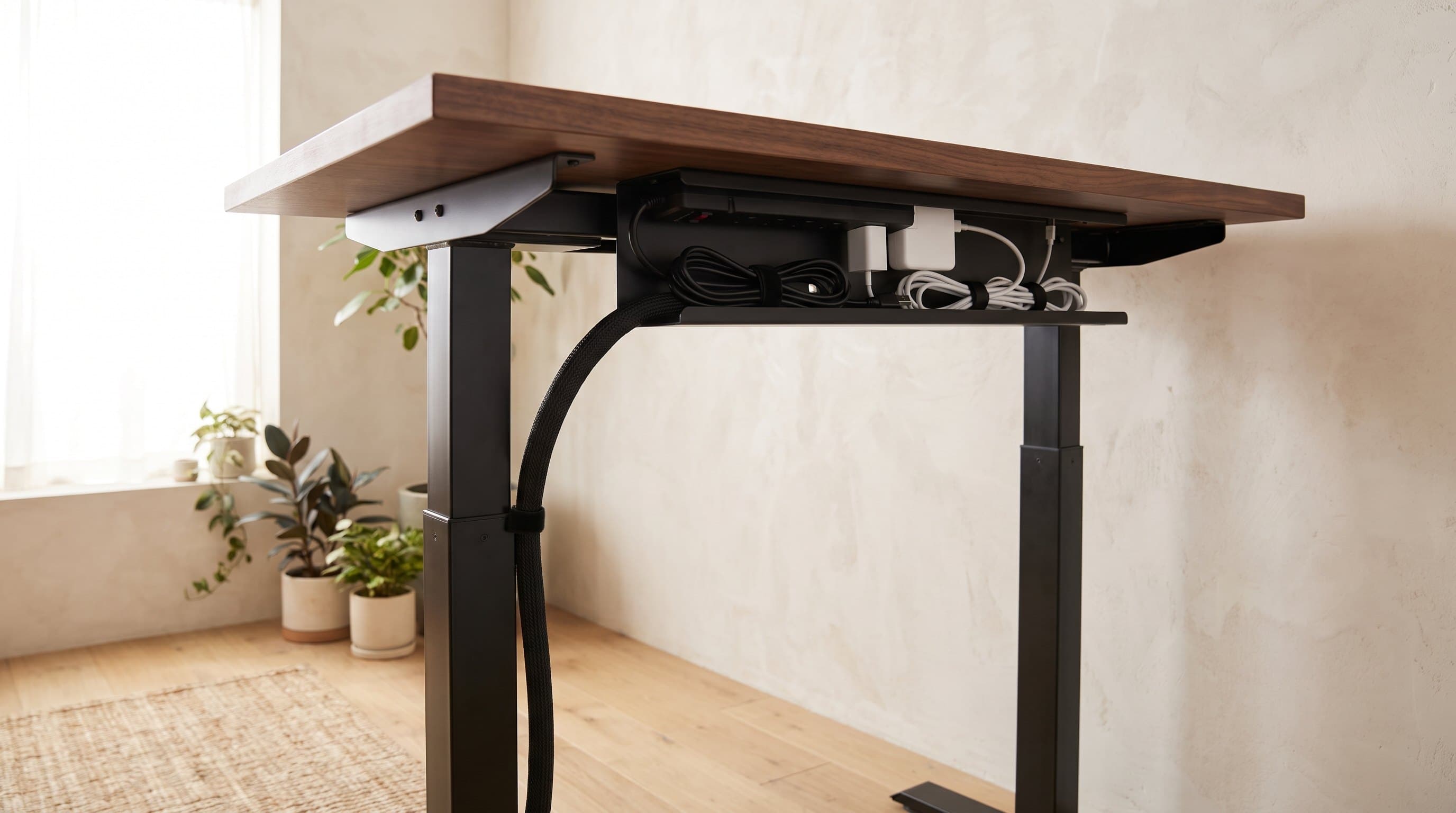
Yes, and it's one of the cleanest upgrades you can make. Many strips (including the Anker 351) have keyhole slots for screwing them to the desk underside, and the Anker clamp strip grips the front edge with no tools. It's safe as long as you don't cover the strip in a way that traps heat, don't exceed its wattage rating, and keep it away from spill zones. For a fully hidden result, pair a mounted strip with an under-desk cable tray to route the cords, and a cable box for anything that has to stay on the floor.
Yes — this is the most misunderstood thing about them. The joule rating is a lifetime budget, not a per-event limit: each surge the unit absorbs uses up some of that budget, and once it's spent the protector quietly becomes a plain power strip, often with no obvious sign. A working 'protected' indicator light helps, but as a rule replace a surge protector every few years, and immediately after any large surge or a nearby lightning strike. It's cheap insurance for the gear behind it, and the reason we favor higher joule ratings even for modest setups.
No. A surge protector defends against voltage spikes but does nothing when the power actually cuts out. A UPS (uninterruptible power supply) adds a battery that keeps your gear running for a few minutes during an outage — long enough to save work and shut a desktop down safely — and usually includes surge protection too. If you're only worried about spikes, a rated surge protector like the APC is enough; if a sudden blackout would cost you unsaved work or risk a desktop's drive, a UPS is the upgrade to consider alongside, or instead of, a strip — our guide to the best UPS battery backups for a home office covers how to size one and why the waveform matters. One wiring note if you run both: they are separate feeds, not a chain. The UPS goes straight into the wall and so does the strip, because the instructions attached to a power strip's listing require a direct connection to a permanently installed wall receptacle — CyberPower states outright that a surge strip cannot be installed before or after a UPS and that doing so voids the warranty, and APC's guidance is that each unit plugs directly into a grounded wall outlet. Our cable management walkthrough covers the topology.
Keep building your setup
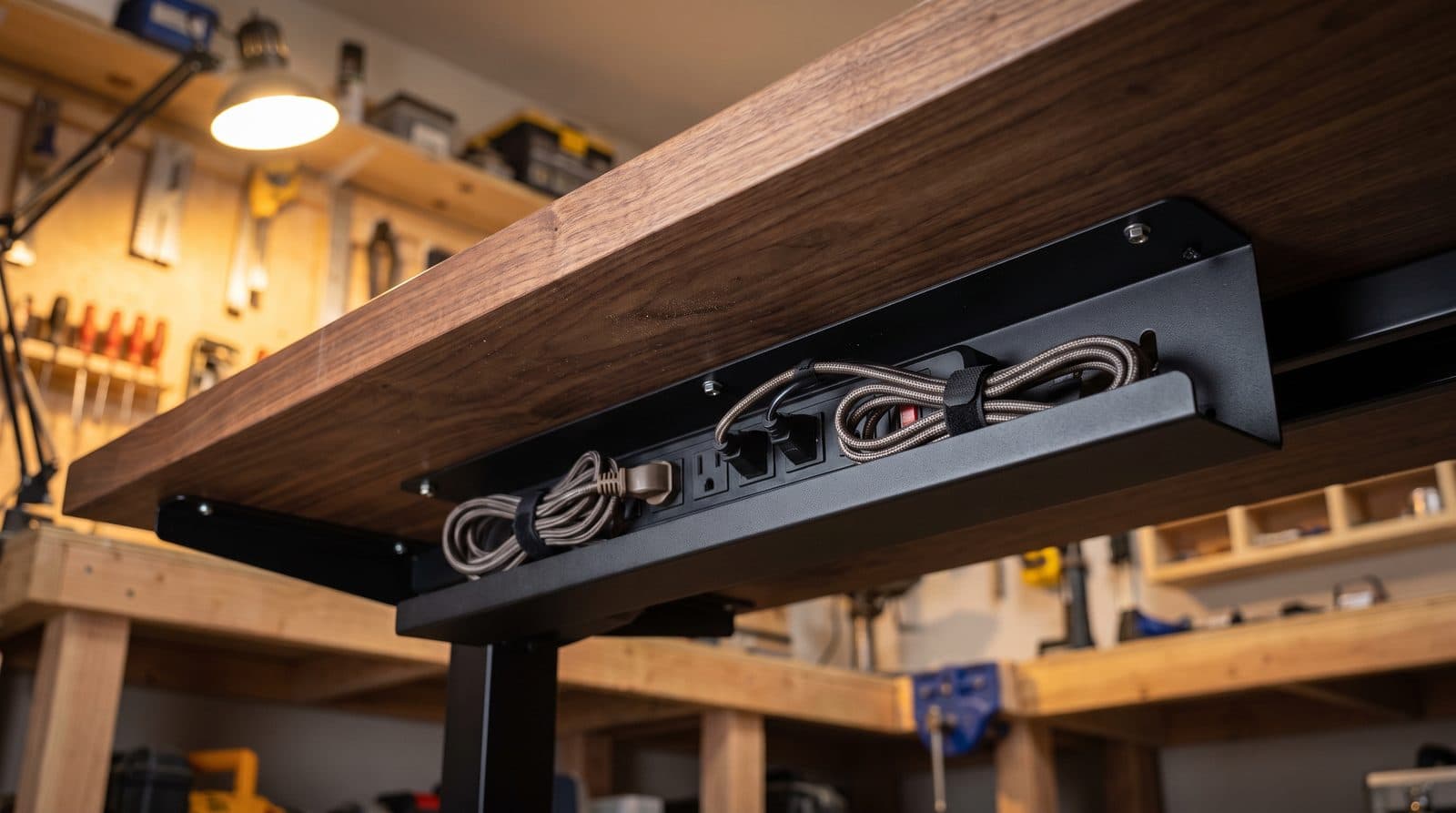
Cables
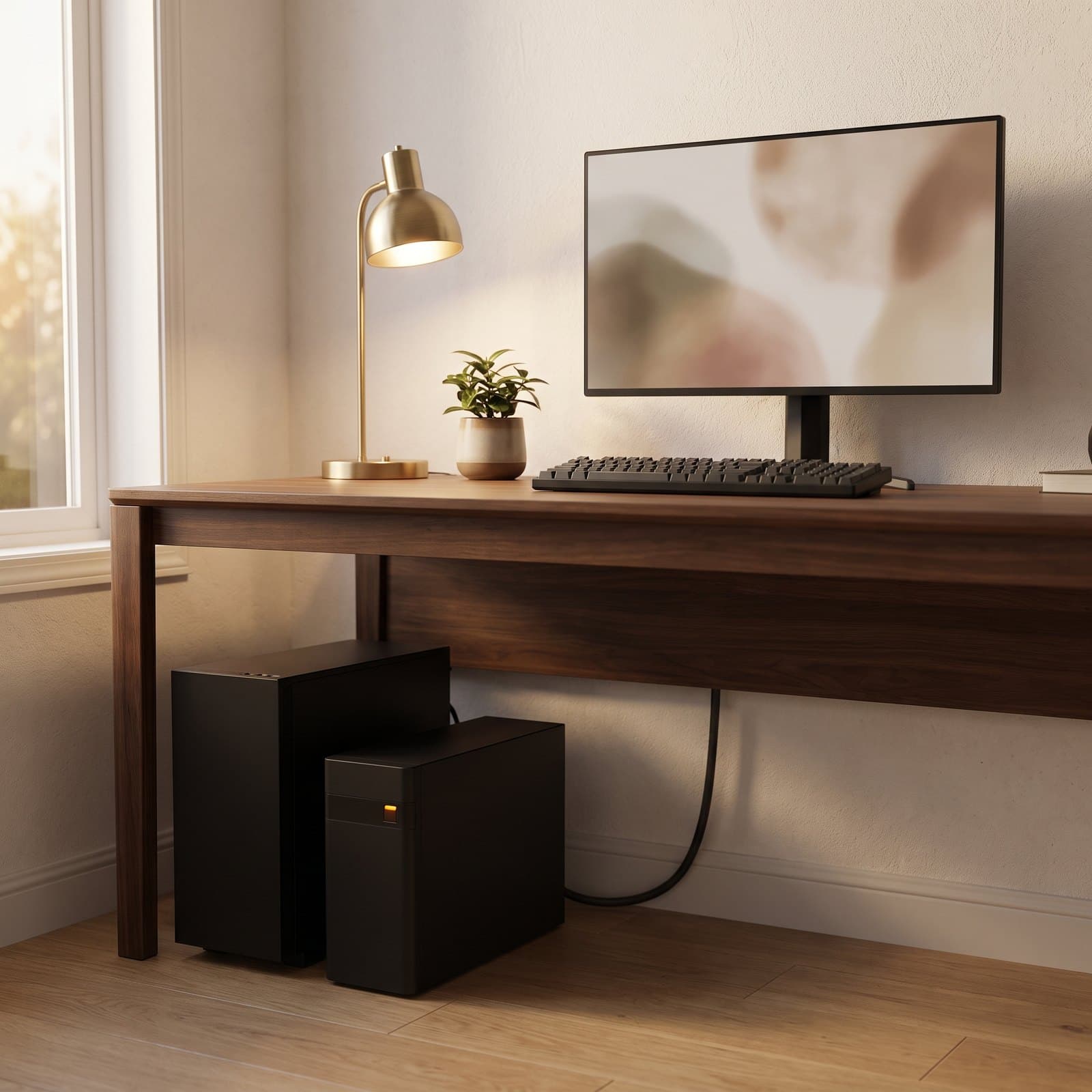
The Best Under-Desk Cable Trays in 2026
The fastest way to a clean 'floating desk' look: five cable trays and channels compared by capacity, mounting method, and standing-desk fit.
Updated September 11, 2026
Cables
The Best UPS Battery Backups for a Home Office Desk in 2026
A surge protector guards against spikes; it does nothing when the lights go out. Six UPS battery backups compared on real watts, waveform, battery-backed outlets, and what a replacement battery costs.
Updated August 7, 2026
Cables
How to Hide Desk Cables: The Order to Do It In
Most cable management guides hand you a shopping list. The list is the last step, not the first — what decides your setup is which cables travel with the desk, what plugs into what, and how much slack the frame's travel demands. Here is the whole job in order, including the one arrangement to avoid.
Updated September 14, 2026
Get the next guide in your inbox
One short email when we publish or meaningfully update a buying guide. No spam, no daily deals firehose.