 Rigworthy
How to Adjust an Office Chair: The Order That Actually Works
By Rigworthy Editorial Team · Updated September 15, 2026
Rigworthy is reader-supported: we may earn a commission if you buy through our links, at no cost to you. How we make money
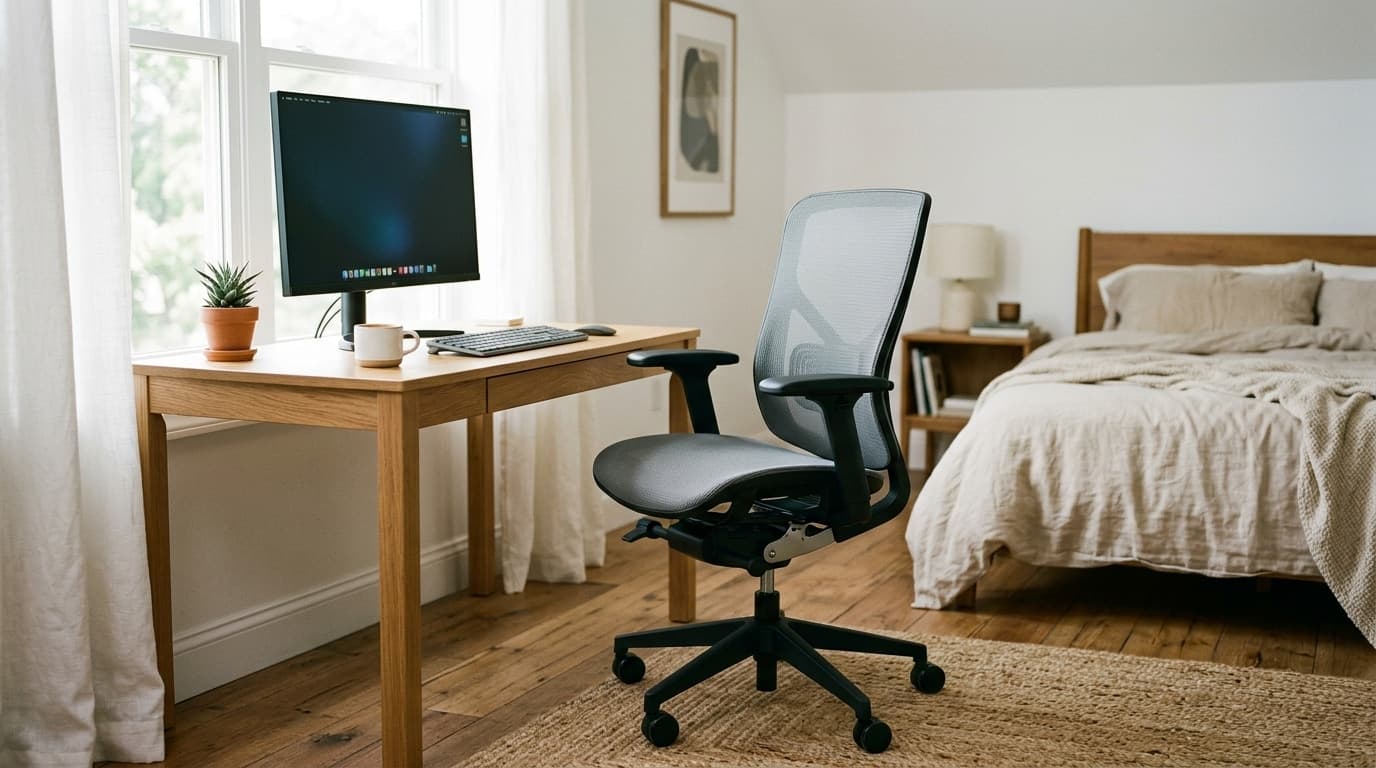
Every guide to adjusting an office chair starts in the same place: sit down, and lower the seat until your feet are flat on the floor. It is the wrong first move, and it is wrong for a structural reason rather than a fussy one. Your body does not adjust. Your desk, unless you bought a frame that moves, does not adjust. The chair is the only variable in the room, which means its actual job is to close the distance between two things that are fixed — and you cannot set it correctly without measuring the one you have been ignoring.
That desk is almost certainly 29 or 30 inches tall, and ANSI/BIFMA's own anthropometric data says that height suits a 95th-percentile man. The figure for a 5th-percentile woman is 22.4 inches. Nearly seven inches of that mismatch gets charged to the chair, and the chairs we recommend across three guides have between 2.9 and 5.0 inches of seat-height travel to pay it with, against the 9 inches Cornell's ergonomics notes ask for.
So this is a guide to the order of operations, and to the arithmetic that decides whether your chair can even reach. It also contains a finding we did not expect when we started: three of the four accessories this hub recommends alongside a chair are chair adjustments in disguise, and two of them are spent from the same short budget. A 4-inch lumbar cushion removes more seat depth than the Steelcase Series 1 has to give.
The short version
- Set things in the order they constrain each other: desk first, then seat height, then the floor under your feet, then seat depth, then the back, then the armrests, then tilt. Start at the chair and you are adjusting to a desk you have not measured yet.
- Seat height is set from your elbows and the desk, not from your feet and the floor. The feet are a separate problem, solved separately, and solving them first is what puts most people two inches too low.
- BIFMA's own anthropometric data says a 5th-percentile woman needs a working surface at 22.4 inches and a 95th-percentile man needs 29.2. A standard fixed desk is 29 to 30 inches — built, in effect, to the taller of those two.
- That mismatch has to be absorbed by the chair, and most chairs cannot absorb it. Cornell's ergonomics notes recommend nine inches of seat-height adjustment; the nine chairs in our own guides that publish a range offer between 2.9 and 5.0 — and nine of the eighteen publish nothing at all.
- Seat and lumbar cushions are chair adjustments in disguise, and they are spent from the same small budget. A 4-inch lumbar cushion removes more effective seat depth than the Steelcase Series 1's entire 2.25-inch seat-depth range.
- So fit the cushions first and adjust the chair around them. A 3-inch seat cushion drops the Series 1's armrest range from 6.5-to-11 inches above the seat to 3.5-to-8 — the bottom edge of Cornell's recommended 8-to-10-inch window.
Measurements here come from manufacturers' own published mounting specifications, not from our estimates. Read the full methodology.
Start at the desk, not the chair
Almost every guide to adjusting an office chair begins by telling you to sit in it. That is the wrong end of the problem, and the reason is that three things in a desk setup are fixed and one is not. Your body is fixed. Your desk, unless you bought a sit-stand frame, is fixed. The monitor can move but only after everything under it has stopped moving. The chair is the one adjustable object in the room, which means the chair's job is not to be comfortable in isolation — it is to close the distance between a body it cannot change and a desk it cannot change.
So the first number to write down is not anything about the chair. It is the height of your desk, measured from the floor to the top of the desktop. Most fixed desks land between 29 and 30 inches. If yours moves, this whole article gets easier and you should read our standing desk height guide instead, because an adjustable desk lets you set the chair to your body and then bring the desk to meet it, which is the correct order and the one almost nobody gets to use.
Here is why the 29-inch convention matters more than it looks. ANSI/BIFMA's G1 ergonomics guideline is built on a straightforward measurement: popliteal height plus elbow height, which is the distance from the floor to your elbow when you are seated with your feet flat and your forearms level. That number is the height a work surface should be. BIFMA's revision committee published it against two anthropometric datasets, the 1988 Natick survey of military personnel and the 2012 CAESAR civilian survey, and the two agree closely: a 5th-percentile woman needs about 22.4 inches, and a 95th-percentile man needs about 29.2.
Now put a standard desk next to those figures. BIFMA's own recommendation for a fixed-height input-device surface is no less than 747 mm, which is 29.4 inches — essentially the 95th-percentile man's number. For an adjustable surface it recommends a minimum range running from 575 mm (22.6 in) up to that same 747 mm, which covers everybody. The industry standardised on the top of the range and called it a desk. That is not a scandal, it is just what happens when a surface has to be one height for everyone and the cheap failure mode is being too short for the tall guy. But it means that for most adults a fixed desk is not slightly high. It is several inches high, and the entire correction is charged to the chair.
One more thing worth noticing in BIFMA's data, because it explains a complaint people have about chairs and cannot articulate. Between Natick 1988 and CAESAR 2012, seated hip breadth at the 95th percentile for women went from 17 inches to 20.4 — a 3.4-inch jump, mostly because the population changed from soldiers to civilians. BIFMA's minimum seat width is 457 mm (18.0 in), and the next line of the same guideline says that at 461 mm (18.1 in) a seat "will accommodate at least the 80th percentile female hip breadth" — so the floor of the standard is written to leave a fifth of women out. Cornell's ergonomics notes ask for 20 to 22 inches to fit clothed adults. A well-regarded chair like the Steelcase Series 1 has a 19.5-inch seat. If a chair has ever felt narrow to you in a way you could not pin on the armrests, that gap is where the feeling comes from, and no adjustment fixes it.
| Figure | Natick 1988 | CAESAR 2012 | What it governs |
|---|---|---|---|
| Popliteal + elbow height, 5th-percentile female | 22.0 in | 22.4 in | The lowest surface height that needs to be reachable |
| Popliteal + elbow height, 95th-percentile male | 28.3 in | 29.2 in | The highest surface height that needs to be reachable |
| Seated hip breadth, 95th-percentile female | 17.0 in | 20.4 in | Seat width |
| BIFMA minimum seat width | — | 18.0 in (457 mm) | At 18.1 in, fits at least the 80th-percentile female hip |
| BIFMA fixed input-device surface | — | No less than 29.4 in (747 mm) | What a non-adjustable desk should be |
| BIFMA adjustable input-device surface | — | 22.6–29.4 in (575–747 mm) | What a sit-stand desk should cover, seated |
Seat height comes from your elbows, not your feet
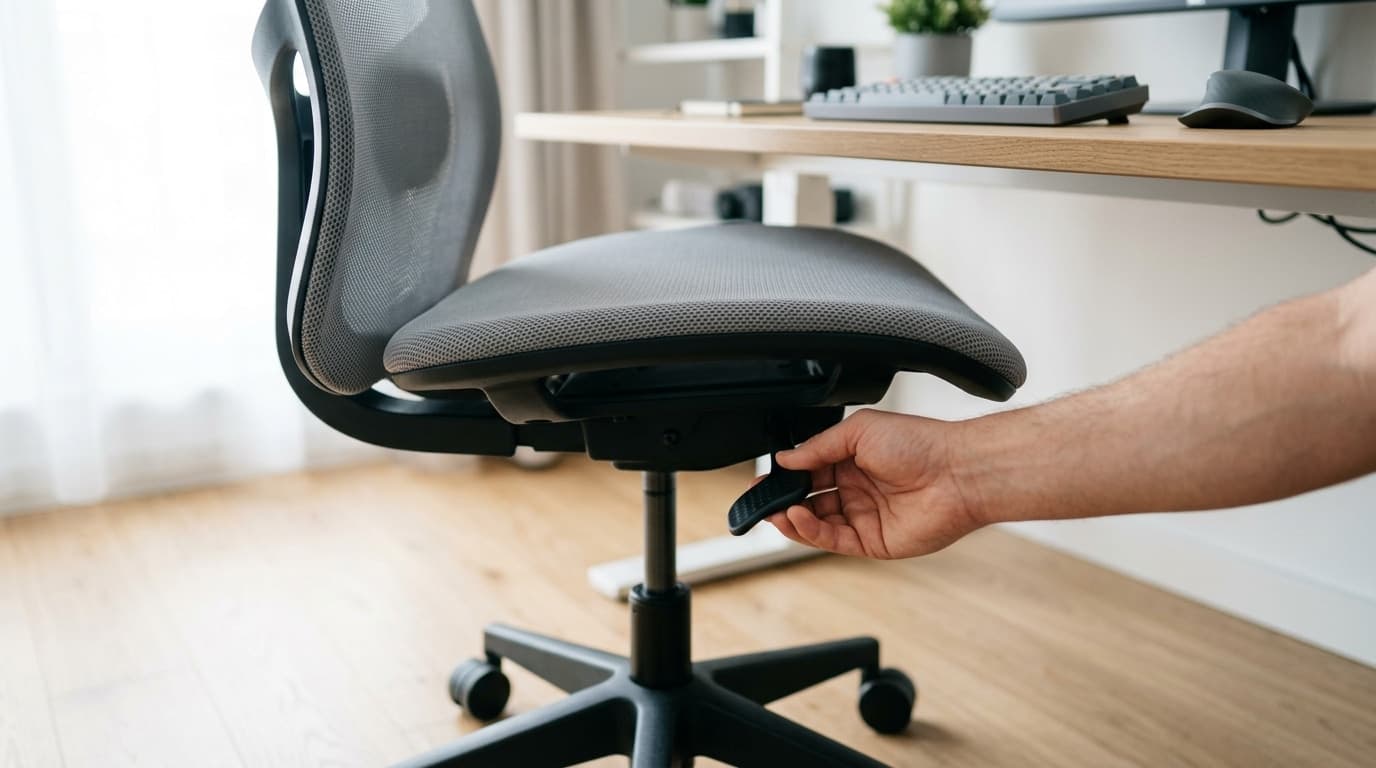
This is the step everybody does first and most people do backwards. The instinct is to lower the chair until your feet are flat on the floor, because that is what the diagrams show and because it feels like the natural starting point. OSHA's computer workstations eTool even says it plainly: "The chair height is appropriate when the entire sole of the foot can rest on the floor with the back of the knee slightly higher than the seat of the chair."
That instruction is correct and it is not the whole instruction, because a few lines later the same eTool adds the caveat that makes it work: "If the seat cannot be lowered (for example, it would make the keyboard or monitor too high), use a footrest to provide stable support for the feet." Read those two sentences together and the real rule falls out. Feet-on-the-floor is the goal. Elbows-at-the-desk is the constraint. When the two disagree, the constraint wins and the floor gets moved up to meet you.
So: sit in the chair, pull it to the desk, and set the height so that with your upper arms hanging relaxed and your elbows bent to about a right angle, your forearms are level with the desktop — or a fraction above it, because your hands actually rest on a keyboard rather than the desk itself. Shoulders down, wrists straight. If your shoulders are creeping up toward your ears, the chair is too low. If you are reaching down and your wrists bend upward to find the keys, it is too high. Ignore your feet entirely for now. They are the next section's problem.
Here is where the arithmetic from the previous section arrives, and it produces a conclusion that is the exact opposite of the usual advice. Conventional wisdom says short people need chairs that go low. On a fixed 29-inch desk, short people need chairs that go high — because the desk is nowhere near coming down to them, so the only way to get their elbows up to it is to raise the seat well above the height their legs would choose. The gap between BIFMA's 5th-percentile figure of 22.4 inches and a 29-inch desk is 6.6 inches, and every one of those inches has to come out of the chair's height range.
Which is a problem, because chairs do not have 6.6 inches of range. We went through all eighteen chairs across our three chair guides and pulled every published seat-height spec we could find — which turned out to be the first finding on its own, because only nine of the eighteen publish a range at all. Among those nine, the total travel runs from 2.9 inches to 5.0. Cornell's ergonomics course notes recommend that a seat "should adjust 9 inches" and that the minimum height should be 15 inches, "which designs to the 5th percentile of women with 1" heels." Not one chair here has half of that range, and the ones that reach highest do it by starting high rather than by travelling further. The seat-height adjustment on a modern task chair is roughly a third to a half of what the ergonomics literature asks for, and the shortfall is invisible because nobody publishes travel — they publish two endpoints, and two endpoints look generous when they are 16.5 and 21.5.
The practical consequence is a shopping rule, not just an adjustment rule. If you are short and your desk is fixed at 29 inches, the spec that decides whether a chair works for you is the top of its seat-height range, and you should read it as pass/fail. Our under-$600 guide notes that the Branch Ergonomic Chair Pro's optional tall cylinder is required if your desk does not drop below 29 inches — which is right, and worth restating in the direction people do not expect. That cylinder is not a tall-person upgrade. It is a fixed-desk upgrade, and the people it rescues are disproportionately the ones the standard cylinder was supposedly sized for.
| Chair | Guide | Published seat height | Total travel |
|---|---|---|---|
| Branch Ergonomic Chair Pro (standard cylinder) | Under $600 | 17–19.9 in | 2.9 in |
| Autonomous ErgoChair Core | Under $300 | 20–23.8 in | 3.8 in |
| Mimoglad High Back Ergonomic Chair | Under $300 | 19.5–23.4 in | 3.9 in |
| Herman Miller x Logitech G Vantum | Gaming chairs | 18–22 in | 4.0 in |
| OdinLake L1 (Ergo Upgrade 518) | Under $300 | 18.9–22.9 in | 4.0 in |
| Branch Verve | Under $600 | 16.4–20.5 in | 4.1 in |
| Steelcase Series 1 | Under $600 | 16.5–21.5 in | 5.0 in |
| HON Ignition 2.0 | Under $600 | 17–22 in | 5.0 in |
| Autonomous ErgoChair Ultra 2 | Under $600 | 18–23 in | 5.0 in |
| Cornell CUergo recommendation | — | From 15 in minimum | 9 in |
Step three is the floor, and it is a bigger gap than the market covers
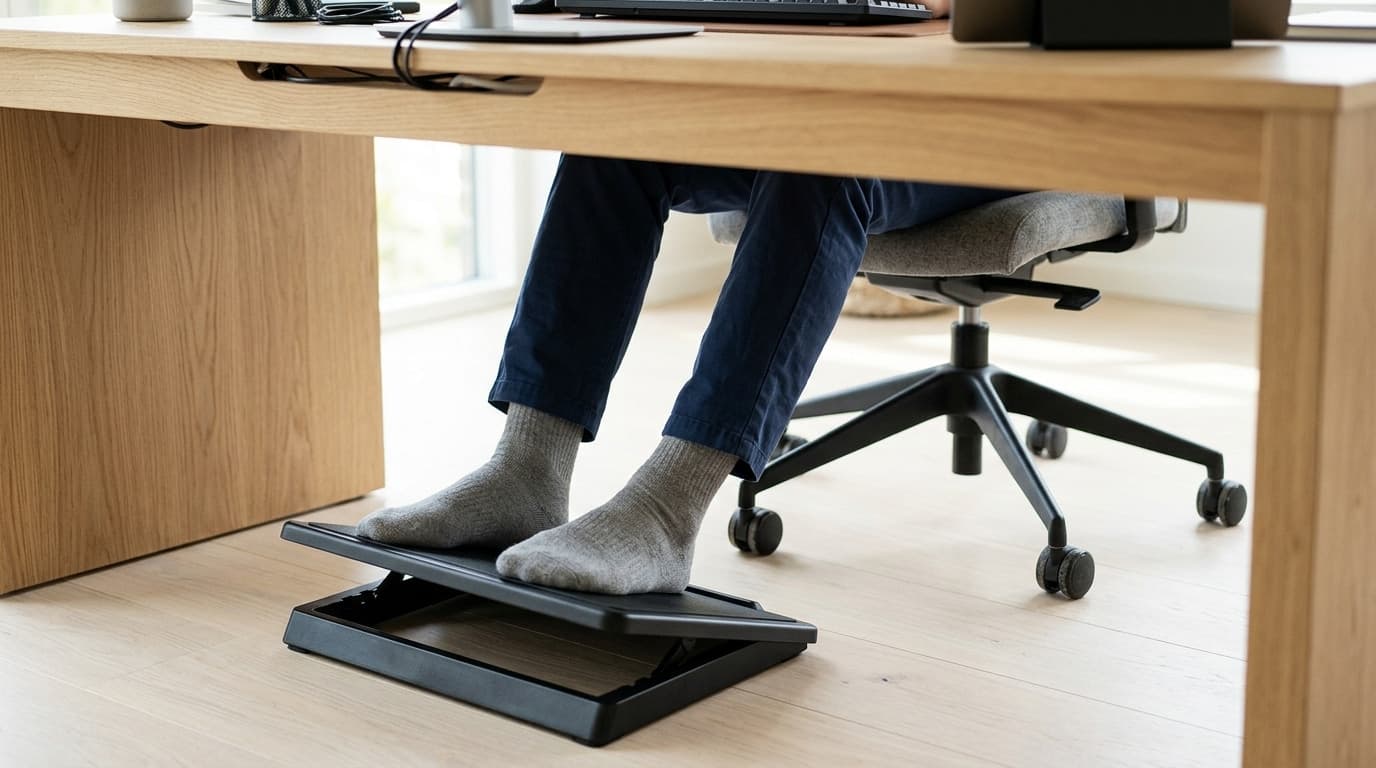
Once the seat is set to the desk, look down. If your feet are flat on the floor with your thighs roughly level, you are finished with this step and you can skip to the next one — this is the position a taller adult on a standard desk usually lands in naturally, which is precisely why the problem below goes unreported by so many reviewers.
If your feet are dangling, or you find yourself hooking them on the chair base or tucking them under you, the floor is in the wrong place and the fix is to raise the floor. That is all a footrest is. It is not a comfort accessory bolted onto a correct setup; it is the second half of a seat-height adjustment that a fixed desk forced you to make. The pressure it relieves is real and specific: with the seat above your popliteal height, your body weight bears down on the underside of your thighs at the front edge of the seat, which is where the sciatic and peroneal nerves and the vessels behind the knee run. Cornell's notes describe exactly this, a seat that is too high "leads to increased pressure at the popliteal fold, decreasing blood circulation and increasing pressure on the nerve." Dangling feet are not a posture preference. They are a load path.
Now measure the gap you actually need to close, because this is where our own guides have been quietly optimistic. The distance from the floor to the soles of your feet, once the seat is set to the desk, is the platform height a footrest has to deliver. For someone at the 5th-percentile end of BIFMA's data on a 29-inch desk, that number is in the neighbourhood of six and a half inches. We went back through the footrests in our own footrest guide and totalled up what they actually reach — and only one of the five gets there, at the top of three fixed steps, with about a tenth of an inch to spare.
That is an uncomfortable finding to publish in a guide whose job is partly to sell footrests, so let us be plain about what it means rather than softening it. For most people the footrest category is sized correctly, because most people are not at the 5th percentile and the gap they need to close is three to five inches, which every product here covers comfortably. Worth knowing before you order, though: the "adjustable" ones adjust in steps rather than continuously — both the HUANUO and the Fellowes give you three fixed positions — so you are picking the nearest step to your measured gap rather than dialling the exact number, and it is the top step that decides whether a product is in play at all. But if you are at the short end of the distribution and your desk does not move, the standard product category runs out before your gap does, and the honest options are a taller platform, a stack (a footrest on a low box, or a purpose-built adjustable model at its top setting), or — the better answer if you can afford it — a desk that goes down instead of a floor that goes up. A sit-stand frame with a low minimum solves this properly, and it is one of the few cases where we would tell someone to spend $400 rather than $30.
Two smaller notes while you are down there. A footrest with some tilt or rocking movement is worth having over a fixed block, because the thing your legs want over eight hours is not one correct angle but a supply of them — which is the same reasoning behind our preference for chairs with a working tilt. And if you are on carpet, remember that your chair's casters sink into it while a footrest's flat base mostly does not, so the effective gap on carpet is slightly smaller than on a hard floor. A chair mat removes that variable entirely, which is a small ergonomic argument for one on top of the flooring-protection argument that usually sells them.
| Footrest | Platform height | Covers a 3–5 in gap? | Covers a 6.6 in gap? |
|---|---|---|---|
| HUANUO Adjustable Footrest | ~3.9–6.7 in, three positions | Yes | Only at its top position, and only just |
| Fellowes Standard Footrest | ~4–6.5 in, three positions | Yes | Just short |
| ErgoFoam Adjustable Footrest | ~4 in and ~5.9 in | Yes | No |
| StrongTek Wooden Rocking Footrest | ~4.7 in fixed | Yes | No |
| Humanscale FM 500 Foot Machine | ~4.5 in | Yes | No |
Seat depth and the backrest: the two you set once and forget
Seat depth is the adjustment most people never touch, partly because a lot of chairs do not have it and partly because it is not obvious what it does. The test is simple. Sit all the way back so your lower back is against the backrest, then check the gap between the front edge of the seat and the back of your knees. You want roughly two to three fingers' width. OSHA phrases the target as a seat pan that "should provide support for most of the thigh without contact between the back of the user's knee and the front edge of the seat pan," and the failure mode in each direction is distinct: too deep and the front edge presses into the backs of your knees so you slide forward and stop using the backrest at all; too shallow and your thighs are unsupported and all your weight lands on your sit bones.
Cornell's notes put the recommended adjustable range at 14 to 18.5 inches, which is 4.5 inches of travel, and flag why the deep end matters: "if the seat depth is greater than the buttock-popliteal length (fifth percentile woman is at 17 in) then the user won't be able to use the backrest." Real chairs give you less than that. The Steelcase Series 1 — one of the better-adjusting chairs at any price and the top pick in our under-$600 guide — publishes a functional seat depth of 15.5 to 17.75 inches, a 2.25-inch range. That is half of Cornell's recommendation, and it is the most generous figure in our guides rather than a bad one. Hold on to the 2.25; it comes back in the next section and it does not survive.
The backrest is two adjustments that are easy to confuse. Back height or lumbar height positions the support at your lower back — the inward curve at your belt line, not the middle of your back, which is the single most common error people make with an adjustable chair and with every cushion sold to fix one. The Series 1 puts its lumbar 6.5 to 8.75 inches above the seat, which is a 2.25-inch window and about right for most adults; if yours adjusts, run it up and down while sitting and stop where the pressure feels centred on the curve rather than above or below it. Back angle or recline is the other one, and OSHA asks only that a chair let you "recline at least 15 degrees from the vertical," which every chair here clears many times over.
Which brings up the number the entire gaming-chair category is sold on and the one you should mostly ignore. Recline figures — 165 degrees, 160, 152, 135 — are marketing's favourite spec because they are large and trivially comparable, and nobody works at any of them. Our gaming chair guide makes this point and it is worth repeating in a piece about adjustment: what you use every day is a tilt lock that holds a slight backward angle without drifting, and tilt tension set heavy enough that leaning back does not feel like falling. Set the tension so that you can rock with light pressure but the chair stays where you put it, lock it a few degrees back from vertical, and leave it. Sitting bolt upright at 90 degrees is not the goal and never was; a slight recline transfers load off your discs onto the backrest, which is what the backrest is for.
What your cushions are actually spending
Here is the section that made this guide worth writing, and it comes out of holding our own chair guides side by side rather than out of any product's spec sheet. Between them, the seven product guides in this hub recommend a chair, a seat cushion, a lumbar cushion, a footrest and a chair mat. Each one is sound advice on its own. Followed together, three of the four accessories turn out to be chair adjustments wearing a different label — and two of those are charged directly to the chair's own adjustment range, a budget that, as the last two sections established, is far smaller than the ergonomics literature asks for. The third, the footrest, is the one that completes an adjustment rather than spending it.
A seat cushion is a seat-height adjustment. The cushions in our seat cushion guide run 2 to 4 inches thick, and the large Cushion Lab is 5. Put a 3-inch cushion on a chair and you have raised your sitting surface 3 inches, which on the Steelcase Series 1 spends 60% of the chair's entire 5-inch height range in one move. That part is recoverable — you wind the chair back down. What is not recoverable is the armrests, because they are bolted to the chair and travel with the seat pan, not with the top of your cushion.
Follow that through with Steelcase's own published numbers, because the result is sharper than we expected. The Series 1 specifies arm height from the seat at 6.5 to 11 inches. Cornell's notes say cantilevered elbow rests "should be 8-10 in above the seat surface height," and the chair covers that window comfortably. Now add a 3-inch cushion: measured from where you are actually sitting, the arms now reach 3.5 to 8 inches, so the chair's maximum armrest height is the bottom of the recommended window. Add the 4-inch cushion instead and the top of the range is 7 inches — below the recommendation entirely, with no setting on the chair that fixes it. A cushion that solves a genuine tailbone problem can, in the same motion, take your elbows out of support for the rest of the day.
A lumbar cushion is a seat-depth adjustment. This one is worse arithmetic. The cushions in our lumbar support guide are 2.5 to 4 inches deep — the Purple Back Cushion is 2.5, the LoveHome and the Cushion Lab are both 4. That depth sits between your back and the backrest, so it pushes you forward by its own thickness, and every inch it pushes you forward is an inch subtracted from your effective seat depth. A 4-inch lumbar cushion therefore removes almost twice the Series 1's entire 2.25-inch seat-depth range. There is no combination of chair settings that gets it back. If the chair was correctly set before, it is now several inches too shallow, and you will feel it as your thighs losing support and your weight concentrating on your sit bones — which, unhelpfully, is the exact symptom that sells seat cushions.
None of this is an argument against cushions. A lumbar cushion on a chair with a flat unsupportive back is a genuine upgrade, and a tailbone cutout is the right answer to a specific and painful problem. It is an argument about order, and it is the one thing to take away from this article if you take nothing else: fit the cushions first, then adjust the chair around them. Adjusting a chair carefully and then adding a cushion undoes the adjustment, silently, in a direction you will not think to look. If you are using a lumbar cushion, start from the chair's deepest seat setting rather than its fitted one. If you are using a seat cushion, set the armrests last and expect to run them near the top of their travel.
The chair mat is the exception that proves the pattern, and it is worth stating so the table below is not read as a warning about all four. The mats in our chair mat guide are 0.09 to 0.2 inches thick, which is inside the measurement error of everything else here. What a mat actually changes is consistency — on carpet, casters sink by a variable amount depending on pile and padding, so your seat height is not the number you set, and it drifts as you move around. A mat makes the floor one height. That is a small effect and a real one.
| What you add | Published size | What it really changes | The chair range that pays for it |
|---|---|---|---|
| Seat cushion | 2–4 in thick (5 in for Cushion Lab Large) | Raises your sitting surface; armrests stay put | Seat height 5.0 in; arm height from seat 4.5 in |
| Lumbar cushion | 2.5–4 in deep | Pushes you forward; removes effective seat depth | Seat depth 2.25 in — less than the cushion |
| Footrest | 3.9–6.7 in platform | Raises the floor to meet a seat set to the desk | None — this one is the fix, not a cost |
| Chair mat | 0.09–0.2 in thick | Makes seat height repeatable on carpet | Negligible |
Armrests last, and the test is your shoulders
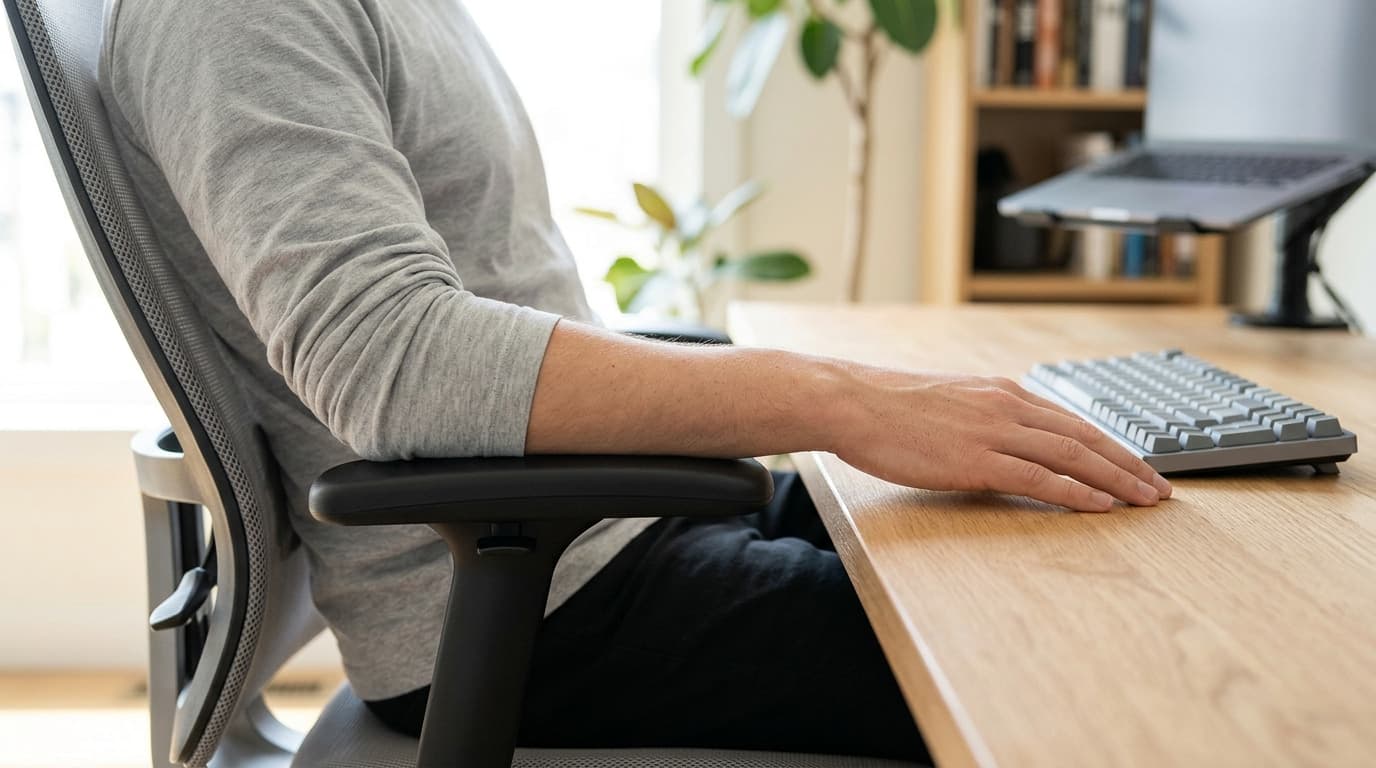
Armrests come near the end of the sequence for a reason: their correct position is defined relative to your elbows, and your elbows do not stop moving until the seat height, the footrest and the seat depth are all settled. Adjust them earlier and you will just do it again.
OSHA's phrasing is the best short test there is, because it is two conditions rather than one. Armrests should be "low enough so your shoulders are relaxed during use" and "high enough to provide support for your lower arms when positioned comfortably at your sides." Set them so that when your forearms rest on them your shoulders neither rise nor drop — if you can see your shoulders lift in a mirror, they are high; if your arms feel like they are reaching down, they are low. Then, if the chair allows it, bring them in. OSHA's third condition is that they be "close enough to provide support for your lower arms while keeping your upper arms close to the body," and width is the axis most people never touch even when they have it.
This is where armrest axes stop being a spec-sheet curiosity. Height-only arms give you one degree of freedom and you take what the chair's width gives you; 3D and 4D arms let you bring the pads under your forearms where they actually rest. Our under-$600 guide singles this out as a bigger real-world difference than any recline figure, and having now done the arithmetic on cushions, we would put it more strongly: armrest range is the adjustment with the least slack in it, so it is the one that a cushion, a thick seat pan or an unusual torso most easily pushes out of reach. Cornell's numbers put a second constraint on the width axis too — armrests "should be at least 17.2 in apart to exceed thigh breadth of 95th percentile females" — and chairs with narrow-set arms can press against you before they support you.
Two failure modes worth naming. First, armrests that stop you pulling the chair under the desk are worse than no armrests, because the compensation is leaning forward, which unloads the backrest you spent the last section setting. If the arms collide with the desk edge, drop them below the desktop and use them only when you push back. Second, armrests are not wrist rests. They support your forearms between keystrokes; if you are resting on them while typing your wrists will deviate sideways to reach the keys. That is what a wrist rest is for, and the two do different jobs.
Finish with tilt, which takes ten seconds and gets skipped almost universally. Find the tension knob, usually a large dial under the seat, and turn it until leaning back takes light effort rather than either no effort or a shove. Then set the tilt lock a few degrees back from vertical and leave it there. If your chair has a forward-tilt or seat-angle function, it is worth a try on a fixed desk that is too tall — tipping the seat pan slightly forward opens the hip angle and can buy back a little of the reach the desk is costing you.
The whole sequence, in order
Ten minutes, once, and a tape measure for the first two steps. The order matters more than the precision of any individual step, because each one changes the target for the ones after it.
1. Measure the desk. Floor to desktop. If it is between 29 and 30 inches, it is a standard fixed desk and the rest of this list is about working around that. If the desk moves, set the chair to your body first and then bring the desk to your seated elbow height, and read our standing desk height guide for the full method.
2. Fit any cushions now, before touching a single lever. A seat or lumbar cushion changes the datum every following step measures from. Adding one afterwards undoes the work.
3. Set seat height from your elbows. Sit at the desk, upper arms relaxed, elbows at roughly a right angle, forearms level with the desktop or a fraction above. Shoulders down. Ignore your feet completely at this stage.
4. Fix the floor. Feet flat and thighs level, or a footrest tall enough to make them so. Measure the gap before buying — if it is over about five inches, check the product's top step rather than assuming, because these adjust in fixed positions rather than continuously.
5. Set seat depth. Sit right back against the backrest; you want two to three fingers between the seat's front edge and the back of your knees. If you are using a lumbar cushion, start from the deepest setting, because the cushion has already taken several inches off.
6. Set the lumbar height. At your belt line, in the inward curve of your lower back, not in the middle of your back. Run it up and down while seated and stop where the pressure centres on the curve.
7. Set the armrests. Shoulders neither lifted nor dropped, forearms supported, arms brought in under your elbows if the chair allows width adjustment. Check they still clear the desk edge.
8. Set tilt tension and lock. Leaning back should take light effort. Lock a few degrees back from vertical rather than bolt upright.
9. Only now, the monitor. Everything above changed your seated eye height, so a screen set before this point is set to the wrong body position. Top of the screen at or just below eye level, roughly arm's length away — the method and the desk-depth arithmetic are in what size monitor for your desk.
10. Re-check in a week. Chairs settle, foam compresses and your first guess at seat depth is usually a little deep. Ten seconds of adjustment after a week of real use is worth more than another ten minutes today.
The bottom line
Set things in the order they constrain each other. Measure the desk, fit any cushions, then set seat height from your elbows with your forearms level to the desktop and your shoulders down. Only then look at your feet, and if they are dangling, raise the floor rather than dropping the seat. Seat depth next — two or three fingers behind the knee — then lumbar height at your belt line, then armrests, then tilt tension, then the monitor. Every step changes the target for the ones after it, which is the whole reason the order exists.
The number that decides most of it is your desk's. A fixed 29-inch desktop sits at the seated elbow height of a 95th-percentile man, so for most adults the correction runs several inches and all of it comes out of the chair. If you are short, read the top of a chair's seat-height range as a pass/fail spec and treat an optional tall gas cylinder as a fixed-desk feature rather than a tall-person one. If you are shopping and the budget stretches, a sit-stand frame with a low minimum solves the problem at the source instead of working around it.
Then be deliberate about accessories, because they are not additive to the chair's adjustments — they are drawn from them. A seat cushion is 2 to 4 inches of seat height that your armrests do not get back. A lumbar cushion is 2.5 to 4 inches of seat depth removed from a chair that adjusts by 2.25. Both are genuinely worth having when they fix a real problem; both need to go on before you adjust, not after, and the footrest is the one item here that costs the chair nothing because it is solving the floor rather than the seat.
And if you run this sequence and find that no combination of settings puts your elbows at the desk and your feet on something solid, the chair is not the thing that is wrong. That is worth knowing before you replace a perfectly good chair that was never the constraint.
Frequently asked questions
Desk, cushions, seat height, footrest, seat depth, lumbar height, armrests, tilt, then the monitor. The order matters because each step changes the target for the ones after it — armrest height is defined relative to your elbows, and your elbows do not settle until seat height, footrest and seat depth are all set. The two steps people usually get wrong are the first and second: measuring the desk before touching the chair, and fitting any seat or lumbar cushion before adjusting rather than after, because a cushion changes the surface every other measurement is taken from.
From the desk, then fix the feet separately. OSHA's guidance says both things and the order it implies is the useful part: the chair height is right when your whole foot rests on the floor, but if the seat cannot be lowered because it would put the keyboard too high, use a footrest instead. On a fixed 29-inch desk that caveat applies to a lot of people, so set the seat so your forearms are level with the desktop with your shoulders relaxed, and then raise the floor to meet your feet. Setting height from the floor first is what leaves people typing with their shoulders up around their ears.
Because a standard desk is built for a tall adult and chairs do not travel far enough to cover the difference. BIFMA's own anthropometric data puts the working surface height a 5th-percentile woman needs at 22.4 inches and a 95th-percentile man at 29.2, and a fixed desk is 29 to 30. The chairs across our guides offer between 2.9 and 5.0 inches of total seat-height travel, against Cornell's recommendation of 9 inches of adjustment. If you are short and your desk is fixed, read the top of a chair's seat-height range as a pass/fail spec — some models offer a taller gas cylinder as an option, and on a fixed desk that is not a tall-person upgrade.
Yes, in one specific way that is easy to miss. A 2-to-4-inch cushion raises where you sit but not the armrests, which are bolted to the seat pan. On a Steelcase Series 1 the arms reach 6.5 to 11 inches above the seat; add a 3-inch cushion and that becomes 3.5 to 8 inches above where you are actually sitting, which puts the chair's highest armrest setting at the bottom of the 8-to-10-inch window Cornell recommends. With a 4-inch cushion no setting reaches it. Use the cushion if it solves a real problem, but fit it first and then adjust the chair around it, expecting to run the armrests near the top of their travel.
At your belt line, in the inward curve of your lower back — not in the middle of your back, which is the most common mistake and the reason a lot of lumbar cushions get returned as uncomfortable. Also account for what it does to your seat: the cushions in our guide are 2.5 to 4 inches deep, and that depth pushes you forward by the same amount, subtracting it from your effective seat depth. Since a well-adjusting chair like the Series 1 only offers 2.25 inches of seat-depth range, a 4-inch cushion removes more than the chair can give back. Set seat depth to its deepest position first if you use one.
Watch your shoulders rather than your arms. OSHA's test is two-sided: low enough that your shoulders stay relaxed, high enough to support your forearms with your arms comfortably at your sides. If your shoulders lift when you rest on them they are too high; if your arms feel like they are reaching down, too low. Then bring them inward if the chair has a width adjustment, so the pads sit under your forearms rather than out beyond them. Set them last, after seat height, footrest and seat depth are settled, and check they still clear the desk edge — armrests that stop you pulling the chair under the desk make you lean forward, which wastes the backrest entirely.
On a fixed-height desk it is structural for a lot of people, not optional. Once the seat is set high enough to bring your elbows to a 29-inch desktop, anyone whose legs are shorter than that setting has their feet off the floor, and the weight then bears on the underside of the thighs at the front edge of the seat, over the vessels and nerves behind the knee. A footrest is simply the second half of that height adjustment. Measure the gap before buying, though: most sitters need three to five inches and every footrest in our guide covers that, but a 5th-percentile sitter on a 29-inch desk faces closer to 6.6 inches, and only one model we recommend reaches that — at the top of its three fixed positions, with almost nothing to spare. Note too that the adjustable footrests here move in steps rather than continuously, so check the top step against your measured gap rather than trusting the word adjustable.
Keep building your setup
Ergonomics
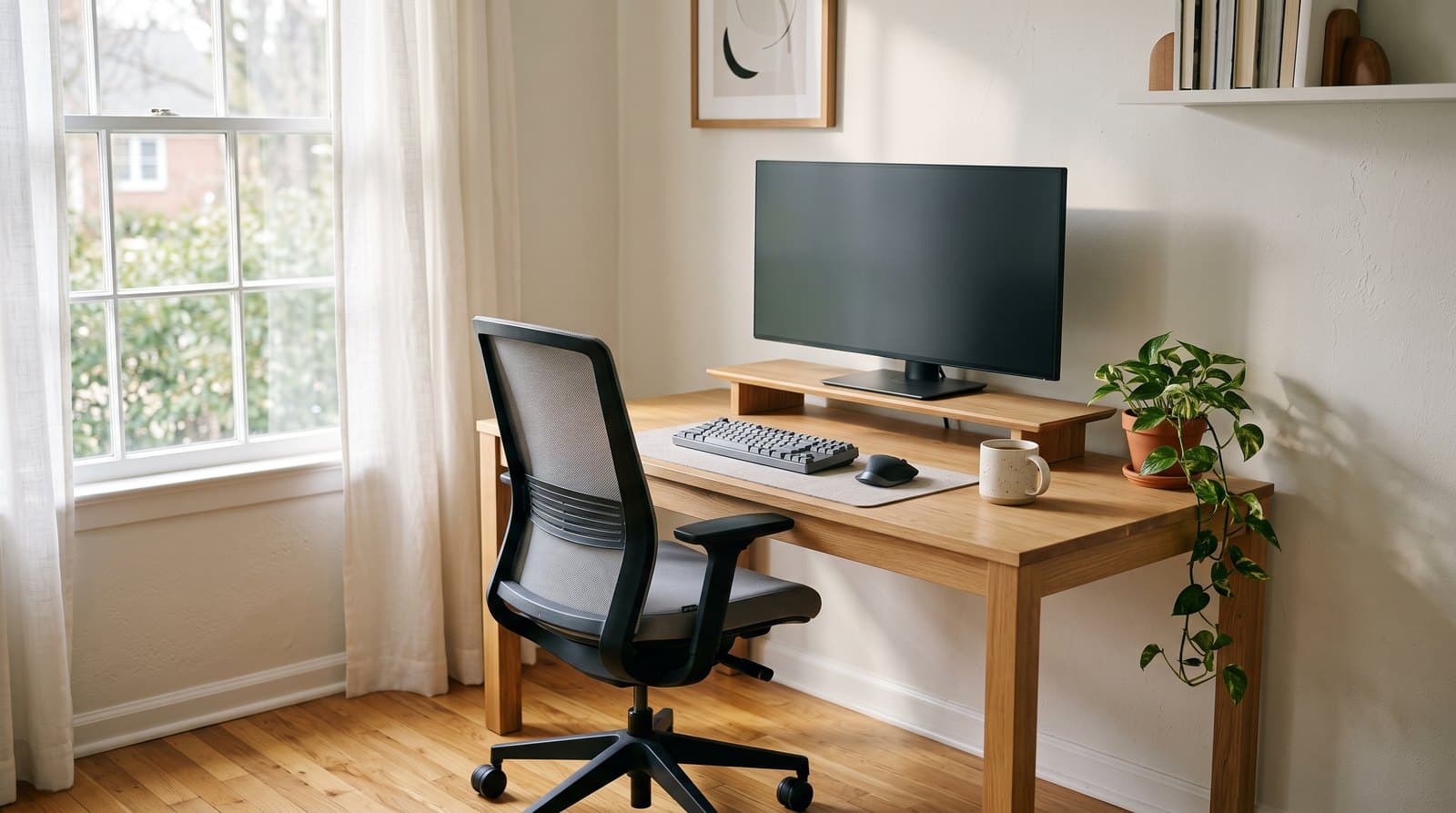
The Best Ergonomic Office Chairs Under $600 in 2026
The gap between a $250 chair and a $500 one isn't comfort — it's how long the thing survives and who pays when it doesn't. Six ergonomic office chairs from $330 to $600, compared on warranty terms read line by line, the adjustments that genuinely change your posture, and what each maker will still ship you a part for in year eight.
Updated August 13, 2026
Ergonomics
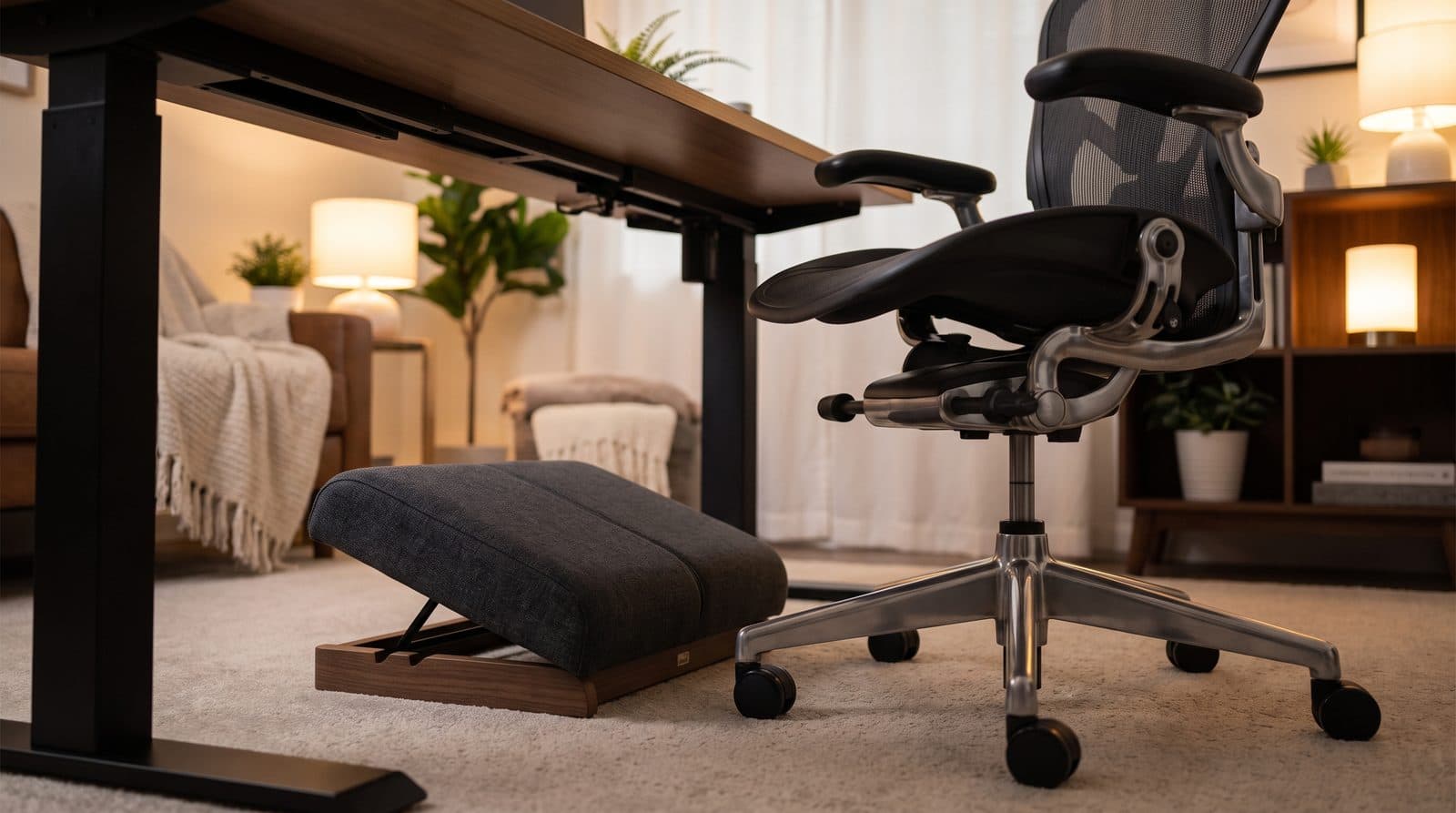
The Best Ergonomic Footrests for Long Workdays in 2026
If your feet dangle or your legs go numb by 3pm, the fix costs less than a chair. Five footrests compared by height range, movement, and long-day comfort.
Updated September 11, 2026
Ergonomics
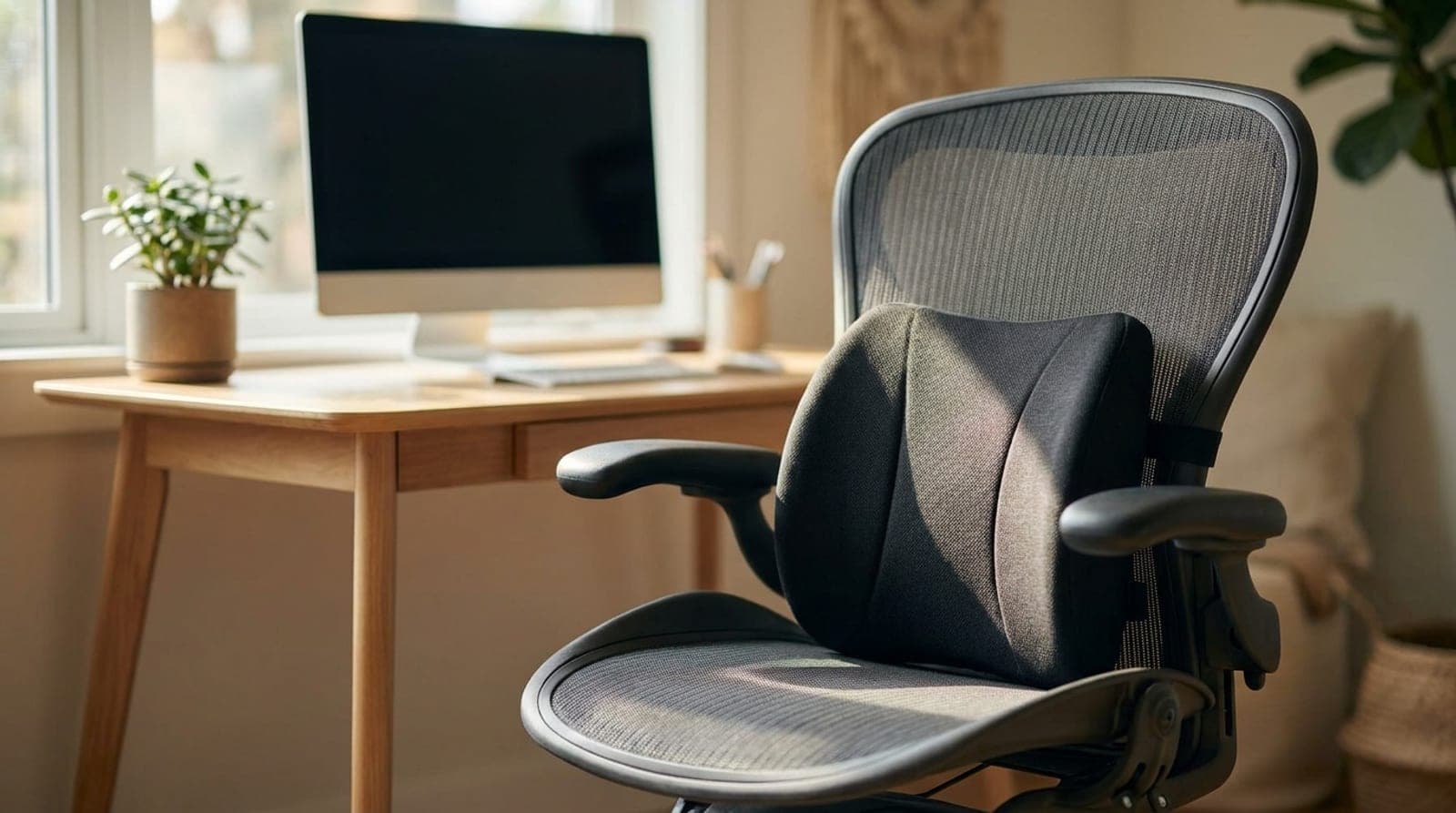
The Best Lumbar Support Cushions for Office Chairs in 2026
The cheapest way to fix a chair that leaves your lower back aching by 3pm. Six lumbar cushions compared by support shape, mounting, firmness, and how hot they run.
Updated July 28, 2026
Get the next guide in your inbox
One short email when we publish or meaningfully update a buying guide. No spam, no daily deals firehose.